Manufacturing ERP Integration Workflow: A Step-by-Step Guide
Veröffentlicht: 30.03.2026 Aktualisiert: 31.03.2026
Inhaltsverzeichnis
- Introduction: The Power of Integrated Manufacturing
- Understanding the Workflow: From Sales Order to Production
- Step 1: Retrieve Sales Order Data from ERP
- Step 2: Creating the Manufacturing Order
- Step 3: Raw Material Planning - The Foundation of Production
- Step 3.1: Assigning the Raw Material Planning Task
- Step 3.2: Checking Raw Material Inventory Levels
- Step 3.3: Calculating Material Shortage
- Step 3.4: Creating Purchase Requisitions for Shortage
- Step 4: Manufacturing Order Status Updates - Keeping Everyone Informed
- Step 5: Establishing the Bill of Materials (BOM) Link
- Step 6: Production Scheduling - Optimizing the Timeline
- Step 7: Production Manager Notification - Immediate Visibility
- Step 8: Work Center Availability - Resource Management
- Resources & Links
TLDR: Automate your manufacturing process! This workflow template seamlessly connects your ERP system to create manufacturing orders, manage raw materials (including automatic purchase requisitions for shortages), schedule production, and keep everyone informed - saving time, reducing errors, and boosting efficiency.
Introduction: The Power of Integrated Manufacturing
In today's competitive manufacturing landscape, efficiency and agility are paramount. Siloed systems - where sales, planning, and production operate in isolation - are a major bottleneck. This often leads to delayed orders, production inefficiencies, and increased costs. The solution? Seamless integration between your Manufacturing Execution System (MES) and your Enterprise Resource Planning (ERP) system. This integration isn't just about connecting systems; it's about creating a dynamic workflow where data flows effortlessly, decisions are data-driven, and processes are streamlined. Imagine a world where a sales order instantly triggers a manufacturing order, raw material planning begins automatically, and potential shortages are flagged proactively. That's the power of an integrated manufacturing ERP workflow - and it's what we're diving into in this article. We'll explore a specific workflow demonstrating the tangible benefits of this powerful connection, leading to improved responsiveness, reduced lead times, and ultimately, a stronger bottom line.
Understanding the Workflow: From Sales Order to Production
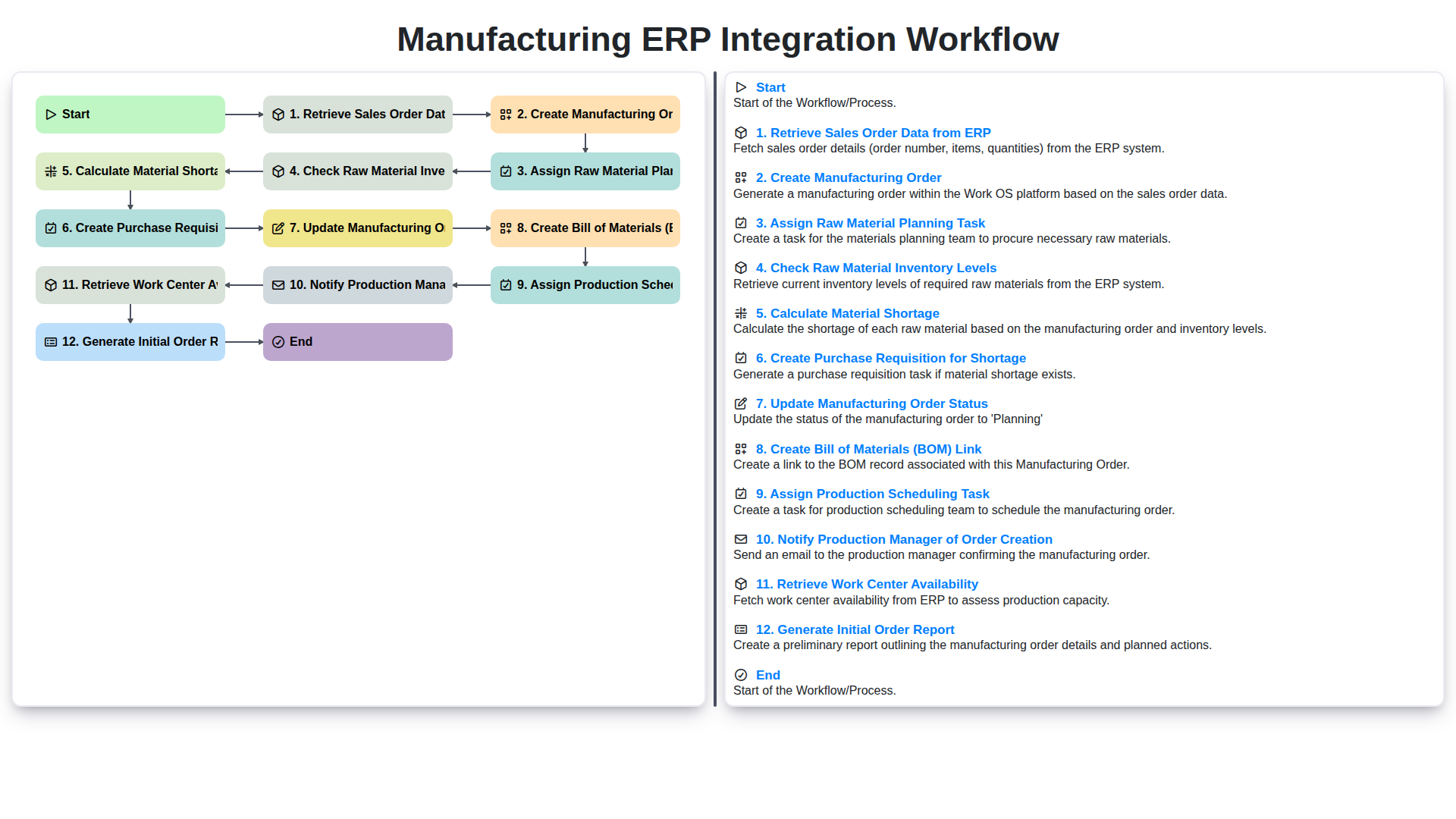
The journey from a customer placing an order to finished goods rolling off the production line is rarely a smooth, straightforward process. Without proper coordination and data flow, delays, errors, and increased costs can easily creep in. That's where a well-defined Manufacturing ERP integration workflow becomes critical. Let's break down the key steps involved in a typical workflow, illustrating how ERP integration streamlines production:
Retrieve Sales Order Data from ERP: The process begins with pulling the sales order details directly from your ERP system. This eliminates manual data entry and ensures accuracy, capturing vital information like order quantity, product specifications, delivery dates, and customer details.
Create Manufacturing Order: Armed with the sales order data, the system automatically generates a corresponding manufacturing order within the ERP. This formally initiates the production process.
Assign Raw Material Planning Task: A task is automatically assigned to the materials planning team. Their focus is to determine the necessary raw materials required to fulfill the manufacturing order.
Check Raw Material Inventory Levels: The system then queries the ERP to check current stock levels for all required raw materials. This provides a real-time snapshot of what's readily available.
Calculate Material Shortage: If inventory levels are insufficient to cover the order, the system automatically calculates the material shortage - precisely quantifying what needs to be procured.
Create Purchase Requisition for Shortage: Based on the calculated shortage, a purchase requisition is automatically created and routed for approval. This expedites the procurement process, minimizing delays.
Update Manufacturing Order Status: The manufacturing order status is updated to reflect the material planning stage and any potential procurement needs. This provides clear visibility into the order's progress.
Create Bill of Materials (BOM) Link: The system links the manufacturing order to the relevant Bill of Materials (BOM) for the product, ensuring that all required components and their quantities are clearly defined.
Assign Production Scheduling Task: A production scheduling task is assigned, kicking off the process of determining the optimal production timeline and resource allocation.
Notify Production Manager of Order Creation: An automated notification is sent to the production manager, keeping them informed of the new order and its associated requirements.
Retrieve Work Center Availability: The system checks the availability of work centers (production lines, machines, etc.) to determine when production can commence.
Generate Initial Order Report: An initial report detailing the manufacturing order, material requirements, and scheduling information is generated for review and further action.
This interconnected workflow, powered by ERP integration, minimizes manual intervention, reduces errors, and provides a transparent view of the production process from order receipt to fulfillment.
Step 1: Retrieve Sales Order Data from ERP
The entire manufacturing process hinges on accurate and timely sales order information. This first step, retrieving sales order data from your ERP (Enterprise Resource Planning) system, is the foundation upon which everything else is built. Manually pulling this data is not only time-consuming but also prone to errors.
A properly integrated workflow automates this retrieval process. When a sales order is entered or updated in your ERP, the integration triggers an automatic pull of key details like customer information, product specifications, quantities, delivery dates, and pricing. This data is then passed to the manufacturing system, initiating the subsequent steps in the workflow.
The benefits of automated sales order retrieval are significant: reduced data entry errors, faster order processing times, and improved visibility into customer demand. This sets the stage for efficient manufacturing planning and execution. Critically, ensuring data consistency between your sales and manufacturing departments prevents costly discrepancies and potential delays down the line.
Step 2: Creating the Manufacturing Order
Once the sales order data is successfully retrieved from your ERP system, the next crucial step is creating the Manufacturing Order (MO) within your manufacturing execution system (MES) or directly within your ERP if it has robust manufacturing capabilities. This MO acts as the central command for all activities related to producing the goods outlined in the sales order.
The creation process should automatically populate key data points from the sales order, including:
- Product Name/SKU: Identifies the item to be manufactured.
- Quantity: The number of units to produce, directly from the sales order.
- Due Date: The delivery date specified in the sales order, setting a timeline for production.
- Customer Information: Essential for traceability and customer service.
- Manufacturing Instructions: Any specific notes or requirements extracted from the sales order details.
Ideally, this creation is automated, minimizing manual data entry and reducing the risk of errors. The MO acts as the foundation for subsequent tasks, ensuring all related processes are aligned with the original sales order requirements. It triggers the cascade of events that define the production lifecycle.
Step 3: Raw Material Planning - The Foundation of Production
Once a Manufacturing Order is created, the next crucial step is raw material planning. This isn't just about knowing what materials are needed; it's about proactive planning to ensure they're available when required, preventing costly delays and production bottlenecks.
The workflow initiates with an Assign Raw Material Planning Task action. This task is typically assigned to a designated planner who is responsible for assessing the Bill of Materials (BOM) linked to the Manufacturing Order (more on BOM creation in a later step!). They then proceed to Check Raw Material Inventory Levels - a real-time check of stock across all locations. The system automatically Calculate Material Shortage based on the planned usage and existing inventory. If shortages are detected, the system Create Purchase Requisition for Shortage, automatically populating it with the necessary materials, quantities, and supplier information (often pre-populated based on pre-defined supplier relationships within the ERP). This streamlines the procurement process, minimizing manual intervention and potential errors. Effective raw material planning forms the bedrock of efficient manufacturing, ensuring a smooth flow of materials and minimizing the risk of production downtime.
Step 3.1: Assigning the Raw Material Planning Task
Once the Manufacturing Order is created, the next crucial step is assigning a Raw Material Planning Task. This isn't just about listing materials; it's about proactive planning. The assigned individual (often a material planner or procurement specialist) receives a clear directive: determine the required quantities of each raw material listed in the Bill of Materials (BOM) associated with the Manufacturing Order. This task should include a deadline, relevant Manufacturing Order details, and access to inventory management tools. Effective assignment ensures accountability and prompts the planner to immediately begin verifying material availability, setting the stage for the subsequent inventory checks and potential purchase requisitions. The planner's role here is pivotal in minimizing delays and ensuring materials arrive on time to support production.
Step 3.2: Checking Raw Material Inventory Levels
Once the raw material planning task is assigned, the next critical step is to meticulously check current inventory levels. This goes beyond a simple count; it involves querying the ERP system to determine the available quantity of each component required for the manufacturing order. We need to account for any allocated stock (e.g., reserved for other orders), quality holds, or materials currently in transit.
This process requires a precise link between the BOM (Bill of Materials) generated earlier and the ERP's material master data. The system will automatically identify each raw material needed and its corresponding ERP code. The result isn't just a number; it's a snapshot of the current stock position, crucial for accurate planning and avoiding delays later. It also lays the foundation for the subsequent shortage calculation.
Step 3.3: Calculating Material Shortage
Once we're aware of the raw material requirements, the next critical step is calculating any material shortages. This involves comparing the required quantity of each material (determined in the previous step) against the current inventory levels. The ERP system's inventory module is queried to get a real-time view of stock on hand.
The calculation itself is simple: Shortage = Required Quantity - Available Quantity. However, the impact of this calculation is significant. A positive result indicates a shortage, triggering the automated creation of a Purchase Requisition (discussed in the next step) to secure the necessary materials from suppliers. A zero or negative result means we have sufficient inventory, allowing the manufacturing order to proceed without immediate procurement action. This automatic calculation eliminates manual calculations and potential errors, ensuring accurate material planning and minimizing the risk of production delays. We also consider lead times for any planned purchases during this calculation to prevent shortages further down the line.
Step 3.4: Creating Purchase Requisitions for Shortage
When the raw material inventory check reveals a shortage, the system automatically generates a Purchase Requisition (PR). This PR isn't just a simple request; it's intelligently populated with the precise quantities needed, the required delivery date (aligned with the manufacturing schedule), and the vendor information (potentially pulled from pre-approved vendor lists within the ERP).
The system will detail:
- Material Name & Description: Clearly identifies the missing raw material.
- Quantity Required: Specifies the exact amount needed to fulfill the manufacturing order.
- Unit of Measure: Ensures accuracy in ordering.
- Delivery Date: Critical for maintaining the production timeline.
- Vendor (Suggested): The ERP might suggest a preferred vendor based on historical data, pricing, and lead times.
- Cost Estimate: Provides a preliminary cost for approval.
This automated PR creation streamlines the procurement process, preventing delays and ensuring the manufacturing order isn't stalled due to missing materials. The PR is then routed for approval according to pre-defined workflows, and once approved, it triggers the purchase order creation and subsequent material delivery.
Step 4: Manufacturing Order Status Updates - Keeping Everyone Informed
As manufacturing orders progress through the workflow, maintaining accurate status updates is crucial for transparency and proactive problem-solving. This step automatically updates the Manufacturing Order status within the ERP system, reflecting its current phase - from Created to Raw Materials Planned, Materials Ordered, In Production, Completed, and so on.
These status updates aren't just for record-keeping. They trigger automated notifications and dashboards, providing real-time visibility to stakeholders like production managers, shop floor personnel, and even sales teams. This eliminates guesswork and allows for immediate action when delays or issues arise. For example, if a material shortage is identified and a purchase requisition is created, the Manufacturing Order status updates to Materials Ordered, instantly alerting the procurement team and providing a clear indication of the order's current state. Consistent and automated status updates are the backbone of a responsive and efficient manufacturing process.
Step 5: Establishing the Bill of Materials (BOM) Link
A crucial step in the manufacturing process is ensuring the Manufacturing Order (MO) has a clear and accurate Bill of Materials (BOM) attached. This BOM defines all the raw materials, components, and sub-assemblies required to complete the order. The ERP integration workflow automatically links the newly created MO to the appropriate BOM record residing within the ERP system.
This linkage isn't just about association; it's about data synchronization. The integration pulls the BOM details - including material quantities, unit costs, and any relevant notes - directly into the Manufacturing Order record. This avoids manual data entry, reduces errors, and provides a single source of truth for all material requirements. The system also leverages the BOM information to accurately calculate the total material costs associated with the order, influencing costing and profitability analysis. This connection ensures production teams have the right materials, in the right quantities, available when needed, minimizing delays and optimizing resource utilization.
Step 6: Production Scheduling - Optimizing the Timeline
Once the Production Manager has been notified and the Manufacturing Order is officially underway, the next crucial step involves assigning a Production Scheduling task. This isn't just about putting the order on a calendar; it's about intelligently optimizing the timeline to maximize efficiency and minimize bottlenecks.
The Production Scheduler will analyze the manufacturing order details, including complexity, required resources (machines, labor), and any constraints identified during raw material planning. They'll then factor in work center availability (retrieved earlier in the workflow) and potential dependencies between operations. This involves prioritizing orders based on due dates, customer importance, and the overall production load.
Using the ERP system's scheduling tools, the scheduler will assign specific dates and times for each manufacturing operation, ensuring a realistic and achievable production plan. The ERP system should automatically update the Manufacturing Order with these scheduled dates, providing a clear visual representation of the production timeline for all stakeholders. Furthermore, the system should allow for adjustments and re-scheduling as needed, allowing for flexibility in response to unexpected events or changes in demand. This proactive approach to scheduling is vital for on-time delivery and overall production success.
Step 7: Production Manager Notification - Immediate Visibility
Once a manufacturing order is created and initial planning is underway, timely communication is paramount. That's why Step 7 focuses on immediately notifying the Production Manager. This isn't just about sending an email; it's about leveraging your integrated ERP system to provide context. The notification includes key details such as the order number, due date, priority level, and a direct link to the manufacturing order within the ERP system. This instant visibility allows the Production Manager to quickly assess the order's impact, identify potential bottlenecks, and proactively address any concerns before they escalate. Automated notifications eliminate the risk of missed orders and ensure a seamless handover from sales to production. Furthermore, the link to the order details fosters collaboration and reduces the time spent searching for information, contributing to increased efficiency and responsiveness.
Step 8: Work Center Availability - Resource Management
Creating a manufacturing order is only half the battle. To ensure timely production, we need to understand the availability of our work centers. This step involves retrieving real-time data from the ERP system regarding the capacity and status of each work center involved in the manufacturing process.
The integration queries the ERP to ascertain factors like:
- Current Workload: How much work is already scheduled for each work center?
- Machine Downtime: Are any machines currently down for maintenance or repair?
- Personnel Availability: Are enough skilled operators available to handle the workload?
- Scheduled Breaks/Shifts: Considering planned breaks and shift schedules for accurate capacity assessment.
This information is crucial for realistic production planning. If a work center is overbooked or unavailable, the system needs to flag this immediately, prompting adjustments to the manufacturing order - perhaps delaying production or shifting the order to an alternative work center. This proactive approach minimizes bottlenecks and prevents costly delays later in the production cycle. The ERP integration ensures that scheduling decisions are based on accurate, up-to-the-minute data, optimizing resource utilization and maximizing efficiency.
Resources & Links
- NetSuite: A leading cloud ERP solution often used as a foundation for manufacturing integration. Provides sales order data, manufacturing order management, and inventory control capabilities.
- SAP: A major ERP provider with extensive manufacturing modules. Valuable for understanding complex ERP systems and potential integration points.
- Microsoft Dynamics 365: Another comprehensive ERP platform suitable for manufacturing businesses, providing a wide range of modules and integration options.
- Infor: Offers industry-specific ERP solutions, including strong capabilities for manufacturing processes and integration needs.
- OEMConnect: A platform focusing on connecting manufacturers with suppliers, relevant for understanding material procurement and integration challenges.
- APICS (ASCM): A professional organization focused on supply chain and operations management. Provides resources and training related to production planning and scheduling.
- MRP Europe: Provides information and resources about Material Requirements Planning (MRP), a core component of the raw material planning phase.
- Gartner: A leading research and advisory company providing insights into ERP and supply chain technologies. Useful for understanding market trends and selecting the right solutions.
- Process.st: Offers visual workflow mapping tools. Useful for illustrating and understanding the overall manufacturing ERP integration workflow.
- Capterra: A software review site where you can find user reviews and compare various ERP and manufacturing software options.
Häufig gestellte Fragen
What is a manufacturing ERP integration workflow?
A manufacturing ERP integration workflow is a structured, step-by-step process designed to connect an Enterprise Resource Planning (ERP) system with other critical software applications, such as MES, CRM, or SCM, to ensure seamless data flow and operational synchronization across the factory floor and back office.
What are the primary benefits of integrating an ERP system in manufacturing?
Key benefits include real-time data visibility, reduced manual data entry errors, improved production scheduling accuracy, enhanced inventory management, and better synchronization between shop floor activities and business operations.
What is the first step in an ERP integration project?
The first step is defining your objectives and identifying the specific pain points or operational gaps you aim to solve through integration. This includes auditing your existing software landscape and determining which systems need to communicate.
What are the most common challenges faced during ERP integration?
Common challenges include data silos, incompatible data formats, resistance to change from staff, high initial implementation costs, and the complexity of mapping workflows between legacy systems and new ERP modules.
How can manufacturers ensure data integrity during the integration process?
Data integrity can be ensured by implementing rigorous data cleansing before migration, establishing standardized data mapping protocols, and performing thorough validation testing in a sandbox environment before going live.
What is the difference between API-based integration and point-to-point integration?
API-based integration uses standardized interfaces to allow different systems to communicate dynamically and flexibly, whereas point-to-point integration involves creating custom, direct connections between two specific systems, which can become difficult to manage as the number of integrated applications grows.
Kommentare
Bisher gibt es keine Kommentare. Seien Sie der Erste, der einen hinzufügt!
Demo der Fertigungsmanagementlösung
Hören Sie auf, sich mit Papierkram herumzuschlagen und mit inkompatiblen Systemen zu kämpfen! Unsere Lösung bringt Klarheit und Kontrolle in Ihren Produktionsprozess. Von Standardarbeitsanweisungen (SOPs) und Geräteinstandhaltung bis hin zur Qualitätskontrolle und Bestandsverfolgung vereinfachen wir jeden Schritt.
Verwandte Artikel
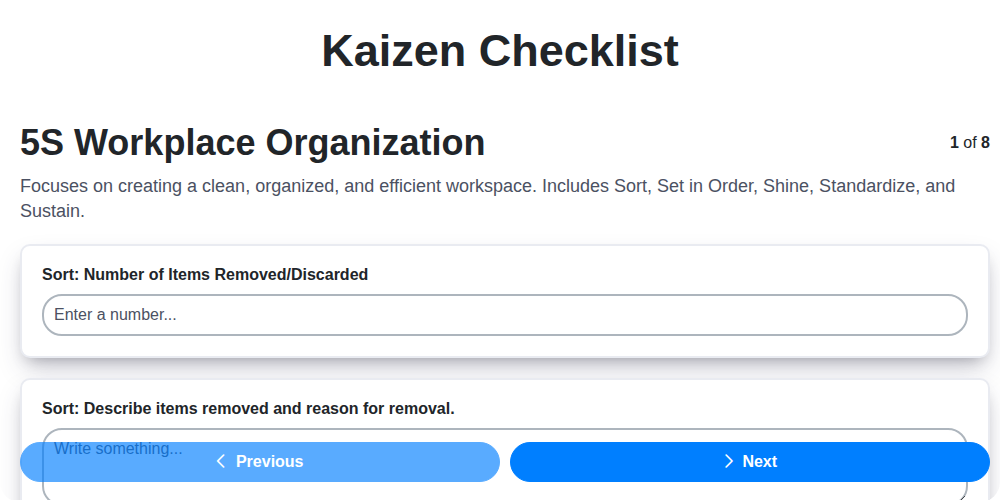
Kaizen-Checklisten-Vorlage: Ihr Weg zur kontinuierlichen Verbesserung

Machine Safety Audit Checklist: Your Guide to a Safer Manufacturing Workplace
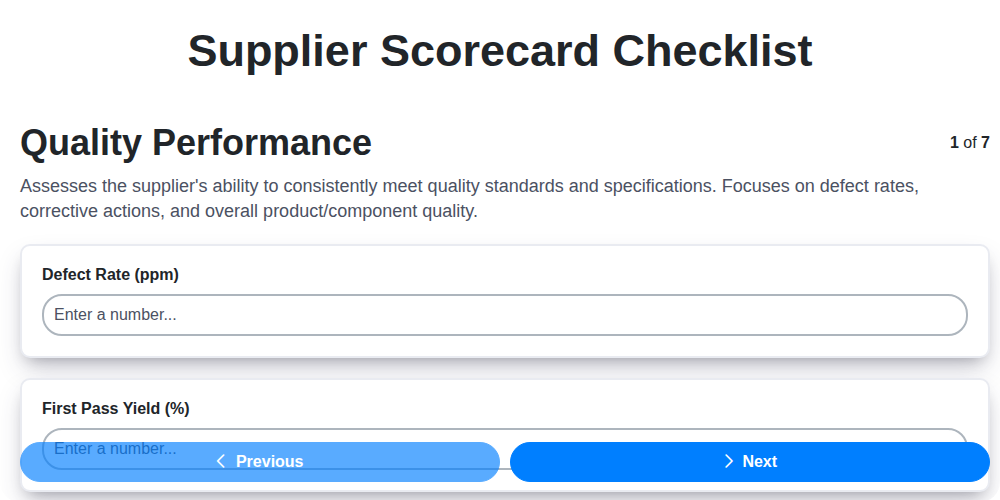
Mastering Supplier Performance: Your Free Supplier Scorecard Checklist Template
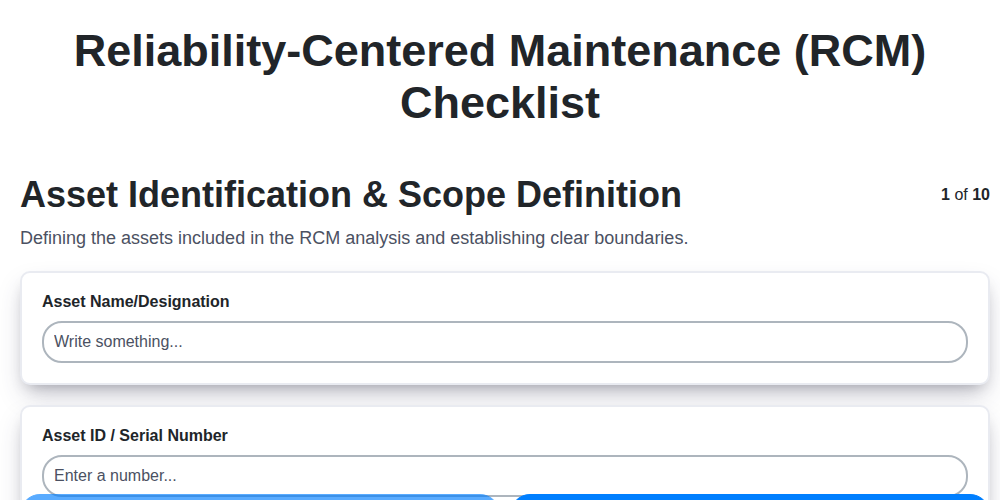
Ihr ultimatives RCM-Checklisten-Template: Ein Schritt-für-Schritt-Leitfaden

LPA-Checklisten-Vorlage: Ihr Leitfaden für mehrschichtige Prozessprüfungen

Ihre ultimative Checklisten-Vorlage für Abschaltung und Kennzeichnung (LOTO)

Your Ultimate FSC 22000 Checklist Template
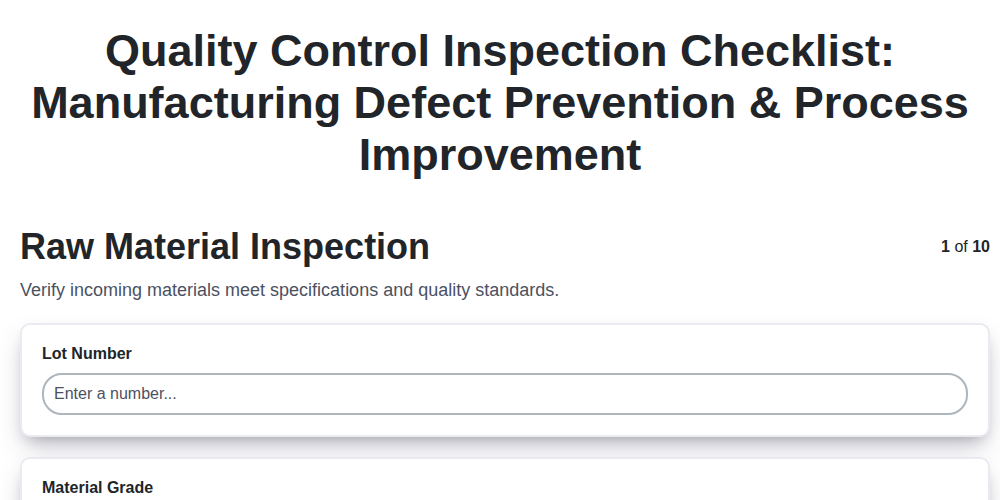
Qualitätskontroll-Prüflisten-Vorlage: Fehler vermeiden & Fertigungsprozesse verbessern
Gemeinsam schaffen wir das
Benötigen Sie Hilfe bei Checklisten?
Haben Sie eine Frage? Wir helfen Ihnen gerne. Bitte senden Sie uns Ihre Anfrage, und wir werden Ihnen umgehend antworten.