 ChecklistGuro
 Residential Lease Agreement Generation
Streamline your property management with our automated Residential Lease Agreement Generation workflow. Designed specifically for real estate professionals, this process eliminates manual errors and legal inconsistencies by instantly creating customized, legally-compliant lease contracts tailored to every tenant and property. Accelerate your leasing cycle, protect your assets, and ensure a seamless onboarding experience for new residents with just a few clicks.
Diese Vorlage wurde 3 Mal installiert.
Start
Start des Workflows/Prozesses.
1. Get Tenant Application Data
Retrieve all submitted information from the Tenant Application data model.
2. Get Property Details
Retrieve specific details regarding the property (address, rent amount, deposit) from the Property data model.
3. Get Landlord Information
Retrieve contact details and legal name of the property owner/landlord.
4. Calculate Total Move-in Cost
Sum the first month's rent, security deposit, and any applicable admin fees.
5. Create Lease Draft
Generate a new entry in the Lease Agreement data model using the aggregated data.
6. Legal Review Task
Assign a task to the Legal Department to review the generated lease terms for compliance.
7. Document Verification Task
Assign a task to the Leasing Agent to verify tenant identity and background check results.
8. Update Lease Status to 'Reviewing'
Change the status of the Lease Agreement entry to 'Under Review'.
9. Signature Collection Task
Assign a task to the Tenant to sign the lease agreement electronically.
10. Update Lease Status to 'Pending Signature'
Update the Lease Agreement entry status once the draft is approved and sent.
11. Send Lease to Tenant
Send an email to the tenant containing the lease link and instructions for signing.
12. Update Lease Status to 'Signed'
Update the Lease Agreement entry status once all digital signatures are captured.
13. Create Security Deposit Invoice
Create a new entry in the Invoices data model for the security deposit amount.
14. Notify Landlord of Execution
Send an email to the Landlord notifying them that the lease has been fully executed.
15. Update Lease Status to 'Active'
Finalize the lease status to 'Active' and set the commencement date.
16. Generate Monthly Leasing Report
Create a summary report of all newly executed leases for the current month.
Ende
Ende des Arbeitsablaufs/Prozesses.
Start des Workflows/Prozesses.
Retrieve all submitted information from the Tenant Application data model.
Retrieve specific details regarding the property (address, rent amount, deposit) from the Property data model.
Retrieve contact details and legal name of the property owner/landlord.
Sum the first month's rent, security deposit, and any applicable admin fees.
Generate a new entry in the Lease Agreement data model using the aggregated data.
Assign a task to the Legal Department to review the generated lease terms for compliance.
Assign a task to the Leasing Agent to verify tenant identity and background check results.
Change the status of the Lease Agreement entry to 'Under Review'.
Assign a task to the Tenant to sign the lease agreement electronically.
Update the Lease Agreement entry status once the draft is approved and sent.
Send an email to the tenant containing the lease link and instructions for signing.
Update the Lease Agreement entry status once all digital signatures are captured.
Create a new entry in the Invoices data model for the security deposit amount.
Send an email to the Landlord notifying them that the lease has been fully executed.
Finalize the lease status to 'Active' and set the commencement date.
Create a summary report of all newly executed leases for the current month.
Ende des Arbeitsablaufs/Prozesses.
Hat Ihnen diese Workflow-Vorlage geholfen?
Kommentare
Bisher gibt es keine Kommentare. Seien Sie der Erste, der einen hinzufügt!
Demonstration der Lösung für das Immobilienmanagement
Vereinfachen Sie Ihre Immobilienverwaltung! ChecklistGuro optimiert die Verwaltung von Immobilien, die Verlängerung von Mietverträgen und Wartungsanfragen. Steigern Sie die Zufriedenheit der Mieter und maximieren Sie den Kapitalertrag. Verwalten Sie alles mit unserer Work OS.
Verwandte Workflow-Vorlagen

Real Estate Agent Performance Tracking Process

Property Inventory and Asset Management Workflow

Real Estate Referral Management Process

Property Tax and Compliance Management Workflow

Tenant Move-in and Move-out Workflow

Real Estate Market Analysis and Reporting Process

Property Showing and Tour Scheduling Workflow
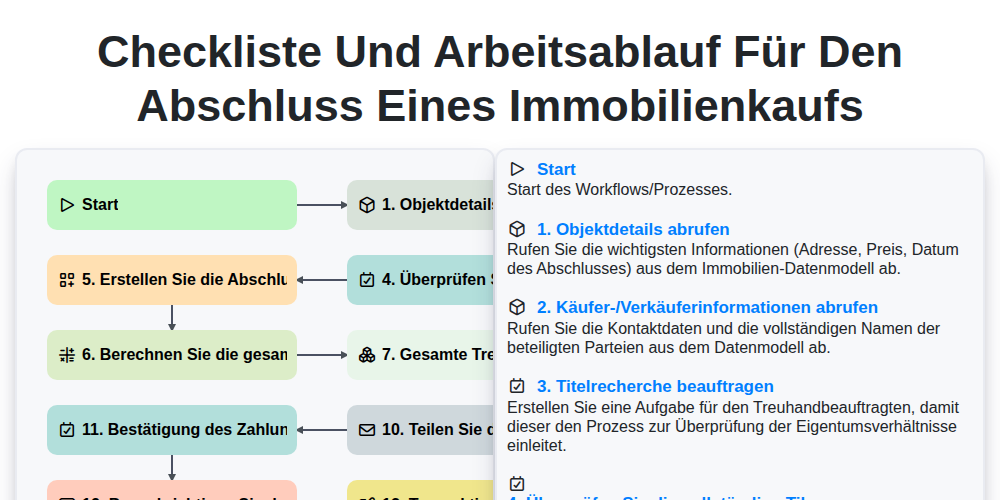
Checkliste und Arbeitsablauf für den Abschluss eines Immobilienkaufs
Gemeinsam schaffen wir das
Benötigen Sie Hilfe bei Checklisten?
Haben Sie eine Frage? Wir helfen Ihnen gerne. Bitte senden Sie uns Ihre Anfrage, und wir werden Ihnen umgehend antworten.