 ChecklistGuro
 Integrated Ticketing and Revenue Collection Workflow
Streamline your transit operations with our Integrated Ticketing and Revenue Collection Workflow. Optimize fare management, enhance passenger experience, and ensure real-time revenue integrity through a unified, automated process designed for modern public transport ecosystems.
Diese Vorlage wurde 2 Mal installiert.
Start
Start des Workflows/Prozesses.
1. Fetch Customer Profile
Retrieve customer contact details and credit status from the Customer Data Model.
2. Initialize Support Ticket
Create a new entry in the Tickets Data Model to log the incoming issue.
3. Assign Support Agent
Create a task for a Support Representative to investigate the reported issue.
4. Update Ticket Status to 'Investigating'
Update the status of the specific ticket entry to reflect active work.
5. Check Outstanding Invoices
Retrieve all unpaid entries from the Invoices Data Model associated with the customer.
6. Calculate Total Debt
Sum the 'Amount Due' property of all unpaid invoices found in the previous step.
7. Determine Service Eligibility
Calculate if the customer is eligible for service based on (Total Debt - Credit Limit).
8. Notify Customer of Debt
Send an automated email to the customer detailing their outstanding balance.
9. Revenue Collection Task
Create a task for the Billing Department to reach out for payment.
10. Generate Payment Request
Create a new entry in the Billing Requests Data Model.
11. Update Ticket to 'Awaiting Payment'
Update the ticket status to reflect that resolution is pending revenue collection.
12. Verify Payment Receipt
Scan the Payments Data Model for a new entry matching the Payment Request ID.
13. Mark Invoice as Paid
Update the specific Invoice entry status to 'Paid' once verification is successful.
14. Resolve Support Ticket
Update the original Ticket entry status to 'Closed/Resolved'.
15. Send Payment Confirmation SMS
Send a brief SMS to the customer's phone number confirming the payment was received.
16. Monthly Revenue & Ticket Report
Generate a summary report aggregating total recovered revenue and resolved tickets for the period.
Ende
Ende des Arbeitsablaufs/Prozesses.
Start des Workflows/Prozesses.
Retrieve customer contact details and credit status from the Customer Data Model.
Create a new entry in the Tickets Data Model to log the incoming issue.
Create a task for a Support Representative to investigate the reported issue.
Update the status of the specific ticket entry to reflect active work.
Retrieve all unpaid entries from the Invoices Data Model associated with the customer.
Sum the 'Amount Due' property of all unpaid invoices found in the previous step.
Calculate if the customer is eligible for service based on (Total Debt - Credit Limit).
Send an automated email to the customer detailing their outstanding balance.
Create a task for the Billing Department to reach out for payment.
Create a new entry in the Billing Requests Data Model.
Update the ticket status to reflect that resolution is pending revenue collection.
Scan the Payments Data Model for a new entry matching the Payment Request ID.
Update the specific Invoice entry status to 'Paid' once verification is successful.
Update the original Ticket entry status to 'Closed/Resolved'.
Send a brief SMS to the customer's phone number confirming the payment was received.
Generate a summary report aggregating total recovered revenue and resolved tickets for the period.
Ende des Arbeitsablaufs/Prozesses.
Hat Ihnen diese Workflow-Vorlage geholfen?
Kommentare
Bisher gibt es keine Kommentare. Seien Sie der Erste, der einen hinzufügt!
Demonstration der Lösung für das Management des öffentlichen Nahverkehrs
Optimieren Sie den Betrieb des öffentlichen Nahverkehrs und verbessern Sie das Fahrgasterlebnis! ChecklistGuro optimiert die Routenplanung, die Fahrzeugwartung und die Meldung von Vorfällen. Verbessern Sie die Effizienz, Sicherheit und Zuverlässigkeit. Verwalten Sie alles mit unserer Work OS.
Verwandte Workflow-Vorlagen

Bus Stop Infrastructure Maintenance Workflow

Contactless Payment Processing and Settlement Workflow

Public Transport Resource Allocation and Dispatching

Transit Subscription and Pass Management Process

Automated Bus Inspection and Safety Audit Workflow

Real-Time Traffic Congestion Impact Analysis
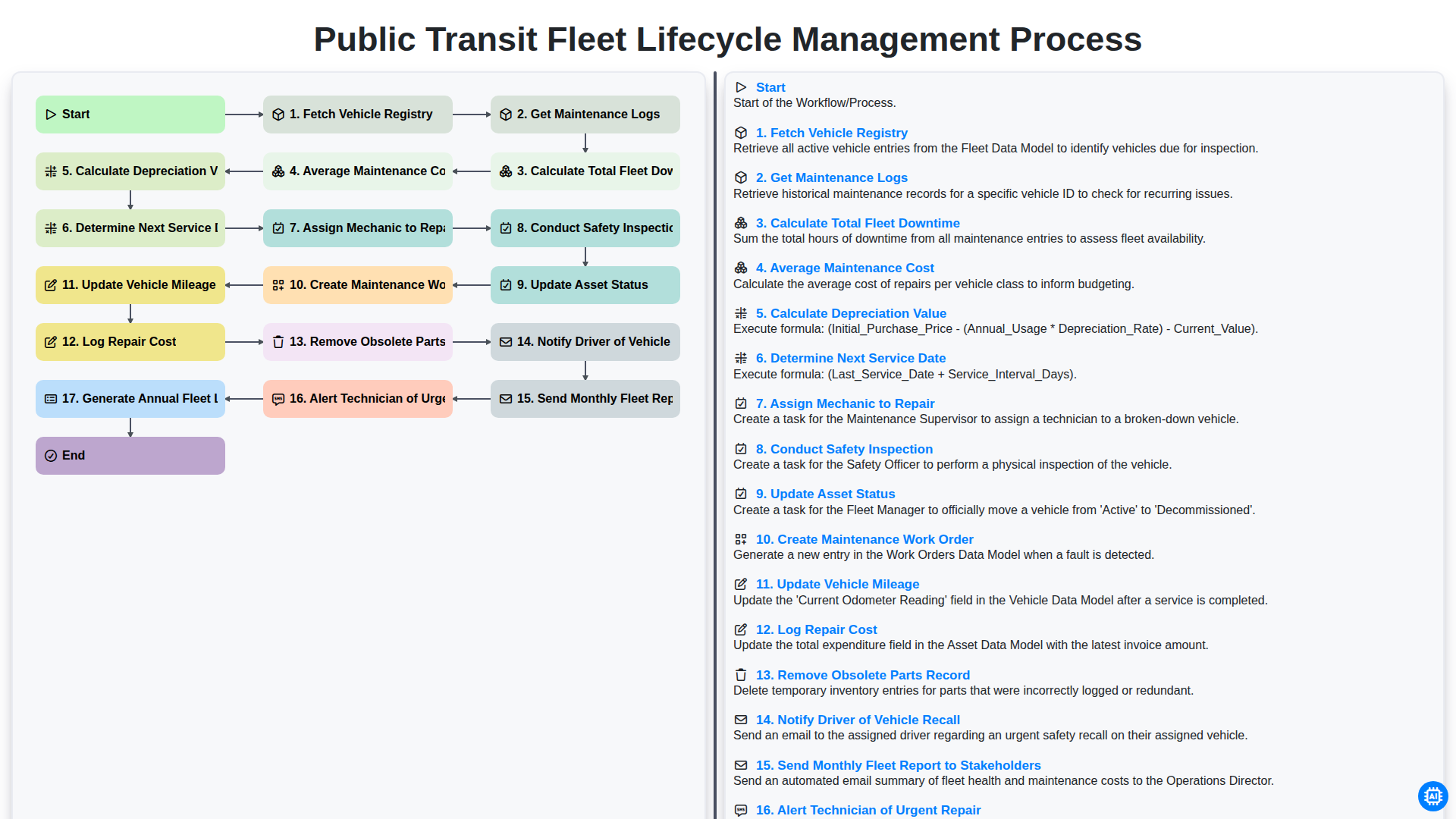
Public Transit Fleet Lifecycle Management Process
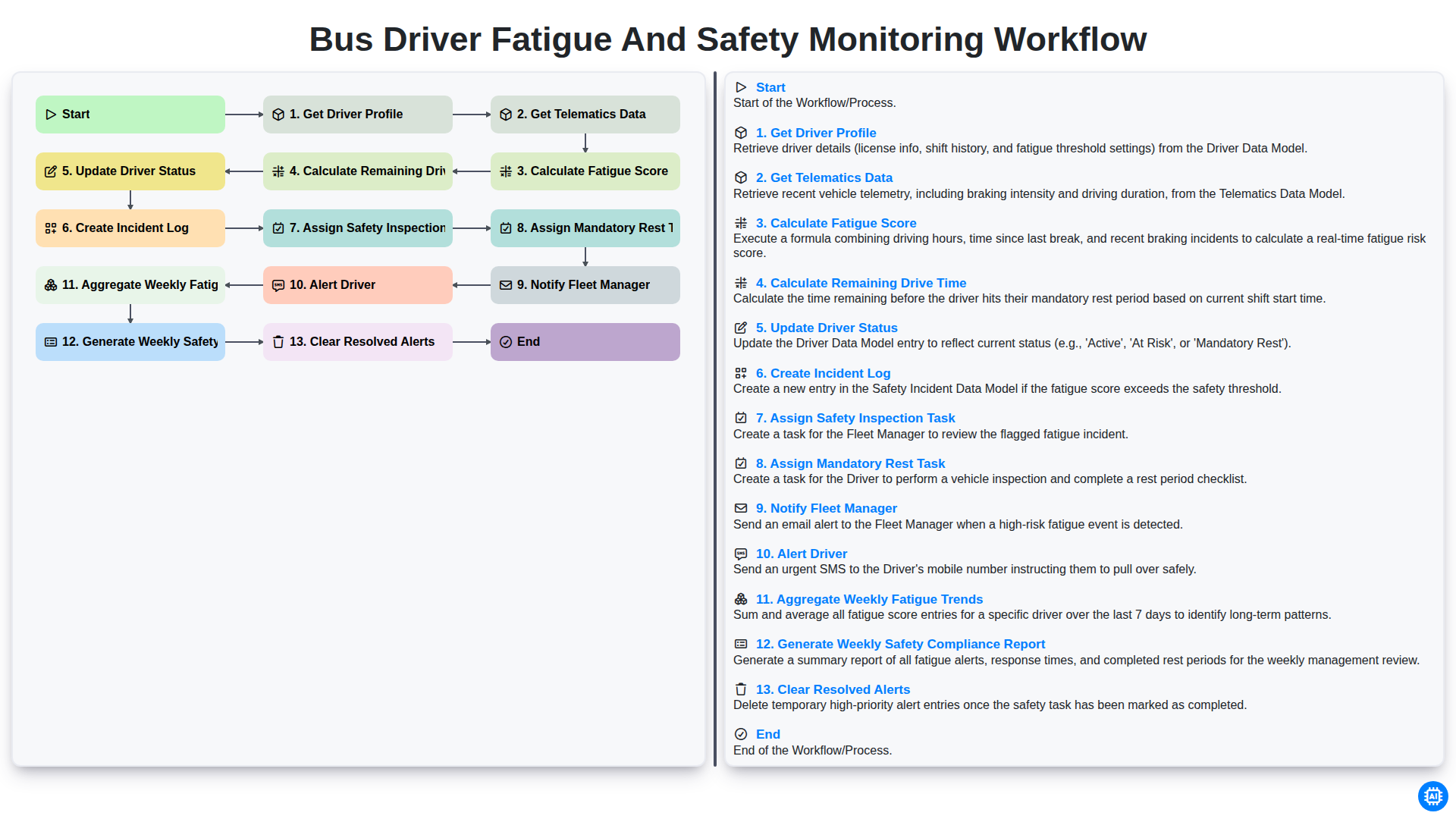
Bus Driver Fatigue and Safety Monitoring Workflow
Gemeinsam schaffen wir das
Benötigen Sie Hilfe bei Checklisten?
Haben Sie eine Frage? Wir helfen Ihnen gerne. Bitte senden Sie uns Ihre Anfrage, und wir werden Ihnen umgehend antworten.