 ChecklistGuro
 Event and Banquet Management Workflow for Hotels
Streamline your hotel operations with our comprehensive Event and Banquet Management Workflow. From seamless inquiry handling and menu planning to flawless execution and post-event billing, discover the ultimate step-by-step process to enhance guest satisfaction, optimize staff coordination, and maximize banquet revenue. Perfect for hotel managers and event planners looking to master hospitality excellence.
Esta plantilla se instaló 4 veces.
Inicio
Inicio del flujo de trabajo/proceso.
1. Create Event Inquiry
Create a new entry in the 'Event Inquiries' data model when a potential client contacts the hotel.
2. Fetch Event Details
Retrieve the specific details (date, guest count, requirements) from the newly created Inquiry entry.
3. Check Venue Availability
Query the 'Venues' data model to see if the requested date and capacity are available.
4. Calculate Estimated Quote
Calculate the initial cost based on guest count, menu price per head, and room rental fees.
5. Generate Sales Proposal
Create a 'Proposal' entry containing the calculated costs and selected menu options.
6. Send Proposal to Client
Send an email to the client's email address containing the proposal details and a call to action.
7. Assign Sales Manager
Create a task for the Banquet Sales Manager to review the inquiry and follow up.
8. Update Inquiry Status to 'Negotiation'
Update the status of the original inquiry entry to reflect that a proposal has been sent.
9. Record Contract Signature
Update the Event entry with the signed contract date and any updated terms once the client accepts.
10. Create Banquet Event Order (BEO)
Create a BEO entry which serves as the operational instruction for the kitchen and floor staff.
11. Assign Kitchen Preparation Task
Create a task for the Head Chef to review the BEO and plan food preparation.
12. Fetch Menu Requirements
Retrieve dietary requirements and menu selections from the BEO entry.
13. Total Beverage Consumption Estimate
Aggregate the estimated beverage costs from all line items in the BEO to determine total beverage budget.
14. Assign Setup Crew
Create a task for the Banquet Setup team to arrange tables, linens, and decor based on the BEO.
15. Update Event Status to 'Live'
Update the event status to 'In-Progress' on the day of the event.
16. Retrieve Final Consumption Data
Fetch actual beverage and food consumption amounts recorded during the event.
17. Calculate Final Invoice Amount
Sum the original contract price with any additional 'on-the-day' consumption or service charges.
18. Generate Final Invoice
Update the Event entry with the final total amount to be charged to the client.
19. Send Final Invoice to Client
Send the final invoice and payment instructions to the client's email address.
20. Create Post-Event Revenue Report
Generate a report summarizing the actual revenue versus the estimated revenue for the completed event.
Fin
Fin del flujo de trabajo/proceso.
Inicio del flujo de trabajo/proceso.
Create a new entry in the 'Event Inquiries' data model when a potential client contacts the hotel.
Retrieve the specific details (date, guest count, requirements) from the newly created Inquiry entry.
Query the 'Venues' data model to see if the requested date and capacity are available.
Calculate the initial cost based on guest count, menu price per head, and room rental fees.
Create a 'Proposal' entry containing the calculated costs and selected menu options.
Send an email to the client's email address containing the proposal details and a call to action.
Create a task for the Banquet Sales Manager to review the inquiry and follow up.
Update the status of the original inquiry entry to reflect that a proposal has been sent.
Update the Event entry with the signed contract date and any updated terms once the client accepts.
Create a BEO entry which serves as the operational instruction for the kitchen and floor staff.
Create a task for the Head Chef to review the BEO and plan food preparation.
Retrieve dietary requirements and menu selections from the BEO entry.
Aggregate the estimated beverage costs from all line items in the BEO to determine total beverage budget.
Create a task for the Banquet Setup team to arrange tables, linens, and decor based on the BEO.
Update the event status to 'In-Progress' on the day of the event.
Fetch actual beverage and food consumption amounts recorded during the event.
Sum the original contract price with any additional 'on-the-day' consumption or service charges.
Update the Event entry with the final total amount to be charged to the client.
Send the final invoice and payment instructions to the client's email address.
Generate a report summarizing the actual revenue versus the estimated revenue for the completed event.
Fin del flujo de trabajo/proceso.
¿Le resultó útil esta plantilla de flujo de trabajo?
Comentarios
Aún no hay comentarios. ¡Sé el primero en añadir uno!
Demostración de la Solución de Gestión de Hostelería
Gestionar un hotel, restaurante u otro negocio de hostelería es exigente. La plataforma Work OS de ChecklistGuro simplifica la gestión, desde las reservas y los servicios al cliente hasta el inventario y la programación del personal. ¡Mejore la eficiencia, mejore la experiencia del cliente y aumente la rentabilidad! Descubra cómo ChecklistGuro puede transformar sus operaciones de hostelería.
Plantillas de flujo de trabajo relacionadas

Hotel Departmental Communication and Task Management Workflow
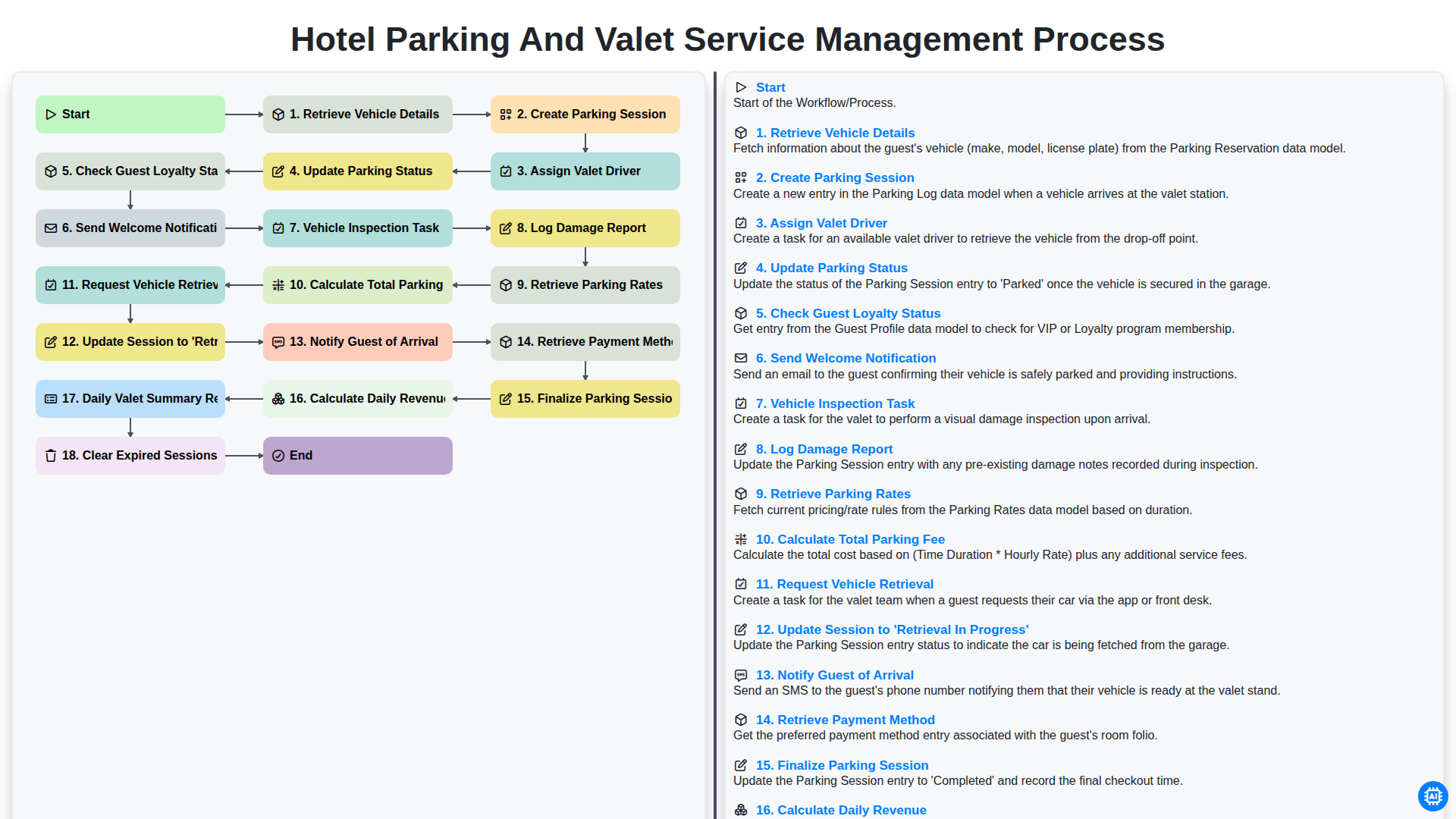
Hotel Parking and Valet Service Management Process
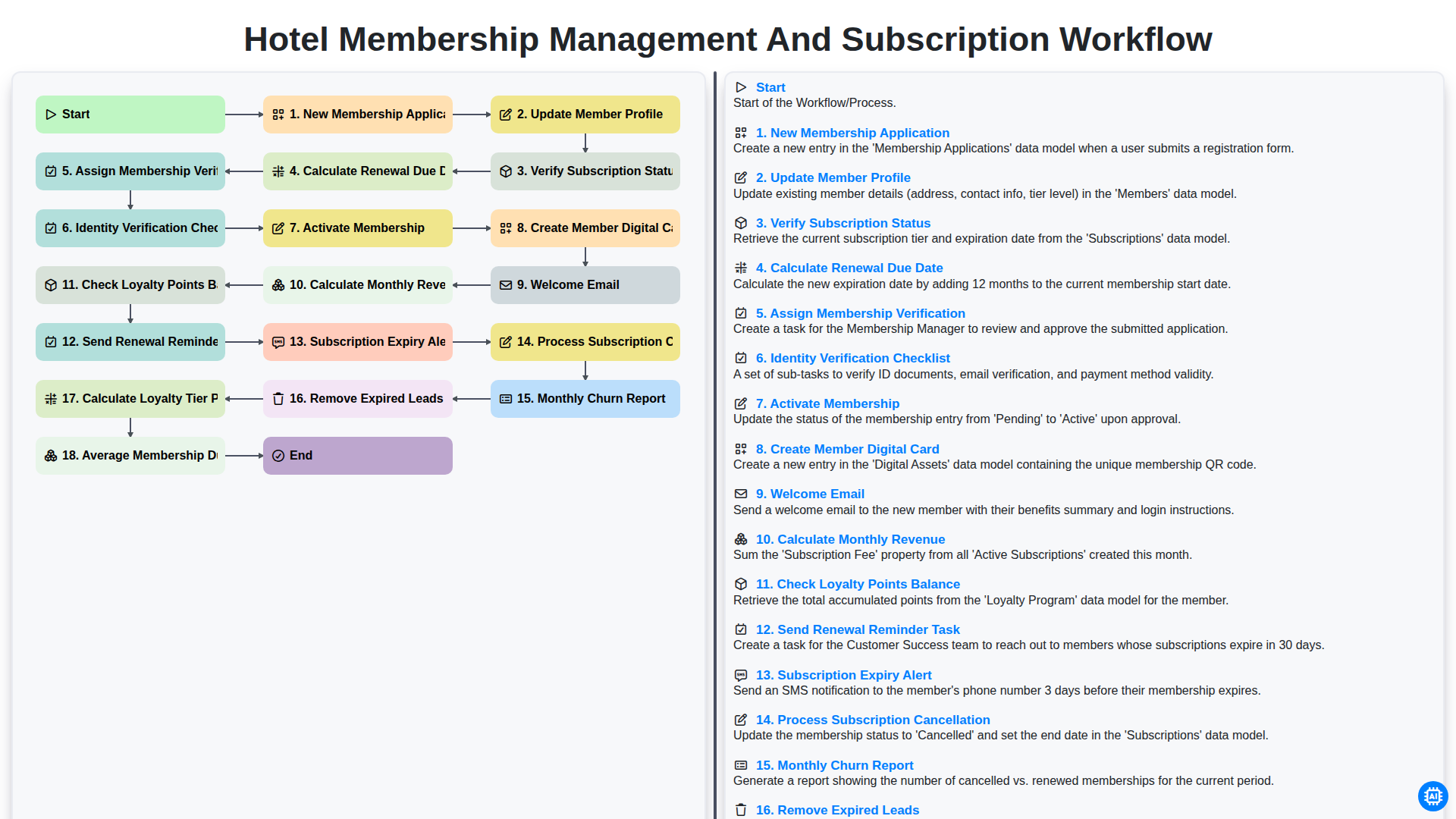
Hotel Membership Management and Subscription Workflow

Hotel VIP Guest Arrival and Personalized Service Process

Hotel Staff Onboarding and Training Management Workflow
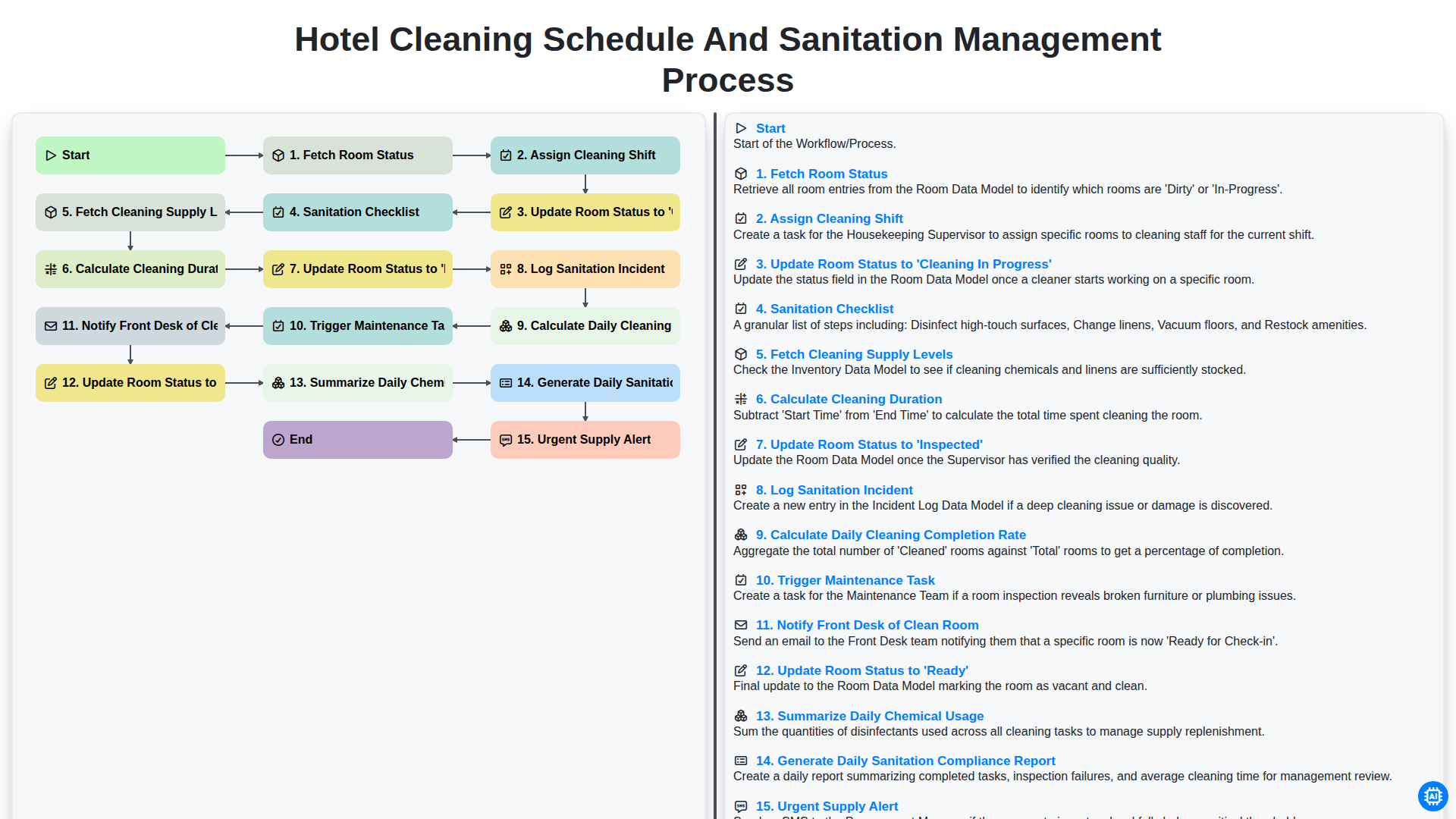
Hotel Cleaning Schedule and Sanitation Management Process

Hotel Group Booking and Room Block Management Workflow
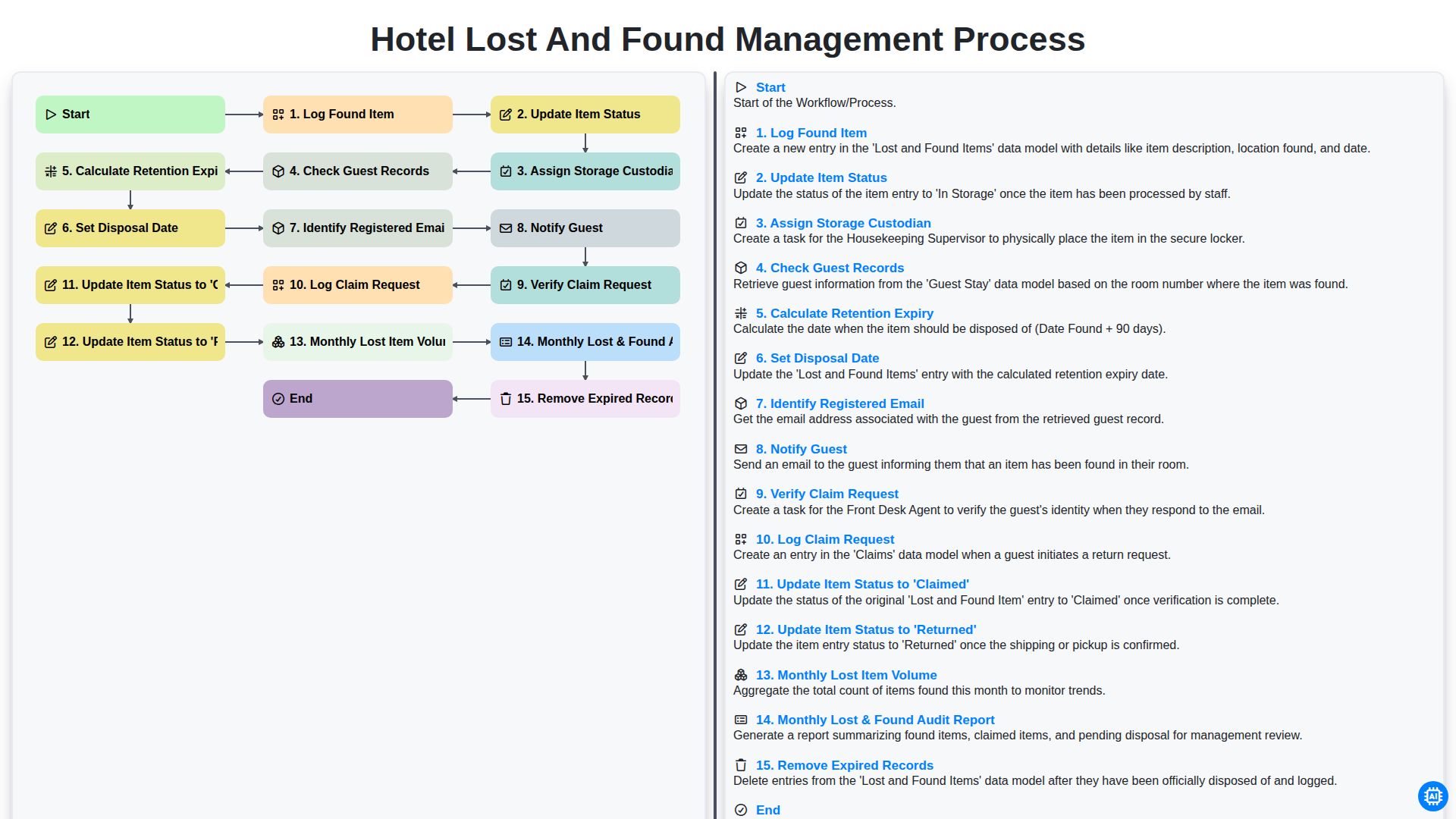
Hotel Lost and Found Management Process
Podemos hacerlo juntos
¿Necesita ayuda con las listas de verificación?
¿Tienes alguna pregunta? Estamos aquí para ayudarte. Envía tu consulta y te responderemos a la brevedad.