 ChecklistGuro
 Transit Subscription and Pass Management Process
Streamline your transit operations with our Transit Subscription and Pass Management Process. Optimize ticket lifecycles, automate renewals, and enhance passenger convenience through a seamless, automated workflow designed to reduce fraud and improve commuter satisfaction in public transport networks.
Esta plantilla se instaló 5 veces.
Inicio
Inicio del flujo de trabajo/proceso.
1. Retrieve Customer Profile
Fetch existing user data and current active subscriptions from the Customer Data Model.
2. Check Pass Availability
Check the Inventory Data Model to see if the requested pass type is in stock or available for digital activation.
3. Calculate Subscription Total
Calculate the total cost by adding the base pass price to applicable taxes and service fees.
4. Create Subscription Order
Generate a new entry in the Orders Data Model containing the transaction details and pending status.
5. Payment Processing Task
Assign a task to the Billing Department/Automated Gateway to process the transaction.
6. Update Order Status
Update the Order entry to 'Paid' or 'Failed' based on the result of the payment task.
7. Calculate Daily Revenue
Sum the total value of all 'Paid' entries in the Orders Data Model for the current date.
8. Generate Digital Pass
Create a new entry in the Passes Data Model, linking the digital ID to the Customer Profile.
9. Validate Identity/Document
Create a task for the Verification Team if the subscription requires proof of age or residency.
10. Send Confirmation Email
Send a receipt and digital pass details to the customer's registered email address.
11. Send Activation Alert
Send an SMS to the user's phone number notifying them that their pass is now active.
12. Activate Subscription
Update the Customer's active subscription status in the Customer Data Model to 'Active'.
13. Generate Monthly Subscription Report
Create a summary report of all new subscriptions, renewals, and cancellations for the month.
14. Remove Expired Temporary Passes
Delete temporary/single-use pass entries from the system once their expiration date has passed.
Fin
Fin del flujo de trabajo/proceso.
Inicio del flujo de trabajo/proceso.
Fetch existing user data and current active subscriptions from the Customer Data Model.
Check the Inventory Data Model to see if the requested pass type is in stock or available for digital activation.
Calculate the total cost by adding the base pass price to applicable taxes and service fees.
Generate a new entry in the Orders Data Model containing the transaction details and pending status.
Assign a task to the Billing Department/Automated Gateway to process the transaction.
Update the Order entry to 'Paid' or 'Failed' based on the result of the payment task.
Sum the total value of all 'Paid' entries in the Orders Data Model for the current date.
Create a new entry in the Passes Data Model, linking the digital ID to the Customer Profile.
Create a task for the Verification Team if the subscription requires proof of age or residency.
Send a receipt and digital pass details to the customer's registered email address.
Send an SMS to the user's phone number notifying them that their pass is now active.
Update the Customer's active subscription status in the Customer Data Model to 'Active'.
Create a summary report of all new subscriptions, renewals, and cancellations for the month.
Delete temporary/single-use pass entries from the system once their expiration date has passed.
Fin del flujo de trabajo/proceso.
¿Le resultó útil esta plantilla de flujo de trabajo?
Comentarios
Aún no hay comentarios. ¡Sé el primero en añadir uno!
Demostración de la Solución de Gestión del Transporte Público
¡Optimice las operaciones del transporte público y mejore la experiencia de los pasajeros! ChecklistGuro optimiza la planificación de rutas, el mantenimiento de vehículos y la elaboración de informes de incidentes. Mejore la eficiencia, la seguridad y la fiabilidad. Administre todo con nuestro Work OS.
Plantillas de flujo de trabajo relacionadas

Bus Stop Infrastructure Maintenance Workflow

Contactless Payment Processing and Settlement Workflow

Public Transport Resource Allocation and Dispatching

Automated Bus Inspection and Safety Audit Workflow

Real-Time Traffic Congestion Impact Analysis
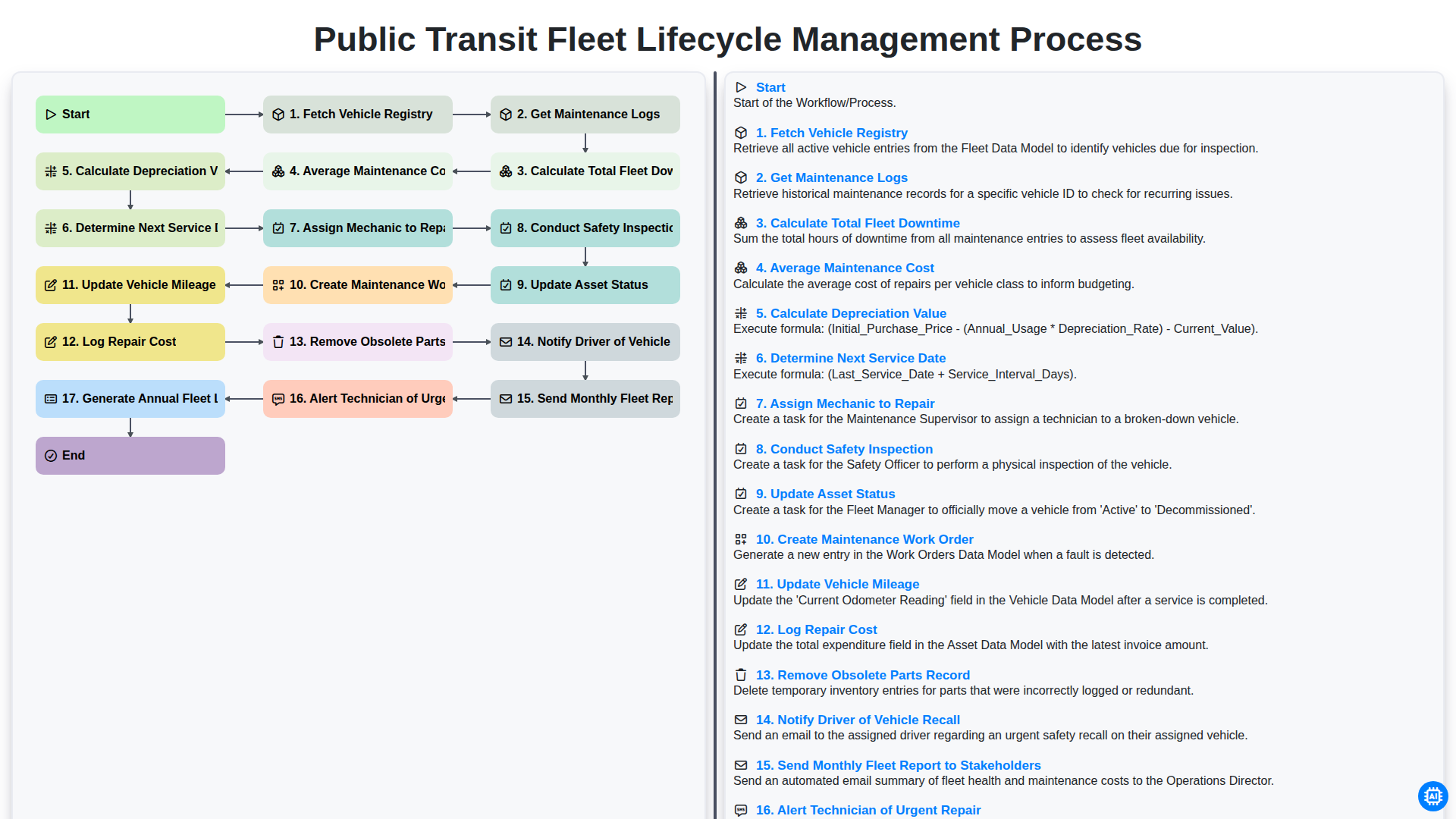
Public Transit Fleet Lifecycle Management Process
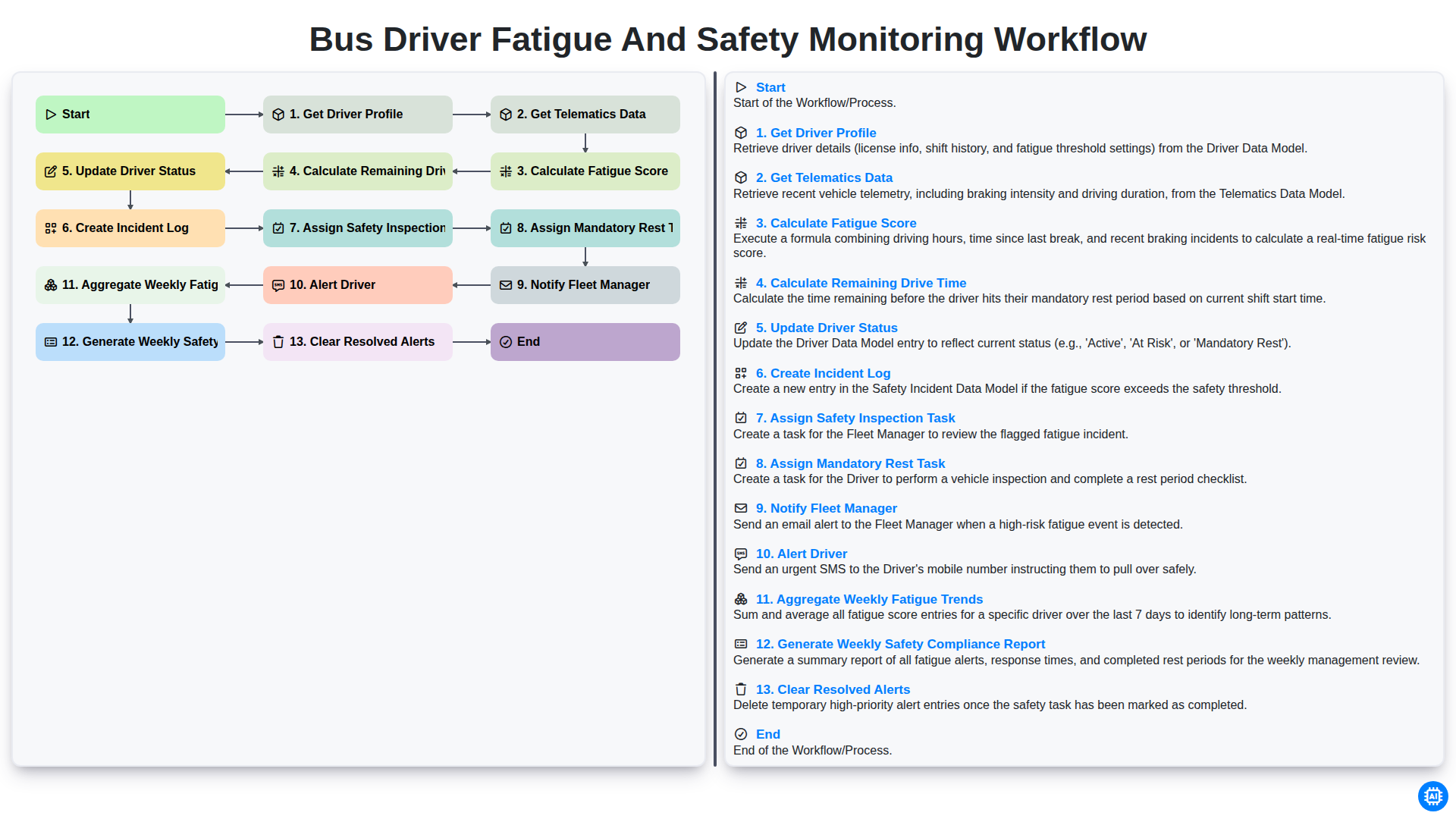
Bus Driver Fatigue and Safety Monitoring Workflow
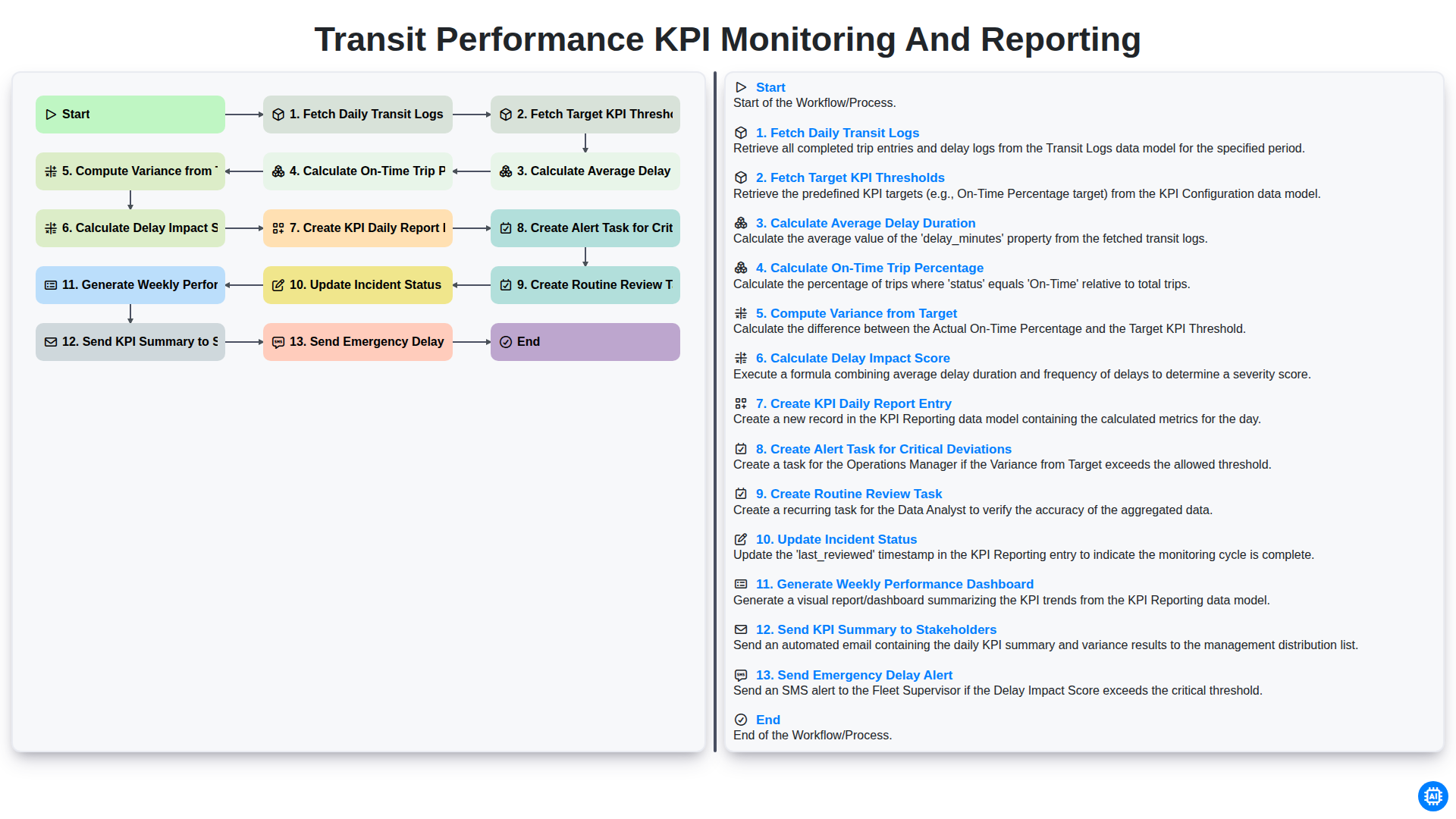
Transit Performance KPI Monitoring and Reporting
Podemos hacerlo juntos
¿Necesita ayuda con las listas de verificación?
¿Tienes alguna pregunta? Estamos aquí para ayudarte. Envía tu consulta y te responderemos a la brevedad.