 ChecklistGuro
 CMMS Implementation Workflow
Streamline your asset management journey with our comprehensive CMMS Implementation Workflow. Master every stage of deployment-from initial software selection and data migration to staff training and system optimization-ensuring a seamless transition, reduced downtime, and maximized ROI for your maintenance operations.
Diese Vorlage wurde 3 Mal installiert.
Start
Start des Workflows/Prozesses.
1. Fetch Asset Registry
Retrieve all existing equipment and machinery entries from the Asset Data Model to establish the implementation scope.
2. Create Implementation Project
Generate a new project entry in the Projects Data Model to track the CMMS rollout progress.
3. Site Survey Assignment
Create a task for the Field Engineer to physically audit equipment and verify data accuracy.
4. Update Asset Status
Update the status of assets in the Data Model from 'Unverified' to 'Verified' following the site survey.
5. Calculate Total Asset Count
Sum the total number of verified assets to determine the scale of the completed implementation phase.
6. Calculate Implementation Progress %
Execute a formula: (Total Verified Assets / Total Planned Assets) * 100 to determine completion percentage.
7. Configure Preventive Maintenance (PM) Schedules
Create a task for the Maintenance Planner to input PM frequencies and task checklists into the system.
8. Create PM Schedule Records
Generate individual maintenance schedule entries linked to the verified assets.
9. Fetch User Permissions
Retrieve the list of system users and their roles to assign appropriate access levels during setup.
10. User Training Session
Assign a task to the Implementation Lead to conduct training for the maintenance team.
11. Notify Stakeholders of Go-Live
Send an email to the Operations Manager and Maintenance Manager announcing the system is ready for use.
12. Set Project Status to 'Live'
Update the implementation project entry status to 'Completed/Live'.
13. Generate Final Implementation Report
Create a summary report documenting the total assets migrated, PM schedules created, and training completion status.
14. Alert Site Manager
Send an SMS to the Site Manager to notify them that the CMMS is officially operational.
Ende
Ende des Arbeitsablaufs/Prozesses.
Start des Workflows/Prozesses.
Retrieve all existing equipment and machinery entries from the Asset Data Model to establish the implementation scope.
Generate a new project entry in the Projects Data Model to track the CMMS rollout progress.
Create a task for the Field Engineer to physically audit equipment and verify data accuracy.
Update the status of assets in the Data Model from 'Unverified' to 'Verified' following the site survey.
Sum the total number of verified assets to determine the scale of the completed implementation phase.
Execute a formula: (Total Verified Assets / Total Planned Assets) * 100 to determine completion percentage.
Create a task for the Maintenance Planner to input PM frequencies and task checklists into the system.
Generate individual maintenance schedule entries linked to the verified assets.
Retrieve the list of system users and their roles to assign appropriate access levels during setup.
Assign a task to the Implementation Lead to conduct training for the maintenance team.
Send an email to the Operations Manager and Maintenance Manager announcing the system is ready for use.
Update the implementation project entry status to 'Completed/Live'.
Create a summary report documenting the total assets migrated, PM schedules created, and training completion status.
Send an SMS to the Site Manager to notify them that the CMMS is officially operational.
Ende des Arbeitsablaufs/Prozesses.
Kommentare
Bisher gibt es keine Kommentare. Seien Sie der Erste, der einen hinzufügt!
Demo der Wartungsmanagementlösung
Maximieren Sie die Betriebsdauer Ihrer Anlagen und reduzieren Sie Kosten! ChecklistGuro optimiert die Wartungsplanung, die Arbeitsauftragsverwaltung und die Anlagenverfolgung. Verhindern Sie Ausfälle, optimieren Sie die Leistung und verlängern Sie die Lebensdauer Ihrer Geräte. Verwalten Sie all das mit unserem Work OS.
Verwandte Workflow-Vorlagen
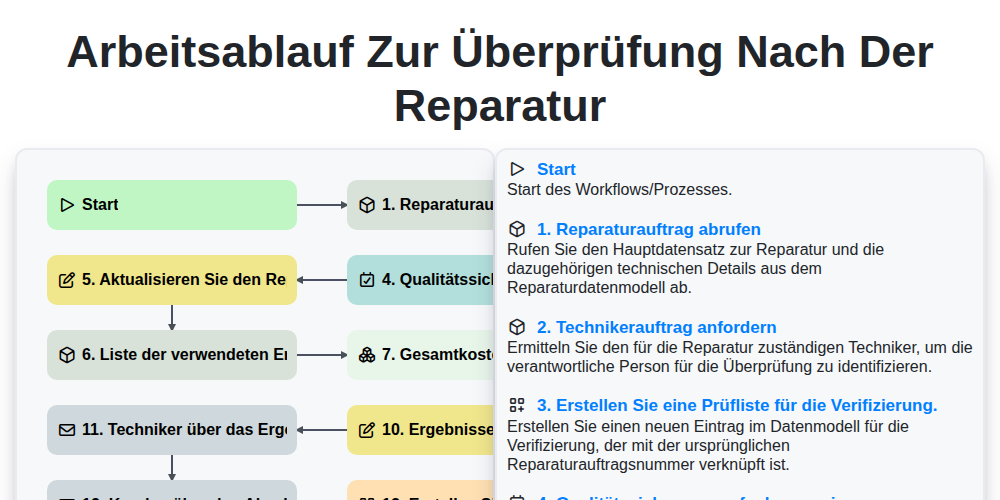
Arbeitsablauf zur Überprüfung nach der Reparatur

Maintenance Training and Certification Process

Predictive Failure Analysis Workflow

Mobile Maintenance Work Order Process

MRO Inventory Control Workflow

Maintenance KPI Reporting Process

Asset Inspection and Audit Workflow

Annual Maintenance Budgeting Workflow
Gemeinsam schaffen wir das
Benötigen Sie Hilfe bei Checklisten?
Haben Sie eine Frage? Wir helfen Ihnen gerne. Bitte senden Sie uns Ihre Anfrage, und wir werden Ihnen umgehend antworten.