 ChecklistGuro
 Disaster Recovery and Emergency Response Plan
Ensure patient safety and operational continuity with our comprehensive Disaster Recovery and Emergency Response Plan. This healthcare-focused workflow provides a strategic roadmap for managing medical crises, protecting sensitive health data, and maintaining critical care delivery during unforeseen emergencies. Optimize your facility's resilience and regulatory compliance with streamlined protocols for rapid response and-system restoration.
Ce modèle a été installé 1 fois.
Début
Début du flux de travail/processus.
1. Retrieve Emergency Contact List
Fetch all entries from the 'Emergency Contacts' data model to identify key stakeholders and responders.
2. Identify Affected Assets
Retrieve entries from the 'Critical Infrastructure' data model to determine which systems are impacted by the disaster.
3. Update Incident Status
Update the 'Incident Report' entry to change the status from 'Detected' to 'Active/In-Progress'.
4. Assign Incident Commander
Create a task for the designated Lead Responder to take control of the emergency response.
5. Initiate Site Assessment
Create a task for the Safety Officer to perform a physical or digital inspection of the affected area/system.
6. Alert Internal Stakeholders
Send an emergency email to the management and IT teams regarding the active disaster.
7. Emergency SMS Alert
Send an automated SMS to the Rapid Response Team for immediate notification.
8. Calculate Downtime Impact
Calculate the estimated financial loss by multiplying the 'Estimated Hours of Outage' by the 'Hourly Revenue Value'.
9. Create Incident Log Entry
Create a new entry in the 'Incident Log' data model to begin documenting the timeline of events.
10. Aggregate Damage Costs
Sum the 'Repair Cost' property from all 'Damage Assessment' entries to calculate total estimated loss.
11. Execute Data Backup Restoration
Create a technical task for the DevOps team to begin restoring systems from the most recent clean backup.
12. Update System Health Status
Update the 'System Status' data model entries to 'Down' or 'Degraded' across all impacted services.
13. Create a task to schedule and hold a debriefing session once the incident is resolved.
Create a task to schedule and hold a debriefing session once the incident is resolved.
14. Generate Incident Post-Mortem Report
Create a comprehensive report summarizing the timeline, impact, and resolution steps for regulatory compliance.
15. Purge Temporary Emergency Notes
Delete temporary, sensitive, or unstructured data entries used during the heat of the response once the official log is finalized.
Fin
Fin du flux de travail/processus.
Début du flux de travail/processus.
Fetch all entries from the 'Emergency Contacts' data model to identify key stakeholders and responders.
Retrieve entries from the 'Critical Infrastructure' data model to determine which systems are impacted by the disaster.
Update the 'Incident Report' entry to change the status from 'Detected' to 'Active/In-Progress'.
Create a task for the designated Lead Responder to take control of the emergency response.
Create a task for the Safety Officer to perform a physical or digital inspection of the affected area/system.
Send an emergency email to the management and IT teams regarding the active disaster.
Send an automated SMS to the Rapid Response Team for immediate notification.
Calculate the estimated financial loss by multiplying the 'Estimated Hours of Outage' by the 'Hourly Revenue Value'.
Create a new entry in the 'Incident Log' data model to begin documenting the timeline of events.
Sum the 'Repair Cost' property from all 'Damage Assessment' entries to calculate total estimated loss.
Create a technical task for the DevOps team to begin restoring systems from the most recent clean backup.
Update the 'System Status' data model entries to 'Down' or 'Degraded' across all impacted services.
Create a task to schedule and hold a debriefing session once the incident is resolved.
Create a comprehensive report summarizing the timeline, impact, and resolution steps for regulatory compliance.
Delete temporary, sensitive, or unstructured data entries used during the heat of the response once the official log is finalized.
Fin du flux de travail/processus.
Ce modèle de workflow vous a été utile ?
Commentaires
Aucun commentaire n'a été publié pour le moment. Soyez le premier à en ajouter un !
Démonstration de la solution de gestion des soins de santé
Rationaliser les opérations de santé et améliorer les soins aux patients ? La plateforme Work OS de ChecklistGuro simplifie tous les aspects, de la planification des rendez-vous et de la facturation à la conformité et à la gestion du personnel. Améliorez l'efficacité, réduisez la charge administrative et concentrez-vous sur ce qui compte le plus : vos patients. Découvrez comment ChecklistGuro peut transformer votre organisation de santé !
Modèles de flux de travail associés

Healthcare Facility Management and Maintenance

Medical Coding and Billing Accuracy Process

Radiology Imaging Workflow and Management

Immunization Tracking and Record Management

Patient Feedback and Satisfaction Management

Compliance Auditing and Regulatory Reporting

Healthcare Data Analytics and Reporting Process
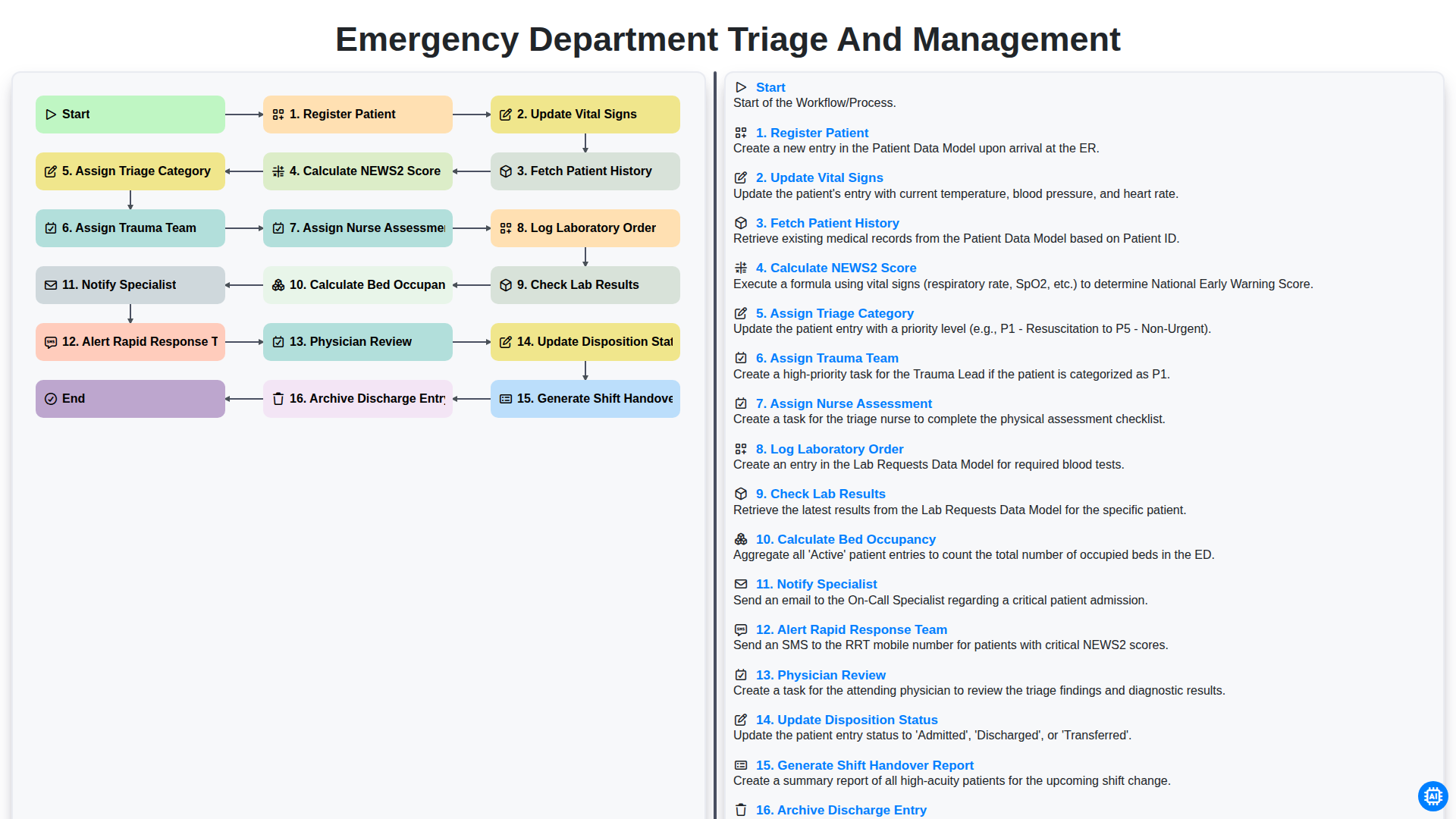
Emergency Department Triage and Management
Nous pouvons le faire ensemble
Besoin d'aide avec les listes de contrôle?
Vous avez une question ? Nous sommes là pour vous aider. Veuillez soumettre votre demande et nous vous répondrons rapidement.