Healthcare Management
Streamlining healthcare operations and improving patient care? ChecklistGuro's Work OS platform simplifies everything from patient scheduling and billing to compliance and staff management. Enhance efficiency, reduce administrative burden, and focus on what matters most: your patients. Learn how ChecklistGuro can transform your healthcare organization!
No credit card or cancellation needed.
Centralized Care, Optimized Operations
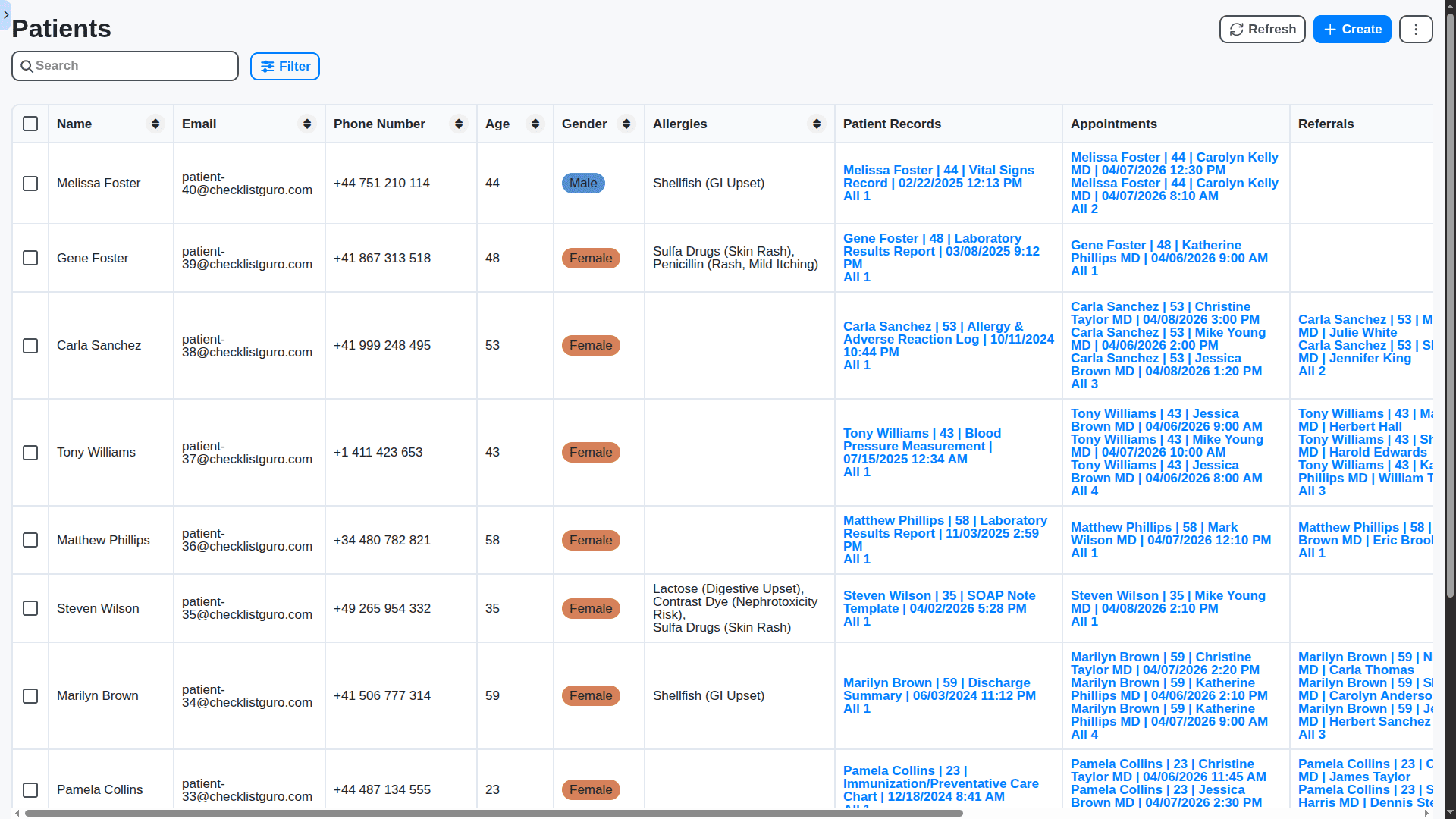
Move beyond siloed systems. Our single Work OS platform unifies patient intake, charting, billing, and scheduling into one intuitive dashboard, giving your team instant 360-degree patient visibility.
Intuitive Electronic Health Records (EHR) & Charting
Featuring customizable patient profiles, quick-entry templates, and secure documentation tools. Write notes faster and improve data accuracy with our medical-grade EHR system.
Intelligent Patient Scheduling & Intake
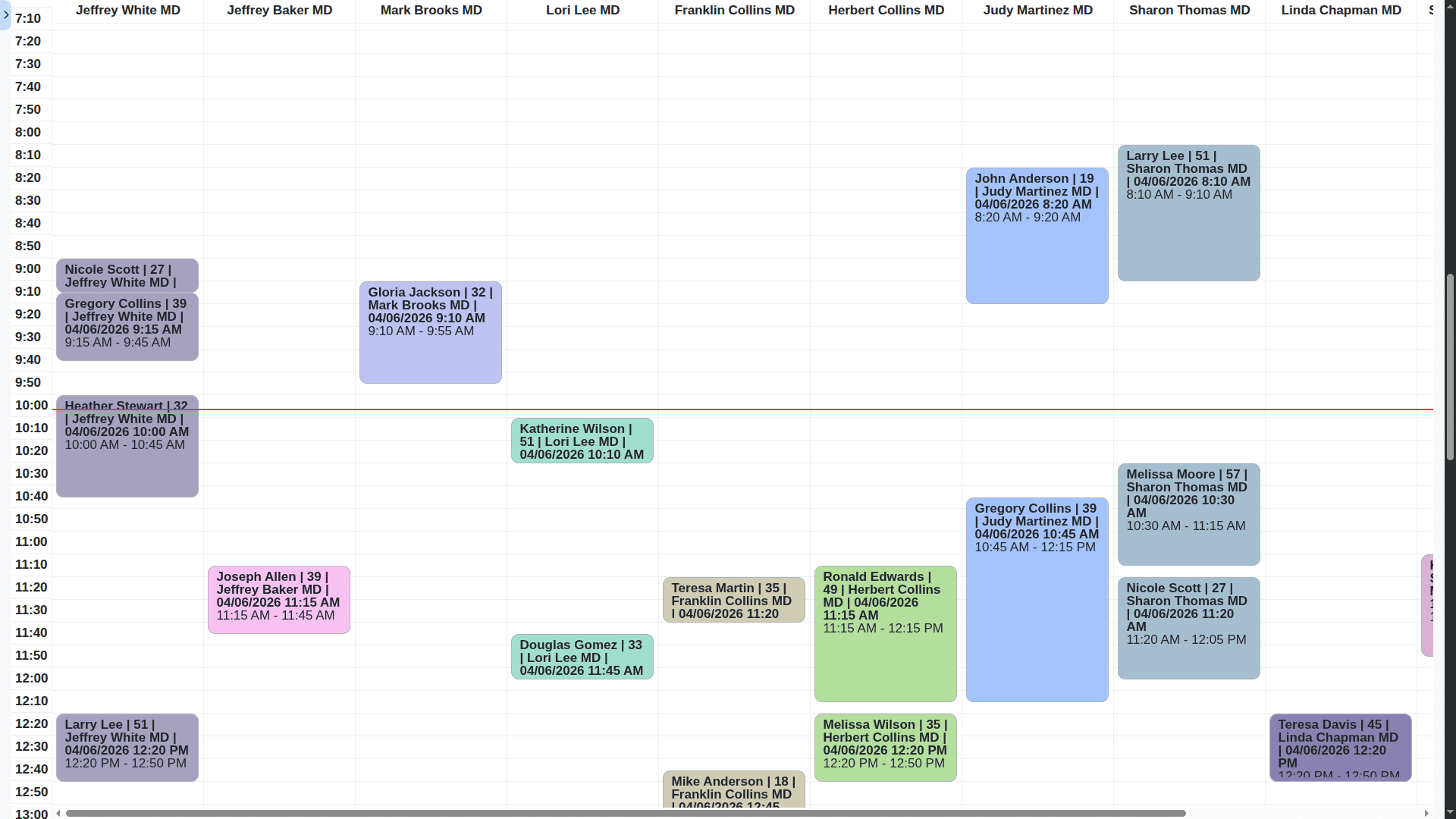
Eliminate no-shows with automated reminders and optimized booking flow. Manage complex appointment types - from routine checkups to followups - with drag-and-drop ease.
HIPAA Compliant Security & Compliance
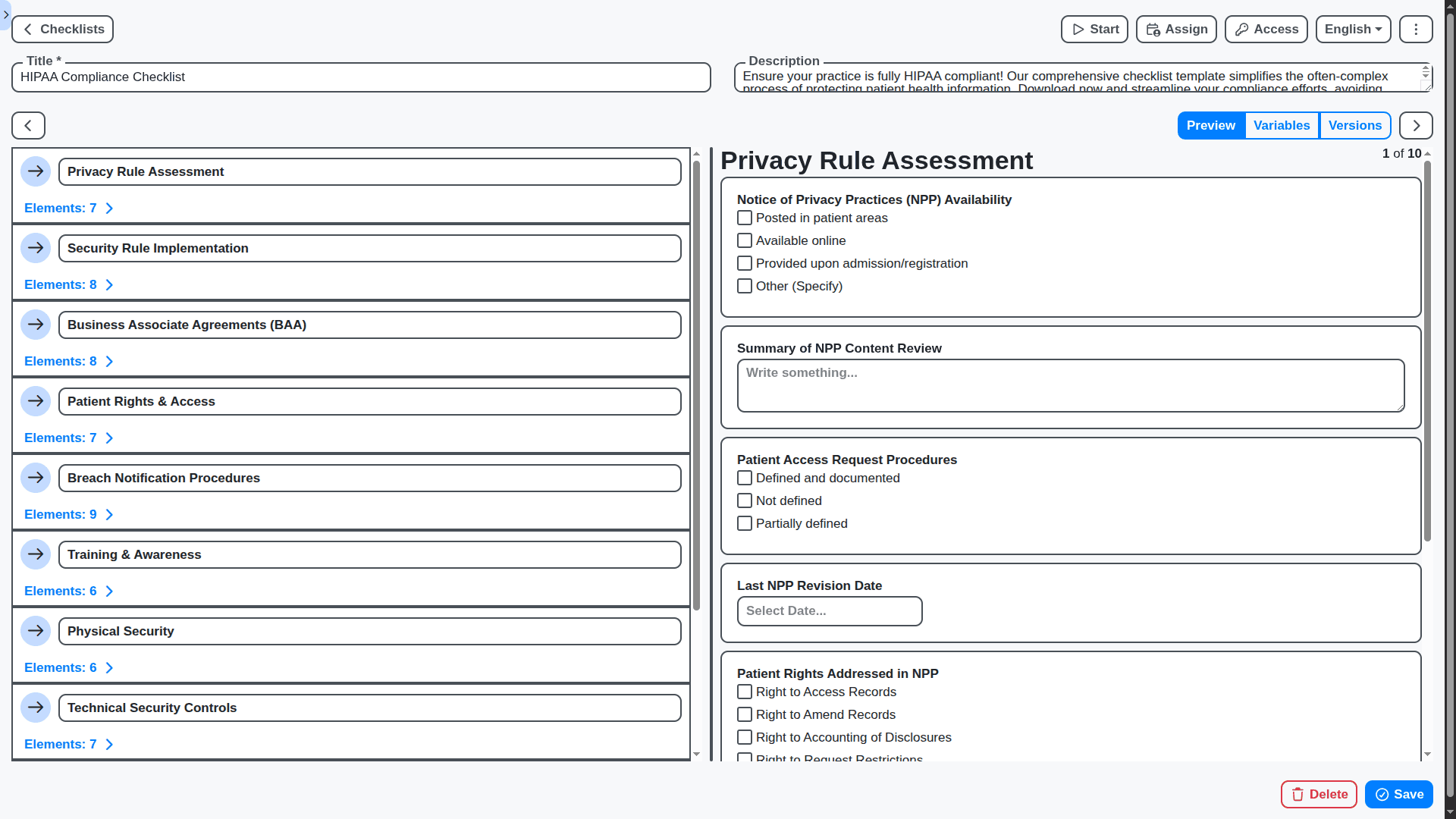
Protect what matters most. Built with enterprise-grade security measures and full compliance adherence (HIPAA, etc.), your patient data is safe, secure, and always protected.
Seamless Patient Portal Integration
Empower your patients to manage their health journey from home. Allow secure access for booking appointments, viewing lab results, and communicating with the care team 24/7.
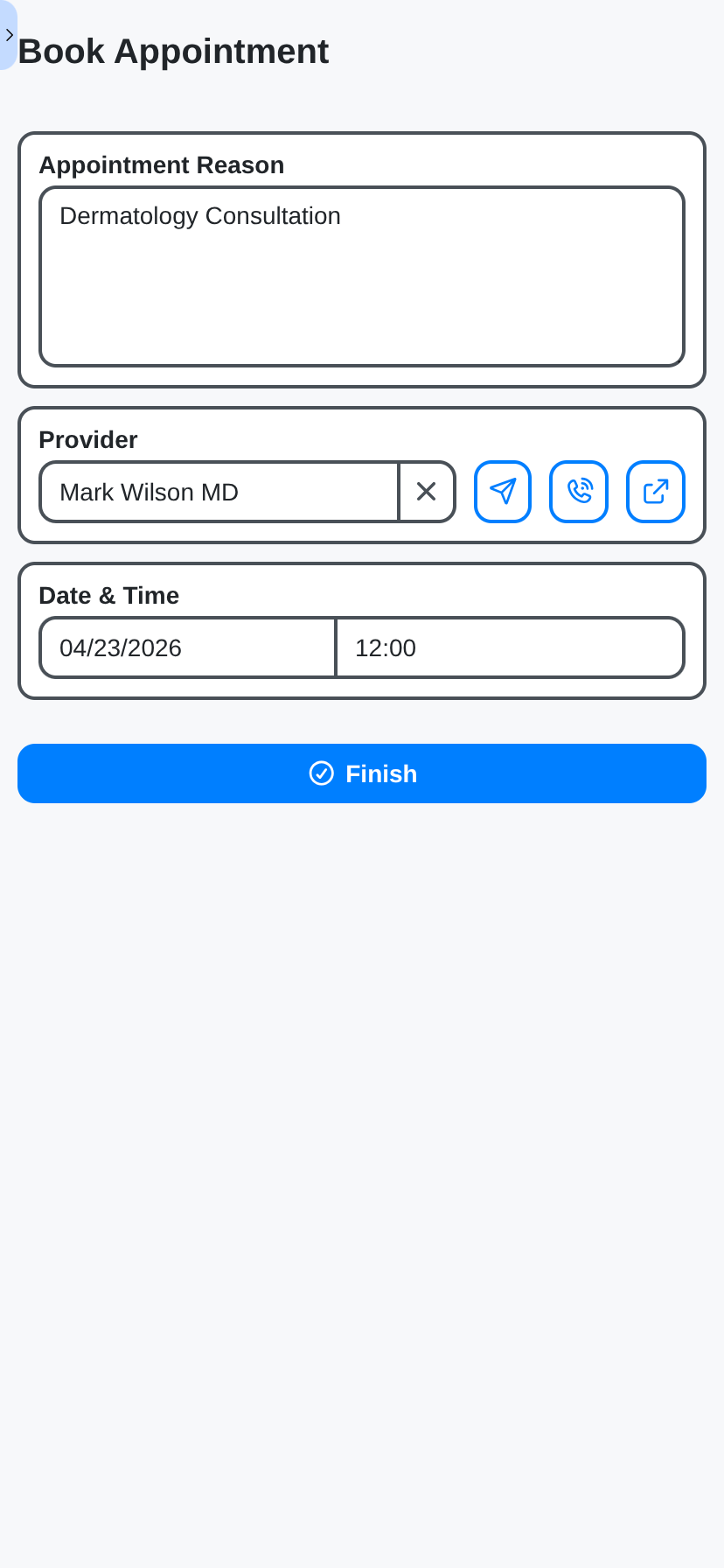
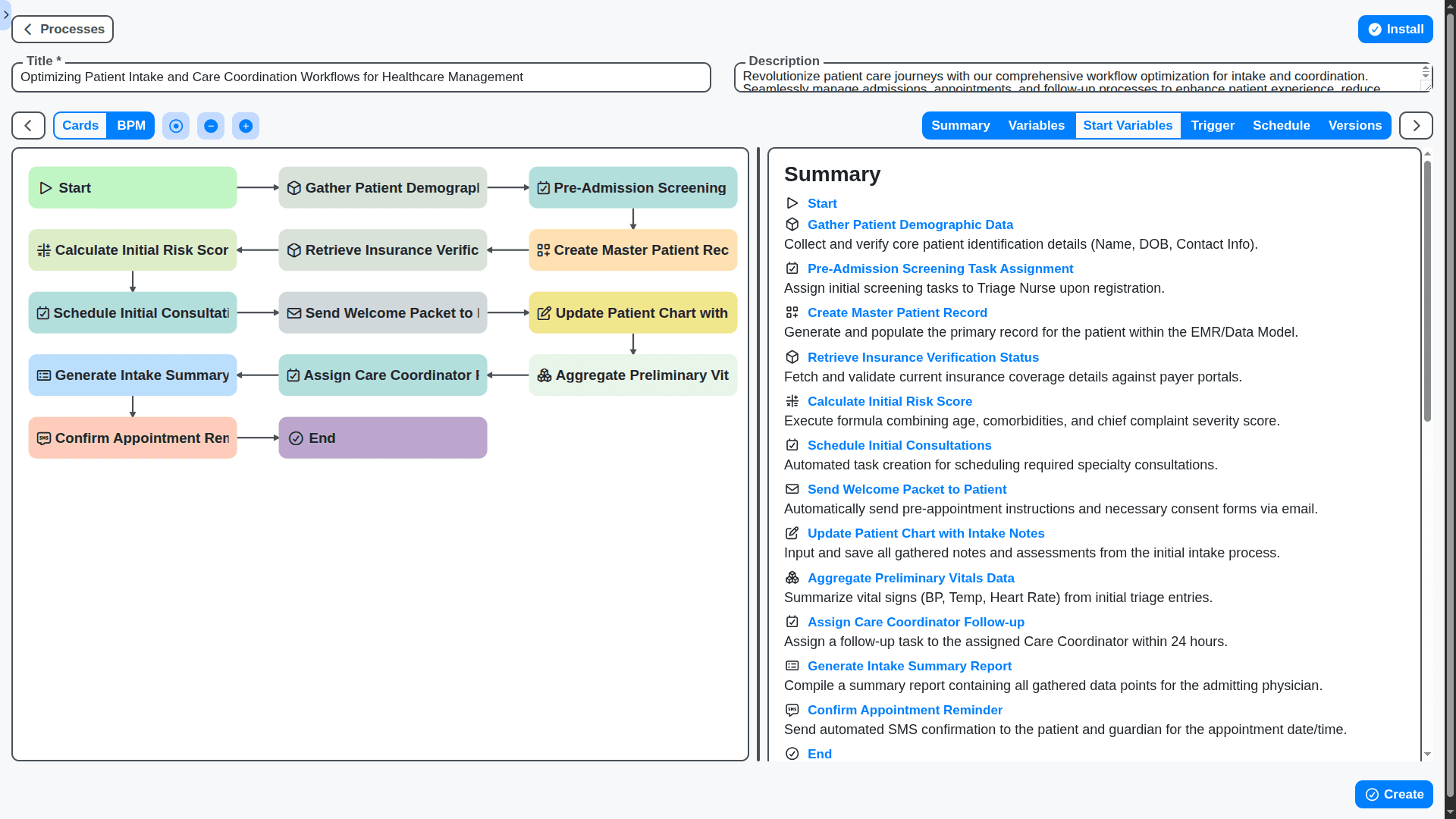
Customizable Workflows for Specialty Needs
Whether you are in pediatrics, dermatology, or primary care, our system adapts to your specific workflow. Tailor dashboards, forms, and protocols to fit your practice's unique model.
Works Where You Work: Accessibility on Work OS
Access critical patient data securely from any device. Experience lightning-fast performance and seamless functionality across desktops, tablets, and mobile platforms.
Features of our Healthcare Management Solution
Patient Lifecycle Management
Patient Onboarding & Registration: Automated registration forms, identity verification (including biometric), eligibility checks, integration with patient portals.
Pre-Appointment Scheduling & Reminders: Scheduling & Reminders: Intelligent scheduling optimization, automated appointment reminders (SMS, email, voice), pre-appointment questionnaires/assessments.
Care Plan Management: Dynamic care plan generation based on patient data, automated task assignment to care teams, real-time progress tracking, care plan revision workflows.
Patient Handoffs & Transitions: Standardized handoff protocols between care providers, automated documentation transfer, reduced risk of information loss.
Discharge Planning: Automated discharge summaries, medication reconciliation, post-discharge care instructions, follow-up appointment scheduling.
Chronic Disease Management: Personalized care pathways, automated monitoring of vital signs, proactive interventions based on thresholds.
Telehealth Integration: Seamless integration with telehealth platforms, virtual consultations, remote patient monitoring data integration.
Patient Portal Integration: Automated data synchronization between Work OS and patient portals, personalized patient communications.
Operational Efficiency
Prior Authorization Management: Automated submission, tracking, and management of prior authorization requests, with integration to payer systems. Dynamic approval workflows based on payer rules.
Referral Management: Automated referral routing and tracking, secure communication between referring and receiving providers, patient consent management.
Claims Processing: Automated claim scrubbing, submission, and reconciliation, integration with clearinghouses, denial management workflows.
Billing & Revenue Cycle Management: Automated coding assistance, claim status tracking, patient billing and payment processing.
Lab & Imaging Order Management: Automated order routing, result tracking, and integration with LIS/RIS systems.
Supply Chain Management: Automated inventory tracking, order management, and procurement workflows.
Resource Allocation & Scheduling: Optimize staff schedules, room utilization, and equipment availability.
Bed Management: Real-time bed availability tracking, patient placement optimization, and predictive bed demand forecasting.
Service Line Management: Support for specialized care pathways and workflows for different service lines (e.g., Cardiology, Oncology).
Incident Management: Streamlined incident reporting, investigation, and resolution workflows.
Compliance & Security
HIPAA Compliance: Built-in HIPAA compliance features, audit trails, access controls, and data encryption.
Audit Trails: Comprehensive audit trails for all process activities, including user actions and data changes.
Role-Based Access Control (RBAC): Granular control over user access to processes and data.
Data Encryption: Encryption of data at rest and in transit.
Data Masking & Anonymization: Data masking and anonymization for testing and development environments.
Business Continuity & Disaster Recovery: Automated failover and recovery procedures.
Consent Management: Automated collection and management of patient consents for data sharing and treatment.
eConsent Management: Digitally capture and manage patient consents.
Policy Enforcement: Automated enforcement of organizational policies and procedures.
Analytics & Reporting
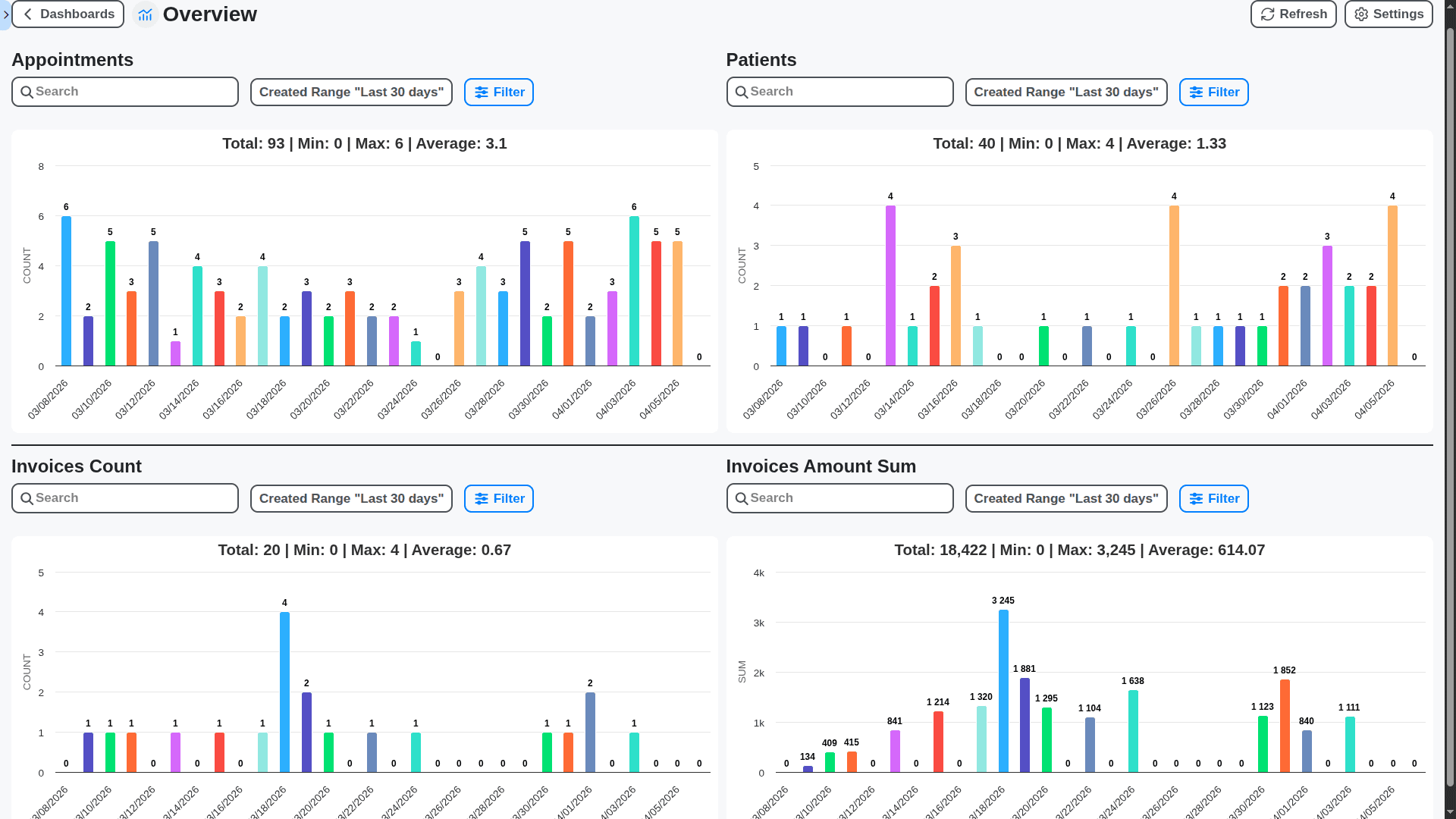
Real-Time Process Monitoring: Real-time dashboards and reports providing visibility into process performance.
Key Performance Indicator (KPI) Tracking: Automated tracking and reporting of KPIs related to patient care and operational efficiency.
Predictive Analytics: Use of machine learning to predict patient risk, identify potential bottlenecks, and optimize resource allocation.
Process Mining: Automated discovery and analysis of existing processes to identify areas for improvement.
Root Cause Analysis: Automated identification of root causes for process failures and delays.
Custom Reports & Documents: Generation of Reports & Documents based on your needs and requirements.
No credit card or cancellation needed.
Frequently Asked Questions
What is ChecklistGuro?
ChecklistGuro is a cloud-based Work OS platform that helps organizations automate and optimize their workflows. It uses checklists and visual process mapping to ensure consistency, reduce errors, and improve overall efficiency. We're designed to be user-friendly for everyone, even those without technical expertise.
What is the ChecklistGuro Healthcare Management Solution?
Our Healthcare Management Solution is a pre-built application on the ChecklistGuro platform, specifically designed to address common healthcare workflows. It includes templates and configurations for processes like patient onboarding, incident reporting, medication administration, quality assurance, compliance audits, and more. You can customize it to perfectly align with your organization's specific needs.
What types of healthcare organizations can use your Healthcare Management Solution?
Our solution is beneficial for a wide range of healthcare organizations, including hospitals, clinics, physician practices, long-term care facilities, home health agencies, and specialized care centers. Whether you're a large hospital system or a small private practice, we can help you streamline your processes.
Is ChecklistGuro HIPAA compliant?
We take data security and privacy very seriously. ChecklistGuro is designed with HIPAA compliance in mind. We adhere to strict security protocols and employ industry best practices to protect sensitive patient information. However, compliance is a shared responsibility. It's crucial that you configure and use the platform in a manner that meets your organization's HIPAA obligations.
What types of healthcare workflows does the solution cover?
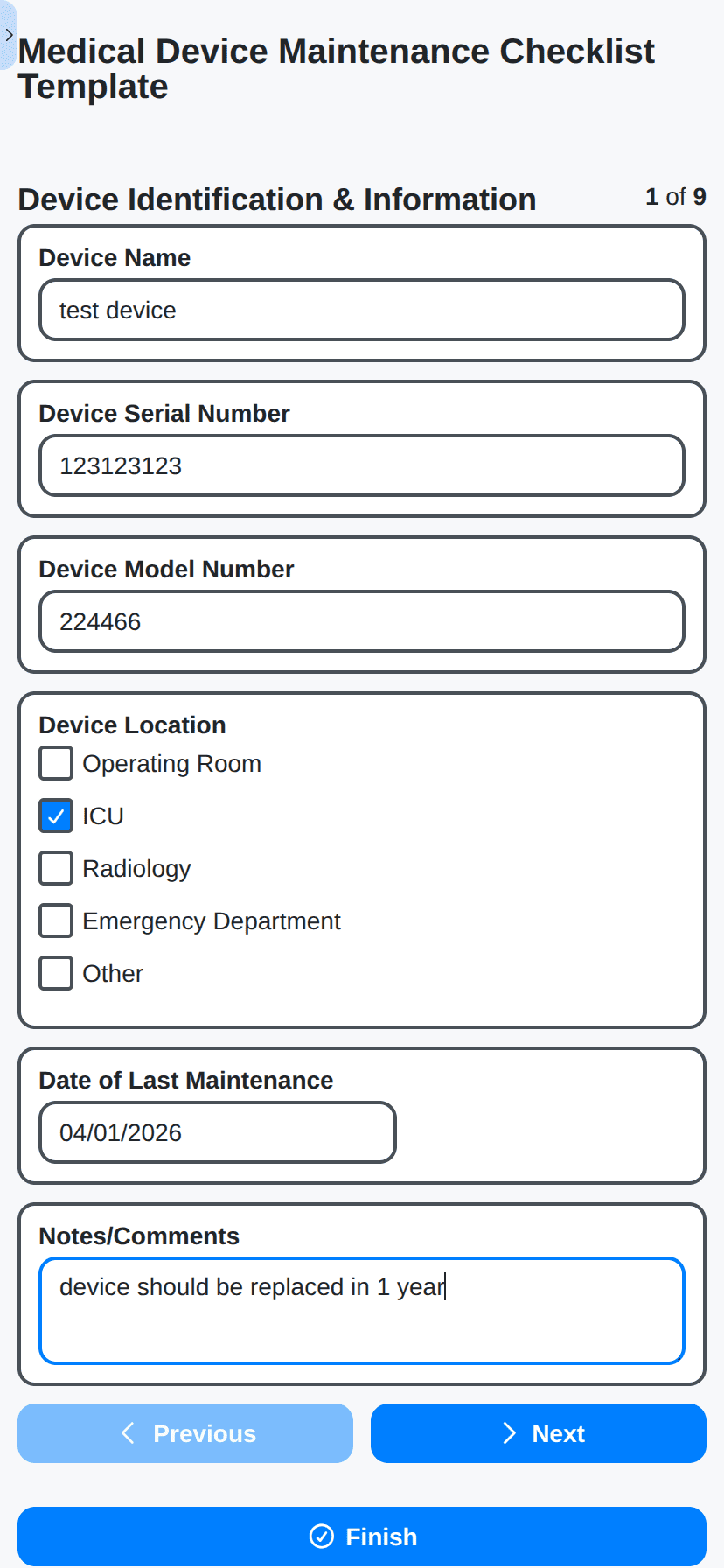
Our Healthcare Management Solution includes templates and configurations for a wide range of processes, such as: Patient Onboarding & Registration, Incident Reporting & Management, Medication Administration & Verification, Quality Assurance & Audits, Compliance Checks (e.g., Joint Commission, CMS), Equipment Maintenance, Discharge Planning.
Can I customize the pre-built templates?
Absolutely! Our platform is designed for customization. You can easily modify existing templates, add new steps, change responsibilities, add custom fields, and tailor the solution to your organization's unique requirements. No coding required.
Do you offer reporting and analytics?
Yes! Our platform provides robust reporting and analytics dashboards. You can track key performance indicators (KPIs), identify bottlenecks, monitor compliance, and generate custom reports to gain valuable insights into your healthcare operations.
Can I integrate ChecklistGuro with my existing systems (EHR, billing software, etc.)?
We understand the importance of integration. ChecklistGuro offers several integration options, including: API & Webhooks.
How long does it take to implement the Healthcare Management Solution?
Implementation time varies depending on the complexity of your organization's processes and the level of customization required. However, because our platform is user-friendly and doesn't require coding, many organizations can get started within 2-4 weeks. We offer implementation support and training to help you get up and running quickly.
What are the system requirements to use ChecklistGuro?
ChecklistGuro is a cloud-based solution and requires only a modern web browser (Chrome, Firefox, Safari, Edge) and a stable internet connection. No special hardware or software installation is needed.
How much does the Healthcare Management Solution cost?
Our pricing is based on the number of users. Please visit our Pricing page for detailed pricing information. We also offer custom pricing plans for larger organizations.
Do you offer a free trial?
Yes! We offer a 30-day free trial of the Healthcare Management Solution. This allows you to explore the platform, customize templates, and see the value for yourself.
Make a Request
Have a question? We're here to help. Please submit your inquiry, and we'll respond promptly.