 ChecklistGuro
 Hotel Cleaning Schedule and Sanitation Management Process
Streamline your housekeeping operations with our comprehensive Hotel Cleaning Schedule and Sanitation Management Process. Designed specifically for the hospitality industry, this step-by-step workflow ensures consistent room inspections, optimized staff task allocation, and rigorous hygiene standards. Master your housekeeping checklist, reduce turnover time, and guarantee a spotless, guest-ready environment every single time. Perfect for hotel managers looking to elevate sanitation protocols and ensure top-tier guest satisfaction.
Ce modèle a été installé 5 fois.
Début
Début du flux de travail/processus.
1. Fetch Room Status
Retrieve all room entries from the Room Data Model to identify which rooms are 'Dirty' or 'In-Progress'.
2. Assign Cleaning Shift
Create a task for the Housekeeping Supervisor to assign specific rooms to cleaning staff for the current shift.
3. Update Room Status to 'Cleaning In Progress'
Update the status field in the Room Data Model once a cleaner starts working on a specific room.
4. Sanitation Checklist
A granular list of steps including: Disinfect high-touch surfaces, Change linens, Vacuum floors, and Restock amenities.
5. Fetch Cleaning Supply Levels
Check the Inventory Data Model to see if cleaning chemicals and linens are sufficiently stocked.
6. Calculate Cleaning Duration
Subtract 'Start Time' from 'End Time' to calculate the total time spent cleaning the room.
7. Update Room Status to 'Inspected'
Update the Room Data Model once the Supervisor has verified the cleaning quality.
8. Log Sanitation Incident
Create a new entry in the Incident Log Data Model if a deep cleaning issue or damage is discovered.
9. Calculate Daily Cleaning Completion Rate
Aggregate the total number of 'Cleaned' rooms against 'Total' rooms to get a percentage of completion.
10. Trigger Maintenance Task
Create a task for the Maintenance Team if a room inspection reveals broken furniture or plumbing issues.
11. Notify Front Desk of Clean Room
Send an email to the Front Desk team notifying them that a specific room is now 'Ready for Check-in'.
12. Update Room Status to 'Ready'
Final update to the Room Data Model marking the room as vacant and clean.
13. Summarize Daily Chemical Usage
Sum the quantities of disinfectants used across all cleaning tasks to manage supply replenishment.
14. Generate Daily Sanitation Compliance Report
Create a daily report summarizing completed tasks, inspection failures, and average cleaning time for management review.
15. Urgent Supply Alert
Send an SMS to the Procurement Manager if the aggregate inventory level falls below a critical threshold.
Fin
Fin du flux de travail/processus.
Début du flux de travail/processus.
Retrieve all room entries from the Room Data Model to identify which rooms are 'Dirty' or 'In-Progress'.
Create a task for the Housekeeping Supervisor to assign specific rooms to cleaning staff for the current shift.
Update the status field in the Room Data Model once a cleaner starts working on a specific room.
A granular list of steps including: Disinfect high-touch surfaces, Change linens, Vacuum floors, and Restock amenities.
Check the Inventory Data Model to see if cleaning chemicals and linens are sufficiently stocked.
Subtract 'Start Time' from 'End Time' to calculate the total time spent cleaning the room.
Update the Room Data Model once the Supervisor has verified the cleaning quality.
Create a new entry in the Incident Log Data Model if a deep cleaning issue or damage is discovered.
Aggregate the total number of 'Cleaned' rooms against 'Total' rooms to get a percentage of completion.
Create a task for the Maintenance Team if a room inspection reveals broken furniture or plumbing issues.
Send an email to the Front Desk team notifying them that a specific room is now 'Ready for Check-in'.
Final update to the Room Data Model marking the room as vacant and clean.
Sum the quantities of disinfectants used across all cleaning tasks to manage supply replenishment.
Create a daily report summarizing completed tasks, inspection failures, and average cleaning time for management review.
Send an SMS to the Procurement Manager if the aggregate inventory level falls below a critical threshold.
Fin du flux de travail/processus.
Questions fréquemment posées
Commentaires
Aucun commentaire n'a été publié pour le moment. Soyez le premier à en ajouter un !
Démonstration de la solution de gestion de l'hôtellerie
Gérer un hôtel, un restaurant ou une autre entreprise du secteur de l'hôtellerie est une tâche exigeante. La plateforme Work OS de ChecklistGuro simplifie la gestion, des réservations et des services aux clients, en passant par la gestion des stocks et la planification des horaires du personnel. Améliorez l'efficacité, optimisez l'expérience client et augmentez la rentabilité ! Découvrez comment ChecklistGuro peut transformer vos opérations dans le secteur de l'hôtellerie.
Modèles de flux de travail associés

Hotel Departmental Communication and Task Management Workflow
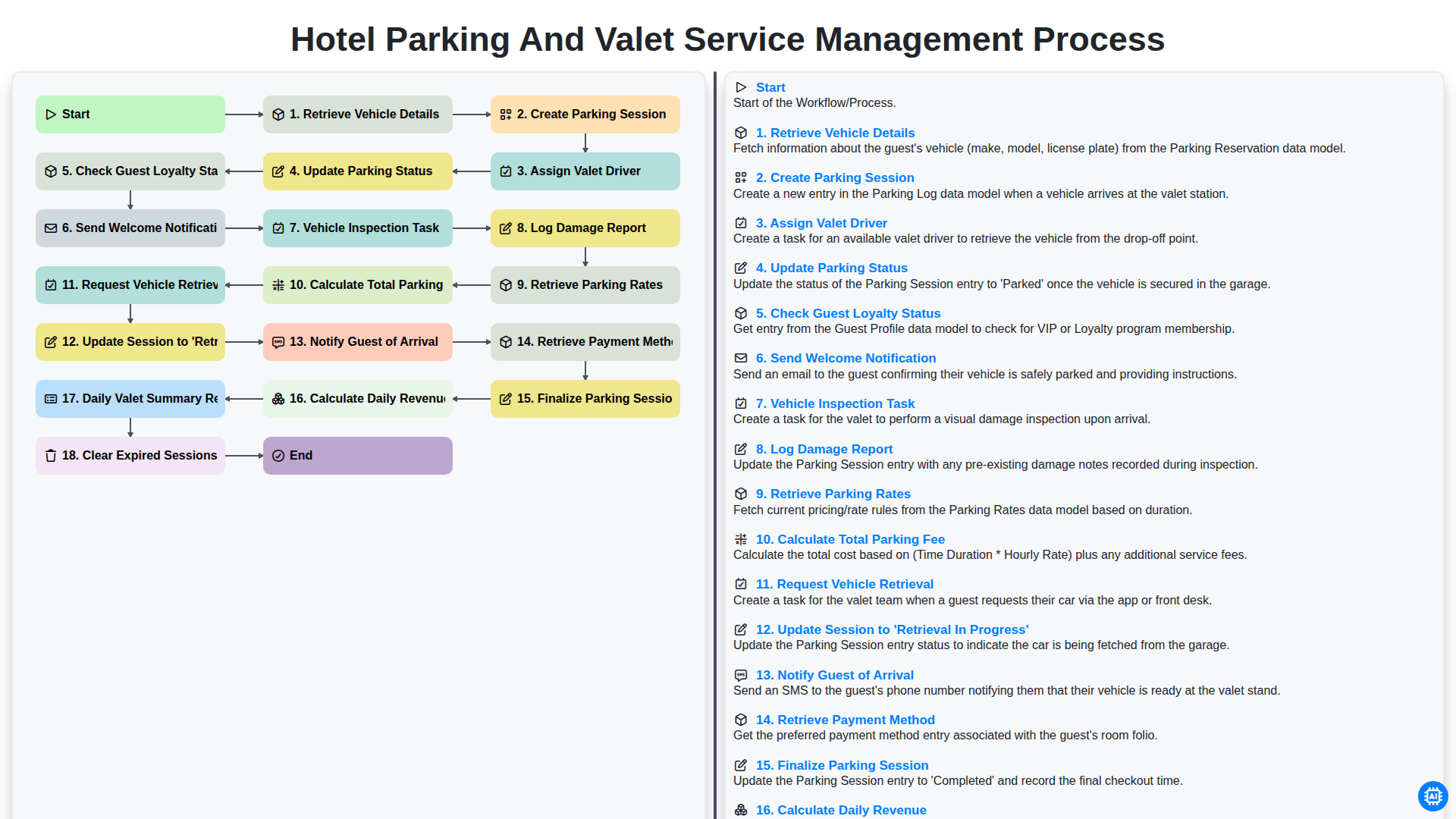
Hotel Parking and Valet Service Management Process
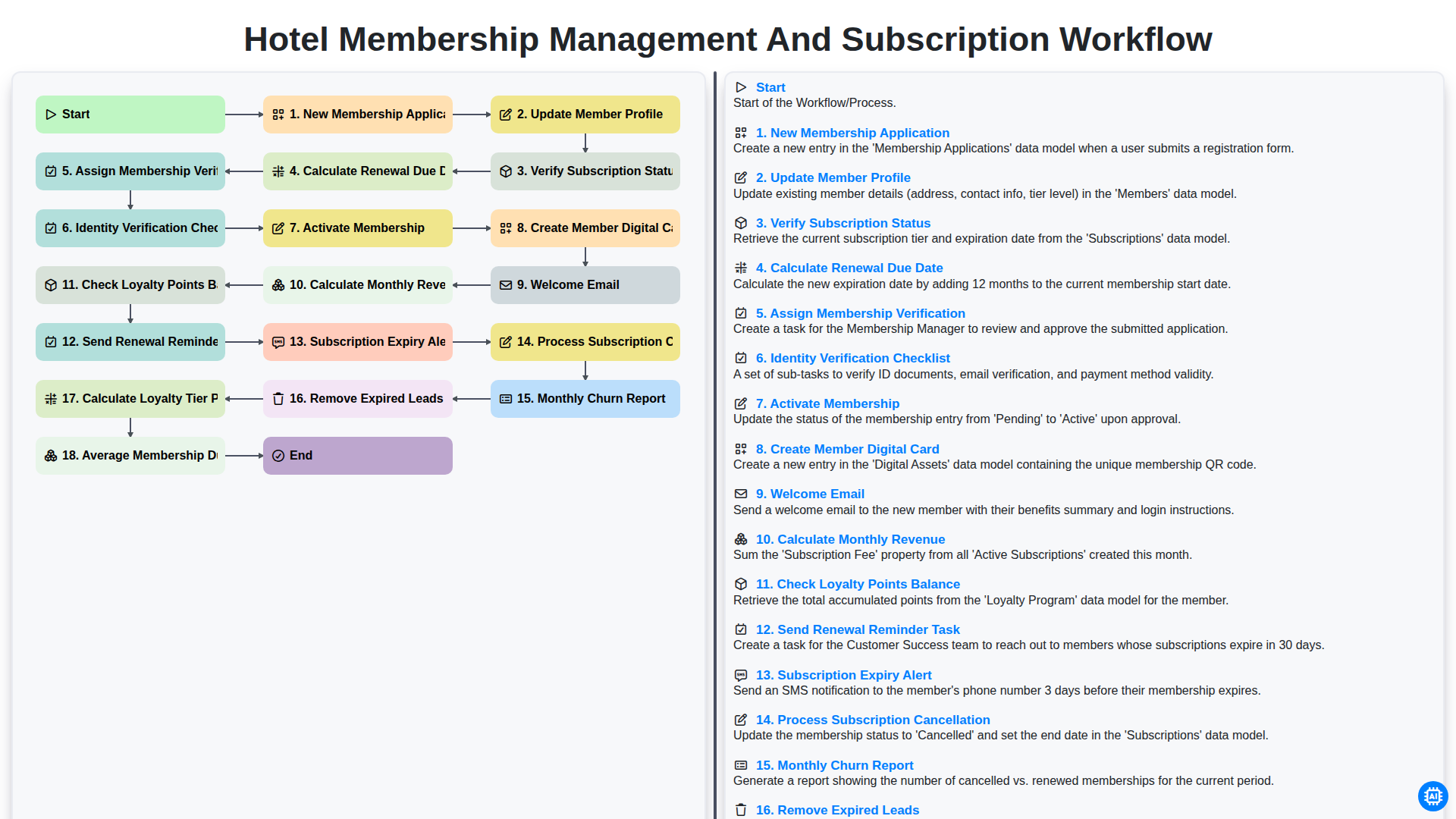
Hotel Membership Management and Subscription Workflow

Hotel VIP Guest Arrival and Personalized Service Process

Hotel Staff Onboarding and Training Management Workflow

Hotel Group Booking and Room Block Management Workflow
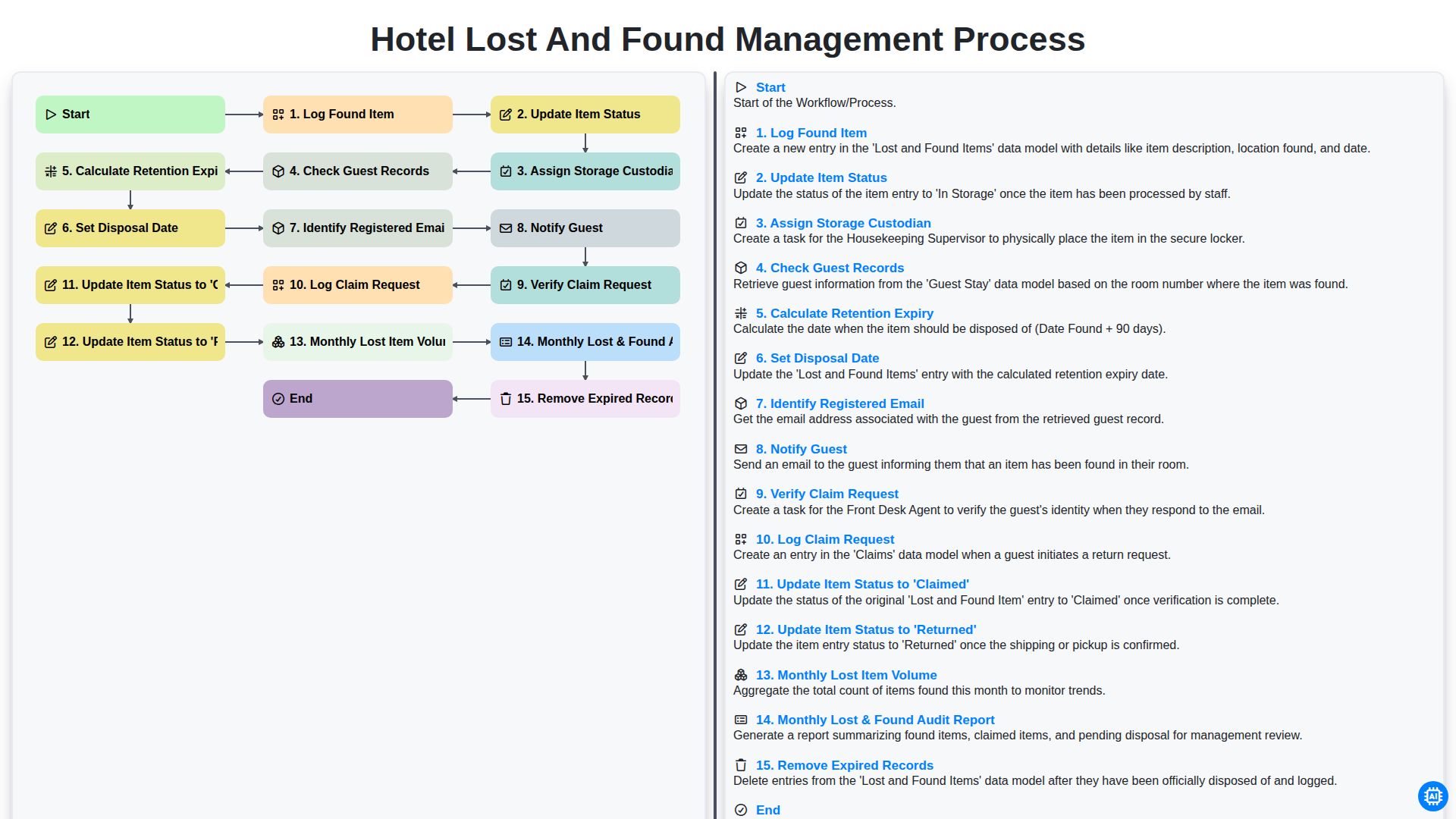
Hotel Lost and Found Management Process
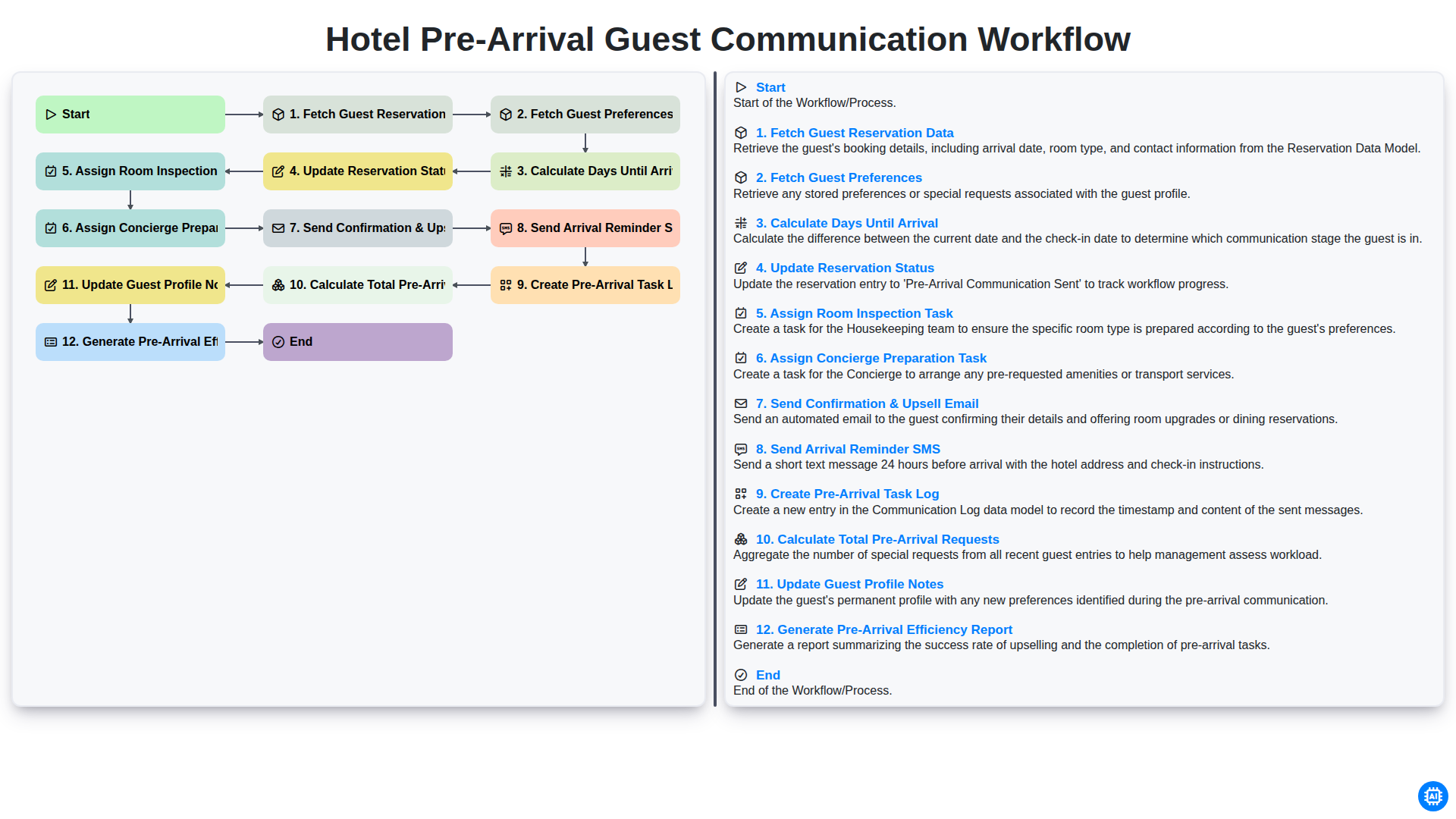
Hotel Pre-Arrival Guest Communication Workflow
Nous pouvons le faire ensemble
Besoin d'aide avec les listes de contrôle?
Vous avez une question ? Nous sommes là pour vous aider. Veuillez soumettre votre demande et nous vous répondrons rapidement.