 ChecklistGuro
 Hotel Lost and Found Management Process
Streamline your guest experience and minimize operational headaches with our comprehensive Hotel Lost and Found Management Process. This step-by-step workflow optimizes item logging, secure storage, and efficient owner notification, ensuring professional handling of misplaced belongings to boost guest loyalty and enhance hotel reputation.
Ce modèle a été installé 4 fois.
Début
Début du flux de travail/processus.
1. Log Found Item
Create a new entry in the 'Lost and Found Items' data model with details like item description, location found, and date.
2. Update Item Status
Update the status of the item entry to 'In Storage' once the item has been processed by staff.
3. Assign Storage Custodian
Create a task for the Housekeeping Supervisor to physically place the item in the secure locker.
4. Check Guest Records
Retrieve guest information from the 'Guest Stay' data model based on the room number where the item was found.
5. Calculate Retention Expiry
Calculate the date when the item should be disposed of (Date Found + 90 days).
6. Set Disposal Date
Update the 'Lost and Found Items' entry with the calculated retention expiry date.
7. Identify Registered Email
Get the email address associated with the guest from the retrieved guest record.
8. Notify Guest
Send an email to the guest informing them that an item has been found in their room.
9. Verify Claim Request
Create a task for the Front Desk Agent to verify the guest's identity when they respond to the email.
10. Log Claim Request
Create an entry in the 'Claims' data model when a guest initiates a return request.
11. Update Item Status to 'Claimed'
Update the status of the original 'Lost and Found Item' entry to 'Claimed' once verification is complete.
12. Update Item Status to 'Returned'
Update the item entry status to 'Returned' once the shipping or pickup is confirmed.
13. Monthly Lost Item Volume
Aggregate the total count of items found this month to monitor trends.
14. Monthly Lost & Found Audit Report
Generate a report summarizing found items, claimed items, and pending disposal for management review.
15. Remove Expired Records
Delete entries from the 'Lost and Found Items' data model after they have been officially disposed of and logged.
Fin
Fin du flux de travail/processus.
Début du flux de travail/processus.
Create a new entry in the 'Lost and Found Items' data model with details like item description, location found, and date.
Update the status of the item entry to 'In Storage' once the item has been processed by staff.
Create a task for the Housekeeping Supervisor to physically place the item in the secure locker.
Retrieve guest information from the 'Guest Stay' data model based on the room number where the item was found.
Calculate the date when the item should be disposed of (Date Found + 90 days).
Update the 'Lost and Found Items' entry with the calculated retention expiry date.
Get the email address associated with the guest from the retrieved guest record.
Send an email to the guest informing them that an item has been found in their room.
Create a task for the Front Desk Agent to verify the guest's identity when they respond to the email.
Create an entry in the 'Claims' data model when a guest initiates a return request.
Update the status of the original 'Lost and Found Item' entry to 'Claimed' once verification is complete.
Update the item entry status to 'Returned' once the shipping or pickup is confirmed.
Aggregate the total count of items found this month to monitor trends.
Generate a report summarizing found items, claimed items, and pending disposal for management review.
Delete entries from the 'Lost and Found Items' data model after they have been officially disposed of and logged.
Fin du flux de travail/processus.
Questions fréquemment posées
Commentaires
Aucun commentaire n'a été publié pour le moment. Soyez le premier à en ajouter un !
Démonstration de la solution de gestion de l'hôtellerie
Gérer un hôtel, un restaurant ou une autre entreprise du secteur de l'hôtellerie est une tâche exigeante. La plateforme Work OS de ChecklistGuro simplifie la gestion, des réservations et des services aux clients, en passant par la gestion des stocks et la planification des horaires du personnel. Améliorez l'efficacité, optimisez l'expérience client et augmentez la rentabilité ! Découvrez comment ChecklistGuro peut transformer vos opérations dans le secteur de l'hôtellerie.
Modèles de flux de travail associés

Hotel Departmental Communication and Task Management Workflow
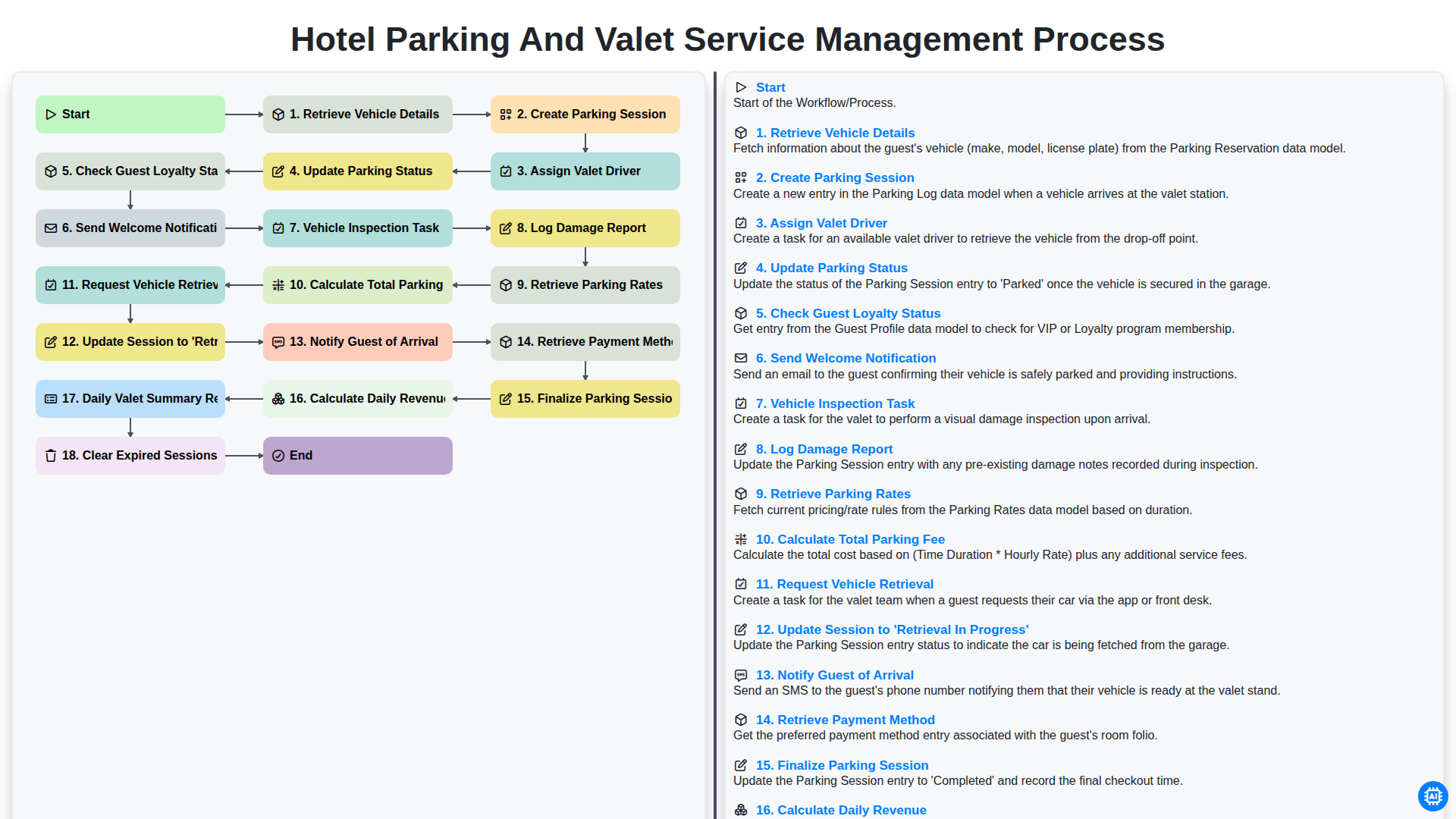
Hotel Parking and Valet Service Management Process
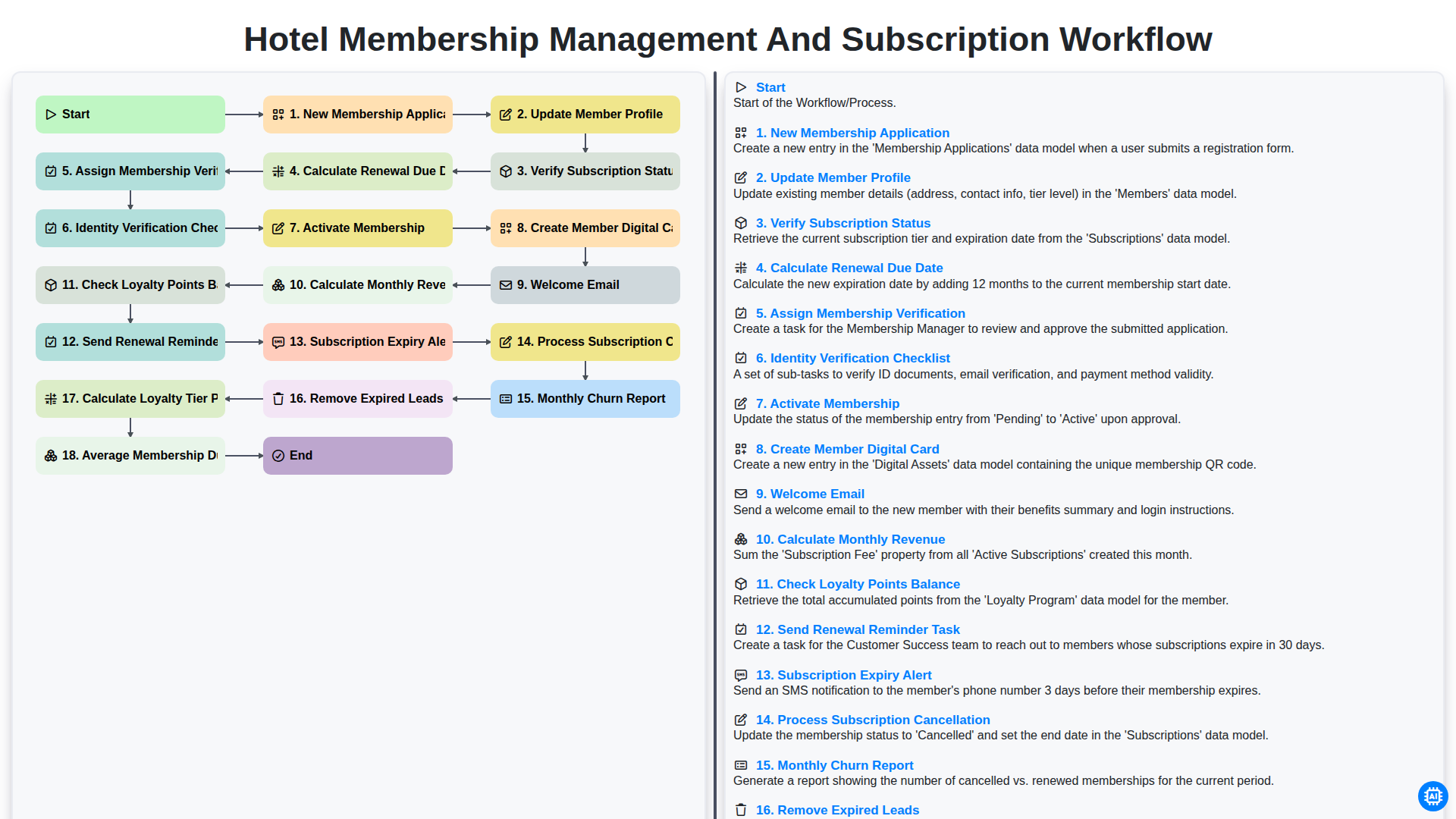
Hotel Membership Management and Subscription Workflow

Hotel VIP Guest Arrival and Personalized Service Process

Hotel Staff Onboarding and Training Management Workflow
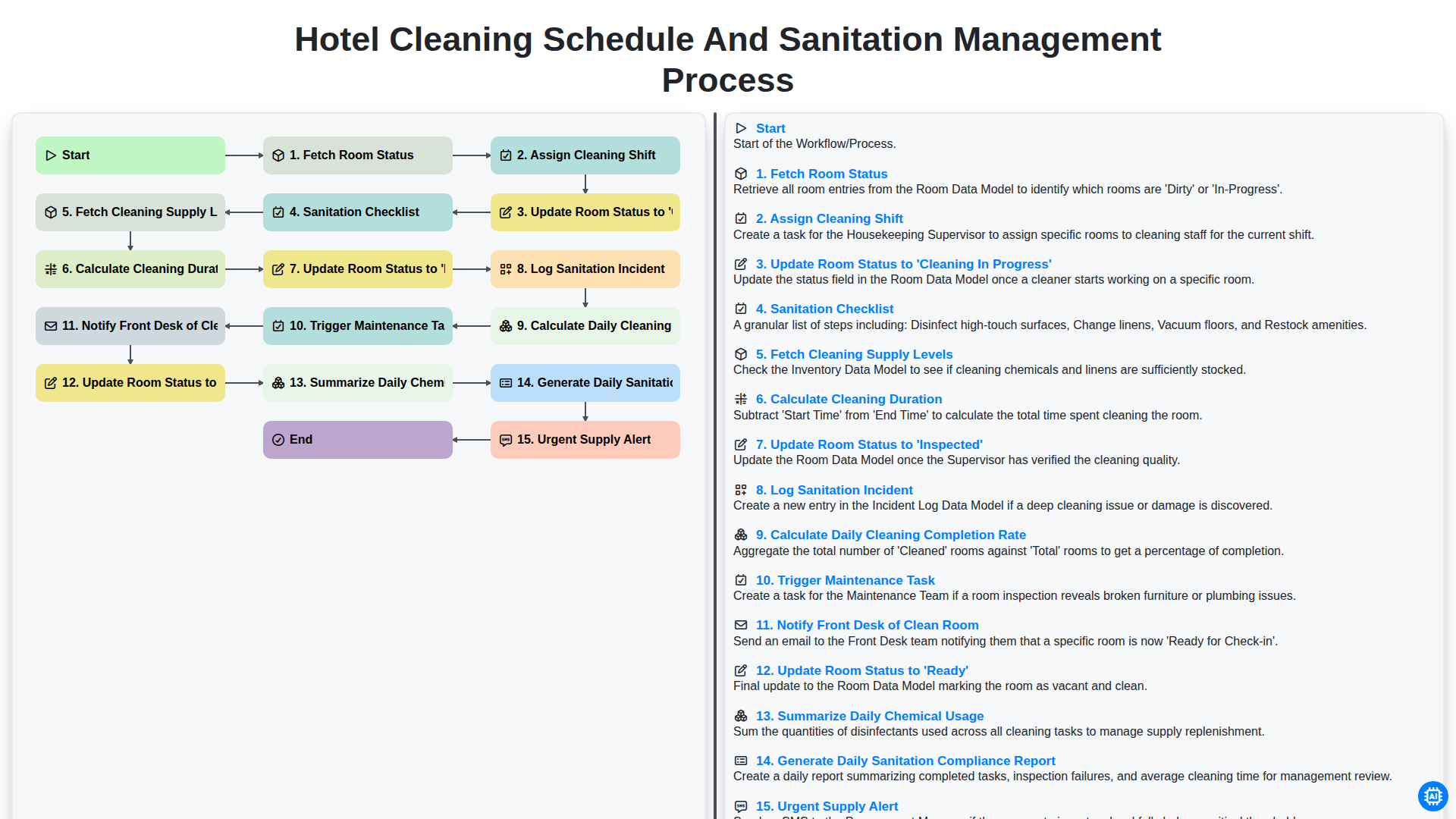
Hotel Cleaning Schedule and Sanitation Management Process

Hotel Group Booking and Room Block Management Workflow
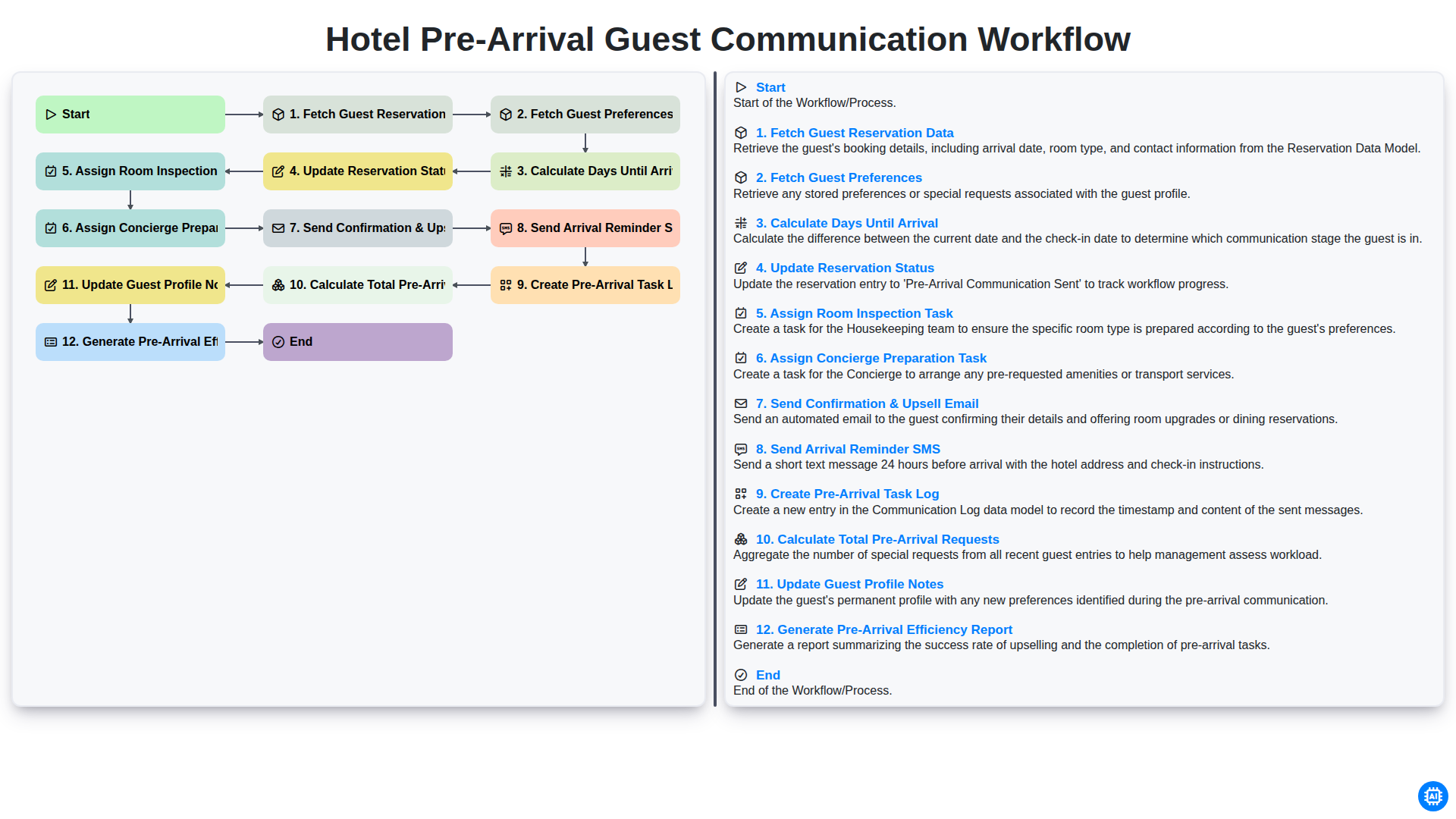
Hotel Pre-Arrival Guest Communication Workflow
Nous pouvons le faire ensemble
Besoin d'aide avec les listes de contrôle?
Vous avez une question ? Nous sommes là pour vous aider. Veuillez soumettre votre demande et nous vous répondrons rapidement.