Shop Floor Execution Workflow for Manufacturers
Opublikowano: 30.03.2026 Zaktualizowano: 02.07.2026
Spis treści
- Introduction: The Need for Shop Floor Execution
- What is a Shop Floor Execution Workflow?
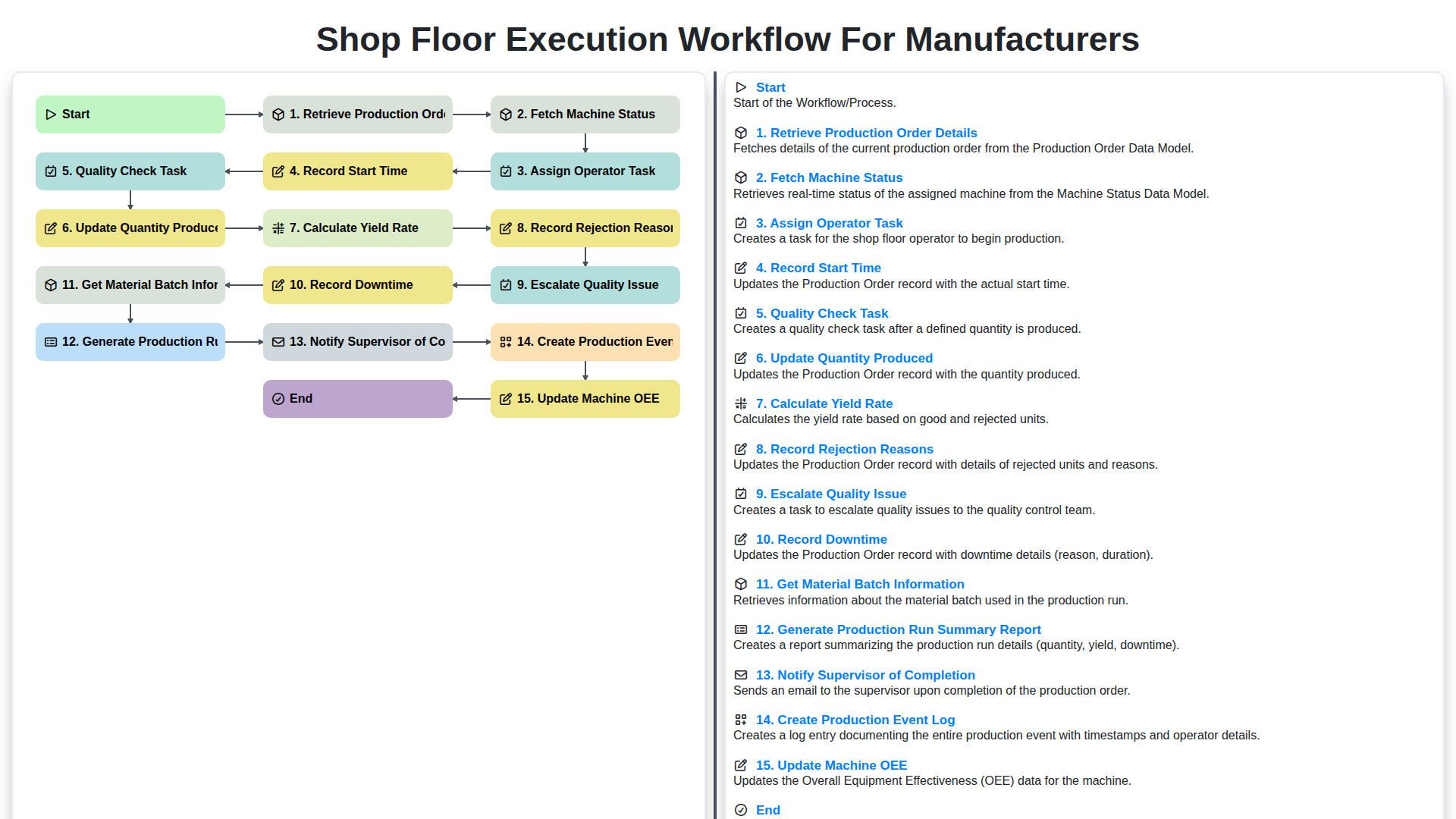
- Step 1: Retrieve Production Order Details
- Step 2: Fetch Machine Status - Ensuring Readiness
- Step 3: Assigning Operator Tasks - Optimizing Workforce
- Step 4: Record Start Time - Establishing a Baseline
- Step 5: Quality Check Task - Maintaining Standards
- Step 6: Update Quantity Produced - Tracking Progress
- Step 7: Calculate Yield Rate - Gauging Efficiency
- Step 8: Record Rejection Reasons - Identifying Root Causes
- Step 9: Escalating Quality Issues - Prompt Intervention
- Step 10: Recording Downtime - Minimizing Disruptions
- Step 11: Getting Material Batch Information - Traceability & Control
- Step 12: Generating Production Run Summary Report - A Comprehensive Overview
- Step 13: Notifying Supervisor of Completion - Communication & Accountability
- Step 14: Creating a Production Event Log - A Detailed History
- Step 15: Updating Machine OEE (Overall Equipment Effectiveness)
- Resources & Links
TLDR: Streamline your manufacturing process with this workflow! It automates tasks from pulling production order details to generating reports, including operator assignment, quality checks, downtime recording, and OEE updates - ultimately boosting efficiency and giving you real-time visibility into your shop floor operations.
Introduction: The Need for Shop Floor Execution
Manufacturing today faces unprecedented pressures - demands for greater efficiency, increased agility, and unwavering quality. Traditional paper-based systems and spreadsheets simply can't keep pace. They're prone to errors, lack real-time visibility, and stifle the data-driven decisions that are vital for success. Shop floor execution (Shop Floor Execution System - SFES) addresses this head-on. It's more than just tracking; it's about orchestrating the entire production process, from order retrieval to final reporting. A robust SFES bridges the gap between the ERP system (which manages planning and inventory) and the physical shop floor, ensuring that production runs smoothly, efficiently, and consistently. Ultimately, implementing a well-defined shop floor execution workflow enables manufacturers to optimize resource utilization, minimize waste, improve product quality, and respond quickly to changing customer demands.
What is a Shop Floor Execution Workflow?
A Shop Floor Execution (SFE) workflow is the orchestrated sequence of actions and data collection that happens on the factory floor, bridging the gap between planning (like MRP systems) and actual production. It's essentially a digital representation of how work gets done - from the moment a production order is released to when it's completed and results are analyzed.
Think of it as a detailed recipe for manufacturing a product. It ensures consistent processes, minimizes errors, and provides real-time visibility into production activities. This isn't just about recording what happened, but also about driving continuous improvement by identifying bottlenecks, inefficiencies, and quality issues as they arise. A well-defined SFE workflow moves beyond paper-based systems and manual data entry, leveraging digital tools to streamline operations and empower shop floor personnel. It's a vital component of modern manufacturing, enabling greater agility, responsiveness, and overall efficiency.
Step 1: Retrieve Production Order Details
Before any work can begin on the shop floor, the system needs to know what needs to be produced. This first step, retrieving production order details, is the foundation of a smooth and traceable workflow. This involves pulling critical information from the ERP or planning system, including:
- Production Order Number: The unique identifier for the job.
- Product Type: What exactly is being manufactured.
- Quantity Required: The target production volume.
- Due Date: The deadline for completion.
- Bill of Materials (BOM): A comprehensive list of the raw materials and components needed.
- Routing: The sequence of operations required to manufacture the product.
- Any specific instructions or notes: This can include special handling requirements, tooling specifications, or quality standards.
This information is then displayed to the operator or assigned to a work center, essentially kicking off the production process. Accuracy here is paramount; even minor discrepancies at this stage can cascade into larger issues down the line.
Step 2: Fetch Machine Status - Ensuring Readiness
Before a single part is produced, it's crucial to know the current status of the equipment involved. This step, Fetch Machine Status, moves beyond simply knowing a machine exists and delves into its operational readiness. We're talking about more than just on or off.
The system should automatically query the machine's connected sensors and data interfaces to retrieve real-time information such as:
- Availability: Is the machine powered on and accessible?
- Performance: What's its current operating speed and efficiency?
- Maintenance Schedules: Are there any scheduled maintenance tasks impacting availability?
- Error States: Are there any active error codes or warning signals?
- Tooling Status: Information on tooling condition, remaining lifespan, or required changes.
This data informs whether the machine is truly ready to execute the production order. If the machine isn't ready - perhaps undergoing maintenance or displaying an error - the system should flag this and potentially re-assign the task or alert the maintenance team, preventing wasted operator time and ensuring production isn't unnecessarily delayed. It's about proactive problem identification, not reactive troubleshooting.
Step 3: Assigning Operator Tasks - Optimizing Workforce
Assigning operator tasks efficiently is a critical link in a smooth shop floor execution. A manual, paper-based system often leads to confusion, delays, and bottlenecks. Our workflow automates this process, ensuring the right operator is assigned to the right task at the right time.
Here's how it works:
- Skill-Based Assignment: The system considers operator skill sets and certifications when assigning tasks. This maximizes productivity and minimizes errors.
- Real-Time Visibility: Operators receive notifications directly on their mobile devices or designated terminals, providing clear instructions and priorities. They can acknowledge assignments and view task details, including required materials and expected completion time.
- Dynamic Re-Assignment: Unexpected absences or skill gaps can happen. The system allows supervisors to quickly reassign tasks based on real-time operator availability and expertise.
- Reduced Idle Time: By streamlining the assignment process, we significantly reduce operator idle time, ensuring every team member is actively contributing to production.
- Improved Accountability: Clear task assignments and real-time tracking increase operator accountability and facilitate performance evaluation.
Step 4: Record Start Time - Establishing a Baseline
Once an operator task is assigned, the next critical step is to accurately record the start time of the production run. This seemingly small action provides a vital baseline for all subsequent data collection and performance analysis. Without a precise start time, it's impossible to calculate accurate cycle times, overall equipment effectiveness (OEE), or identify potential bottlenecks.
The system should automatically prompt the operator to acknowledge and confirm the start time, typically with a simple "Start" button or checkbox. This action should timestamp the event precisely, creating a definitive record of when production officially began. Ideally, this process should be integrated seamlessly into the operator's tablet or workstation interface, minimizing disruption to their workflow. Furthermore, this start time is linked to the production order details, machine ID, and assigned operator, providing complete traceability. Accurate start time recording is foundational for building a reliable and actionable production execution system.
Step 5: Quality Check Task - Maintaining Standards
Quality isn't an afterthought in manufacturing; it's woven into the fabric of the process. The Quality Check Task is a critical step in the Shop Floor Execution workflow, designed to ensure that each product meets pre-defined specifications and maintains overall product integrity.
Following the recording of start time, a designated operator or quality inspector will perform a series of checks. These checks can be customized based on the specific product and production order, often referencing documented quality control plans. Common checks might include dimensional accuracy, visual inspection for defects, material composition verification, and functional testing.
The system should provide clear instructions for the quality check, including acceptable tolerance ranges and specific inspection criteria. This minimizes subjectivity and promotes consistency across all shifts and operators. The operator will then record the results of the quality check within the system - marking items as "Pass," "Fail," or potentially needing further investigation. Detailed notes about any deviations from expected results should also be captured. This data is vital for identifying trends, pinpointing potential process issues, and ultimately, improving product quality and reducing waste. Crucially, this step links directly to the Record Rejection Reasons stage if a product fails inspection, creating a traceable chain of information.
Step 6: Update Quantity Produced - Tracking Progress
As operators execute tasks and quality checks are completed, accurately reflecting the quantity of product manufactured becomes crucial. This "Update Quantity Produced" step isn't just about ticking a box; it's the backbone of real-time production visibility. The system should allow operators to easily and accurately input the number of units produced during a specific timeframe or task. This update directly impacts downstream processes like inventory management, material replenishment, and overall production planning.
Crucially, this step should be integrated with the preceding steps. The quantity entered should correlate with the assigned operator, the machine used, the production order, and the recorded start time. This ensures data integrity and simplifies troubleshooting if discrepancies arise. Real-time dashboards can display progress against the production order target, providing immediate feedback to supervisors and allowing for proactive adjustments. Finally, accurate quantity updates are fundamental for calculating yield rates and identifying areas for process optimization.
Step 7: Calculate Yield Rate - Gauging Efficiency
Calculating yield rate is a crucial step in your Shop Floor Execution (SFE) workflow. It provides a direct measure of production efficiency - the percentage of good, usable products produced compared to the total number started.
Here's how it fits into the process: After updating the quantity produced and potentially recording rejections, the system automatically calculates the yield rate. The formula is simple:
Yield Rate = (Good Units Produced / Total Units Started) x 100
The Total Units Started would typically be defined within the Production Order Details retrieved in the earlier steps. The Good Units Produced are derived from the quantity produced after accounting for rejections.
This metric isn't just a number; it's a signal. A consistently low yield rate indicates potential issues in your process - from raw material quality to machine performance. Tracking yield rate trends over time allows for proactive problem-solving and continuous improvement efforts. The data feeds directly into identifying areas for optimization and ensuring you're maximizing output while minimizing waste.
Step 8: Record Rejection Reasons - Identifying Root Causes
Rejections are an inevitable part of manufacturing, but understanding why they occur is crucial for continuous improvement. Simply discarding rejected parts isn's enough; we need to capture the 'why.' This step focuses on meticulously recording the reasons for rejection directly within the shop floor execution workflow.
Your system should allow operators to select from a predefined list of rejection reasons (e.g., dimensional errors, surface defects, incorrect color, material inconsistency). Ideally, this list should be customizable by quality control personnel to reflect evolving issues and specific product requirements. Furthermore, a free-text field should be included to allow operators to provide more detailed explanations when the predefined reasons don't fully capture the issue.
This data isn't just about tracking the number of rejects; it's about identifying trends. By aggregating rejection reasons over time, you can pinpoint recurring problems: a specific machine exhibiting consistent defects, a particular material lot proving problematic, or an operator requiring additional training. Analyzing these trends allows you to move beyond reactive fixes and implement proactive solutions - optimizing processes, improving material quality, and enhancing operator skills.
The system should also allow for linking rejection records to specific production orders, operators, machines, and material batches for deeper analysis and traceability. This level of detail transforms rejection data from a cost center into a valuable source of insight, driving operational efficiency and product quality.
Step 9: Escalating Quality Issues - Prompt Intervention
Quality isn't just about meeting specifications; it's about preventing problems before they snowball. When a quality check task flags a non-conformance - whether a visual defect, a dimensional inaccuracy, or a performance deviation - the system needs to facilitate prompt escalation. Our workflow doesn't just record the issue; it triggers a defined escalation path.
This involves automatically notifying the designated quality control personnel or a senior technician. The system should include fields for detailed descriptions of the defect, photos or videos (captured during the quality check), and a severity level. Predefined escalation rules can determine the urgency and who receives notification based on the severity. For example, a critical defect might instantly alert the quality manager and a production engineer, while a minor issue might be addressed during the next scheduled review.
Critically, the escalation process must be transparent and auditable. All notifications, responses, and corrective actions should be logged within the production event log, ensuring accountability and facilitating root cause analysis to prevent recurrence. This proactive approach minimizes scrap, reduces rework, and maintains consistent product quality.
Step 10: Recording Downtime - Minimizing Disruptions
Downtime is an unavoidable reality in manufacturing, but unmanaged downtime is a major drain on productivity and profitability. This step focuses on capturing downtime events accurately and efficiently. The system automatically prompts the operator to record any downtime experienced during the production run. This isn't just a simple "yes/no" checkbox; the system encourages detailed information. Operators are guided to select from pre-defined downtime codes (e.g., mechanical failure, power outage, material shortage, waiting on maintenance) and provide a brief description of the issue. Crucially, the system also records the start and end times of the downtime, allowing for precise calculation of lost production time. This detailed downtime logging isn't just about historical data; it's a critical input for preventative maintenance scheduling, root cause analysis of recurring issues, and ultimately, minimizing future disruptions to the production flow. Furthermore, the system can be configured to automatically notify maintenance personnel for critical downtime events, ensuring rapid response and resolution.
Step 11: Getting Material Batch Information - Traceability & Control
A crucial element of a robust Shop Floor Execution (SFE) workflow is the ability to track material batches throughout the production process. This isn't just about knowing what material is being used, but also where it came from and its associated quality data.
Our workflow integrates a step to fetch and record material batch information directly at the point of use. This data typically includes:
- Batch Number: Unique identifier for the material batch.
- Material Type: Specification of the raw material being used.
- Supplier Information: Details about the material supplier.
- Lot Traceability: Linking the batch to specific lot numbers for ultimate recall capability.
- Quality Certificates: Reference to associated quality certificates and inspection reports.
By capturing this information, manufacturers gain significantly improved traceability. This allows for rapid identification and isolation of affected batches in case of quality issues or recalls. It also provides valuable data for root cause analysis, allowing you to pinpoint potential material-related issues and improve sourcing decisions. Furthermore, this integration strengthens your compliance with industry regulations and internal quality standards. The system automatically associates this material batch data with the production order and operation, creating a complete, auditable trail from raw materials to finished goods.
Step 12: Generating Production Run Summary Report - A Comprehensive Overview
At this crucial stage, we compile all the data collected throughout the execution workflow into a comprehensive Production Run Summary Report. This isn't just a collection of numbers; it's a vital tool for analysis, continuous improvement, and informed decision-making.
The report pulls data from every preceding step: production order details, machine status, operator performance, quality check results, quantity produced, yield rates, rejection reasons, downtime events, material batch information, and OEE calculations. This consolidated view provides a clear and concise picture of the production run's performance.
Key elements typically included in the report are:
- Order Details: Production order number, product type, target quantity, and due date.
- Production Performance: Actual quantity produced, yield rate, and any deviations from the plan.
- Quality Metrics: Number of rejected units, rejection reasons categorized and quantified, and overall quality score.
- Machine Performance: Total run time, downtime incidents, and calculated OEE (Overall Equipment Effectiveness).
- Material Usage: Batch numbers used, material consumption compared to plan, and any material waste.
- Operator Performance: (Optionally) Operator assigned to the run and key performance indicators (KPIs) related to their work.
- Summary of Issues: A concise overview of any significant issues encountered during the run (e.g., material shortages, equipment malfunctions, quality problems).
This report is typically accessible to supervisors, production managers, and quality control personnel, providing them with the insights needed to identify areas for improvement, optimize processes, and ensure consistent product quality. Automated report generation ensures accuracy and timeliness, eliminating manual data aggregation and freeing up valuable time.
Step 13: Notifying Supervisor of Completion - Communication & Accountability
Once a production run reaches its conclusion, timely notification to the supervisor is critical. This isn't just about letting them know a job is done; it's about ensuring visibility into progress, potential issues, and overall production health.
Our workflow automatically generates a notification - typically an email or a message within the manufacturing execution system (MES) - informing the supervisor that the production order has been completed. This notification includes a summary of key metrics captured throughout the workflow, such as total quantity produced, yield rate, and any recorded rejections or downtime events.
This proactive communication fosters accountability. Supervisors can immediately review the run details, address any concerns raised during the process, and plan for the next production cycle. It also allows for quicker identification of trends or bottlenecks, leading to continuous improvement efforts. Furthermore, having this automated notification eliminates the risk of delayed communication and potential misunderstandings, ensuring everyone is on the same page. The automated nature of this step frees up the operator from this responsibility, allowing them to focus on their next assigned task.
Step 14: Creating a Production Event Log - A Detailed History
The production event log is the backbone of traceability and analysis within your shop floor execution workflow. It's more than just a record; it's a comprehensive, time-stamped history of everything that happened during a production run. This log isn't just useful for troubleshooting; it provides valuable insights into process efficiency, operator performance, and equipment reliability.
Each entry in the production event log should include:
- Timestamp: Precise date and time of the event.
- Production Order ID: Links the event directly to the specific order being fulfilled.
- Machine ID: Identifies the machine involved in the event.
- Operator ID: Records who performed the action or observed the event.
- Event Type: Clearly describes the action taken (e.g., "Start Production," "Quality Check Failed," "Downtime Recorded," "Material Batch Received").
- Data/Details: This is where the specifics are captured. For a Quality Check Failed event, this would include details like the defect type and severity. For a "Downtime Recorded" event, it would list the reason and duration.
- User/System: Identifies whether the event was triggered manually by an operator or automatically by the MES/shop floor system.
The event log should be accessible and searchable, allowing for easy retrieval of historical data. This detailed record enables proactive problem-solving, facilitates audits, and contributes to continuous improvement initiatives by providing a clear and accurate picture of production operations. Furthermore, it allows for deeper analysis when trying to correlate production issues with specific time periods, operators, or machines.
Step 15: Updating Machine OEE (Overall Equipment Effectiveness)
Once the production run is nearing completion and data from the preceding steps - quantity produced, downtime, rejects, and cycle times - has been captured, it's crucial to update the Machine Overall Equipment Effectiveness (OEE). OEE is a key performance indicator (KPI) that provides a holistic view of machine productivity and efficiency.
The system automatically calculates OEE using the recorded data. This involves considering three main factors:
- Availability: Percentage of scheduled time the machine was actually operating (accounting for downtime). The recorded downtime events directly feed into this calculation.
- Performance: How quickly the machine is running compared to its theoretical maximum speed. Cycle time data gathered throughout the workflow is essential here.
- Quality: Percentage of good parts produced. Reject data and quality check results are key inputs.
By continuously updating the machine's OEE in real-time, manufacturers gain valuable insights into operational efficiency. This data can be used to identify bottlenecks, pinpoint areas for improvement, and ultimately drive higher production output while reducing waste and costs. Trend analysis of OEE provides a historical perspective, allowing for proactive adjustments to maintenance schedules, operator training, and process optimization.
Resources & Links
- MES Systems: A leading provider of Manufacturing Execution Systems (MES). Provides a broad overview of MES functionality and its benefits for shop floor execution.
- Automation.com: A comprehensive resource for industrial automation, including shop floor execution systems, software, and related technologies. Useful for understanding the broader context.
- Rockwell Automation: A major player in industrial automation solutions, including MES and shop floor execution software. Provides case studies and technical resources.
- Seegrid: While focused on automated guided vehicles (AGVs), Seegrid's content often touches on shop floor visibility and optimization, relevant to overall execution workflows.
- PTC: PTC offers ThingWorx, an industrial IoT platform that can be used to build shop floor execution systems. Their website provides information and resources.
- AVEVA: AVEVA provides industrial software, including MES and production management solutions. Useful for understanding advanced execution capabilities.
- Fiix (Fluke Reliability): While primarily a CMMS (Computerized Maintenance Management System), Fiix's content about preventative maintenance and asset reliability is vital for a smooth shop floor workflow and downtime reduction.
- Smartsheet: Although a general project management tool, Smartsheet can be adapted to visualize and manage basic shop floor workflows, useful for smaller operations or initial workflow mapping.
- ISO (International Organization for Standardization): Provides information on quality management standards like ISO 9001, which is often a core requirement for consistent shop floor execution.
- NIST (National Institute of Standards and Technology): Provides standards and best practices related to manufacturing processes and data management, which can inform shop floor execution strategies.
Najczęściej zadawane pytania
What is a shop floor execution workflow?
A shop floor execution workflow is a structured series of steps and processes used by manufacturers to manage production activities, from receiving work orders to final product inspection and dispatch.
Why is optimizing the shop floor workflow important?
Optimizing the workflow helps reduce production bottlenecks, minimizes waste, improves resource utilization, ensures consistent product quality, and enhances overall operational efficiency.
What are the key components of an effective execution workflow?
Key components include production scheduling, resource allocation, real-time monitoring, quality control checkpoints, inventory management, and detailed reporting/analytics.
How does real-time data collection impact manufacturing workflows?
Real-time data collection provides immediate visibility into machine performance, operator productivity, and material usage, allowing managers to make proactive adjustments and reduce downtime.
What role does automation play in shop floor execution?
Automation can streamline repetitive tasks, reduce human error in data entry, and integrate various stages of the production process, leading to a more seamless and error-free workflow.
How can manufacturers identify bottlenecks in their current workflow?
Manufacturers can identify bottlenecks by analyzing cycle times, tracking machine downtime, monitoring work-in-progress (WIP) levels, and using value stream mapping to find delays.
Komentarze
Na razie nie ma żadnych komentarzy. Dodaj pierwszy!
Demo rozwiązania do zarządzania produkcją
Przestań tracić czas na papierkowanie i zmagania z niepowiązanymi systemami! Nasze rozwiązanie zapewnia jasność i kontrolę nad procesem produkcyjnym. Od standardowych procedur operacyjnych (SOP) i konserwacji sprzętu, po kontrolę jakości i śledzenie zapasów, upraszczamy każdy etap.
Powiązane artykuły
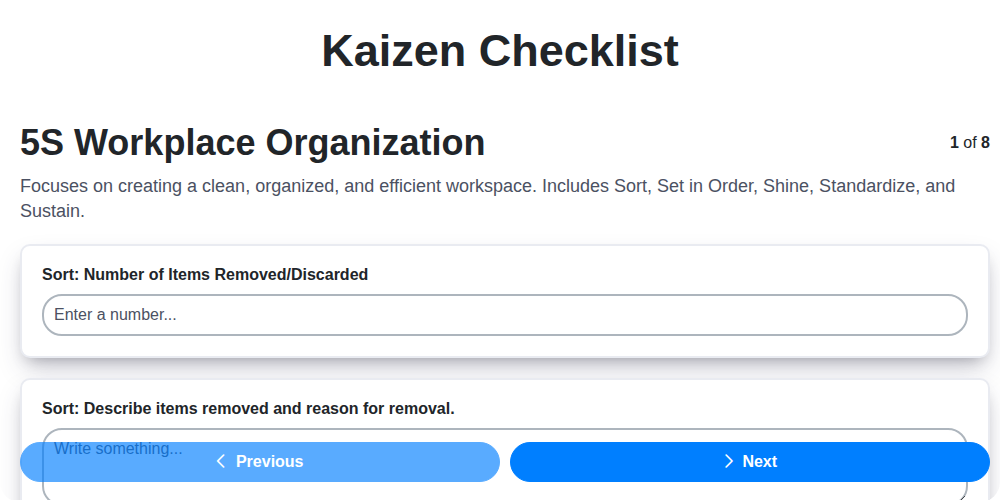
Szablon listy kontrolnej Kaizen: Twoja droga do ciągłego doskonalenia

Machine Safety Audit Checklist: Your Guide to a Safer Manufacturing Workplace
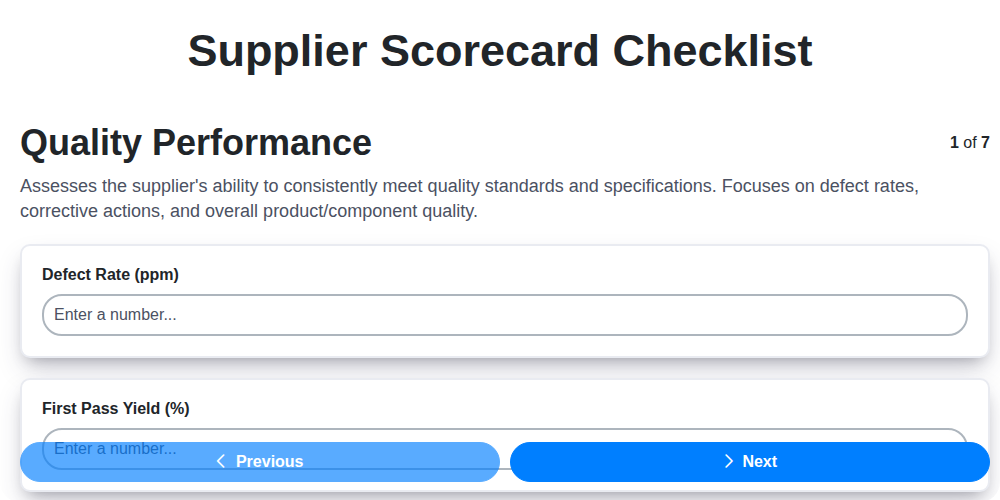
Mastering Supplier Performance: Your Free Supplier Scorecard Checklist Template
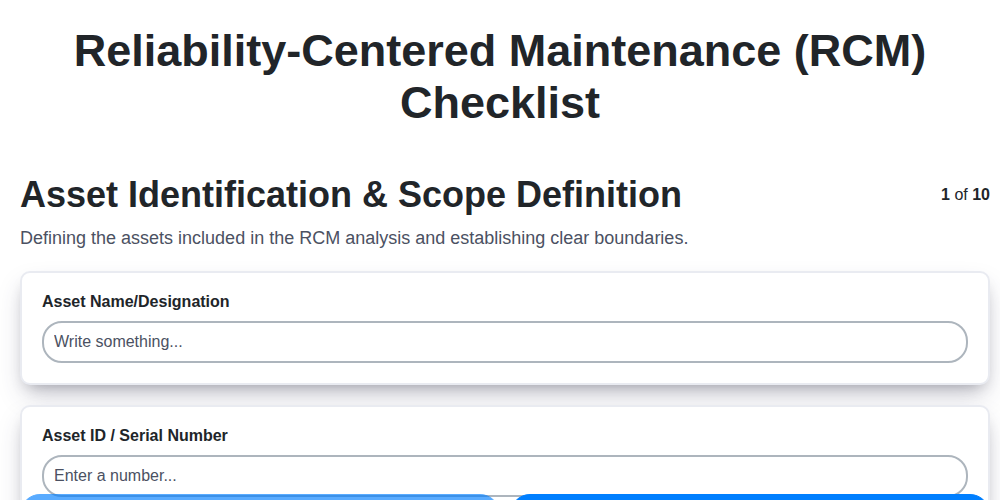
Twój ostateczny szablon listy kontrolnej RCM: Poradnik krok po kroku

Szablon listy kontrolnej LPA: Twój przewodnik po audytach procesów warstwowych

Twój kompleksowy szablon listy kontrolnej blokad i oznaczeń (LOTO).

Your Ultimate FSC 22000 Checklist Template
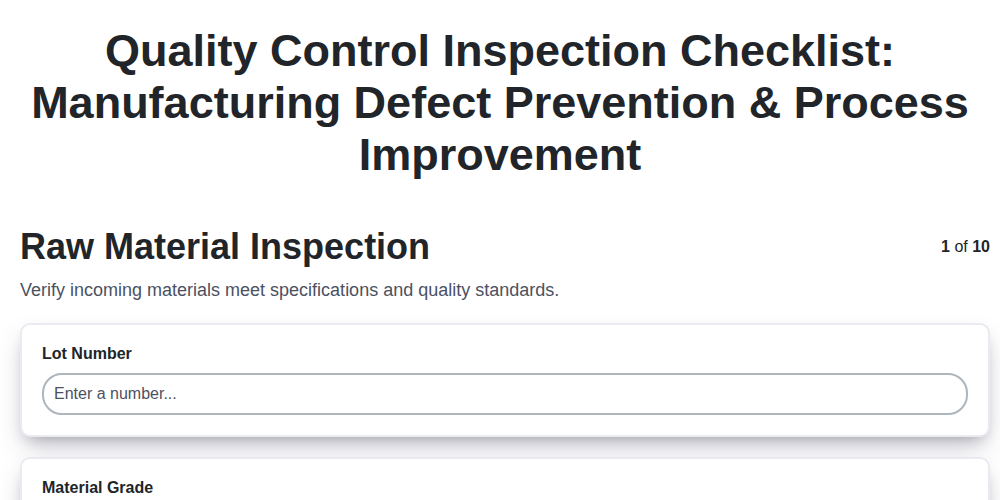
Szablon listy kontrolnej kontroli jakości: zapobiegaj wadom i ulepsz procesy produkcyjne.
Potrzebujesz pomocy z listami kontrolnymi?
Masz pytanie? Jesteśmy tu, aby pomóc. Prześlij zapytanie, a my szybko na nie odpowiemy.