 ChecklistGuro
 Customer Feedback and Review Management Workflow
Streamline your shop's reputation with our automated Customer Feedback and Review Management Workflow. Learn how to capture real-time technician performance data, automate follow-up surveys, and turn positive Google reviews into new service appointments-all while proactively resolving unhappy clients to boost your auto repair shop's local SEO and customer loyalty.
Ten szablon został zainstalowany 3 razy.
Rozpoczęcie
Rozpoczęcie przepływu pracy/procesu.
1. Fetch New Customer Feedback
Retrieve all new entries from the Feedback Data Model that have not yet been processed.
2. Update Feedback Status
Change the status of the retrieved feedback entry to 'In Review'.
3. Calculate Average CSAT Score
Calculate the average Numerical Satisfaction Score from all feedback entries in the current month.
4. Determine Sentiment Score
Execute a formula to weigh the text sentiment analysis score against the star rating.
5. Assign Review to Support Manager
Create a task for the Support Manager to investigate any feedback with a rating below 3 stars.
6. Create Content Task for Market...
Create Content Task for Marketing
7. Create Internal Action Item
Create a new entry in the 'Internal Improvements' data model based on negative feedback findings.
8. Send Apology Email
Send an automated email to the customer if the feedback score is critically low.
9. Send Thank You Email
Send a thank you email to the customer for providing a positive review.
10. Urgent Alert SMS
Send an SMS to the Product Owner if a 'Critical' severity bug is identified in the feedback.
11. Close Feedback Loop
Update the original feedback entry status to 'Resolved' once the customer has been contacted.
12. Monthly Sentiment Report
Generate a monthly performance report summarizing all processed feedback and satisfaction trends.
13. Cleanup Spam Entries
Delete entries identified as spam or duplicate submissions from the Feedback Data Model.
Koniec
Koniec przepływu pracy/procesu.
Rozpoczęcie przepływu pracy/procesu.
Retrieve all new entries from the Feedback Data Model that have not yet been processed.
Change the status of the retrieved feedback entry to 'In Review'.
Calculate the average Numerical Satisfaction Score from all feedback entries in the current month.
Execute a formula to weigh the text sentiment analysis score against the star rating.
Create a task for the Support Manager to investigate any feedback with a rating below 3 stars.
Create Content Task for Marketing
Create a new entry in the 'Internal Improvements' data model based on negative feedback findings.
Send an automated email to the customer if the feedback score is critically low.
Send a thank you email to the customer for providing a positive review.
Send an SMS to the Product Owner if a 'Critical' severity bug is identified in the feedback.
Update the original feedback entry status to 'Resolved' once the customer has been contacted.
Generate a monthly performance report summarizing all processed feedback and satisfaction trends.
Delete entries identified as spam or duplicate submissions from the Feedback Data Model.
Koniec przepływu pracy/procesu.
Komentarze
Na razie nie ma żadnych komentarzy. Dodaj pierwszy!
Demonstracja rozwiązania do zarządzania warsztatem samochodowym
Popraw wyniki swojego warsztatu samochodowego i zwiększ zyski! ChecklistGuro upraszcza śledzenie zleceń, zarządzanie zapasami i komunikację z klientami. Popraw efektywność, zmniejsz liczbę błędów i zwiększ satysfakcję klientów. Zarządzaj wszystkim za pomocą naszej platformy Work OS.
Powiązane Szablony Pracy

End-of-Day Shop Reporting and Reconciliation Workflow

Automotive Workshop Staff Scheduling Process

Seasonal Vehicle Inspection Workflow

Pre-Paid Service Plan Management Process

Automotive Workshop Equipment Maintenance Schedule

Shop Supplies and Consumables Inventory Process

Workshop Technician Time Tracking Workflow
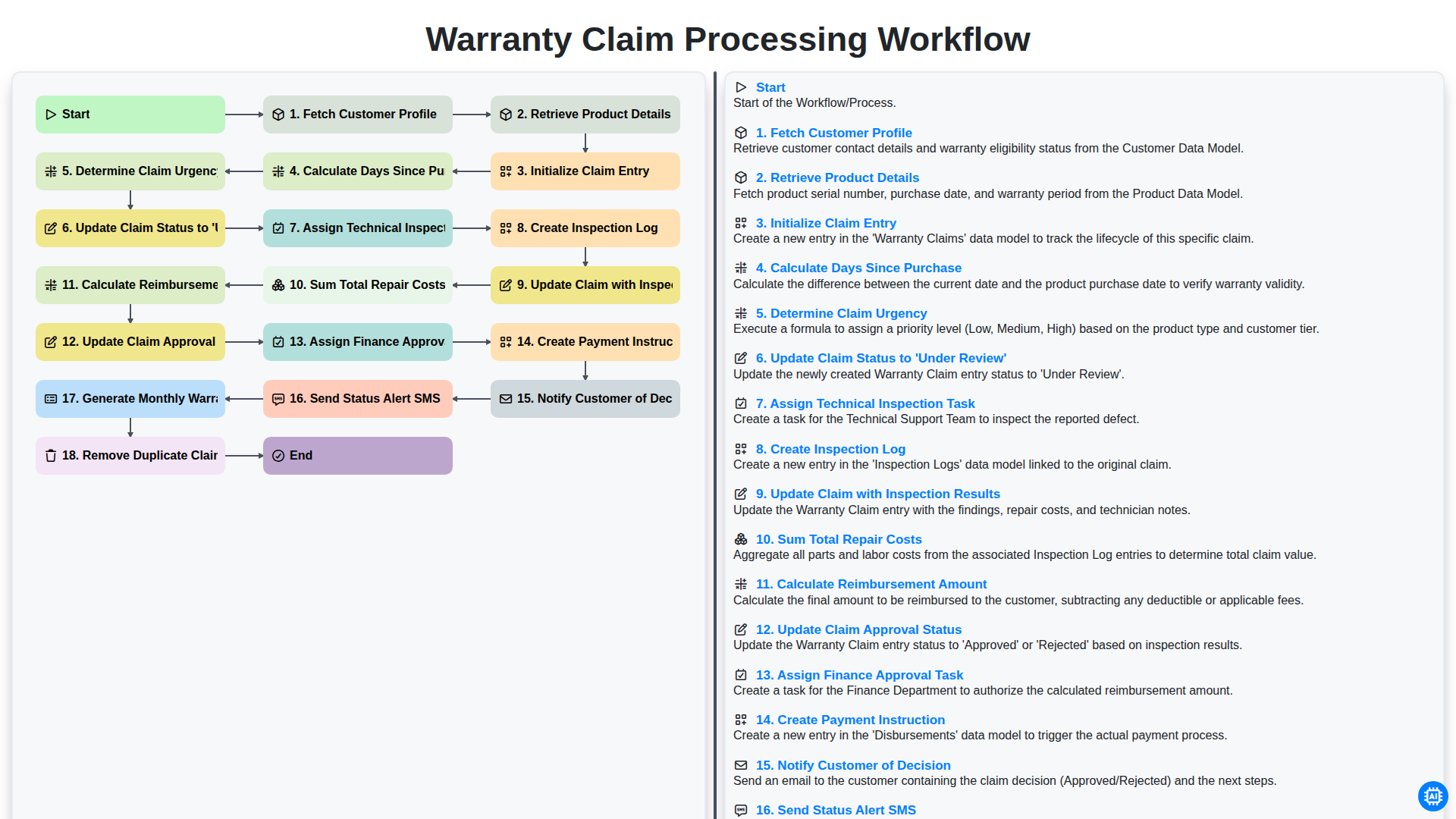
Warranty Claim Processing Workflow
Możemy to zrobić razem
Potrzebujesz pomocy z listami kontrolnymi?
Masz pytanie? Jesteśmy tu, aby pomóc. Prześlij zapytanie, a my szybko na nie odpowiemy.