 ChecklistGuro
 Inventory Reconciliation and Discrepancy Process
Streamline your stock accuracy with our comprehensive Inventory Reconciliation and Discrepancy Process. Learn step-by-step how to identify, investigate, and resolve stock mismatches, minimize shrinkage, and maintain real-time inventory integrity to prevent costly operational errors.
Ten szablon został zainstalowany 3 razy.
Rozpoczęcie
Rozpoczęcie przepływu pracy/procesu.
1. Retrieve Master Inventory Records
Fetch the current stock levels and expected quantities from the Master Inventory Data Model.
2. Retrieve Physical Count Records
Fetch the latest records from the recent physical count/audit entry.
3. Calculate Variance
Calculate the difference between Expected Quantity and Physical Count Quantity (Expected - Physical).
4. Calculate Discrepancy Value
Multiply the Variance by the Unit Cost to determine the financial impact of the discrepancy.
5. Flag Discrepancy in Master Data
Update the status of the Master Inventory Record to 'Discrepancy Detected' if variance is non-zero.
6. Assign Investigation Task
Create a task for the Warehouse Manager to investigate the cause of the identified variance.
7. Investigation Checklist
A sub-process within the task to check for receiving errors, shipping errors, or theft/loss.
8. Create Discrepancy Report Entry
Create a new entry in the Discrepancy Log Data Model containing the variance details and investigation findings.
9. Sum Total Financial Loss
Aggregate the 'Discrepancy Value' from all entries in the Discrepancy Log for the current period.
10. Notify Finance Department
Send an email to the Finance team regarding significant financial discrepancies found during reconciliation.
11. Generate Monthly Reconciliation Summary
Create a summary report showing total items reconciled vs. total items with discrepancies.
12. Finalize Stock Adjustment
Update the Master Inventory record with the new corrected quantity based on the investigation outcome.
Koniec
Koniec przepływu pracy/procesu.
Rozpoczęcie przepływu pracy/procesu.
Fetch the current stock levels and expected quantities from the Master Inventory Data Model.
Fetch the latest records from the recent physical count/audit entry.
Calculate the difference between Expected Quantity and Physical Count Quantity (Expected - Physical).
Multiply the Variance by the Unit Cost to determine the financial impact of the discrepancy.
Update the status of the Master Inventory Record to 'Discrepancy Detected' if variance is non-zero.
Create a task for the Warehouse Manager to investigate the cause of the identified variance.
A sub-process within the task to check for receiving errors, shipping errors, or theft/loss.
Create a new entry in the Discrepancy Log Data Model containing the variance details and investigation findings.
Aggregate the 'Discrepancy Value' from all entries in the Discrepancy Log for the current period.
Send an email to the Finance team regarding significant financial discrepancies found during reconciliation.
Create a summary report showing total items reconciled vs. total items with discrepancies.
Update the Master Inventory record with the new corrected quantity based on the investigation outcome.
Koniec przepływu pracy/procesu.
Komentarze
Na razie nie ma żadnych komentarzy. Dodaj pierwszy!
Demonstracja rozwiązania do zarządzania zapasami
Zoptymalizuj swoje zapasy i zwiększ rentowność! ChecklistGuro upraszcza śledzenie, zamawianie i realizację zamówień. Zmniejsz straty, zminimalizuj braki w zapasach i popraw efektywność. Zarządzaj wszystkim za pomocą naszej platformy Work OS.
Powiązane Szablony Pracy

Inventory Turnover Ratio Analysis Process

Inventory Movement and Log Tracking Process

Low Stock Alert and Alert Management Workflow

Backorder Management and Notification Process

Vendor Managed Inventory (VMI) Workflow

Kit Assembly and Bundle Management Workflow

E-commerce Order Fulfillment Process
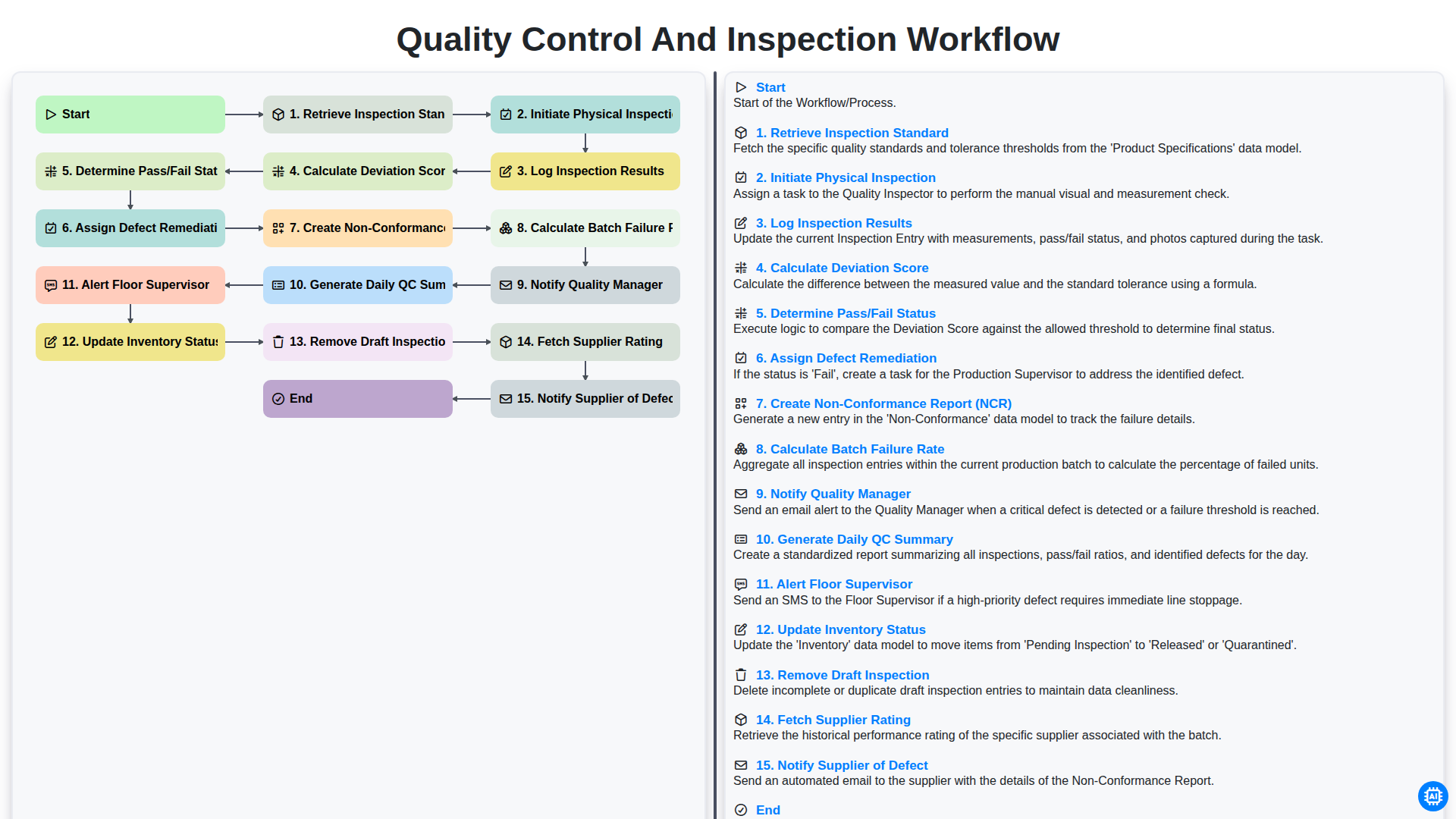
Quality Control and Inspection Workflow
Możemy to zrobić razem
Potrzebujesz pomocy z listami kontrolnymi?
Masz pytanie? Jesteśmy tu, aby pomóc. Prześlij zapytanie, a my szybko na nie odpowiemy.