 ChecklistGuro
 Contactless Payment Processing and Settlement Workflow
Streamline your transit operations with our Contactless Payment Processing and Settlement Workflow. Automate the entire lifecycle of NFC and EMV transactions, from real-time passenger validation to secure merchant settlement and automated revenue reconciliation. Reduce fraud, eliminate manual errors, and ensure seamless, end-to-end financial integrity for modern public transport networks.
Ce modèle a été installé 5 fois.
Début
Début du flux de travail/processus.
1. Fetch Pending Transactions
Retrieve all unprocessed payment entries from the Transaction Data Model.
2. Update Transaction Status to 'Processing'
Update the status of the retrieved transactions to prevent duplicate processing.
3. Get Merchant Configuration
Fetch merchant-specific fee structures and settlement bank details from the Merchant Data Model.
4. Calculate Transaction Fees
Calculate the processing fee by applying the merchant's percentage rate to the transaction amount.
5. Calculate Net Settlement Amount
Subtract the calculated fees and taxes from the gross transaction amount to determine the final payout.
6. Sum Total Daily Volume
Aggregate the total value of all processed transactions to determine the total daily settlement batch size.
7. Fraud Verification Task
Create a high-priority task for the Risk Management team if a transaction exceeds a specific threshold.
8. Create Settlement Batch
Create a new entry in the Settlement Batch Data Model containing the aggregated totals and transaction references.
9. Update Batch Status to 'Pending Settlement'
Update the newly created settlement batch status to indicate it is ready for bank transfer.
10. Finance Approval Task
Assign a task to the Finance Officer to review and authorize the daily settlement batch.
11. Update Batch Status to 'Settled'
Mark the settlement batch as 'Settled' once the finance approval task is completed.
12. Notify Merchant of Settlement
Send an automated email to the merchant with a summary of the settled amount and fees deducted.
13. Alert Security Team
Send an SMS alert to the security lead if any transaction was flagged during the Fraud Verification Task.
14. Generate Daily Reconciliation Report
Create a PDF/CSV report comparing processed transactions against bank transfer logs for the day.
15. Finalize Transaction Status
Update all individual transaction entries to 'Completed' status after successful batch settlement.
Fin
Fin du flux de travail/processus.
Début du flux de travail/processus.
Retrieve all unprocessed payment entries from the Transaction Data Model.
Update the status of the retrieved transactions to prevent duplicate processing.
Fetch merchant-specific fee structures and settlement bank details from the Merchant Data Model.
Calculate the processing fee by applying the merchant's percentage rate to the transaction amount.
Subtract the calculated fees and taxes from the gross transaction amount to determine the final payout.
Aggregate the total value of all processed transactions to determine the total daily settlement batch size.
Create a high-priority task for the Risk Management team if a transaction exceeds a specific threshold.
Create a new entry in the Settlement Batch Data Model containing the aggregated totals and transaction references.
Update the newly created settlement batch status to indicate it is ready for bank transfer.
Assign a task to the Finance Officer to review and authorize the daily settlement batch.
Mark the settlement batch as 'Settled' once the finance approval task is completed.
Send an automated email to the merchant with a summary of the settled amount and fees deducted.
Send an SMS alert to the security lead if any transaction was flagged during the Fraud Verification Task.
Create a PDF/CSV report comparing processed transactions against bank transfer logs for the day.
Update all individual transaction entries to 'Completed' status after successful batch settlement.
Fin du flux de travail/processus.
Ce modèle de workflow vous a été utile ?
Commentaires
Aucun commentaire n'a été publié pour le moment. Soyez le premier à en ajouter un !
Démonstration de la solution de gestion des transports en commun
Optimisez les opérations des transports en commun et améliorez l'expérience des passagers ! ChecklistGuro rationalise la planification des itinéraires, la maintenance des véhicules et la déclaration des incidents. Améliorez l'efficacité, la sécurité et la fiabilité. Gérez tout cela grâce à notre plateforme Work OS.
Modèles de flux de travail associés

Bus Stop Infrastructure Maintenance Workflow

Public Transport Resource Allocation and Dispatching

Transit Subscription and Pass Management Process

Automated Bus Inspection and Safety Audit Workflow

Real-Time Traffic Congestion Impact Analysis
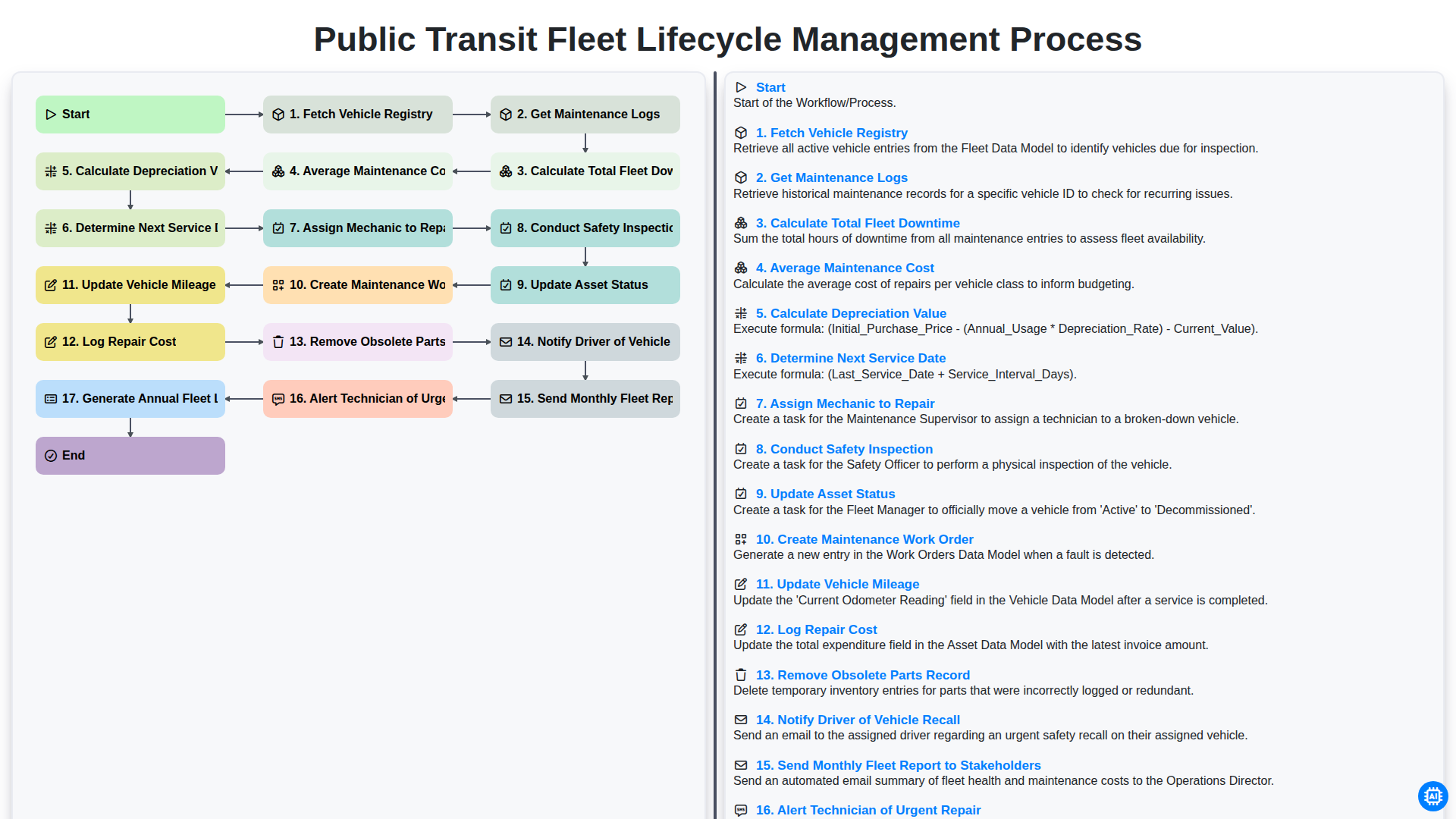
Public Transit Fleet Lifecycle Management Process
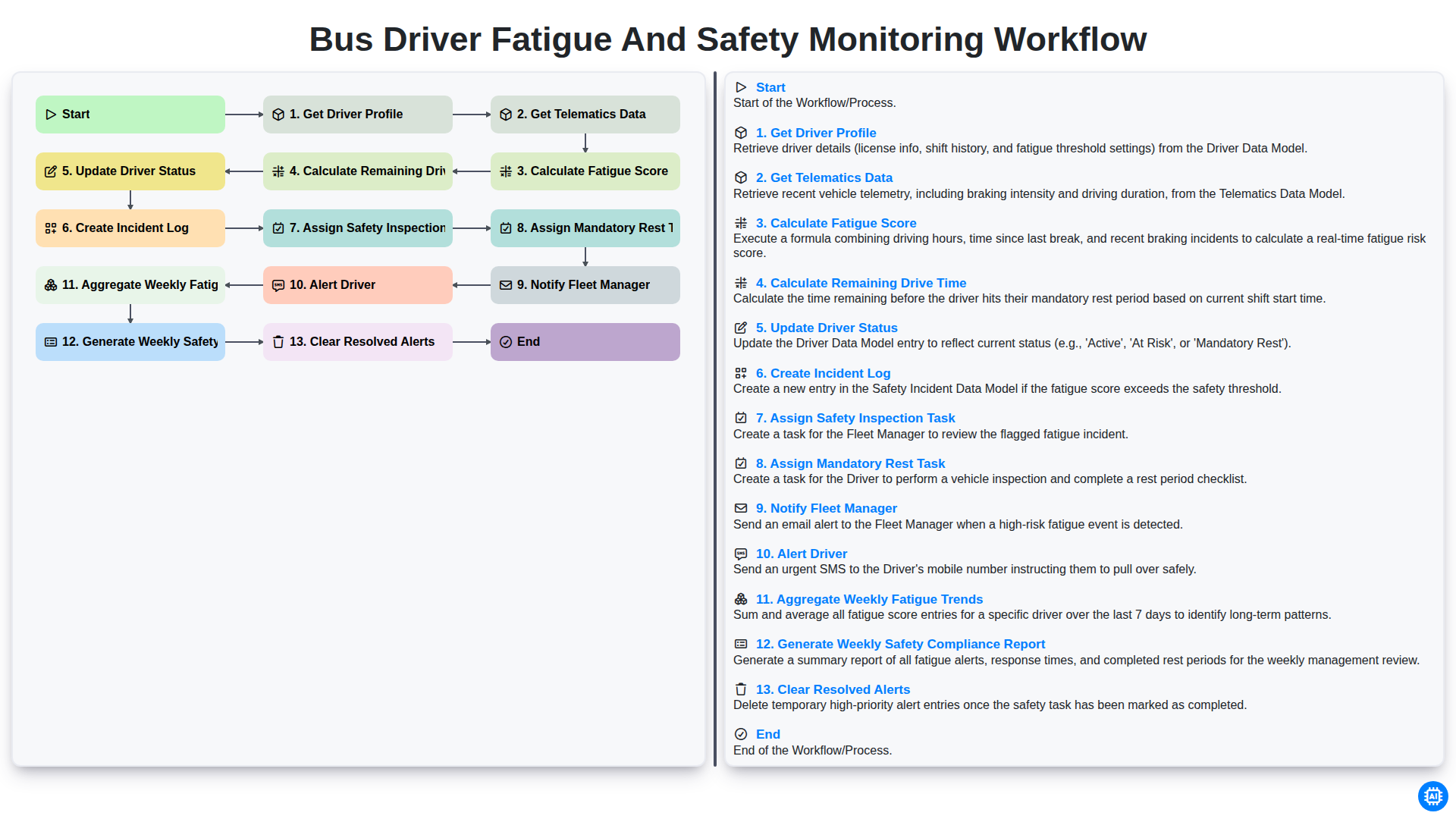
Bus Driver Fatigue and Safety Monitoring Workflow
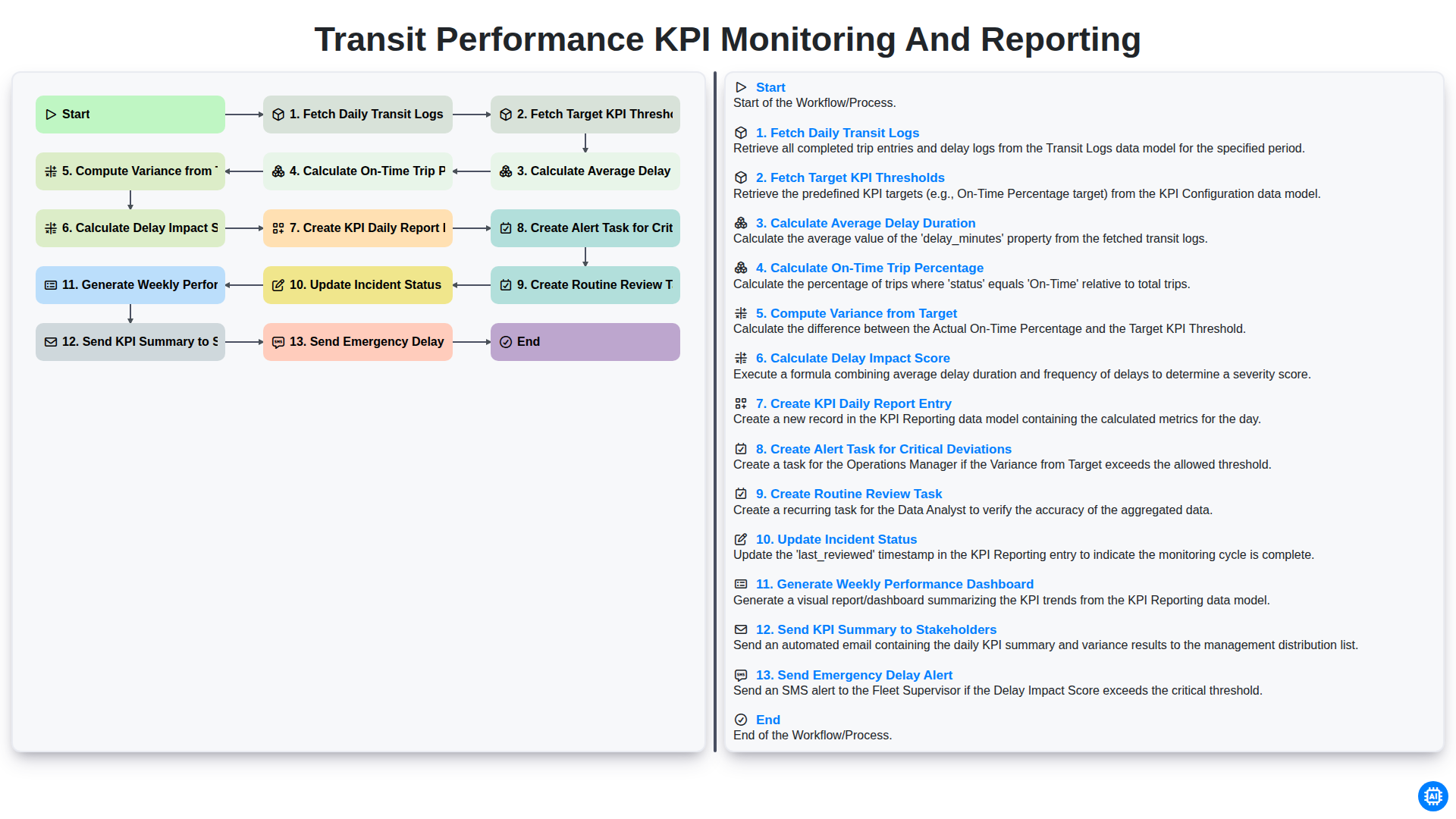
Transit Performance KPI Monitoring and Reporting
Nous pouvons le faire ensemble
Besoin d'aide avec les listes de contrôle?
Vous avez une question ? Nous sommes là pour vous aider. Veuillez soumettre votre demande et nous vous répondrons rapidement.