Bill of Materials (BOM) Approval Workflow: Streamlining Your Change Management
Публикувано: 30.03.2026 Обновено: 31.03.2026
Съдържание
- Introduction: Why BOM Approval Matters
- Understanding the Bill of Materials (BOM)
- The Challenges of Manual BOM Approval
- Introducing the BOM Approval Workflow
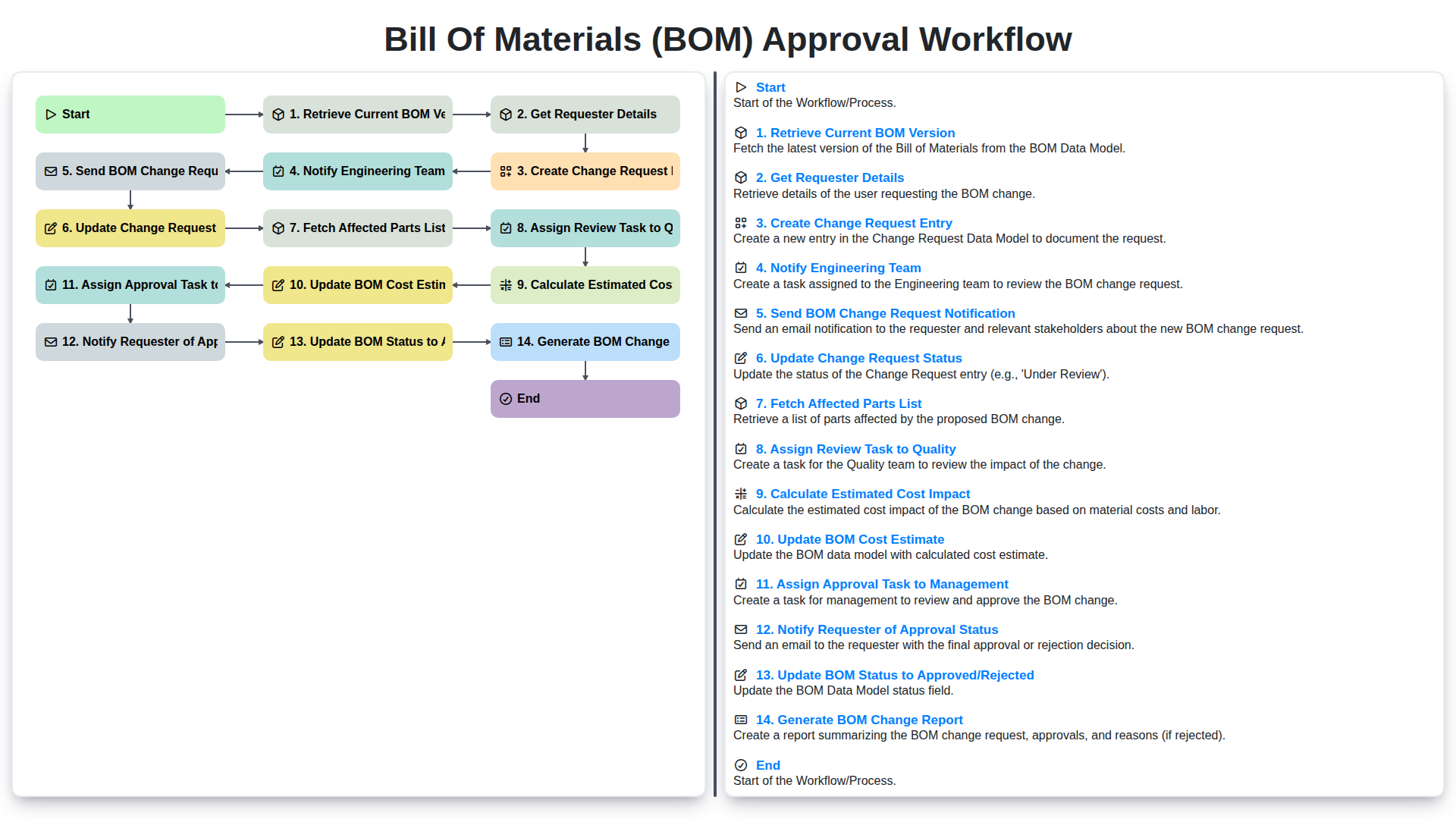
- Step 1: Retrieve Current BOM Version
- Step 2: Get Requester Details
- Step 3: Creating the Change Request Entry
- Step 4: Notifying the Engineering Team
- Step 5: BOM Change Request Notification - Keeping Everyone Informed
- Step 6: Updating the Change Request Status
- Step 7: Fetching the Affected Parts List
- Step 8: Assigning Review Task to Quality
- Step 9: Calculating and Updating Estimated Cost Impact
- Step 10: Assigning Approval Task to Management & Notifying Requester
- Resources & Links
TLDR: Need to change your BOM? This workflow guides you through a clear process - from requesting the change to generating a final report - keeping everyone informed, ensuring quality checks, and calculating cost impacts, all to streamline your BOM management.
Introduction: Why BOM Approval Matters
A Bill of Materials (BOM) is the backbone of any manufacturing operation. It's more than just a list of parts; it's a detailed inventory of raw materials, components, assemblies, and the quantities of each needed to manufacture a product. Maintaining an accurate and up-to-date BOM is crucial for everything from procurement and production planning to cost control and product lifecycle management.
However, BOMs aren't static. Changes are inevitable - driven by design modifications, supplier changes, cost optimizations, or regulatory updates. These changes, while necessary, can easily introduce errors and inefficiencies if not managed correctly. That's where a robust BOM approval workflow comes in. A well-defined process ensures that any changes to the BOM are reviewed, validated, and approved by the appropriate stakeholders before they're implemented, minimizing errors, reducing risk, and ultimately protecting your bottom line. Without a structured approval process, you risk everything from production delays and increased costs to compromised product quality and compliance issues.
Understanding the Bill of Materials (BOM)
A Bill of Materials (BOM) is the foundational list of all the components, assemblies, raw materials, and quantities needed to manufacture a product. Think of it as a recipe for your product - it outlines everything required to build it. BOMs aren't static; they evolve as products are improved, designs change, or supply chain dynamics shift. They can range in complexity, from simple lists for basic products to intricate, multi-level structures for sophisticated assemblies.
Beyond just listing components, a BOM often includes crucial information like part numbers, descriptions, unit costs, vendor details, and revision levels. Accurate and well-maintained BOMs are essential for cost control, inventory management, production planning, and overall supply chain efficiency. Without a reliable BOM, manufacturers risk errors, delays, and increased costs.
The Challenges of Manual BOM Approval
Managing a Bill of Materials (BOM) can be surprisingly complex, and when the approval process relies on manual steps, those complexities are amplified. Think about it: emails flying around, spreadsheets being shuffled, version control headaches, and the constant risk of human error.
Without a structured workflow, tracking the approval history becomes a nightmare. It's difficult to know who approved what, when, and why. This lack of transparency can lead to disputes, delays, and ultimately, increased costs. Furthermore, relying on manual approvals significantly slows down the entire BOM update process, hindering agility and potentially impacting time-to-market for new products or features. The risk of a critical error slipping through the cracks increases exponentially with each manual handoff, and resolving those errors later can be incredibly time-consuming and expensive. Finally, maintaining compliance and audit trails becomes a significant hurdle when approvals are scattered across disparate systems and individuals.
Introducing the BOM Approval Workflow
Managing Bills of Materials (BOMs) is critical for efficient manufacturing, cost control, and product quality. However, making changes to a BOM can be a complex and often cumbersome process. Introducing a structured BOM Approval Workflow streamlines this process, ensuring changes are thoroughly reviewed, validated, and accurately reflected in your systems.
This workflow provides a clear, repeatable process, minimizing errors, reducing delays, and improving collaboration between departments. Instead of relying on email chains and manual tracking, this system provides transparency and accountability at every stage. It's designed to automate repetitive tasks, freeing up valuable time for engineers and managers to focus on more strategic initiatives. Ultimately, a robust BOM approval workflow isn't just about changing a document; it's about protecting your product's integrity and optimizing your manufacturing operations. Let's explore the steps involved in our streamlined workflow.
Step 1: Retrieve Current BOM Version
Before any changes can be made, it's crucial to understand the current state. This first step involves retrieving the existing Bill of Materials (BOM) version that's in use. This isn't just about grabbing a file; it's about accessing the active BOM within your system. This includes details like the version number, revision date, and associated metadata. This information serves as the baseline against which the proposed changes will be compared. A clear understanding of the current BOM ensures accuracy and avoids unintended consequences during the revision process. The system should automatically identify and lock the appropriate BOM version to prevent simultaneous modifications.
Step 2: Get Requester Details
Once a BOM change request is initiated, the system automatically retrieves the details of the requester. This includes their name, department, contact information, and the rationale behind the requested changes. This information is crucial for traceability and understanding the context of the request. The requester's details are stored within the change request record for future reference and auditing purposes. This automation eliminates manual data entry and ensures accuracy, saving valuable time and minimizing potential errors.
Step 3: Creating the Change Request Entry
Once the requester initiates the BOM change request, the next critical step is creating a formal Change Request (CR) entry within your system. This entry serves as the central repository for all information related to the proposed changes. It's more than just a note; it's a structured record.
The CR entry should meticulously detail the following:
- Requester Details: (Automatically populated from Step 2 - Get Requester Details) - Clearly identifies who initiated the request.
- BOM Version: (Automatically populated from Step 1 - Retrieve Current BOM Version) - Links the request to the specific BOM version being modified.
- Reason for Change: A detailed explanation justifying the proposed changes. Vague requests delay the process and increase confusion. Be specific - include the problem being solved, the opportunity being realized, or the regulatory requirement driving the change.
- Proposed Changes: A comprehensive list of parts being added, removed, or modified, including part numbers, quantities, and descriptions. Attach supporting documentation like drawings, specifications, or supplier quotes where applicable.
- Impact Assessment (Preliminary): An initial assessment of the potential impact on manufacturing, quality, and cost. This doesn't need to be exhaustive at this stage but should highlight any immediate concerns.
- Attachments: Any relevant documentation supporting the request (e.g., supplier quotes, drawings, performance data).
A well-defined CR entry ensures everyone involved understands the scope and purpose of the change, laying the groundwork for a smoother and more efficient approval process.
Step 4: Notifying the Engineering Team
Once a Change Request Entry is created, promptly notifying the engineering team is crucial for a smooth and efficient BOM approval process. This notification isn't just about informing them; it's about initiating their involvement and allowing them to begin assessing the technical feasibility and potential impact of the proposed changes.
We utilize email, SMS and dedicated software notification. This notification includes a direct link to the Change Request Entry, allowing engineers immediate access to all relevant details: the proposed changes, the rationale behind them, and the requester's information. This transparency helps minimize back-and-forth communication and accelerates the review process. The notification clearly states the urgency and expected response time, ensuring timely engagement from the engineering team.
Step 5: BOM Change Request Notification - Keeping Everyone Informed
A critical step in any successful BOM approval workflow is ensuring everyone impacted is promptly notified of the change request. This prevents bottlenecks, minimizes delays, and fosters collaboration. Our system automatically generates and sends notifications at this stage, tailored to each recipient's role.
Here's what happens:
- Automated Emails: We utilize automated email notifications triggered by the creation of the change request entry. These emails contain key information, including the change request ID, a brief description of the proposed changes, and a link to view the complete details within the system.
- Role-Based Notifications: Notifications are sent to specific individuals and groups based on their roles in the process. Engineering receives notification to begin their review, quality is alerted to prepare for assessing the impact, and management is informed for eventual approval.
- Mobile Accessibility: Notifications are designed to be mobile-friendly, allowing stakeholders to stay informed even when away from their desks.
- Reduced Manual Effort: This automated process eliminates the need for manual email distribution, saving valuable time and reducing the risk of errors or missed communications.
By keeping everyone informed from the outset, we ensure a smooth and efficient BOM approval workflow.
Step 6: Updating the Change Request Status
As the change request progresses through the workflow, keeping everyone informed about its status is crucial. This Update Change Request Status step ensures transparency and prevents bottlenecks. The system automatically updates the change request status based on decisions made in previous steps - for instance, moving from Pending Engineering Review to Engineering Review Complete. This updated status is visible to all stakeholders involved, eliminating the need for manual status updates and providing a clear, real-time view of progress. This step also triggers automatic notifications to relevant parties, ensuring they are promptly informed of any changes and can take necessary actions. Furthermore, detailed audit trails are maintained, documenting each status change and the user who made it, enhancing accountability and traceability.
Step 7: Fetching the Affected Parts List
Once the change request is created and the engineering team is notified, it's crucial to understand the full scope of the impact. This is where fetching the affected parts list comes in. The system automatically identifies all parts directly impacted by the BOM changes. This isn't just about the parts listed in the immediate change; it includes any sub-assemblies or components that rely on those changed parts. This is typically achieved through a hierarchical parts database and dependency mapping. A clear and comprehensive list of affected parts prevents ripple effects and ensures all necessary teams are aware of the modifications. This list forms the foundation for accurate cost impact assessment and quality review.
Step 8: Assigning Review Task to Quality
Once the change request is created and the engineering team is notified, the next critical step involves assigning a review task to the Quality team. This ensures that the proposed BOM changes are thoroughly assessed for their potential impact on product quality, compliance, and overall manufacturability.
The assigned Quality Engineer will analyze the proposed changes, considering factors like material substitutions, design modifications, and their effect on existing quality standards and testing procedures. They'll review the rationale behind the changes, scrutinize potential risks, and identify any potential impact on product performance and reliability. This review is a crucial safeguard, preventing unintended consequences from reaching the production floor. A documented checklist or template is often used to standardize this review and ensure consistent evaluation across all BOM change requests. The Quality team's input is then incorporated into the change request, providing valuable insights for the approval process.
Step 9: Calculating and Updating Estimated Cost Impact
A crucial element of BOM approval is understanding the financial ramifications of any proposed changes. This step involves meticulously calculating the potential cost impact of the revised BOM. This isn't just about the price of new parts; it considers factors like increased assembly time, potential tooling changes, and impacts on supplier contracts.
The process typically begins by fetching the current BOM costs and comparing them to the proposed changes. The system should automatically pull pricing data from supplier databases or integrated ERP systems. Engineering estimates for labor hours and any necessary tooling modifications are then factored in.
The calculated cost impact - whether a positive (cost savings) or negative (increased cost) - is then meticulously documented within the change request. This information is visible to all stakeholders, including management, providing transparency and facilitating informed decision-making. The system should also update the BOM cost estimate field within the change request with this newly calculated value, ensuring it remains a current and reliable reference point throughout the approval process. A clear audit trail of how the cost impact was derived is also vital for future analysis and process refinement.
Step 10: Assigning Approval Task to Management & Notifying Requester
Once the BOM cost impact is calculated and updated, the workflow automatically assigns an approval task to designated management personnel. This ensures a review by individuals with the authority to authorize changes impacting budget and overall project scope. The management team receives a detailed summary of the proposed changes, including the original BOM version, the requester's rationale, the cost impact analysis, and any engineering team feedback.
Simultaneously, the system sends a notification to the original requester, informing them that their BOM change request is awaiting management approval. This transparency keeps the requester in the loop and sets expectations regarding the remaining approval timeframe. The notification includes a link to view the complete change request details for their reference.
Resources & Links
- GlobalSpec - Bill of Materials (BOM): A broad resource covering BOM definitions, types, and importance in manufacturing. Provides context for understanding the need for a robust approval process.
- PTC - Manufacturing Solutions: PTC offers CAD, PLM, and ERP solutions often integrated with BOM management and change management features. Useful for understanding the technological landscape surrounding BOM approval workflows.
- Oracle - Product Lifecycle Management (PLM): Oracle's PLM solutions often include BOM and change management capabilities. Provides insight into enterprise-level implementations.
- Infor - Manufacturing ERP: Infor offers ERP solutions with BOM management and change control functionalities. Provides examples of integrated systems.
- APQC - Process Management: APQC specializes in process excellence, which is crucial for designing and optimizing a BOM approval workflow. Their resources can help with process mapping and improvement.
- ISO - Quality Management Standards (e.g., ISO 9001): ISO standards, particularly ISO 9001, emphasize documented processes and change management. A robust BOM approval workflow aligns with quality management best practices.
- ASQ - Quality Engineering: The American Society for Quality provides resources and certifications related to quality control and improvement. Valuable for understanding the quality assurance aspects of BOM approval.
- Smartsheet - Workflow Automation: Smartsheet offers workflow automation tools that can be used to implement and manage a BOM approval workflow, especially useful for visualizing and understanding potential digital solutions.
- Monday.com - Work OS: Similar to Smartsheet, monday.com provides a platform for visualizing and managing workflows, potentially suitable for implementing a digital BOM approval process.
- BOM Tool - Bill of Materials Management: Offers a simplified view of Bill of Materials management and approval processes.
Често Задавани Въпроси
What is a Bill of Materials (BOM) Approval Workflow?
A BOM approval workflow is a structured, step-by-step process designed to review, verify, and authorize changes to a product's list of components and raw materials before they are finalized in production.
Why is an approval workflow important for change management?
It ensures that every modification to a product's structure is vetted by relevant stakeholders (such as engineering, procurement, and quality control), preventing costly production errors, reducing waste, and maintaining product consistency.
Who are the typical stakeholders involved in a BOM approval process?
Key stakeholders usually include Engineering (for technical accuracy), Procurement (for material availability and cost), Production/Manufacturing (for feasibility), and Quality Assurance (for compliance and standards).
What are the risks of not having a formal BOM approval process?
Without a formal process, companies risk using outdated parts, experiencing unexpected supply chain disruptions, incurring high scrap costs due to manufacturing errors, and failing to meet regulatory or safety standards.
How can automation streamline the BOM approval workflow?
Automation reduces manual errors, accelerates the approval cycle through real-time notifications, provides a clear audit trail for compliance, and ensures that all necessary departments are notified instantly when a change is requested.
What is the difference between a BOM change request and a BOM approval?
A BOM change request is the initial proposal or identification of a necessary modification, whereas the BOM approval is the formal verification and authorization of that change by the authorized personnel.
Коментари
Все още няма коментари. Бъдете първият, който добави!
Демонстрация на решение за управление на производството
Спрете да се занимавате с документация и да се борите с несвързани системи! Нашето решение осигурява яснота и контрол върху производствения ви процес. От стандартни оперативни процедури (СОП) и поддръжка на оборудване до контрол на качеството и проследяване на инвентара, ние опростяваме всяка стъпка.
Свързани статии
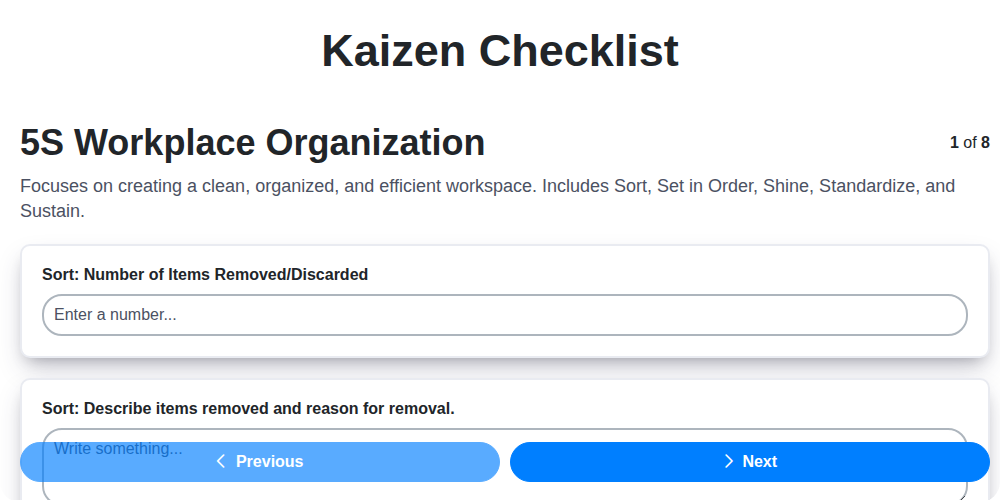
Шаблон за контролна листа Кайдзен: Вашият път към постоянно подобрение

Machine Safety Audit Checklist: Your Guide to a Safer Manufacturing Workplace
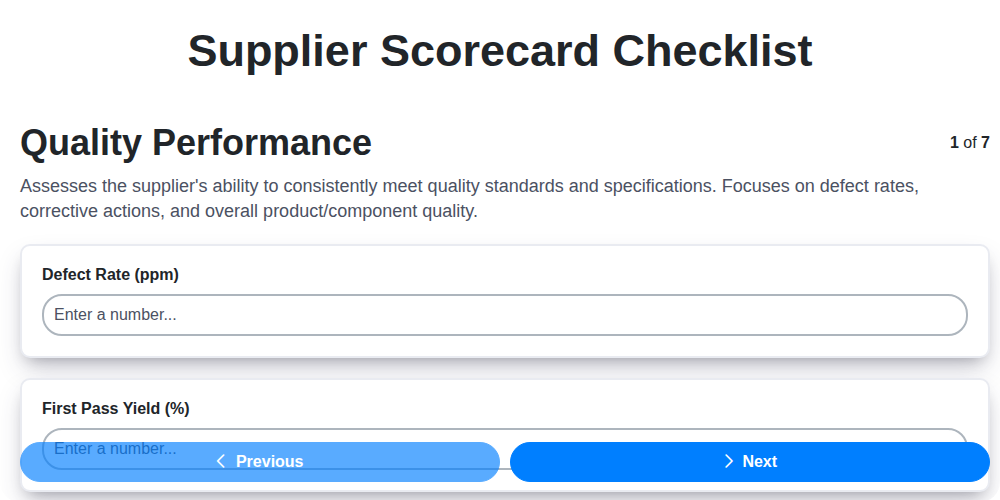
Mastering Supplier Performance: Your Free Supplier Scorecard Checklist Template
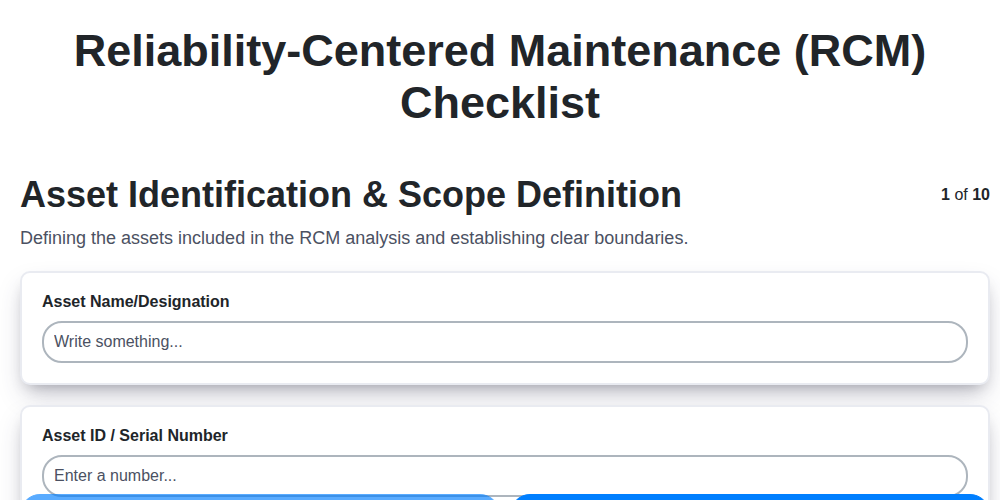
Your Ultimate RCM Checklist Template: A Step-by-Step Guide

Шаблон за контролен списък LPA: Вашето ръководство за слоести одити на процеси

Вашият краен шаблон за контролен списък за заключване/етикетиране (ЛОТО)

Your Ultimate FSC 22000 Checklist Template
Шаблон за проверка на качеството: Предотвратяване на дефекти и подобряване на производствените процеси
Можем да го направим заедно
Нуждаете се от помощ с
Checklists?
Имате въпрос? Тук сме, за да помогнем. Моля, изпратете запитването си и ние ще отговорим своевременно.