 ChecklistGuro
 Maintenance KPI Reporting Process
Streamline your maintenance performance tracking with our comprehensive Maintenance KPI Reporting Process. Learn how to automate data collection, track critical metrics like MTBF and MTTR, and transform raw maintenance logs into actionable, high-level insights that drive operational efficiency and reduce downtime.
Este modelo foi instalado 3 vezes.
Começar
Início do fluxo de trabalho/processo.
1. Fetch Maintenance Logs
Retrieve all completed maintenance logs from the Maintenance Logs Data Model for the current period.
2. Fetch Asset Master Data
Retrieve asset details (age, criticality, type) from the Asset Data Model to contextualize the KPIs.
3. Calculate Mean Time Between Failures (MTBF)
Calculate the average time elapsed between breakdown entries retrieved from the logs.
4. Calculate Total Downtime
Sum the duration of all 'Down' status entries in the maintenance logs.
5. Calculate Maintenance Cost Total
Sum the 'Cost' property from all completed maintenance work orders.
6. Calculate Availability Percentage
Apply formula: ((Total Scheduled Time - Total Downtime) / Total Scheduled Time) * 100.
7. Calculate Maintenance Cost Ratio
Calculate the ratio of maintenance cost against the total asset value.
8. Create KPI Monthly Summary
Create a new entry in the KPI Report Data Model containing the calculated metrics.
9. Update Asset Health Score
Update the 'Health Score' field in the Asset Data Model based on the calculated downtime metrics.
10. Generate Monthly KPI Dashboard
Generate a visual report summarizing the aggregated data and trends for the stakeholders.
11. Review KPI Anomalies
Create a task for the Maintenance Manager to investigate any KPI drops below the defined threshold.
12. Distribute Monthly Report
Send the generated KPI Report and summary via email to the Operations Director and Plant Manager.
13. Verify Data Accuracy
Create a task for the Data Analyst to audit the source logs against physical work orders.
14. Close Reporting Period
Update the Reporting Period Data Model to mark the current month as 'Finalized'.
Fim
Fim do fluxo de trabalho/processo.
Início do fluxo de trabalho/processo.
Retrieve all completed maintenance logs from the Maintenance Logs Data Model for the current period.
Retrieve asset details (age, criticality, type) from the Asset Data Model to contextualize the KPIs.
Calculate the average time elapsed between breakdown entries retrieved from the logs.
Sum the duration of all 'Down' status entries in the maintenance logs.
Sum the 'Cost' property from all completed maintenance work orders.
Apply formula: ((Total Scheduled Time - Total Downtime) / Total Scheduled Time) * 100.
Calculate the ratio of maintenance cost against the total asset value.
Create a new entry in the KPI Report Data Model containing the calculated metrics.
Update the 'Health Score' field in the Asset Data Model based on the calculated downtime metrics.
Generate a visual report summarizing the aggregated data and trends for the stakeholders.
Create a task for the Maintenance Manager to investigate any KPI drops below the defined threshold.
Send the generated KPI Report and summary via email to the Operations Director and Plant Manager.
Create a task for the Data Analyst to audit the source logs against physical work orders.
Update the Reporting Period Data Model to mark the current month as 'Finalized'.
Fim do fluxo de trabalho/processo.
Perguntas Mais Frequentes
Comentários
Ainda não existem comentários. Seja o primeiro a adicionar um!
Demonstração da Solução de Gestão de Manutenção
Maximize o tempo de funcionamento dos equipamentos e reduza os custos! O ChecklistGuro simplifica o agendamento de manutenção, a gestão de ordens de serviço e o rastreamento de ativos. Evite avarias, otimize o desempenho e prolongue a vida útil dos equipamentos. Gerencie tudo isso com o nosso Sistema Operacional de Trabalho.
Modelos de Fluxo de Trabalho Relacionados
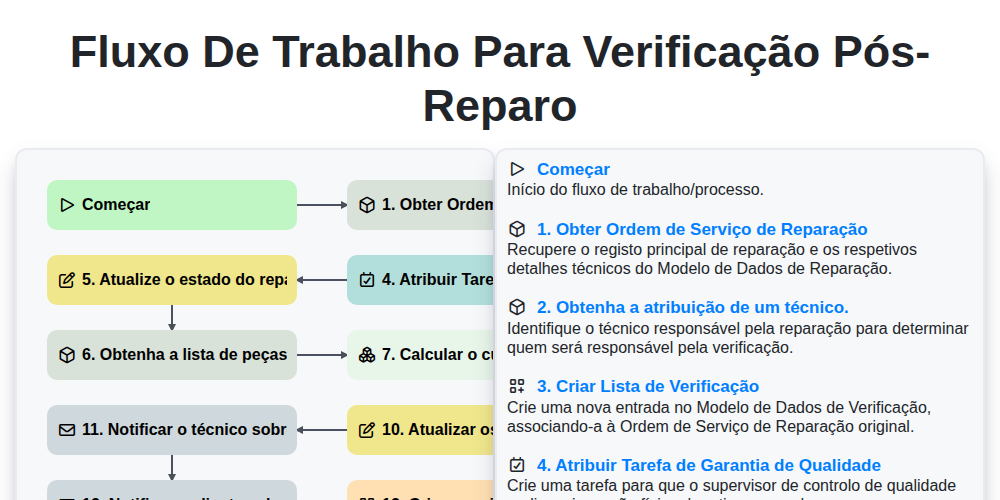
Fluxo de Trabalho para Verificação Pós-Reparo

Maintenance Training and Certification Process

Predictive Failure Analysis Workflow

Mobile Maintenance Work Order Process

MRO Inventory Control Workflow

Asset Inspection and Audit Workflow

Annual Maintenance Budgeting Workflow

Maintenance Backlog Management Process
Precisa de ajuda com o(a) Gestão da Manutenção?
Tem alguma dúvida? Estamos aqui para ajudar. Envie a sua questão e responderemos o mais breve possível.