 ChecklistGuro
 Mobile Maintenance Work Order Process
Streamline your field operations with our Mobile Maintenance Work Order Process. Learn how to digitize task assignment, track real-time updates, and optimize technician productivity through a seamless, mobile-first workflow designed to eliminate paperwork and accelerate maintenance completion.
Este modelo foi instalado 1 vezes.
Começar
Início do fluxo de trabalho/processo.
1. Fetch Pending Work Orders
Retrieve all Work Order entries with a status of 'New' or 'Unassigned'.
2. Get Technician Availability
Retrieve technician entries to check for available staff in the assigned region.
3. Create Maintenance Task
Generate a new Task for the assigned technician containing the repair details.
4. Update Work Order Status
Update the Work Order entry status to 'In Progress' once the technician accepts the task.
5. Create Parts Consumption Entry
Create a new entry in the Parts Log to track parts used during the repair.
6. Update Inventory Levels
Decrement the stock quantity in the Parts Data Model based on parts used.
7. Calculate Total Repair Cost
Sum the costs of all parts used and labor hours recorded for the specific Work Order.
8. Calculate Estimated Completion Time
Calculate the new ETA by adding the estimated repair duration to the current timestamp.
9. Create Inspection Task
Create a follow-up task for a supervisor to verify the repair quality.
10. Close Work Order
Update the Work Order status to 'Completed' and timestamp the closure.
11. Notify Customer
Send an email to the customer notifying them that their mobile device/equipment is ready for pickup.
12. Alert Technician
Send an SMS to the technician when a high-priority emergency work order is assigned.
13. Generate Monthly Maintenance Report
Compile all completed Work Order entries into a monthly performance and cost report.
14. Remove Duplicate Work Orders
Delete any duplicate or erroneous Work Order entries identified during the audit phase.
Fim
Fim do fluxo de trabalho/processo.
Início do fluxo de trabalho/processo.
Retrieve all Work Order entries with a status of 'New' or 'Unassigned'.
Retrieve technician entries to check for available staff in the assigned region.
Generate a new Task for the assigned technician containing the repair details.
Update the Work Order entry status to 'In Progress' once the technician accepts the task.
Create a new entry in the Parts Log to track parts used during the repair.
Decrement the stock quantity in the Parts Data Model based on parts used.
Sum the costs of all parts used and labor hours recorded for the specific Work Order.
Calculate the new ETA by adding the estimated repair duration to the current timestamp.
Create a follow-up task for a supervisor to verify the repair quality.
Update the Work Order status to 'Completed' and timestamp the closure.
Send an email to the customer notifying them that their mobile device/equipment is ready for pickup.
Send an SMS to the technician when a high-priority emergency work order is assigned.
Compile all completed Work Order entries into a monthly performance and cost report.
Delete any duplicate or erroneous Work Order entries identified during the audit phase.
Fim do fluxo de trabalho/processo.
Comentários
Ainda não existem comentários. Seja o primeiro a adicionar um!
Demonstração da Solução de Gestão de Manutenção
Maximize o tempo de funcionamento dos equipamentos e reduza os custos! O ChecklistGuro simplifica o agendamento de manutenção, a gestão de ordens de serviço e o rastreamento de ativos. Evite avarias, otimize o desempenho e prolongue a vida útil dos equipamentos. Gerencie tudo isso com o nosso Sistema Operacional de Trabalho.
Modelos de Fluxo de Trabalho Relacionados
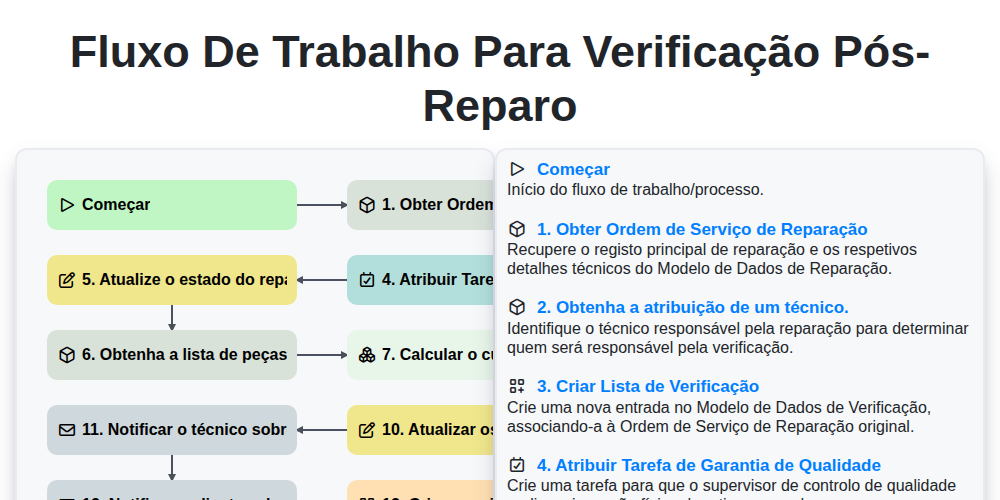
Fluxo de Trabalho para Verificação Pós-Reparo

Maintenance Training and Certification Process

Predictive Failure Analysis Workflow

MRO Inventory Control Workflow

Maintenance KPI Reporting Process

Asset Inspection and Audit Workflow

Annual Maintenance Budgeting Workflow

Maintenance Backlog Management Process
Podemos fazer isso juntos.
Precisa de ajuda com o(a) Gestão da Manutenção?
Tem alguma dúvida? Estamos aqui para ajudar. Envie a sua questão e responderemos o mais breve possível.