 ChecklistGuro
 Automotive Workshop Equipment Maintenance Schedule
Maximize uptime and prevent costly breakdowns with our Automated Workshop Equipment Maintenance Schedule. Streamline your auto repair shop management by tracking service intervals for lifts, compressors, and diagnostic tools. This optimized workflow ensures peak performance, extends tool lifespan, and maintains shop safety compliance through automated reminders and organized inspection logs.
Този шаблон е инсталиран 3 пъти.
Старт
Начало на работния поток/процеса.
1. Fetch Equipment Inventory
Retrieve all active machinery and tools from the Equipment Data Model to identify items due for maintenance.
2. Retrieve Maintenance Logs
Get the history of previous maintenance entries to check for recurring issues or missed cycles.
3. Calculate Days Since Last Service
Subtract the 'Last Service Date' from the 'Current Date' to determine the age of the current service interval.
4. Calculate if the current date ...
Calculate if the current date exceeds the 'Next Service Due' date based on usage or time intervals.
5. Update Equipment Status
Update the 'Status' field of the equipment to 'Under Maintenance' once the process begins.
6. Assign Technician Task
Create a task for the Head Mechanic to perform the physical inspection and lubrication of the equipment.
7. Create Safety Inspection Checklist
Generate a task containing a mandatory checklist for safety compliance and part wear assessment.
8. Generate Maintenance Record
Create a new entry in the 'Maintenance Logs' data model documenting the completed work, parts replaced, and technician notes.
9. Update Next Service Date
Update the 'Next Service Due' field in the Equipment Data Model based on the newly completed service interval.
10. Summarize Maintenance Costs
Aggregate the total cost of parts and labor from the recent maintenance entries to track monthly maintenance spend.
11. Notify Workshop Manager
Send an email to the Workshop Manager once the maintenance task is completed and the equipment is back in service.
12. Alert Technician of Schedule Change
Send an SMS to the technician if an urgent/emergency maintenance task is created.
13. Generate Monthly Compliance Report
Create a report summarizing all completed maintenance tasks and equipment downtime for the monthly audit.
14. Remove Obsolete Maintenance Reminders
Delete outdated or redundant maintenance reminder entries that are no longer relevant to the current equipment fleet.
Край
Край на работния поток/процеса.
Начало на работния поток/процеса.
Retrieve all active machinery and tools from the Equipment Data Model to identify items due for maintenance.
Get the history of previous maintenance entries to check for recurring issues or missed cycles.
Subtract the 'Last Service Date' from the 'Current Date' to determine the age of the current service interval.
Calculate if the current date exceeds the 'Next Service Due' date based on usage or time intervals.
Update the 'Status' field of the equipment to 'Under Maintenance' once the process begins.
Create a task for the Head Mechanic to perform the physical inspection and lubrication of the equipment.
Generate a task containing a mandatory checklist for safety compliance and part wear assessment.
Create a new entry in the 'Maintenance Logs' data model documenting the completed work, parts replaced, and technician notes.
Update the 'Next Service Due' field in the Equipment Data Model based on the newly completed service interval.
Aggregate the total cost of parts and labor from the recent maintenance entries to track monthly maintenance spend.
Send an email to the Workshop Manager once the maintenance task is completed and the equipment is back in service.
Send an SMS to the technician if an urgent/emergency maintenance task is created.
Create a report summarizing all completed maintenance tasks and equipment downtime for the monthly audit.
Delete outdated or redundant maintenance reminder entries that are no longer relevant to the current equipment fleet.
Край на работния поток/процеса.
Коментари
Все още няма коментари. Бъдете първият, който добави!
Демонстрация на решението за управление на автосервиз
Подобрете автосервиза си и увеличете печалбата! ChecklistGuro опростява проследяването на поръчки, управлението на инвентара и комуникацията с клиентите. Подобрете ефективността, намалете грешките и подобрете удовлетвореността на клиентите. Управлявайте всичко това с нашата платформа Work OS.
Свързани шаблони за работни потоци

End-of-Day Shop Reporting and Reconciliation Workflow

Automotive Workshop Staff Scheduling Process

Seasonal Vehicle Inspection Workflow

Pre-Paid Service Plan Management Process

Customer Feedback and Review Management Workflow

Shop Supplies and Consumables Inventory Process

Workshop Technician Time Tracking Workflow
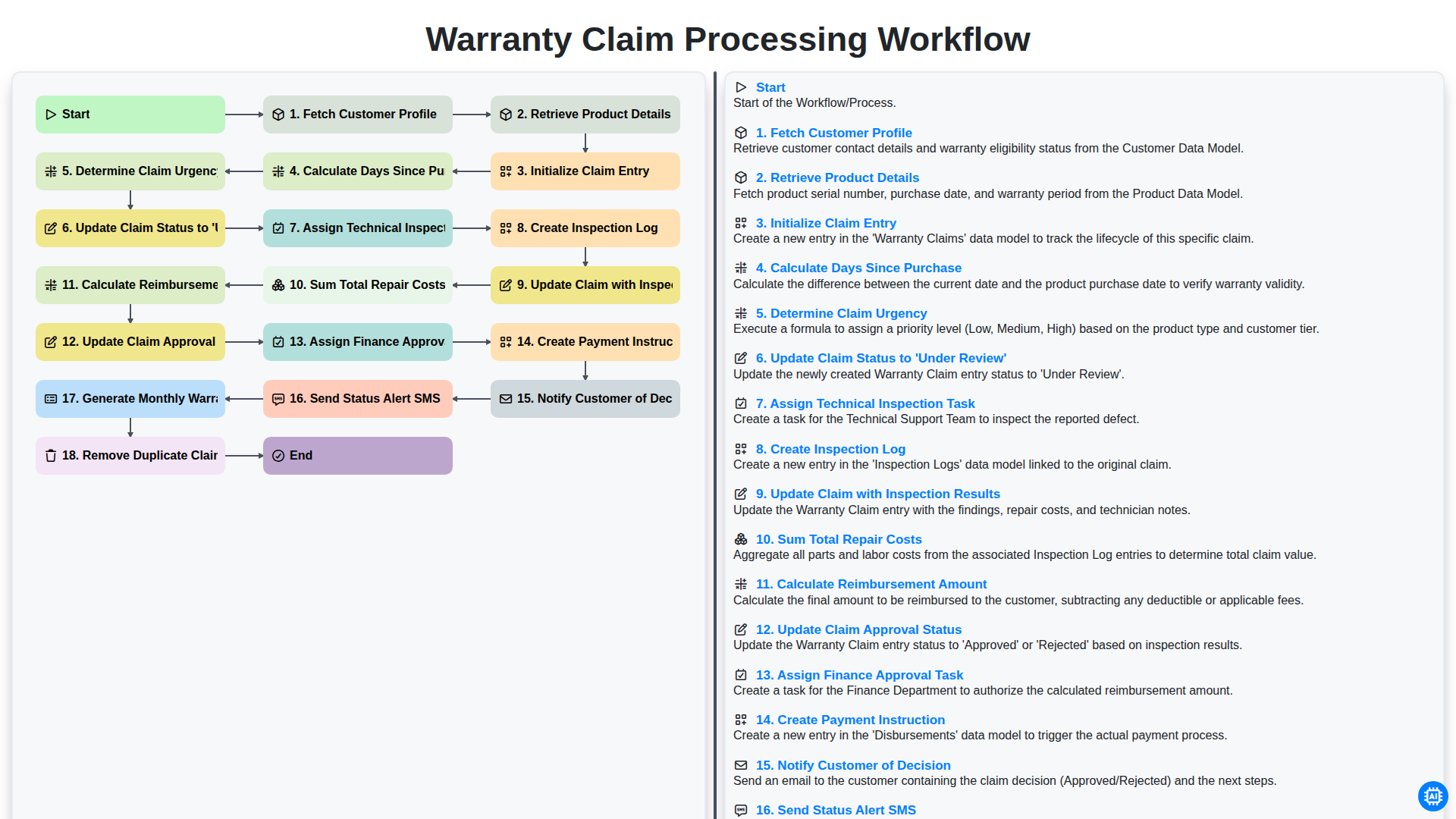
Warranty Claim Processing Workflow
Можем да го направим заедно
Нуждаете се от помощ с
Управление на Автосервиз?
Имате въпрос? Тук сме, за да помогнем. Моля, изпратете запитването си и ние ще отговорим своевременно.