 ChecklistGuro
 Customer Feedback and Review Management Workflow
Streamline your shop's reputation with our automated Customer Feedback and Review Management Workflow. Learn how to capture real-time technician performance data, automate follow-up surveys, and turn positive Google reviews into new service appointments-all while proactively resolving unhappy clients to boost your auto repair shop's local SEO and customer loyalty.
Този шаблон е инсталиран 3 пъти.
Старт
Начало на работния поток/процеса.
1. Fetch New Customer Feedback
Retrieve all new entries from the Feedback Data Model that have not yet been processed.
2. Update Feedback Status
Change the status of the retrieved feedback entry to 'In Review'.
3. Calculate Average CSAT Score
Calculate the average Numerical Satisfaction Score from all feedback entries in the current month.
4. Determine Sentiment Score
Execute a formula to weigh the text sentiment analysis score against the star rating.
5. Assign Review to Support Manager
Create a task for the Support Manager to investigate any feedback with a rating below 3 stars.
6. Create Content Task for Market...
Create Content Task for Marketing
7. Create Internal Action Item
Create a new entry in the 'Internal Improvements' data model based on negative feedback findings.
8. Send Apology Email
Send an automated email to the customer if the feedback score is critically low.
9. Send Thank You Email
Send a thank you email to the customer for providing a positive review.
10. Urgent Alert SMS
Send an SMS to the Product Owner if a 'Critical' severity bug is identified in the feedback.
11. Close Feedback Loop
Update the original feedback entry status to 'Resolved' once the customer has been contacted.
12. Monthly Sentiment Report
Generate a monthly performance report summarizing all processed feedback and satisfaction trends.
13. Cleanup Spam Entries
Delete entries identified as spam or duplicate submissions from the Feedback Data Model.
Край
Край на работния поток/процеса.
Начало на работния поток/процеса.
Retrieve all new entries from the Feedback Data Model that have not yet been processed.
Change the status of the retrieved feedback entry to 'In Review'.
Calculate the average Numerical Satisfaction Score from all feedback entries in the current month.
Execute a formula to weigh the text sentiment analysis score against the star rating.
Create a task for the Support Manager to investigate any feedback with a rating below 3 stars.
Create Content Task for Marketing
Create a new entry in the 'Internal Improvements' data model based on negative feedback findings.
Send an automated email to the customer if the feedback score is critically low.
Send a thank you email to the customer for providing a positive review.
Send an SMS to the Product Owner if a 'Critical' severity bug is identified in the feedback.
Update the original feedback entry status to 'Resolved' once the customer has been contacted.
Generate a monthly performance report summarizing all processed feedback and satisfaction trends.
Delete entries identified as spam or duplicate submissions from the Feedback Data Model.
Край на работния поток/процеса.
Коментари
Все още няма коментари. Бъдете първият, който добави!
Демонстрация на решението за управление на автосервиз
Подобрете автосервиза си и увеличете печалбата! ChecklistGuro опростява проследяването на поръчки, управлението на инвентара и комуникацията с клиентите. Подобрете ефективността, намалете грешките и подобрете удовлетвореността на клиентите. Управлявайте всичко това с нашата платформа Work OS.
Свързани шаблони за работни потоци

End-of-Day Shop Reporting and Reconciliation Workflow

Automotive Workshop Staff Scheduling Process

Seasonal Vehicle Inspection Workflow

Pre-Paid Service Plan Management Process

Automotive Workshop Equipment Maintenance Schedule

Shop Supplies and Consumables Inventory Process

Workshop Technician Time Tracking Workflow
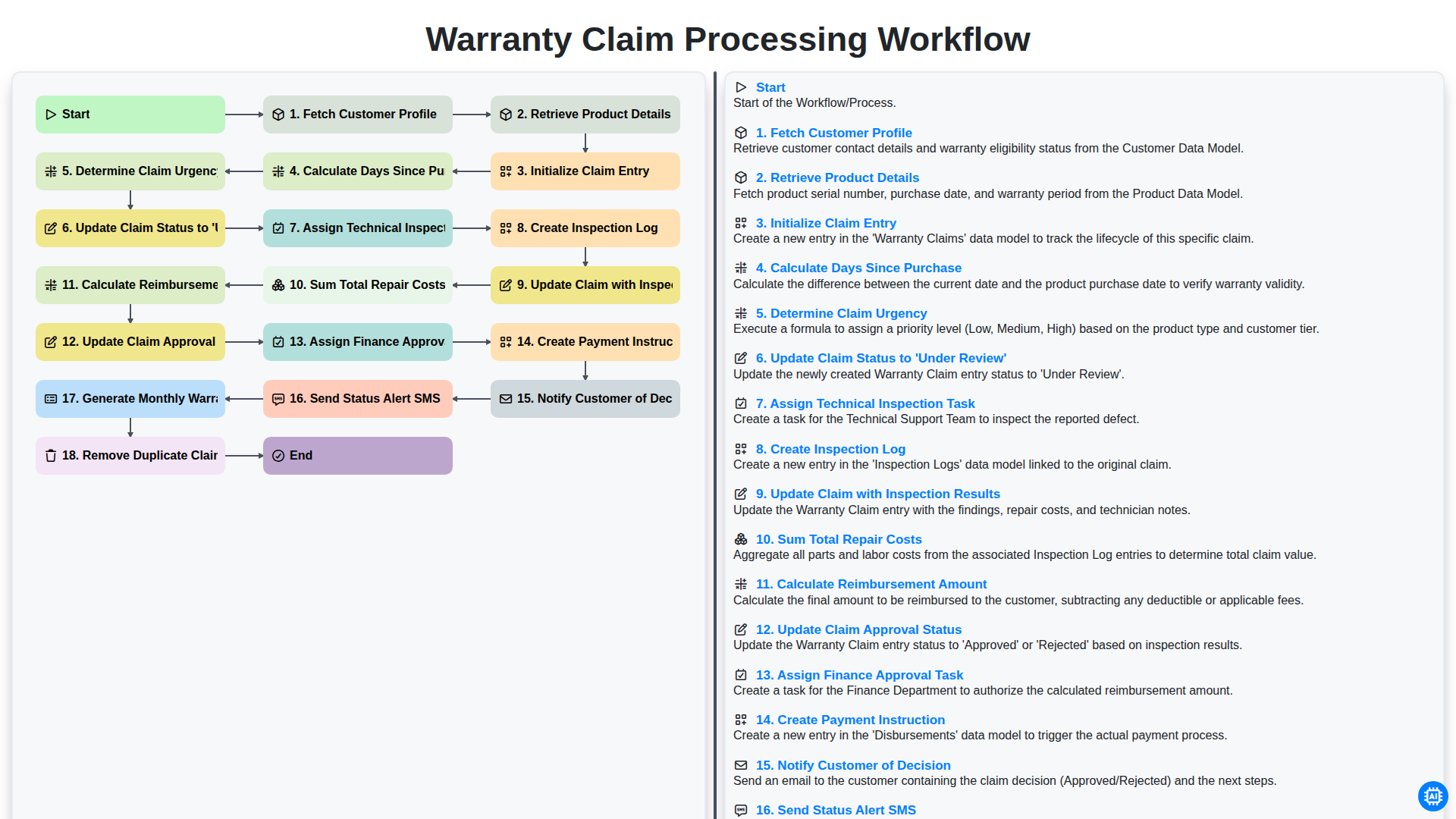
Warranty Claim Processing Workflow
Можем да го направим заедно
Нуждаете се от помощ с
Управление на Автосервиз?
Имате въпрос? Тук сме, за да помогнем. Моля, изпратете запитването си и ние ще отговорим своевременно.