Event Planning Management
Plan flawless events with ease! ChecklistGuro streamlines event planning - from vendor management to budget tracking & guest communication. Stay organized, reduce stress, & deliver unforgettable experiences. Manage it all with our Work OS.
No credit card or cancellation needed.
Optimize Event Planning, From Concept to Closeout
Stop juggling spreadsheets and endless email chains. Our Event Planning Management solution brings all your planning tasks, vendor communication, and progress tracking into one centralized platform. Visualize timelines, assign responsibilities, and ensure every detail is flawlessly executed.
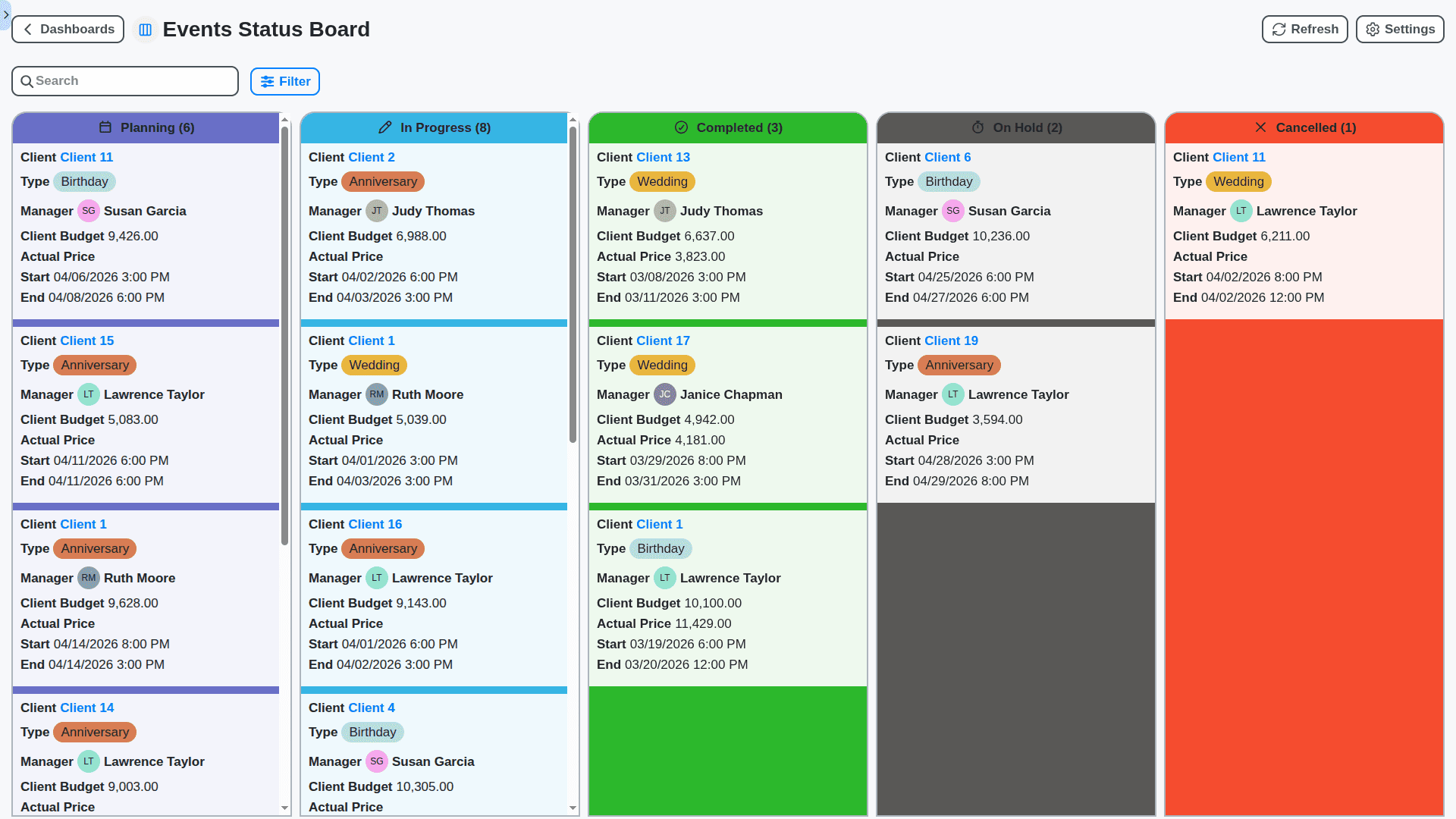
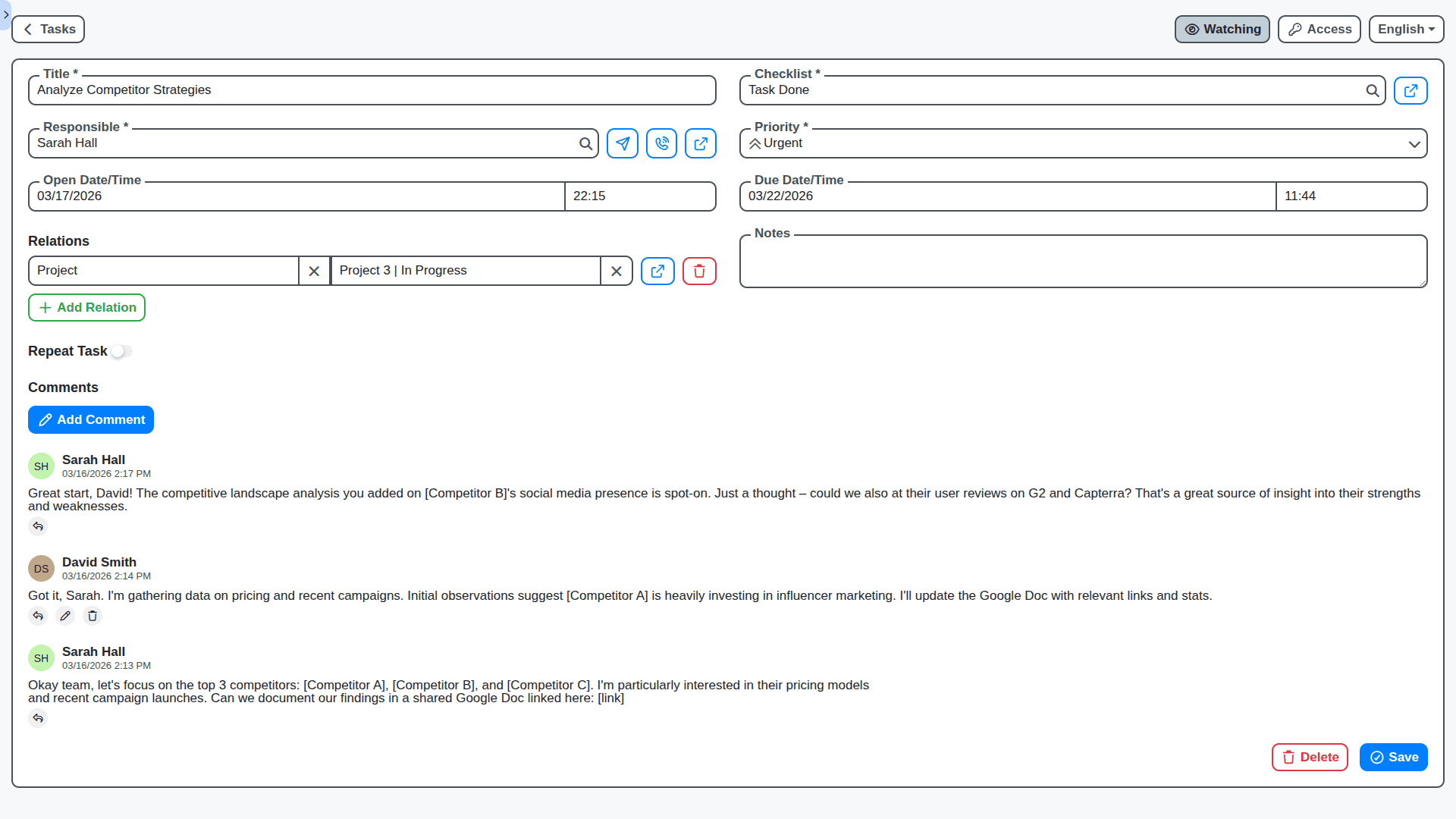
Collaborative Planning: Bring Your Team Together
Event planning is rarely a solo effort. Empower your teams with real-time collaboration features. Assign tasks, share documents, leave feedback directly on tasks, and keep everyone on the same page - no matter where they're located.
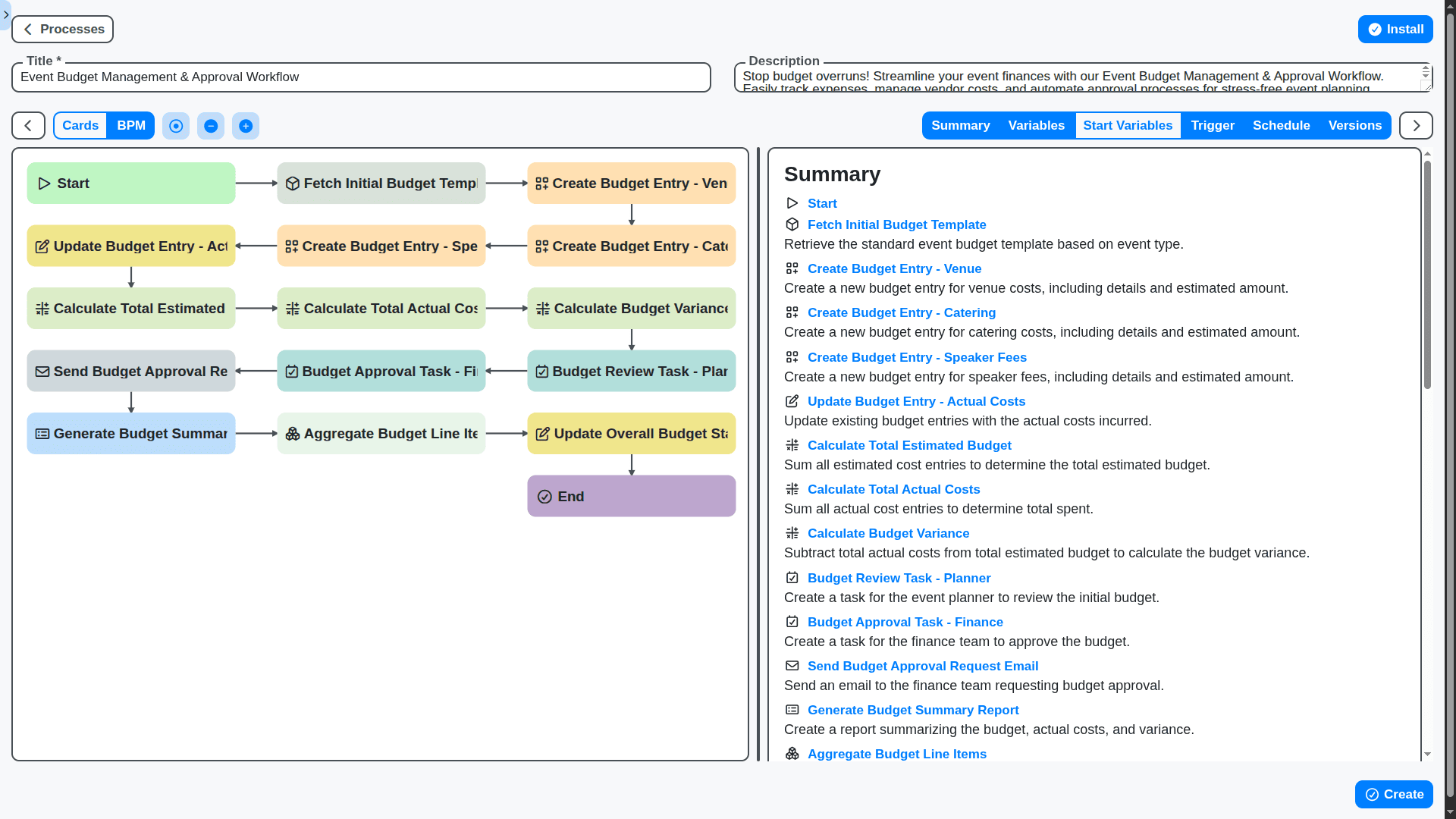
Budget Management: Control Costs & Maximize ROI
Say goodbye to budget surprises. Our solution integrates robust budget tracking and reporting. Monitor expenses in real-time, compare actual costs against projected budgets, and gain insights to optimize future events.
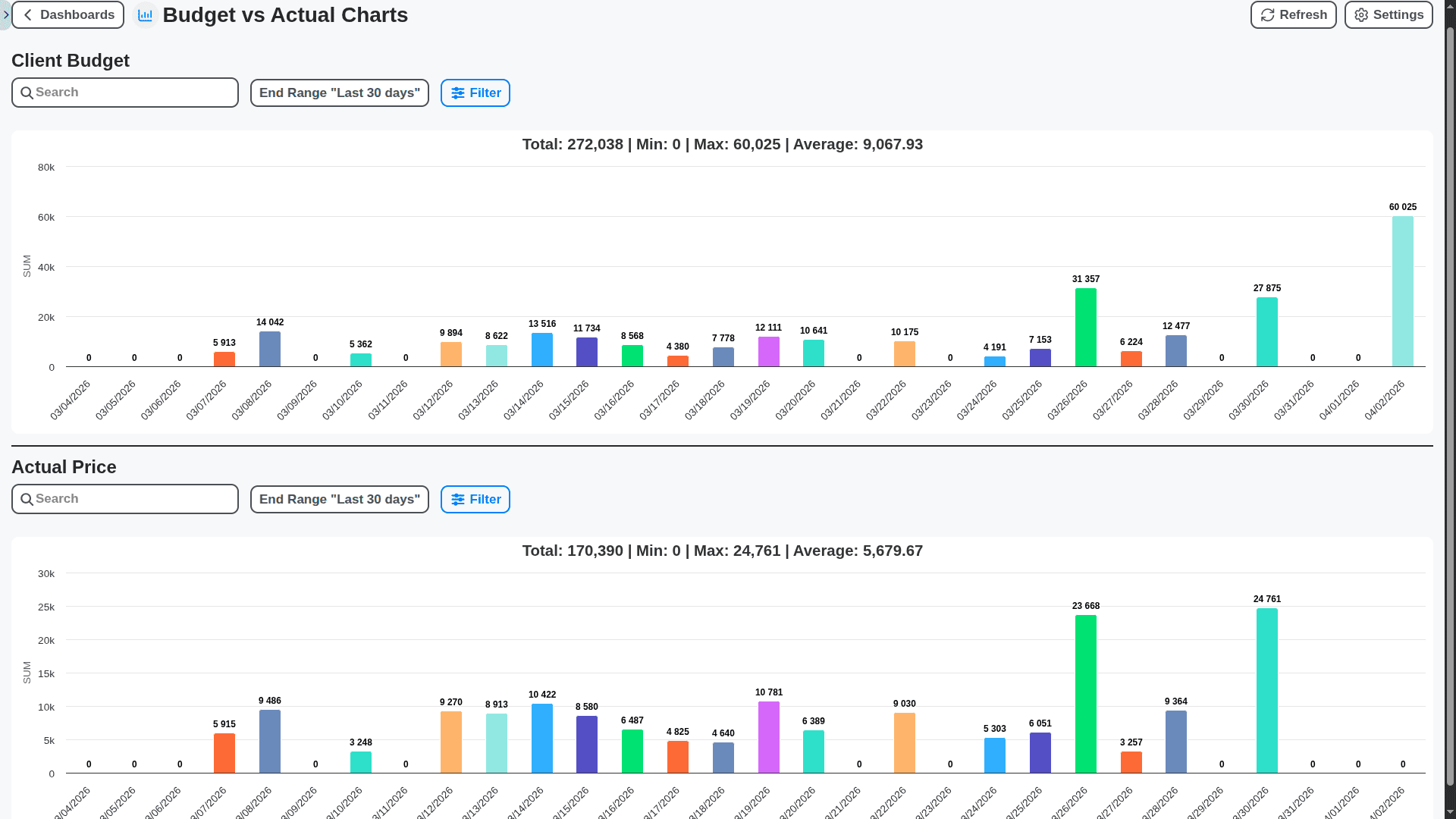
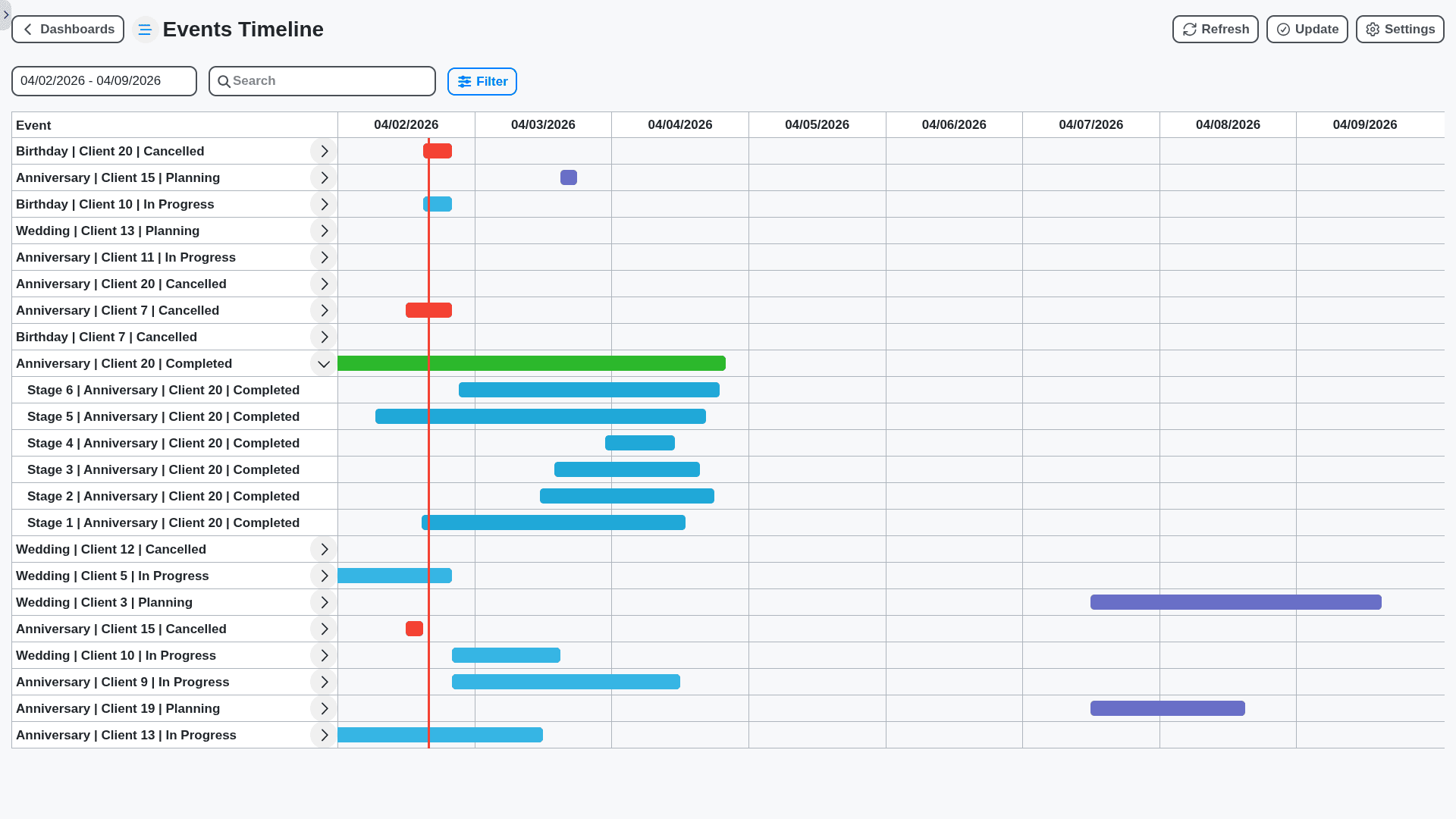
Visualize Timelines & Dependencies: Keep Everything on Track
Event timelines are complex. Our Gantt chart view provides a clear, interactive way to visualize tasks, deadlines, and dependencies. Easily identify potential bottlenecks and ensure your event stays on schedule.
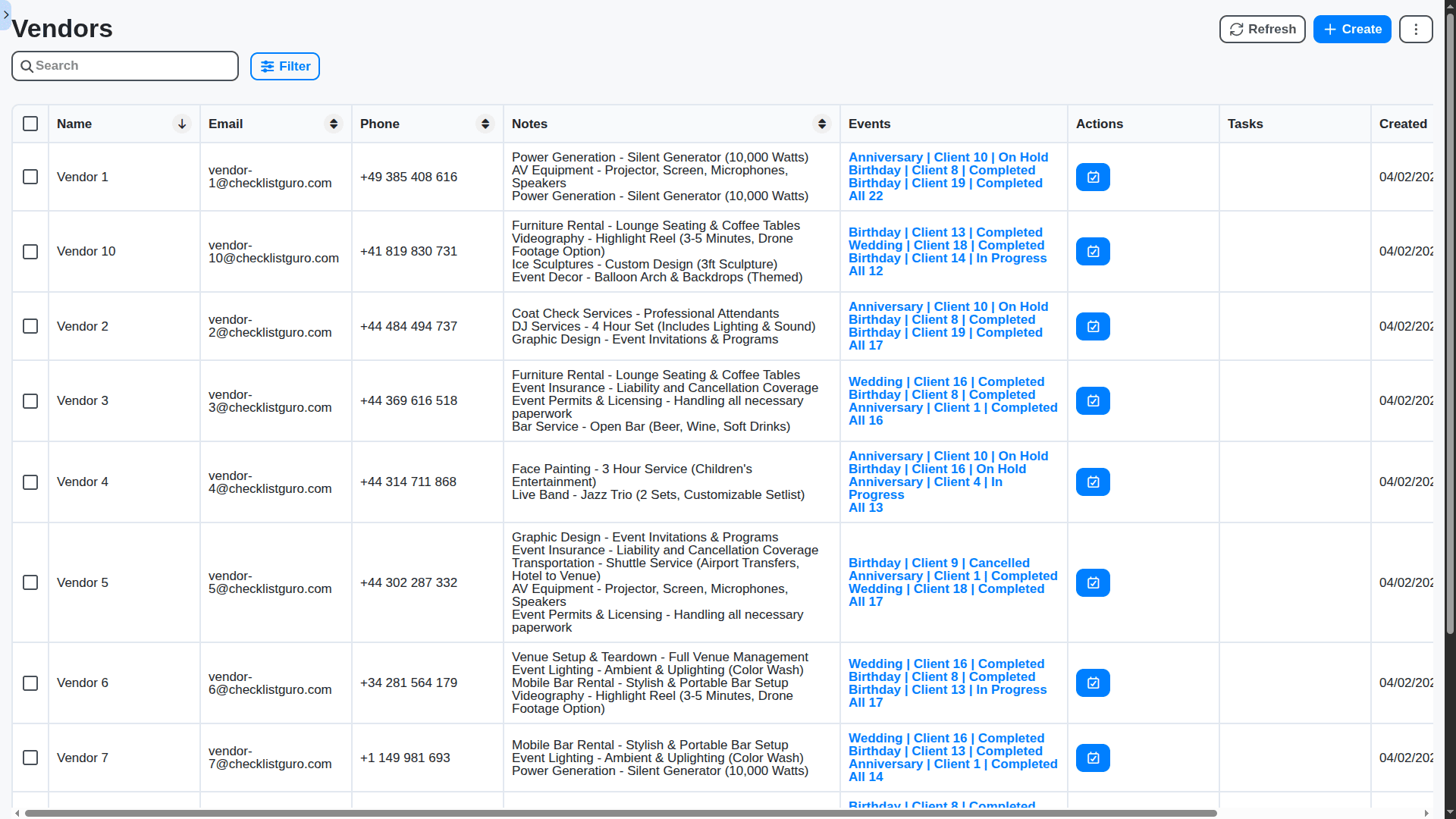
Vendor Management: Centralize Communication & Contracts
Simplify vendor relationships. Our solution allows you to store vendor contact information, contracts, insurance documents, and performance ratings all in one place. Improve communication, track deliverables, and ensure compliance.
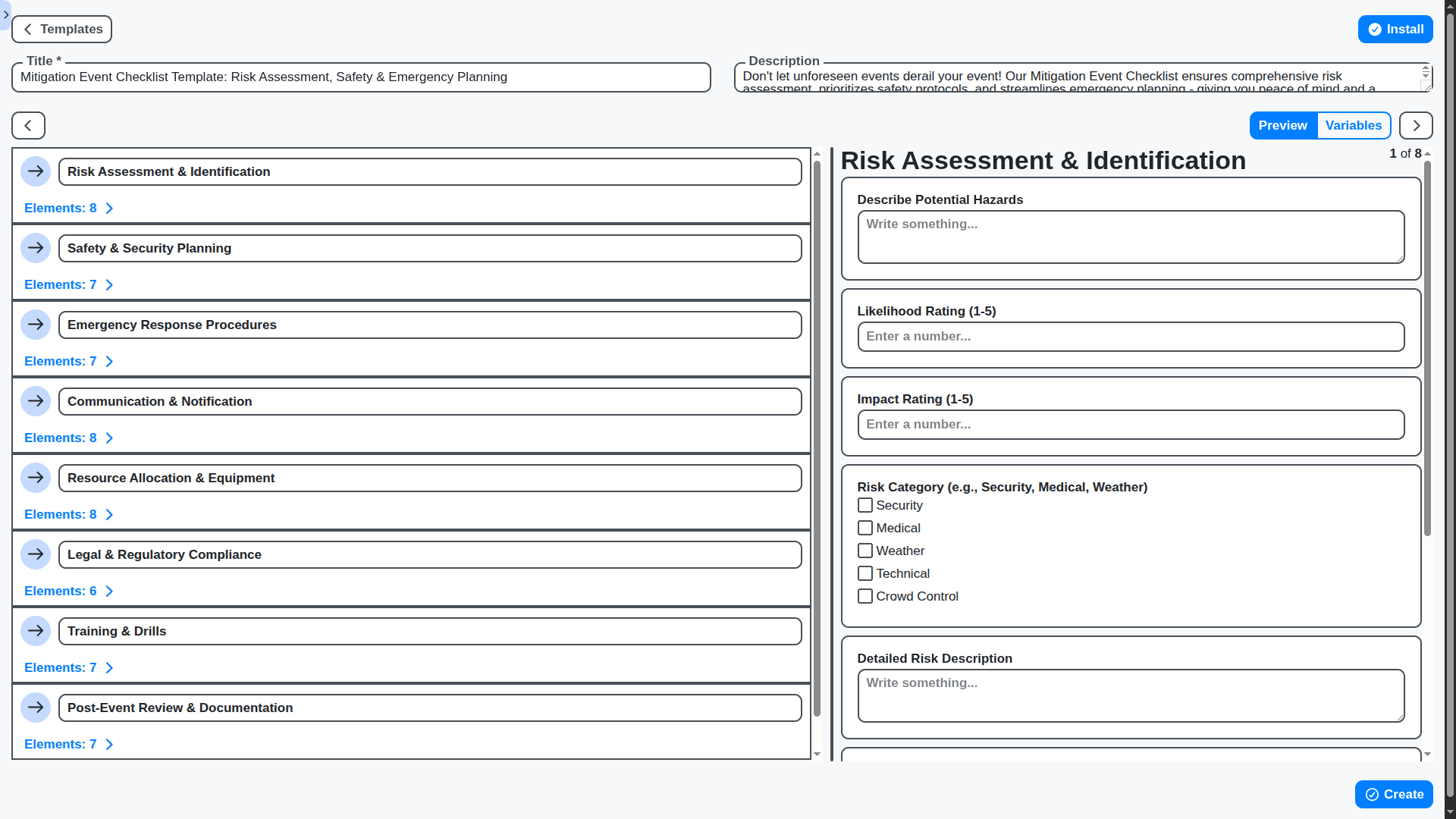
Risk Management: Proactively Identify & Mitigate Issues
Events rarely go perfectly to plan. Identify potential risks, create mitigation strategies, and track progress in resolving issues. Keep your events running smoothly, even when unexpected challenges arise.
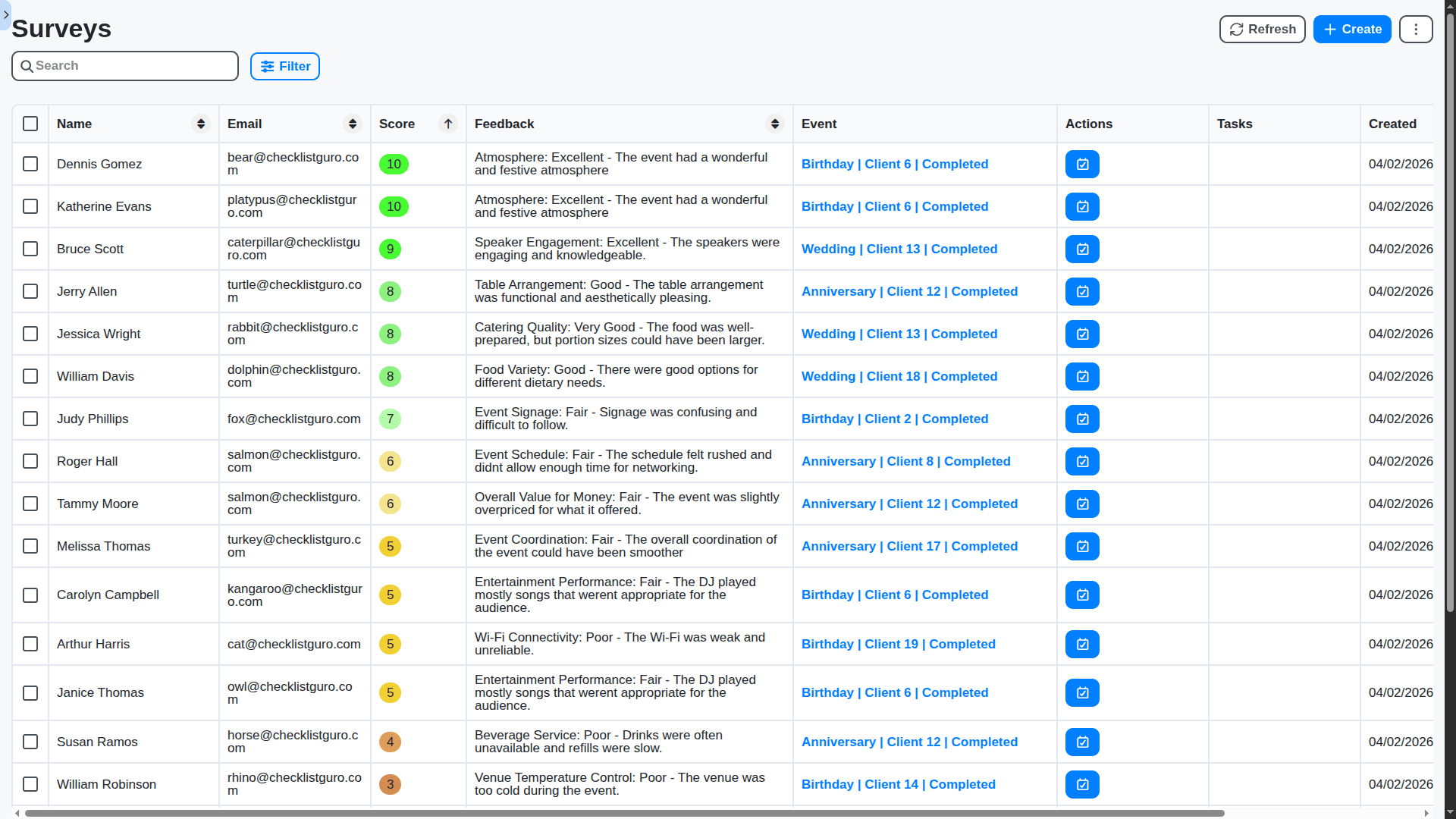
Post-Event Reporting: Analyze Successes & Identify Improvements
Don't let the hard work end with the event. Generate comprehensive post-event reports to analyze what went well, what could be improved, and demonstrate ROI to stakeholders.
Customizable Workflows: Tailor the Platform to Your Needs
No two events are the same. Our solution is flexible and customizable. Create custom task types, workflows, fields, and reports to match your unique event planning processes.
No credit card or cancellation needed.
Features of our Event Planning Management Solution
Planning & Design Features
Event Definition: Ability to define event types (Conference, Wedding, Concert, etc.) with customizable templates.
Budgeting: Create and manage event budgets, track expenses against allocated amounts, and flag potential overruns.
Venue Sourcing & Selection: Integration with venue databases or manual input for venue details (capacity, amenities, pricing)
Vendor Management: Database of vendors (catering, photography, A/V, entertainment, etc.) with contract tracking and performance ratings.
Task Assignment & Scheduling: Automated task assignment to team members and vendors, with deadlines and progress tracking.
Timeline Creation: Interactive timeline visualization with dependencies between tasks. Automatic scheduling adjustments when delays occur.
Guest List Management: Import/export guest lists (CSV, Excel), track RSVPs, dietary restrictions, and special needs.
Seating Arrangement: Drag-and-drop seating chart editor.
Menu Planning: Creation and management of menus, including dietary options and allergies.
Decor & Theme Selection: Ability to define event themes and related decor requirements.
Workflow for Approvals: Automated approval workflows for budget, venue, vendor contracts, and other key decisions.
Execution & Monitoring Features
Real-Time Task Management: Mobile app access for team members to update task status, report issues, and communicate in real-time.
On-Site Checklists: Customizable checklists for event day tasks, ensuring nothing is missed.
Communication Hub: Centralized communication platform for internal team, vendors, and potentially guests (depending on scope).
Incident Reporting: Mechanism for reporting and tracking event incidents (e.g., power outage, vendor no-show).
Live Dashboard: Real-time dashboard displaying key event metrics (attendance, budget status, task completion).
Automated Reminders: Automated reminders for team members, vendors, and attendees.
Resource Allocation: Tracking of equipment and personnel allocation during the event.
Contingency Plans: Ability to trigger pre-defined contingency workflows in case of unexpected issues.
Post-Event & Analysis Features
Feedback Collection: Automated surveys and feedback forms for attendees, vendors, and internal team.
Data Analysis & Reporting: Generate reports on event performance, including ROI, attendee satisfaction, and budget adherence.
Vendor Performance Evaluation: Formal vendor evaluation process based on collected feedback and performance metrics.
Lessons Learned Documentation: Structured process for documenting lessons learned from each event to improve future planning.
Archiving & Knowledge Base: Secure archiving of event data and creation of a knowledge base for future reference.
BPM-Driven Process Optimization: Use BPM analytics to identify bottlenecks and inefficiencies in the event planning process.
Work OS Platform Features
Workflow/Process Visualization: Graphical representation of the event planning workflow.
Business Rules Engine: Ability to define and enforce business rules (e.g., automatic vendor selection based on budget).
Role-Based Access Control: Control access to event data and functionality based on user roles.
Auditing & Traceability: Complete audit trail of all actions performed within the system.
Integration Capabilities: APIs and connectors for integration with other systems (CRM, accounting software, email marketing platforms).
Scalability & Flexibility: The Work OS platform is able to handle a varying workload, with the ability to support many events simultaneously.
No credit card or cancellation needed.
Frequently Asked Questions
What is your Event Planning Management solution?
Our solution is a comprehensive platform designed to streamline the entire event planning lifecycle, from initial concept to post-event analysis. It centralizes tasks, budgets, vendor communication, and reporting, all within a collaborative Work OS environment.
Who is this solution for?
It's ideal for event planners, marketing teams, project managers, and anyone responsible for organizing events of any size - from corporate conferences and trade shows to internal team building activities and client events.
How does it differ from using spreadsheets or other tools?
Spreadsheets and fragmented tools often lead to information silos, communication breakdowns, and lost time. Our solution eliminates these issues by providing a centralized, visual, and collaborative environment for event planning.
What types of events can I manage with this solution?
You can manage virtually any type of event, including conferences, trade shows, webinars, product launches, internal meetings, fundraising galas, and more.
Can I customize the workflows and task types?
Absolutely! Our platform is highly customizable. You can create custom task types, adjust workflows, add custom fields, and generate tailored reports to fit your unique processes.
How does the budget management feature work?
Our budget management tools allow you to set budgets, track expenses, compare actual costs against projections, and generate detailed budget reports.
What kind of reporting features are available?
We offer a variety of reporting features, including post-event reports, budget variance reports, task progress reports, and custom report creation.
How does the vendor management feature work?
You can store vendor contact information, contracts, insurance documents, and performance ratings all in one place. Optimize communication and track deliverables effectively.
Is the platform mobile-friendly?
Yes, our platform is fully responsive and accessible on a variety of devices, including smartphones and tablets.
How much does the solution cost?
Our pricing is tiered based on the number of users and features required. Please see our Pricing page for detailed plans and options.
Do you offer a free trial?
Yes! We offer a 30-day free trial.
We can do it Together
Make a Request
Have a question? We're here to help. Please submit your inquiry, and we'll respond promptly.