Support Management
Struggling to keep up with support requests? ChecklistGuro provides a centralized system for managing tickets, tracking progress, & ensuring customer satisfaction. Improve efficiency & reduce resolution times.
No credit card or cancellation needed.
Unified Communications Hub (The Central Brain)
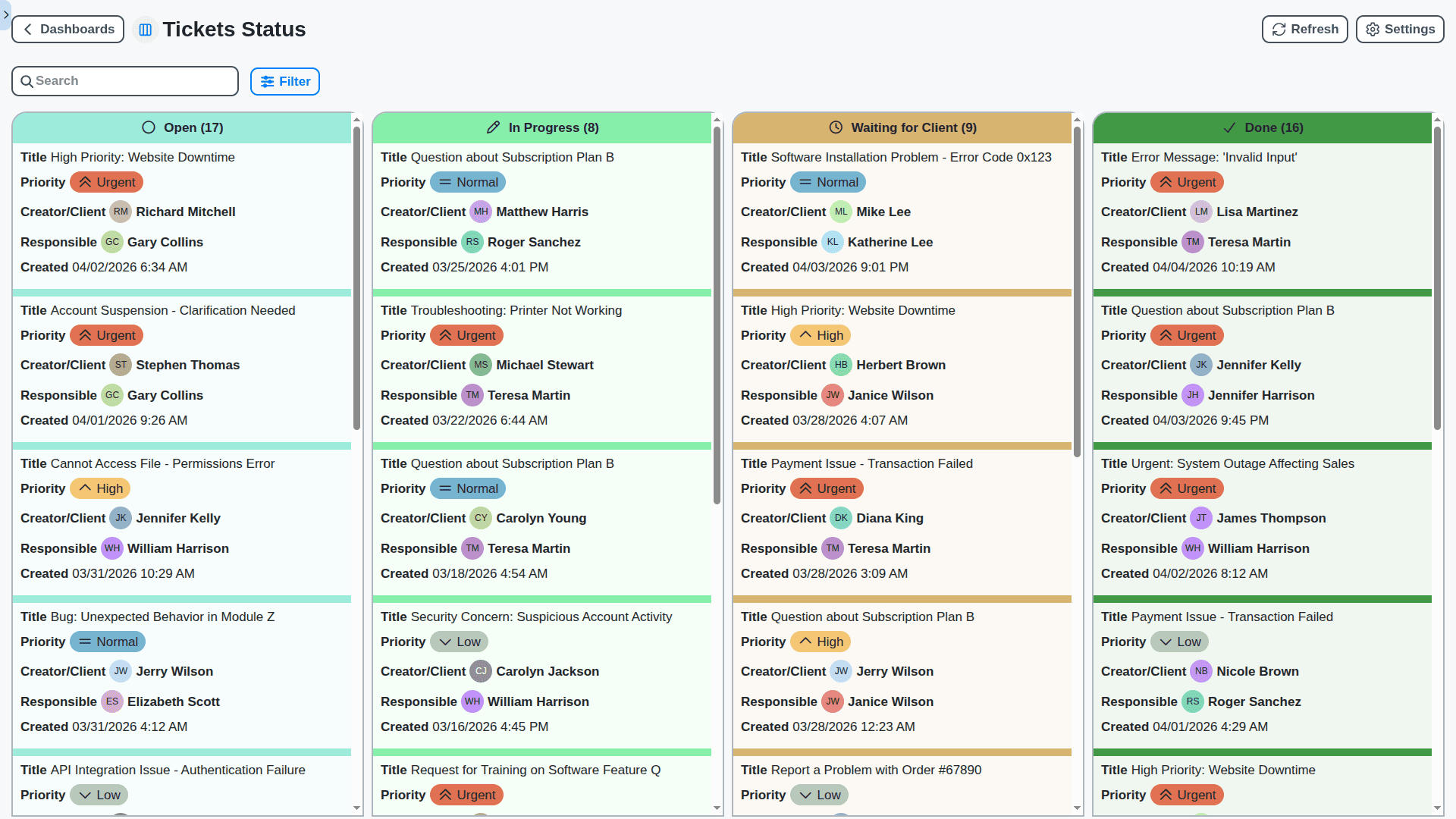
Stop juggling inboxes and communication tools. Our platform centralizes every customer interaction - email, chat, social, and phone - into one intelligent ticket. Agents have a complete, chronological view of the customer journey, ensuring no question ever gets lost in the noise.
Knowledge Base & Self-Service Portal (Empowering Users 24/7)
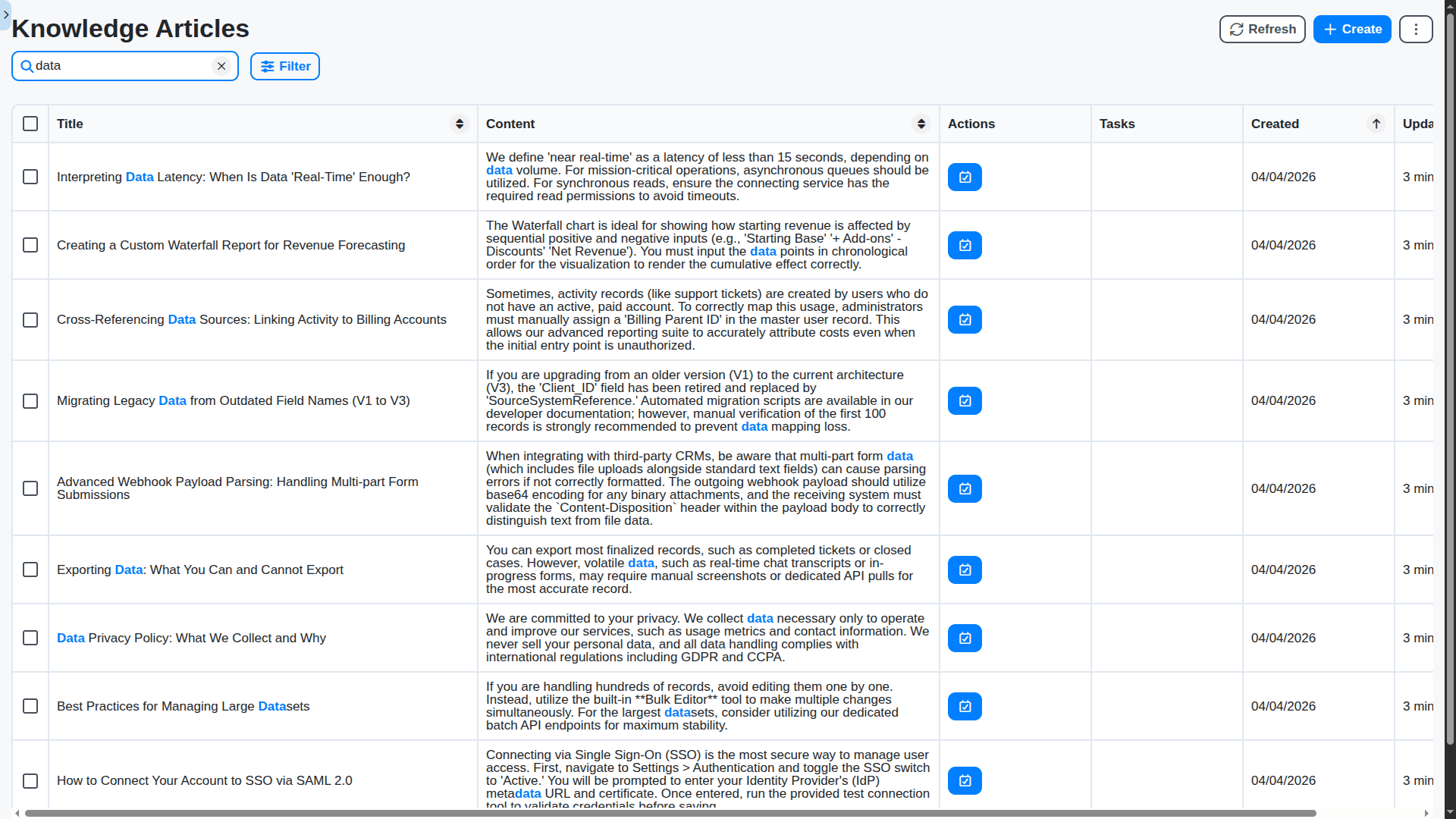
Deflect tickets before they are created. Build a searchable, dynamic knowledge base accessible via a beautiful customer portal. Empower your users to find instant answers to common questions, freeing up your expert agents to solve complex issues.
Intelligent Automation & Routing (Working Smarter, Not Harder)
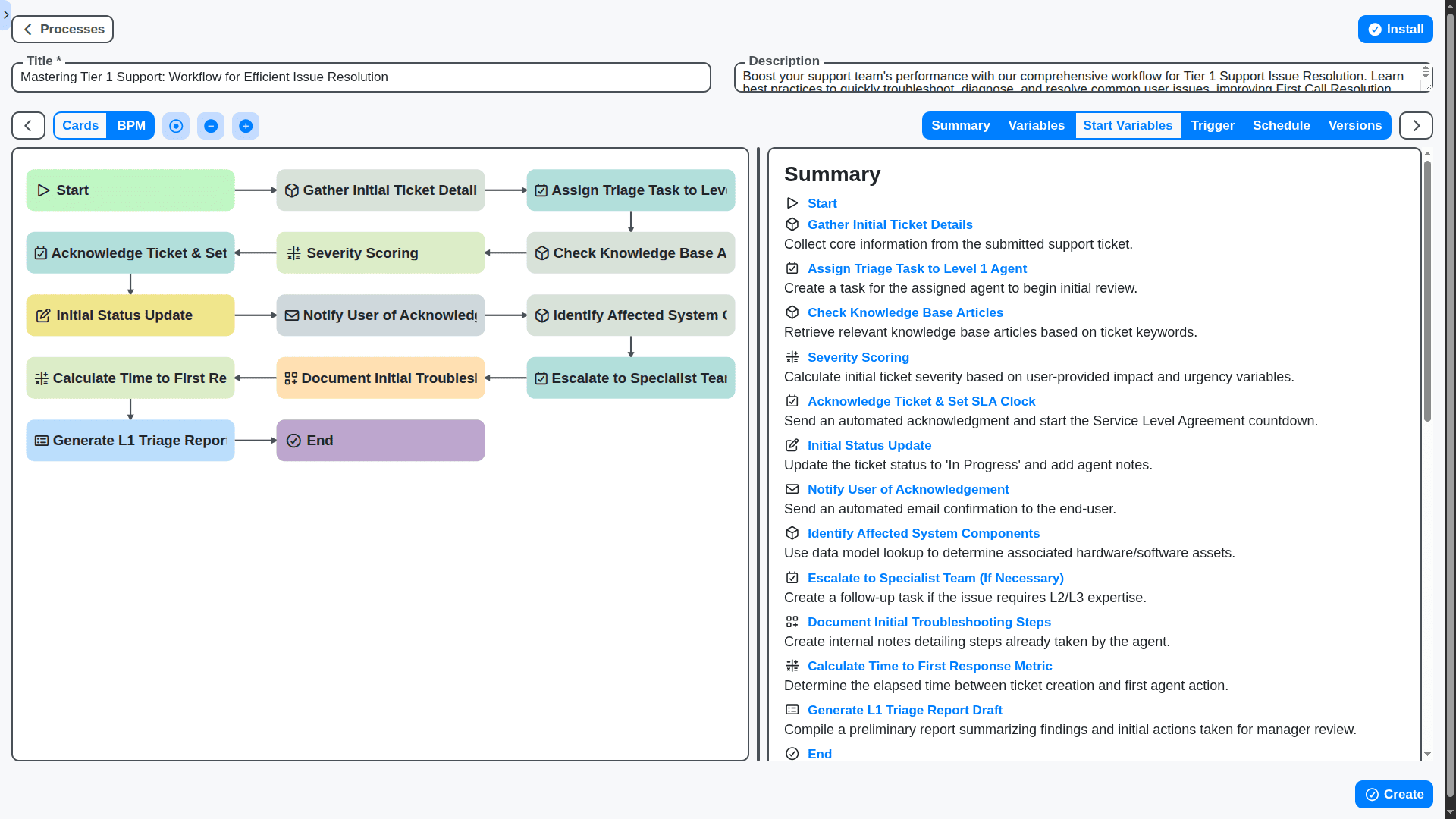
Automate the mundane tasks that drain agent time. Set up workflows that automatically categorize, prioritize, escalate, and assign tickets based on keywords, customer tier, or time elapsed. Resolutions become instant, not manual.
Actionable Analytics & Reporting (Measuring What Matters)
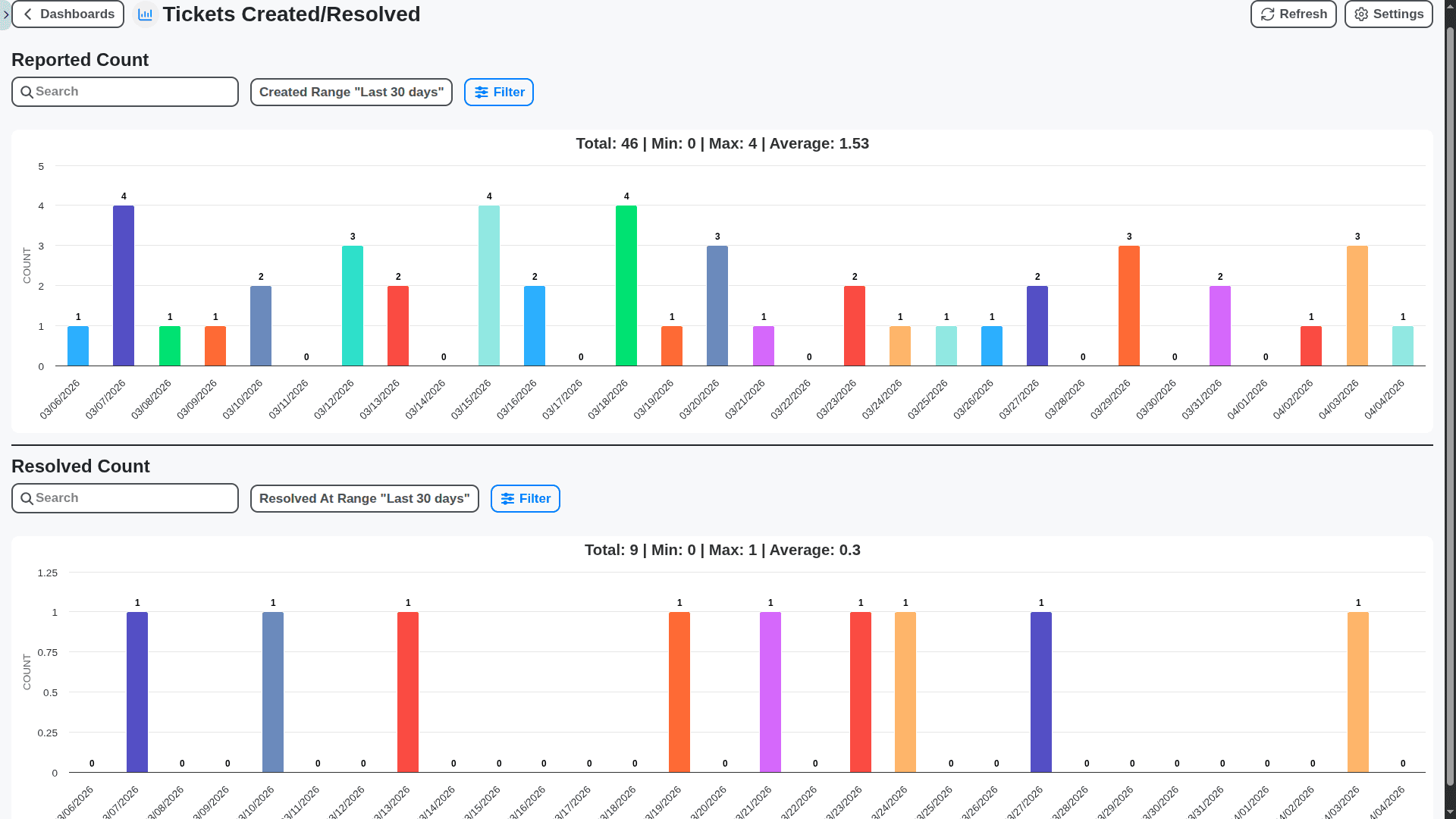
Move beyond simple ticket counts. Gain deep insights into performance metrics like First Response Time (FRT), resolution bottlenecks, and agent efficiency. Identify systemic issues in your product before your customers do.
Team Collaboration & Handoffs (The Power of the Team)
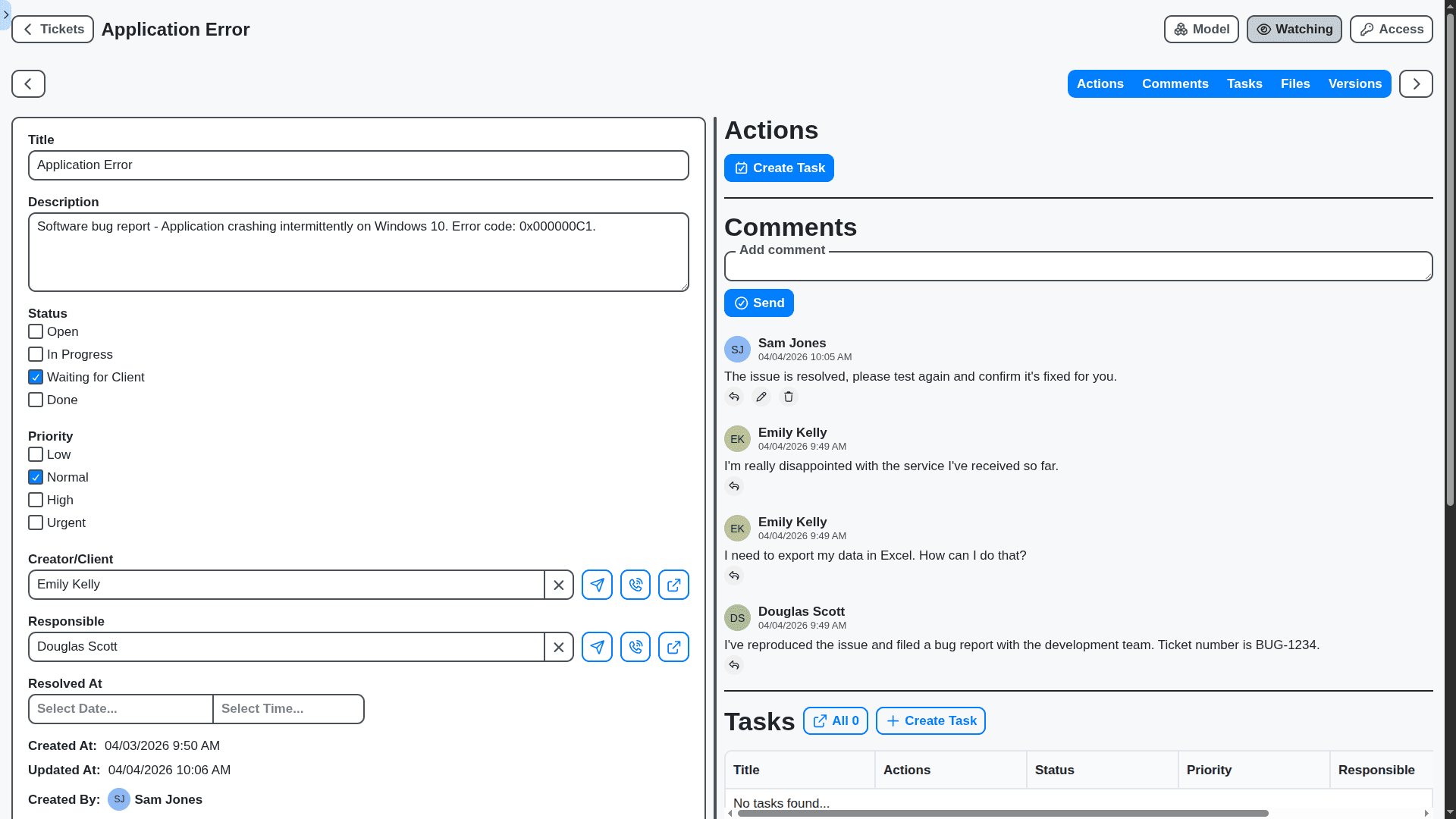
Support is a team sport. Facilitate seamless handoffs between departments (e.g., from Level 1 Support to Billing). Internal notes, collaborative commenting, and assigned internal tasks keep everyone in the loop without needing external emails.
SLA Management (Meeting Your Promises)
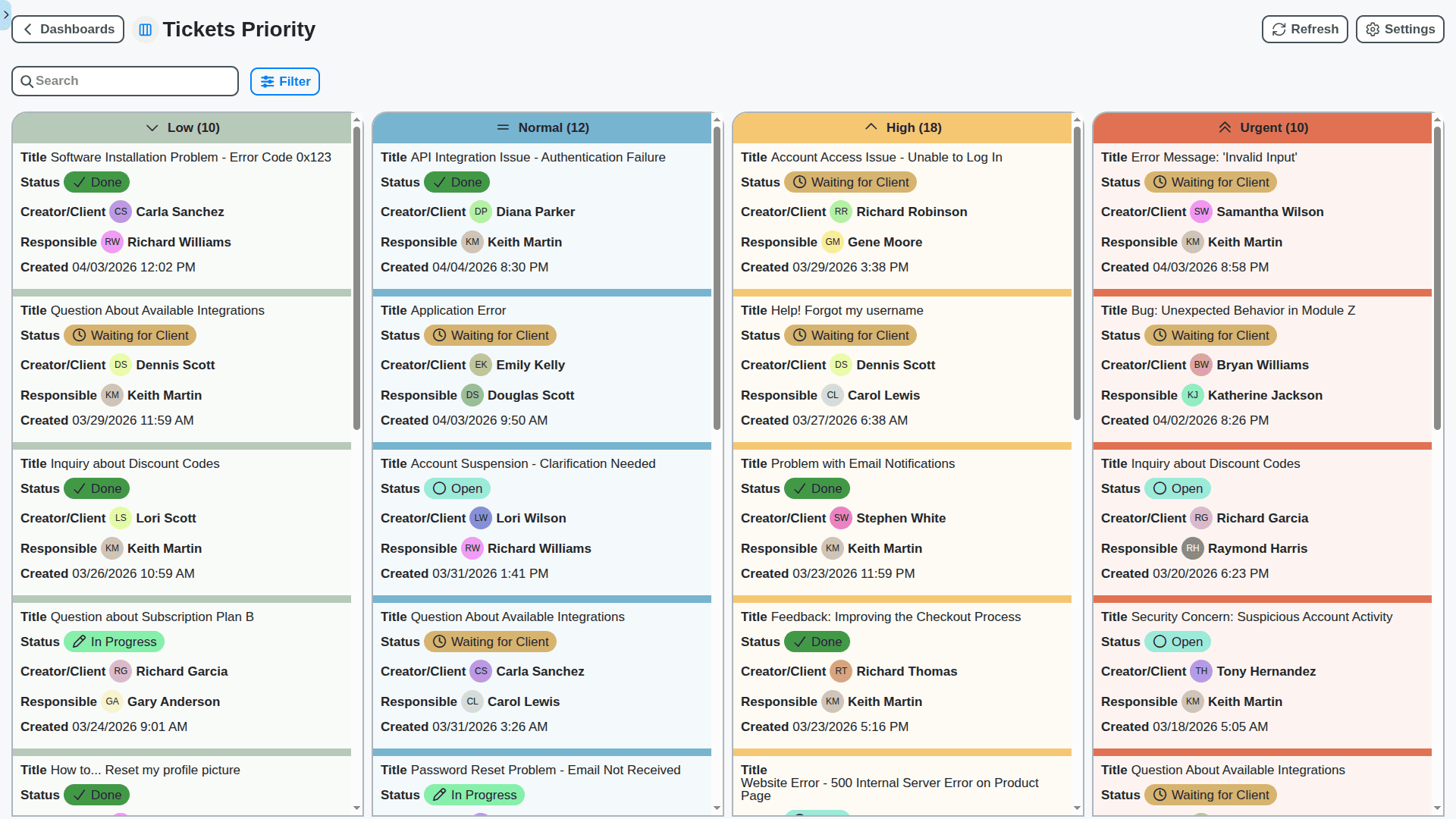
Guarantee customer satisfaction by keeping promises. Set Service Level Agreements (SLAs) for every ticket type, and our system provides real-time visual warnings (color-coding) as tickets approach their deadline, ensuring accountability across the entire team.
Seamless Work OS Integration (One Platform, Total Control)
The ultimate advantage. Because Support is native to Work OS, resolving a ticket can directly trigger actions in other modules - update a project status, create a task for the development team, or log an immediate sales opportunity.
No credit card or cancellation needed.
Features of our Support Management Solution
Core Support Management Features
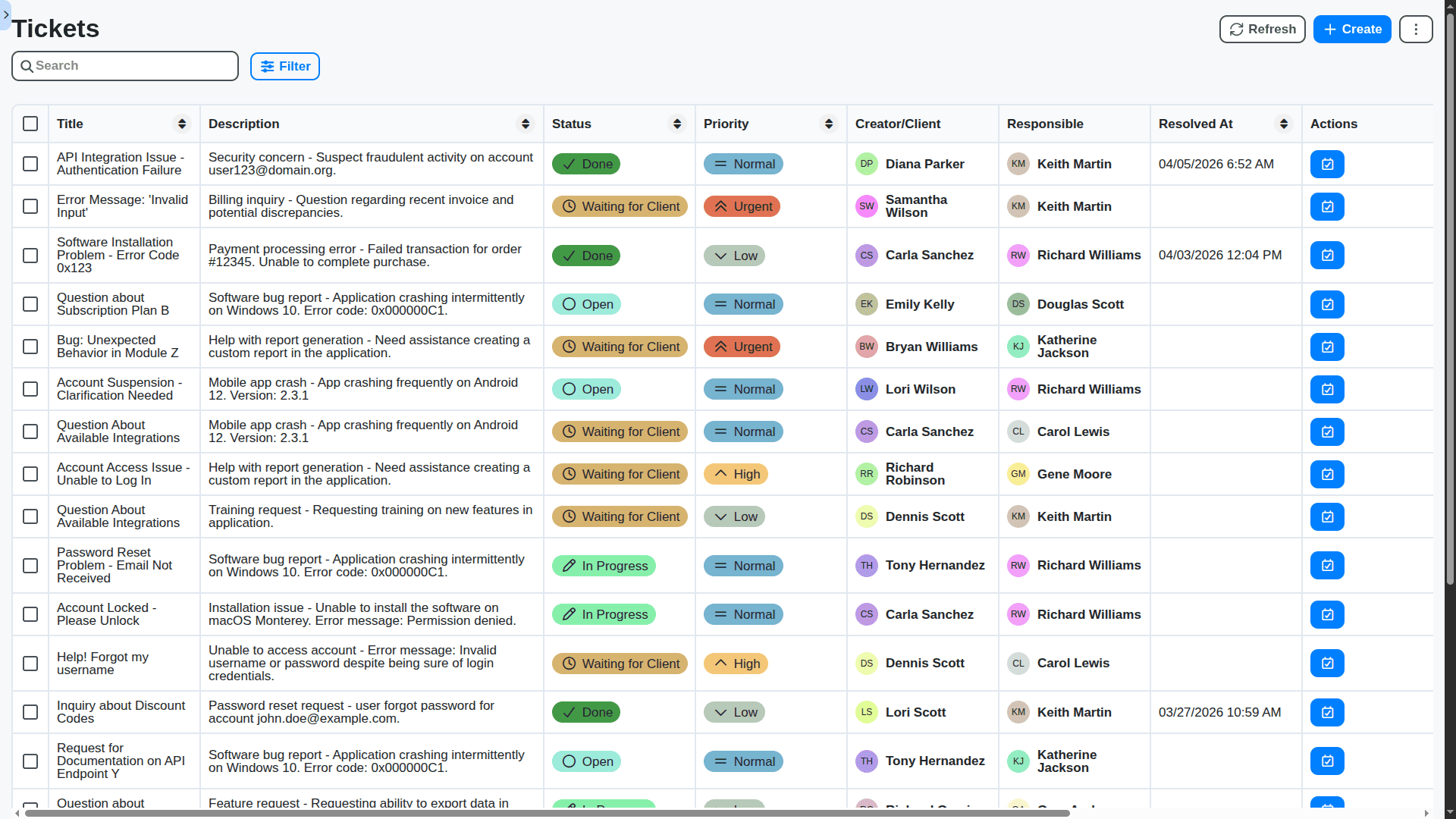
Ticket Creation: Manual and automated (e.g., from email, web forms, chat)
Ticket Categorization: Classification by type, severity, product, department, etc.
Ticket Prioritization: Based on impact, urgency, SLA, customer value.
Ticket Assignment: Automatic assignment rules based on skills, availability, workload. Manual override.
Ticket Status Tracking: Clearly defined states (e.g., Open, In Progress, Pending, Resolved, Closed).
SLA Management: Definition, tracking, and alerts for Service Level Agreements.
Knowledge Base Integration: Easy access to relevant articles and documentation.
Resolution Codes: Standardized codes for documenting resolutions.
Customer Information Management: Centralized view of customer details.
Agent Workspace: Unified interface for managing tickets and related activities.
Multi-Channel Support: Handling requests from various channels (email, phone, chat, web portal).
Business Process Management Features
Process Modeling & Design: Visual editor for creating and modifying support workflows.
Workflow Automation: Automated routing, escalation, and task assignments.
Dynamic Routing: Conditional routing based on ticket attributes (e.g., product, severity).
Business Rules Engine: Defining and managing rules for ticket handling and escalation.
Process Monitoring: Real-time visibility into process performance and bottlenecks.
Process Optimization: Tools for identifying and improving process inefficiencies.
Version Control: Track changes to workflows and ensure rollback capabilities.
Task Management: Clear task assignments, deadlines, and progress tracking.
Collaboration & Communication Features
Internal Collaboration: Ability for agents to collaborate on tickets (e.g., comments, messaging, file sharing).
Escalation Management: Automated escalation to higher-level support tiers.
Customer Communication: Templates for common responses, personalized email sending.
Service Request Fulfillment: Process automation for fulfilling customer requests.
Chatbot Integration: Integration with chatbots for handling simple requests.
Social Media Integration: Ability to manage support requests from social media channels.
Analytics & Reporting Features
Real-time Dashboards: Visual representation of key performance indicators (KPIs).
Customizable Reports: Ability to generate reports based on specific criteria.
Performance Metrics: Tracking of metrics such as resolution time, first contact resolution rate, customer satisfaction.
Trend Analysis: Identifying patterns and trends in support data.
Root Cause Analysis: Tools for identifying the underlying causes of recurring issues.
SLA Performance Reporting: Tracking and reporting on SLA adherence.
Agent Performance Reporting: Evaluating individual agent performance.
Advanced Support Management Features
AI-Powered Ticket Classification: Automatic categorization of tickets using AI/ML.
Sentiment Analysis: Analyze customer sentiment from interactions.
Predictive Analytics: Predict future support volume and resource needs.
Self-Service Portal: Empower customers to resolve issues themselves.
Mobile App: Access support management tools on mobile devices.
Knowledge-Centered Service (KCS) Support: Facilitate knowledge creation and sharing within the support team.
Customer Feedback Surveys: Automatically collect customer satisfaction feedback.
Automated Ticket Closure: Automatically close resolved tickets based on predefined criteria.
No credit card or cancellation needed.
Frequently Asked Questions
What is the Support Management Solution within Work OS?
Our Support Management Solution is a centralized module within the Work OS platform designed to streamline, automate, and optimize your entire customer support lifecycle. It moves you away from disparate tools (like email, phone, and ticketing systems) into one unified workspace, giving your support team a 360-degree view of the customer.
How does integrating support into Work OS benefit my business?
Integration is key. By keeping support tools within Work OS, you eliminate context switching. Your agents can access customer history, knowledge articles, project management tasks, and communication logs all in one place, leading to faster resolution times, better agent efficiency, and a superior customer experience.
Is this solution just for IT support? Can it handle customer support too?
Absolutely not. While it excels at technical support, it is designed for all internal and external support needs. This includes customer service inquiries, HR support requests, internal ticketing, operational support, and more.
What makes your solution better than existing dedicated helpdesk software?
While dedicated tools are robust, they often operate in silos. Our advantage lies in platform integration. Because it's native to Work OS, it doesn't just ticket issues; it allows support resolution to trigger actions in other parts of your workflow - like automatically notifying the Sales team or updating a project milestone.
Does it handle multiple communication channels?
Yes. It's designed to be omni-channel. We support email integration, web ticketing forms, chat widgets (live chat), social media monitoring (where applicable), and direct communication logs all funneling into a single ticket view.
Can we automate routine tasks?
Yes, automation is a core feature. You can set up rules for things like: Auto-routing tickets based on keywords (e.g., "billing" goes to finance support), Sending automated acknowledgments or follow-up reminders, Assigning priority levels automatically.
How does the ticketing system work?
The ticketing system acts as the central hub. Every interaction (email, chat, etc.) is converted into a traceable ticket. Teams can manage tickets through status workflows (New, Assigned, In Progress, Resolved, Closed) and maintain a complete audit trail.
Can we customize the support workflow to match our unique processes?
Yes. Customization is a major strength. You can customize ticket fields, create unique service level agreements (SLAs), tailor ticket categories, and build multi-step workflows that precisely mirror your company's operational procedures.
What level of reporting and analytics is available?
We provide robust analytics dashboards. You can track KPIs like: First Response Time (FRT), Average Resolution Time (ART), Ticket Volume trends, Agent efficiency scores, Top pain points identified through ticket analysis.
How long will implementation take?
Implementation timelines vary based on complexity. For standard setups, we aim for a rapid deployment period, followed by dedicated configuration workshops with your team to ensure everything is perfectly tailored. Our onboarding team manages the timeline for you.
What are the pricing models?
Our pricing is flexible and based on your team size and required feature set. We offer several tiers, allowing you to start small and scale up as your support needs grow. Please contact our sales team with a summary of your anticipated volume, and we will provide a tailored quote.
We can do it Together
Make a Request
Have a question? We're here to help. Please submit your inquiry, and we'll respond promptly.