Survey Management
Gather valuable insights with ease! ChecklistGuro simplifies survey creation, distribution, and analysis. Automate data collection, improve response rates, and make data-driven decisions. Manage it all with our Work OS.
No credit card or cancellation needed.
Centralize Feedback & Simplify Action
Stop juggling spreadsheets and scattered feedback forms. Work OS brings every piece of customer, employee, or market data into one governed, actionable platform.
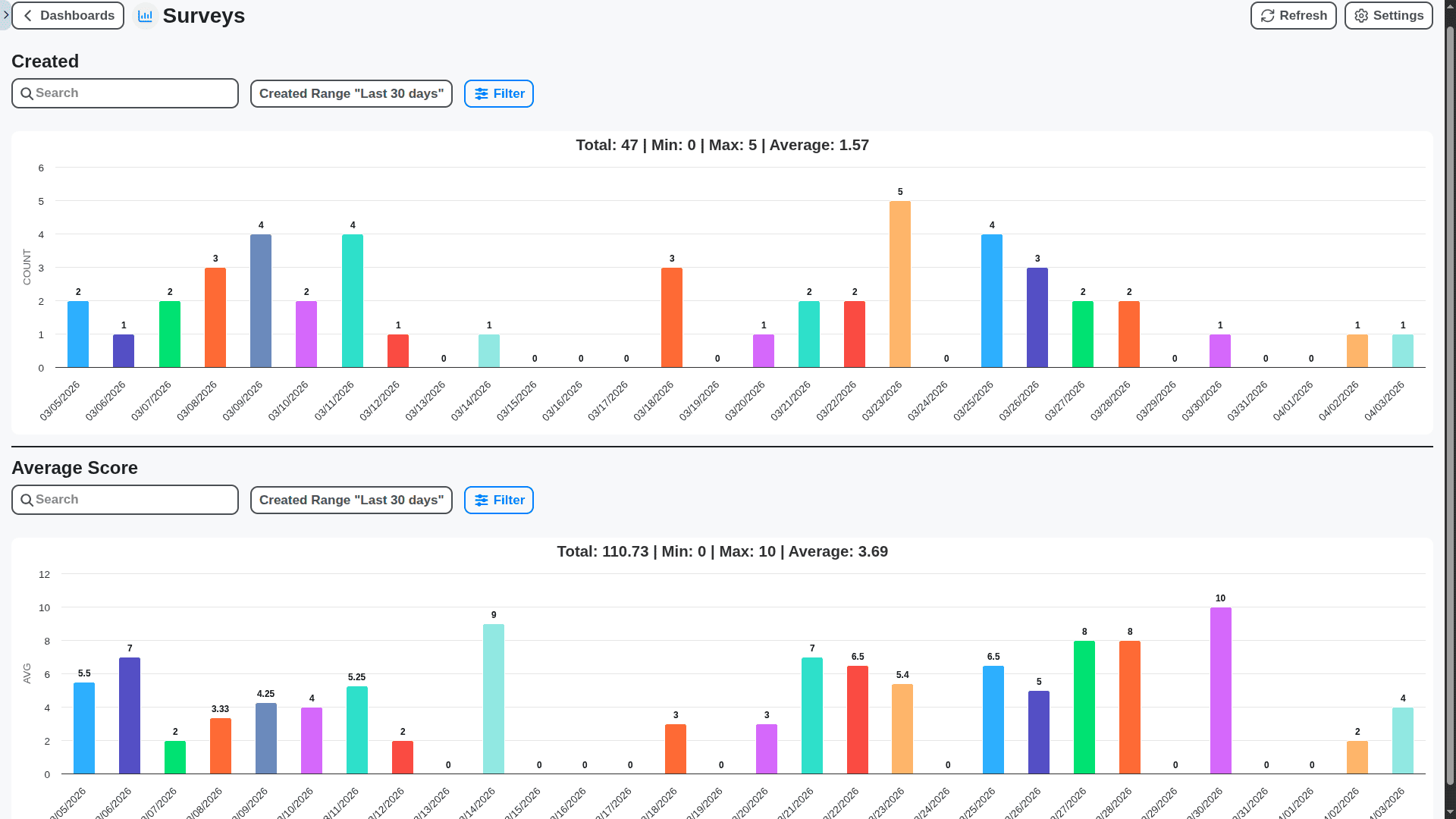
Build Smarter Surveys, Faster
Our intuitive drag-and-drop editor lets you build sophisticated questionnaires without writing a single line of code. Use conditional logic to ensure the right questions appear at the right time.
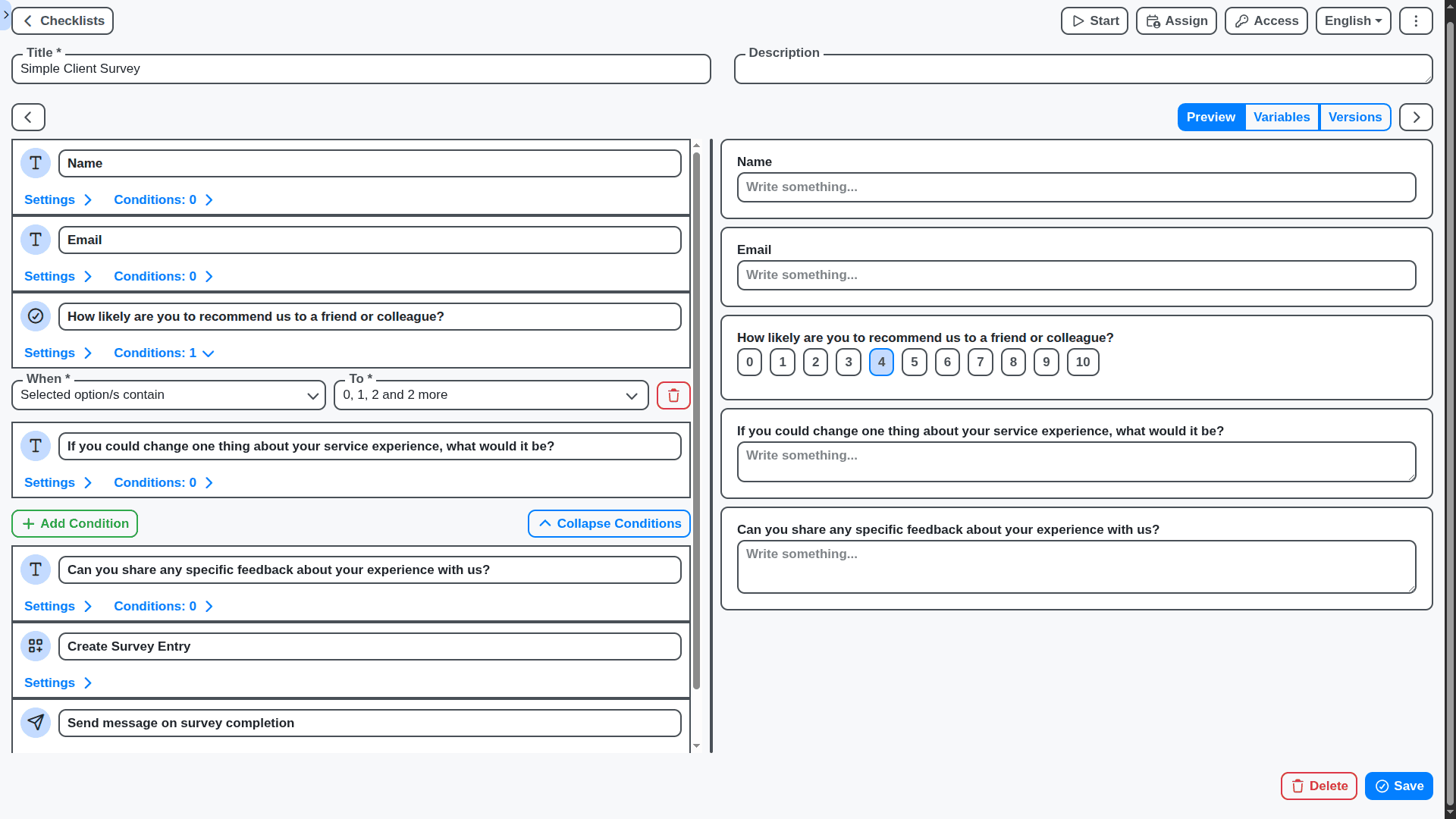
Go Beyond Simple Collection: Workflow Automation
The power of Work OS means survey results do something. Trigger tasks, notify teams, or update records automatically based on the response received.
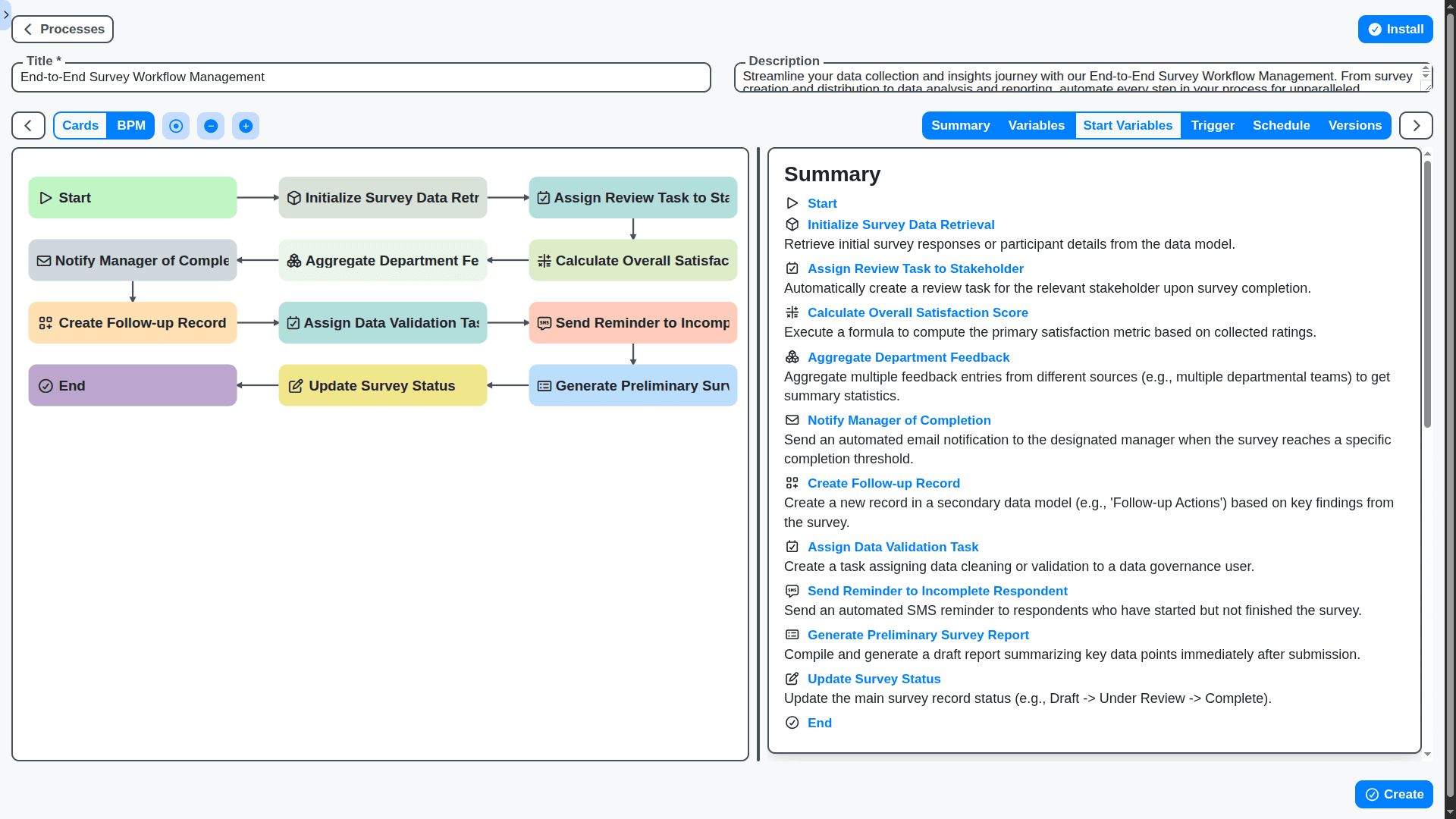
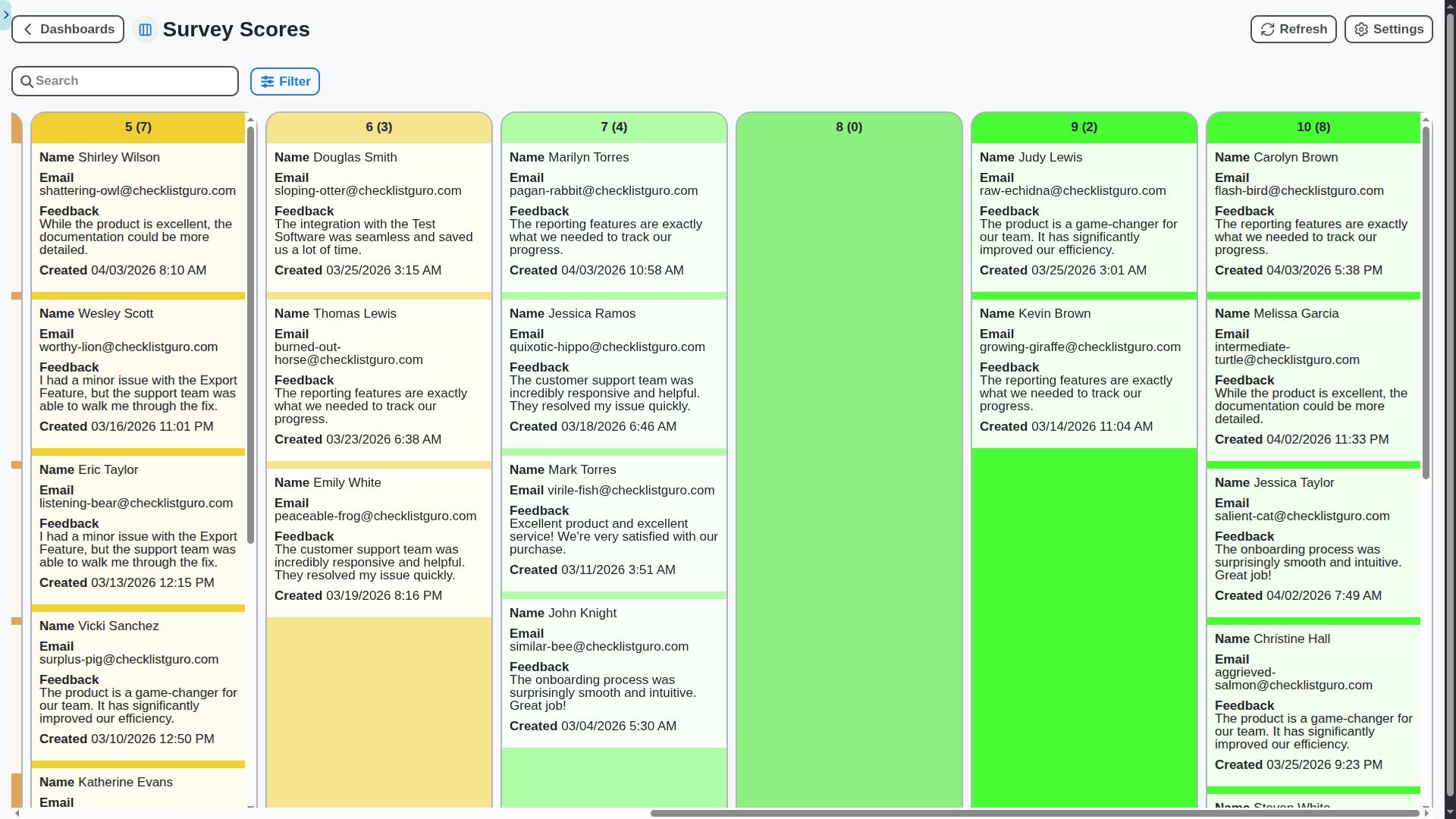
Deep Dive Analytics: Find the "Why"
Raw data is meaningless. We provide visual analytics, trend spotting, and sentiment analysis tools so you can move instantly from insight to strategy.
Tailored for Every Scenario
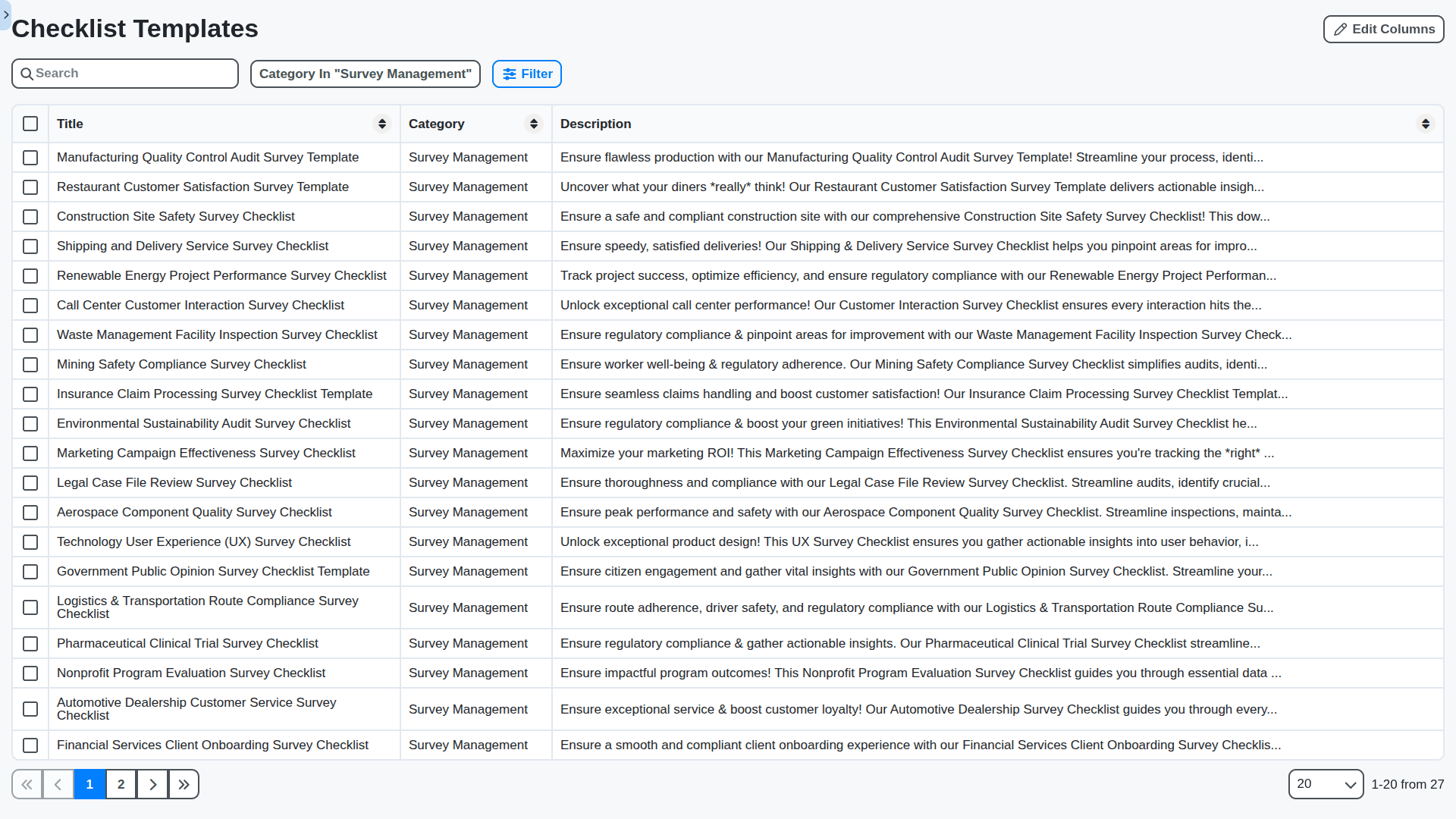
Whether you're measuring employee engagement, analyzing product usability, or gathering market research, our customizable templates adapt to your specific need.
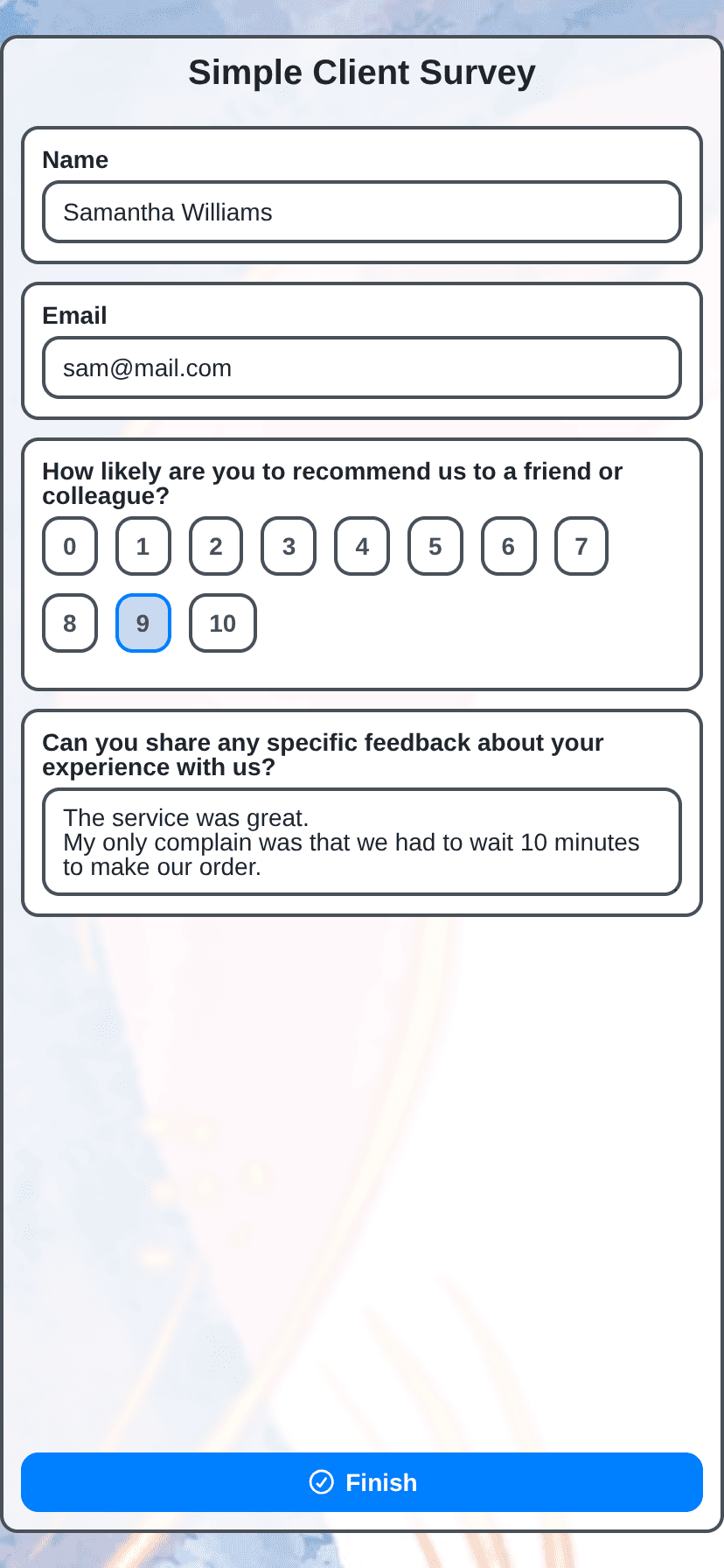
Optimize the User Experience (UX) During Surveying
A confusing survey leads to abandoned data. We ensure optimal mobile responsiveness and a frictionless experience to maximize completion rates.
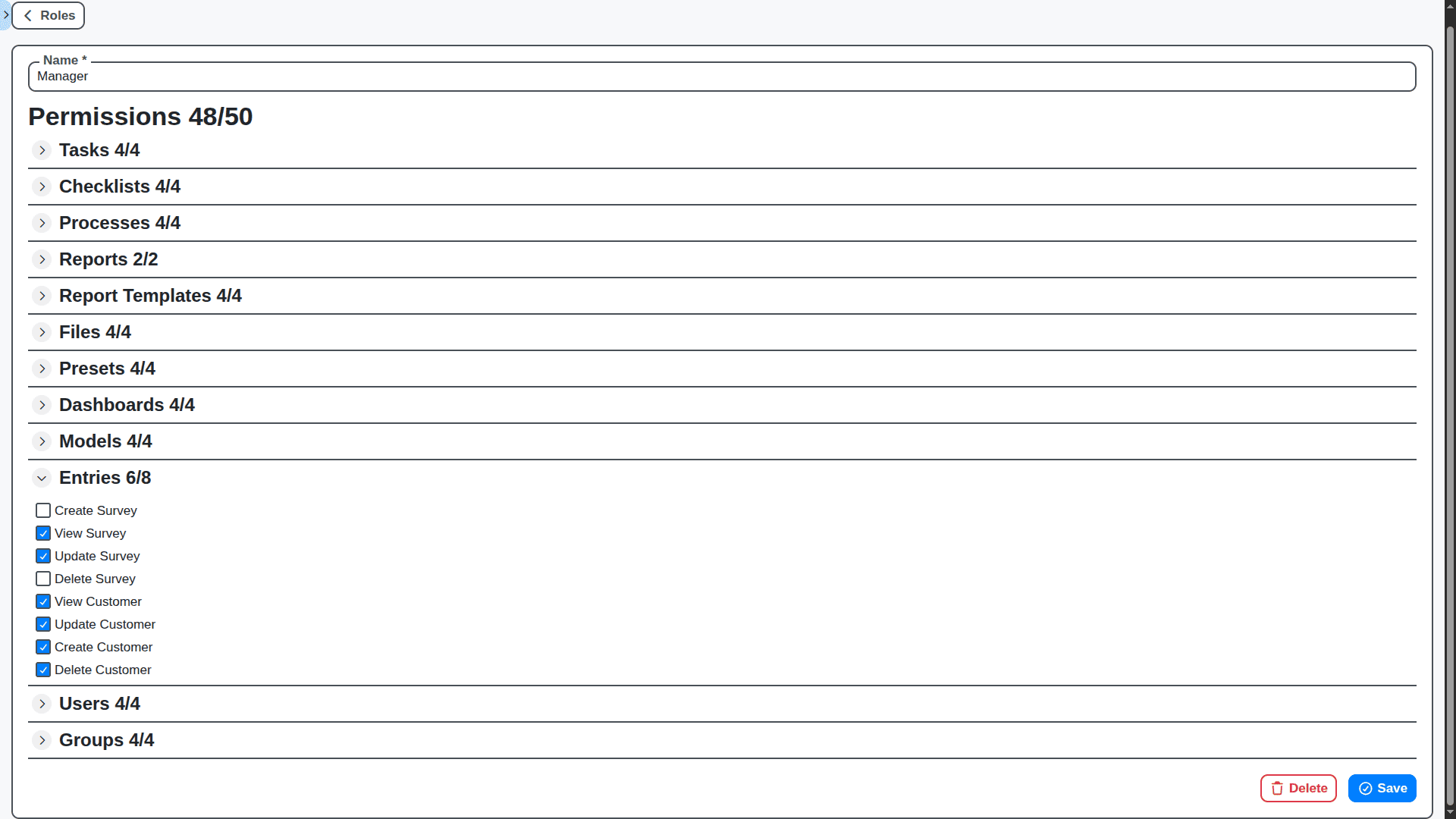
Manage Stakeholders with Controlled Views
Give different teams different levels of visibility. Control who sees raw data, who sees aggregated reports, and who can trigger actions.
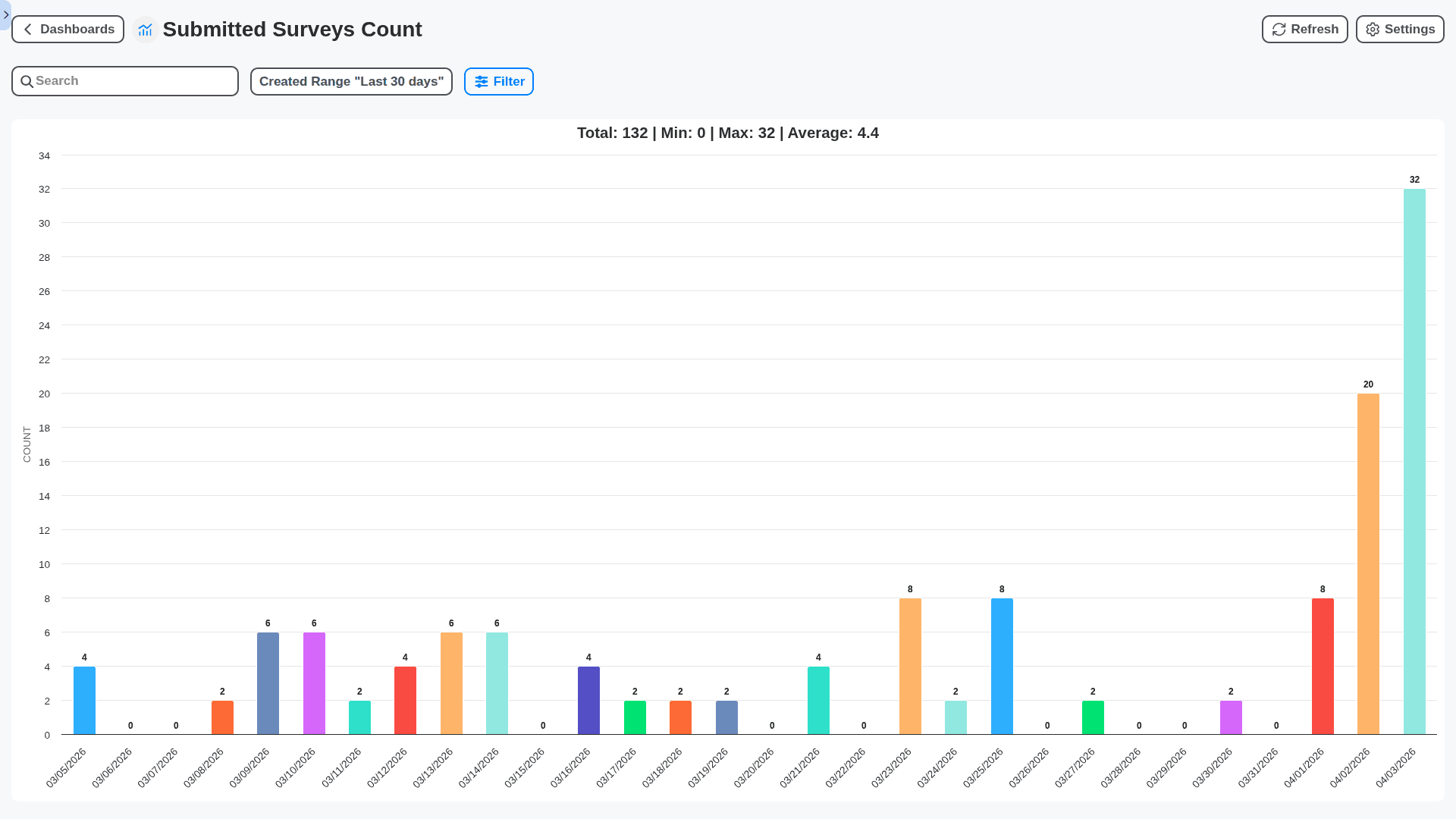
Built for Scale, Ready for Growth
From initial small-scale testing to enterprise-level data capture across global teams, Work OS scales seamlessly with your organizational needs.
No credit card or cancellation needed.
Features of our Survey Management Solution
Core Survey Features
Survey Creation & Editing: Drag-and-drop interface for building surveys. Support for various question types (multiple choice, text, rating scales, matrix, file upload, ranking, etc.).
Question Library: Reusable question bank for consistent questioning across surveys.
Survey Logic (Branching/Skip Logic): Ability to show/hide questions based on previous answers. Essential for tailored experiences.
Response Validation: Mandatory questions, data type validation (e.g., ensuring numbers are entered in a numeric field).
Survey Themes & Branding: Customization options for the survey's appearance (colors, fonts, logo).
Survey Distribution Channels: Support for multiple distribution methods: Email, Link (web/social media), QR code, Embedded in web pages.
Anonymous vs Identified Surveys: Option to collect respondent information (name, email, etc.) or conduct anonymous surveys.
Language Support: Multilingual surveys with translation capabilities.
Preview & Test: Ability to preview and test surveys before deployment.
Core BPM - Business Process Management Features
Survey Triggering via BPM Workflows: Initiate surveys based on BPM process events (e.g., after a sales order is created, after a customer support ticket is resolved).
Survey Response Data as BPM Task Input: Survey responses can be integrated as data/input for subsequent BPM tasks. This allows actions based on survey feedback.
Survey Assignment to BPM Actors: Distribute survey participation to specific BPM actors/users.
Survey Status Tracking within BPM: Visibility into survey completion rates, deadlines, and overall progress within the BPM workflow.
Automated Escalation for Survey Completion: If a survey isn't completed within a timeframe, escalate to a specific BPM actor for follow-up.
Survey Results as BPM Decision Input: Use aggregated survey data to inform BPM process routing or rule execution. (e.g. Based on satisfaction scores, route to a premium support tier)
Integration with BPM User Management: Leverage existing BPM user roles and permissions for survey access control.
Audit Trail of Survey Actions: Track who created, edited, distributed, and viewed survey results (aligned with BPM audit capabilities).
Advanced Features
Real-time Reporting & Dashboards: Interactive dashboards with key metrics and visualizations.
Sentiment Analysis: Automatically analyze text responses to gauge sentiment (positive, negative, neutral).
Text Analytics/Keyword Extraction: Identify common themes and keywords in open-ended responses.
Survey Versioning: Maintain a history of survey changes and allow reverting to previous versions.
A/B Testing of Surveys: Experiment with different survey designs to optimize response rates.
Offline Survey Capability: Allow respondents to complete surveys offline, with data syncing when a connection is available.
Mobile-First Design: Ensure surveys are optimized for mobile devices.
Integration with External Data Sources: Automated alerts when survey responses reach certain thresholds or patterns are detected.
Audit Trail of Survey Actions: Track who created, edited, distributed, and viewed survey results (aligned with BPM audit capabilities).
API for Integration: Allow external systems to programmatically interact with the survey management system.
Compliance Features: Support for industry-specific compliance requirements (e.g., HIPAA, GDPR).
No credit card or cancellation needed.
Frequently Asked Questions
What kind of questions can I ask in my surveys?
Our builder supports every format, from multiple-choice and rating scales to open-text fields, matrices, and conditional logic (meaning questions can appear only when specific answers are given).
Is the survey builder user-friendly for non-developers?
Absolutely. The Work OS interface uses a drag-and-drop editor, requiring zero coding knowledge. You can design and launch complex surveys in minutes.
Do I need to build a separate system for my surveys?
No. Because it's integrated within Work OS, your survey data doesn't sit in a silo. It automatically flows into your existing dashboards and workflows for immediate action.
How does survey data integrate with the rest of my Work OS platform?
This is our key advantage. When a survey is completed, the resulting data can trigger actions - such as assigning a task to a specific team member, updating a client record, or initiating an alert - all without manual data transfer.
Can I use surveys to automate customer follow-ups?
Yes. You can set up automated workflows. For example, if a customer rates "Support" below 3/5, the system can automatically create a high-priority ticket and notify a manager.
What happens when my company grows? Will the survey tool keep up?
Yes. The platform is built to scale alongside your business. Whether you are running 5 surveys a month or 500, the performance and functionality remain seamless.
Can I customize the look and feel of the survey to match my brand?
Yes. You have granular control over branding, allowing you to customize colors, logos, and layouts so the survey feels like a natural extension of your brand experience.
What kind of reporting is available? Is it just raw data dumps?
Definitely not just raw dumps. Work OS provides robust, customizable reporting dashboards. You can view trend analysis, heatmaps, sentiment scoring, and segment data to find the "why" behind the numbers.
Is there a cost associated with using the survey tool?
Survey capabilities are included within your Work OS subscription tier. We offer free forever version and a free trial for our Pro version so you can test the full functionality before committing.
How long will implementation take?
For basic surveys, you can launch in an hour. For complex workflows involving multiple integrations, our support team provides guided setup, usually taking just a few days to fully deploy.
We can do it Together
Make a Request
Have a question? We're here to help. Please submit your inquiry, and we'll respond promptly.