Facility Management
Keep your facilities running smoothly! ChecklistGuro streamlines maintenance, inspections, and vendor management. Reduce downtime, optimize efficiency, & improve safety. Manage it all with our Work OS.
No credit card or cancellation needed.
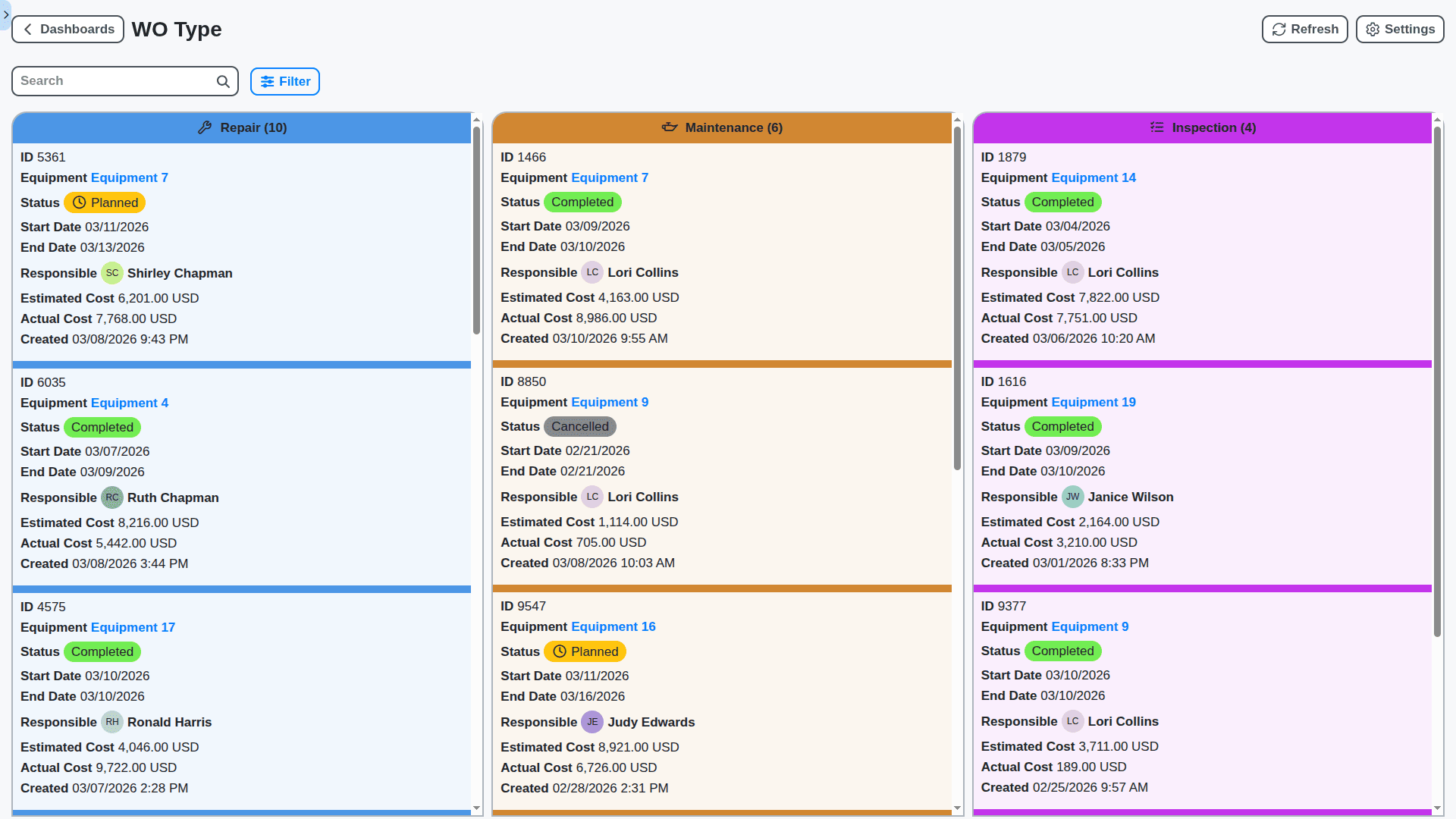
Optimize Your Facility Operations, From Request to Resolution
Stop juggling spreadsheets and emails! Our Work OS solution centralizes all your facility management requests - everything from repairs and maintenance to space requests and inspections. Automate workflows, assign tasks, track progress, and ensure nothing falls through the cracks. Spend less time managing and more time focusing on what matters: your people and your core business.
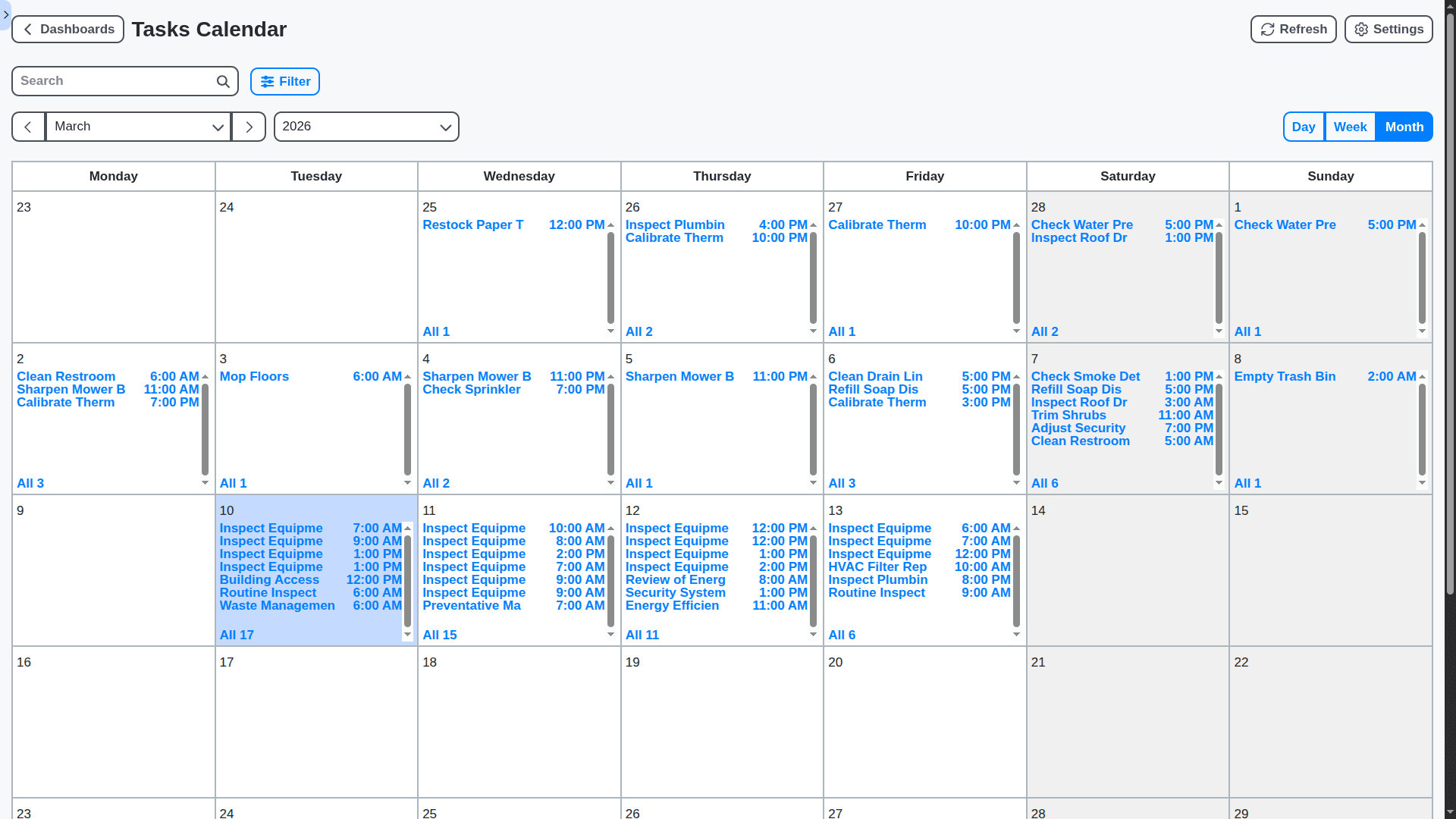
Preventative Maintenance: Minimize Downtime, Maximize Asset Life
Reactive maintenance is costly and disruptive. Our solution helps you shift to a proactive approach with customizable preventative maintenance schedules, automated reminders, and detailed asset history tracking. Reduce unexpected breakdowns, extend equipment lifespan, and save on costly repairs.
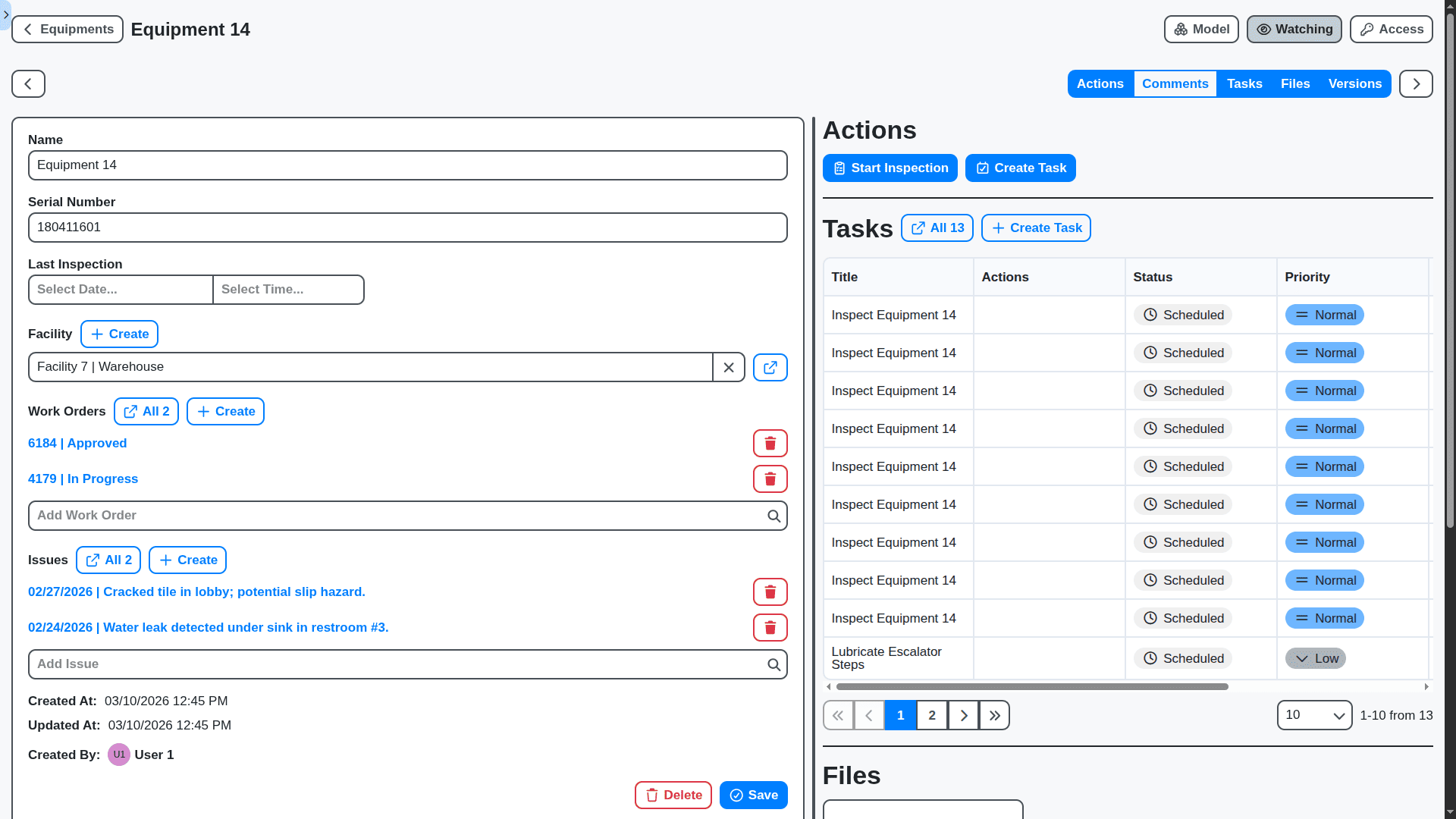
Centralized Asset Management: Know Your Facilities Inside and Out
Maintain a complete digital record of all your assets - from HVAC systems to furniture - with detailed information, documentation, and maintenance history. Easily locate assets, track their condition, and make informed decisions about replacement or upgrades.
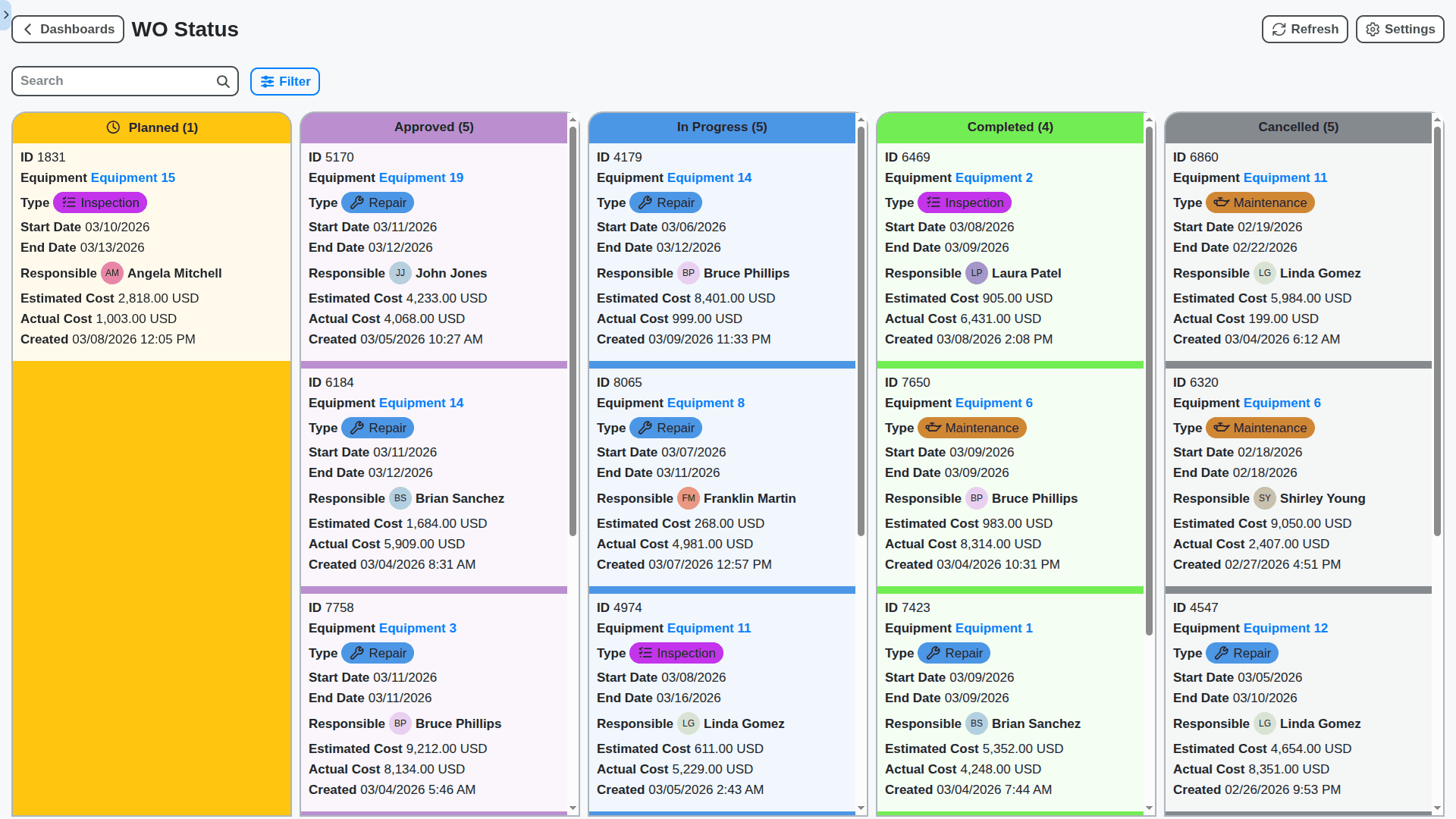
Automate Workflows: Reduce Manual Effort & Improve Efficiency
Say goodbye to repetitive tasks! Our Work OS allows you to automate key facility management workflows, like routing maintenance requests, approving space requests, or triggering inspections. Reduce errors, speed up processes, and free up your team's valuable time.
Mobile-First Access: Empower Your Teams in the Field
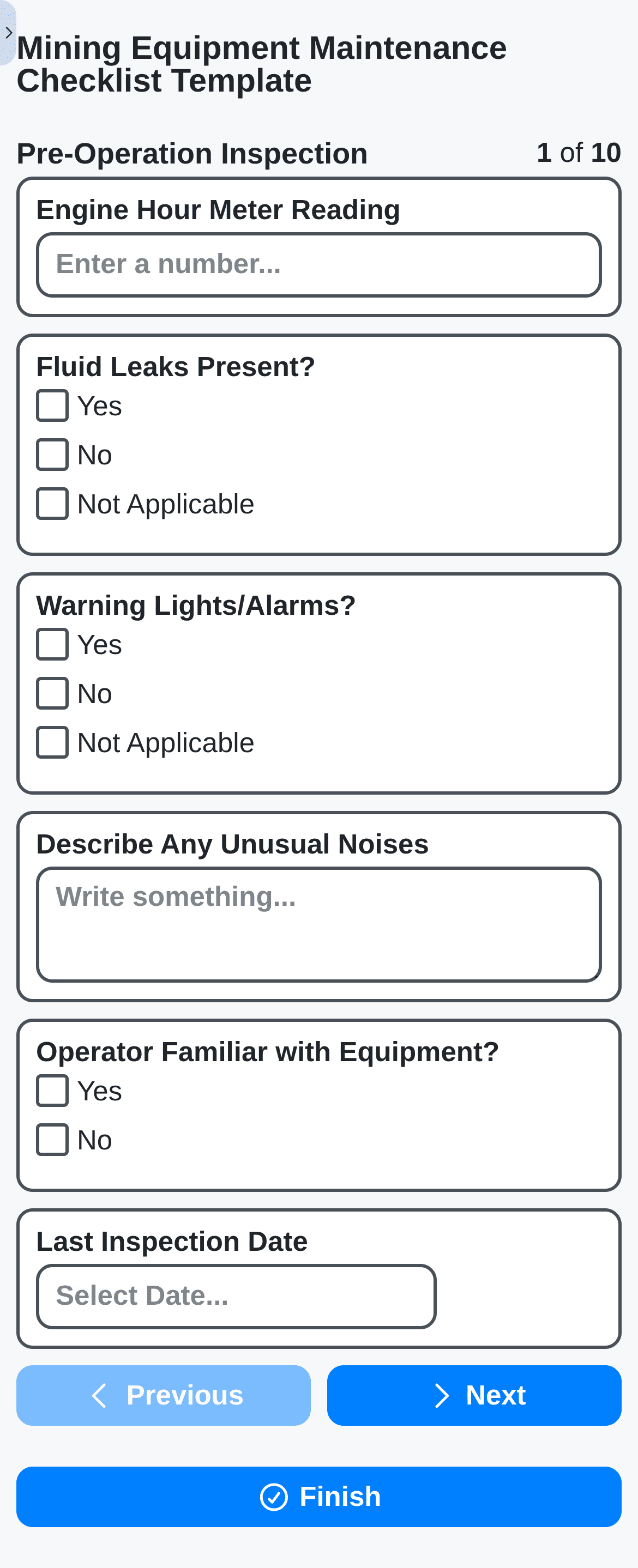
Equip your maintenance teams with the power of our Work OS on their mobile devices. Respond quickly to requests, update work order status in real-time, and access critical asset information - all from the palm of their hand.
Compliance & Reporting: Stay Organized, Stay Compliant
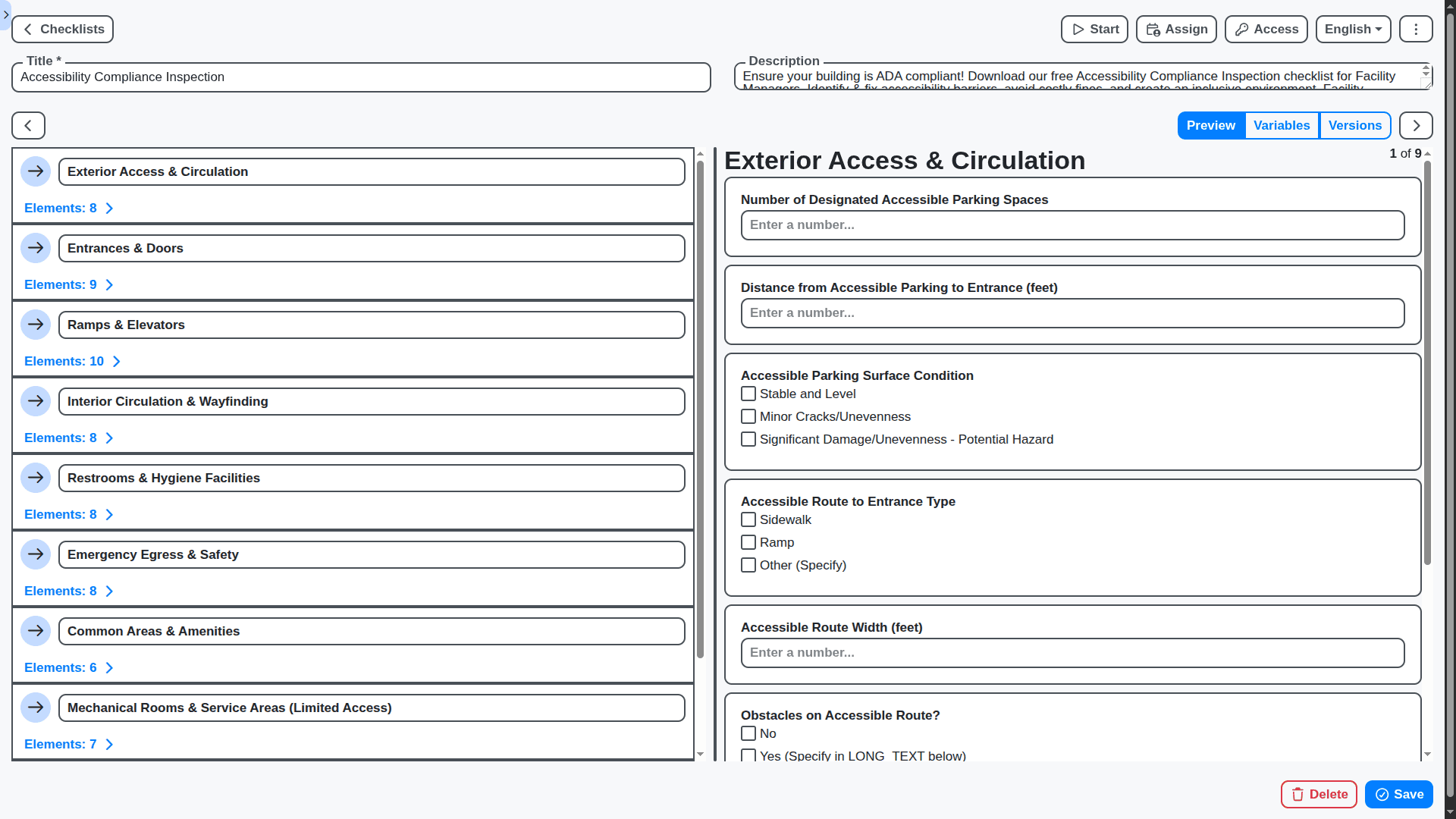
Maintain a complete audit trail of all facility management activities, ensuring compliance with regulations and internal policies. Generate custom reports to track key metrics, identify trends, and demonstrate performance.
No credit card or cancellation needed.
Features of our Facility Management Solution
Core Facility Management Features
Asset Management: Track and manage all facility assets (buildings, equipment, furniture, etc.) with detailed information, location, and maintenance history.
Work Order Management: Create, assign, and track work orders for maintenance, repairs, and other tasks.
Preventative Maintenance Scheduling: Schedule and track preventative maintenance tasks to minimize breakdowns and extend asset life.
Space Management: Track and manage space utilization, occupancy, and layout.
Vendor Management: Manage vendor contracts, performance, and invoicing.
Building Information Modeling (BIM) Integration: Integrate with BIM data for visualization and asset information.
Energy Management: Track and manage energy consumption to identify areas for optimization.
Business Process Management (BPM) Features
Work Order Approval Workflow: Automate the approval of work orders based on cost, urgency, and other factors.
Vendor Selection Workflow: Automate the process of selecting vendors for specific services based on quotes and qualifications.
Emergency Response Workflow: Automate responses to emergencies such as fires, floods, and security breaches.
Maintenance Request Workflow: Enable tenants or building occupants to submit maintenance requests electronically and track their status.
Corrective Maintenance Workflow: Route unexpected breakdowns to appropriate teams and manage the resolution process.
Preventative Maintenance Task Assignment: Automatically assign preventative maintenance tasks to technicians based on skill and availability.
Building Access Control Integration: Integrate with access control systems to manage building access and security.
Reporting & Analytics Features
Key Performance Indicators (KPIs): Track KPIs such as maintenance costs per square foot, equipment uptime, and tenant satisfaction.
Energy Consumption Reports: Generate reports on energy consumption by building, equipment, or time period.
Maintenance Cost Analysis: Analyze maintenance costs by type, location, or equipment.
Equipment Performance Reports: Track equipment performance metrics such as efficiency, reliability, and lifespan.
Space Utilization Reports: Analyze space utilization patterns and identify opportunities for optimization.
Predictive Maintenance Analysis: Use data analytics to predict equipment failures and schedule preventative maintenance proactively.
Technical & Admin Features
Role-Based Access Control (RBAC): Define user roles and permissions (e.g., facility manager, maintenance technician, tenant).
Security: Secure facility data with encryption and access controls.
Audit Trail: Track user activity and system changes.
Scalability: Support a growing number of facilities and users.
API & Integrations: Integrate with accounting software, building automation systems (BAS), and other third-party services.
Mobile App Support: Provide mobile apps for technicians and facility managers to access information and perform tasks on the go.
IoT Device Integration: Integrate with IoT devices for real-time monitoring of building conditions and equipment performance.
No credit card or cancellation needed.
Frequently Asked Questions
What types of facilities can I manage with this software?
Our software is versatile! You can use it for managing office buildings, retail spaces, schools, hospitals, manufacturing plants - any facility needing regular inspections and maintenance.
Can I create checklists for different types of facilities?
Absolutely! You can create customized checklists for specific facility types (e.g., "Office Building - Monthly Safety Check," "Retail Store - Weekly Cleaning").
How do I create a new checklist?
Click the "+ Create" button. Give it a descriptive name, add items like Date, Location, Text, Number, Question and assign it to employee to complete.
How do I assign checklists to specific team members?
You can assign checklists to individual users or user groups. This helps distribute the workload and ensure accountability.
How do I schedule recurring checklist runs?
Set a frequency for each checklist (daily, weekly, monthly, quarterly, annually) and specify a start date. The software will automatically schedule the checklist runs.
Can I track the condition of equipment or assets within my facility?
Yes! You can create asset records and link them to checklist items. This allows you to track the condition of equipment and schedule maintenance proactively.
How do I handle non-compliant checklist items?
When an item is not compliant, mark it as such. You can add detailed notes about the issue and assign it to a team member for remediation. The system can trigger notifications for follow-up.
Can I upload photos or videos to document issues found during inspections?
Yes! Adding visual documentation is highly recommended. It provides valuable context and helps with troubleshooting and repair.
Can I see a list of all upcoming checklist runs?
Yes, the "Scheduled" page displays all scheduled checklist runs, along with their due dates and assigned users.
Can I generate reports on checklist completion rates?
Yes! Our software provides reports on checklist completion rates, overdue tasks, and non-compliant items.
How do I track trends in facility performance?
By consistently completing checklists and recording observations, you build a valuable data set that can be analyzed to identify trends and areas for improvement.
Can I export checklist data for further analysis?
Yes, you can export data in various formats (e.g., CSV, Excel, PDF) for further analysis and reporting.
Can I use the software for preventative maintenance scheduling?
Absolutely, just go to tasks and create task which will be repeated every month or so and select an Equipment.
We can do it Together
Make a Request
Have a question? We're here to help. Please submit your inquiry, and we'll respond promptly.