HRM - Human Resources Management
Simplify HR processes & empower your team! ChecklistGuro's HRM solution streamlines onboarding, performance management, & compliance. Improve employee engagement, reduce admin burden, & drive organizational growth. Manage it all with our Work OS.
No credit card or cancellation needed.
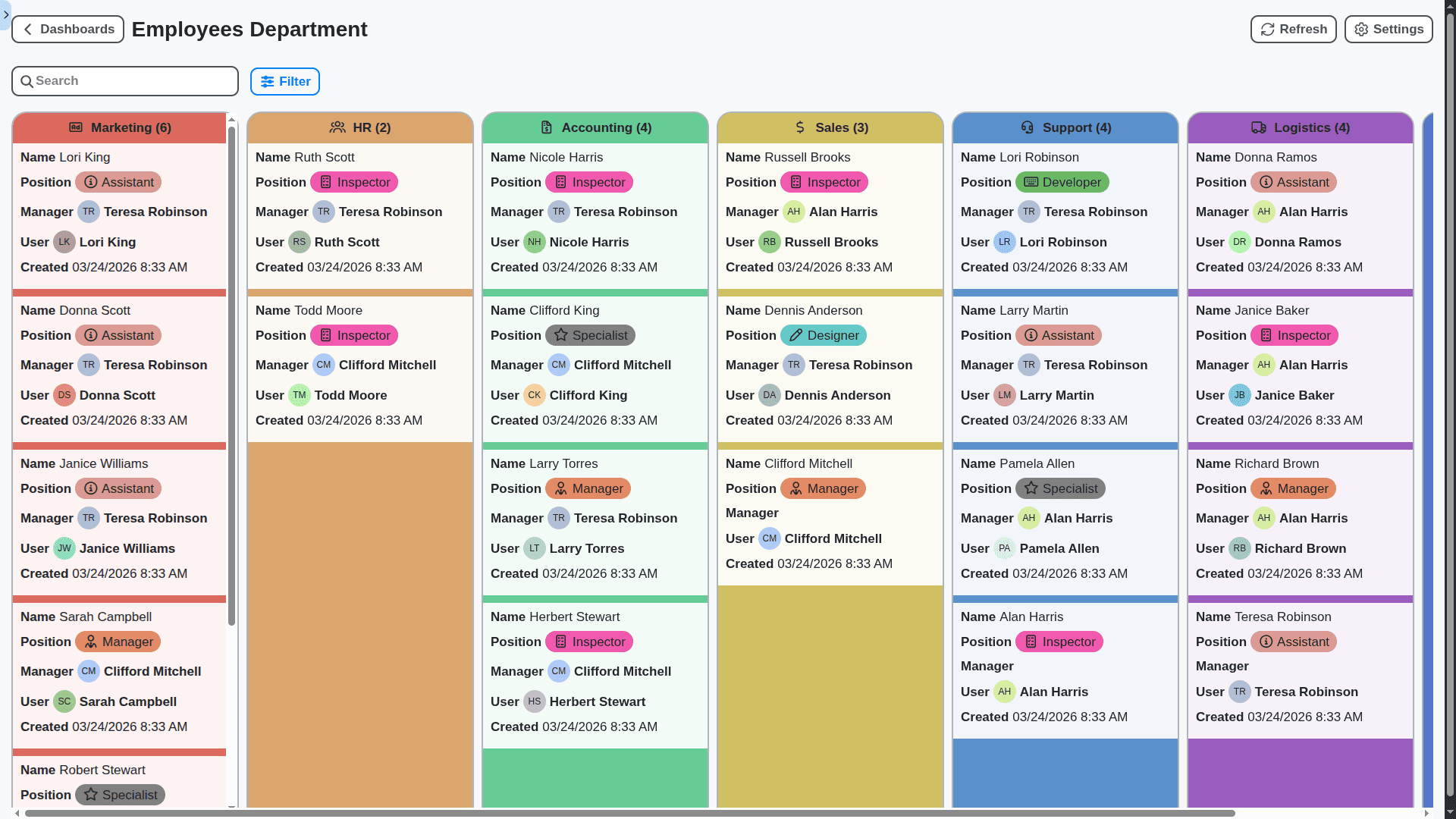
Centralize Your People Data & Processes
Stop juggling spreadsheets and disparate systems. Our HRM solution brings all your people data - from onboarding to performance reviews - into a single, unified platform. Gain a 360-degree view of your workforce and streamline HR operations.
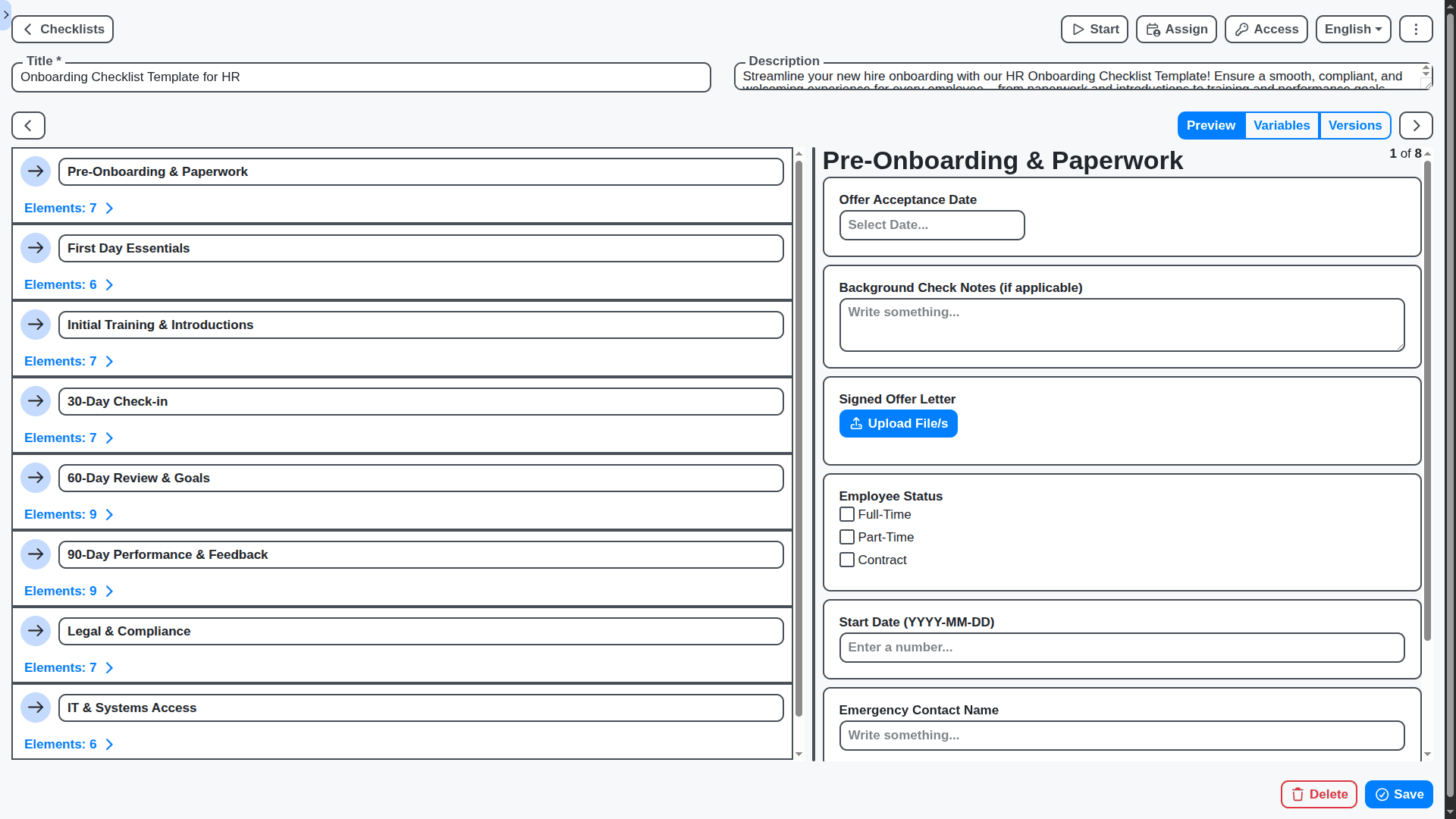
Streamline Onboarding & Offboarding
Automate repetitive tasks and create a seamless experience for new hires and departing employees. From digital paperwork and introductions to exit interviews and knowledge transfer, our HRM solution handles it all, ensuring compliance and reducing administrative burden.
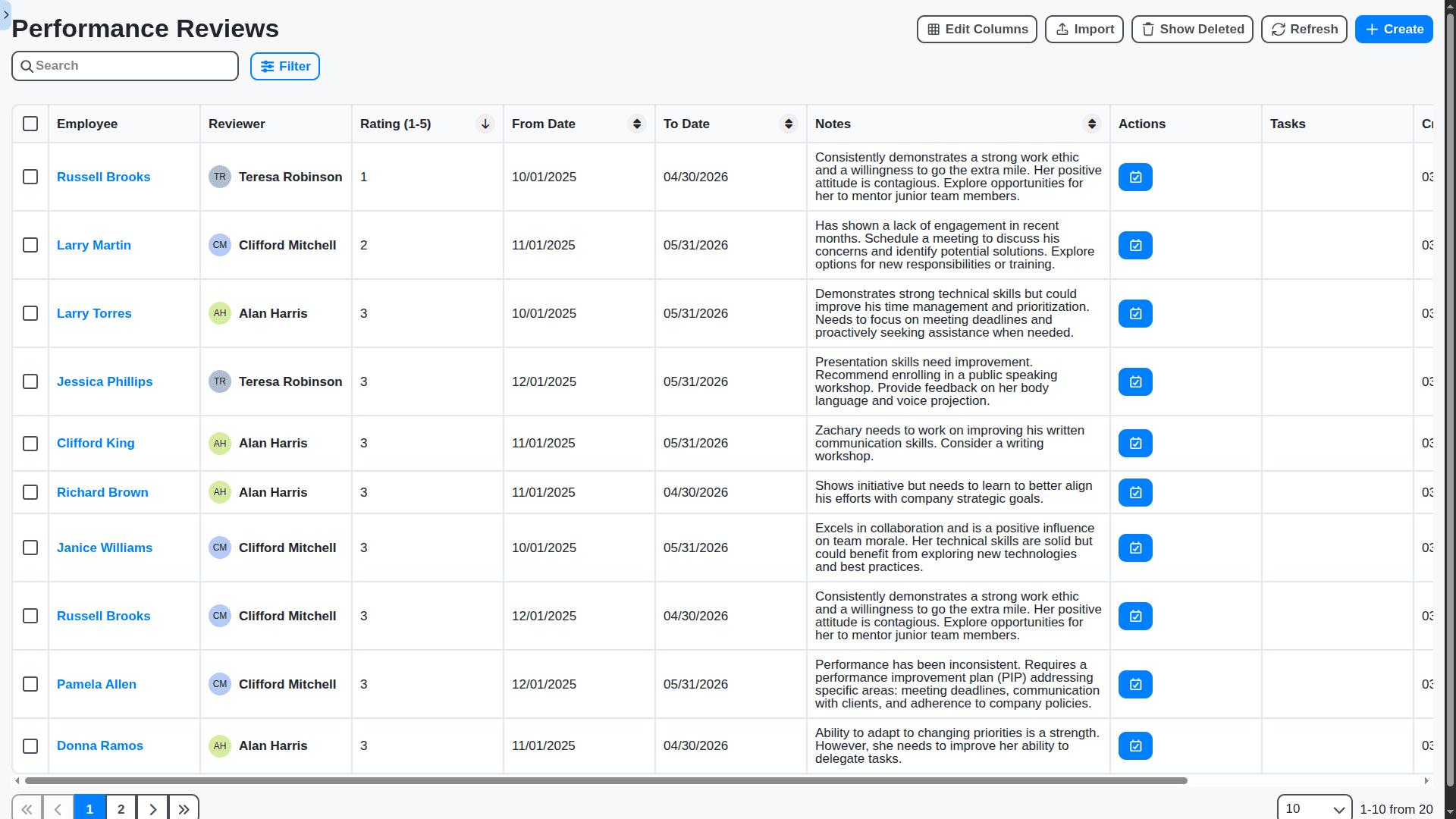
Empower Managers with Performance Insights
Give managers the tools they need to foster high-performing teams. Track progress, provide real-time feedback, and conduct performance reviews with ease. Our solution fosters a culture of continuous improvement and helps employees reach their full potential.
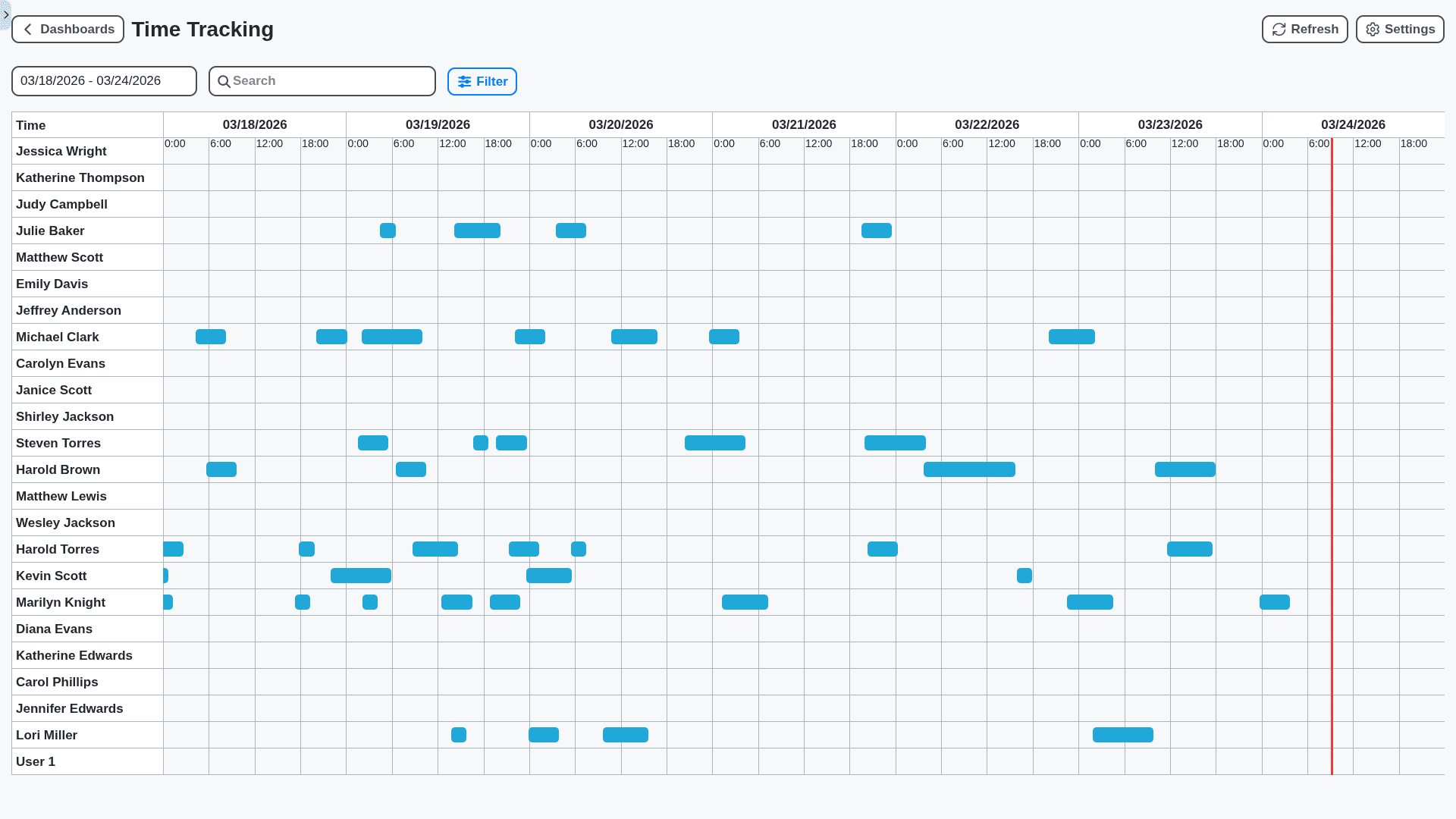
Simplify Time & Attendance Tracking
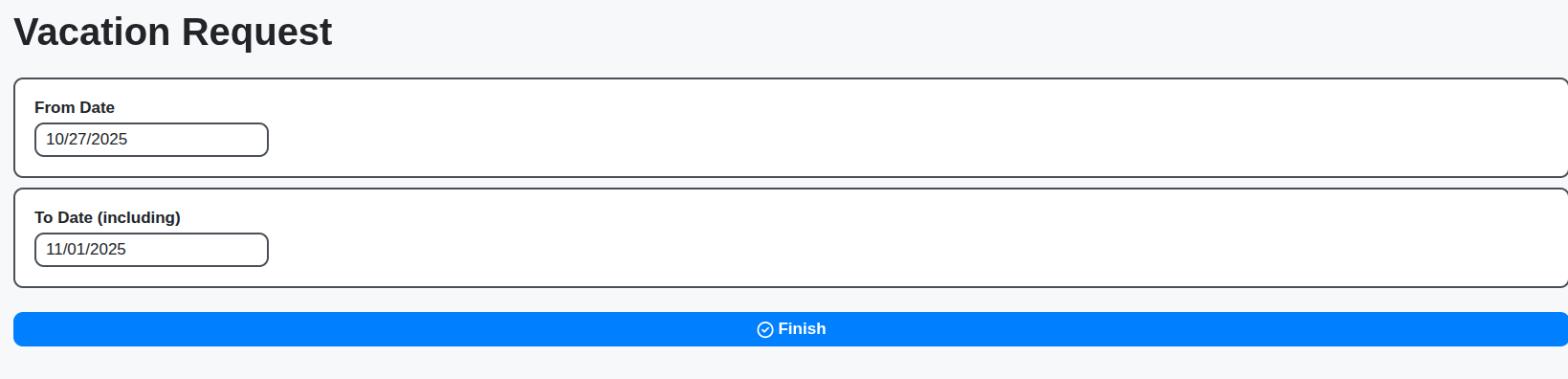
Accurate time tracking is the foundation of fair compensation and efficient workforce management. Our solution allows employees to easily clock in/out, request time off, and managers to approve requests, all while ensuring compliance with labor laws.
Optimize Compensation & Benefits Administration
Manage salaries, bonuses, and benefits packages with accuracy and efficiency. Our solution provides the tools to calculate payroll, track benefits enrollment, and ensure competitive compensation packages that attract and retain top talent.
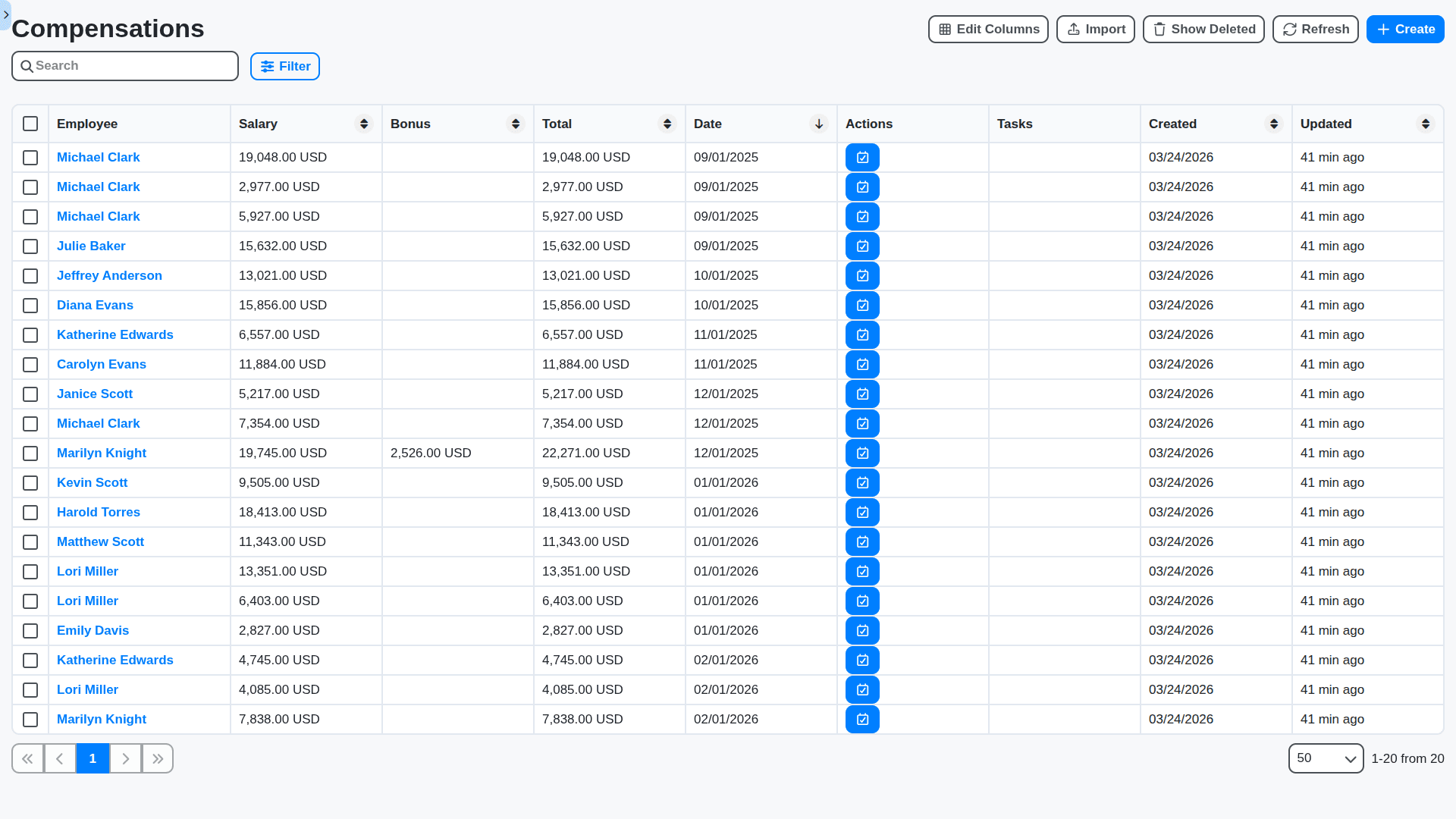
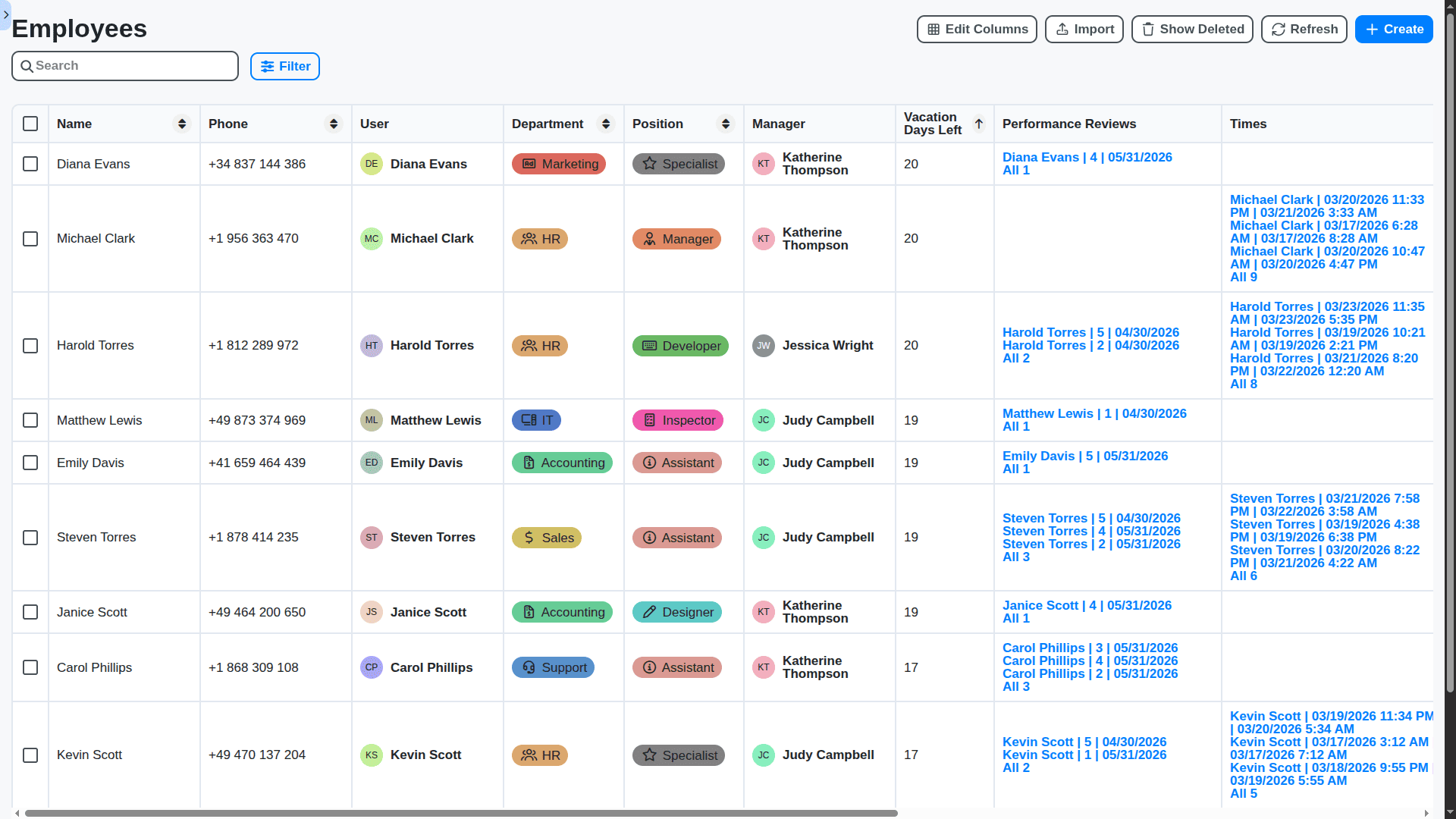
End-to-End Visibility & Control
Gain a complete view of your HR operations with real-time dashboards and detailed reporting. Monitor key performance indicators, identify bottlenecks, and make data-driven decisions.
Empower Employees with Self-Service Portals
Stay ahead of evolving regulations with built-in compliance controls and automated audit trails. Our solution helps you mitigate risk and maintain a legally sound HR environment.
No credit card or cancellation needed.
Features of our Human Resources Management Solution
Core HR Management Features
Employee Data Management: Centralized storage of employee information (personal details, contact information, job history, emergency contacts, benefits enrollment).
Organizational Chart Visualization: Dynamic representation of the organizational structure.
Document Management: Secure storage and retrieval of employee-related documents (contracts, performance reviews, training certificates).
Reporting and Analytics: Standard and custom reports on employee demographics, tenure, compensation, etc.
Payroll Integration: Seamless integration with payroll systems.
Benefits Administration: Enrollment, tracking, and reporting of employee benefits.
Compliance Management: Tracking and reporting on legal and regulatory compliance (e.g., GDPR, CCPA).
Recruitment & Onboarding
Applicant Tracking System (ATS): Manage job postings, applicant applications, and the entire recruitment lifecycle.
Job Requisition Management: Approval workflows for new job requests.
Candidate Screening & Interview Scheduling: Tools for evaluating candidates and scheduling interviews.
Onboarding Workflows: Automated tasks for new hires (IT setup, training assignments, paperwork completion).
Offer Letter Generation: Automated generation of offer letters based on predefined templates.
Performance Management Features
Goal Setting and Tracking: Define, track, and manage employee goals aligned with business objectives.
Performance Reviews: Automated review cycles, 360-degree feedback, and performance rating workflows.
Continuous Feedback: Enable regular feedback and coaching between employees and managers.
Development Planning: Identify employee development needs and create personalized development plans.
Succession Planning: Identify and develop high-potential employees for future leadership roles.
Learning & Development (L&D)
Training Course Management: Catalog of training courses, registration, and tracking.
Learning Path Assignment: Integration with external learning platforms.
eLearning Integration: Tracking all user activity and system changes to ensure accountability.
Skills Gap Analysis: Identify skills gaps within the organization and recommend training programs.
Time & Attendance Management
Time Tracking: Employee time tracking with various input methods (web, mobile)..
Leave Management: Employee leave requests, approvals, and tracking.
Overtime Management: Track and manage employee overtime hours.
Business Process Management Features
Process Modeling & Design: Graphical interface for designing and modifying HR processes.
Workflow Automation: Automated routing and task assignment based on predefined rules.
Rules Engine: Define business rules for decision making and process execution.
User Interface Customization: Tailor the user interface to specific roles and needs.
Integration Capabilities: Connect with other systems (Payroll, Finance, IT).
Mobile Accessibility: Access and manage HR processes from mobile devices.
Real-time Monitoring & Analytics: Track process performance and identify bottlenecks.
Audit Trails & Versioning: Maintain a complete history of all changes made to processes and data.
Role-Based Access Control: Secure access to HR data and processes based on user roles.
Event-Driven Automation: Trigger process actions based on events (e.g., new hire, promotion).
No credit card or cancellation needed.
Frequently Asked Questions
What is ChecklistGuro HRM?
ChecklistGuro is a cloud-based Human Resource Management (HRM) solution built on a powerful Work OS platform. We help businesses automate their HR workflows, improve efficiency, and empower their teams.
Who is this solution for?
ChecklistGuro is designed for businesses of all sizes that want to streamline their HR processes, reduce administrative overhead, and improve employee experience.
What makes ChecklistGuro different from other HR solutions?
Unlike traditional HR systems, ChecklistGuro's BPM engine allows for unparalleled customization and automation, enabling you to create workflows tailored to your specific needs. We also offer many other other solutions for you business like Task Management, Inventory Management, Survey Management, Support Management to name a few.
What types of HR processes can I automate with ChecklistGuro?
ChecklistGuro can automate a wide range of HR processes, including onboarding, performance reviews, leave management, payroll processing, benefits administration, and training & development.
Can I customize the workflows in ChecklistGuro?
Absolutely! Our visual workflow builder allows you to easily customize workflows to fit your unique organizational needs.
Does ChecklistGuro integrate with other systems?
Yes! ChecklistGuro offers integrations with popular payroll providers, ATS, and other business applications through our robust API.
How long does it take to implement ChecklistGuro?
Implementation time varies depending on the complexity of your needs, but most businesses can be up and running within 1-6 weeks.
Is ChecklistGuro a cloud-based solution?
Yes, ChecklistGuro is a fully cloud-based solution, accessible from anywhere with an internet connection. We also offer on-premise deployment, contact us for more information.
How much does it cost?
Our pricing varies based on the features and number of users. Please visit our pricing page for detailed pricing information.
What kind of support do you offer?
We offer comprehensive support including online documentation, email support, and dedicated account managers for enterprise clients.
Do you offer a free trial?
Yes! You can sign up for a free trial(30-days) to experience the benefits of ChecklistGuro firsthand. We also have a Free Forever plan for small teams and individuals, please check our Pricing page.
We can do it Together
Make a Request
Have a question? We're here to help. Please submit your inquiry, and we'll respond promptly.