WMS - Warehouse Management System
Optimize your warehouse operations & boost efficiency! ChecklistGuro's WMS streamlines inventory management, order fulfillment, and shipping. Reduce errors, improve accuracy, & maximize space utilization. Manage it all with our Work OS.
No credit card or cancellation needed.
Optimize Your Warehouse, Minimize Your Headaches
Stop juggling spreadsheets and reactive decisions. Our WMS provides real-time visibility into your inventory, processes, and team performance, automating tasks and empowering proactive problem-solving. Experience streamlined workflows and dramatically reduced errors.
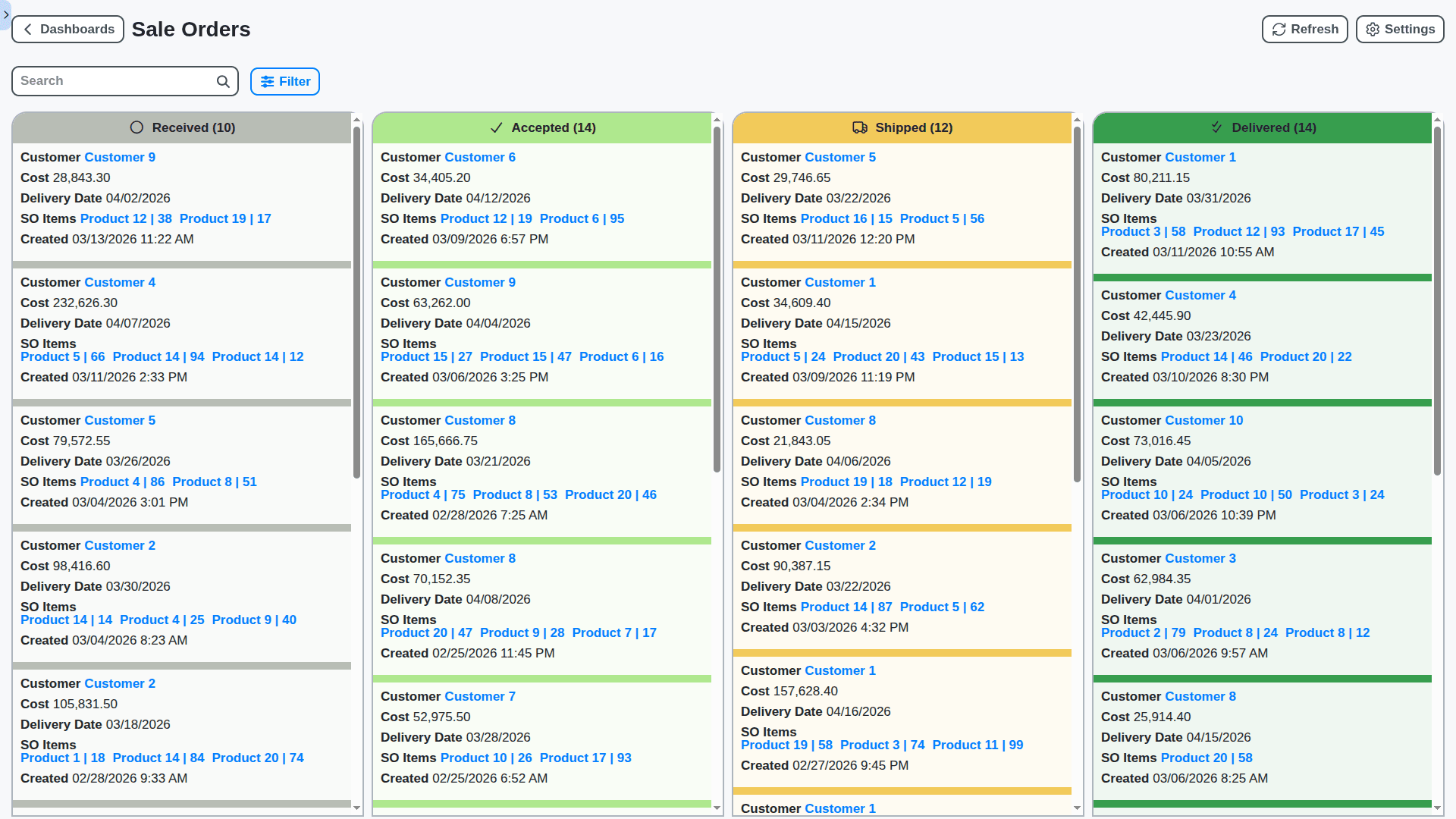
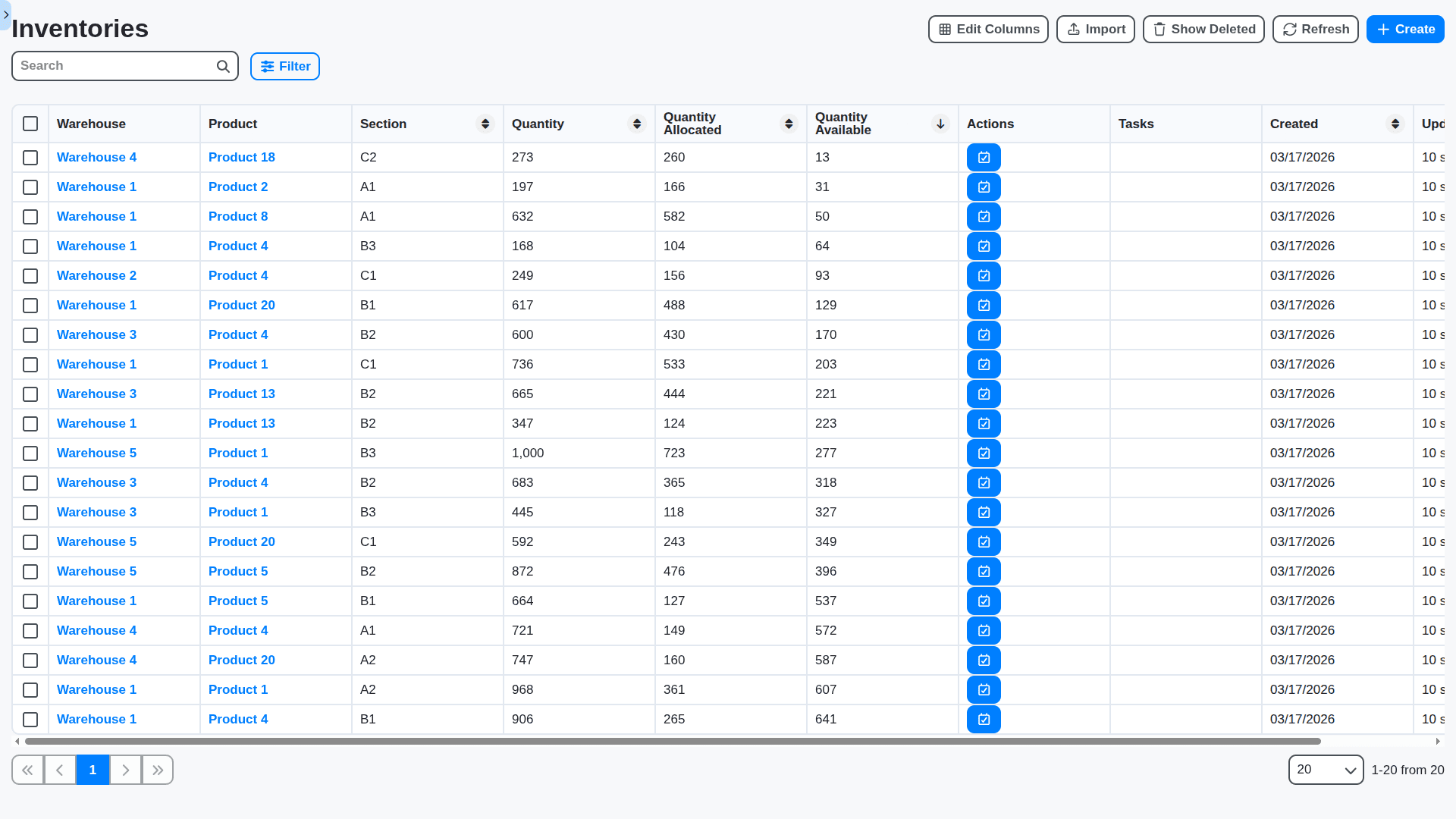
Real-Time Inventory Visibility - Know What You Have, Where It Is
Eliminate stockouts and overstocking with instant access to your inventory levels across all locations. Our WMS provides accurate, up-to-the-minute data, allowing for intelligent ordering and efficient space utilization.
Streamline Receiving & Putaway with Smart Workflows
From arrival to storage, our WMS guides your team through efficient receiving and putaway processes. Reduce manual errors, accelerate throughput, and optimize your warehouse layout for maximum space usage.
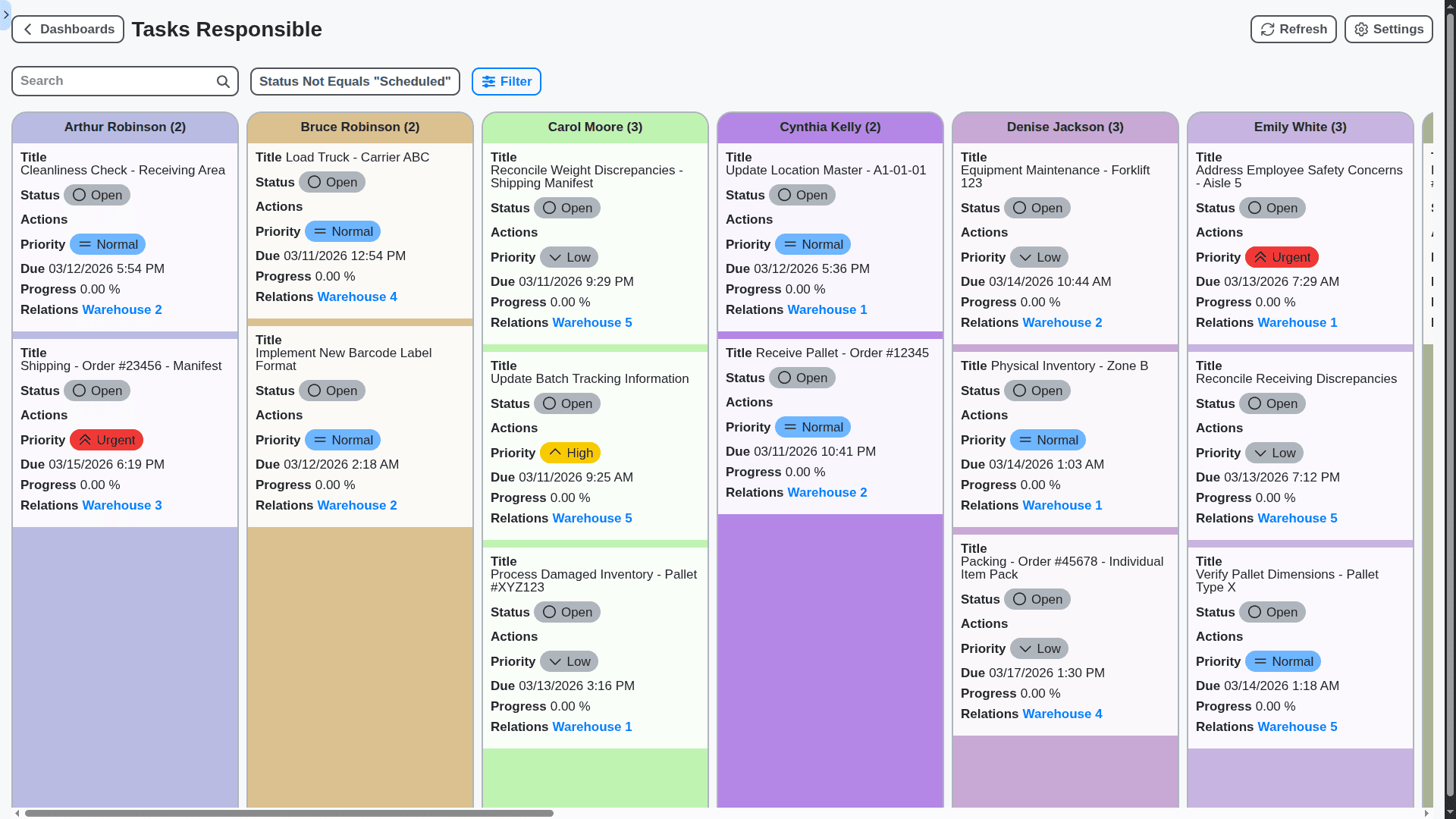
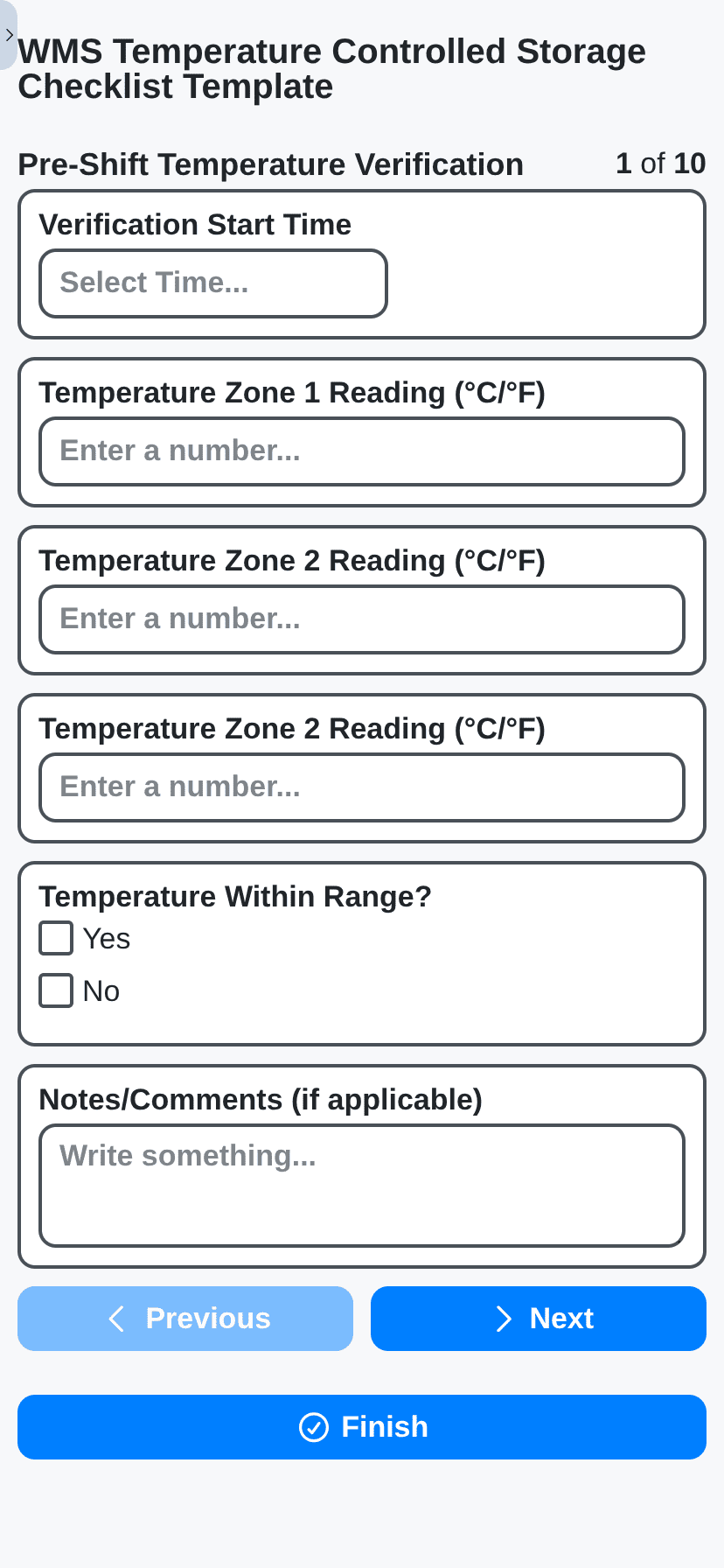
Empower Your Team with Mobile Access & Guided Tasks
Equip your warehouse staff with mobile devices and a user-friendly interface to perform tasks anytime, anywhere. Real-time task assignments, barcode scanning, and instant feedback improve productivity and reduce errors.
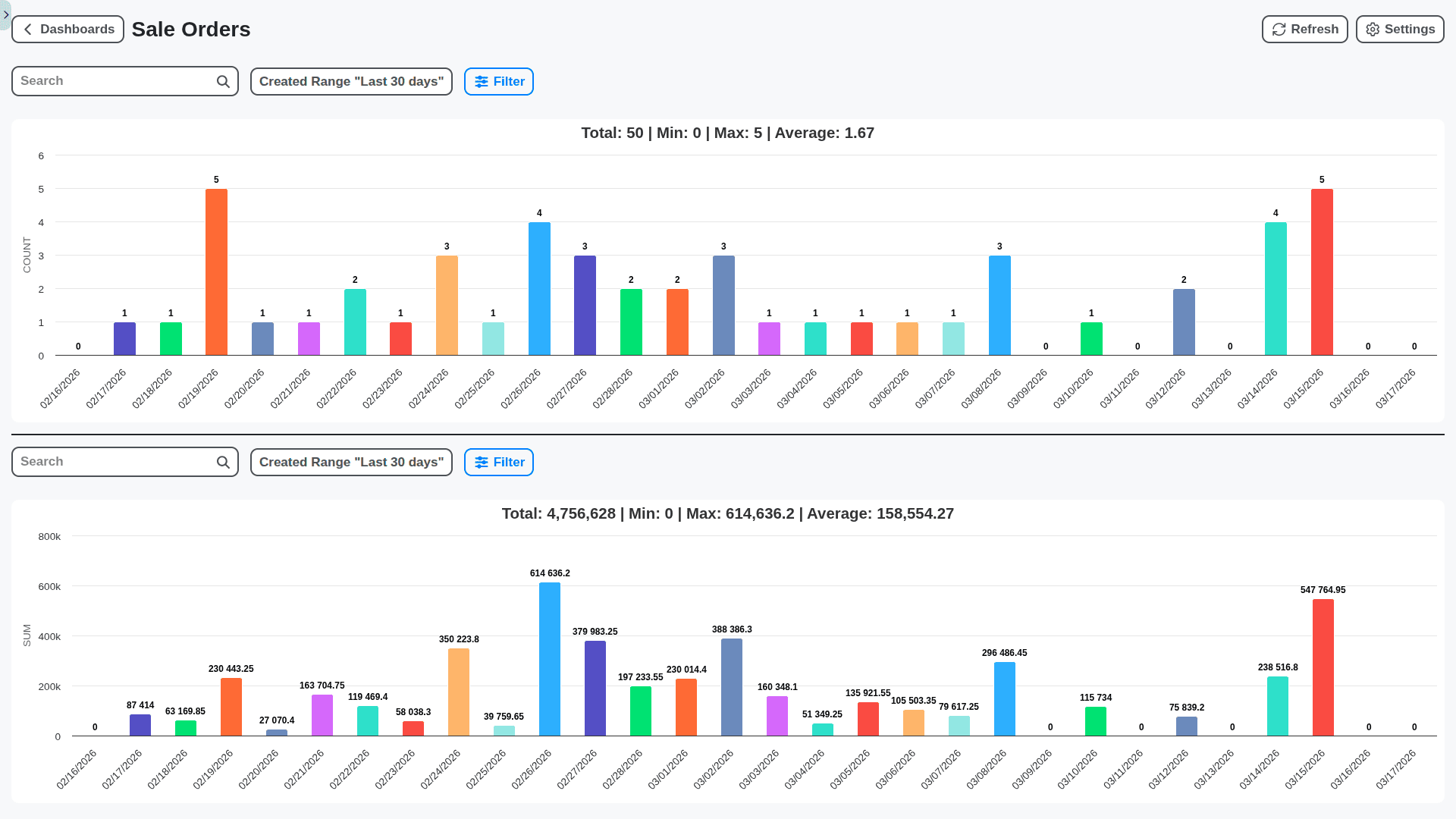
Advanced Reporting & Analytics - Turn Data Into Action
Gain actionable insights into your warehouse performance with customizable reports and dashboards. Track key metrics like order fulfillment rates, inventory turnover, and labor productivity to identify areas for improvement.
Scalable Solution - Grow Your Warehouse, Without the Growing Pains
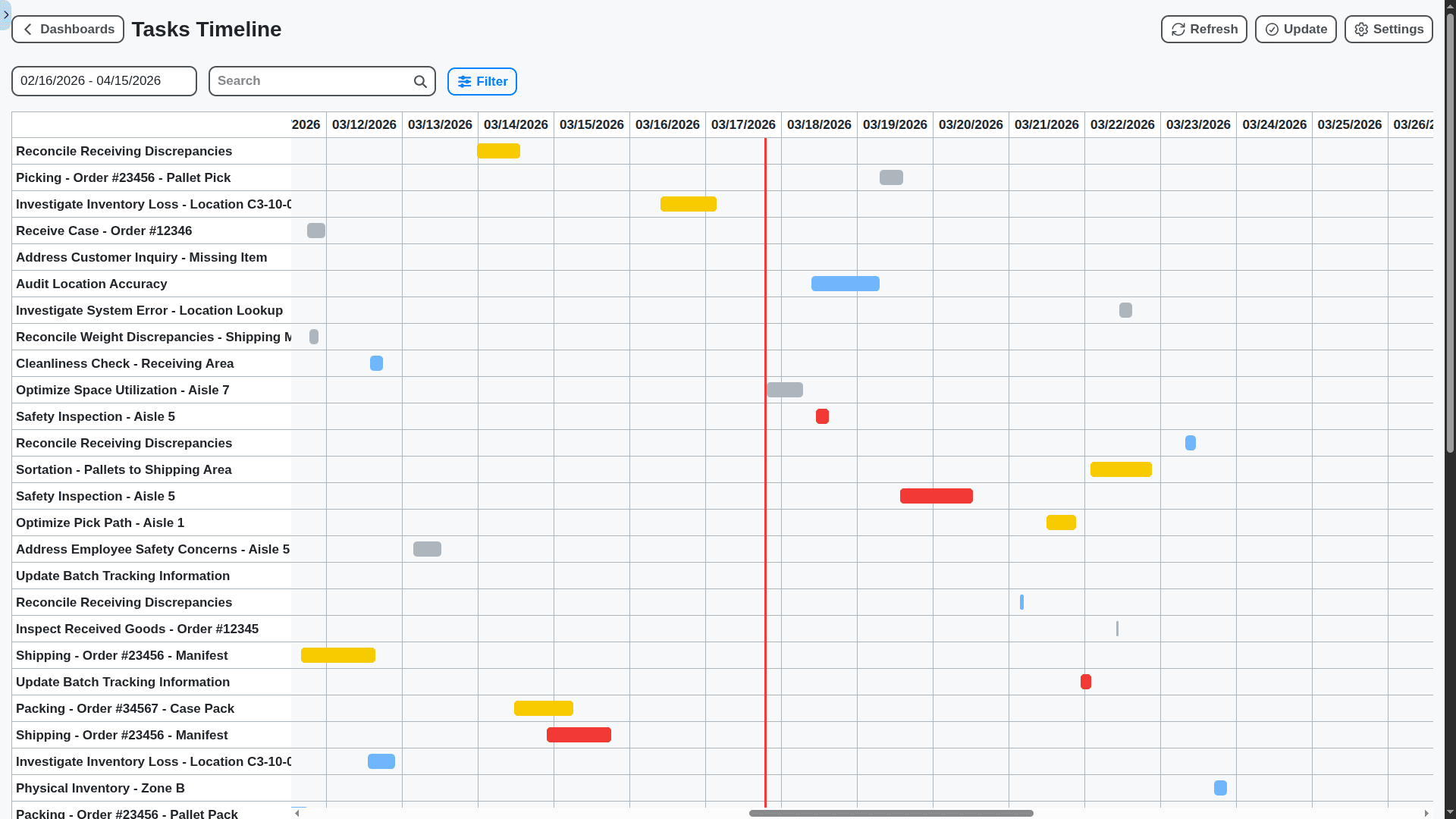
As your business grows, your WMS should too. Our flexible platform adapts to changing needs and scales with your warehouse operations, supporting multiple locations and expanding teams.
No credit card or cancellation needed.
Features of our WMS Solution
Receiving & Putaway
Advanced ASN (Advance Shipping Notice) Processing with automated receipt planning
Blind Receiving with automated data capture and exception handling
Dynamic Putaway Strategies (AI-powered optimized based on product characteristics, velocity, storage capacity, and aisle congestion)
Directed Putaway to specific locations based on rules, slotting optimization, and labor availability
Automated Location Creation & Management (including dynamic adjustments based on capacity changes)
Quality Inspection Management (integrated with vendor scorecards and corrective action workflows)
Cross-Docking capabilities with direct routing and exception handling
Inventory Management
Real-time Inventory Visibility across all locations (including serial/lot tracking)
Cycle Counting with AI-powered exception identification and automated task generation
Physical Inventory Management with variance analysis and reconciliation workflows
Serial/Lot Number Tracking with full traceability (from receipt to shipment)
Expiration Date Tracking & FEFO (First Expired, First Out) Management
Multi-Unit of Measure Support
Automated Inventory Replenishment (integrated with forecasting models)
Inventory Aging Analysis & Reporting
Virtual Bin Management
RFID and Barcode Support with advanced scan validation
Order Management & Picking
Order Prioritization & Routing (based on customer, shipping method, and SLA)
Wave Planning & Release (dynamic based on order volume and resource availability)
Multiple Picking Strategies (Zone Picking, Batch Picking, Discrete Picking, Cluster Picking, Voice Picking, Pick-to-Light/Put-to-Light)
Optimized Picking Routes (AI-powered route optimization based on real-time conditions)
Task Interleaving (dynamic allocation of tasks to optimize labor utilization)
Pick Verification & Validation (integrated with barcode scanners and weight scales)
Order Holds & Exception Handling (automated alerts and workflows for exceptions)
Order Consolidation & Deconsolidation
Packing & Shipping
Automated Packing Station Integration (scales, printers, scanners)
Multiple Carrier Integration (UPS, FedEx, DHL, etc. with real-time rate shopping)
Automated Label Generation & Manifesting
Shipping Document Generation (BOL, packing lists, invoices)
Shipment Tracking & Status Updates (automatic notifications to customers)
Returns Management (RMA processing, inspection, restocking)
Dimensional Weight Calculation
Customs Documentation and Compliance (for international shipments)
Labor Management & Optimization
Real-time Labor Tracking & Performance Monitoring
Task Assignment & Optimization (based on skill, availability, and proximity)
Performance-Based Incentives & Reporting
Time & Attendance Integration
Automated Workflow for Employee Training and Certification
Heatmap Analysis of Warehouse Activity
Integration & Platform Features
Real-time Data Synchronization with ERP, CRM, and other business systems (via APIs and connectors)
Customizable Workflows (driven by BPM engine for exception handling and process automation)
Business Rules Engine (for dynamic location assignment, pricing, and other business logic)
Role-Based Access Control & Security
Mobile Device Support (iOS, Android, ruggedized devices)
Real-time Dashboard & Reporting (KPIs, custom reports, drill-down capabilities)
Predictive Analytics & Machine Learning (demand forecasting, anomaly detection, optimization)
Digital Twin Integration (virtual representation of warehouse for simulations and optimization)
Low-Code/No-Code Customization (allowing users to create and modify workflows and reports)
Augmented Reality (AR) integration for picking and putaway guidance)
Automated Reporting on Sustainability Metrics (carbon footprint, waste reduction)
Advanced Analytics & Reporting
Customizable Dashboards with Real-time KPIs
Automated Report Generation & Distribution
Ad-hoc Reporting Capabilities
Trend Analysis & Forecasting
Root Cause Analysis Tools
What-If Scenario Planning
Warehouse Capacity Planning
No credit card or cancellation needed.
Frequently Asked Questions
What is a Warehouse Management System (WMS)?
A WMS is software that helps you manage and optimize your warehouse operations, from receiving and putaway to picking, packing, and shipping. It provides real-time visibility into your inventory, streamlines processes, and improves efficiency.
How does your WMS differ from other WMS solutions?
Our WMS is uniquely integrated with our Work OS platform. This allows you to seamlessly automate workflows, enforce standardized procedures (through checklists), and gain complete visibility into your warehouse operations, all within a unified system. Many other WMS solutions are siloed and lack this level of integration.
Is your WMS suitable for businesses of all sizes?
Yes! Our system is designed to be flexible and scalable, making it suitable for small, medium, and large businesses. We offer different configuration options to match your specific needs and budget.
Can I import my existing inventory data?
Absolutely. We provide tools and support for importing your current inventory data, minimizing disruption to your operations. We support various file formats (CSV, Excel, etc.).
What technical requirements are needed to run your WMS?
Our WMS is cloud-based, so there are minimal technical requirements. You're only required to have a stable internet connection and a compatible web browser (Chrome, Firefox, Safari, Edge).
Does your WMS offer an API for custom integrations?
Yes, we have a robust API that allows developers to build custom integrations and extend the functionality of the WMS. Documentation and support are available.
What types of warehouse operations can your WMS manage?
Our WMS can handle a wide range of warehouse operations, including: Receiving, Putaway, Inventory Tracking, Picking, Packing, Shipping, Cycle Counting, and Returns Management.
Can I customize the checklists used within the WMS?
Yes! You have full control over the checklists used in the WMS. You can create new checklists, modify existing ones, and assign them to specific tasks and users.
Does the WMS support barcode scanning and RFID?
Yes! The WMS is designed to work with barcode scanners and RFID readers, enabling fast and accurate data capture.
Does the system offer real-time reporting and analytics?
Yes! We provide comprehensive reporting dashboards that offer insights into key warehouse metrics, such as inventory levels, order fulfillment rates, and labor productivity.
How long does it take to implement the WMS?
Implementation time varies depending on the complexity of your warehouse operations and the level of customization required. A typical implementation can take anywhere from 2 weeks to 3 months.
Do you provide training and support?
Yes! We offer comprehensive training programs for your team, as well as ongoing support via email, phone, and online resources (knowledge base, tutorials).
What is your pricing model?
Our pricing is based on number of users. Check out our Pricing page and contact us for a custom quote.
Is there a free trial available?
Yes! We offer a 30-day free trial so you can experience the power of our WMS firsthand.
We can do it Together
Make a Request
Have a question? We're here to help. Please submit your inquiry, and we'll respond promptly.