BOM - Bill of Materials Management
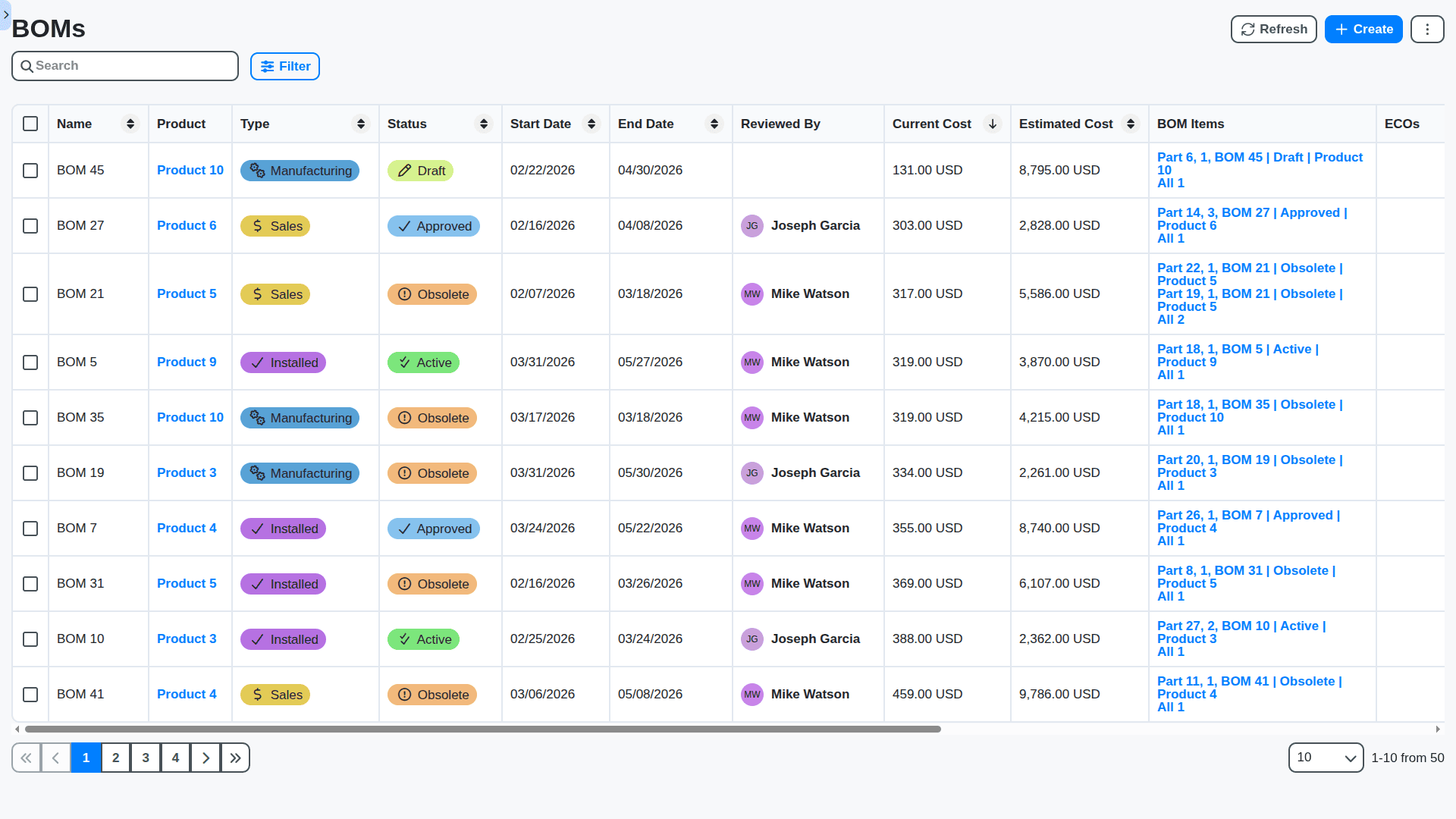
Struggling with inaccurate BOMs & costly errors? ChecklistGuro provides a centralized BOM Management solution, connecting your design, engineering, & manufacturing teams for improved collaboration and control. Simplify operations & boost efficiency.
No credit card or cancellation needed.
Single Source of Truth for Product Structure
Say goodbye to siloed spreadsheets. Our BOM solution centralizes every component, sub-assembly, and material into one master record, ensuring that every department - from design to procurement - works from the exact same, verified data.
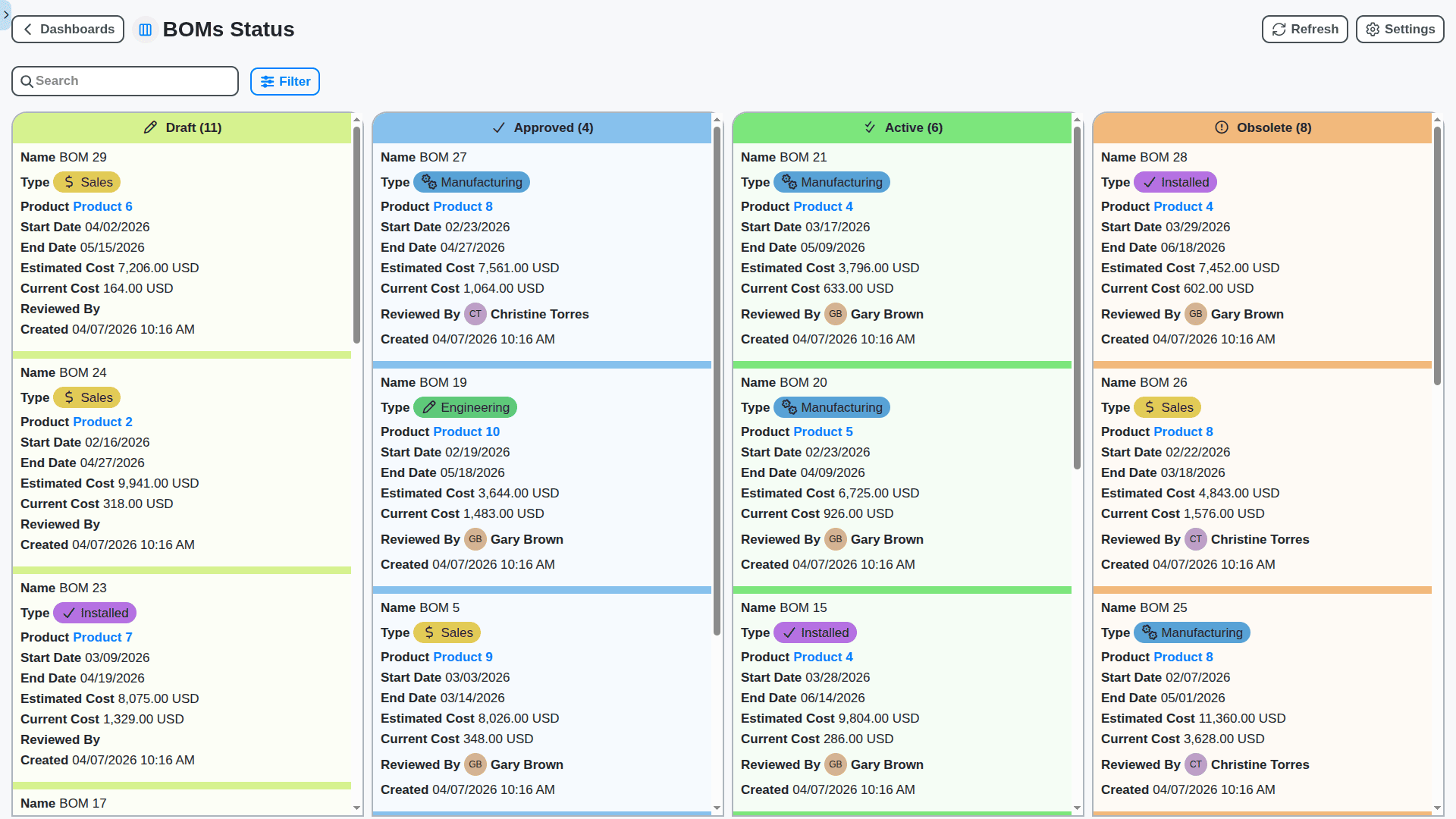
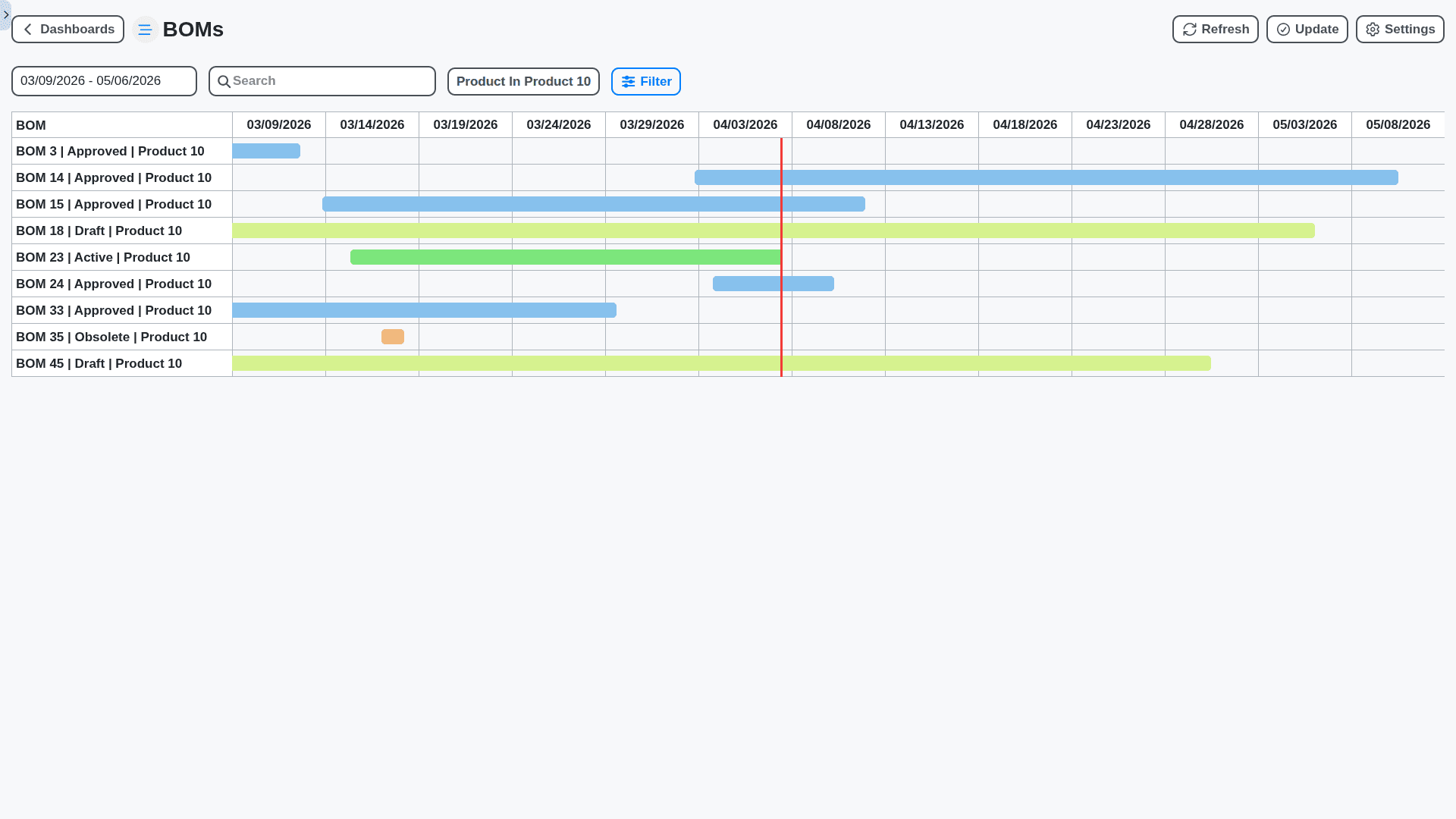
Advanced Multi-Level BOM Management
From raw material inputs to finished goods, manage complex assemblies effortlessly. Our system handles deep, nested structures, effortlessly tracking every necessary part in your product hierarchy.
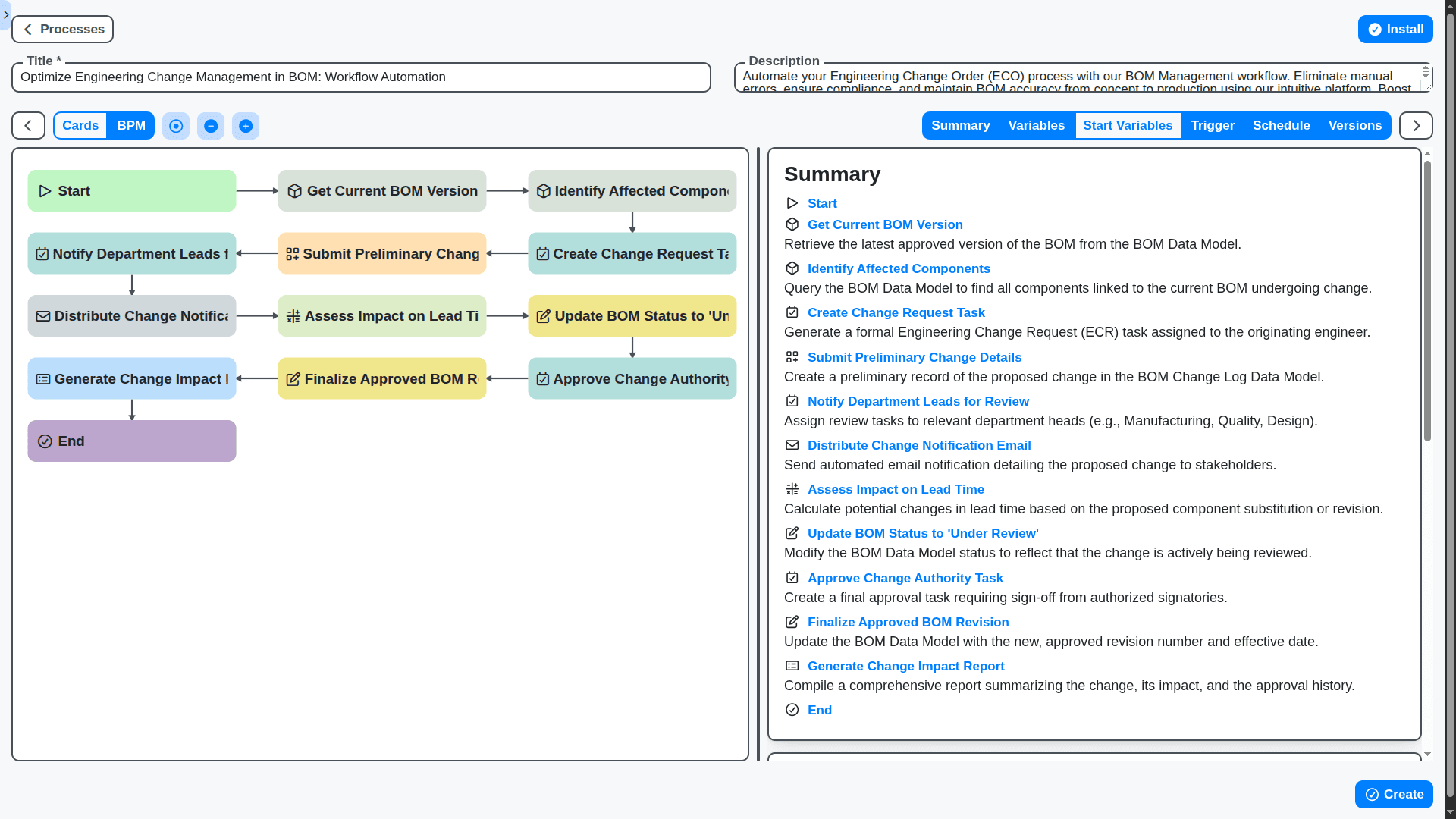
Optimized Engineering Change Management (ECM)
Component obsolescence or design updates are inevitable. Our powerful ECM workflow manages revision control, tracks change history, and requires mandatory sign-offs before a new BOM version goes live - eliminating risky guesswork.
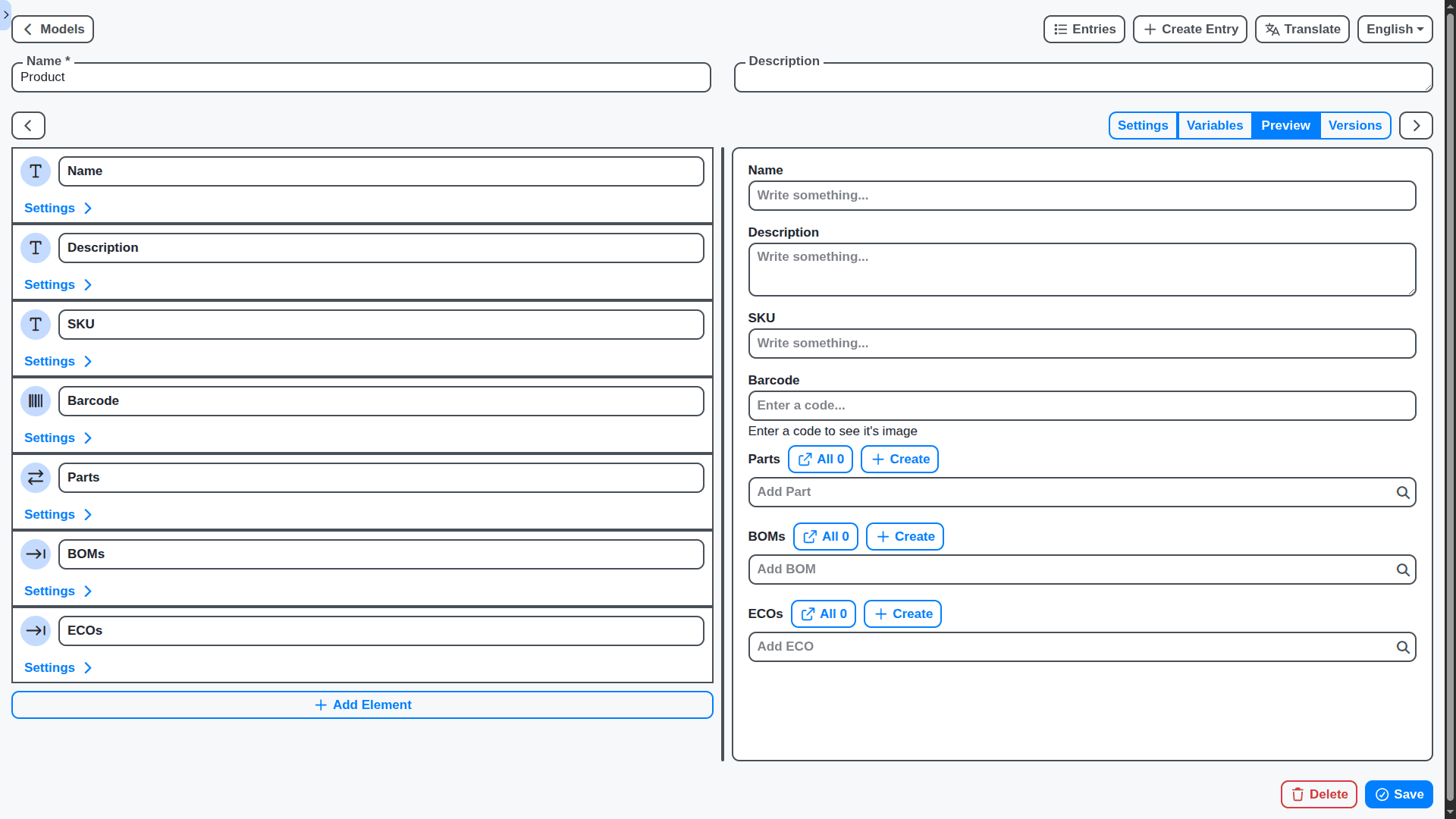
Configurable & Variant BOM Capabilities
Does the same product need 15 different options? No problem. Define your base product once, and let our system automatically generate the correct BOM based on the customer's selected configuration.
Real-Time Cost Roll-Up & Costing Accuracy
Stop guessing your landed cost. Integrate material costs, labor, and overhead directly into the BOM to get an instant, highly accurate calculation of your Cost of Goods Sold (COGS) for any product iteration.
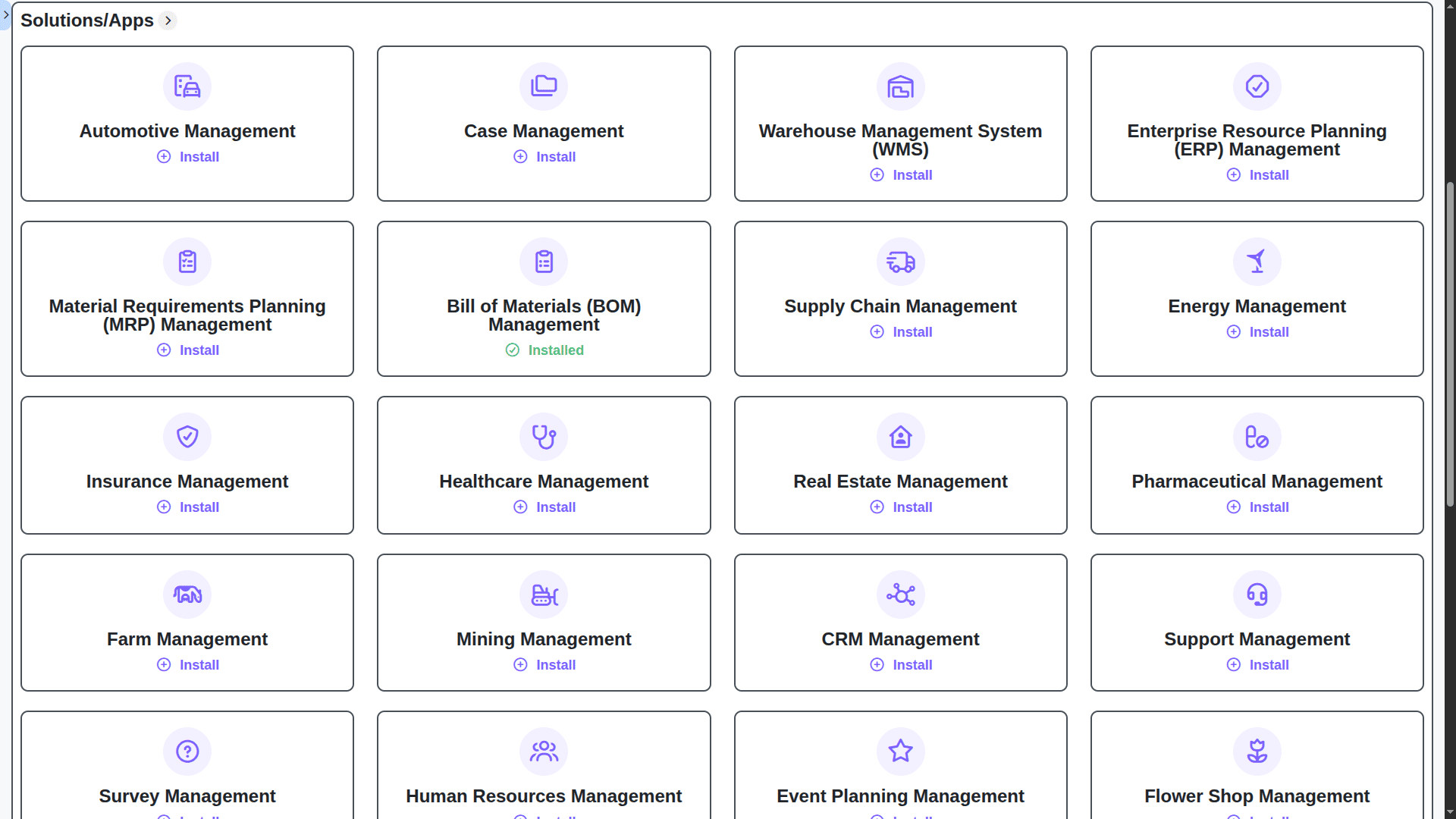
Seamless Integration with our Work OS Ecosystem
The BOM isn't useful in a vacuum. It connects directly to our Inventory, Procurement, and Project modules, creating a unified operational flow across your entire workflow.
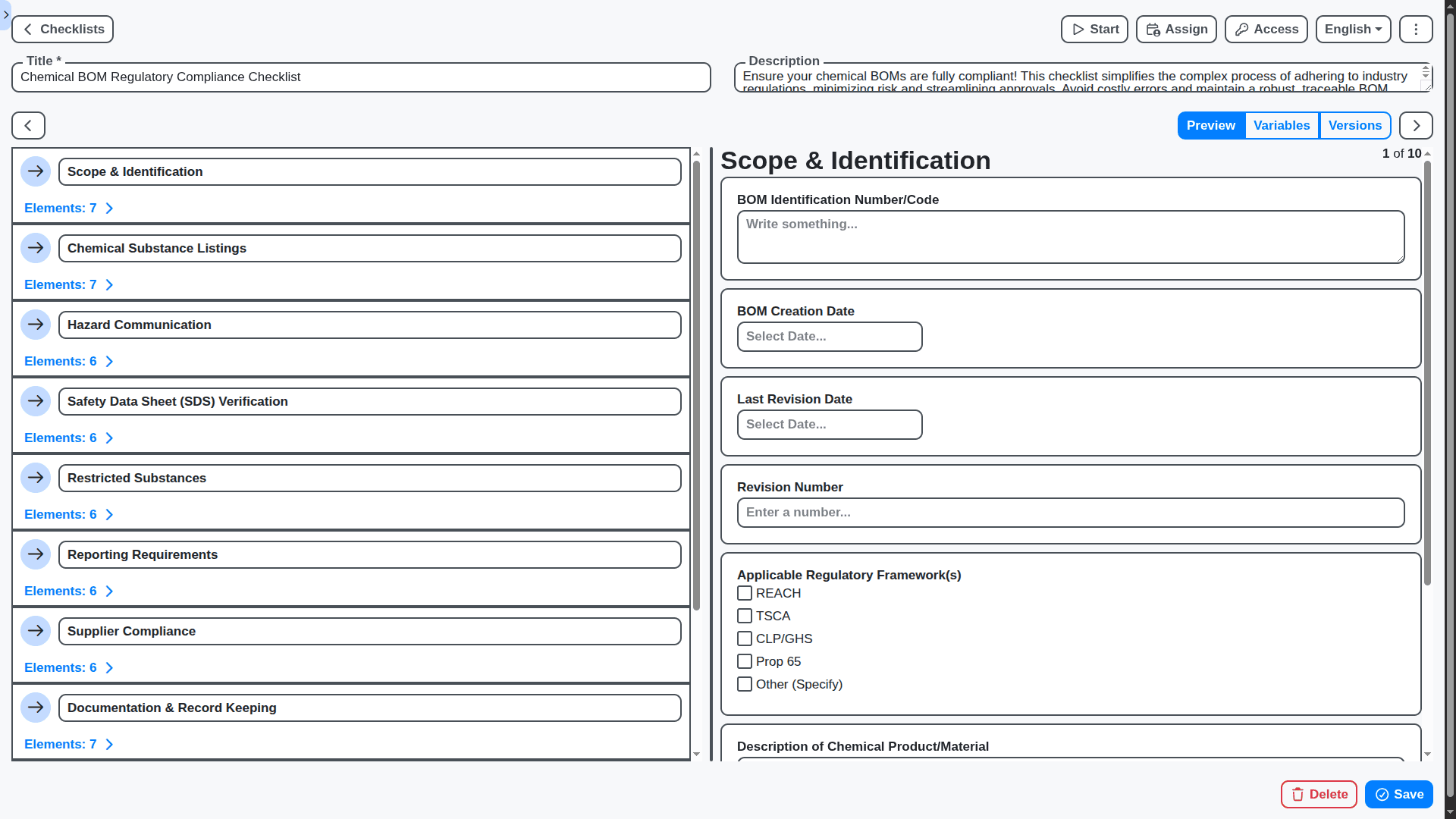
Traceability & Compliance Documentation
Meet stringent industry regulations with confidence. Instantly trace every component back to its supplier, batch number, and Certificate of Analysis (COA) right from the BOM view.
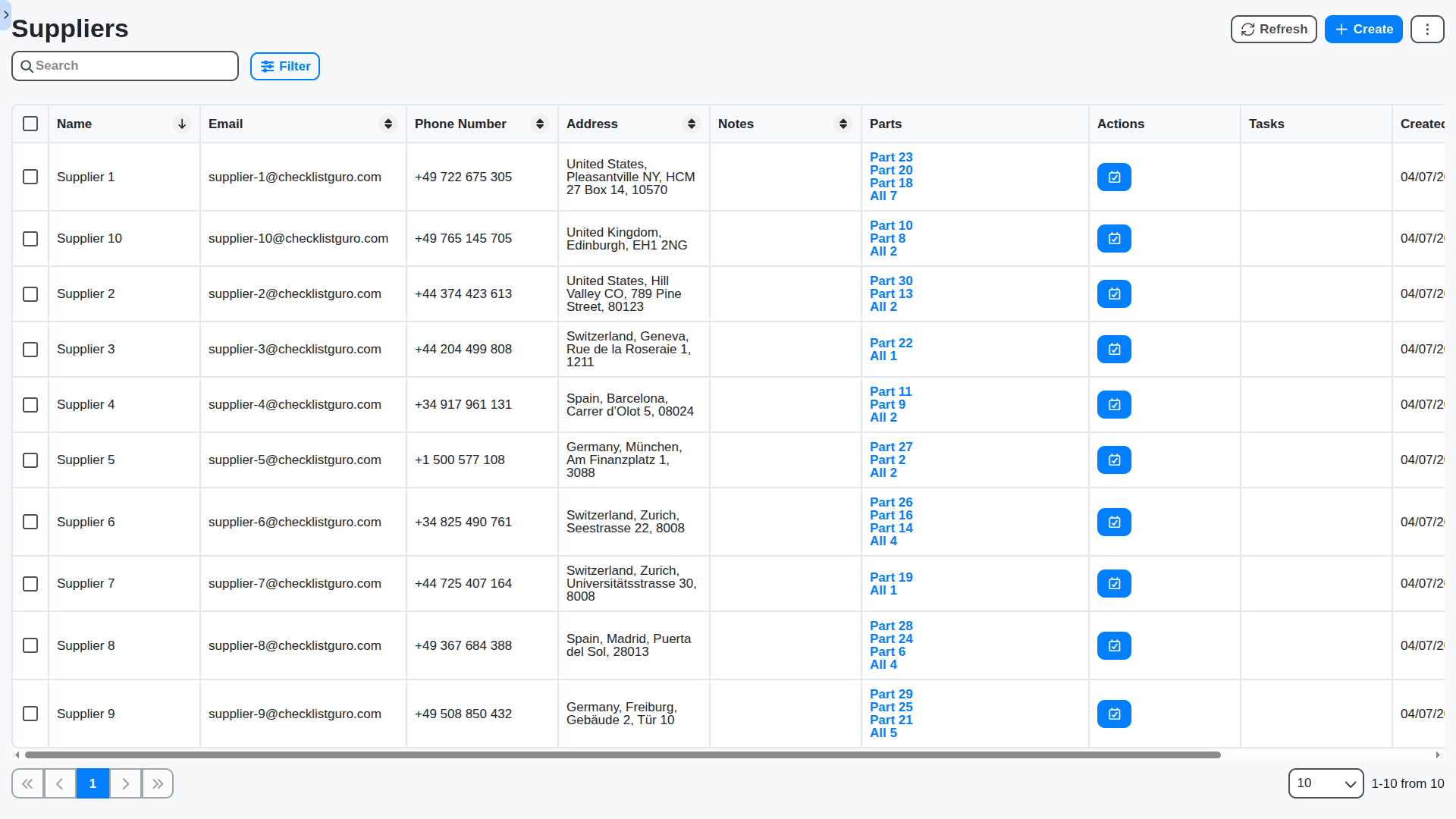
Supplier & Vendor Management Links
Know exactly where every part comes from. Link components directly to approved vendors within the BOM, simplifying sourcing, ensuring compliance, and improving negotiation power.
No credit card or cancellation needed.
Features of our BOM Solution
Core BOM Functionality
Multiple BOM Types: Engineering BOM (EBOM), Manufacturing BOM (MBOM), Service BOM (SBOM)
Hierarchical BOM Structure: Unlimited levels of component nesting.
BOM Versioning & Revision Control: Full audit trail, branching, merging, and comparison of versions.
BOM Templates: Customizable templates for different product families and projects.
BOM Import/Export: Support for all major formats (CSV, Excel, XML, STEP, IGES, XSL, etc.) with flexible mapping capabilities.
Direct CAD Integration: Bi-directional synchronization with leading CAD platforms (e.g., Solidworks, AutoCAD, Creo, NX, CATIA).
Bulk BOM Updates: Mass editing and modification capabilities.
BOM Configuration: Support for configurable products with variant management.
Phase-based BOM Management: Control BOM content based on product lifecycle phases (e.g., Design, Prototype, Production, End-of-Life).
Data & Information Management
Part Number Management: Global part number rules, standardization, and validation.
Supplier Management: Integrated supplier data, pricing, lead times, and contract information.
Material Data: Material specifications, compositions, regulatory compliance information (RoHS, REACH, etc.).
Costing Data: Standard costing, actual costing, landed cost analysis, and cost breakdown structure (CBS).
Document Management: Integration with document management systems (DMS) for storing and linking component documentation (drawings, specifications, manuals).
Classification: Automated and manual classification using industry standards (UNSPSC, eClass, etc.).
Image and 3D Model Management: Storage and linking of images and 3D models for visual representation of components.
Alternate Part Management: Tracking and approval of alternate components with clear justifications.
BOM Review & Approval Workflows
Customizable Approval Routing: Dynamic routing based on BOM type, value, or other criteria.
Parallel Approvals: Support for multiple approvers simultaneously.
Automated Notifications & Alerts: Real-time notifications for changes, approvals, and deadlines.
Workflow History & Audit Trail: Full tracking of all workflow actions.
Role-Based Access Control: Secure access to BOM data based on user roles and permissions.
Collaboration Tools: Integrated discussion threads and commenting features for BOM-related conversations.
Change Management Integration: Seamless integration with BPM change management workflows.
Predictive & Optimization Capabilities
Demand Forecasting: Integration with demand planning systems for material requirements planning (MRP)
Cost Optimization: Analysis and recommendations for cost reduction based on supplier comparisons and alternative materials.
Supply Chain Risk Management: Identification and mitigation of supply chain risks based on supplier location, financial stability, and other factors.
Engineering Change Order (ECO) Management Integration: Automated BOM updates based on approved ECOs.
Lifecycle Management Integration: Automated BOM updates based on product lifecycle stage transitions.
Product Configuration Management (PCM) Integration: Dynamic BOM generation based on customer selections.
Impact Analysis: Assess the impact of BOM changes on downstream processes (e.g., manufacturing, procurement).
Reporting & Analytics
Customizable Dashboards: Interactive dashboards with key BOM metrics.
Pre-built Reports: A library of pre-built reports covering various aspects of BOM management.
Ad-hoc Reporting: Ability to create custom reports based on specific requirements.
Data Visualization: Interactive charts and graphs for data exploration.
Trend Analysis: Identify patterns and trends in BOM data.
KPI Tracking: Monitor key performance indicators (KPIs) related to BOM management.
Audit Logging: Comprehensive audit trails of all user activities.
Compliance Reporting: Support for regulatory compliance reporting (e.g., RoHS, REACH, ISO).
No credit card or cancellation needed.
Frequently Asked Questions
How does this BOM solution handle complex, multi-level assemblies (like engines or electronics)?
Our platform supports deep, multi-level BOM structures. You can define parent assemblies that break down into sub-assemblies, which in turn break down into individual components, all within one unified view.
What happens when a component supplier changes its part number or dimensions?
Our system allows for robust Engineering Change Management (ECM). You can track the revision history, flag obsolete parts, and manage Approved Vendor Lists (AVLs), ensuring that any change is documented and approved before implementation.
Can we model different variations of the same product (e.g., Small, Medium, Large)?
Yes, this is handled via Variant BOMs and configurable BOMs. You build the core structure once, and the system intelligently pulls the required component list based on the selected product options or configurations.
Is this BOM accurate enough for our shop floor ERP/MRP system?
Absolutely. Our BOM structure is designed to be a single source of truth, allowing for seamless integration with major ERP/MRP platforms. It provides the precise net material requirements needed for accurate production planning.
Can we manage assembly instructions alongside the BOM?
Yes. We provide full integration capabilities that link the BOM structure directly to the corresponding **Work Instructions** and assembly sequencing, providing your floor staff with step-by-step guidance.
How do we ensure we build the product using the correct, most up-to-date materials?
Our system enforces BOM version control. When a new BOM revision is released, the system controls the workflow, ensuring that production cannot accidentally pull components based on an outdated or retired version.
Can the BOM help me calculate accurate product costing in real-time?
Yes. By integrating real-time component costs, labor rates, and overheads directly against the structured BOM, you get an immediate, highly accurate Cost of Goods Sold (COGS) estimate for any product configuration.
Does this solution help us reduce excess inventory of components?
By providing accurate forecasting based on the validated BOM, our system feeds into your material requirements planning (MRP), allowing procurement to order only what is necessary, significantly reducing surplus stock and carrying costs.
How long will it take to set up our existing BOMs?
While setup time varies based on your current data complexity, our dedicated implementation team uses a phased approach. We map your existing processes first, allowing you to go live with critical workflows incrementally.
How much does it cost?
Our pricing is based on user count. Please visit our Pricing page for detailed information, or contact us for a custom quote.
Make a Request
Have a question? We're here to help. Please submit your inquiry, and we'll respond promptly.