MRP - Material Requirements Planning
Optimize material flow & production planning! ChecklistGuro's MRP solution accurately forecasts demand, manages inventory, and streamlines procurement. Reduce stockouts, minimize waste, & improve efficiency. Manage it all with our Work OS.
No credit card or cancellation needed.
Optimize Inventory, Minimize Waste with Intelligent Demand Forecasting
Stop guessing and start predicting. Our advanced MRP module analyzes historical usage patterns, seasonality, and upcoming sales pipelines to provide precise material forecasts, ensuring you never run out of critical parts or overstock costly inventory.
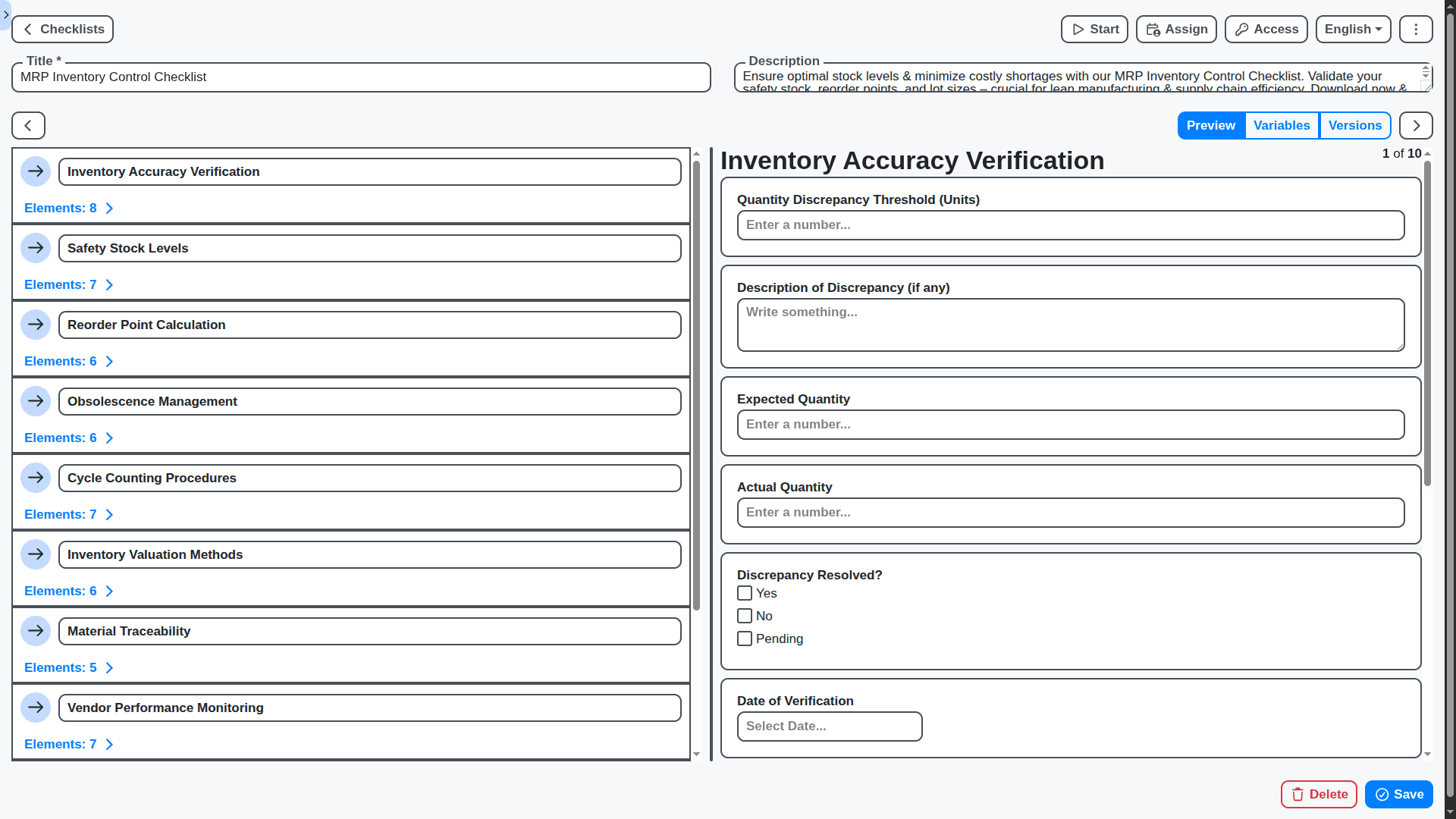
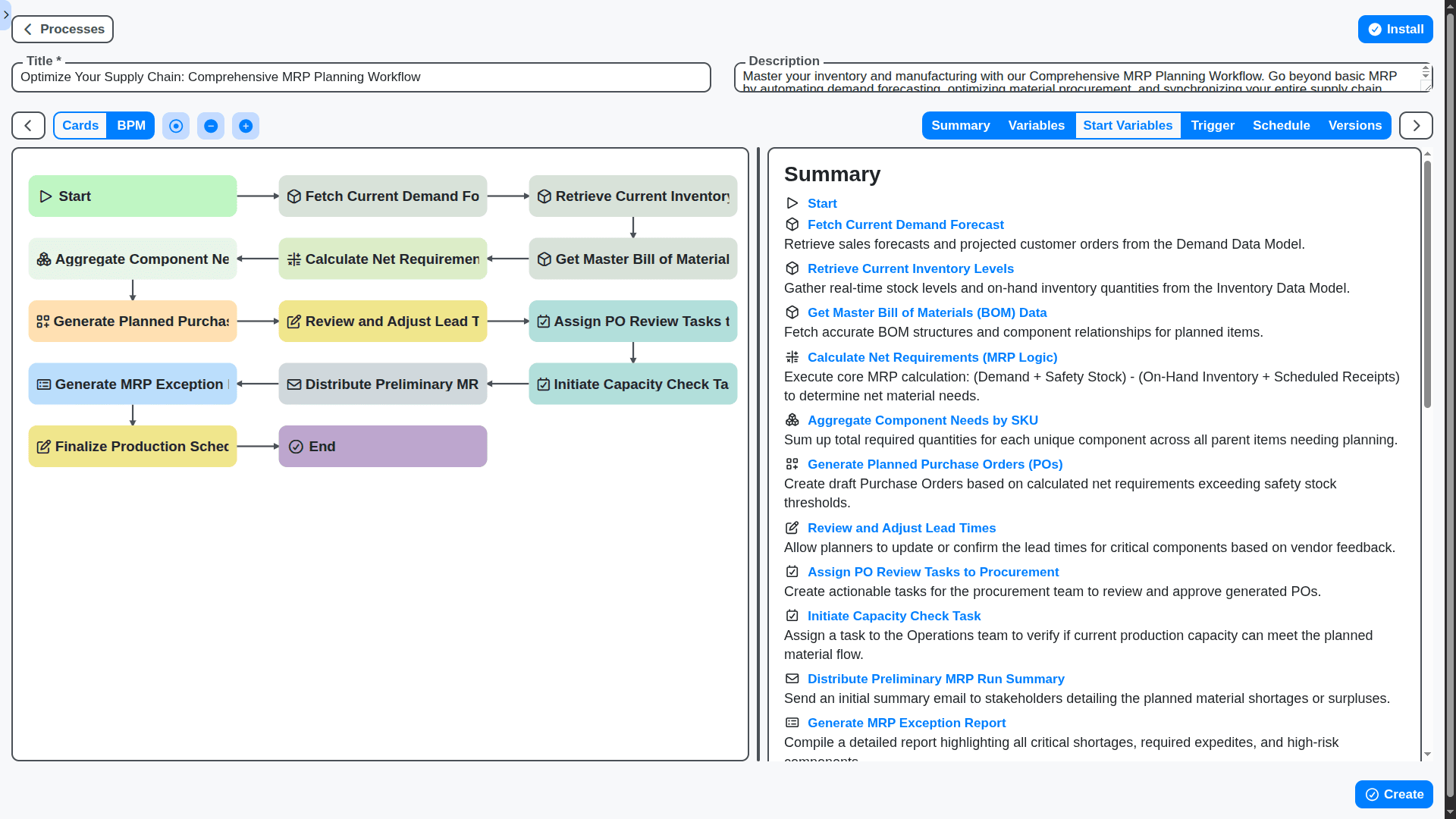
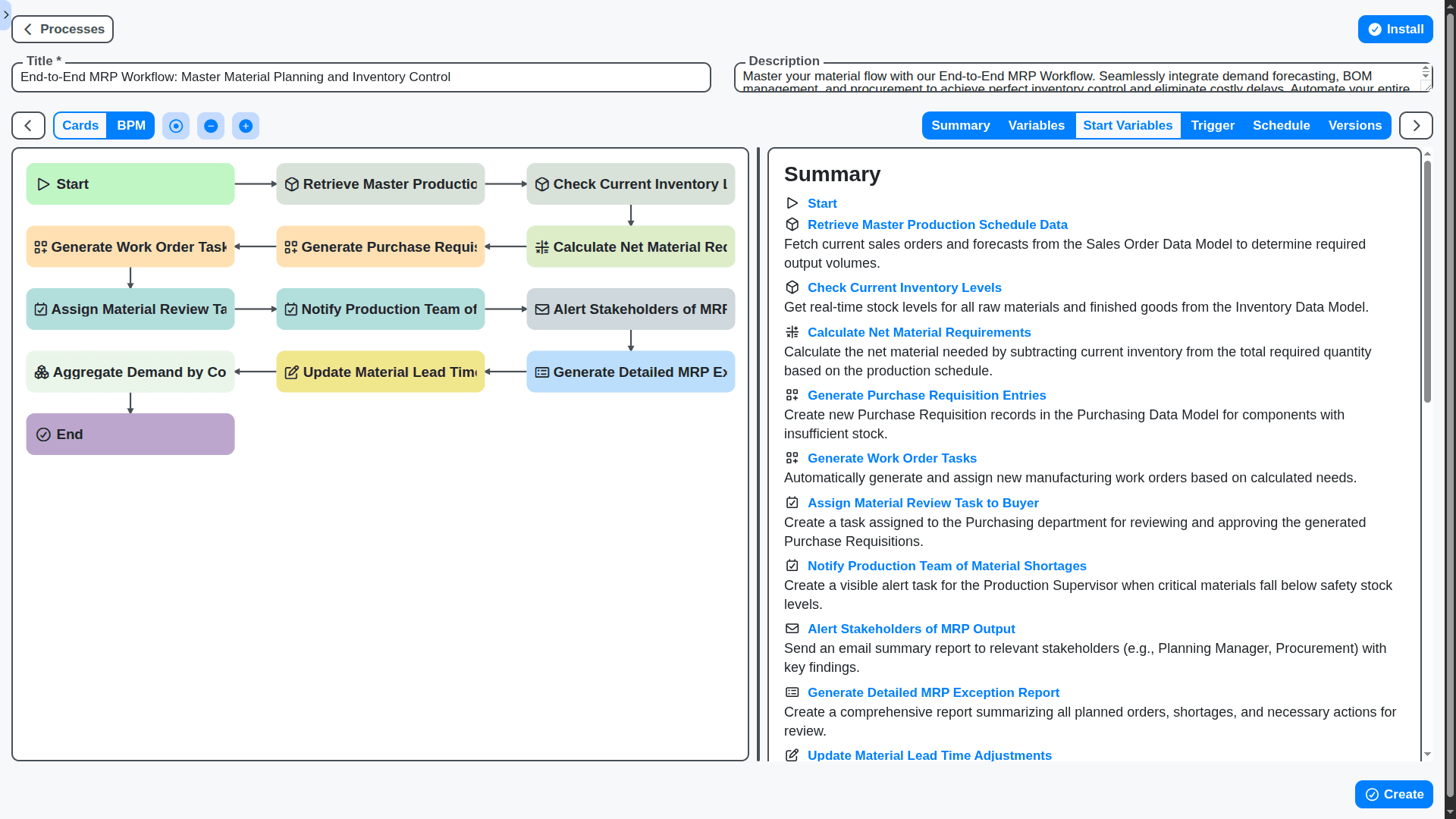
Seamlessly Connect Supply Chain Planning to Execution
From purchase order generation to shop floor consumption, MRP connects every link in your supply chain. Automate the entire planning cycle within one unified Work OS platform, eliminating manual data transfers and bottlenecks.
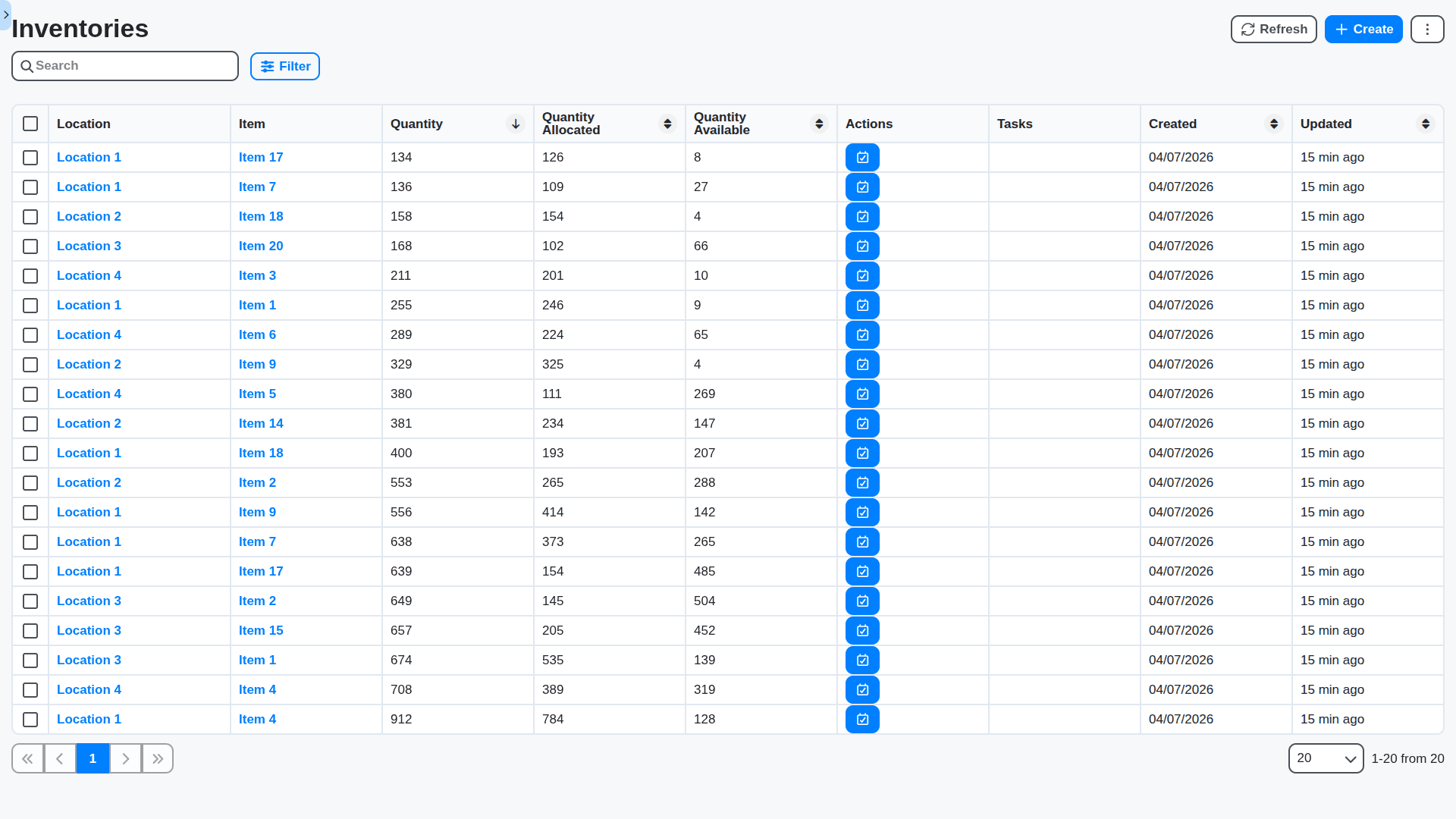
Real-Time Material Visibility Across All Locations
Know exactly where every item is - from the main warehouse floor to a specific job site. Track inventory levels across multiple physical locations in real-time to make confident purchasing and scheduling decisions, instantly.
Calculate Optimal Procurement Timing & Quantity
Stop paying premium rush fees. Our system calculates the Economic Order Quantity (EOQ) and optimal lead times, recommending the perfect time and amount to order materials to meet demand while maximizing cost savings.
Integrates Directly With Your Existing ERP & Accounting Systems
Work OS isn't a silo. Our robust APIs ensure native, bidirectional synchronization with your established ERP and accounting software, providing comprehensive financial oversight alongside your production planning.
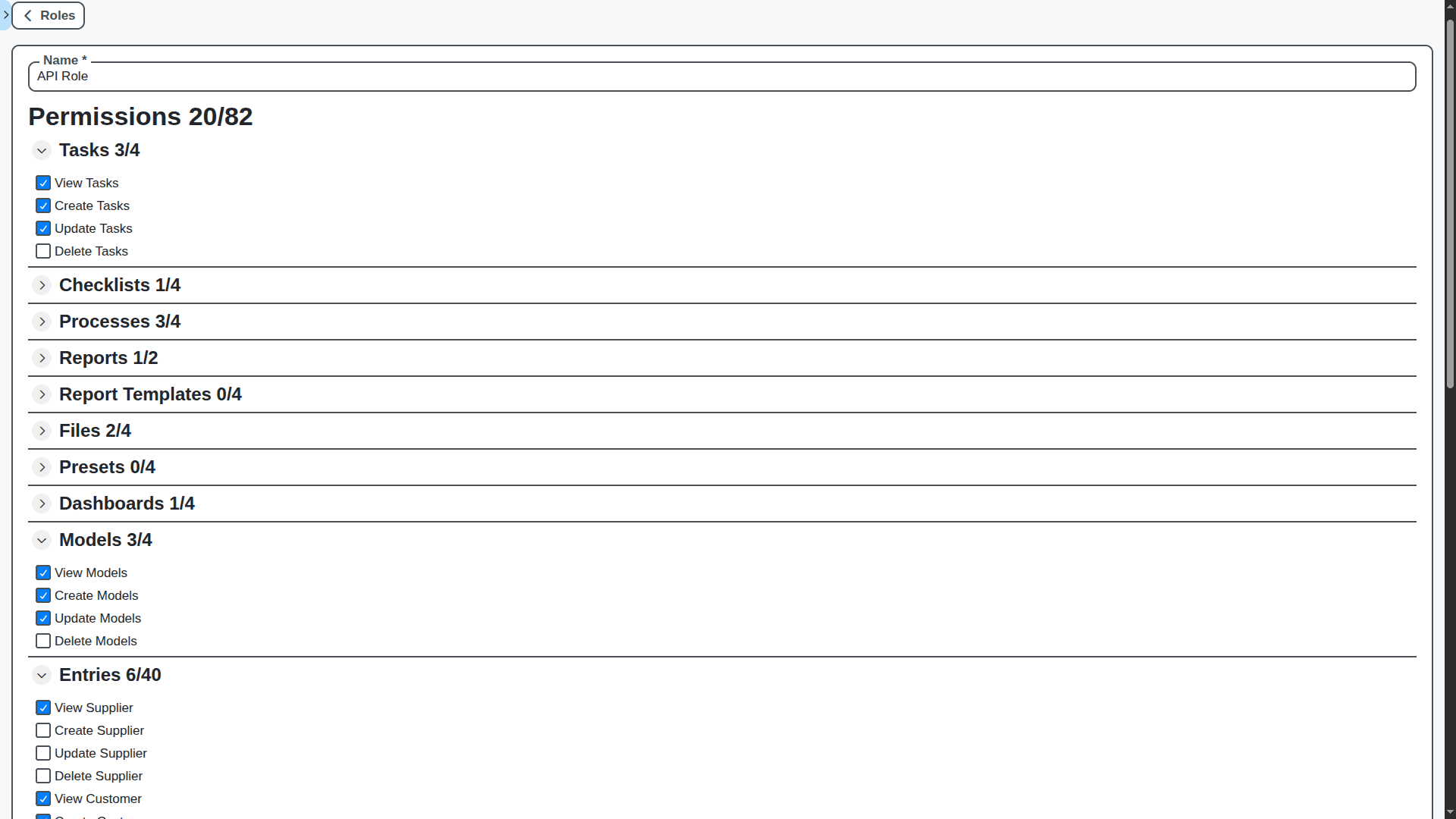
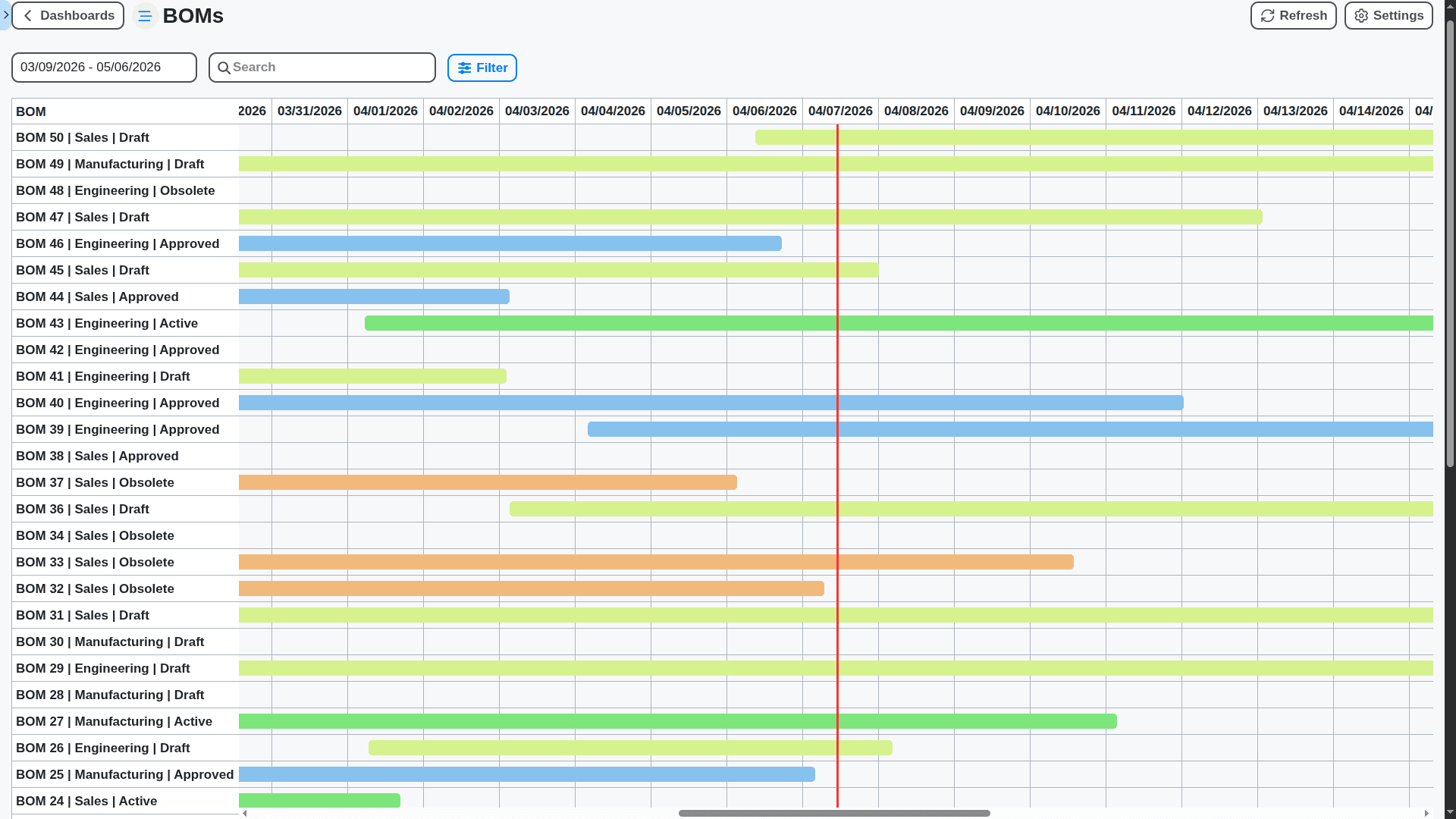
Dynamic Bill of Materials (BOM) Management
Manage complexity effortlessly. Easily update, version, and trace intricate Bill of Materials. Handle multi-level assemblies and product variants, ensuring that every manufactured item uses the correct, most up-to-date components.
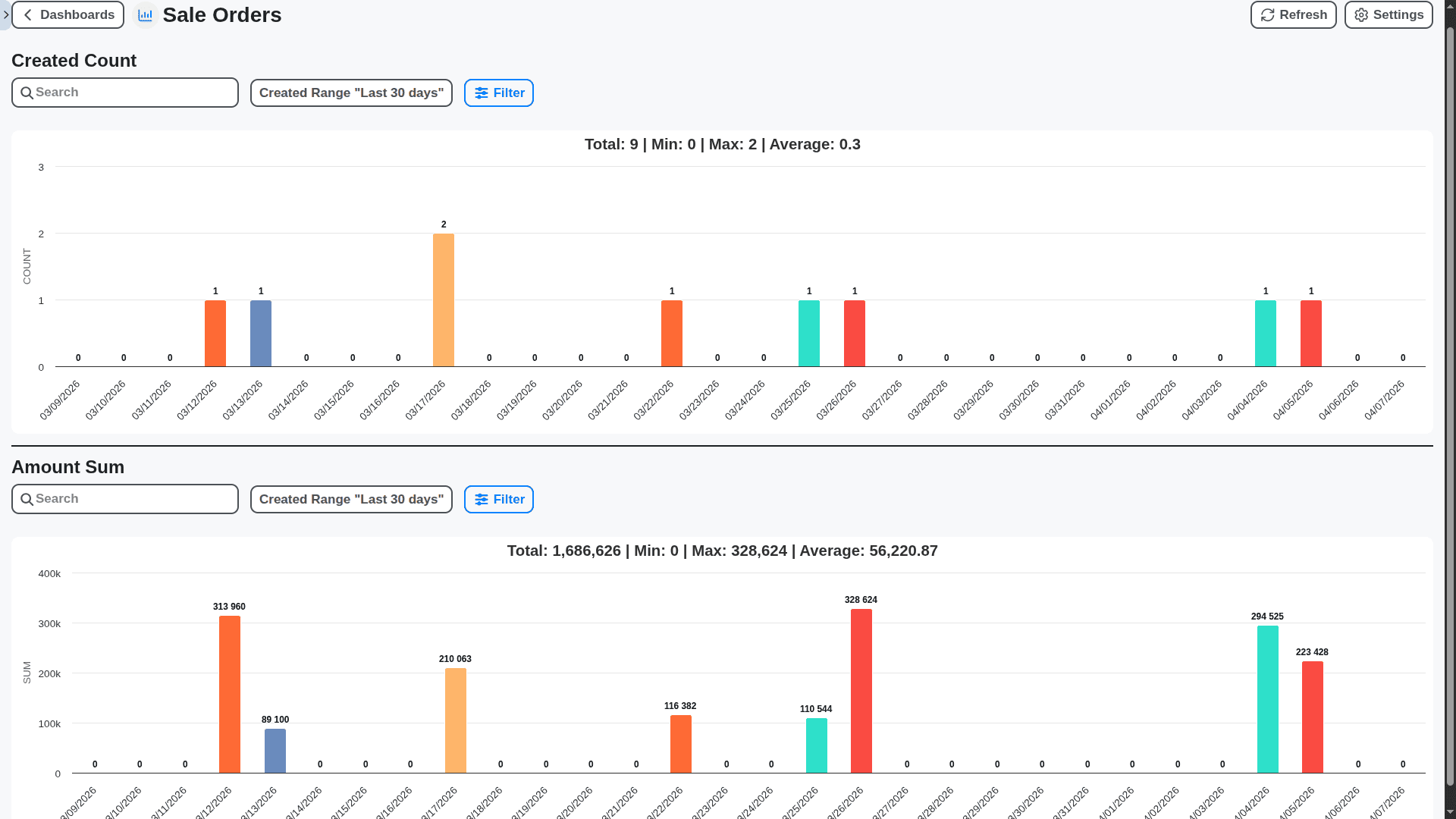
Intuitive Dashboard for Production Managers
Get the high-level overview you need in seconds. The executive dashboard consolidates material shortages, pending purchase orders, capacity alerts, and critical KPIs in one actionable view for immediate management review.
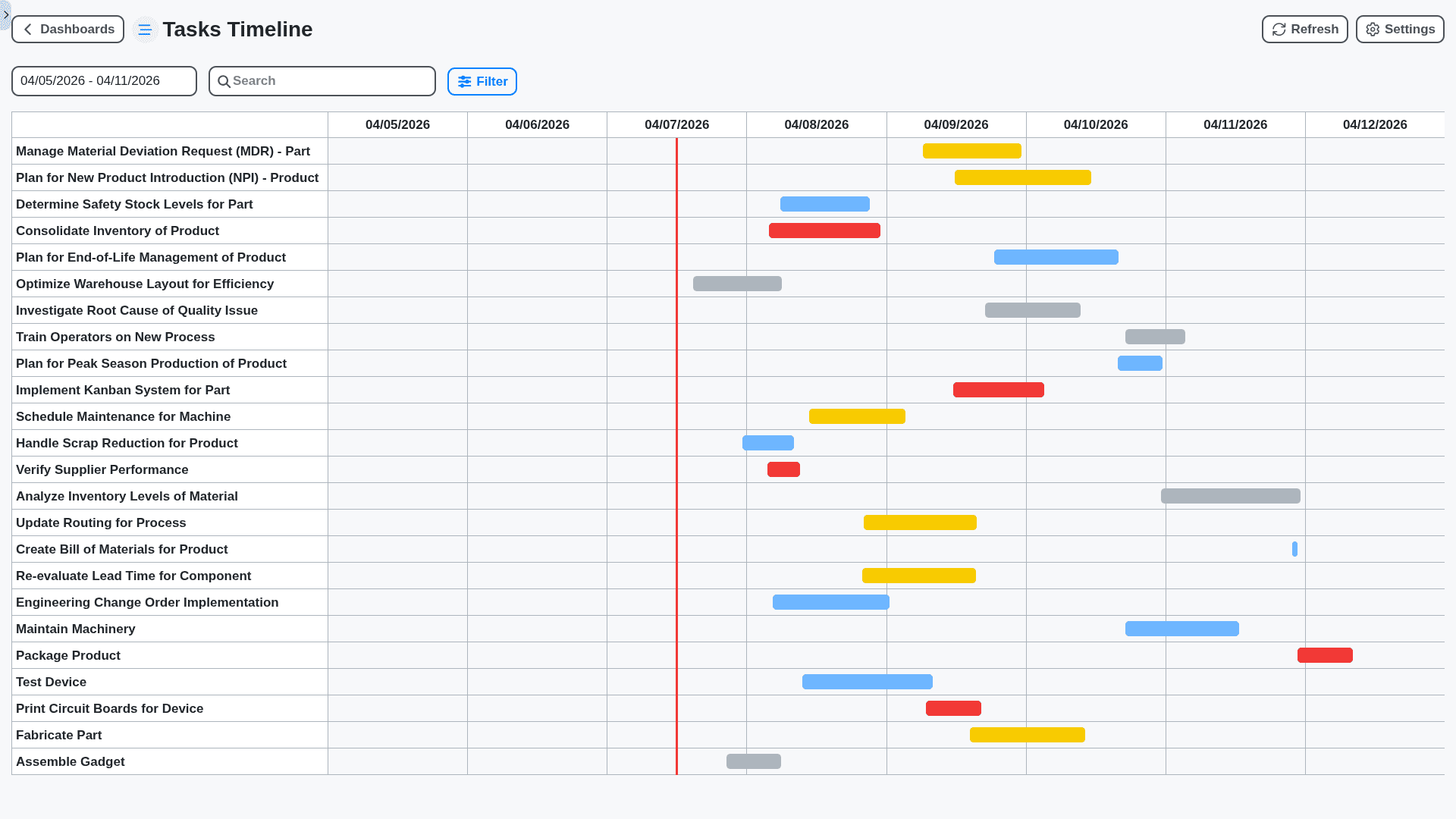
Automate Scheduling Conflicts & Capacity Balancing
Our intelligence goes beyond parts - it optimizes time. Automatically reschedule job sequences when materials are delayed or machines break down, keeping your workforce utilized and your deadlines secure.
No credit card or cancellation needed.
Features of our MRP solution
Core Planning & Demand Management
Demand Forecasting: Statistical (moving average, exponential smoothing, ARIMA), Machine Learning (regression, time series models), Collaborative Forecasting.
Demand Sensing: Real-time sales data integration, Point-of-Sale (POS) data ingestion, Social Media sentiment analysis integration.
Sales & Operations Planning (S&OP): Scenario Planning, What-if Analysis, Executive Dashboards, S&OP Workflow Automation.
Master Production Scheduling (MPS): Constraint-Based Scheduling, Finite Capacity Planning, Critical Path Identification.
Rough-Cut Capacity Planning (RCCP): Bottleneck Analysis, Resource Leveling, Shop Floor Load Visualization.
Demand Planning Collaboration: User-defined permission levels, Discussion forums, Version Control, Change request workflows.
Material Planning & Procurement
Bill of Materials (BOM) Management: Multi-level BOMs, Engineering Change Orders (ECO) Management, Version Control, Phantom Components, Assembly Structures
Inventory Management: Real-time Inventory Visibility, Safety Stock Optimization, ABC Analysis, Cycle Counting, Lot Tracking, Serial Number Tracking, Expiration Date Management.
Material Requirements Planning (MRP): Dynamic MRP calculations, Time-phased Order Releases, Backwards and Forwards scheduling.
Procurement Management: Automated Purchase Order Generation, Vendor Management, Request for Quotation (RFQ) Workflow, Supplier Collaboration Portal, Contract Management.
Vendor Performance Tracking: On-time Delivery, Quality Metrics, Cost Analysis, Scorecards.
Consignment Inventory Management: Automated replenishment based on consumption, Vendor-Managed Inventory (VMI) support.
Production Planning & Execution
Shop Floor Control: Real-time Production Status Updates, Work Order Management, Machine Downtime Tracking, Labor Tracking, Data collection from shop floor devices (SCADA, PLCs).
Capacity Planning: Finite Capacity Scheduling, Bottleneck Management, Resource Allocation, Constraint Programming.
Work Order Routing: Flexible Routing, Alternative Routings, Standard Work Instructions.
Production Scheduling: Heuristic Algorithms, Genetic Algorithms, Optimization of lead times and sequence.
Quality Management: Inspection Planning, Non-Conformance Reporting, Root Cause Analysis, Statistical Process Control (SPC).
Maintenance Management: Preventative Maintenance Scheduling, Reactive Maintenance Tracking, Asset Management.
Work OS Integration & Collaboration
Workflow Automation: Automated tasks across all modules, Customizable workflows, Business Rules Engine.
Task Management: Assignment of tasks, Due date tracking, Escalation paths, Responsibility, Progress etc.
Collaboration Tools: Real-time chat, Document sharing, Discussion forums, Activity feeds, User mentions.
Document Management: Version control, Access control, Sharing, Encryption.
Mobile Access: iOS and Android Apps, Offline Capabilities.
Alerts & Notifications: Customizable alerts based on user roles and events.
Role-Based Access Control (RBAC): Granular permission control based on user roles.
Analytics & Reporting
Real-time Dashboards: Customizable dashboards, Key Performance Indicators (KPIs) tracking.
Reporting: Standard reports, Custom report builder, Export to various formats (PDF, Excel, CSV).
Data Visualization: Interactive charts and graphs, Heatmaps, Trend analysis.
Predictive Analytics: Demand forecasting, Inventory optimization, Production scheduling optimization.
Root Cause Analysis: Drill-down capabilities to identify the underlying causes of problems.
Performance Benchmarking: Comparison of performance against industry benchmarks.
Advanced Features & Technology
Artificial Intelligence (AI) & Machine Learning (ML): Predictive maintenance, Anomaly detection, Automated decision-making.
Internet of Things (IoT) Integration: Real-time data from connected devices, Predictive maintenance.
Blockchain Integration: Supply chain traceability, Fraud prevention.
Digital Twin: Virtual representation of physical assets and processes.
Simulation Modeling: Process flow optimization, Bottleneck identification.
Cloud-Native Architecture: Scalability, High availability, Disaster recovery.
API Integration: Open API for integration with other systems.
No-Code Customization: User-friendly interface for customization and extension.
Languages: Support for Multiple Languages and Currencies
Regulatory Compliance: Support for industry-specific regulations (e.g., FDA, ISO).
Advanced Scheduling Optimization: Genetic Algorithms, Constraint Programming, Simulated Annealing.
Supply Chain Risk Management: Supplier risk scoring, Diversification recommendations.
No credit card or cancellation needed.
Frequently Asked Questions
What is MRP, and why do I need it?
MRP is a system designed to manage and optimize your inventory and procurement processes. In simple terms, it tells you exactly what materials, parts, and raw goods you need, and when you need them, to meet your production schedule without having excess waste or frustrating stock-outs.
How does MRP work with other systems, like ERP or WMS?
MRP is a core module that feeds data into, and receives data from, your other operational systems. It takes your sales orders (from the CRM/Sales module), your Bill of Materials (BOM) (product structure), and current inventory levels to generate the necessary material purchase and production plans.
Is this just inventory tracking?
No, inventory tracking is only one part of it. Inventory management tells you what you have. MRP tells you *what you need to have* and *when* you need to order it, making it predictive rather than just reactive.
Will implementing MRP be complicated?
While integrating a sophisticated system requires diligence, our Work OS platform is designed for intuitive usability. Our implementation team guides you through setting up your BOMs, lead times, and demand forecasting to make the transition as smooth as possible.
What specific planning outputs does your MRP generate?
Our MRP generates several critical reports and schedules, including: Planned Purchase Orders, Work Orders, Inventory Shortage Alerts, Material Requirements Schedule.
How does the system account for lead times and safety stock?
You can define precise lead times for every component, from supplier ordering time to internal processing time. Furthermore, you can set customizable Safety Stock levels to buffer against unexpected demand spikes or supply chain delays.
Can I model "Make-to-Order" vs. "Make-to-Stock" planning?
Absolutely. The platform supports both. For Make-to-Order, MRP schedules production based on confirmed customer orders. For Make-to-Stock, it runs periodic forecasts to keep optimal buffer inventory.
Can I integrate supplier pricing and catalog data?
Yes. You can integrate supplier catalogs directly. The MRP can then suggest purchase orders based not just on quantity, but also on available supplier-specific pricing and contractual minimum order quantities (MOQs).
What happens if a critical raw material supplier experiences a delay?
By monitoring supplier performance and lead times within the system, MRP will flag the resulting schedule impact. It will then prompt you to run "What-If" scenarios to see if expediting, finding an alternative supplier, or delaying the final product is the best course of action.
Can I run "What-If" simulations before committing to a plan?
This is one of our most valuable features. You can model changes - such as a sudden 30% demand increase next quarter, or a 4-week delay on a key machine - and see the ripple effect across your entire production schedule before alerting your team or placing any real orders.
What is the typical implementation timeline for MRP?
The timeline varies based on the complexity of your BOMs and the scope of your business. Generally, the core setup and initial testing take 8-12 weeks, followed by phased rollout across departments.
We can do it Together
Make a Request
Have a question? We're here to help. Please submit your inquiry, and we'll respond promptly.