Project Management
Deliver projects on time & within budget! ChecklistGuro streamlines task management, collaboration, & progress tracking. Enhance visibility & boost team productivity. Manage it all with our Work OS.
No credit card or cancellation needed.
Optimize Your Projects from Start to Finish
Tired of juggling spreadsheets and endless email chains? ChecklistGuro brings all your project tasks, communication, and progress tracking into one unified platform. Gain clear visibility, improve collaboration, and deliver projects on time, every time.
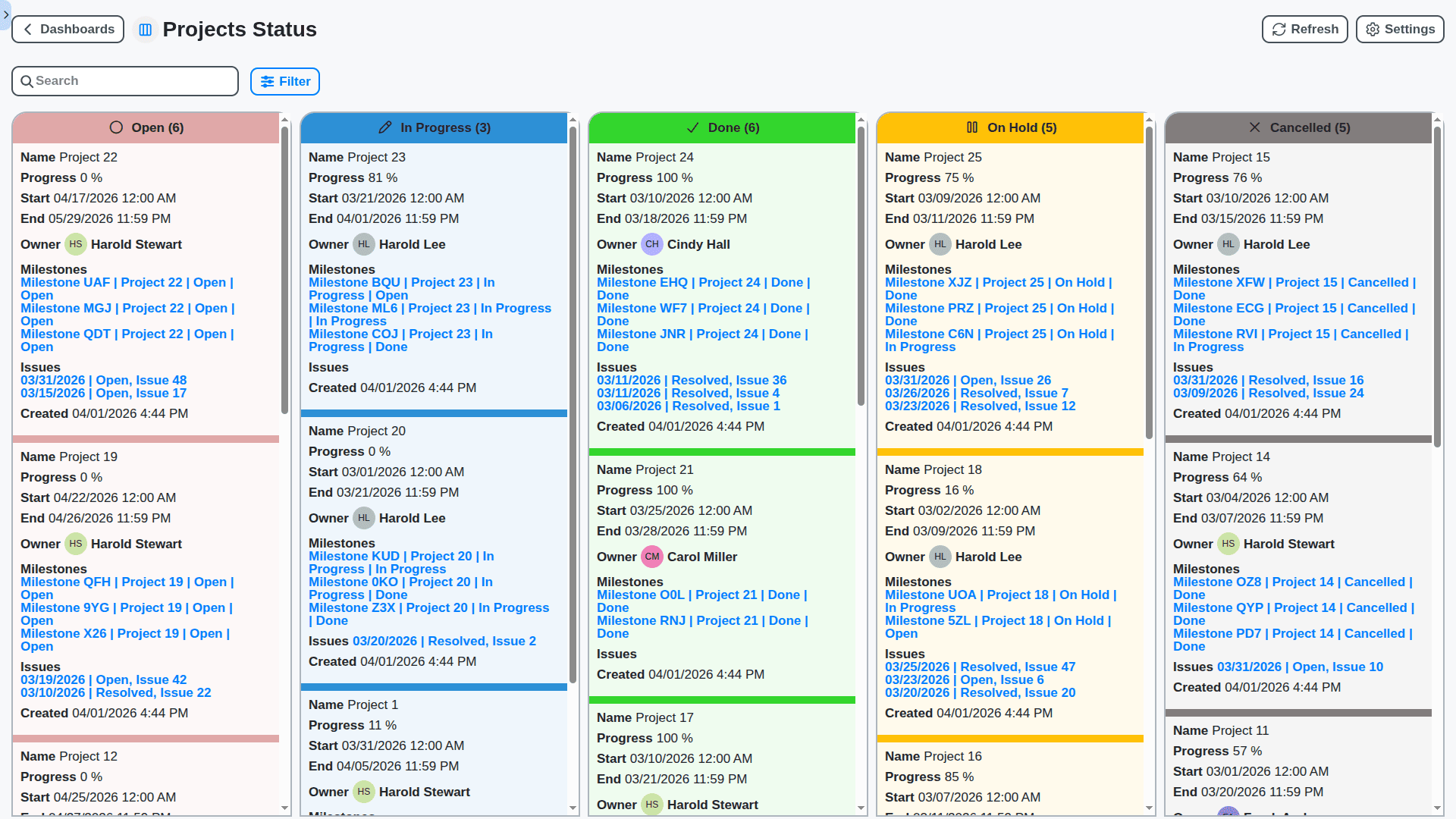
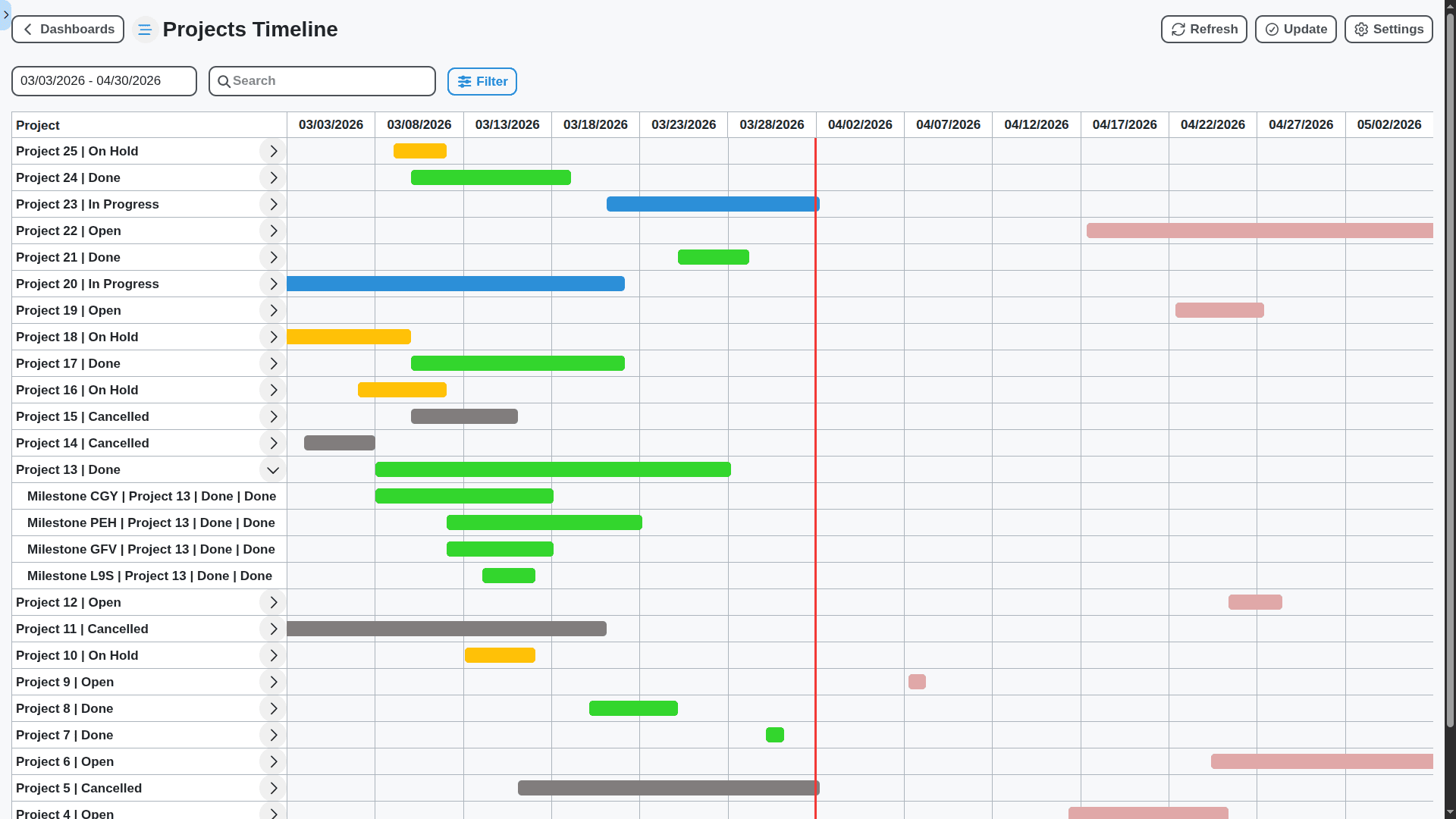
Visualize Progress with Interactive Gantt Charts
Gain a bird's-eye view of your project timelines with our dynamic Gantt charts. Easily adjust task dependencies, identify bottlenecks, and keep your team aligned on critical deadlines.
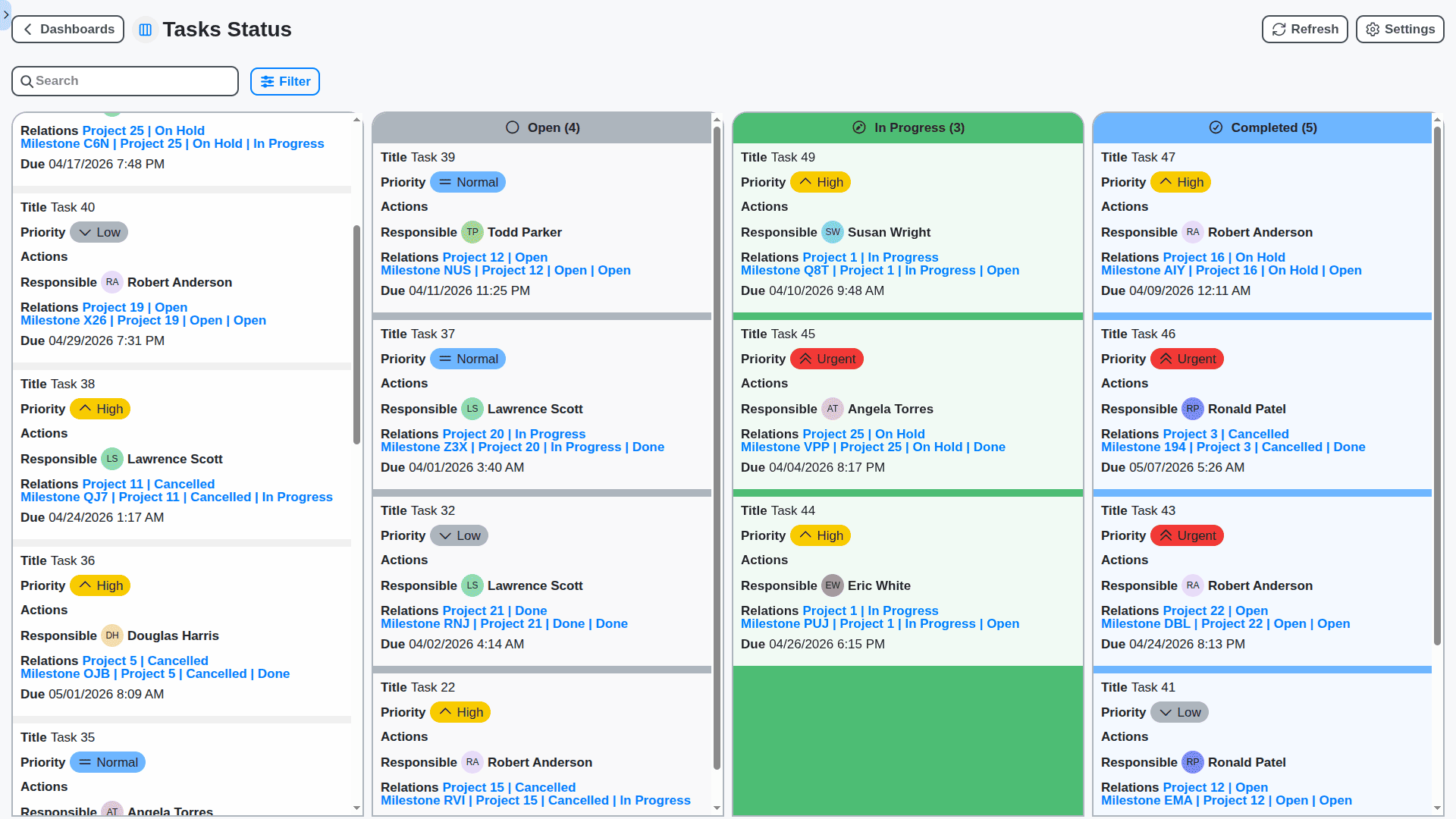
Flexible Kanban Boards for Agile Workflows
Embrace agile methodologies with our customizable Kanban boards. Visualize your workflow, track progress through different stages, and easily manage tasks with drag-and-drop functionality.
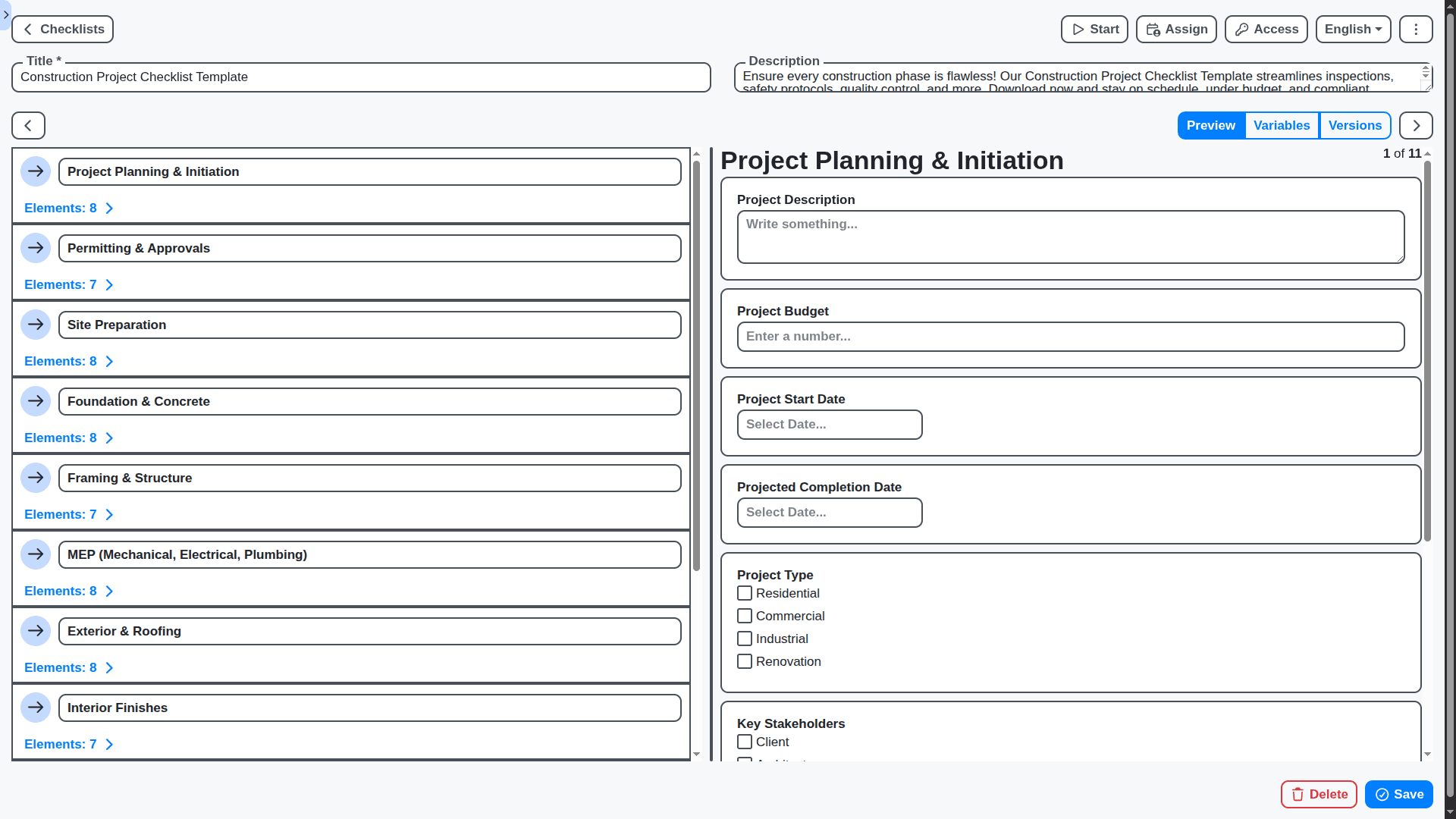
Ensure Compliance and Standardize Processes with ChecklistGuro
Go beyond simple task lists. ChecklistGuro empowers you to create dynamic checklists and forms, automate workflows, and enforce consistent processes across your organization. From onboarding new hires to conducting safety inspections, ensure nothing falls through the cracks.
Collaboration Made Easy: Keep Your Team Connected
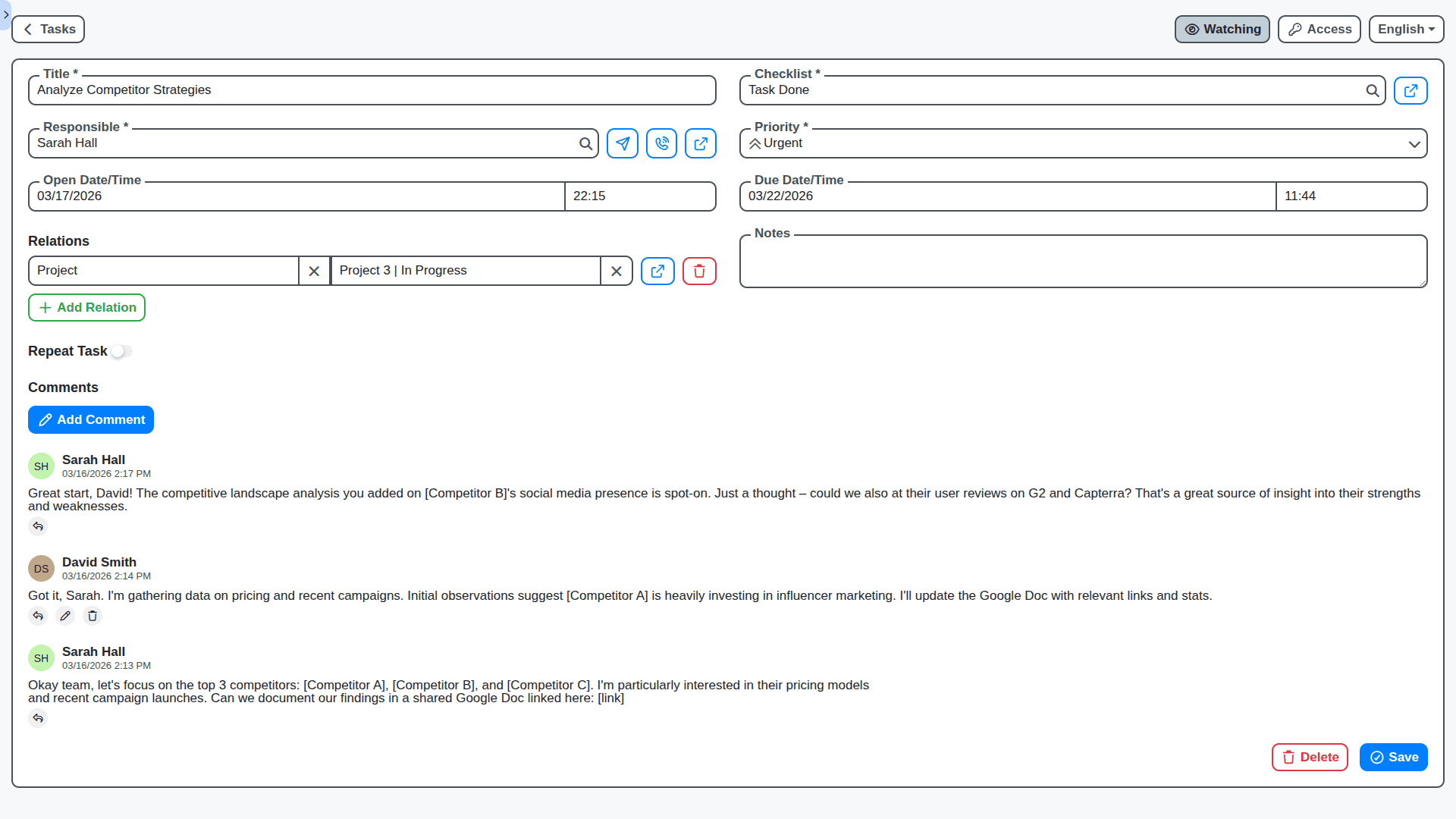
Foster seamless teamwork with built-in communication tools. Share files, leave comments, and receive real-time updates - all within your project workspace.
Automate Routine Tasks & Boost Productivity
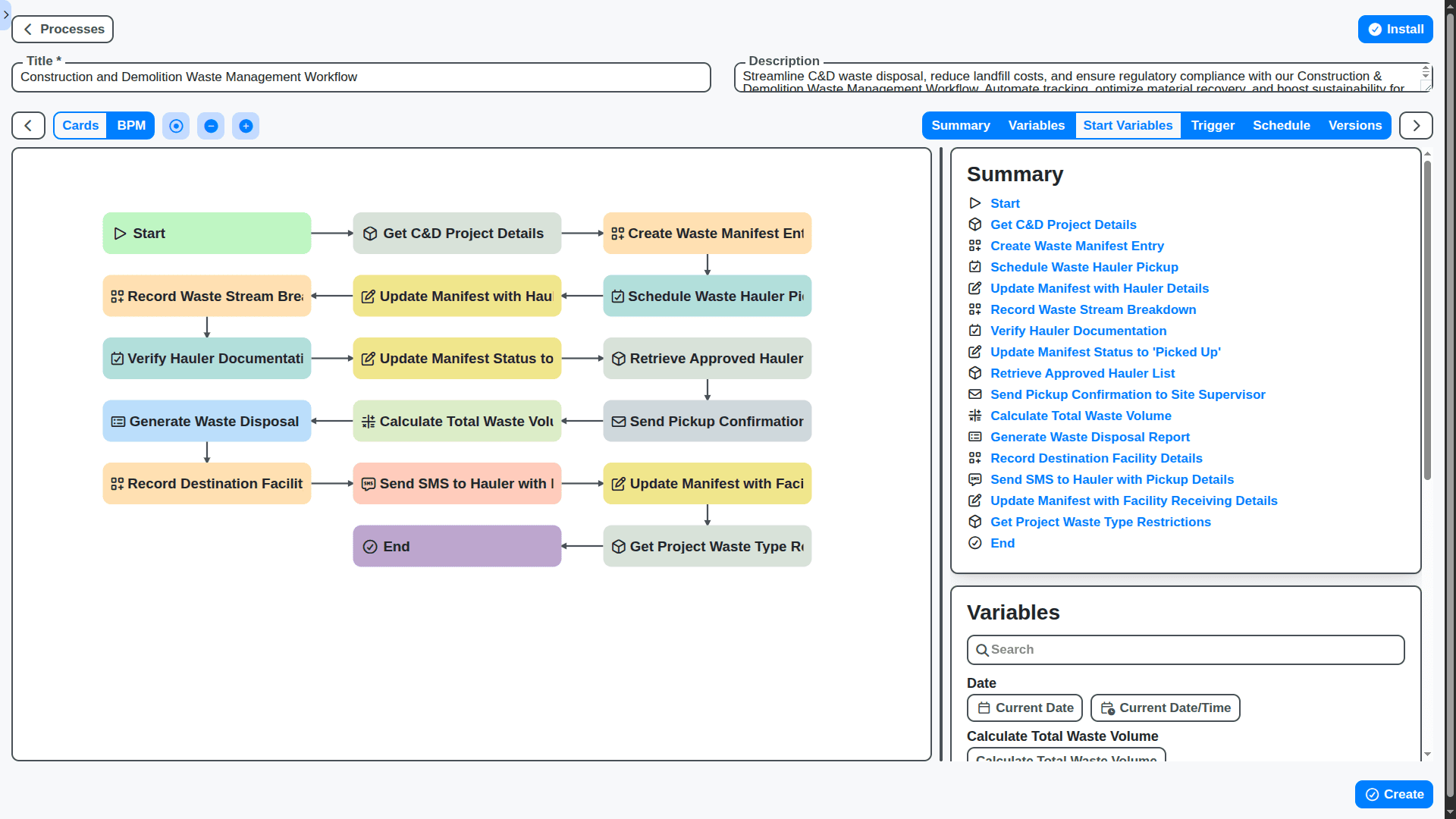
Reduce manual effort and free up your team's time with powerful automation features. Automate task assignments, notifications, and reporting - focusing on what matters most.
Manage Resources Effectively and Optimize Utilization
Gain clear visibility into resource allocation and utilization. Identify potential bottlenecks, optimize workload distribution, and ensure your team is working efficiently.
Powerful Reporting & Analytics at Your Fingertips
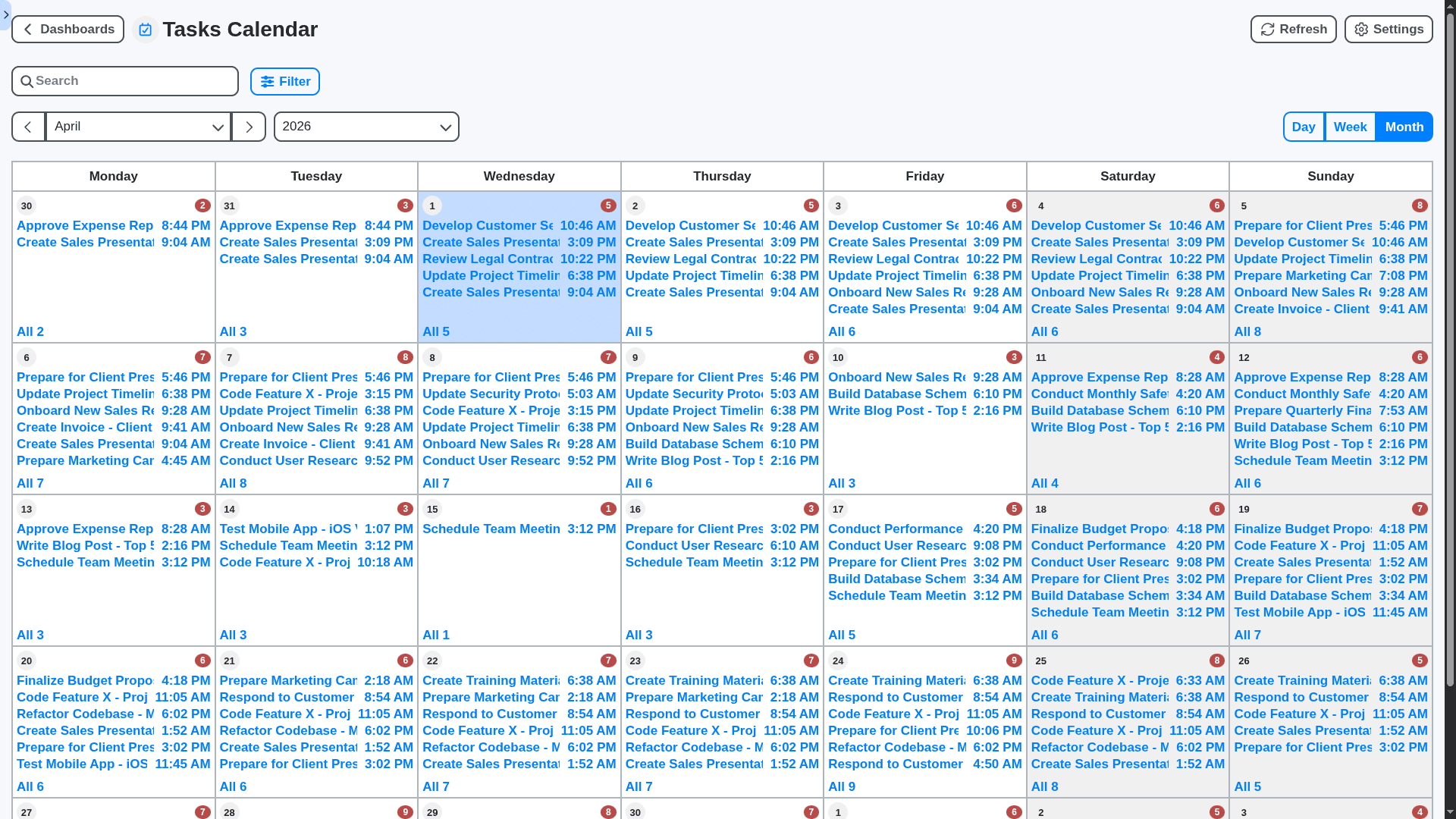
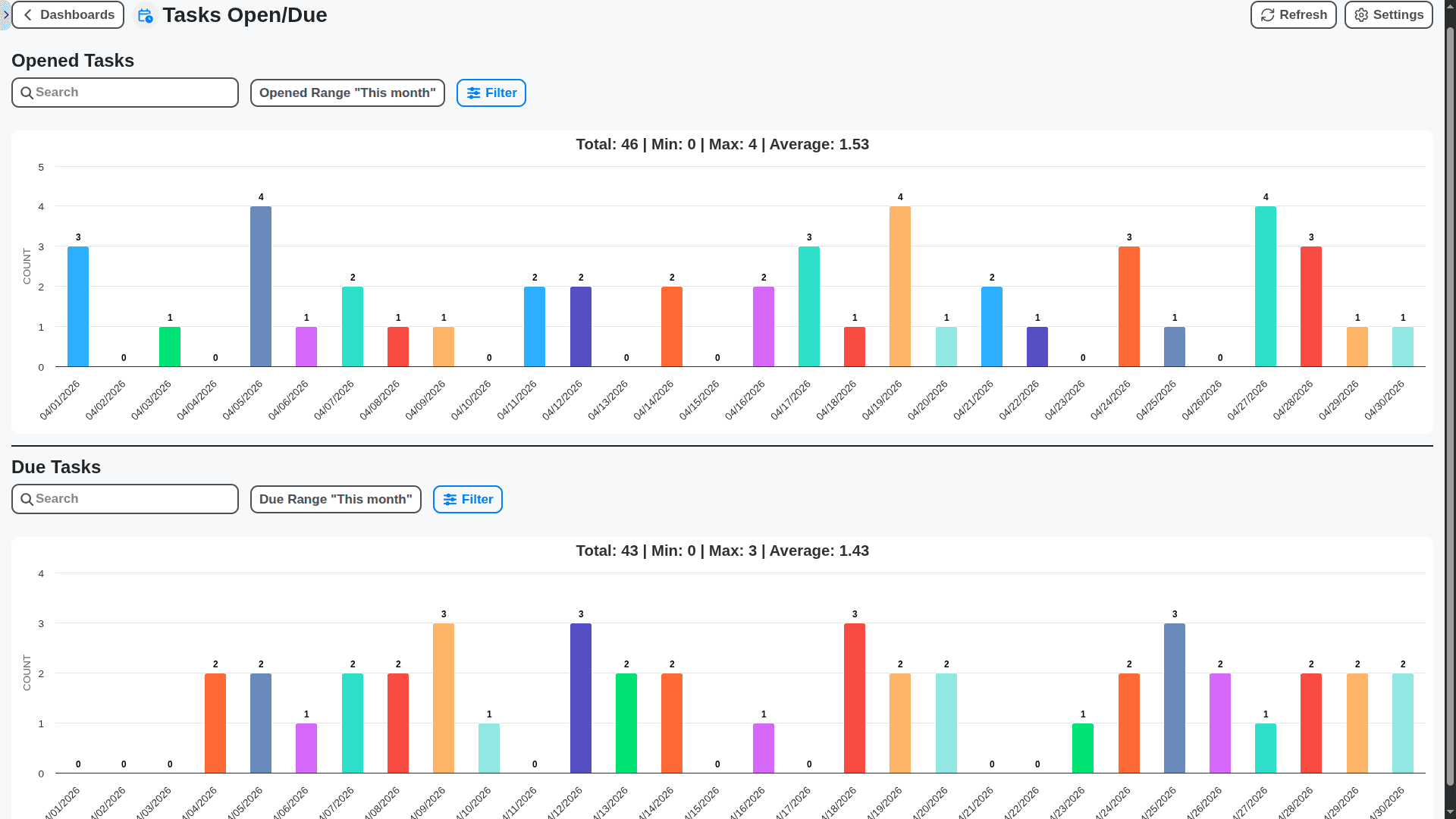
Track project performance and make data-driven decisions with our customizable reporting and analytics dashboards. Identify trends, measure success, and optimize your processes.
No credit card or cancellation needed.
Features of our Project Management Solution
Core Project Management Features
Project Creation & Planning: Define project scope, objectives, timelines, and resources.
Task Management: Create, assign, prioritize, and track tasks with dependencies and deadlines.
Resource Allocation: Manage and allocate resources (people, equipment, budget) to projects and tasks.
Gantt Chart Visualization: Visualize project timelines and task dependencies using Gantt charts.
Milestone Tracking: Define and track project milestones to monitor progress.
Document Management: Store and manage project documents, drawings, and other files.
Budget Management: Track project expenses and compare them to the budget.
Business Process Management (BPM) Features
Project Approval Workflow: Automate the approval of new projects, change requests, and budget increases.
Risk Management Workflow: Identify, assess, and mitigate project risks with automated workflows for escalation and resolution.
Change Request Workflow: Manage change requests with automated review, approval, and implementation workflows.
Issue Escalation Workflow: Automatically escalate issues to the appropriate team or manager based on severity and impact.
Vendor Onboarding Workflow: Streamline the process of onboarding new vendors for specific project needs.
Resource Request Workflow: Automate the process of requesting and approving additional resources for projects.
Project Closure Workflow: Formalize project closure process with approval steps and final documentation.
Reporting & Analytics Features
Project Status Reports: Generate automated project status reports for stakeholders, including progress, risks, and issues.
Resource Utilization Reports: Track resource utilization and identify areas for improvement.
Budget Variance Analysis: Analyze budget variances and identify potential cost overruns.
Earned Value Management (EVM): Calculate and track EVM metrics to assess project performance.
Risk Register Reporting: Generate reports on identified project risks and mitigation plans.
Customizable Dashboards: Allow users to create custom dashboards to visualize key project metrics.
Technical & Admin Features
Role-Based Access Control (RBAC): Define user roles and permissions to control access to project data and functionality.
Security: Secure data with encryption and access controls.
Scalability: Handle large numbers of projects, tasks, and users.
API & Integrations: Provide APIs for integration with other systems (e.g., accounting software, CRM).
Mobile App Support: Provide mobile apps for project managers and team members to access project information and collaborate on the go.
Version Control: Maintain version history of project plans, documents, and other important files.
Audit Trail: Track user activity and changes to project data for accountability and compliance.
No credit card or cancellation needed.
Frequently Asked Questions
What is ChecklistGuro's project management software?
ChecklistGuro provides a centralized platform to plan, track, and execute projects effectively. We offer tools for task management, resource allocation, progress visualization, and collaboration - all in one place.
Who can use your project management solution?
Our project management software is designed for teams of all sizes, from small startups to large enterprises. It's suitable for various industries, including Manufacturing, Agriculture, Real Estate, Pharmaceutical.
What features are included in the project management software?
Our platform offers a comprehensive suite of features, including task assignment, Gantt charts, Kanban boards, time tracking, resource management, automated reporting, file sharing, and real-time collaboration.
How do I create a new project?
Creating a project is easy! Simply click the "+ Create" button on your dashboard and follow the prompts to name your project, set deadlines, and assign team members.
Can I customize the project views (e.g., list, calendar, Gantt chart)?
Absolutely! Our platform offers flexible views to suit your preferred workflow. You can switch between list views, calendar views, Gantt charts, and Kanban boards to visualize your project progress.
How can my team collaborate on projects?
Our platform enables seamless collaboration with features like task commenting, file sharing, real-time updates, and team chat. Keep everyone on the same page and ensure efficient teamwork.
Can I assign tasks to multiple team members?
Yes! You can assign tasks to one or multiple team members. Clearly define responsibilities and track progress for each assignee.
How do I handle dependencies between tasks?
You can easily define task dependencies to ensure tasks are completed in the correct order. Set up predecessor and successor relationships to automate workflow and avoid bottlenecks.
Is ChecklistGuro accessible on mobile devices?
Yes! We have a responsive web application that works on all major devices, including smartphones and tablets.
How much does your project management software cost?
We offer a range of pricing plans to fit different needs. Visit our pricing page for detailed information.
We can do it Together
Make a Request
Have a question? We're here to help. Please submit your inquiry, and we'll respond promptly.