Excel vs ChecklistGuro in Enterprise Resource Planning (ERP) Management
Published: 12/20/2025 Updated: 07/02/2026
Table of Contents
- Introduction: The Growing Need for ERP Checklists
- What are ERP Checklists and Why Are They Essential?
- Common ERP Processes That Benefit from Checklists
- Excel for Checklists: A Familiar Approach
- The Limitations of Excel in ERP Management
- ChecklistGuro: A Dedicated Solution for ERP Checklists
- Key Features of ChecklistGuro for ERP
- Comparing Excel vs. ChecklistGuro: A Feature Breakdown
- Collaboration and Accountability: Excel vs. ChecklistGuro
- Automation & Efficiency Gains with ChecklistGuro
- Real-time Visibility & Reporting: A Significant Advantage
- Cost Considerations: Beyond the Initial Price Tag
- Implementation and User Adoption
- Conclusion: Choosing the Right Tool for Your ERP Needs
- Resources & Links
TLDR: Need to streamline your ERP processes? This post compares using Excel checklists versus a dedicated platform like ChecklistGuro. We'll show you how checklists are used for crucial ERP tasks (like onboarding, inventory management, and compliance), explain the limitations of spreadsheets, and demonstrate how a purpose-built checklist platform offers better automation, collaboration, and real-time visibility for improved efficiency and reduced errors.
Introduction: The Growing Need for ERP Checklists
As businesses grow, complexity inevitably follows. Managing resources - from finances and inventory to human capital and production - becomes increasingly challenging. Traditional methods often fall short, leading to inefficiencies, errors, and potential compliance issues. This is where Enterprise Resource Planning (ERP) comes into play, aiming to centralize and automate these processes.
However, even the most robust ERP system needs a layer of operational rigor. Many vital ERP-related tasks, such as new employee onboarding, vendor audits, equipment maintenance, and regulatory compliance checks, aren't always fully automated within the core ERP software. That's where checklists become invaluable.
Think about it: consistently ensuring every step of a process is completed correctly, in the right order, and by the right person is critical for maintaining data integrity, minimizing risks, and optimizing workflows. A standardized checklist ensures everyone follows the same procedure, reduces the chance of missed steps, and creates a clear audit trail - a critical component for demonstrating compliance and continuous improvement. This isn't just about ticking boxes; it's about building a foundation for operational excellence within your ERP ecosystem.
What are ERP Checklists and Why Are They Essential?
ERP (Enterprise Resource Planning) checklists are structured, step-by-step guides designed to ensure consistent execution of critical processes within your business. Think of them as the backbone of operational excellence within your ERP system. These aren't just random lists; they're carefully crafted sequences of tasks that cover a wide range of essential activities, including:
- Employee Onboarding: Ensuring new hires are properly trained, equipped, and integrated into the company's systems.
- Inventory Management: Regularly auditing stock levels, managing reorder points, and preventing discrepancies.
- Procurement Processes: Standardizing purchase requests, approvals, and vendor management.
- Quality Control: Maintaining product or service quality through inspections and adherence to standards.
- Compliance & Audit Readiness: Documenting adherence to regulations and preparing for internal or external audits (e.g., ISO, GDPR).
- Equipment Maintenance: Scheduling and documenting preventive maintenance tasks.
- Project Management: Tracking progress, assigning responsibilities, and ensuring deadlines are met within the ERP context.
Why are they essential? Because manual processes are prone to human error, inconsistency, and lack of traceability. ERP systems are powerful, but they need guided usage. Checklists enforce best practices, reduce errors, improve communication, and provide an audit trail - ensuring everyone is on the same page and that processes are followed correctly, every time. This leads to increased efficiency, reduced costs, and improved overall business performance. They also simplify demonstrating compliance, which is invaluable for audits.
Common ERP Processes That Benefit from Checklists
Many ERP systems manage complex workflows, and checklists are invaluable for ensuring consistency and accuracy at each stage. Let's explore some common ERP processes where checklists shine:
- New Employee Onboarding: A structured onboarding process is crucial for productivity and retention. A checklist can ensure all necessary paperwork is completed, access permissions are granted, training is finished, and introductions are made - all in a standardized way.
- Inventory Management: From receiving goods to conducting cycle counts and managing returns, checklists help maintain accurate inventory records, prevent discrepancies, and minimize stockouts or overstocking.
- Order Fulfillment: Checklists for order processing, picking, packing, and shipping reduce errors and ensure timely delivery. They can also flag potential bottlenecks and areas for improvement in the fulfillment process.
- Equipment Maintenance: Regular maintenance is essential for keeping your assets running smoothly. A checklist ensures all necessary inspections and repairs are performed on schedule, preventing costly breakdowns.
- Compliance and Audit Preparation: ERP systems often handle sensitive data subject to regulations. Checklists ensure you meet compliance requirements, maintain proper documentation, and are fully prepared for audits.
- Project Management (Within ERP): If your ERP manages projects, checklists can be used for task completion verification, progress tracking, and resource allocation.
- Vendor Management: From initial evaluation to contract renewals and performance reviews, checklists help maintain strong vendor relationships and ensure accountability.
Excel for Checklists: A Familiar Approach
Many businesses, especially those in their early stages, start with Excel for managing checklists. It's readily available, most employees are familiar with it, and it seems like a cost-effective solution initially. You can create basic checklists for various ERP-related tasks - onboarding new employees, conducting routine equipment maintenance, ensuring compliance with industry regulations, or even managing inventory counts.
The flexibility of Excel allows for customization. You can add columns for status, responsible parties, due dates, and notes. Conditional formatting can highlight overdue items or those requiring immediate attention. Many find this level of customization appealing.
However, as your business grows and your ERP processes become more complex, Excel's limitations become increasingly apparent. The manual nature of Excel checklists can lead to errors, inconsistencies, and a lack of real-time visibility. Collaboration becomes difficult, and tracking progress across teams can be a nightmare. Furthermore, version control is a constant challenge, leading to confusion and potentially costly mistakes. We'll delve deeper into these challenges in the next section.
The Limitations of Excel in ERP Management
While Excel is a versatile tool and many businesses initially rely on it for managing various processes, its limitations become increasingly apparent when dealing with the complexities of Enterprise Resource Planning (ERP). Let's delve into why relying solely on Excel for ERP management can hinder growth and efficiency:
- Lack of Real-Time Visibility: Excel spreadsheets are static documents. Data entered by different team members often isn't immediately reflected for everyone, leading to confusion and potential errors. Tracking progress and identifying bottlenecks becomes significantly harder.
- Collaboration Challenges: Sharing and updating Excel files can be a nightmare. Version control is a constant issue, and multiple users editing the same sheet simultaneously often leads to conflicts and inaccuracies.
- Error-Prone Manual Updates: ERP processes often involve repetitive tasks and manual data entry in Excel. This dramatically increases the risk of human error, which can have serious consequences for accuracy and compliance.
- Limited Automation: While formulas and macros offer some level of automation, they are often complex to implement and maintain. They lack the sophisticated workflow automation capabilities found in dedicated ERP systems.
- Security Risks: Excel files can be easily lost, corrupted, or accessed by unauthorized individuals, potentially compromising sensitive ERP data.
- Scalability Issues: As your business grows, Excel becomes increasingly difficult to manage. The sheer volume of data and the complexity of the processes quickly overwhelm the limitations of the spreadsheet environment.
- Reporting Difficulties: Generating comprehensive reports from Excel data can be time-consuming and require advanced skills. Pulling meaningful insights requires significant manual effort.
- Lack of Audit Trails: Excel provides limited capabilities for tracking changes and identifying who made them. This lack of an audit trail can be problematic for compliance and accountability.
ChecklistGuro: A Dedicated Solution for ERP Checklists
ChecklistGuro isn't just another checklist tool; it's designed with complex business processes in mind. While Excel can handle basic lists, it struggles with the nuances of ERP management. Here's how ChecklistGuro shines:
- Workflow Automation: Automate task assignments, dependencies, and notifications. Imagine onboarding a new employee-ChecklistGuro can automatically assign training modules, trigger IT setup requests, and notify relevant teams, all without manual intervention.
- Role-Based Access Control: Define precisely who can view, edit, and complete checklist items, ensuring data security and accountability across your organization.
- Real-Time Visibility & Reporting: Gain instant insights into progress, bottlenecks, and completion rates. Customizable dashboards and reports provide data-driven decision-making capabilities.
- Collaboration Features: Enable seamless communication and collaboration between team members directly within checklists, eliminating email chains and improving accountability. Comments, file attachments, and direct messaging all contribute to a more connected workflow.
- Integration Capabilities: While Excel relies on manual data entry and awkward imports/exports, ChecklistGuro can often integrate with your existing ERP and other business systems, further automating data flow and reducing errors.
- Scalability: As your business grows, your checklist needs will evolve. ChecklistGuro is built to scale alongside you, accommodating complex workflows and increased user volume without performance issues.
We believe that focusing on a dedicated platform allows for far more robust and tailored solutions compared to adapting a general-purpose tool like Excel.
Key Features of ChecklistGuro for ERP
ChecklistGuro isn't just a checklist tool; it's designed to be a central hub for your ERP-related processes. Here's a breakdown of the key features that make it a powerful alternative to managing ERP checklists in Excel:
- Dynamic Checklists & Customization: Forget rigid templates. Build checklists tailored to your exact workflows. Add conditional logic, dependencies between tasks, and custom fields to capture the information you need.
- Workflow Automation: Automate task assignments, reminders, and notifications based on checklist progress. Reduce manual follow-up and ensure accountability.
- Real-time Collaboration: Multiple users can access and update checklists simultaneously, fostering teamwork and eliminating version control headaches. Assign roles and permissions to control access.
- Reporting & Analytics: Gain valuable insights into process efficiency and identify bottlenecks. Generate reports on completion rates, time taken, and user performance. Data-driven decisions lead to continuous improvement.
- Integrations: Connect ChecklistGuro to other essential business applications, like your CRM or accounting software, to further streamline operations. (We're constantly expanding our integration library!)
- Role-Based Access Control: Precisely control which users can view, edit, or assign checklists and tasks, ensuring data security and compliance.
- Mobile Accessibility: Access and update checklists on the go with our iOS and Android apps. Stay connected, even when you're not at your desk.
- Version Control & Audit Trails: Track every change made to a checklist, ensuring accountability and simplifying audits.
Comparing Excel vs. ChecklistGuro: A Feature Breakdown
Let's dive into a detailed comparison of how Excel and ChecklistGuro handle key features vital for ERP management. Here's a breakdown:
1. Checklists & Templates:
- Excel: You can create checklists in Excel, but they're essentially complex spreadsheets. Building them from scratch is time-consuming, and replicating them across teams can be a nightmare. While you can create templates, distributing and enforcing consistency is difficult. Version control is virtually nonexistent.
- ChecklistGuro: We live and breathe checklists. We offer a vast library of pre-built ERP-related templates (onboarding, inventory audits, SOP compliance, etc.) that are immediately customizable. Our drag-and-drop interface makes creating new checklists incredibly easy, even for non-technical users. Templates are centrally managed and automatically updated, ensuring everyone's using the latest version.
2. Automation & Triggers:
- Excel: Limited automation. You can use macros, but they require coding knowledge and are often brittle - easily broken by spreadsheet changes. Triggers are practically non-existent.
- ChecklistGuro: Powerful automation is at the core of our platform. Set up triggers based on checklist completion, due dates, or status changes to automatically notify team members, update records, or initiate subsequent tasks. This minimizes manual intervention and ensures tasks flow seamlessly.
3. Collaboration & User Access:
- Excel: Collaboration is clunky. Sharing spreadsheets involves emailing files back and forth, leading to version control issues and potential data loss. User access is limited to simple read/write permissions, offering little control over specific tasks.
- ChecklistGuro: Designed for team collaboration. Assign tasks to specific users or groups, track progress in real-time, and communicate directly within checklists. Granular permission controls ensure data security and accountability.
4. Reporting & Analytics:
- Excel: Reporting requires manual data aggregation and complex formulas. Gaining a clear, real-time overview of checklist performance is challenging.
- ChecklistGuro: Provides built-in dashboards and reporting features. Track key metrics, identify bottlenecks, and generate reports with ease. Visualize progress and make data-driven decisions to optimize your ERP processes.
5. Integration:
- Excel: Limited integration capabilities. Connecting to other business systems requires custom development or complex workarounds.
- ChecklistGuro: Integrates with popular business applications (we're continually expanding our integrations - check checklistguro.com/integrations for the latest list). This seamless integration eliminates data silos and streamlines workflows.
6. Scalability & Security:
- Excel: As your business grows, Excel checklists can become unwieldy and difficult to manage. Security can be a concern, especially when dealing with sensitive ERP data.
- ChecklistGuro: Built for scalability. Handles large volumes of checklists and users with ease. We prioritize data security with robust encryption and access controls, ensuring your information is protected.
Collaboration and Accountability: Excel vs. ChecklistGuro
One of the biggest challenges in ERP management, especially in larger organizations, is ensuring everyone is on the same page and accountable for their responsibilities. Excel, while versatile, falls short in this area. Sharing a spreadsheet and expecting seamless collaboration often leads to version control issues, lost updates, and confusion about who is responsible for what.
ChecklistGuro, on the other hand, is built for collaboration. Multiple users can access the same checklist simultaneously, with clear assignment of tasks and automated notifications to keep everyone informed of progress. Role-based access controls ensure that only authorized personnel can view or modify specific checklist items. This centralized system fosters transparency and accountability, minimizing errors and delays caused by miscommunication. You'll be able to easily track who completed what, when, and with what results, providing a clear audit trail for compliance purposes. The ability to add comments and attachments directly within each task further enhances communication and context.
Automation & Efficiency Gains with ChecklistGuro
Let's be honest: managing ERP processes using spreadsheets is often a repetitive, manual, and frankly, frustrating experience. While Excel offers some flexibility, its capabilities for automation are limited. Consider the simple task of employee onboarding. In Excel, you might manually check off each step - paperwork completion, system access granted, training completed. This is prone to human error, easily missed steps, and a lack of centralized visibility.
ChecklistGuro, however, excels at automation. Here's how:
- Automated Notifications & Reminders: Forget chasing down team members. ChecklistGuro automatically sends reminders to responsible individuals when tasks are approaching deadlines or require attention.
- Conditional Logic: Tailor your checklists based on specific criteria. For example, an onboarding checklist for a sales rep might have different steps than one for an accountant. ChecklistGuro lets you build dynamic checklists that adapt to individual needs.
- Escalation Paths: If a task isn't completed within a set timeframe, ChecklistGuro can automatically escalate the issue to a manager or another designated person. No more overdue tasks slipping through the cracks.
- Integration Capabilities: We understand that ERP systems are rarely isolated. ChecklistGuro offers integrations (and we're constantly expanding them!) to connect with your existing tools, further automating workflows and eliminating data silos.
- Real-time Reporting & Analytics: Gain instant visibility into the status of your ERP processes. Identify bottlenecks, track progress, and make data-driven decisions to optimize your operations. Excel-based spreadsheets become static reports; with ChecklistGuro, you have a living, breathing view of your workflow.
This level of automation drastically reduces manual effort, minimizes errors, and frees up your team to focus on higher-value tasks, ultimately boosting overall efficiency and productivity.
Real-time Visibility & Reporting: A Significant Advantage
One of the most significant pain points with Excel-based ERP checklists is the lack of real-time visibility. Spreadsheets become static documents quickly. As team members update checklists, ensuring everyone is on the same page becomes a constant challenge. Version control becomes a nightmare, and it's difficult to get a clear, up-to-the-minute understanding of progress.
ChecklistGuro, on the other hand, provides unparalleled real-time visibility. Every update, assignment, and completion is instantly reflected for all authorized users. Customizable dashboards offer a visual overview of task status, deadlines, and potential bottlenecks. You can easily generate reports on task completion rates, identify trends, and proactively address issues before they impact your business. This level of transparency fosters accountability and empowers informed decision-making across your organization. Forget chasing down spreadsheet updates; with ChecklistGuro, you always have the information you need, when you need it.
Cost Considerations: Beyond the Initial Price Tag
While Excel might seem like the cheaper option upfront - often appearing as a one-time software purchase - the total cost of ownership often surprises businesses. Let's break down the hidden expenses.
Firstly, consider the time investment. Manually creating, updating, and tracking checklists in Excel is incredibly time-consuming. That's valuable employee time that could be spent on higher-value tasks. Calculate the hourly rate of your team members and multiply it by the hours spent on checklist management - the figure is often substantial.
Secondly, errors. Human error in Excel is inevitable. Incorrect data entry, missed steps, and inconsistent follow-up can lead to costly mistakes, rework, and compliance issues. The cost of correcting these errors, and the potential impact on your business, far outweighs the initial Excel license fee.
Then there's the issue of scalability. As your business grows, your checklists and processes become more complex. Managing this complexity in Excel becomes increasingly difficult, leading to frustration, inefficiencies, and the need for even more employee time.
Finally, consider the potential for lost data. Excel files can be accidentally deleted, corrupted, or lost due to system failures. Losing critical checklist data can disrupt your operations and lead to significant financial consequences.
ChecklistGuro, on the other hand, operates on a subscription model. While there's an ongoing cost, you're paying for a platform designed for checklist management, which includes features like automation, collaboration, reporting, and robust security - all contributing to long-term cost savings and increased productivity. Think of it as an investment in process optimization rather than just software.
Implementation and User Adoption
One of the biggest hurdles in any software adoption, whether it's Excel or a dedicated ERP checklist platform, is successful implementation and user adoption. With Excel, the burden of creation and maintenance falls entirely on the user. This often leads to inconsistencies in checklist design, version control nightmares, and a reluctance to update processes - essentially defeating the purpose of a checklist. Users might revert to outdated, informal methods, rendering the Excel checklist useless.
ChecklistGuro, on the other hand, is designed for ease of implementation and user adoption. Our platform offers:
- Pre-built templates: Jumpstart your ERP checklist creation with readily available templates tailored to common processes.
- Intuitive drag-and-drop interface: Easily customize and build checklists without requiring advanced technical skills.
- Role-based access control: Ensure the right people have access to the right checklists and data, simplifying training and reducing errors.
- Training resources & support: We provide comprehensive documentation, tutorials, and direct support to ensure your team is comfortable and confident using the platform.
- Centralized knowledge base: Everyone uses the same, up-to-date checklists, fostering consistency and reducing confusion.
Ultimately, successful ERP checklist adoption hinges on making the process easy for users. ChecklistGuro aims to minimize friction and maximize engagement, ensuring your team embraces the platform and reaps the benefits of streamlined processes.
Conclusion: Choosing the Right Tool for Your ERP Needs
Ultimately, the best choice between Excel and ChecklistGuro for ERP management depends on your business's size, complexity, and budget. If you're a very small business with incredibly simple processes and limited resources, a well-structured Excel sheet might suffice in the short term. However, as your business grows and your ERP processes become more intricate, the limitations of spreadsheets become increasingly apparent.
ChecklistGuro offers a scalable, feature-rich solution designed to handle the demands of enterprise-level ERP management. Its automation capabilities, real-time tracking, user access controls, and integration options are difficult to replicate within Excel. Investing in a dedicated checklist platform isn't just about eliminating manual errors - it's about empowering your team, improving operational efficiency, and building a foundation for future growth.
Consider the long-term costs - not just the initial software expense, but the cost of wasted time, errors, and lost opportunities due to an inadequate system. While Excel might seem like a cheaper option upfront, ChecklistGuro provides a stronger return on investment by optimizing your ERP processes and freeing up valuable resources. We encourage you to explore our platform's features and consider how it can transform your business.
Resources & Links
- Oracle ERP Cloud: Overview of Oracle's ERP solution, showcasing the breadth of functionalities ERP systems offer.
- SAP S/4HANA: Information on SAP's ERP system, emphasizing its capabilities and features in enterprise resource planning.
- NetSuite ERP: Details about NetSuite's cloud-based ERP solution and its core functionalities.
- Microsoft Dynamics 365: Insight into Microsoft's ERP offerings and how they contribute to business operations.
- ChecklistGuro: Home of ChecklistGuro, showcasing its checklist functionalities and how it can enhance workflow management.
- Ablebits Excel Tips: Resource for Excel tips and tricks, useful for understanding Excel's capabilities in checklist management (though limited).
- Smartsheet: A popular work management platform often used for checklists; provides context on alternatives to Excel for list management.
- Gartner: Access to industry research and reports on ERP systems and software, aiding in informed decision-making.
- Techopedia - ERP Definition: Provides a clear explanation of what ERP stands for and its purpose within a business context.
- Capterra: Allows readers to find and compare ERP software, offering reviews and comparisons
Frequently Asked Questions
What is the main focus of this article?
This article compares using Microsoft Excel spreadsheets versus ChecklistGuro for managing Enterprise Resource Planning (ERP) processes within an organization, outlining the strengths and weaknesses of each approach for enterprise-level needs.
Why would a company use Excel for ERP management?
Excel is often used for ERP management due to its familiarity, widespread availability, and ease of use for basic data tracking and reporting. It's a cost-effective starting point for smaller or less complex processes.
What are the limitations of using Excel for ERP management in a large enterprise?
Excel's limitations in enterprise ERP management include lack of version control, scalability issues with large datasets, limited collaboration features, susceptibility to human error, lack of automation, and potential security vulnerabilities.
What is ChecklistGuro and how does it relate to ERP management?
ChecklistGuro is a web-based platform designed for process management, checklist creation, and workflow automation. It can be used to manage various ERP processes, such as procurement, inventory control, and quality assurance, providing structure and standardization.
What are the key advantages of using ChecklistGuro compared to Excel for ERP management?
ChecklistGuro offers significant advantages including centralized data storage, robust version control, improved collaboration, automation capabilities, enhanced reporting, increased accuracy due to standardization, and better audit trails.
Is ChecklistGuro expensive compared to using Excel?
While Excel is initially inexpensive, the long-term costs associated with managing ERP processes using Excel (due to errors, wasted time, and lack of efficiency) can be substantial. ChecklistGuro offers subscription-based pricing that can be cost-effective when considering the productivity gains and reduced error rates.
Can ChecklistGuro integrate with existing ERP systems?
ChecklistGuro often provides API integration capabilities and can be customized to integrate with various ERP systems, allowing for data exchange and process synchronization. Specific integration options should be confirmed with ChecklistGuro's support team.
What types of ERP processes are best suited for managing with ChecklistGuro?
ChecklistGuro is particularly well-suited for processes requiring standardization, audit trails, workflow automation, and real-time visibility, such as onboarding, compliance checks, quality control, safety inspections, and procurement procedures.
What level of technical expertise is required to implement and use ChecklistGuro?
ChecklistGuro is designed to be user-friendly, requiring less technical expertise than some other ERP systems or custom-built solutions. However, basic computer literacy and a grasp of process management principles are helpful.
How does ChecklistGuro address the challenges of version control that are common with Excel spreadsheets?
ChecklistGuro provides built-in version control, automatically tracking changes to checklists and allowing users to revert to previous versions. This eliminates the confusion and errors associated with managing multiple Excel files.
Comments
There are no comments yet. Be the first to add one!
ERP - Enterprise Resource Planning Solution Demo
Overwhelmed by disconnected systems? ChecklistGuro provides a centralized ERP solution, connecting your business processes - finance, operations, & more - for improved visibility and control. Simplify operations & boost efficiency.
Related Articles

Excel vs ChecklistGuro in Construction Management
Excel vs ChecklistGuro in Manufacturing Management
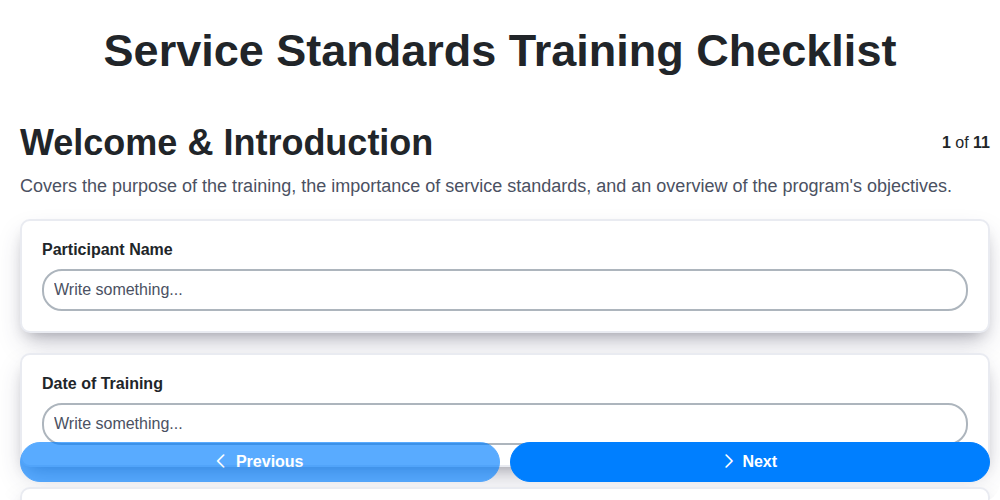
Service Standards Training: Your Checklist Template for Excellence
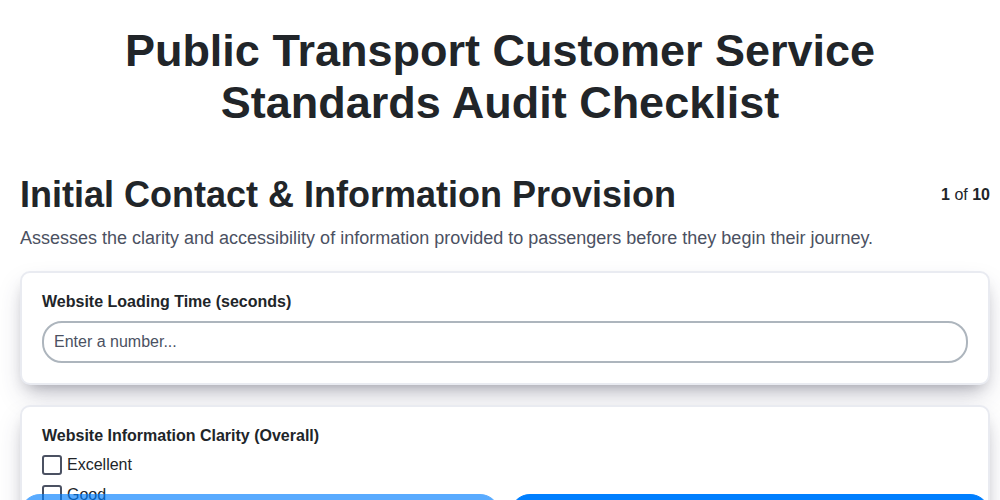
Ensuring Excellent Transit: Your Public Transport Audit Checklist Template
Excel vs ChecklistGuro in Agriculture Management
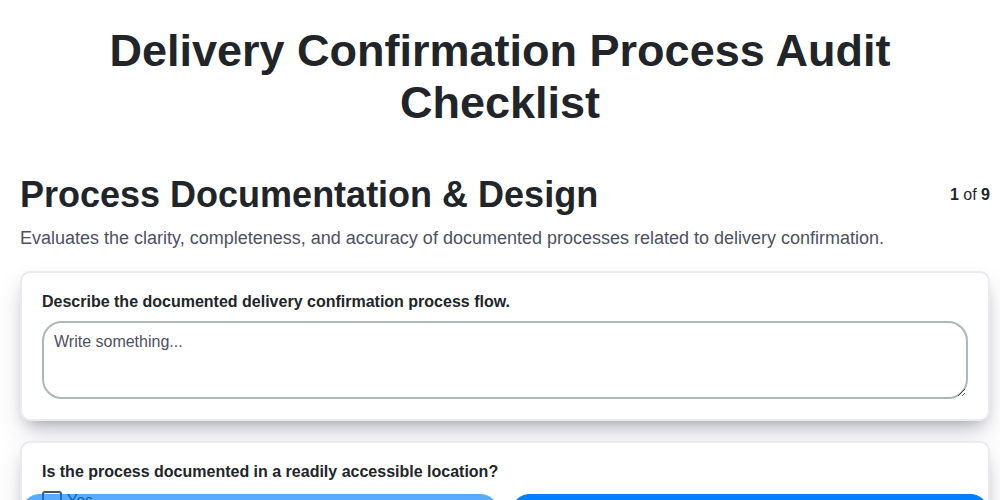
Delivery Confirmation Audit: Your Checklist Template for Process Excellence
Your Spa Treatment Checklist Template: A Guide to Excellence
Excel vs ChecklistGuro in Farming Management
We can do it Together
Need help with
Checklists?
Have a question? We're here to help. Please submit your inquiry, and we'll respond promptly.