How to Find and Choose the Best Inventory Management Software
Published: 10/26/2025 Updated: 07/02/2026
Table of Contents
- What is Inventory Management Software and Why Do You Need It?
- Understanding Your Inventory Management Needs
- Key Features to Look For in Inventory Management Software
- Types of Inventory Management Software: A Breakdown
- Cloud-Based vs. On-Premise: Which is Right for You?
- Budget Considerations: Finding the Best Value
- Researching and Comparing Different Software Options
- Reading Reviews and Seeking Recommendations
- Free Trials and Demos: Testing Before You Invest
- Scalability: Planning for Future Growth
- Integration Capabilities: Connecting with Existing Systems
- Security and Data Privacy: Protecting Your Inventory Data
- Making Your Final Decision and Implementation Tips
- Resources & Links
TLDR: Overwhelmed by inventory management software options? This guide breaks down what to look for - features like real-time tracking, barcode scanning, and reporting - and provides a step-by-step process to assess your needs and choose the best fit for your business. We'll help you avoid common pitfalls and find software that optimizes your stock, saves time, and boosts your bottom line.
What is Inventory Management Software and Why Do You Need It?
Inventory management software isn't just about counting boxes. It's a digital solution that streamlines the entire process of tracking goods - from when they arrive in your warehouse to when they leave your hands and reach your customer. Traditionally, many businesses relied on spreadsheets or manual tracking methods. While these can work for very small operations, they quickly become unsustainable as your business grows.
Modern inventory management software does much more than simple counting. It helps you:
- Track Stock Levels in Real-Time: Know exactly how much of each item you have on hand, minimizing stockouts and overstocking.
- Automate Ordering: Set reorder points to automatically generate purchase orders when stock levels dip too low.
- Improve Order Fulfillment: Optimize picking, packing, and shipping processes for faster and more accurate order fulfillment.
- Gain Valuable Insights: Generate reports on sales trends, popular products, and inventory turnover to make informed business decisions.
- Reduce Costs: Minimize waste, prevent losses due to spoilage or obsolescence, and optimize warehouse space.
- Enhance Customer Satisfaction: Accurate inventory leads to fewer backorders and faster delivery times.
Essentially, it's about transforming raw data into actionable intelligence. Without it, you're operating in the dark, potentially losing money and frustrating customers.
Understanding Your Inventory Management Needs
Before diving into software options, it's crucial to deeply understand exactly what your business needs. A sprawling, feature-rich system isn't necessarily the best choice if your needs are relatively simple. Conversely, a bare-bones solution will quickly become inadequate as your business grows.
Start by assessing your current inventory management processes. Are you using spreadsheets? Manual tracking? If so, what are the biggest pain points? Common challenges often include inaccurate stock counts, difficulty tracking product movement, slow order fulfillment, and wasted time searching for items.
Consider these questions to clarify your requirements:
- Inventory Volume & Complexity: How many SKUs (Stock Keeping Units) do you manage? Are they simple, single items, or complex products with variations (size, color, etc.)?
- Business Type: Are you a retailer, wholesaler, manufacturer, or e-commerce business? Each has unique requirements.
- Multi-Channel Sales: Do you sell across multiple platforms (online store, physical store, marketplaces)?
- Warehouse/Storage: Do you have a single warehouse, multiple locations, or utilize dropshipping?
- Reporting Needs: What kind of data do you need to track (sales trends, low stock alerts, product profitability)?
- Future Growth: Anticipate your business's growth and choose a system that can scale with it.
Documenting these needs - ideally by creating a checklist - will provide a clear framework for evaluating potential software solutions and ensuring you select a system that truly addresses your business challenges.
Key Features to Look For in Inventory Management Software
The best inventory management software isn't a one-size-fits-all solution. It should cater to your specific business requirements. Here's a breakdown of key features to consider:
Real-time Inventory Tracking: This is the cornerstone of effective management. Knowing exactly what you have on hand, and where it's located, minimizes stockouts and overstocking. Look for software that provides instant visibility across all locations.
Barcode Scanning & RFID Integration: These features dramatically speed up receiving, picking, and shipping processes, reducing errors and improving efficiency. Consider your current scanning infrastructure and future needs.
Order Management: The software should seamlessly integrate with your sales channels and suppliers. Automating purchase orders and tracking shipments are crucial for maintaining optimal stock levels.
Reporting & Analytics: Robust reporting features give you insights into inventory turnover, cost of goods sold (COGS), and other vital metrics. Look for customizable reports that help you identify trends and make data-driven decisions.
Lot Tracking & Expiration Date Management: Essential for businesses dealing with perishable goods or products requiring specific lot traceability (e.g., food, pharmaceuticals).
Multi-Channel Integration: If you sell across multiple platforms (e.g., online store, marketplaces, brick-and-mortar), the software needs to synchronize inventory across all channels to avoid overselling.
User Permissions & Access Control: Allows you to define different access levels for various users, ensuring data security and preventing unauthorized modifications.
Mobile Accessibility: Being able to manage inventory on the go, using a smartphone or tablet, is increasingly important for many businesses.
Types of Inventory Management Software: A Breakdown
The inventory management software landscape is surprisingly diverse. Understanding the different types available is the first step towards selecting the right solution for your specific business needs. Here's a breakdown of common categories:
- Spreadsheet-Based Systems: These are the entry point for many small businesses. Utilizing tools like Excel or Google Sheets, they offer basic tracking but quickly become cumbersome as inventory grows. Limited automation and manual data entry are significant drawbacks.
- Basic Inventory Management Software: A step up from spreadsheets, these solutions offer more features like reorder point alerts and basic reporting. They're generally affordable but might lack advanced capabilities.
- Cloud-Based Inventory Management Software: A popular choice due to its accessibility and scalability. Cloud solutions offer real-time updates, collaboration features, and typically require less IT infrastructure. They're accessible from anywhere with an internet connection.
- On-Premise Inventory Management Software: Installed directly on your servers, offering greater control over data security. However, this requires more technical expertise and ongoing maintenance.
- Integrated Inventory Management (Part of ERP): Many Enterprise Resource Planning (ERP) systems include comprehensive inventory management modules alongside accounting, CRM, and other functionalities. This is ideal for larger businesses seeking a holistic approach.
- Specialized Inventory Management Software: Some software focuses on specific industries, such as retail, manufacturing, or food service, offering tailored features to address unique challenges. For instance, a food service solution might include temperature tracking and expiry date management.
Cloud-Based vs. On-Premise: Which is Right for You?
Choosing between cloud-based and on-premise inventory management software is a foundational decision. Let's break down the pros and cons of each to help you decide which aligns best with your business needs.
Cloud-Based (SaaS - Software as a Service):
- Pros: Typically lower upfront costs (subscription-based pricing), easier setup and maintenance (handled by the vendor), accessibility from anywhere with an internet connection, automatic updates and backups, often better scalability.
- Cons: Reliance on a stable internet connection, potential security concerns (though reputable vendors invest heavily in security), less customization options compared to on-premise solutions, vendor lock-in.
On-Premise:
- Pros: Greater control over data and security, more customization options to tailor the software to your specific processes, no reliance on internet connectivity for core functionality.
- Cons: Higher upfront investment (software licenses, server hardware), requires dedicated IT resources for setup, maintenance, and updates, can be more complex to scale.
Consider this: Small to medium-sized businesses often find cloud-based solutions more appealing due to their affordability and ease of use. Larger enterprises with stringent security requirements or highly customized workflows might prefer the control offered by on-premise software. Ultimately, weigh the cost, technical expertise, and desired level of control to make the right call.
Budget Considerations: Finding the Best Value
Okay, let's talk money. Inventory management software pricing varies wildly, ranging from free, basic options to enterprise-level solutions costing thousands per month. Don't automatically equate higher price with better quality; it's about finding the best value.
First, understand your budget constraints. Be realistic about what you can comfortably spend, factoring in not just the software subscription fee but also potential implementation costs (training, data migration, customization), ongoing maintenance, and potential hardware needs (barcode scanners, mobile devices).
Next, scrutinize pricing models. Common options include:
- Per-user pricing: This is very common. Consider the number of employees who will need access to the system.
- Tiered pricing: Many providers offer different tiers with varying features and user limits. Carefully evaluate which tier aligns with your current and future needs. Avoid paying for features you won't use.
- Transaction-based pricing: Less common, but relevant if your business has a high volume of transactions.
- One-time purchase: Rare for cloud-based solutions, but sometimes available for on-premise software.
Don't forget to factor in the potential ROI (Return on Investment). While the initial cost is important, a well-chosen inventory management system can save you money in the long run by reducing stockouts, minimizing waste, and improving efficiency. Calculate the potential savings from these benefits to justify the investment. Finally, always look for free trials or demos to test the software before committing.
Researching and Comparing Different Software Options
Okay, let's dive into the research phase. You're likely seeing a lot of inventory management software options out there, each claiming to be the best. Don't get swayed by flashy marketing - systematic research is key.
Start with Defining Your Requirements (Again!)
Before you even look at software, revisit your needs assessment. What are your absolute must-haves? What would be nice-to-haves? List them out clearly. This will be your filter.
Leverage Online Resources:
- Software Review Sites: G2, Capterra, TrustRadius, and others offer user reviews and comparisons. Pay attention to the cons as well as the pros. Filter by industry and business size if possible.
- Industry Forums & Communities: See what your peers are using and what challenges they face. A quick search in relevant online forums can be incredibly insightful.
- Vendor Websites: While biased, vendor websites contain detailed feature lists, pricing information, and often, case studies.
Create a Comparison Matrix:
This is your secret weapon. List potential software options in rows and your key requirements in columns. Assign scores (e.g., 1-5) based on how well each software fulfills each requirement. This gives you a visual representation of strengths and weaknesses. Consider these categories:
- Core Functionality: Does it handle basic inventory tracking, receiving, shipping, and stock adjustments?
- Scalability: Can it grow with your business?
- Integrations: Does it connect with your existing accounting, e-commerce, and CRM systems? (This is critical for efficiency.)
- User Interface (UI) & User Experience (UX): Is it intuitive and easy to use? A complicated system will lead to frustration and errors.
- Reporting & Analytics: Does it provide the insights you need to make informed decisions?
- Pricing & Support: What's the total cost of ownership? What level of support is offered?
Don't Overlook the Details: Consider features like:
- Barcode Scanning: A huge time-saver for receiving and shipping.
- Lot Tracking: Essential for industries with expiration dates or regulatory requirements.
- Multi-Location Support: If you have multiple warehouses or stores.
- Demand Forecasting: Helps predict future inventory needs.
Reading Reviews and Seeking Recommendations
Don't just take the software vendor's claims at face value. Dive deep into what other users are saying. Start with major review platforms like G2, Capterra, and TrustRadius. Pay close attention to both the positive and negative feedback. Look beyond the star rating and read the detailed comments - they often reveal crucial insights into the software's strengths and weaknesses in real-world scenarios.
Beyond public reviews, tap into your network. Ask colleagues, business partners, and other business owners in similar industries if they've had experience with any inventory management software. Personal recommendations can be incredibly valuable, as they often come with context and nuance that generic reviews might miss. LinkedIn groups and industry forums are also great places to solicit advice and learn from others' experiences. Remember to consider the reviewer's business size and type when evaluating their feedback - what works well for a small retail shop might not be ideal for a large manufacturing facility. Finally, look for case studies published by the software vendors themselves - these can provide a more structured view of how other businesses have benefitted from the solution.
Free Trials and Demos: Testing Before You Invest
Don't skip this step! Jumping straight into a paid subscription without properly testing the software is a recipe for regret. Most reputable inventory management platforms offer free trials or demos. Take advantage of these opportunities.
During the trial period, don't just poke around. Really use the software. Try to simulate your typical workflows. Import some sample data. Run reports. See how easy it is to train your team.
Specifically, pay attention to these areas during your trial:
- Ease of Use: Is the interface intuitive? Can your team learn it quickly?
- Integration Capabilities: Does it play nicely with your existing accounting software, e-commerce platforms, or other essential tools?
- Feature Functionality: Does it actually do what you need it to do, and do those features perform well?
- Support and Training: How responsive is the vendor's support team? Is there sufficient documentation or training resources available?
Many vendors will offer personalized demos as well. Ask targeted questions during the demo that address your specific concerns and business challenges. This is a great opportunity to get a feel for their customer service and how well they understand your industry.
Scalability: Planning for Future Growth
As your business expands, your inventory needs will inevitably change. What works for a small operation with a handful of products might quickly become inadequate as your product catalog grows, order volumes increase, and you potentially expand into new locations or distribution channels. Choosing inventory management software with scalability in mind is crucial to avoiding costly migrations and disruptions down the line.
Consider these factors when evaluating scalability:
- User Capacity: Does the software allow you to add users as your team grows? Are there limitations on the number of users per plan?
- Product Limits: Most platforms have a maximum number of products you can manage. Ensure this number comfortably accommodates your current and projected product range.
- Storage Capacity: As your inventory data increases (transactions, reports, historical records), you'll need sufficient storage space.
- Integration Capabilities: Can the software integrate with other business systems you anticipate using in the future (e.g., e-commerce platforms, accounting software, CRM)? A flexible API and readily available integrations are key.
- Tiered Pricing: Look for a vendor that offers tiered pricing plans that allow you to upgrade as your needs evolve, rather than being locked into a plan that quickly becomes restrictive.
- Cloud-Based vs. On-Premise: Cloud-based solutions generally offer more inherent scalability as resources can be easily adjusted. On-premise solutions require more in-house technical expertise to scale effectively.
Integration Capabilities: Connecting with Existing Systems
Inventory management software doesn't exist in a vacuum. It needs to play nicely with the other tools your business already relies on. Consider your current ecosystem: do you use a specific accounting software (like QuickBooks or Xero)? An e-commerce platform (Shopify, WooCommerce, Amazon Seller Central)? A CRM (Salesforce, HubSpot)?
Seamless integration is crucial. Manually importing and exporting data between systems is a massive time-sink and prone to errors. Look for software that offers direct integrations with your existing tools. This allows for automated data synchronization, eliminating manual data entry and reducing the risk of discrepancies.
Beyond the big names, think about less obvious integrations. Do you need to connect to shipping providers? Point-of-sale (POS) systems? Manufacturing execution systems (MES)? The more integrations a platform offers, the more efficient your overall operations will be. Many vendors offer a list of supported integrations; carefully review this list to ensure it aligns with your specific needs. Don't be afraid to ask vendors about custom integration options if a direct connection isn't available.
Security and Data Privacy: Protecting Your Inventory Data
Your inventory data is a goldmine of information - valuable for streamlining operations, understanding customer demand, and making informed business decisions. But that value also makes it a target for cyber threats. Choosing inventory management software necessitates a deep dive into its security measures and data privacy policies.
Here's what to consider:
- Data Encryption: Ensure the software utilizes robust encryption both in transit (when data is being transferred) and at rest (when it's stored). This protects your data from unauthorized access.
- Access Controls & Permissions: Look for granular control over user access. Can you define specific roles and permissions, limiting what each user can see and do within the system?
- Compliance with Regulations: If your business handles sensitive data (like personal customer information), verify that the software complies with relevant regulations like GDPR, CCPA, or industry-specific requirements.
- Backup and Disaster Recovery: What happens if there's a system failure or data breach? Does the software have automated backups and a documented disaster recovery plan?
- Vendor Security Practices: Research the vendor's own security practices. Do they regularly undergo security audits and penetration testing? Look for certifications like SOC 2.
- Two-Factor Authentication (2FA): This adds an extra layer of security, requiring users to provide two forms of identification.
- Data Location: Where is your data physically stored? Consider the legal and regulatory implications of data residency.
Don't assume that a vendor is secure simply because they're popular. Due diligence is key to protecting your valuable inventory data.
Making Your Final Decision and Implementation Tips
Okay, you've narrowed down your options and selected a potential inventory management software. But the journey doesn't end there! Making the final decision and implementing the system effectively requires careful consideration.
Trial Period is Your Best Friend: Don't skip the free trial! This is your chance to truly experience the software in a simulated environment. Input real data (or representative data) and see how it handles your specific workflows. Involve your team in the trial - their feedback is invaluable.
Consider Integrations: Does the software integrate with your existing accounting system (like QuickBooks or Xero), e-commerce platforms (Shopify, WooCommerce), or CRM? Seamless integration minimizes manual data entry and reduces errors. A disconnected system is almost as bad as no system at all.
Scalability & Future-Proofing: Think beyond your current needs. Will the software be able to handle your growth? Can it accommodate increasing product SKUs, more warehouses, or more users? Consider if it's a platform that can evolve with your business.
Training & Support: Look closely at the vendor's training resources and support options. Is there comprehensive documentation, video tutorials, and responsive customer service? A well-supported system will minimize frustration and maximize user adoption.
Phased Rollout: Don't try to switch everything over at once. Consider a phased rollout, starting with a single warehouse or department. This allows you to identify and address any issues before expanding the implementation.
Data Migration Strategy: Planning how to move your existing inventory data into the new system is crucial. Determine whether you can import data directly, or if manual entry is required. Clean your data before migration to avoid importing inaccuracies.
Finally, remember that implementing new software takes time and effort. Be prepared for a learning curve and celebrate the small victories along the way!
Resources & Links
- NetSuite - What is Inventory Management?: Provides a comprehensive definition of inventory management, covering various aspects like forecasting, tracking, and replenishment. Great for a foundational understanding.
- Zoho Inventory: A popular cloud-based inventory management system. Offers diverse features and can be used as a comparative example when discussing software options. Helpful for understanding features and functionality.
- Fishbowl Inventory: Known for being a manufacturing-focused inventory solution. Useful when discussing different types of inventory management and industries served. Provides a perspective beyond simple retail.
- InFlow Inventory: A cloud-based and on-premise inventory management system geared toward small to medium businesses. Offers a good range of functionality and pricing tiers to compare.
- Cin7: A more advanced inventory management platform, often used for omnichannel retail and direct-to-consumer businesses. Good example for discussing integration and scalability requirements.
- monday.com: While primarily a work OS, monday.com offers inventory management capabilities. Illustrates how inventory management can be part of a broader workflow management solution.
- G2 - Inventory Management Software: A leading software review platform. Provides unbiased user reviews and comparisons of various inventory management software options.
- Capterra - Inventory Management Software: Another reputable software review platform, similar to G2. Provides a broader range of options and filtering capabilities.
- TrustRadius - Inventory Management Software: Offers in-depth reviews and insights from verified users, emphasizing the practical experiences with different software.
- Shopify Retail - Inventory Management: Provides an overview of inventory management basics and integrates with Shopify's e-commerce platform. A good point of reference if audience is involved in e-commerce.
- US Census Bureau - Business Statistics: Provides statistical data on businesses and industries. Useful for understanding the scope of inventory management and its impact on business performance.
- NIST - Cybersecurity: National Institute of Standards and Technology (NIST) provides resources and guidelines on cybersecurity, crucial when discussing security and data privacy.
- Amazon Web Services (AWS): For discussing cloud-based solutions, AWS provides a leading example of a reliable and scalable cloud infrastructure provider.
- Microsoft Azure: Similar to AWS, Azure is another major cloud provider. Helps illustrate the capabilities and benefits of cloud-based infrastructure.
Frequently Asked Questions
What is inventory management software and why do I need it?
Inventory management software helps businesses track their stock levels, orders, shipments, and sales. It streamlines processes, reduces errors, minimizes stockouts and overstocking, and provides valuable data for informed decision-making. It's essential for businesses of all sizes that deal with physical products.
What are the different types of inventory management software?
Common types include cloud-based (accessible from anywhere), on-premise (installed on your own servers), and open-source solutions. You'll also find specialized software catering to specific industries (e.g., retail, manufacturing, e-commerce).
What features should I look for in inventory management software?
Key features include real-time inventory tracking, order management, barcode scanning, reporting and analytics, integration with other systems (like accounting or e-commerce platforms), demand forecasting, and ideally, mobile accessibility.
How much does inventory management software typically cost?
Pricing varies greatly. Free options are limited, while basic plans can start around $20-50/month. More robust features and higher user limits can push costs to $100+/month. Some vendors offer custom pricing based on your specific needs.
What does 'integration' mean in the context of inventory management software?
Integration refers to the ability of the software to connect and share data with other systems you use, such as your accounting software (e.g., QuickBooks, Xero), e-commerce platform (e.g., Shopify, WooCommerce), or CRM. This avoids manual data entry and improves data accuracy.
How do I determine the right inventory management software for my business?
Consider your business size, budget, inventory complexity, and specific needs. Start with a needs assessment, research different options, read reviews, and take advantage of free trials or demos before making a decision.
What is the difference between 'just-in-time' (JIT) and 'safety stock'?
Just-in-time (JIT) aims to receive inventory only when needed, minimizing storage costs but requiring precise demand forecasting. Safety stock is extra inventory kept on hand to buffer against unexpected demand spikes or supply chain disruptions.
Should I choose a cloud-based or on-premise solution?
Cloud-based solutions are generally easier to implement and maintain, offering accessibility and scalability. On-premise solutions offer greater control over data security but require more technical expertise and infrastructure.
What are some red flags to watch out for when evaluating inventory management software?
Look out for overly complex interfaces, limited customer support, lack of integrations, hidden fees, inflexible contracts, and consistently negative user reviews.
Can I start with a free trial or demo before committing to a paid plan?
Most reputable inventory management software vendors offer free trials or demos. This allows you to test the software's features and usability before making a financial commitment.
Comments
There are no comments yet. Be the first to add one!
Inventory Management Solution Demo
Optimize your inventory & boost profitability! ChecklistGuro streamlines tracking, ordering, & fulfillment. Reduce waste, minimize stockouts, & improve efficiency. Manage it all with our Work OS.
Related Articles

Warehouse Data Integrity: Your WMS Checklist Template

Mastering Inventory Turnover: Your Analysis Checklist Template
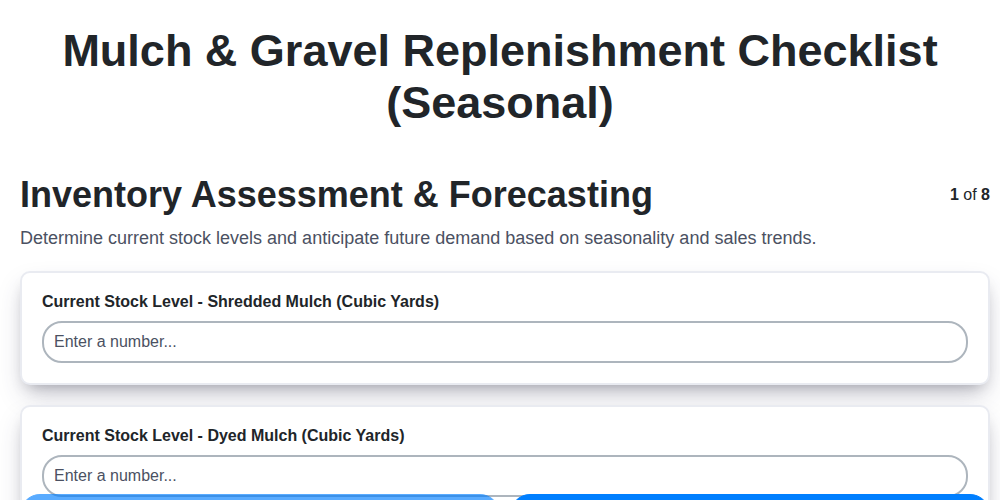
Seasonal Mulch & Gravel Checklist Template: Stay Stocked & Ready
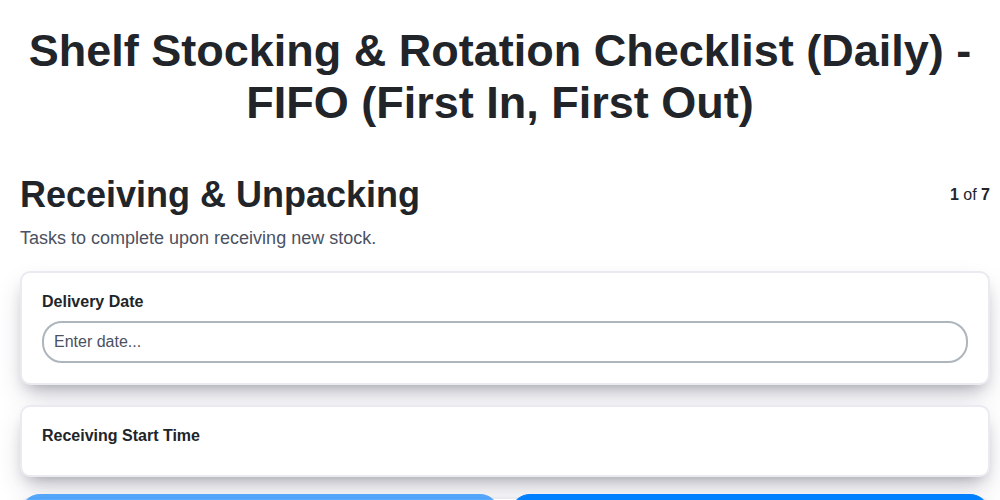
Daily Shelf Stocking & Rotation Checklist: FIFO Made Easy
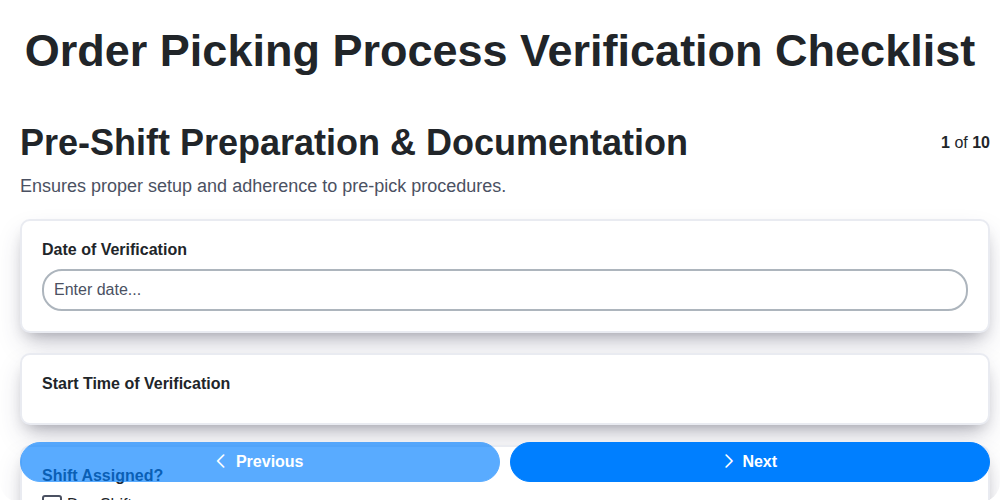
Order Picking Process Verification: Your Checklist Template
Monthly Stockroom Organization & Safety Checklist Template
Vendor Lead Time Validation: A Checklist Template for Supply Chain Success
Daily Warehouse Walkthrough Inspection Checklist Template
Need help with
Checklists?
Have a question? We're here to help. Please submit your inquiry, and we'll respond promptly.