How to Save Money on Supply Chain Management (SCM) Software
Published: 12/20/2025 Updated: 12/21/2025
Table of Contents
- Understanding the Rising Cost of SCM Software
- What Does SCM Software Actually Do?
- Assessing Your Business's True SCM Needs
- Exploring Free and Open-Source SCM Solutions
- The Power of Freemium: Finding Value in Limited Versions
- Negotiating Smartly: Tips for Securing Lower Prices
- Focusing on Essential Features: Avoiding Unnecessary Add-ons
- Cloud vs. On-Premise: Which Deployment Model Saves More?
- Scalability Considerations: Paying Only for What You Need
- Leveraging Automation to Reduce Manual Labor
- Integration is Key: Minimizing Data Silos and Errors
- Training and Support: The Hidden Cost Factor
- Regularly Reviewing Your SCM Software Usage
- Future-Proofing Your Investment
- Resources & Links
TLDR: Feeling the pressure of SCM software costs? This checklist helps you evaluate your needs, explore open-source/freemium options, negotiate better contracts with vendors, and optimize your processes - all to reduce spending and maximize ROI. We'll guide you through identifying crucial features, comparing solutions, and avoiding unnecessary costs, so you can streamline your supply chain without breaking the bank.
Understanding the Rising Cost of SCM Software
The cost of Supply Chain Management (SCM) software has been steadily rising, and it's not just a matter of inflation. Several factors are at play, contributing to this trend and impacting businesses of all sizes.
Firstly, the sheer complexity of modern supply chains necessitates increasingly sophisticated software. Globalization, evolving customer expectations for speed and transparency, and the rise of e-commerce have all placed tremendous pressure on businesses to optimize their operations. This, in turn, fuels the demand for feature-rich SCM platforms capable of handling intricate logistics, real-time inventory tracking, demand forecasting, and risk mitigation.
Secondly, the shift towards cloud-based SCM solutions, while offering undeniable benefits like scalability and accessibility, often comes with subscription fees that can be substantial. Vendors are bundling more services into these cloud packages, which can initially appear attractive but ultimately lead to higher overall costs if you're not carefully evaluating your needs.
Thirdly, many SCM software vendors are targeting larger enterprises with premium packages, leaving smaller to mid-sized businesses feeling priced out. The assumption is that larger companies have the budget and complexity to justify these high-end solutions.
Finally, the feature creep phenomenon-the tendency to add more and more features to software-is also a significant contributor. Businesses often end up paying for functionalities they rarely or never use, simply because they're included in the package. The promise of future-proofing can lead to unnecessary expenditure. Understanding these drivers is the first step towards finding cost-effective SCM software solutions.
What Does SCM Software Actually Do?
SCM software isn't just about tracking shipments (though that's a big part of it!). It's a comprehensive suite of tools designed to manage the entire flow of goods, information, and finances related to your products - from raw materials to the end customer. Think of it as the central nervous system for your supply chain.
Here's a more detailed breakdown of what SCM software typically handles:
- Demand Forecasting: Predicting future demand to optimize inventory levels and avoid stockouts or overstocking.
- Supplier Management: Evaluating, selecting, and managing relationships with suppliers, including contract negotiation and performance monitoring.
- Inventory Management: Keeping track of inventory levels across your entire network, optimizing storage, and minimizing waste.
- Warehouse Management: Streamlining warehouse operations, including receiving, picking, packing, and shipping.
- Transportation Management: Planning and executing transportation routes, optimizing logistics costs, and ensuring timely deliveries.
- Order Management: Processing customer orders, managing order fulfillment, and tracking order status.
- Visibility & Analytics: Providing real-time visibility into your supply chain and generating reports to identify areas for improvement.
- Collaboration: Facilitating communication and collaboration between all stakeholders in your supply chain.
Ultimately, SCM software aims to improve efficiency, reduce costs, and enhance responsiveness throughout your supply chain.
Assessing Your Business's True SCM Needs
Before diving into software options, it's critical to accurately define what you actually need. Overbuying features is a common and costly mistake. Many businesses get swept up in the hype of advanced capabilities they'll never utilize. Let's break down how to assess your needs:
- Map Your Current Processes: Document every step of your supply chain, from sourcing raw materials to delivering the finished product to the customer. Identify bottlenecks, pain points, and areas for improvement. This will highlight which processes need software solutions.
- Define Your Must-Have Features: Based on your process mapping, create a prioritized list. What functions are absolutely essential to solve your biggest challenges? Examples might include inventory tracking, order management, transportation visibility, or supplier collaboration. Differentiate these from nice-to-haves.
- Consider Your Business Size & Growth Plans: A small business with limited volume has different needs than a rapidly expanding enterprise. Ensure the software can scale with you and doesn't lock you into a system that will quickly become inadequate.
- Identify User Roles & Access Levels: Who will be using the software, and what level of access do they require? This impacts the complexity of the system and licensing costs.
- Don't Forget Integrations: Think about existing software you use (accounting, CRM, etc.). Seamless integration can save time and reduce errors, but choosing a system that doesn't integrate well can create new problems.
- Document Your Findings: Write down your assessment. This will serve as a benchmark for evaluating software options and justifying your investment.
Exploring Free and Open-Source SCM Solutions
While comprehensive, paid SCM software offers a lot, don't immediately dismiss free and open-source alternatives. They're evolving rapidly and can be a viable option, especially for smaller businesses or those just starting to implement SCM.
Here's a breakdown of what to consider:
- Benefits: Reduced upfront costs, greater control over customization, community support, and often, lower long-term costs.
- Limitations: May require more technical expertise to implement and maintain, potentially limited features compared to premium options, and potentially less robust support.
- Popular Options:
- Odoo: A modular ERP system with a strong SCM module. While the core is open-source, some advanced features require paid apps.
- ERPNext: Another popular open-source ERP system with a dedicated SCM module. It's known for its user-friendliness and comprehensive features.
- PartKeepr: Specifically designed for managing component inventory, often a crucial aspect of SCM.
- Tryton: A three-tier high-level general purpose application platform.
- Important Note: Carefully evaluate the total cost of ownership. Factor in the potential need for developer time for setup, customization, and maintenance when comparing with paid solutions. A "free" solution can quickly become expensive if you're constantly relying on external consultants.
The Power of Freemium: Finding Value in Limited Versions
Many SCM software providers offer freemium or limited-functionality versions of their platforms. While these aren't comprehensive solutions, they can be incredibly valuable for smaller businesses or those just starting to implement SCM practices. Think of it as a try before you buy opportunity.
These free tiers often cover essential features like basic inventory tracking, order management, and limited reporting. This allows you to familiarize yourself with the software's interface, understand the workflows it supports, and assess whether it aligns with your long-term needs before committing to a paid subscription.
Here's how to leverage freemium offerings effectively:
- Identify Core Needs: Before exploring freemium options, clearly define your most critical supply chain functions. What problems are you really trying to solve?
- Focus on Functionality, Not Features: Don't get distracted by bells and whistles. Evaluate how well the free version handles your core processes.
- Scalability Considerations: Think about your future growth. Can the free tier handle increased volume and complexity when your business expands? If not, understand the upgrade path and associated costs.
- Data Limitations: Be aware of any limitations on data storage or user access in free tiers.
- Integration Possibilities: Even in its limited form, can the free version integrate with other tools you already use (like accounting software or e-commerce platforms)?
Don't dismiss freemium just because it's free. It can be a surprisingly effective and cost-conscious entry point into the world of SCM software.
Negotiating Smartly: Tips for Securing Lower Prices
Okay, let's talk about getting a better deal. Negotiation isn't about being adversarial; it's about finding a mutually beneficial outcome. Here's how to approach SCM software pricing negotiations effectively:
- Know Your Needs (and Don't Overbuy): Before you even start talking price, be absolutely clear on what features you need versus what would be nice to have. Many SCM solutions bundle features you won't use, driving up the cost. A detailed checklist of requirements (like the ones we're providing!) is your best friend here.
- Leverage Competitor Quotes: Get quotes from at least three vendors. Having competing offers gives you significant leverage. Don't be afraid to share these quotes with vendors - they know you're shopping around. Phrase it as, Vendor X offered us Y price for similar functionality. Can you match or improve?
- Consider Tiered Pricing & Modules: Many SCM software providers offer tiered pricing plans based on usage (users, transactions, data volume) or modules. Choose the plan that aligns precisely with your needs. Don't pay for modules you won't use.
- Explore Volume Discounts: If you anticipate significant growth or have multiple business units, inquire about volume discounts.
- Look Beyond the Initial Price: Don't just focus on the sticker price. Factor in implementation costs, training fees, and ongoing support costs. A seemingly cheaper solution could end up costing more in the long run. Ask for a breakdown of all potential expenses.
- Negotiate Contract Terms: Don't be afraid to push back on contract length or renewal terms. A shorter contract with a reasonable price can give you more flexibility. Be sure to understand the cancellation policy.
- Consider Professional Services (Carefully): While implementation and training are crucial, professional services can quickly inflate costs. Clearly define the scope of services needed upfront and consider in-house expertise where possible.
- Build a Relationship: Negotiating isn't a one-time event. Building a positive relationship with the vendor can lead to more favorable terms down the road.
Focusing on Essential Features: Avoiding Unnecessary Add-ons
Many SCM software vendors try to upsell you on a dizzying array of features. While some might be genuinely helpful, it's crucial to differentiate between nice-to-haves and must-haves for your business. Don't be swayed by shiny features you won't actually use.
Start by meticulously outlining your core SCM challenges and requirements. What are the most pressing issues you're trying to solve? Are you primarily focused on inventory management, order fulfillment, transportation optimization, or supplier collaboration?
Create a detailed list of essential functionalities based on these needs. Then, critically evaluate each vendor's offerings against that list. Often, smaller businesses can significantly reduce costs by opting for a more streamlined solution that focuses on those core capabilities. Ask yourself:
- Is this feature essential for my day-to-day operations?
- Can I manage this process manually or with a simpler tool?
- What's the ROI of implementing this feature? (Consider both the initial cost and the ongoing maintenance.)
Don't be afraid to negotiate with vendors to remove unnecessary modules or features from your contract. A tailored solution that precisely addresses your needs is almost always more cost-effective than a bloated package.
Cloud vs. On-Premise: Which Deployment Model Saves More?
The deployment model you choose - cloud-based (SaaS) or on-premise - significantly impacts your SCM software costs. Traditionally, on-premise solutions were considered the norm, requiring substantial upfront investment in hardware, IT infrastructure, and dedicated personnel for maintenance and security. However, the cloud has dramatically shifted the landscape.
Cloud-based SCM software operates on a subscription model (typically monthly or annual), eliminating the need for significant upfront capital expenditure. This pay-as-you-go approach is attractive for many businesses, particularly SMEs, as it reduces initial costs and provides predictable ongoing expenses. You also benefit from automatic updates and scalability - the vendor handles the infrastructure, freeing up your IT team to focus on other strategic initiatives.
However, on-premise solutions can be more cost-effective in the long run for larger enterprises with mature IT departments and specific security requirements. While the initial investment is higher, you have more control over your data and infrastructure, potentially avoiding recurring subscription fees over several years. However, factor in the cost of internal IT expertise, power, cooling, and potential hardware upgrades - these costs can quickly add up.
Ultimately, the "cheaper" option depends on your specific circumstances. Consider your company size, IT capabilities, security needs, and long-term goals to determine which deployment model best aligns with your budget and strategic objectives. A detailed cost-benefit analysis is crucial before making a final decision.
Scalability Considerations: Paying Only for What You Need
Many SCM software solutions come with tiered pricing models, often based on factors like the number of users, transaction volume, or warehouse locations. It's tempting to jump for the "premium" package brimming with features, but often, businesses vastly overestimate their initial needs. Consider your current size and projected growth carefully.
Start with the smallest viable package that covers your immediate requirements. Most platforms allow you to scale up as your business expands. Paying for features you're not actively using is a significant drain on resources. For example, a small business with a single warehouse might not require advanced routing optimization or complex analytics, but could easily be overpaying for those features in a higher tier.
Regularly reassess your usage and needs. As your business grows, you can upgrade, but don't be afraid to downgrade if your needs change. Many vendors offer flexibility, and it's worth discussing your growth plans with them to find a solution that evolves with you, rather than forcing you to commit to a large upfront investment. This proactive approach ensures you're consistently paying only for the functionality you genuinely need.
Leveraging Automation to Reduce Manual Labor
Manual processes within your supply chain - data entry, order tracking, inventory updates - are not only time-consuming but also prone to human error. This directly impacts your bottom line through wasted labor hours and potential inaccuracies. Automating these repetitive tasks frees up your team to focus on strategic initiatives like supplier relationship management, risk mitigation, and process improvement.
SCM software offers robust automation capabilities. Think automated purchase order generation based on pre-defined inventory levels, real-time shipment tracking updates delivered straight to stakeholders, and automated invoice reconciliation. Many platforms also integrate with other business systems (like your ERP or accounting software) to further streamline workflows and eliminate manual data transfer.
Implementing automation doesn't mean a complete overhaul overnight. Start small by identifying the most time-consuming and error-prone processes. Many SCM solutions allow for phased implementation, letting you roll out automation incrementally and measure the impact as you go. Even simple automation steps can yield significant savings in both time and resources.
Integration is Key: Minimizing Data Silos and Errors
Poor integration between your SCM software and other critical business systems (like ERP, CRM, or even simple spreadsheets) is a silent money-draining culprit. Data silos lead to manual data entry, increased error rates, and a general lack of visibility across your supply chain. Each manual transfer of data represents wasted time, potential mistakes, and lost opportunities for optimization.
When evaluating SCM software, prioritize solutions that offer robust integration capabilities. Look for:
- Pre-built integrations: Does the software natively connect with systems you already use? This significantly reduces implementation complexity and cost.
- API access: A well-documented API allows for custom integrations if pre-built options aren't sufficient.
- Data mapping and transformation tools: These features ensure data flows accurately and consistently between systems.
- Real-time data synchronization: Avoid batch processing; real-time updates provide the most up-to-date information for decision-making.
Investing in integration upfront might require a slightly higher initial cost, but the long-term savings from reduced errors, increased efficiency, and improved decision-making will far outweigh that expense. A truly integrated SCM system is an investment in the health and profitability of your entire business.
Training and Support: The Hidden Cost Factor
Many businesses focus solely on the upfront cost of SCM software, overlooking the ongoing expenses associated with training and support. Don't underestimate these! Poorly trained staff can lead to inefficient usage, data errors, and ultimately, a failure to realize the software's full potential.
Consider the following:
- Implementation & Onboarding: Most vendors offer implementation services, but these can be surprisingly expensive. Factor in the time your own team will need to dedicate to learning the new system alongside vendor support.
- Ongoing Training: Your needs won't be static. New features are released, employees join and leave, and processes evolve. Budget for regular training sessions.
- Support Levels: Different vendors offer various support tiers, ranging from basic email support to premium phone support and dedicated account managers. The higher the level of support, the greater the cost.
- Internal Expertise: Will you need to hire a dedicated SCM specialist to manage the software? This represents a significant ongoing expense.
Before committing to a solution, carefully evaluate the vendor's training programs, documentation, and support options. Understand the cost implications of each tier and consider whether you have the internal resources to handle support in-house. A seemingly cheaper software solution might end up costing you more in the long run if it lacks adequate training and support.
Regularly Reviewing Your SCM Software Usage
Okay, let's be honest: many businesses end up paying for SCM features they rarely, if ever, use. It's a common occurrence, driven by initial needs that evolve, or simply a lack of ongoing oversight. Regularly reviewing your software usage isn't about finding fault; it's about smart optimization.
Here's what a thorough review should entail:
- Identify Inactive Users: Are there employees who haven't logged in for a significant period? Remove their licenses - it's a quick win.
- Analyze Feature Utilization: Most SCM platforms offer usage reports. Dive into these to see which features are heavily used and which are gathering digital dust. Consider downgrading your plan or renegotiating features based on this data.
- Assess Process Efficiency: Does your current SCM software truly streamline your processes? Sometimes, the initial benefits fade, and the software becomes a bottleneck. This review provides an opportunity to evaluate the software's impact on efficiency and identify areas for improvement.
- Consider Automation Opportunities: Are there manual tasks being performed within the SCM software that could be automated? Automating tasks frees up valuable time and reduces the need for additional user licenses.
- Review Integrations: Are all your integrations still necessary and effective? Unused or poorly integrated modules can add unnecessary costs and complexity.
- Schedule Regular Audits: Don't make this a one-off exercise. Aim for quarterly or bi-annual reviews to ensure continued optimization and alignment with your business needs.
By incorporating these practices, you can proactively manage your SCM software spending and ensure you're getting the most value for your investment.
Future-Proofing Your Investment
Choosing SCM software isn't just about today's budget; it's an investment in your company's future. A hasty decision based solely on immediate cost savings can lead to headaches down the line as your business grows and your needs evolve. Here's how to future-proof your SCM software investment:
- Scalability: Ensure the software can handle increased transaction volumes, more complex processes, and expanding geographical locations. Look for solutions that can easily scale up or down based on your fluctuating needs.
- Integration Capabilities: Supply chains rarely operate in isolation. Choose software that seamlessly integrates with your existing systems (ERP, CRM, accounting software, etc.) and future systems you might adopt. APIs and open architectures are key here.
- Emerging Technologies: Keep an eye on emerging technologies like AI, blockchain, and IoT. While you may not need these immediately, future-proofing means selecting a platform that can adapt and incorporate these advancements as they become relevant. Consider whether the vendor has a roadmap for incorporating these technologies.
- Vendor Stability & Innovation: Research the vendor's financial stability and their commitment to ongoing innovation. You want a partner who will be around to support you and consistently improve their software.
- Modular Design: Opt for a modular system that allows you to add or remove functionalities as needed. This prevents you from paying for features you don't use and allows you to adapt to changing business requirements.
Resources & Links
- Gartner: Provides in-depth research and analysis on the SCM software market, including vendor comparisons and trend reports. Useful for understanding industry benchmarks and evaluating different solutions.
- Forbes: Offers business and technology news and analysis, which can provide context on the costs and benefits of SCM software investments. Search for articles related to SCM technology trends.
- Supply Chain Digital: A digital publication covering supply chain technology, strategy, and innovation. Provides insights into cost-saving technologies and best practices.
- APICS (now ASCM): A professional association for supply chain professionals. Offers resources, certifications, and best practice guidance for optimizing supply chain processes and reducing costs.
- ISC (International Supply Chain Professionals): Another professional organization for supply chain professionals. Offers information and resources for improving efficiency and reducing costs within supply chains.
- SDM Corp: Offers benchmarking data and consulting services related to supply chain costs and performance. Can provide valuable data for comparison.
- Open Hub: A repository and community for open-source projects, including some SCM-related tools. Useful for researching free and open-source alternatives.
- GitHub: A code hosting platform where developers share and collaborate on projects. Can be a source for open-source SCM tools and integrations.
- Capterra: A software review website that allows businesses to compare and contrast different SCM software solutions. Provides user reviews and pricing information.
- TrustRadius: Similar to Capterra, offering detailed software reviews and comparisons, often with more in-depth user feedback.
Frequently Asked Questions
What is Supply Chain Management (SCM) software and why is it expensive?
SCM software helps businesses manage and optimize their entire supply chain, from sourcing raw materials to delivering finished products. It's expensive due to complex functionalities like inventory management, demand forecasting, transportation optimization, and supplier collaboration, often requiring specialized development, ongoing maintenance, and robust infrastructure. The cost often reflects the potential return on investment from improved efficiency and reduced costs.
Why should I consider saving money on SCM software?
SCM software represents a significant investment. Saving money on it allows you to allocate those funds to other critical business areas like marketing, product development, or employee training. Reducing costs also improves profitability and allows for greater financial flexibility.
What are the main ways to save money on SCM software?
Several methods exist: 1) Opt for cloud-based (SaaS) solutions instead of on-premise, 2) Carefully evaluate and choose the features you *actually* need (avoid feature bloat), 3) Consider open-source options, 4) Negotiate with vendors, 5) Explore smaller, more specialized vendors, 6) Look for bundled deals or discounts, and 7) Prioritize integrations to minimize manual work and reduce errors.
What's the difference between on-premise and cloud-based (SaaS) SCM software, and which is typically cheaper?
On-premise software is installed and maintained on your own servers, requiring significant upfront investment and ongoing IT support. Cloud-based (SaaS) software is hosted by the vendor and accessed via subscription, reducing upfront costs and IT burden. Generally, SaaS solutions are cheaper initially due to the absence of hardware and IT infrastructure costs, but long-term costs should be carefully compared.
Should I consider open-source SCM software? What are the pros and cons?
Open-source SCM software is free to use, but requires technical expertise to implement and maintain. Pros include cost savings and customization options. Cons involve a lack of vendor support, potential security risks, and the need for in-house technical skills. It's suitable for companies with strong technical teams and specific requirements that can's be met by commercial offerings.
How can I avoid paying for features I don't need?
Thoroughly assess your business needs and map them to software features. Request demos and trials to test functionalities before committing. Be realistic about your current and future requirements, and don't be afraid to decline features that don't directly contribute to your core supply chain processes. Many vendors offer tiered pricing plans; choose the plan that aligns best with your essential needs.
What are some strategies for negotiating with SCM software vendors?
Research vendor pricing and competitor offerings. Emphasize your budget constraints and long-term potential. Ask for volume discounts or bundled deals. Highlight your company's unique value and potential for future growth. Consider a phased rollout to spread out payments and reduce initial investment. Don't be afraid to walk away if the price isn't right.
How important is integration with other systems (ERP, CRM) when choosing SCM software, and how can it impact cost?
Integration is crucial for streamlined data flow and process automation. Poor integration leads to manual data entry, errors, and inefficiencies, ultimately increasing costs. Prioritize software that integrates well with your existing systems to minimize these hidden costs. Conversely, complex, custom integrations can be expensive, so choose solutions with readily available pre-built integrations where possible.
What should I look for in a trial or demo of SCM software?
Focus on usability, integration capabilities, and the core features you need. Test the software with your own data to assess performance. Evaluate the vendor's support and training resources. Involve key stakeholders from your supply chain team to gather feedback and ensure the software meets everyone's requirements. A good trial should allow you to fully assess the software's value before committing.
How can I calculate the potential ROI (Return on Investment) of an SCM software investment?
Estimate the potential cost savings from improved inventory management, reduced transportation costs, and increased efficiency. Factor in potential revenue increases from faster delivery times and improved customer satisfaction. Compare these benefits to the total cost of ownership (software license, implementation, training, maintenance). A positive ROI justifies the investment.
Comments
I was wondering about the negotiation part... any specific leverage points to mention with vendors?
SCM - Supply Chain Management Solution Demo
Struggling with supply chain disruptions & lack of visibility? ChecklistGuro delivers a centralized SCM solution, connecting your suppliers, manufacturers, & distributors for improved collaboration and control. Simplify operations & boost efficiency.
Related Articles
How to increase your efficiency with Logistics Management Software
How to Save Money on Logistics Management Software
The Ultimate Raw Material Sourcing Checklist for Manufacturing
Restaurant Inventory Checklist Template: Your Guide to Food & Supply Control
How to Find and Choose the Best Logistics Management Software
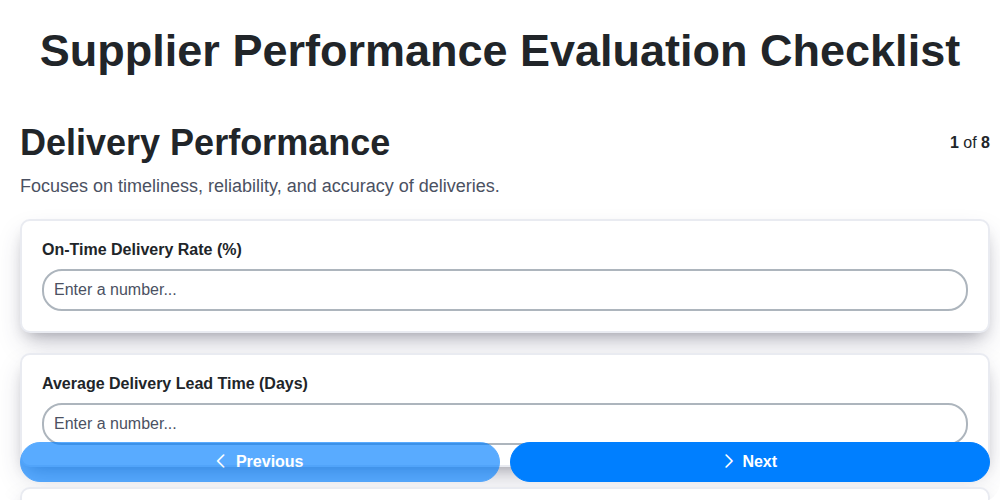
The Ultimate Supplier Performance Evaluation Checklist Template
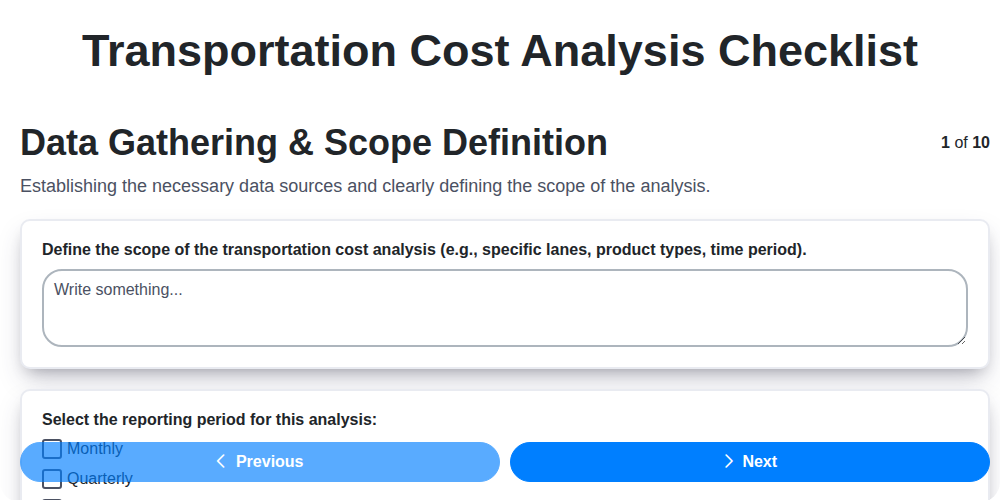
Transportation Cost Analysis Checklist Template: Your Guide to Savings
How to improve your Logistics Management
We can do it Together
Need help with
Checklists?
Have a question? We're here to help. Please submit your inquiry, and we'll respond promptly.