Streamlining Fulfillment: A Step-by-Step Guide to the Order Picking and Packing Workflow
Published: 06/09/2026 Updated: 10/05/2026
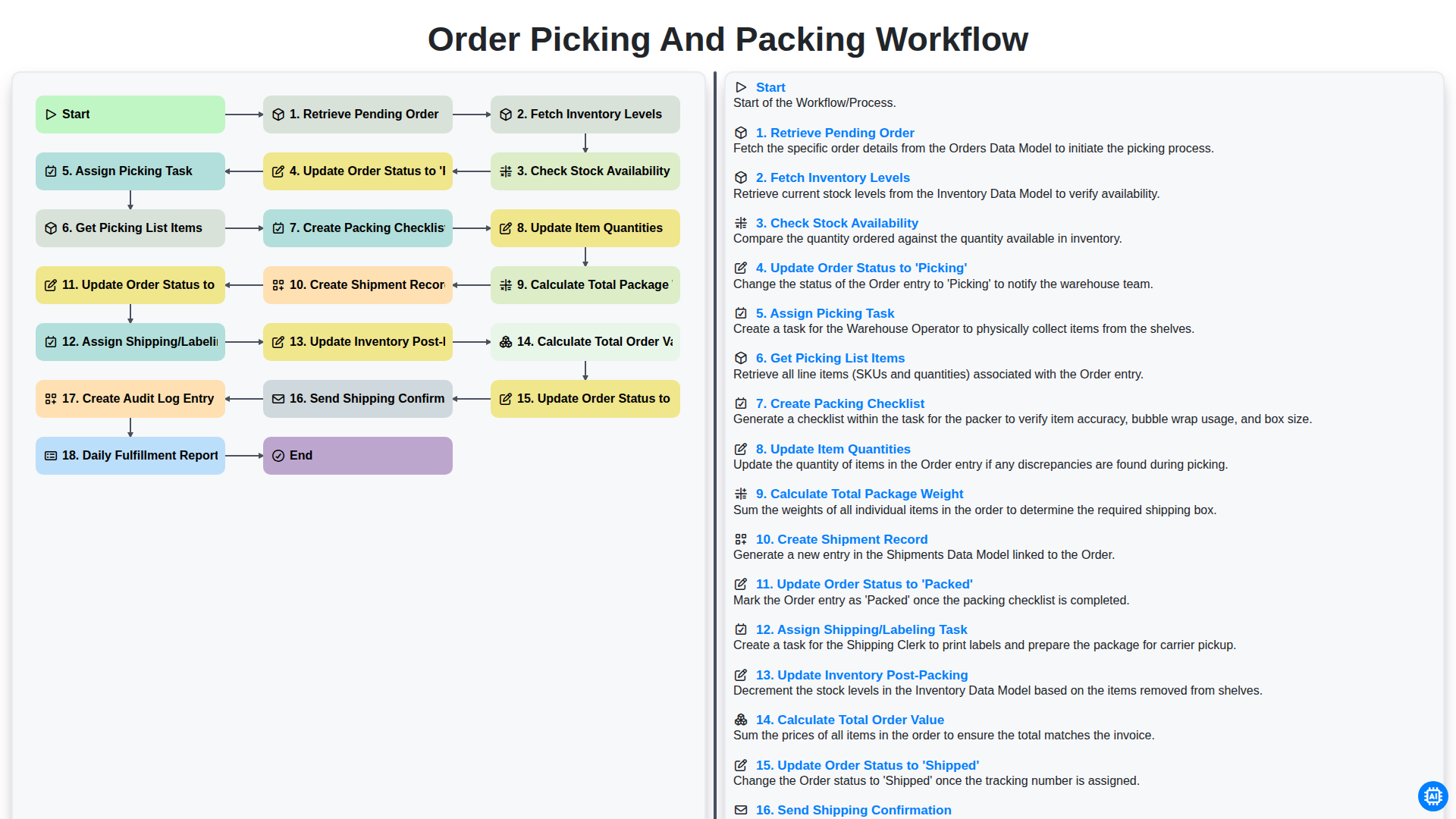
Table of Contents
- Introduction to Efficient Order Fulfillment
- Phase 1: Order Initiation and Inventory Verification
- Step 1: Retrieving Pending Orders and Checking Stock Availability
- Step 2: Managing Inventory Levels and Stock Synchronization
- Phase 2: The Picking Process
- Step 3: Assigning Tasks and Generating Picking Lists
- Step 4: Updating Order Status to 'Picking'
- Phase 3: Precision Packing and Quality Control
- Step 5: Creating Packing Checklists and Updating Item Quantities
- Step 6: Calculating Package Weight and Creating Shipment Records
- Step 7: Finalizing the Pack and Updating Order Status to 'Packed'
- Phase 4: Shipping, Dispatch, and Post-Fulfillment
- Step 8: Assigning Shipping Tasks and Generating Labels
- Step 9: Updating Inventory Post-Packing and Finalizing Shipment Status
- Step 10: Customer Communication and Audit Logging
- Continuous Improvement: Daily Fulfillment Reporting
- Resources & Links
TLDR: Master your fulfillment process with this comprehensive guide to the Order Picking and Packing workflow. Learn how to automate everything from initial order retrieval and inventory verification to real-time status updates and shipping confirmations, ensuring accuracy, reducing manual errors, and optimizing your warehouse efficiency.
Introduction to Efficient Order Fulfillment
In the fast-paced world of e-commerce, the difference between a satisfied customer and a lost one often comes down to what happens after they click Place Order. While marketing and sales drive traffic, the true backbone of a successful retail operation is the fulfillment process. An efficient order picking and packing workflow is more than just moving items from a shelf to a box; it is a highly orchestrated series of interdependent steps designed to ensure accuracy, reduce operational costs, and guarantee timely delivery.
A streamlined workflow eliminates the chaos of manual errors and prevents the dreaded out-of-stock surprises that can damage brand reputation. By implementing a structured sequence-from the moment an order is retrieved to the final shipping confirmation-businesses can achieve much higher levels of scalability. In this article, we will break down the essential stages of a robust fulfillment lifecycle, exploring how each step contributes to a seamless journey from the warehouse floor to the customer's doorstep.
Phase 1: Order Initiation and Inventory Verification
The fulfillment process begins long before a physical item is moved from a shelf. It starts with the digital synchronization of incoming data and real-time inventory assessment to ensure that every promise made to a customer can actually be kept.
The journey commences with the Retrieve Pending Order step, where the system identifies new, unfulfilled transactions waiting for processing. Once a new order is identified, the system must immediately Fetch Inventory Levels from the warehouse management database. This is a critical step to prevent overselling, which can lead to poor customer experiences and backorders.
Following the data retrieval, the system performs a vital Check Stock Availability scan. By cross-referencing the order requirements against the current physical count, the system confirms if the requested items are present in the designated storage locations. Once availability is verified, the workflow transitions from a passive state to an active one by performing the Update Order Status to 'Picking' action. This notification ensures that the warehouse team knows which orders are currently being prioritized, providing clear visibility into the real-time progress of the fulfillment center.
Step 1: Retrieving Pending Orders and Checking Stock Availability
The fulfillment lifecycle begins the moment a customer completes a purchase. The first critical phase of the workflow is Retrieving Pending Orders, which involves pulling all new, unpaid, or unprocessed orders from your e-commerce platform into your warehouse management system. This stage acts as the trigger for the entire downstream process.
Once the orders are retrieved, the system must immediately Fetch Inventory Levels across all storage locations. This is a vital verification step to Check Stock Availability. Before a warehouse team member is even notified, the system must cross-reference the pending order items against real-time stock counts. This prevents the common pitfall of ghost orders-where a customer purchases an item that is actually out of stock. By automating this check, you ensure that only actionable, fulfillable orders move forward, significantly reducing the risk of backorders and customer dissatisfaction.
Step 2: Managing Inventory Levels and Stock Synchronization
Once an order has been retrieved, the next critical stage in the workflow is ensuring that the physical stock matches the digital record. This process begins with fetching real-time inventory levels to provide an accurate snapshot of what is currently available in the warehouse. Before any item is moved, the system must check stock availability to prevent the common pitfall of promising products to customers that are actually out of stock.
By synchronizing your digital inventory with your physical counts at this exact moment, you mitigate the risk of ghost inventory errors. This synchronization ensures that the fulfillment team only proceeds with orders that are physically ready for dispatch, maintaining high customer satisfaction and reducing the need for backorders or order cancellations.
Phase 2: The Picking Process
Once an order has been officially moved into the active queue, the focus shifts from administrative verification to physical fulfillment. This stage is the heartbeat of the warehouse, where digital data transforms into physical movement. The process begins by retrieving pending orders and immediately fetching inventory levels to ensure the system reflects real-time data. Before any staff member hits the warehouse floor, the system must check stock availability to prevent out-of-stock errors mid-process.
Once availability is confirmed, the workflow moves into execution by updating the order status to 'Picking' and assigning a specific picking task to an available warehouse associate. To ensure accuracy and efficiency, the system will get the picking list items, providing the operator with exact locations and quantities. This organized approach minimizes travel time within the warehouse and reduces the margin for error.
Step 3: Assigning Tasks and Generating Picking Lists
Once the system verifies that the items are in stock, the workflow transitions from verification to action. The next critical phase involves Assigning Picking Tasks to specific warehouse personnel. By automating this assignment, you eliminate the bottleneck of manual oversight, ensuring that tasks are distributed based on real-time workload and picker availability.
Immediately following the assignment, the system generates the Picking List Items. This isn't just a simple list of products; it is a strategic document that organizes items by warehouse location, bin, or zone. By providing pickers with a structured list, you minimize unnecessary travel time across the warehouse floor, significantly increasing picking efficiency and reducing the likelihood of human error.
Step 4: Updating Order Status to 'Picking'
Once the system has successfully verified that the required items are in stock, the workflow transitions from the verification phase to the active fulfillment phase. At this stage, the system automatically updates the order status to 'Picking'.
This status change is a critical milestone in the lifecycle of an order. It serves as a real-time signal to the warehouse management system and the fulfillment team that the order has moved from a pending state to an active state. By updating the status to 'Picking', the system effectively locks the order details to prevent any further modifications to the contents while the physical retrieval process is underway, ensuring data integrity between the digital record and the physical warehouse operations.
Phase 3: Precision Packing and Quality Control
Once the items have been successfully retrieved from the warehouse shelves, the workflow transitions into a critical stage where accuracy meets efficiency. This phase is where the physical goods are prepared for their journey to the customer, making it the final line of defense against shipping errors.
The process begins with the creation of a Packing Checklist, which serves as a manual or digital verification tool to ensure every item in the order is accounted for. As each item is placed into its shipping container, the system must Update Item Quantities in real-time to reflect exactly what is being packed. To ensure logistics accuracy and prevent shipping cost discrepancies, the system must also Calculate the Total Package Weight, a crucial step for selecting the correct shipping method and generating accurate postage.
With the contents verified, the workflow triggers the Creation of a Shipment Record and immediately Updates the Order Status to 'Packed'. This transition is vital for visibility, signaling to the warehouse management system that the order is ready for the final handoff. At this point, the Assigning of the Shipping/Labeling Task occurs, moving the package from the packing station to the outbound shipping area.
Finally, to maintain a closed-loop inventory system, the workflow must Update Inventory Post-Packing, ensuring that the physical reduction of stock is accurately reflected in your digital records. This seamless integration of physical movement and digital documentation ensures that what is picked is exactly what is shipped.
Step 5: Creating Packing Checklists and Updating Item Quantities
Once the picking task has been assigned and the list of items is retrieved, the workflow moves into the critical phase of verification and preparation. At this stage, the system automatically generates a Packing Checklist. This checklist serves as a fail-safe mechanism, ensuring that every item identified during the picking process is physically present and matches the order requirements. By providing a structured checklist, the system reduces the margin for human error, preventing the common issue of missing items that can lead to customer dissatisfaction and costly returns.
Simultaneously, the system performs a real-time Update of Item Quantities. As each item is checked off the list, the digital record of the order is updated to reflect the current state of the physical package. This step is vital for maintaining data integrity; it ensures that the inventory management system and the order management system are perfectly synchronized. This synchronization prevents discrepancies between what the customer believes they are receiving and what is actually being prepared for shipment, laying the groundwork for an accurate and efficient outbound process.
Step 6: Calculating Package Weight and Creating Shipment Records
Once the items have been verified against the packing checklist and quantities have been updated, the workflow moves into the critical phase of logistics preparation. At this stage, the system must calculate the total package weight by aggregating the individual weights of all items included in the order. Accurate weight calculation is vital, as it directly impacts shipping cost estimates and ensures that the carrier can provide the correct-sized transport and appropriate shipping rates.
Once the weight is determined, the system proceeds to create a shipment record. This record serves as the official digital footprint for the order's transit phase, linking the specific order details to a tracking number and carrier information. By automating this step, you eliminate the risk of manual entry errors, ensuring that the physical contents of the box perfectly match the digital documentation prepared for the carrier.
Step 7: Finalizing the Pack and Updating Order Status to 'Packed'
Once the items have been carefully placed into their respective containers and the weight has been verified, the workflow moves into its critical transition phase. At this stage, the physical act of packing is complete, but the digital record must reflect this progress to maintain real-time accuracy across your warehouse management system.
The primary action in this step is to Update Order Status to 'Packed'. Changing the status from 'Picking' to 'Packed' acts as a vital signal to the rest of your team-specifically the shipping and labeling department-that the order is ready for the next stage of the fulfillment cycle. This status update ensures that no order sits idle in a Picking state once the physical work is done, preventing bottlenecks in the shipping lane.
By formalizing the 'Packed' status, you create a clear digital boundary between the warehouse floor activity and the outbound logistics process. This ensures that the inventory is officially accounted for in its new state and that the order is officially queued for the final stages of labeling and dispatch.
Phase 4: Shipping, Dispatch, and Post-Fulfillment
Once the items are securely packed, the workflow transitions from the warehouse floor to the logistics stage. This phase is critical, as it marks the final touchpoints in the customer experience and ensures that the physical movement of goods is matched by accurate digital records.
The process begins by creating a shipment record and assigning the shipping and labeling task to the outbound team. During this stage, the system must calculate the total package weight, which is essential for determining shipping costs and selecting the appropriate carrier. Once the labels are applied and the package is prepared for pickup, the system automatically updates the order status to 'Shipped' and triggers the send shipping confirmation step, providing the customer with real-time tracking information and peace of mind.
Accuracy in this phase is maintained through rigorous backend synchronization. As the order leaves the facility, the system must update inventory post-packing to ensure stock levels reflect the actual physical depletion. Simultaneously, the system performs a financial reconciliation by calculating the total order value for accounting purposes.
To ensure total operational transparency and accountability, every movement is recorded via a create audit log entry step, capturing a permanent trail of who handled the order and when. Finally, to provide management with actionable insights, the workflow culminates in the generation of a daily fulfillment report. This report aggregates all completed tasks, allowing for the continuous monitoring of warehouse efficiency and the identification of potential bottlenecks in the supply chain.
Step 8: Assigning Shipping Tasks and Generating Labels
Once the order has been successfully packed and the system reflects the status as 'Packed', the workflow moves into the final execution phase. This stage is critical for bridging the gap between the warehouse floor and the logistics provider. At this point, the system triggers the Assign Shipping/Labeling Task action, which alerts the shipping station personnel that a package is ready for dispatch.
During this step, the operator performs the final verification of the package contents against the packing checklist to ensure complete accuracy. Once verified, the system generates the necessary shipping labels and documentation, such as commercial invoices or packing slips. This automated handoff ensures that no package sits idle on the warehouse floor, maintaining a high velocity of throughput and ensuring that the transition from packed to shipped is seamless and error-free.
Step 9: Updating Inventory Post-Packing and Finalizing Shipment Status
Once the items are securely packed and the physical contents of the box match the order requirements, the workflow moves into its most critical phase: reconciliation and finalization. The process begins with updating inventory post-packing, a crucial step that ensures your digital records mirror your physical reality. By subtracting the picked items from your available stock in real-time, you prevent the dreaded overselling scenario, maintaining high customer satisfaction and inventory accuracy.
Following the inventory deduction, the system must calculate the total order value to ensure that all line items, taxes, and any applicable fees are correctly accounted for in your financial records. Once the financial and inventory data are synchronized, the final operational step is to update the order status to 'Shipped.' This transition serves as the official trigger for the next stage of the customer journey: sending the shipping confirmation. This automated notification, complete with tracking details, provides the transparency modern customers expect and completes the fulfillment loop.
Step 10: Customer Communication and Audit Logging
Once the order has officially transitioned to the 'Shipped' status, the workflow moves into its final, critical phase: ensuring the customer is informed and the business maintains complete transparency.
The process begins with triggering a Shipping Confirmation notification. This automated communication provides the customer with essential details, such as a tracking number and an estimated delivery date, reducing Where is my order? inquiries and improving the overall customer experience.
Parallel to this, the system must execute two vital administrative tasks to ensure long-term operational integrity:
- Create Audit Log Entry: Every status change, from 'Picking' to 'Shipped,' is recorded in a permanent audit trail. This allows managers to track the lifecycle of an order, identify bottlenecks in the fulfillment process, and resolve any discrepancies in inventory or shipping.
- Daily Fulfillment Report: At the end of each cycle, the system aggregates all processed orders into a comprehensive report. This high-level overview is essential for monitoring KPIs, managing labor resources, and ensuring that the warehouse is operating at peak efficiency.
By automating these final steps, you ensure that your outbound logistics are not just efficient, but also measurable and customer-centric.
Continuous Improvement: Daily Fulfillment Reporting
The final stage of an optimized workflow isn't just about closing out an order; it is about closing the loop on operational intelligence. The Daily Fulfillment Report serves as the heartbeat of your warehouse management system, transforming raw transactional data into actionable insights.
By aggregating data from every step-from the moment a pending order is retrieved to the final shipping confirmation-this report provides a comprehensive overview of your facility's performance. It allows managers to track critical KPIs such as order accuracy, average picking time, and total shipment volume. More importantly, it highlights bottlenecks, such as unexpected delays in stock availability or discrepancies in package weight calculations, before they escalate into systemic issues.
Integrating a daily reporting layer ensures that the workflow is not just a repetitive cycle, but a self-correcting mechanism. Through consistent analysis of these reports, you can identify patterns in labor efficiency and inventory movement, allowing for data-driven decisions that drive continuous improvement across your entire supply chain.
Resources & Links
- Shopify Order Management Guide: Comprehensive resources on managing e-commerce orders and optimizing fulfillment workflows.
- NetSuite Inventory Management: Deep dive into real-time inventory tracking and stock availability synchronization techniques.
- ShipStation Shipping Automation: Learn how to automate shipping labels, calculate package weights, and streamline the dispatch process.
- Amazon Fulfillment Best Practices: Industry-standard insights on picking accuracy, packing checklists, and warehouse efficiency.
- Post-Purchase Customer Communication: Strategies for sending automated shipping confirmations and improving the customer unboxing experience.
- Audit Logging and Error Prevention: Best practices for maintaining audit logs and using reporting to drive continuous fulfillment improvement.
Frequently Asked Questions
What is the primary goal of streamlining the order picking and packing workflow?
The primary goal is to increase operational efficiency, reduce errors, and decrease the time it takes from receiving an order to shipping it out, ultimately improving customer satisfaction and reducing costs.
What are the main stages of an effective order fulfillment process?
The process typically involves several key stages: receiving orders, picking items from inventory, verifying the items, packing them securely, labeling the package, and finally, shipping the order to the customer.
What is the difference between 'piece picking' and 'batch picking'?
Piece picking involves fulfilling one order at a time, which is accurate but slower for high volumes. Batch picking involves picking multiple orders simultaneously in a single trip through the warehouse, which significantly increases efficiency for large volumes.
How can technology help reduce errors during the packing stage?
Technologies such as barcode scanners, automated weight checks, and integrated Warehouse Management Systems (WMS) can verify that the correct items and quantities are being packed, minimizing the risk of shipping incorrect products.
What role does packaging material play in the fulfillment workflow?
Proper packaging material is crucial for protecting products during transit and optimizing shipping costs. Using the right size boxes and appropriate dunnage (padding) prevents damage and reduces dimensional weight charges.
How often should a fulfillment workflow be audited?
Workflow audits should be performed regularly-at minimum quarterly-to identify bottlenecks, assess error rates, and implement continuous improvements based on current order volumes and seasonal demands.
Comments
There are no comments yet. Be the first to add one!
Inventory Management Solution Demo
Optimize your inventory & boost profitability! ChecklistGuro streamlines tracking, ordering, & fulfillment. Reduce waste, minimize stockouts, & improve efficiency. Manage it all with our Work OS.
Related Articles

Warehouse Data Integrity: Your WMS Checklist Template

Mastering Inventory Turnover: Your Analysis Checklist Template
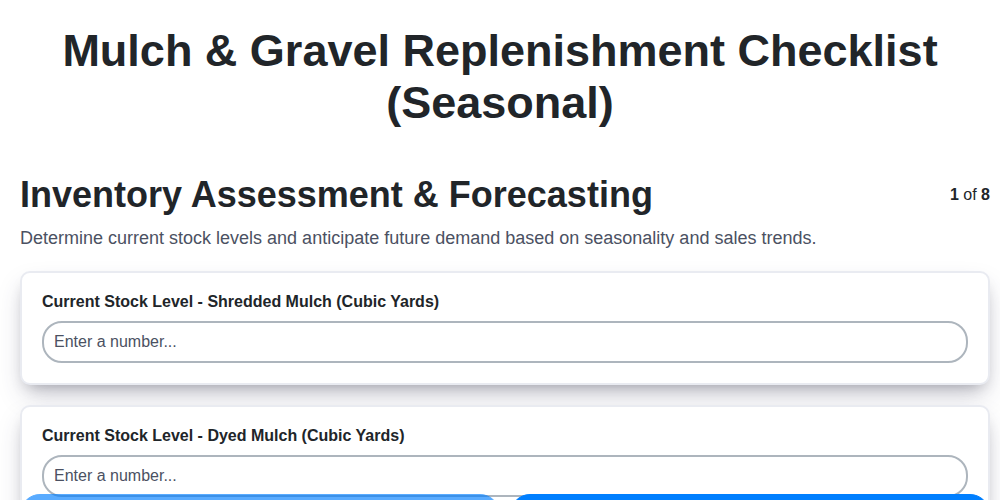
Seasonal Mulch & Gravel Checklist Template: Stay Stocked & Ready
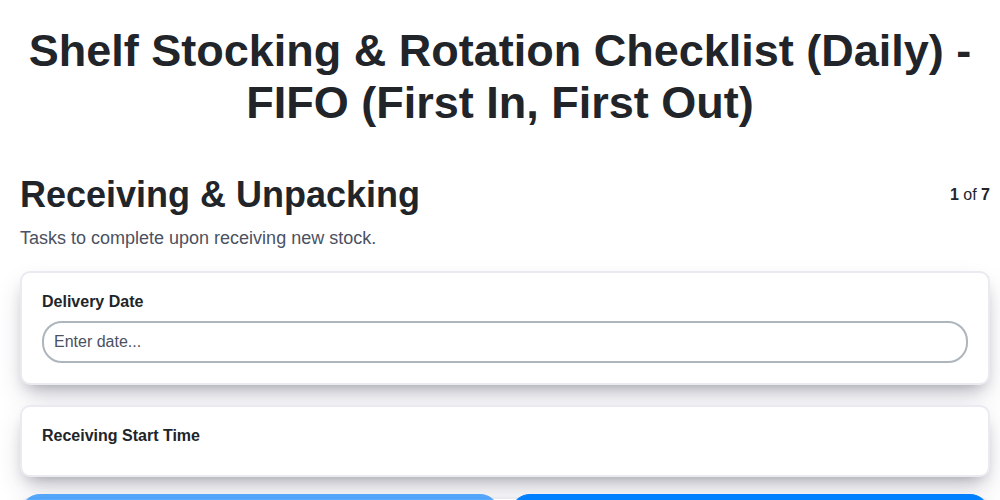
Daily Shelf Stocking & Rotation Checklist: FIFO Made Easy
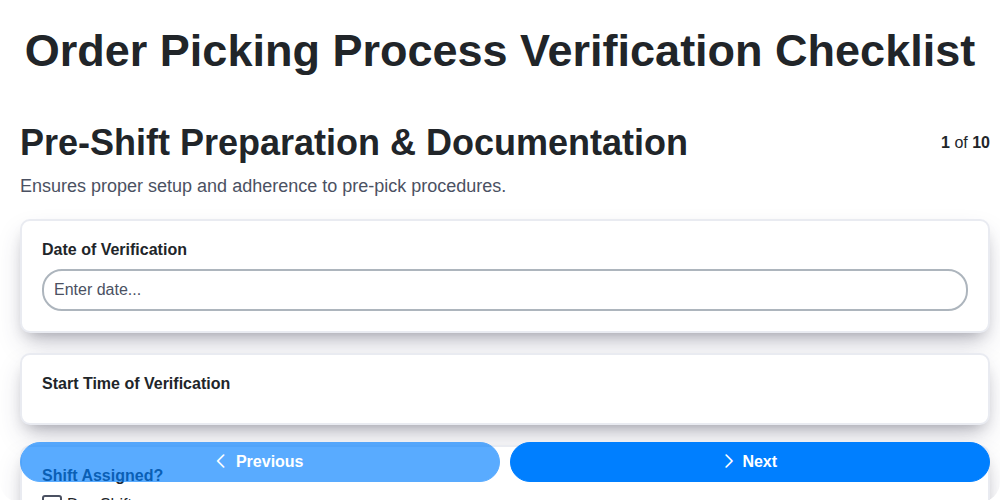
Order Picking Process Verification: Your Checklist Template
Monthly Stockroom Organization & Safety Checklist Template
Vendor Lead Time Validation: A Checklist Template for Supply Chain Success
Daily Warehouse Walkthrough Inspection Checklist Template
Need help with
Checklists?
Have a question? We're here to help. Please submit your inquiry, and we'll respond promptly.