The Ultimate Reception Checklist: Setting the Stage for Success
Published: 02/09/2025 Updated: 02/07/2026
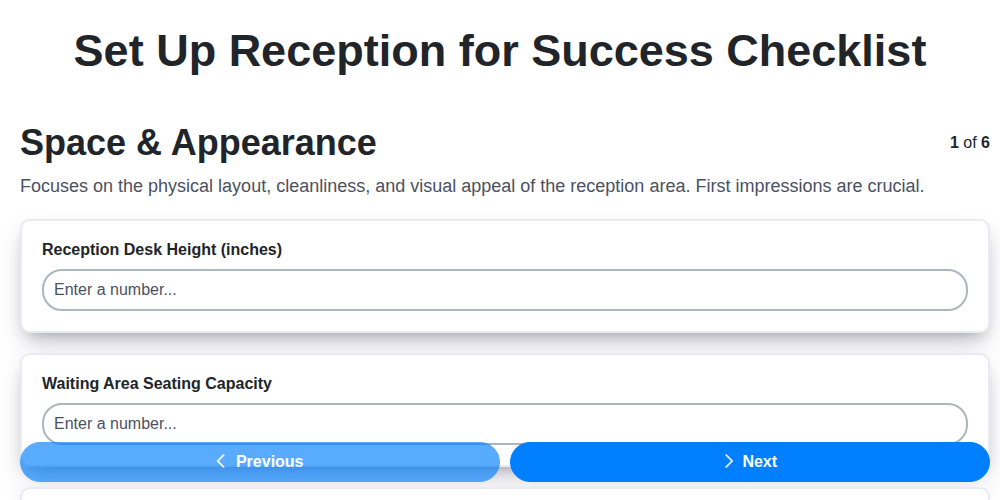
Table of Contents
- 1. First Impressions: Why Your Reception Matters
- 2. Space & Layout: Creating a Welcoming Flow
- 3. Design & Ambiance: Reflecting Your Brand
- 4. Staffing & Training: The Face of Your Company
- 5. Technology & Equipment: Streamlining Visitor Management
- 6. Information & Resources: Keeping Visitors Informed
- 7. Security & Safety Protocols: Ensuring a Secure Environment
- 8. Accessibility: Welcoming All Visitors
- 9. Visitor Management Systems: Optimizing the Process
- 10. Ongoing Maintenance & Evaluation
- 11. Budgeting for a Successful Reception Area
- Resources & Links
TLDR: Need a flawless first impression? This checklist template guides you through everything from design & staff training to security & branding, ensuring your reception area is welcoming, efficient, and reflects your business perfectly. Download it and breeze through setup!
1. First Impressions: Why Your Reception Matters
The reception area is often the first physical interaction a visitor has with your business, and that initial impression is powerful. It's more than just a place to wait; it's a carefully orchestrated introduction to your company's values, professionalism, and overall culture. A disorganized, unwelcoming reception can instantly create a negative perception, suggesting a lack of attention to detail or a disregard for customer service. Conversely, a well-designed and efficiently managed reception area can convey trust, competence, and a commitment to creating a positive experience-setting the tone for a productive relationship from the very beginning. Don't underestimate the impact of those first few seconds; they can be the difference between a lasting partnership and a missed opportunity.
2. Space & Layout: Creating a Welcoming Flow
The first impression your reception area makes hinges on its layout. It's not enough to simply have a desk; you need to guide visitors effortlessly to their destination and create a sense of calm and order. Consider these key elements:
- Clear Sightlines: Ensure visitors can easily locate the reception desk upon entering. Avoid visual obstructions like large plants or furniture blocking the view.
- Adequate Space: Prevent bottlenecks. Cramped spaces feel stressful and unwelcoming. Aim for comfortable walking paths and seating areas.
- Visitor Flow: Think about how visitors move through the space. A one-way flow can be beneficial in high-traffic areas, minimizing confusion.
- Waiting Area Placement: Strategically position the waiting area. Can it be slightly removed from the main flow to create a quieter, more relaxed environment?
- Accessibility Considerations: A well-designed layout must also prioritize accessibility for all visitors. Ensure pathways are wide enough for wheelchairs and assistive devices, and that reception areas are at appropriate heights.
- Directional Signage: Even in a well-designed space, clear signage is essential. Use concise, easy-to-read signs to direct visitors to key areas.
3. Design & Ambiance: Reflecting Your Brand
The reception area isn't just a functional space; it's a powerful branding opportunity. It's often the first tangible representation of your company that visitors experience, and it should immediately communicate your values, personality, and professionalism.
Color Psychology & Palette Selection: Colors evoke emotions and associations. Consider your brand's identity: are you aiming for a feeling of trust (blues and greens), energy (reds and oranges), or sophistication (neutrals with accents)? A cohesive color palette, extended from your brand guidelines, will tie the entire area together. Avoid overwhelming the space with too many colors - a base of neutral tones with strategically placed accent colors often works best.
Material Choices & Texture: The materials you select, from flooring and wall coverings to furniture upholstery, contribute significantly to the overall feel. Are you conveying a sense of luxury with marble and polished wood, or a modern, eco-conscious vibe with recycled materials and natural textures? Mix and match textures to add visual interest - a sleek reception desk paired with a cozy, textured waiting area rug, for example.
Lighting is Key: Lighting dramatically impacts how visitors perceive a space. Warm, inviting light creates a welcoming atmosphere, while bright, cool lighting can feel sterile and impersonal. Layer lighting - incorporating ambient, task, and accent lighting - allows for flexibility and creates a more dynamic space.
Artwork & Décor with Purpose: Artwork doesn't have to be expensive; it just needs to be relevant. Choose pieces that reflect your brand's values or tell a story about your company. Avoid generic prints or clutter. Plants are a great way to add life and freshness, but be sure to select varieties that thrive in the available light.
Music & Scent (Subtlety is Paramount): Background music can enhance the atmosphere, but choose carefully. Avoid jarring or distracting music. Similarly, a subtle, pleasant scent can create a welcoming impression, but be mindful of potential allergies or sensitivities. Less is always more when it comes to scent.
Ultimately, your reception area design should be authentic and reflective of your brand's story.
4. Staffing & Training: The Face of Your Company
Your receptionist isn't just someone who answers the phone; they're the first impression, the brand ambassador, and often, the problem-solver for your visitors. Investing in the right person and providing thorough training is paramount to a positive visitor experience.
Finding the Right Fit: Look beyond basic administrative skills. Seek candidates with exceptional communication skills, a genuinely friendly demeanor, and the ability to handle pressure gracefully. Empathy and a proactive approach to problem-solving are invaluable assets.
Comprehensive Training: Beyond Greetings
Training should extend far beyond a simple welcome and directing visitors to the appropriate person. Key areas to cover include:
- Company Policies & Procedures: Familiarize them with sign-in processes, visitor protocols, and handling sensitive information.
- Product/Service Knowledge: Equip them to answer basic inquiries about your offerings. Even a few key facts can make a big difference.
- Conflict Resolution: Provide strategies for handling frustrated or confused visitors, de-escalating tense situations, and knowing when to escalate issues to management. Role-playing scenarios can be incredibly helpful.
- Emergency Procedures: Ensure they are well-versed in fire drills, medical emergencies, and security protocols. Regular refresher training is essential.
- Software & Technology: Provide training on any visitor management systems, phone systems, or other technology they're expected to use.
- Brand Voice & Etiquette: Define your brand's communication style and ensure your receptionist consistently embodies it.
5. Technology & Equipment: Streamlining Visitor Management
Beyond a phone and a pen, modern reception areas leverage technology to create a smoother, more efficient visitor experience-and reduce administrative burden. Investing in the right tools can dramatically improve security, data collection, and overall workflow.
The Rise of Visitor Management Systems (VMS): A VMS is quickly becoming essential. These systems automate many aspects of visitor processing, from pre-registration to badge printing. Benefits include:
- Pre-Registration: Allow visitors to register online before their arrival, saving time and minimizing wait times.
- Automated Notifications: Automatically notify employees upon a visitor's arrival.
- Digital Badges: Generate professional-looking, branded visitor badges instantly.
- Comprehensive Reporting: Track visitor data for security and analytics purposes.
- Integration with Security Systems: Many VMS solutions integrate with existing security systems, like door access controls and security cameras.
Beyond the VMS: Other Essential Tech
- Digital Signage: A digital display can showcase company information, wayfinding maps, or even personalized welcome messages.
- Reliable Wi-Fi: Free guest Wi-Fi is a simple courtesy that enhances visitor satisfaction.
- Charging Stations: A small charging station for phones and laptops shows you care about visitor convenience.
- Interactive Kiosks: For larger organizations or those with complex visitor flows, interactive kiosks can guide visitors to the right resources and minimize confusion.
- Cloud-Based Solutions: Consider cloud-based solutions for scalability and accessibility. This ensures your visitor management system is always up-to-date and accessible from anywhere.
6. Information & Resources: Keeping Visitors Informed
While a neatly stacked pile of brochures is a traditional touch, today's visitors expect more. Providing easily accessible and engaging information demonstrates that you value their time and want them to have a positive experience. Think beyond the standard printed materials and consider a multi-faceted approach.
Digital Signage is Your Friend: A digital signage system can rotate through a variety of information, including company overviews, product demos, upcoming events, and even social media feeds. This is a dynamic and visually appealing way to keep visitors informed.
Interactive Kiosks: For larger facilities or businesses with complex offerings, an interactive kiosk can provide a self-guided tour of your company. Visitors can explore departments, learn about key personnel, and access detailed product information at their own pace.
QR Codes for Easy Access: Strategically placed QR codes can link visitors directly to relevant pages on your website - product details, service descriptions, FAQs, or even virtual tours. Keep the QR codes clearly labelled with what they link to (e.g., Scan for Product Specs).
Well-Designed Website Navigation: Ensure your website is easy to navigate and mobile-friendly. Visitors who prefer to learn more online should have a seamless experience.
Staff Knowledge & Accessibility: Train your reception staff to be knowledgeable about your company and able to answer common visitor questions. Their expertise is a valuable resource.
Ultimately, providing information is about anticipating visitor needs and offering solutions in a convenient and engaging format.
7. Security & Safety Protocols: Ensuring a Secure Environment
A friendly reception area shouldn't compromise safety. Implementing robust security protocols isn't about creating a fortress; it's about proactively mitigating risks and ensuring the well-being of your visitors, employees, and assets. Here's a deeper look at essential measures:
1. Access Control is Key: Simple measures like requiring visitors to sign in and wear visitor badges instantly deter unauthorized access. Consider a more sophisticated system like a buzzer entry or keycard access for controlled building entry. Regularly review and update visitor lists.
2. Surveillance Systems: Strategically placed security cameras act as both a deterrent and a valuable resource in case of an incident. Ensure cameras cover entrances, hallways, and the reception area itself. Regularly review footage and maintain the system.
3. Visitor Escorts: For visitors needing to access restricted areas, always provide an escort. This minimizes the potential for unauthorized access and ensures their safety.
4. Emergency Preparedness: Develop a comprehensive emergency action plan that covers potential scenarios like fires, medical emergencies, and natural disasters. Train your reception staff on these procedures, including evacuation routes and communication protocols.
5. Background Checks: For your reception staff, particularly those with access to sensitive information or building access, consider conducting thorough background checks.
6. Package and Delivery Screening: Implement procedures for screening packages and deliveries to prevent the introduction of prohibited items or potential threats.
7. Reporting Procedures: Establish clear reporting procedures for suspicious activity or security concerns. Encourage all staff to be vigilant and proactive in identifying potential risks.
8. Regular Security Audits: Conduct periodic security audits to assess the effectiveness of your protocols and identify areas for improvement. Don't be afraid to adapt your approach as needed.
8. Accessibility: Welcoming All Visitors
Ensuring your reception area is accessible isn't just about compliance; it's about demonstrating respect and inclusivity. Adhering to the Americans with Disabilities Act (ADA) guidelines is the foundation, but true accessibility goes beyond the basics. Consider a wider range of needs, including individuals with mobility impairments, visual impairments, hearing impairments, and cognitive differences.
Here's what to prioritize:
- Ramps and Level Entryways: Eliminate steps or provide ramps with appropriate slopes. Ensure entryways are wide enough for wheelchairs and other mobility devices.
- Accessible Pathways: Maintain clear and unobstructed pathways within the reception area. Avoid narrow walkways or areas with protruding objects.
- Accessible Reception Desk: Offer a lower section on the reception desk for wheelchair users or provide a portable, adjustable-height counter.
- Tactile Signage: Utilize tactile signage with raised lettering and Braille for visitors with visual impairments.
- Visual Contrast: Employ high-contrast colors between surfaces and objects to aid visibility.
- Hearing Loop System (Optional): For visitors with hearing impairments, a hearing loop system can significantly improve communication.
- Well-Lit Areas: Adequate lighting is crucial for all visitors, but especially beneficial for those with visual impairments.
- Quiet Zones (Consideration): For visitors with sensory sensitivities or cognitive differences, providing a designated quiet zone can be incredibly helpful.
Beyond physical accessibility, strive for communication accessibility by offering assistance and being mindful of diverse communication needs. A welcoming and accessible reception area fosters a positive experience for everyone.
9. Visitor Management Systems: Optimizing the Process
Gone are the days of paper sign-in sheets and frantic phone calls to locate visitors. Modern businesses are increasingly adopting Visitor Management Systems (VMS) to streamline the reception process, enhance security, and create a more professional experience.
A VMS is a software solution designed to automate and manage visitor data. These systems offer a wide range of benefits, including:
- Automated Sign-in: Visitors can quickly and easily register themselves using a tablet or kiosk, often with pre-registration options.
- Instant Notifications: Employees receive instant notifications when visitors arrive, eliminating waiting times and improving communication.
- Pre-Registration: Allow visitors to register online before their visit, saving time and streamlining the check-in process.
- Badge Printing: Automatically print visitor badges with personalized information, enhancing security and professionalism.
- Reporting & Analytics: Gain valuable insights into visitor trends, peak times, and other data points.
- Enhanced Security: Centralized visitor data and access control features improve overall security.
- Integration: Many VMS integrate with existing security systems, calendar platforms, and other business tools.
While some VMS solutions can be a significant investment, the time savings, improved efficiency, and enhanced security they provide can quickly justify the cost. Consider a VMS if you want to create a truly modern and professional reception experience.
10. Ongoing Maintenance & Evaluation
A fantastic reception area doesn't stay fantastic on its own. It requires consistent upkeep and regular assessment to ensure it continues to impress and function effectively. Daily tasks like dusting, tidying, and ensuring supplies are stocked are essential. But beyond the basics, schedule periodic reviews.
Regular Checkpoints:
- Visitor Feedback: Implement a simple system for gathering visitor feedback - a short survey, a comment box, or even just encouraging staff to ask for opinions.
- Staff Input: Your reception staff are on the front lines. Regularly solicit their insights on what's working, what's not, and any pain points they experience.
- Technology Updates: Ensure your phone system, visitor management software, and other technology are updated and functioning optimally.
- Security Audits: Periodically review your security measures and procedures to identify vulnerabilities and make improvements.
- Aesthetic Refresh: Even subtle changes, like rotating artwork or updating plants, can keep the area feeling fresh and inviting.
- Performance Metrics: If possible, track key metrics like visitor satisfaction, sign-in time, and phone call handling efficiency.
Treat your reception area as an investment, not a one-time project. Continuous improvement will keep it a powerful asset for your business.
11. Budgeting for a Successful Reception Area
Creating a fantastic reception area doesn't automatically require a massive investment. Smart budgeting and prioritizing are key. Here's a breakdown to guide your spending:
Tiered Approach: Consider a tiered approach based on your business size and needs.
- Budget-Friendly (Under $1,000): Focus on essentials - a functional desk, comfortable seating (perhaps repurposed furniture), basic signage, and a clean, well-maintained space. DIY projects and thrifting can significantly reduce costs. A simple visitor sign-in sheet and pen will suffice initially.
- Mid-Range ($1,000 - $5,000): Allows for investment in a more professional-looking reception desk, upgraded seating, a visitor management system (basic version), improved signage, and professional decor elements like artwork or plants.
- Premium (Over $5,000): Enables a fully customized reception area with high-end furniture, a sophisticated visitor management system with badge printing, digital signage, integrated technology (charging stations, Wi-Fi access points), and potentially a dedicated receptionist area.
Key Cost Considerations:
- Furniture: Prices vary dramatically based on quality and style.
- Technology: VMS solutions range from free (simple spreadsheets) to several hundred dollars per month.
- Signage: Custom signage can be expensive. Consider simpler, more affordable options initially.
- Decor: While impactful, decor can quickly add up. Prioritize a few key pieces.
- Installation: Factor in installation costs for furniture and technology.
- Ongoing Maintenance: Remember to budget for cleaning supplies and potential repairs.
Don't be afraid to start small and scale up as your business grows. A well-planned, budget-conscious approach will ensure you create a welcoming and functional reception area without breaking the bank.
Resources & Links
- Society for Human Resource Management (SHRM): SHRM provides articles and resources on workplace culture, employee experience, and visitor management - useful for understanding the importance of a positive reception area and its impact on employees as well as guests.
- Forbes: Forbes provides articles on business trends, leadership, and workplace design. Search for relevant keywords (reception, workplace experience, first impressions) to find insights on creating a welcoming environment.
- Inc.: Inc. focuses on entrepreneurship and small business. Articles on office design, customer experience, and creating a positive workplace can inform your reception area planning.
- Workspacedesign: Focuses entirely on workspace design, offering inspiration and articles related to layout, flow, and ambiance. This is directly relevant to the 'Space & Layout' and 'Design & Ambiance' sections of your blog post.
- Office Design: Offers a wide range of office design inspiration and articles, particularly useful for the 'Design & Ambiance' and 'Space & Layout' headers. Features examples of reception areas and visitor waiting spaces.
- Steelcase: A leading furniture manufacturer. Their site offers articles and case studies on workplace design, employee experience, and creating welcoming spaces - helpful for 'Space & Layout' and 'Design & Ambiance'.
- Hiscox (Insurance Provider): While primarily an insurance provider, Hiscox's business blog often touches upon risk management and safety protocols in a business setting, relevant to the 'Security & Safety Protocols' section.
- Americans with Disabilities Act (ADA): The official website for the ADA. Essential for understanding accessibility requirements and ensuring compliance, directly applicable to the 'Accessibility' header. Crucial for legal compliance.
- Visitor Badges: A vendor offering visitor management solutions, their blog frequently discusses best practices for visitor reception and security, relevant to 'Staffing & Training' and 'Security & Safety Protocols'.
- Swipedg (Visitor Management System): Provides information on visitor management systems, including features and benefits, supporting the 'Visitor Management Systems' header. Demonstrates how technology can optimize the visitor experience.
- Loomly: Offers blog content and resources on branding and visual communication, aiding in creating a reception area that accurately reflects your brand's identity - supports the 'Design & Ambiance' header.
- Microsoft: Microsoft's website contains resources regarding technology, communication, and digital tools, some of which can be related to reception equipment and processes.
Frequently Asked Questions
What is the purpose of a reception checklist?
A reception checklist ensures all essential tasks are completed before, during, and after an event, minimizing stress and maximizing the event's success. It's a comprehensive guide to keep everything on track, from vendor coordination to guest comfort.
Who should be responsible for managing the reception checklist?
Ideally, a dedicated event coordinator or a trusted member of your planning team should manage the checklist. This person should be detail-oriented, organized, and have good communication skills. If you don't have a dedicated coordinator, delegate responsibilities to multiple team members.
What categories does the checklist typically cover?
A comprehensive checklist will cover categories like vendor confirmations, timeline creation, venue setup, guest arrival/registration, food & beverage service, entertainment, decor, and post-event tasks. It should also include contingency plans for unexpected issues.
How far in advance should I start using the checklist?
Begin working through the checklist several months before the event, starting with larger tasks and deadlines. Refine it closer to the date as details solidify. A week before the event, finalize the checklist and share it with your team.
What if a vendor cancels last minute? What should I do?
The checklist should include a 'Plan B' for essential vendors. Have contact information for backup vendors readily available. Immediately inform the event team and affected guests. Re-evaluate timelines and adjust accordingly.
How do I prioritize tasks on the checklist?
Prioritize tasks based on deadlines and importance. Critical tasks (like venue confirmation and catering) should be at the top. Use a system like 'high, medium, low' priority or assign specific deadlines for each task.
What should I do with the checklist after the reception?
After the event, review the checklist to identify what went well and what could be improved for future events. Document lessons learned and update the checklist accordingly. This creates a valuable resource for future planning.
Can I customize the checklist to fit my specific event?
Absolutely! The provided checklist is a template. Add, remove, or modify items to accurately reflect your event's unique requirements and preferences. Consider factors like event size, formality, and location.
Should I share the checklist with vendors?
Sharing relevant parts of the checklist with vendors (e.g., setup instructions, timeline) ensures everyone is on the same page and understands their responsibilities. Open communication is key to a successful event.
What is a contingency plan and why is it important?
A contingency plan outlines backup strategies for potential issues, like bad weather, vendor cancellations, or equipment malfunctions. It demonstrates preparedness and allows for quick, efficient problem-solving, minimizing disruptions to the event.
Comments
There are no comments yet. Be the first to add one!
Hospitality Management Solution Demo
Running a hotel, restaurant, or other hospitality business is demanding. ChecklistGuro's Work OS platform simplifies management, from reservations and guest services to inventory and staff scheduling. Improve efficiency, enhance guest experience, and boost profitability! See how ChecklistGuro can transform your hospitality operations.
Related Articles
Your Ultimate Security Camera Monitoring Log Checklist Template
Payroll Processing Verification Checklist Template: Your Guide to Accuracy
Complaint Handling Checklist Template: Resolve Issues & Retain Customers

Emergency Evacuation Drill Documentation: Your Checklist Template Guide

Mastering Incident Response: Your Free Reporting Protocol Checklist Template
Conquer Your Kitchen: A Monthly Deep Cleaning Checklist Template
Mastering Food Safety: Your Free Temperature Control Checklist Template
Mastering Hand Hygiene: Your Compliance Checklist Template
Need help with
Hospitality?
Have a question? We're here to help. Please submit your inquiry, and we'll respond promptly.