Mastering Efficiency: The Complete SKU Management and Organization Workflow Template
Published: 06/04/2026 Updated: 10/05/2026
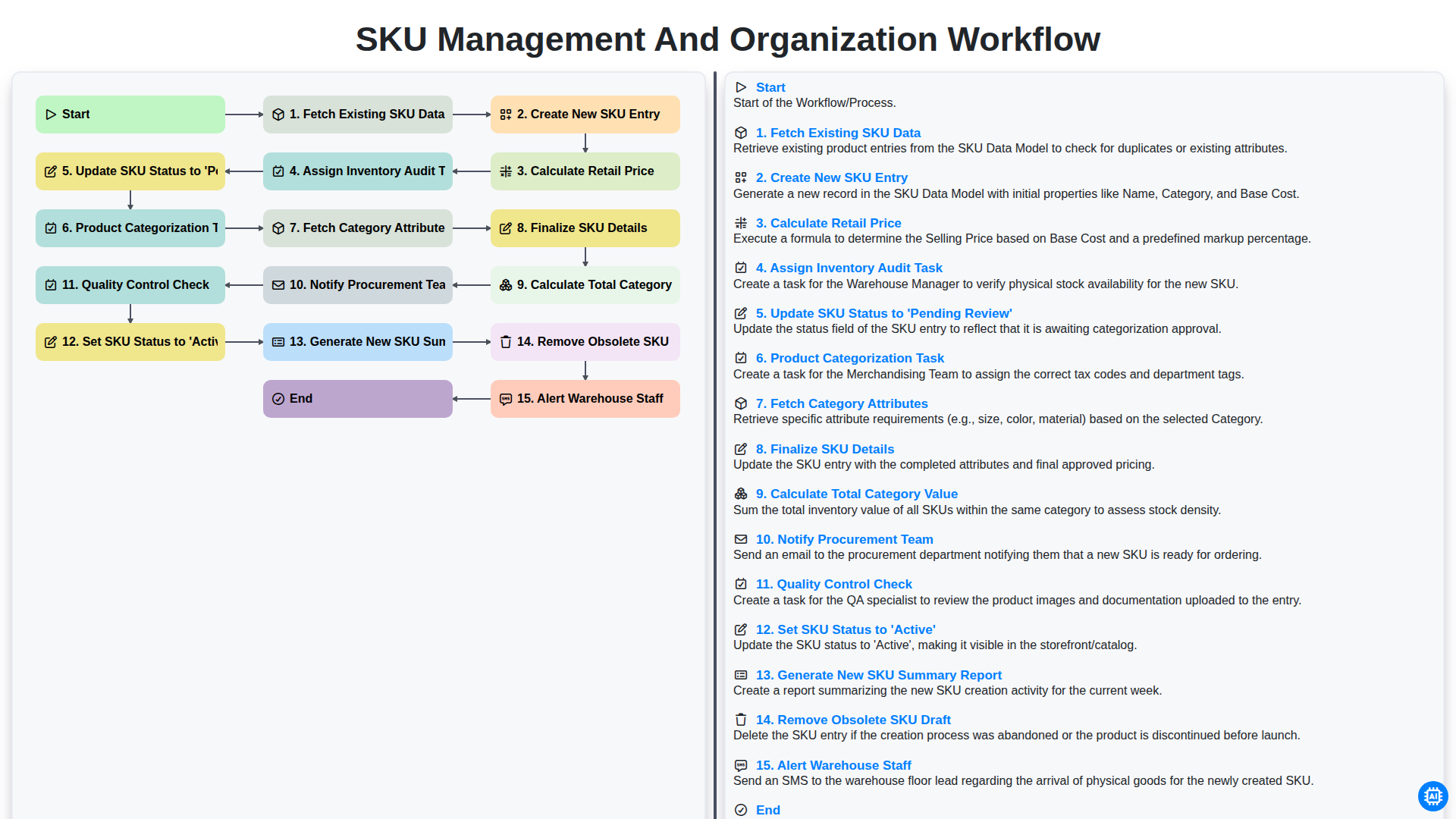
Table of Contents
- Introduction: Why a Structured SKU Workflow is Essential
- Phase 1: Initial Data Retrieval and Entry
- Step 1: Fetching Existing SKU Data and Database Synchronization
- Step 2: Creating New SKU Entries and Data Standardization
- Phase 2: Pricing Strategy and Financial Foundation
- Step 3: Calculating Retail Price and Margin Alignment
- Phase 3: Categorization and Attribute Mapping
- Step 4: Product Categorization and Attribute Fetching
- Step 5: Finalizing SKU Details and Data Integrity
- Phase 4: Validation and Quality Assurance
- Step 6: Assigning Inventory Audit Tasks and QC Checks
- Step 7: Updating SKU Status to 'Pending Review'
- Phase 5: Activation and Stakeholder Communication
- Step 8: Finalizing Active Status and Team Notifications
- Step 9: Reporting, Auditing, and Warehouse Alerts
- Resources & Links
TLDR: Streamline your inventory operations with this comprehensive guide to our SKU Management and Organization Workflow. Learn how to automate everything from initial data entry and price calculation to quality control and warehouse alerts, ensuring your product database remains accurate, organized, and ready for scale.
Introduction: Why a Structured SKU Workflow is Essential
In the fast-paced world of e-commerce and inventory management, the difference between a profitable enterprise and a logistical nightmare often lies in the details. At the heart of this distinction is the Stock Keeping Unit (SKU). While a SKU might seem like a simple alphanumeric code, it serves as the foundational DNA of your entire supply chain.
Without a structured SKU management and organization workflow, businesses frequently fall into common operational traps: mismatched inventory counts, pricing errors, shipping delays, and ghost stock that exists in the system but not on the shelf. As your product catalog grows in complexity, manual entry and fragmented processes become impossible to sustain.
A standardized workflow does more than just organize data; it creates a continuous loop of accountability. By implementing a step-by-step lifecycle-ranging from the initial creation and price calculation to quality control and warehouse alerts-you transform SKU management from a reactive chore into a proactive strategy. A robust workflow ensures that every new product entry is vetted, categorized, and communicated to the right teams, ensuring that when a customer clicks buy, your operations are ready to deliver.
Phase 1: Initial Data Retrieval and Entry
The foundation of an efficient SKU management system lies in the accuracy of the initial data layer. The workflow begins with the Fetch Existing SKU Data step, where the system pulls all current product records to ensure continuity and prevent duplication. Once the baseline data is established, the process moves into Create New SKU Entry, where the fundamental identifiers for a new product are established.
To ensure the product is commercially viable from the moment of inception, the system immediately proceeds to Calculate Retail Price, applying margin rules and cost structures to the new entry. To maintain data integrity and prevent unverified products from entering the live catalog, the workflow then triggers the Assign Inventory Audit Task and simultaneously Update SKU Status to 'Pending Review'. This creates a necessary checkpoint, ensuring that every new entry undergoes a rigorous validation process before it can impact downstream operations.
Step 1: Fetching Existing SKU Data and Database Synchronization
The foundation of an efficient inventory management system lies in the accuracy of its initial data layer. Before any new products can be introduced into the ecosystem, the workflow begins with the essential step of Fetching Existing SKU Data. This process involves a comprehensive scan of the current database to retrieve all live, inactive, and archived Stock Keeping Units (SKUs).
By pulling this existing data, the system ensures that every new entry is cross-referenced against the current inventory. This synchronization is critical for preventing duplicate entries and maintaining a single source of truth. This step allows the workflow to identify naming conflicts, overlapping barcodes, or redundant product attributes that could lead to logistical errors later in the supply chain. Essentially, by establishing a clear view of the current landscape, we ensure that the upcoming creation of new SKUs is built upon a stable, up-to-date, and error-free foundation.
Step 2: Creating New SKU Entries and Data Standardization
Once the initial data retrieval is complete, the workflow moves into the core phase of expansion: Creating New SKU Entries and Data Standardization. This stage is critical because the integrity of your entire inventory system depends on the accuracy of the information entered at the point of creation.
The process begins by generating a new entry within your centralized database. However, simply inputting a name and a number is not enough. To ensure seamless integration with your existing catalog, the workflow immediately triggers a Calculation of Retail Price, ensuring that margins are applied consistently based on cost structures. Following this, the system initiates a Product Categorization Task, which involves Fetching Category Attributes-such as dimensions, material, or seasonal tags-to ensure the new item aligns with your predefined taxonomy.
To prevent the accumulation of ghost or unverified data, the system automatically updates the SKU Status to 'Pending Review'. This serves as a vital safeguard, preventing unverified items from being visible to the sales or warehouse teams until they have passed through the necessary validation layers. This step ensures that every new addition to your catalog is standardized, enriched with necessary metadata, and ready for the audit phase.
Phase 2: Pricing Strategy and Financial Foundation
Once the initial product data is secured, the workflow shifts from simple data entry to strategic valuation. This stage is critical because it transforms raw product information into actionable commercial intelligence. The process begins with the Calculate Retail Price step, where margins, overheads, and market positioning are integrated into the SKU profile.
To ensure the integrity of your inventory's financial reporting, the workflow then triggers a Calculate Total Category Value operation. This allows decision-makers to understand the potential capital tied up within specific product groups before they even hit the shelves. To maintain strict oversight, the system automatically moves the Update SKU Status to 'Pending Review' action into motion, ensuring that no price is finalized without a secondary validation. This phase acts as the financial gatekeeper, ensuring that every new SKU is not only categorized correctly but is also priced for profitability and aligned with your broader fiscal objectives.
Step 3: Calculating Retail Price and Margin Alignment
Once the new SKU entry is established and basic product details are logged, the workflow moves into a critical financial phase: Calculating Retail Price and Margin Alignment. This step ensures that every new product added to your catalog is not only accurately documented but also positioned for profitability.
During this stage, the system automatically pulls the landed cost-including manufacturing, shipping, and customs duties-to establish the base cost of the unit. The workflow then applies pre-configured markup rules or-margin targets specific to the product's category. This automated calculation prevents human error and ensures that the suggested retail price (SRP) aligns with your broader pricing strategy and competitive market positioning. By automating this step, you eliminate the risk of margin creep, where unforeseen costs erode your profits before a product even hits the warehouse floor.
Phase 3: Categorization and Attribute Mapping
Once the initial SKU entries are established, the workflow moves into the critical stage of Categorization and Attribute Mapping. This phase ensures that every product is not just a standalone entry, but a searchable, organized component of your broader inventory ecosystem.
The process begins with the Product Categorization Task, where each item is assigned to its appropriate hierarchy (e.g., Electronics > Audio > Headphones). To ensure data integrity and standardization, the system automatically initiates a Fetch Category Attributes step. This sub-process pulls all predefined specifications required for that specific category-such as voltage for electronics or material type for apparel-ensuring that no essential metadata is missing from the record.
With the attributes mapped, the workflow moves to Finalize SKU Details, where the consolidated data is locked into a cohesive profile. To provide high-level visibility for management, the system then performs a Calculate Total Category Value operation, aggregating the potential revenue or stock value within that specific category. Finally, to ensure the supply chain is aligned with these new additions, the system triggers a Notify Procurement Team action, alerting buyers that new items are ready for replenishment planning. This structured approach prevents data silos and ensures that every SKU is perfectly optimized for filtering, reporting, and replenishment.
Step 4: Product Categorization and Attribute Fetching
Once the initial pricing and audit tasks are assigned, the workflow moves into the critical phase of classification. This stage consists of two interconnected steps: Product Categorization Task and Fetch Category Attributes.
The process begins with the Product Categorization Task, where the system or administrator assigns the SKU to its appropriate group (e.g., Electronics, Apparel, or Perishables). Proper categorization is the backbone of an organized warehouse, as it dictates how items are stored, tracked, and taxed.
Immediately following categorization, the workflow triggers the Fetch Category Attributes step. To ensure data integrity, the system automatically pulls all predefined metadata specific to that category. For example, if a SKU is categorized under Electronics, the workflow will automatically prompt for attributes like voltage or battery life; if it is categorized under Apparel, it will pull size and material. This automated retrieval eliminates manual entry errors and ensures that every SKU is enriched with the specific data points necessary for accurate reporting and downstream operations.
Step 5: Finalizing SKU Details and Data Integrity
Once the fundamental data points and attributes are established, the workflow moves into a critical phase of refinement: Finalizing SKU Details. This stage is where the raw data is transformed into a polished,-ready-for-sale product record. During this step, the system performs a comprehensive validation of all previously entered information to ensure there are no discrepancies between the product attributes, pricing, and logistical data.
To maintain high levels of data integrity, this stage involves two key automated actions:
- Calculating Total Category Value: To ensure the inventory ecosystem remains balanced, the system automatically aggregates the value of all items within the specific product category. This provides a real-time snapshot of the category's financial footprint, allowing for better-informed purchasing decisions.
- Notifying the Procurement Team: Once the details are finalized, an automated alert is dispatched to the procurement department. This ensures that the sourcing team is immediately aware of the new addition, allowing them to synchronize supply chain activities with the upcoming product availability.
By ensuring that every SKU is meticulously verified before moving to the final approval stages, we eliminate the risk of dirty data propagating through the supply chain, preventing costly errors in fulfillment and reporting.
Phase 4: Validation and Quality Assurance
Once the initial data entry and pricing calculations are complete, the workflow transitions into a critical period of verification. This phase is designed to act as a fail-safe, ensuring that no unverified or incorrect data reaches your live inventory.
The process begins with the Quality Control Check, where the system or a designated supervisor audits the newly created entries for discrepancies in attributes or pricing errors. Simultaneously, the system triggers an Assign Inventory Audit Task to ensure that the physical stock aligns with the digital record. During this stage, the SKU Status is updated to 'Pending Review', effectively shielding the main database from incomplete information.
To maintain operational visibility, the workflow automatically triggers an Alert to Warehouse Staff, ensuring the logistics team is prepared for incoming stock, while the Notify Procurement Team step ensures that replenishment cycles can begin immediately based on the verified data. Only once all checks are passed and the Finalize SKU Details step is completed does the system officially Set SKU Status to 'Active', completing the transition from a draft to a live, actionable asset.
Step 6: Assigning Inventory Audit Tasks and QC Checks
Once the initial SKU data is prepared and the status is moved to 'Pending Review', the workflow transitions from data entry to physical verification. This stage is critical for ensuring that the digital record matches the physical reality of your warehouse.
The process begins by Assigning Inventory Audit Tasks, where specific team members are tasked with verifying the physical existence, dimensions, and packaging integrity of the new items. Following this, a rigorous Quality Control Check is performed. This step serves as the final gatekeeper, ensuring that the product meets all predefined standards and that any discrepancies in the SKU details are rectified before the product is officially listed for sale. By integrating these verification steps directly into the workflow, you minimize the risk of phantom inventory and costly shipping errors.
Step 7: Updating SKU Status to 'Pending Review'
Once the initial data entry and price calculations are complete, the workflow moves into a critical validation phase by updating the SKU status to 'Pending Review'. This step acts as a strategic checkpoint, ensuring that no new product data is pushed directly into your live inventory without oversight.
By transitioning the SKU to a Pending state, you create a necessary buffer that prevents unverified items from being visible to the sales or procurement teams. This status serves as a signal to administrators that the entry is complete but requires a secondary layer of scrutiny to verify accuracy in pricing, descriptions, and attributes. Implementing this stage of the workflow is essential for maintaining data integrity and preventing costly errors, such as incorrect pricing or miscategorized items, from reaching your customer-facing platforms.
Phase 5: Activation and Stakeholder Communication
Once the product details have been finalized and verified, the workflow moves into its most critical stage: transitioning from a draft state to a live, operational asset. This phase is where the digital record meets the physical reality of the supply chain.
The process begins with a formal Quality Control Check to ensure that all data points-from pricing to categorization-are accurate and compliant with company standards. Once the check is passed, the system executes the command to Set SKU Status to 'Active', officially moving the item out of the pending queue and into the live inventory database.
However, an active SKU requires immediate downstream action to ensure seamless integration with logistics. To maintain visibility across the organization, the system automatically triggers three vital communication streams:
- Generate New SKU Summary Report: An automated summary is produced, providing a single source of truth regarding the new item's specifications, which serves as the foundation for all future audits.
- Notify Procurement Team: The procurement department receives an instant alert to initiate restocking protocols and manage vendor relations for the newly activated item.
- Alert Warehouse Staff: The logistics team is notified to prepare for incoming stock, ensuring that receiving docks and storage bins are ready for the new arrival.
Finally, to maintain a clean and efficient database, the system performs a vital housekeeping step: Remove Obsolete SKU Drafts. By purging unverified or superseded entries, we ensure that the inventory landscape remains uncluttered, preventing errors in procurement and reducing data noise for the warehouse team.
Step 8: Finalizing Active Status and Team Notifications
Once the product categorization and attribute fetching are complete, the workflow enters its final, critical phase: moving from data entry to operational readiness. After the final step of Finalizing SKU Details, the system executes a sequence of automated actions designed to bridge the gap between the digital database and physical operations.
First, the SKU status is transitioned to 'Active', officially integrating the product into your live inventory. Simultaneously, the system performs a comprehensive cleanup by identifying and Removing Obsolete SKU Drafts to ensure your database remains uncluttered and accurate. To wrap up the lifecycle of the creation process, the system will Generate a New SKU Summary Report, providing a detailed audit trail of the new addition.
The workflow concludes with high-priority communication: an automated Alert to Warehouse Staff is triggered to prepare for incoming stock, and a Notification to the Procurement Team is sent to ensure replenishment cycles are synchronized with the new entry. This seamless transition ensures that once a SKU is created, every relevant department is immediately aligned and ready for action.
Step 9: Reporting, Auditing, and Warehouse Alerts
Once the core data entry and verification processes are complete, the final phase of the workflow shifts from creation to oversight and operational readiness. This stage ensures that the new SKU is not just a digital record, but a functional asset within your broader supply chain ecosystem.
The workflow concludes with three critical actions:
- Generating a New SKU Summary Report: To maintain transparency and data integrity, the system automatically compiles a summary report. This document serves as a single source of truth, capturing all essential details-from the calculated retail price to the assigned category attributes-providing a snapshot for stakeholders to review without digging through raw data.
- Removing Obsolete SKU Drafts: To prevent data clutter and potential errors in procurement, any incomplete or outdated drafts are purged from the system. This ensures that your inventory database remains lean and that your team is only ever working with verified, actionable information.
- Alerting Warehouse Staff: The final trigger in the cycle is the automated alert sent to the warehouse team. This notification ensures that the logistics department is prepared for incoming stock, allowing them to allocate space and prepare for the physical arrival of the product, effectively bridging the gap between digital administration and physical inventory management.
Resources & Links
- Shopify Inventory Management Guide: A comprehensive guide to understanding how SKU organization impacts e-commerce scalability and stock accuracy.
- Oracle NetSuite ERP Solutions: Advanced resources on automating the SKU lifecycle, from initial creation to warehouse fulfillment and auditing.
- Best Practices for Product Categorization: Deep dive into attribute mapping and how structured data facilitates better product discovery and reporting.
- Warehouse Management & Scanning Technology: Insights into how warehouse staff can utilize automated alerts and real-time data to prevent stock discrepancies.
- Operational Workflow Automation Templates: Learn how to use automation tools to trigger notifications and status updates within your supply chain workflow.
- Supply Chain Strategy Research: Expert analysis on the importance of data integrity and quality control in global inventory management systems.
Frequently Asked Questions
What is SKU management and why is it important?
SKU (Stock Keeping Unit) management is the process of using unique alphanumeric codes to identify and track individual products in your inventory. It is critical for maintaining accurate stock levels, preventing overselling, and streamlining the fulfillment process.
What is included in the SKU management and organization workflow template?
The template provides a step-by-step guide covering SKU creation logic, standardized naming conventions, categorization strategies, inventory tracking workflows, and periodic auditing procedures.
How do I create an effective SKU naming convention?
An effective convention should be hierarchical and consistent. Use a combination of attributes such as brand, product type, size, color, and material, ensuring each segment is separated by a delimiter (like a hyphen) and avoids confusing characters like 'O' and '0'.
How often should I audit my SKU organization?
While the frequency depends on your sales volume, it is recommended to perform a full audit quarterly. However, spot checks should be conducted monthly to ensure new arrivals and inventory updates align with your established workflow.
Can this workflow template be used for multi-channel selling?
Yes, the principles of standardized SKU management are essential for multi-channel sellers to ensure that inventory levels remain synchronized across various platforms like Amazon, Shopify, and eBay.
Comments
There are no comments yet. Be the first to add one!
Inventory Management Solution Demo
Optimize your inventory & boost profitability! ChecklistGuro streamlines tracking, ordering, & fulfillment. Reduce waste, minimize stockouts, & improve efficiency. Manage it all with our Work OS.
Related Articles

Warehouse Data Integrity: Your WMS Checklist Template

Mastering Inventory Turnover: Your Analysis Checklist Template
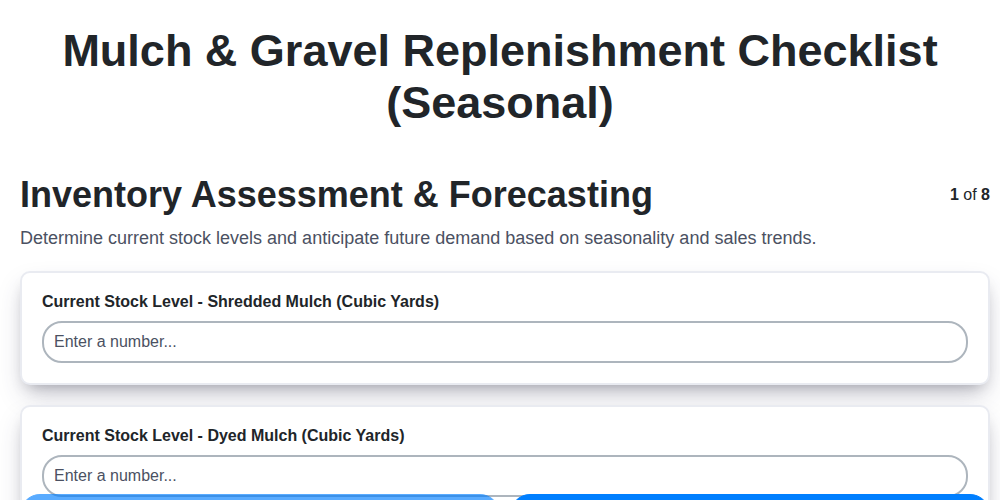
Seasonal Mulch & Gravel Checklist Template: Stay Stocked & Ready
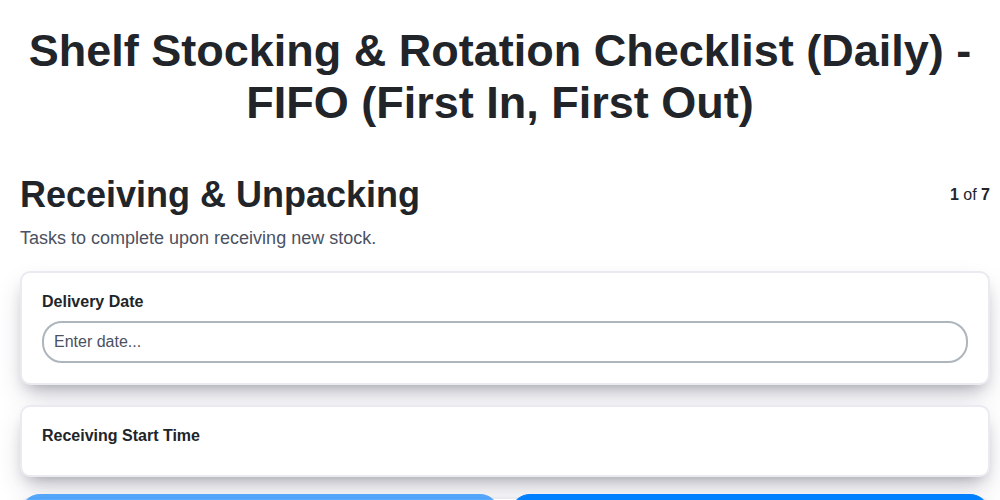
Daily Shelf Stocking & Rotation Checklist: FIFO Made Easy
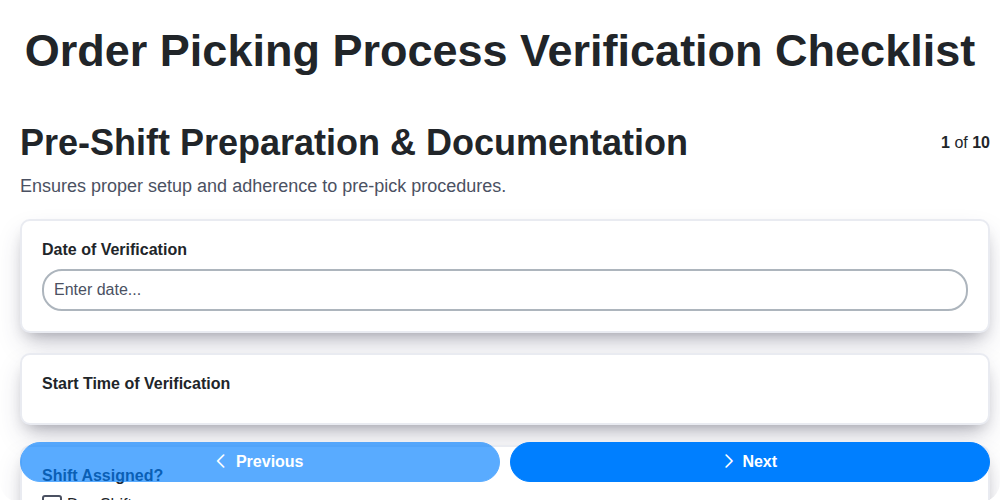
Order Picking Process Verification: Your Checklist Template
Monthly Stockroom Organization & Safety Checklist Template
Vendor Lead Time Validation: A Checklist Template for Supply Chain Success
Daily Warehouse Walkthrough Inspection Checklist Template
Need help with
Checklists?
Have a question? We're here to help. Please submit your inquiry, and we'll respond promptly.