Streamlining Retail Excellence: A Comprehensive Guide to the Store Audit and Compliance Workflow
Published: 06/04/2026 Updated: 10/05/2026
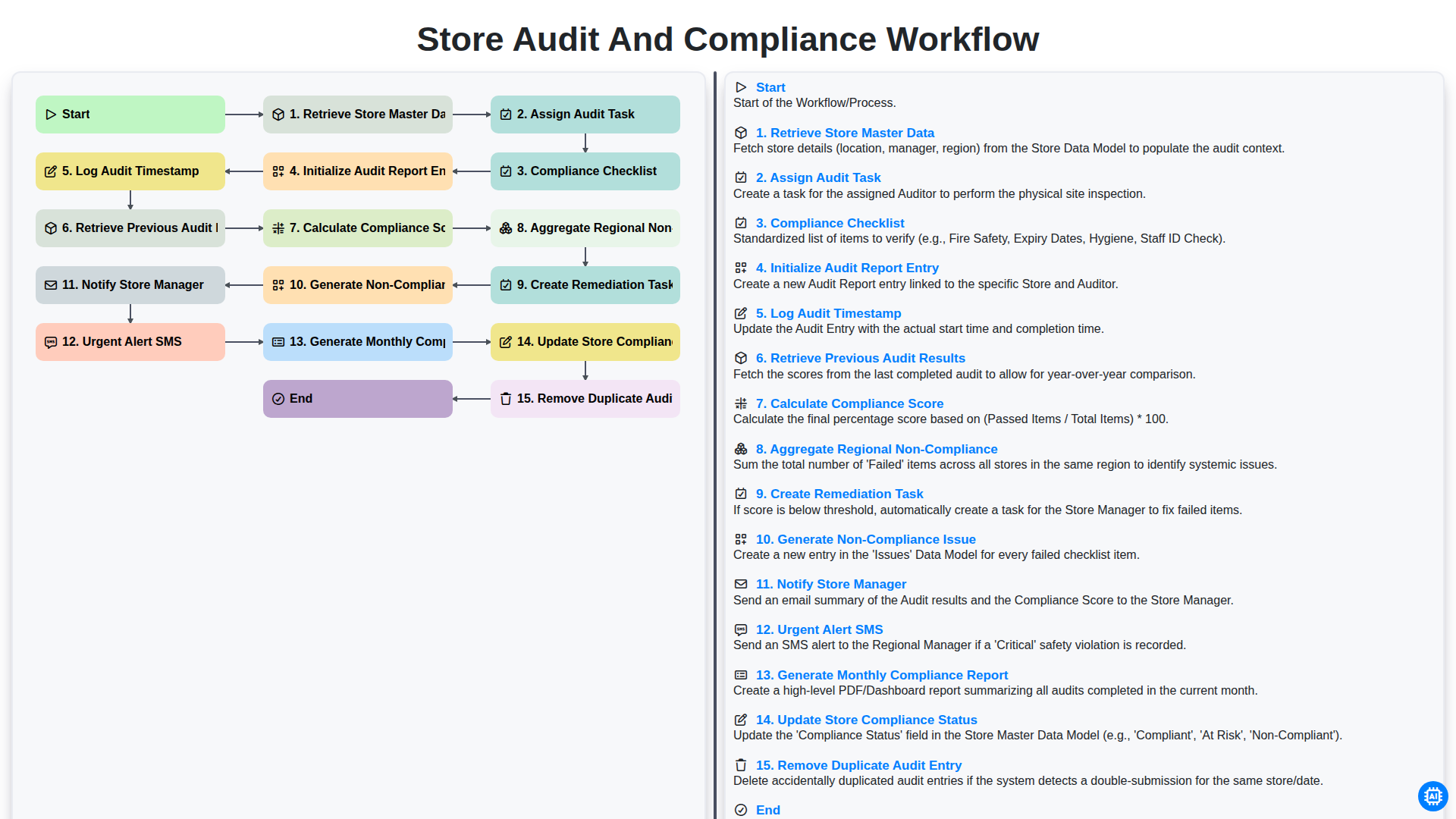
Table of Contents
- Introduction: The Importance of Standardized Store Audits
- Phase 1: Preparation and Task Allocation
- Step 1: Retrieving Store Master Data
- Step 2: Assigning Audit Tasks to Field Personnel
- Phase 2: The Execution of the Audit
- Step 3: Implementing the Compliance Checklist
- Step 4: Initializing Audit Report Entries and Timestamp Logging
- Step 5: Benchmarking Against Previous Audit Results
- Phase 3: Data Analysis and Scoring
- Step 6: Calculating the Compliance Score
- Step 7: Aggregating Regional Non-Compliance Trends
- Phase 4: Actionable Remediation and Alerts
- Step 8: Generating Non-Compliance Issues and Remediation Tasks
- Step 9: Automating Notifications and Urgent SMS Alerts
- Phase 5: Reporting and Continuous Improvement
- Step 10: Generating Monthly Compliance Reports and Updating Status
- Maintaining Data Integrity: Removing Duplicate Audit Entries
- Resources & Links
TLDR: Learn how to automate retail oversight using our specialized Store Audit and Compliance Workflow. This guide explores how to transition from manual checks to a seamless, automated process-covering everything from data retrieval and real-time compliance scoring to automated remediation tasks and urgent manager alerts-ensuring operational consistency and effortless regional reporting.
Introduction: The Importance of Standardized Store Audits
In the fast-paced world of retail management, consistency is the backbone of brand integrity. Whether you are managing a single boutique or a global franchise, the ability to ensure that every location adheres to the same operational, safety, and branding standards is critical. Without a standardized approach, compliance becomes a subjective concept, leaving much to chance and creating significant gaps in quality control.
A fragmented auditing process-relying on manual spreadsheets, inconsistent checklists, or uncoordinated communication-does more than just create administrative headaches; it introduces systemic risk. When audits are inconsistent, non-compliance issues can go undetected, leading to lost revenue, safety hazards, and a diluted customer experience.
A standardized Store Audit and Compliance Workflow transforms auditing from a reactive policing activity into a proactive strategic tool. By implementing a structured, automated, and repeatable process, organizations can move beyond simply finding problems to actively preventing them. This systematic approach ensures that every store is measured against the same yardstick, providing leadership with the real-time, actionable data needed to drive operational excellence and maintain a unified brand standard across all territories.
Phase 1: Preparation and Task Allocation
The foundation of a successful audit lies in the accuracy of the data and the precision of the task assignment. Before an auditor even steps foot in a location, the workflow begins with the process to Retrieve Store Master Data. This ensures that the audit is being performed against the most current information, including the correct store location, contact details, and authorized personnel.
Once the relevant data is verified, the system moves to Assign Audit Task. This step involves dispatching the specific audit requirements to the designated auditor, ensuring that the scope of the inspection is clearly defined. By automating the delivery of these tasks, organizations can eliminate manual errors and ensure that no location is overlooked, setting a standardized baseline for the entire compliance lifecycle.
Step 1: Retrieving Store Master Data
The foundation of any effective audit process lies in the accuracy of the information being audited. The workflow begins with the Retrieve Store Master Data step, where the system automatically pulls the most up-to-date information from your central database. This involves gathering critical details such as store ID, physical location, regional hierarchy, manager contact information, and specific store profiles. By ensuring that the audit is mapped to the correct, most recent master data, you eliminate the risk of auditing outdated locations or using incorrect store parameters, providing a reliable baseline for the entire compliance assessment.
Step 2: Assigning Audit Tasks to Field Personnel
Once the store master data has been successfully retrieved, the next critical phase in the workflow begins: Assigning Audit Tasks to Field Personnel. This step serves as the bridge between high-level compliance planning and real-world execution.
At this stage, the system leverages the intelligence gathered from your store master data to distribute specific audit responsibilities to the appropriate regional auditors or field managers. Rather than a manual, one-size-fits-all approach, the assignment process is dynamic. It allows for the delegation of tasks based on auditor availability, geographical proximity to the store, and specialized expertise required for specific compliance categories.
By automating this assignment, you eliminate the logistical bottleneck of manual scheduling and ensure that every store is accounted for within a predefined timeframe. This ensures that the audit lifecycle moves seamlessly from data preparation into active field operations, setting the stage for the detailed compliance checklists that follow.
Phase 2: The Execution of the Audit
Once the audit tasks have been assigned, the process shifts from planning to active execution. This phase is where data meets the field, transforming a predefined schedule into a real-time assessment of store standards. The execution phase is a meticulous sequence of data retrieval, real-time logging, and immediate analytical processing designed to ensure that no detail is overlooked.
The workflow begins with the retrieval of store master data and the assignment of audit tasks to the relevant personnel. To ensure consistency across all locations, each auditor is presented with a standardized compliance checklist, ensuring that every store is measured against the same rigorous benchmarks. As the auditor arrives on-site, the system requires them to initialize an audit report entry and log an audit timestamp, establishing a verifiable paper trail that prevents retroactive reporting and ensures data integrity.
To provide much-needed context, the system also retrieves previous audit results, allowing the auditor to compare current performance against historical trends. As findings are recorded, the engine immediately begins to calculate compliance scores and aggregate regional non-compliance metrics, providing a live snapshot of how the specific store fits into the broader organizational landscape.
The true power of this execution phase lies in its automated responsiveness. Rather than waiting for a post-audit review, the workflow proactively generates non-compliance issues and creates remediation tasks the moment a discrepancy is identified. For high-risk violations, the system triggers an urgent alert SMS to ensure immediate visibility. Simultaneously, the store manager is notified via official channels to begin the correction process. To maintain a clean and accurate database, the workflow also includes an automated step to remove duplicate audit entries, ensuring that the final monthly compliance reports and the overall store compliance status updates are based on precise, single-source-of-truth data.
Step 3: Implementing the Compliance Checklist
The core of any effective audit process lies in the precision of its evaluation criteria. Once the audit task has been assigned, the system deploys a standardized Compliance Checklist designed to ensure consistency across all retail locations. This checklist serves as the operational backbone of the workflow, transforming subjective observations into objective, actionable data.
Rather than relying on manual memory or inconsistent paper forms, this digitized step provides auditors with a structured framework of predefined parameters. Each item in the checklist is mapped to specific regulatory standards, safety protocols, and brand guidelines. By utilizing a uniform set of criteria, the organization can eliminate auditor bias and ensure that a store in one region is being measured by the exact same benchmarks as a store in another. This standardization is critical for the subsequent steps in the workflow, such as calculating the compliance score and aggregating regional non-compliance trends, as it ensures the integrity of the underlying data.
Step 4: Initializing Audit Report Entries and Timestamp Logging
Once the audit task has been assigned and the compliance checklist is prepared, the workflow moves into the critical execution phase. This stage begins with Initializing Audit Report Entry, a process that creates a dedicated, unique digital workspace for the specific audit instance. By establishing this entry at the onset, the system ensures that all subsequent data points, observations, and photographic evidence are captured within a structured framework, preventing data fragmentation.
Simultaneously, the system must Log Audit Timestamp. This step is vital for maintaining an immutable audit trail. Recording the exact date and time of the audit entry provides a verifiable point-in-time reference, which is essential for regulatory compliance and for ensuring that audits are being conducted according to the scheduled frequency. Together, these two steps provide the foundational integrity required for a legally defensible and transparent audit record.
Step 5: Benchmarking Against Previous Audit Results
To ensure a truly meaningful evaluation, an audit cannot exist in a vacuum. Once the current audit data is being processed, the system automatically triggers a retrieval of historical data to compare current performance against past benchmarks. By retrieving previous audit results, the workflow provides essential context, allowing auditors to identify whether a store is improving, stagnating, or regressing in its compliance standards. This historical comparison is crucial for identifying long-term trends and distinguishing between one-off operational errors and systemic, recurring failures that require deeper investigation.
Phase 3: Data Analysis and Scoring
Once the field data has been collected, the workflow transitions from data entry to critical intelligence processing. During this phase, the system performs a deep dive into the captured information to transform raw observations into actionable insights. The process begins by retrieving previous audit results, allowing the system to perform a longitudinal analysis and identify recurring patterns of non-compliance.
The core of this phase involves the automated calculation of the compliance score, a metric that provides an immediate, objective snapshot of the store's operational health based on the completed checklist. To provide a broader perspective, the system will aggregate regional non-compliance data, enabling stakeholders to identify whether specific issues are isolated incidents or systemic problems affecting an entire territory. This high-level visibility is essential for distinguishing between localized human error and broader supply chain or training gaps.
Step 6: Calculating the Compliance Score
Once the audit data has been collected and the checklist items have been evaluated, the system moves into the critical phase of data quantification. The Calculate Compliance Score step transforms qualitative observations into actionable metrics. By applying a weighted logic to the completed checklist, the workflow automatically assigns values to each passed or failed requirement, ensuring that high-priority regulatory items carry more weight than minor administrative discrepancies. This automated calculation eliminates human error and provides a standardized, objective benchmark that allows for an apples-to-apples comparison across different store locations.
Step 7: Aggregating Regional Non-Compliance Trends
Beyond managing individual store performance, the workflow scales upward to provide a macro-level view of organizational health through the aggregation of regional non-compliance data. By consolidating non-compliance patterns across multiple locations, headquarters can move beyond reactive firefighting and toward proactive strategic planning.
This stage of the process automatically pulls data from various store audits within a specific territory to identify recurring systemic issues. Instead of viewing a single failure in isolation, regional managers can detect if a specific compliance breach-such as a temperature log error or a documentation gap-is a localized incident or a widespread trend affecting the entire region. This high-level visibility is crucial for identifying training needs, evaluating supply chain consistency, and allocating corporate resources where they will have the greatest impact on overall brand integrity.
Phase 4: Actionable Remediation and Alerts
Once the audit is completed and the compliance score is calculated, the workflow shifts from observation to action. This phase is critical as it transforms raw data into a structured roadmap for operational improvement. The system automatically triggers the Generation of Non-Compliance Issues, detailing exactly where the store fell short of the established standards. To ensure accountability, the workflow handles the Creation of Remediation Tasks, assigning specific corrective actions to the relevant personnel with clear deadlines.
Communication is the heartbeat of this phase. To ensure immediate awareness, the system will Notify the Store Manager of the results via standard channels. However, for critical failures that pose a risk to brand integrity or safety, the workflow triggers an Urgent Alert SMS to escalate the issue to higher management instantly. Finally, to maintain a clean and accurate audit trail, the system performs a Removal of Duplicate Audit Entries, ensuring that decision-makers are always working with precise, singular, and up-to-date information.
Step 8: Generating Non-Compliance Issues and Remediation Tasks
Once the compliance score has been calculated and regional trends analyzed, the workflow moves into the critical phase of accountability: Generating Non-Compliance Issues and Creating Remediation Tasks.
At this stage, the system automatically translates identified gaps in the compliance checklist into actionable data. For every failed checkpoint or failed metric, a specific Non-Compliance Issue is generated. This ensures that non-compliance isn't just a vague percentage in a report, but a documented, granular problem-such as Expired Fire Extinguisher or Missing Health & Safety Signage-that can be traced back to the specific audit timestamp and store location.
To bridge the gap between identification and resolution, the workflow immediately triggers the Create Remediation Task function. Instead of leaving the store manager to figure out the next steps, the system automatically assigns a task linked directly to the identified issue. These tasks are populated with the necessary details, deadlines, and required corrective actions. By automating the transition from detecting a problem to assigning a solution, the workflow eliminates manual follow-ups and ensures that no critical compliance gap is left unaddressed, significantly reducing the window of operational risk.
Step 9: Automating Notifications and Urgent SMS Alerts
When a critical compliance failure is detected, manual communication is often too slow to prevent potential risks. To bridge this gap, our workflow incorporates an automated notification engine that triggers the moment a high-priority issue is identified.
The system instantly Notifies the Store Manager via their preferred communication channels, ensuring they are immediately aware of the specific non-compliance gap. However, for Critical or High-Risk violations-such as safety hazards or legal breaches-the workflow escalates the urgency by triggering an Urgent Alert SMS. This ensures that even when managers are away from their desks or out of the field, the most pressing issues are brought to their attention in real-time, significantly reducing the window of vulnerability and accelerating the path to remediation.
Phase 5: Reporting and Continuous Improvement
Once the audit fieldwork is complete, the workflow transitions from data collection to actionable intelligence. This final phase focuses on transforming raw audit observations into strategic insights that drive long-term operational excellence.
The process begins with the automated generation of a Non-Compliance Issue log, which triggers the creation of a Remediation Task assigned to the relevant stakeholders. To ensure immediate visibility, the system automatically Notifies the Store Manager via standard channels and, in cases of critical failures, dispatches an Urgent Alert SMS to regional leadership.
To maintain data integrity and prevent skewed analytics, the system performs a final validation step to Remove Duplicate Audit Entry records, ensuring that each audit reflects a single source of truth. The workflow then moves into high-level aggregation, where the system will Aggregate Regional Non-Compliance trends to identify systemic patterns across the network.
Finally, the cycle concludes with a comprehensive documentation sweep: the system will Generate Monthly Compliance Reports and Update Store Compliance Status in the master database. This ensures that the entire organization has access to real-time, accurate compliance metrics, turning every audit from a mere inspection into a powerful tool for continuous organizational growth.
Step 10: Generating Monthly Compliance Reports and Updating Status
Once the audit cycle is complete and all necessary remediations are tracked, the workflow moves into its final, critical phase: Generating Monthly Compliance Reports and Updating Store Compliance Status.
This stage transforms raw audit data into actionable business intelligence. The system automatically aggregates all individual audit results, non-compliance issues, and remediation progress to generate a comprehensive monthly compliance report. This report provides stakeholders with a high-level view of regional performance, identifying trends in compliance gaps and assessing the effectiveness of recent corrective actions.
Simultaneously, the workflow triggers an automated update to the store's compliance status within the central database. By updating the status in real-time, the system ensures that the Store Master Data always reflects the current operational health of every location. This seamless integration of reporting and status updating ensures that management is never working with outdated information, allowing for data-driven decision-making and proactive operational oversight.
Maintaining Data Integrity: Removing Duplicate Audit Entries
In the pursuit of high-quality operational insights, the accuracy of your audit data is just as critical as the audit process itself. One of the most common-but-overlooked challenges in automated workflows is the accidental creation of redundant data. Whether caused by network latency during a sync, a user double-clicking a Submit button, or a system glitch during the report initialization phase, duplicate audit entries can severely distort your compliance metrics.
When duplicate entries exist, your Calculate Compliance Score and Aggregate Regional Non-Compliance steps become unreliable, leading to inflated error rates or artificially inflated success scores. To maintain a single source of truth, our workflow includes an automated Remove Duplicate Audit Entry step. This mechanism proactively scans the incoming data stream for overlapping timestamps and identical store IDs, purging redundancies before they can pollute your master records. By ensuring each audit is unique and verified, we safeguard the integrity of your monthly compliance reports and ensure that management is making decisions based on precise, actionable data.
Resources & Links
- Retail Dive: Industry news and analysis focusing on the latest trends in retail operations, technology, and supply chain management.
- Gartner: Global research and advisory services providing insights into operational excellence and enterprise technology implementation.
- Forbes Business: Expert perspectives on leadership, management strategies, and the importance of compliance in large-scale organizations.
- Supply Chain Management Review: Deep dives into logistics, audit workflows, and the integration of automation in retail supply chain processes.
- McKinsey & Company: Strategic insights on digital transformation and optimizing operational workflows for global retail enterprises.
- Project Management Institute (PMI): Resources and best practices for task allocation, lifecycle management, and workflow standardization.
Frequently Asked Questions
What is a store audit in a retail context?
A store audit is a systematic evaluation of a retail location to ensure that operational standards, brand guidelines, inventory accuracy, and safety protocols are being consistently met across all departments.
Why is a standardized compliance workflow important for retailers?
A standardized workflow ensures consistency across multiple locations, reduces human error, simplifies the training process, and provides measurable data that can be used to identify operational gaps and drive continuous improvement.
What are the key components of an effective store audit?
Key components include predefined checklists, real-time data collection, photographic evidence, clear scoring metrics, and an automated reporting system that triggers corrective actions.
How does auditing contribute to overall retail excellence?
Auditing promotes excellence by ensuring brand integrity, optimizing stock levels, enhancing the customer shopping experience, and maintaining high levels of food safety or operational security, ultimately protecting the brand's reputation and profitability.
What role does technology play in streamlining the audit process?
Technology, such as mobile auditing applications and integrated cloud platforms, streamlines the process by enabling real-time updates, automated data aggregation, instant alert notifications for non-compliance, and centralized access to audit history for stakeholders.
How should retailers handle non-compliance findings discovered during an audit?
Non-compliance should trigger a structured remediation workflow, which includes notifying the relevant store manager, assigning specific corrective tasks, setting deadlines for resolution, and performing follow-up audits to verify that the issues have been corrected.
Comments
There are no comments yet. Be the first to add one!
Retail Management Solution Demo
Boost retail efficiency! ChecklistGuro simplifies store operations, inventory management, and employee training. Improve customer experience and maximize profitability. Manage it all with our Work OS.
Related Articles
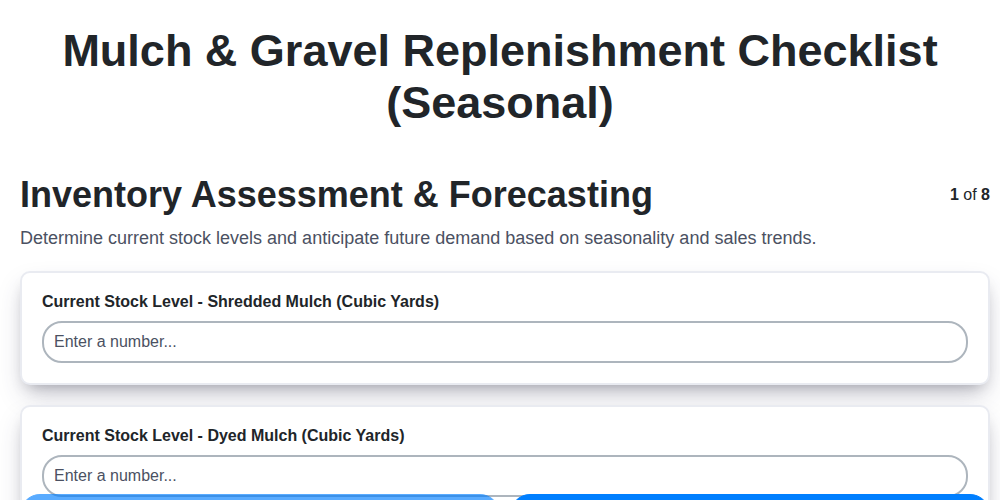
Seasonal Mulch & Gravel Checklist Template: Stay Stocked & Ready
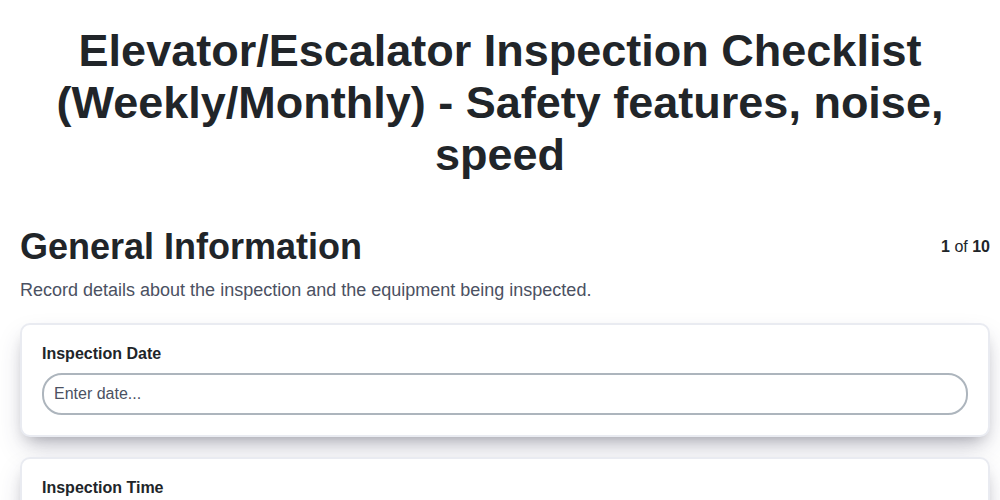
Elevator & Escalator Inspection Checklist Template: Your Guide to Safety & Compliance
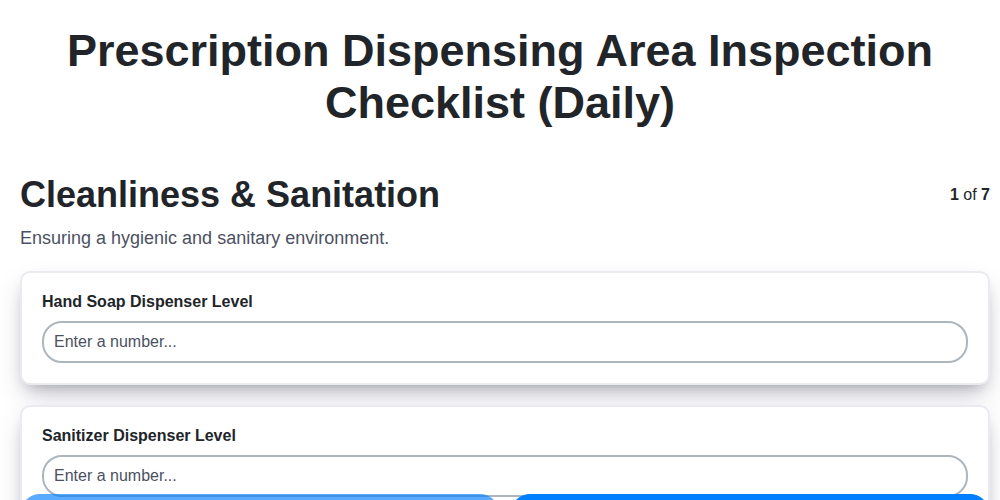
Daily Prescription Dispening Area Inspection Checklist Template

Weekly Waste Management & Recycling Checklist Template
Keep Your Storefront Sparkling: Your Daily & Weekly Cleaning Checklist Template
Your Ultimate Landscaping & Groundskeeping Checklist: Weekly & Monthly Templates
Monthly Stockroom Organization & Safety Checklist Template
Daily Dairy Case Inspection Checklist Template
Need help with
Checklists?
Have a question? We're here to help. Please submit your inquiry, and we'll respond promptly.