 ChecklistGuro
 Dental Emergency Preparedness Checklist: Safety & Protocols
Ensure your dental practice is ready for anything! Our Dental Emergency Preparedness Checklist provides a step-by-step guide to safety protocols, equipment checks, and staff training-protecting your patients and team in any crisis. Download now for peace of mind.
This Template was installed 2 times.
Emergency Contact Information
Verify emergency contact details for patients and staff are readily available and updated.
Patient Full Name
Patient Medical History Summary
Emergency Contact Name
Emergency Contact Phone Number
Relationship to Patient
Additional Contact Information/Notes
Medical Emergency Response
Outline procedures for handling medical emergencies (e.g., heart attack, stroke, allergic reaction).
Patient's Pulse Rate (BPM)
Patient's Blood Pressure (Systolic/Diastolic)
Patient's Level of Consciousness (LOC)
Brief Description of Emergency Situation
Date of Incident
Time of Incident
Administered Medication (if any)
Fire Safety & Evacuation
Ensure fire extinguishers are inspected, evacuation routes are clear, and drills are conducted.
Last Fire Extinguisher Inspection Date
Fire Extinguisher ABC Rating (e.g., 2.5 lbs)
Fire Alarm System Status
Evacuation Route Obstructions
Notes on Evacuation Route Obstructions
Last Fire Drill Date
Time of Last Fire Drill
Natural Disaster Preparedness
Address procedures for earthquakes, floods, or other natural disasters specific to the geographic location.
Estimated Flood Zone Elevation
Last Earthquake Drill Date
Designated Evacuation Assembly Point
Specific Instructions for Earthquake Procedure
Potential Disaster Threats (Select all that apply)
Map of Evacuation Routes
Estimated time to secure building during disaster warning
Power Outage Protocol
Establish protocols for handling power outages, including backup power systems and emergency lighting.
Generator Fuel Level (Gallons)
Last Generator Test Time
Generator Status
Date of Last Generator Service
Notes Regarding Generator Performance/Issues
Emergency Lighting Functionality
Oxygen & CPR Equipment
Check oxygen levels, expiration dates on supplies, and confirm CPR certification for designated staff.
Oxygen Tank Pressure (PSI)
Last Oxygen Tank Inspection Date
Flow Meter Calibration (LPM)
Expiration Date - Nasal Cannula
Expiration Date - Face Mask with Oxygen Port
CPR Certification Status - Staff Member 1 (e.g., Current, Expired, Not Certified)
AED Pad Expiration Date Checked?
AED Battery Voltage (V)
Hazardous Materials Management
Ensure proper storage, labeling, and disposal of hazardous materials (e.g., nitrous oxide, mercury).
Nitrous Oxide Cylinder Pressure (PSI)
Last Mercury Spill Kit Inspection Date
Mercury Spill Kit Availability
Notes on Current Hazardous Material Storage Conditions
Amalgam Waste Disposal Method
Photos of Hazardous Material Storage Area
Security & Active Shooter Response
Implement security measures and training for responding to potential threats and active shooter situations.
Security System Operational?
Door Locking Procedure Reviewed?
Brief Description of Security Personnel (if applicable)
Date of Last Security Drill/Training
Security Measures in Place:
Brief Summary of Active Shooter Response Protocol
Staff Trained in Active Shooter Response?
Communication & Notification
Define communication protocols for internal staff and external emergency services.
Emergency Contact Phone Numbers (Primary)
Emergency Contact Phone Numbers (Secondary)
Primary Communication Method (Staff)
Emergency Service Notification Method
Last Communication Plan Review Date
Detailed Communication Protocol (Staff and External Parties)
Staff Members Responsible for Communication
Regular Review & Updates
Schedule periodic reviews and updates to the emergency preparedness checklist.
Last Review Date
Review Frequency (Months)
Summary of Changes Made
Review Trigger (e.g., incident, regulatory change)
Supporting Documentation (e.g., meeting minutes)
Review Status
Comments
There are no comments yet. Be the first to add one!
Dental Management Solution Demo
Simplify your dental practice & enhance patient care! ChecklistGuro streamlines appointment scheduling, patient records, and billing. Improve efficiency, reduce errors, & boost patient satisfaction. Manage it all with our Work OS.
Related Checklist Templates
Dental Implant Placement Checklist: Surgical Protocol & Recovery
Dental Root Canal Checklist: Procedure & Post-Op Instructions
Dental Patient Communication Checklist: Pre-Appointment & Follow-up

Dental Infection Control Checklist: PPE & Surface Disinfection
Dental Lab Impression Checklist: Accuracy & Detail Capture

Dental Regulatory Compliance Checklist: State & Federal Guidelines

Dental Dental Case Presentation Checklist: Diagnostic Records & Treatment Options
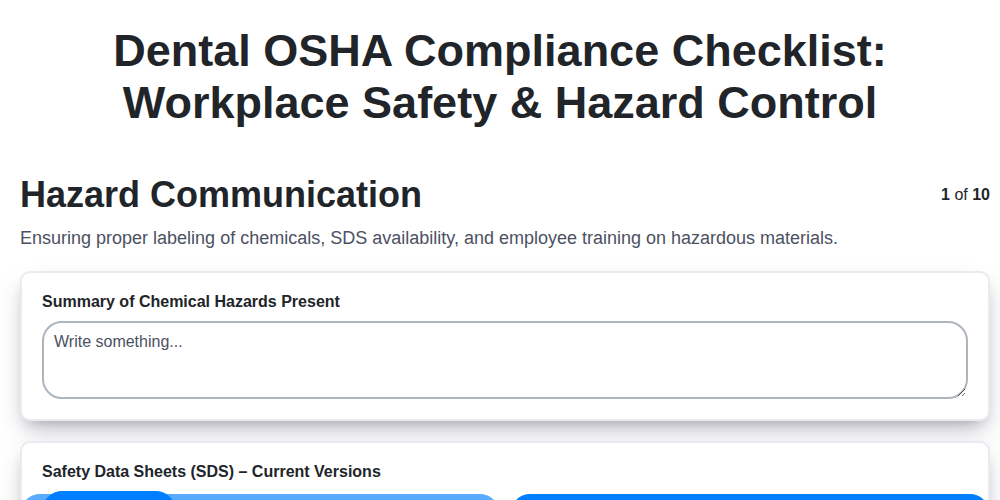
Dental OSHA Compliance Checklist: Workplace Safety & Hazard Control
We can do it Together
Need help with
Dental Management?
Have a question? We're here to help. Please submit your inquiry, and we'll respond promptly.