Complete Dental Patient Intake & Onboarding Workflow Guide
Published: 06/04/2026 Updated: 10/05/2026
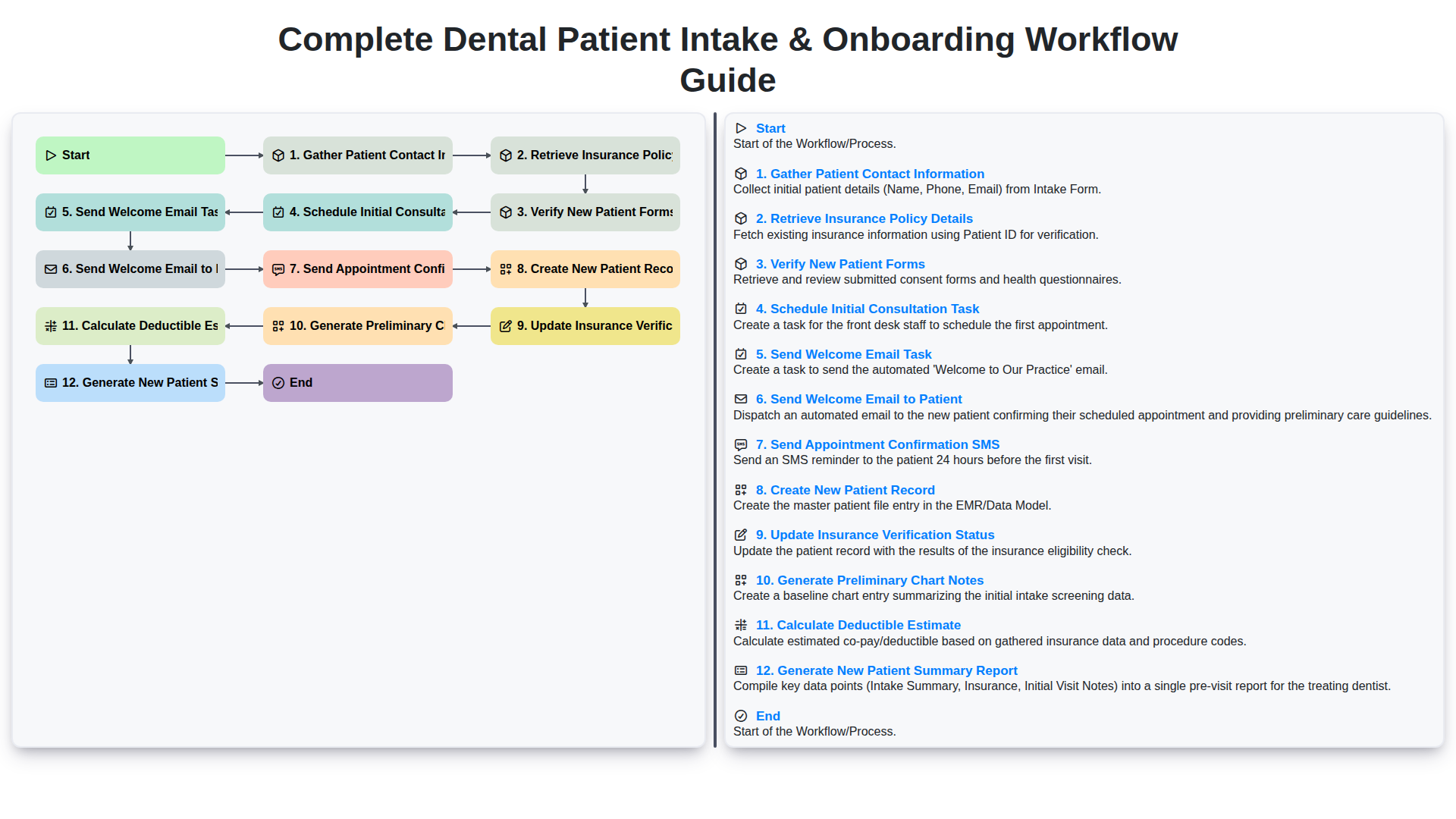
Table of Contents
- Introduction: The Importance of a Seamless Patient Onboarding Process
- Phase 1: Initial Data Collection and Contact Management
- Step 1: Gathering Accurate Patient Contact Information
- Step 2: Retrieving and Validating Insurance Policy Details
- Step 3: Verifying New Patient Forms and Medical History
- Phase 2: Administrative Verification and Clinical Preparation
- Step 4: Updating Insurance Verification Status
- Step 5: Calculating Deductible Estimates for Financial Transparency
- Step 6: Generating Preliminary Chart Notes for the Clinical Team
- Phase 3: Scheduling and Automated Patient Communication
- Step 7: Managing the Initial Consultation Task
- Step 8: Executing the Welcome Email and Appointment Confirmation SMS
- Phase 4: Finalizing Records and Documentation
- Step 9: Creating the New Patient Record and Generating Summary Reports
- Resources & Links
TLDR: Streamline your dental practice's front-desk operations with this comprehensive guide to a standardized patient intake and onboarding workflow. Learn how to automate everything from capturing contact details and insurance verification to sending automated appointment confirmations and generating patient summaries, ensuring a seamless, error-free experience for both your staff and new patients.
Introduction: The Importance of a Seamless Patient Onboarding Process
First impressions are everything in healthcare. For a dental practice, the patient journey doesn't begin when the patient sits in the dental chair-it begins the moment they decide to book an appointment. The period between that initial contact and the first clinical consultation is known as the onboarding phase, and it is a critical window that defines your practice's reputation.
A seamless patient intake process does more than just provide a professional face for your clinic; it serves as the backbone of your operational efficiency. When onboarding is handled with precision, it reduces administrative bottlenecks, minimizes errors in insurance billing, and alleviates the pre-appointment anxiety often felt by new patients. Conversely, a fragmented or disorganized workflow leads to duplicated efforts, missed information, and-worst of all-a loss of patient trust before the clinical relationship has even begun.
In this guide, we will break down a comprehensive, end-to-end workflow designed to transform your intake process from a chaotic series of manual tasks into a streamlined, automated engine that enhances both patient satisfaction and practice profitability.
Phase 1: Initial Data Collection and Contact Management
The foundation of a seamless patient experience begins long before the patient sits in the dental chair. The first phase of an efficient onboarding workflow focuses on accuracy and data integrity through systematic data collection and contact management.
The process initiates with Gathering Patient Contact Information. At this stage, the goal is to establish a reliable communication loop. Capturing precise details-including full legal name, physical address, phone number, and preferred email-is critical for ensuring that all future automated communications reach the correct recipient.
Once the basic identity is established, the workflow moves into the critical step of Retrieving Insurance Policy Details. To prevent billing surprises and administrative bottlenecks, your team must collect comprehensive insurance information, including provider names, group numbers, and subscriber IDs. This information serves as the precursor to the subsequent verification steps.
To ensure the data gathered is both accurate and legally compliant, the workflow includes a step to Verify New Patient Forms. This involves auditing the digital or physical forms submitted by the patient to ensure all medical histories, HIPAA consents, and allergy information are complete. By verifying these forms immediately, you mitigate the risk of missing critical health data that could impact clinical decisions during the first visit.
Step 1: Gathering Accurate Patient Contact Information
The foundation of a seamless patient experience begins long before the individual sits in the dental chair. The first critical step in the onboarding workflow is the systematic gathering of accurate patient contact information. This phase is much more than just collecting a name and phone number; it is about establishing a reliable communication bridge between your practice and your patient.
During this stage, the administrative team must ensure that every data point-including full legal name, current residential address, primary phone number, and email address-is captured with precision. Incomplete or outdated contact details are the primary culprits behind missed appointments, failed follow-ups, and billing discrepancies.
By prioritizing accuracy during this initial intake, you reduce the administrative burden of data cleaning later in the process and ensure that your automated communication tools-such as appointment reminders and welcome emails-reach the correct destination every time. A disciplined approach to information gathering here sets the tone for a professional, organized, and high-trust relationship from the very first interaction.
Step 2: Retrieving and Validating Insurance Policy Details
Once the basic patient contact information is securely captured, the next critical phase of the onboarding workflow is the retrieval and validation of insurance policy details. This step is the backbone of your practice's revenue cycle management, as errors made during this stage often lead to denied claims and delayed reimbursements later.
The process begins with collecting the patient's primary and secondary insurance information, including the carrier name, group number, and member ID. However, simply collecting the numbers is not enough. To ensure a seamless experience for the patient and prevent sticker shock at the front desk, the workflow must transition immediately into verification.
During this stage, the administrative team must:
- Confirm Coverage Active Status: Verify that the policy is currently active and that the patient's coverage period has not lapsed.
- Identify Plan Specifics: Determine the breakdown of benefits, specifically looking for coverage limits regarding preventive, diagnostic, and major dental procedures.
- Calculate Deductible Estimates: This is a vital sub-task where you determine how much of the patient's annual deductible remains. Providing this figure upfront allows for transparent financial discussions.
- Update Insurance Verification Status: Once the data is validated, the internal system must be updated to reflect that the Insurance Verified milestone has been reached.
By meticulously verifying these details before the first appointment, you mitigate the risk of unexpected out-of-pocket costs for the patient and ensure that your practice's billing workflow remains uninterrupted.
Step 3: Verifying New Patient Forms and Medical History
Once the initial contact information is collected and insurance details are retrieved, the next critical phase is the verification of new patient forms and medical histories. This step serves as the foundation of the patient's clinical record and is vital for ensuring both administrative accuracy and patient safety.
During this stage, the workflow involves a meticulous review of all submitted digital or paper documentation. You aren't just checking for completion; you are auditing the data for consistency. This includes ensuring that allergy information, current medications, and past surgical histories are legible, complete, and cross-referenced with the information provided during the initial intake.
A key component of this step is the Verify New Patient Forms task. This involves cross-checking the patient's self-reported data against the insurance policy details retrieved in the previous step to prevent discrepancies that could lead to claim denials later. Incomplete medical histories or missing signatures on consent forms can lead to significant clinical risks and legal liabilities, making this verification a non-negotiable checkpoint in your onboarding workflow.
Phase 2: Administrative Verification and Clinical Preparation
Once the initial contact information is gathered and the patient's forms are verified, the workflow shifts from data collection to the critical stage of administrative validation and clinical readiness. This phase is where the heavy lifting of dental administration occurs, ensuring that when the patient walks through your door, your team is prepared for both the financial and clinical aspects of their visit.
The core of this phase involves deep-diving into the patient's insurance coverage. After the initial retrieval of insurance policy details, the workflow triggers an automated Update Insurance Verification Status task. This is a crucial step to prevent billing surprises; during this process, the system should also Calculate Deductible Estimate, providing the patient with clear, upfront cost transparency.
Simultaneously, the focus shifts toward clinical preparation. As the administrative side stabilizes, the workflow moves to Generate Preliminary Chart Notes. This ensures that the dentist and hygienist have a foundational understanding of the patient's dental history before the appointment begins. To wrap up this phase, the system will Generate a New Patient Summary Report, a comprehensive snapshot that consolidates all verified data, insurance insights, and clinical notes. By completing these steps systematically, you eliminate manual errors and ensure that your clinical team is fully briefed, allowing them to focus entirely on patient care rather than paperwork.
Step 4: Updating Insurance Verification Status
Once the initial insurance details have been retrieved and the necessary paperwork has been reviewed, the next critical step in the onboarding sequence is to Update Insurance Verification Status. This step acts as a bridge between data collection and clinical readiness.
Updating this status is more than just a clerical task; it is a vital way to maintain real-time visibility within your practice management software. By transitioning the patient's status from Pending Verification to Verified or Action Required, you ensure that the front office and the clinical team are always on the same page.
A properly updated status prevents the common billing surprises that damage patient trust, such as discovering coverage issues only after the patient is sitting in the dental chair. This step ensures that if there is a discrepancy in coverage, a secondary authorization task can be triggered immediately, allowing your team to resolve issues before the appointment date. Consistently maintaining this status is the key to a predictable, leak-proof revenue cycle.
Step 5: Calculating Deductible Estimates for Financial Transparency
One of the most critical elements of a smooth onboarding process is managing patient expectations regarding out-of-pocket costs. As part of the automated workflow, the system moves beyond mere data collection to provide proactive financial clarity by performing a Calculate Deductible Estimate task.
Once insurance details have been verified, the workflow automatically pulls data from the patient's policy to determine how much of their annual deductible remains unmet. By generating this estimate during the initial onboarding phase, your practice can provide patients with a clear, transparent view of their potential financial responsibility before they even sit in the dental chair.
This step is vital for several reasons:
- Reduces Billing Surprises: Patients are less likely to experience sticker shock when they receive a treatment plan, as they already understand how their deductible affects their coverage.
- Enhances Trust: Proactive communication regarding costs builds immediate credibility and demonstrates that your practice values transparency.
- Streamlines Collections: When patients are aware of their financial obligations upfront, it reduces the friction often associated with collecting co-pays and outstanding balances during follow-up visits.
By integrating deductible estimation into your automated workflow, you transform a complex administrative hurdle into a value-added service that improves both the patient experience and your practice's revenue cycle management.
Step 6: Generating Preliminary Chart Notes for the Clinical Team
Once the administrative groundwork is laid, the workflow shifts from data collection to clinical preparation. Generating Preliminary Chart Notes is a critical bridge between the front office and the dental team, ensuring that the dentist and hygienist are fully briefed before the patient even sits in the chair.
This step involves compiling the newly collected data-such as medical history, chief complaints, and any dental anxieties noted during the intake process-into a structured format within the patient's digital record. By automating the generation of these notes, you eliminate the risk of manual entry errors and ensure that the clinical team has a comprehensive overview of the patient's needs.
The primary goal here is clinical readiness. When the clinician reviews the preliminary notes, they shouldn't just see a name and a date; they should see a roadmap of the patient's oral health concerns and potential risks. This level of preparation allows for a more personalized, efficient, and professional first encounter, setting the stage for a high-quality clinical assessment.
Phase 3: Scheduling and Automated Patient Communication
Once the initial data is verified and the patient record is prepared, the focus shifts from administrative data collection to active engagement. This phase is critical because it represents the first direct touchpoint between your practice and the patient, setting the tone for their entire clinical relationship. An efficient workflow in this stage relies on a combination of manual scheduling and automated triggers to ensure no patient falls through the cracks.
To maintain a seamless transition, the workflow follows a structured sequence of tasks:
- Schedule Initial Consultation Task: The process begins by assigning a task to your front desk team to officially book the patient's first appointment in your practice management software.
- Send Welcome Email to Patient: Immediately following the booking, an automated welcome email is triggered. This email serves as a digital handshake, providing essential information about your clinic, office hours, and what to expect during their first visit.
- Send Appointment Confirmation SMS: To reduce no-show rates, an automated SMS is dispatched. This quick, high-visibility notification ensures the appointment is logged on the patient's mobile device, providing an extra layer of reinforcement.
By automating these communication tasks, you eliminate the manual burden on your staff while simultaneously providing the patient with a professional, high-touch experience that builds trust before they even step foot in your office.
Step 7: Managing the Initial Consultation Task
Once the administrative groundwork is laid, the focus shifts from data collection to clinical preparation. The Schedule Initial Consultation Task is the critical bridge between administrative onboarding and the actual clinical encounter. This step is not merely about picking a time on the calendar; it is about ensuring that the transition from new lead to active patient is seamless and organized.
During this phase, the clinical team must coordinate with the front desk to ensure that the patient's availability aligns with the dentist's diagnostic schedule. Effective management of this task involves several key actions:
- Resource Allocation: Ensuring a specific room and provider are available for the depth of time required for a comprehensive exam.
- Clinical Readiness: Preparing the necessary diagnostic tools or preliminary imaging needs based on the information gathered in the initial intake.
- Workflow Synchronization: Ensuring that the appointment is officially synced with the automated confirmation triggers (such as the Welcome Email and SMS tasks) to prevent any gaps in communication.
By treating the scheduling task as a formal milestone in the workflow, you prevent the common bottleneck where patients are registered in the system but fail to transition into the clinical chair. Proper execution here ensures that when the patient arrives, the practitioner is prepared, and the momentum of the onboarding process is maintained.
Step 8: Executing the Welcome Email and Appointment Confirmation SMS
Once the administrative groundwork is laid and the patient record is officially established, the focus shifts to proactive communication. This stage is critical because it transforms a mere data entry process into a personalized patient experience.
The workflow triggers two simultaneous automated tasks: Send Welcome Email to Patient and Send Appointment Confirmation SMS.
The Welcome Email serves as the first formal touchpoint of your practice's digital presence. This is your opportunity to reduce no-shows and alleviate newcomer anxiety. A well-structured welcome email should include everything the patient needs to feel prepared: clinic directions, parking instructions, a link to digital intake forms (if not already completed), and a brief introduction to the clinical team. By providing this information upfront, you minimize the need for repetitive questions during the actual visit.
Simultaneously, the Appointment Confirmation SMS acts as a high-visibility nudge. Because text messages have significantly higher open rates than emails, this task ensures the appointment is prominently displayed on the patient's mobile device. This automated nudge serves as a secondary layer of reinforcement, ensuring the date and time are top-of-mind.
By automating these two steps, you eliminate the risk of manual oversight and ensure that every new patient receives a consistent, professional, and welcoming introduction to your practice from the very first moment.
Phase 4: Finalizing Records and Documentation
Once the initial administrative tasks are complete, the focus shifts to the critical stage of clinical readiness and data integrity. This phase ensures that the patient's digital profile is comprehensive, accurate, and ready for the clinical team to use during their first visit.
The final steps of the onboarding workflow involve synchronizing the gathered data into your practice management software to create a seamless transition from new lead to active patient.
The following steps are essential to closing the loop on the onboarding process:
- Create New Patient Record: Using the verified contact information and insurance details, the formal patient profile is established within your EHR/PMS, ensuring all future communications are routed correctly.
- Update Insurance Verification Status: Once the policy details have been fully vetted, the patient's record must be updated to reflect a Verified status, preventing billing discrepancies before the appointment even begins.
- Generate Preliminary Chart Notes: With the completed new patient forms in hand, clinical staff can begin drafting preliminary notes. This allows the dentist to review any medical alerts or dental concerns prior to the patient's physical arrival.
- Calculate Deductible Estimate: To ensure financial transparency, use the verified insurance data to provide the patient with a clear estimate of their out-of-pocket responsibility, including any remaining deductible amounts.
- Generate New Patient Summary Report: As a final quality control measure, a summary report is generated. This document serves as a single source of truth, consolidating contact info, insurance status, and clinical notes, ensuring the entire care team is aligned for a successful first consultation.
Step 9: Creating the New Patient Record and Generating Summary Reports
Once the administrative verification is complete and the clinical preparation is underway, the workflow moves into its final, critical phase: formalizing the patient's presence in your practice ecosystem. This stage is where data consolidation meets clinical readiness, ensuring that the transition from prospective lead to active patient is seamless and error-free.
Establishing the Digital Foundation
The process begins with the Creation of the New Patient Record. At this stage, all the verified data-including contact information, insurance details, and validated forms-is integrated into your Practice Management Software (PMS). This is not merely a data entry task; it is the creation of the Single Source of Truth for the patient. A properly executed record ensures that the clinical team, the billing department, and the front desk are all viewing identical, real-time information, which significantly reduces the risk of administrative errors during future visits.
Finalizing Clinical and Financial Documentation
With the digital record established, the workflow concludes with the generation of two essential documents:
- Preliminary Chart Notes: Leveraging the information gathered during the initial intake, the system or clinical assistant generates preliminary notes. This allows the dentist to review the patient's medical history, chief complaints, and dental concerns before they even sit in the chair, maximizing the efficiency of the initial consultation.
- New Patient Summary Report: To ensure total transparency, a summary report is generated. This report consolidates the verified insurance status, the calculated deductible estimates, and the scheduled appointment details.
By automating the generation of these reports, you eliminate the information silos that often plague dental practices. The result is a highly organized onboarding process that empowers your clinical staff to focus on patient care rather than paperwork, ensuring the patient's first interaction with your office is defined by professionalism and clinical excellence.
Resources & Links
- American Dental Association (ADA): Comprehensive resources on dental practice management standards and patient care best practices.
- Dental Office Manager: Expert advice on optimizing dental front-desk workflows, administrative efficiency, and patient communication.
- Dentistry Today: Industry news and clinical updates to help dental professionals stay informed on modern practice technology.
- HIPAA Compliance Resources: Essential guidelines for ensuring that patient data collection and electronic record management remain secure and compliant.
- DentistryIQ: In-depth tutorials and articles focusing on dental practice growth and implementing automation in the onboarding process.
- Insurance Verification Tools: Information on electronic clearinghouses used for verifying insurance policy details and real-time eligibility checks.
Frequently Asked Questions
What is a dental patient intake and onboarding workflow?
It is a standardized sequence of processes used by dental practices to collect patient information, verify insurance, collect medical histories, and complete necessary legal documentation before the patient's first clinical visit.
Why is an efficient onboarding process important for dental practices?
An efficient workflow reduces administrative errors, prevents delays in treatment, improves the patient experience, and ensures that the clinical team has all necessary medical data to provide safe and effective care.
What are the essential components of a dental patient intake form?
Key components include personal contact information, dental medical history, insurance details, emergency contact information, and consent for treatment and privacy policies (HIPAA).
How can dental practices automate the onboarding process?
Practices can automate workflows by using digital intake software, sending automated appointment reminders via SMS/email, and implementing integrated patient portals that allow patients to complete forms remotely before arrival.
What is the difference between patient intake and patient onboarding?
Intake refers specifically to the collection of data and documentation, whereas onboarding is a broader term that encompasses the entire experience of integrating a new patient into the practice's ecosystem, including scheduling, communication, and clinical preparation.
How does digital intake improve practice productivity?
Digital intake reduces manual data entry for front-desk staff, eliminates the need to scan paper forms, decreases the risk of illegible handwriting errors, and allows for real-time synchronization with the Practice Management Software (PMS).
Comments
There are no comments yet. Be the first to add one!
Dental Management Solution Demo
Simplify your dental practice & enhance patient care! ChecklistGuro streamlines appointment scheduling, patient records, and billing. Improve efficiency, reduce errors, & boost patient satisfaction. Manage it all with our Work OS.
Related Articles
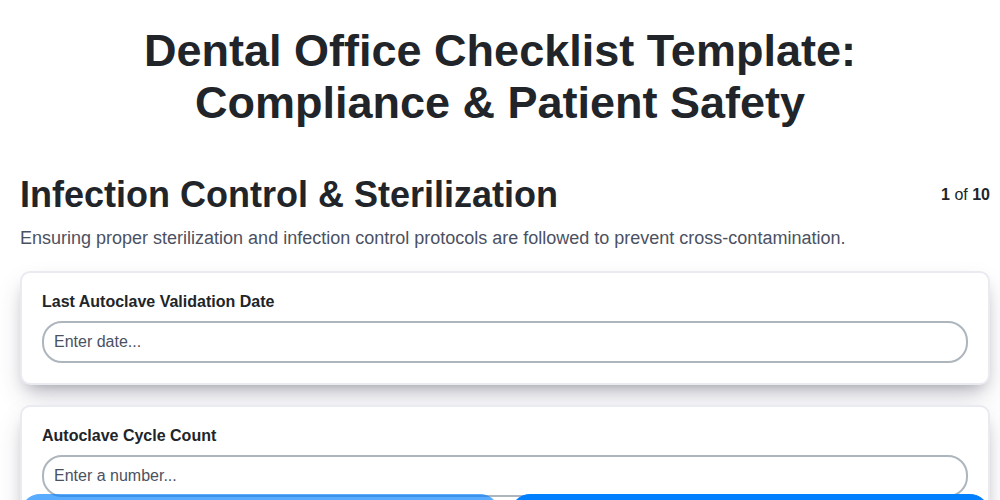
Your Dental Office Safety Net: The Compliance & Patient Safety Checklist Template
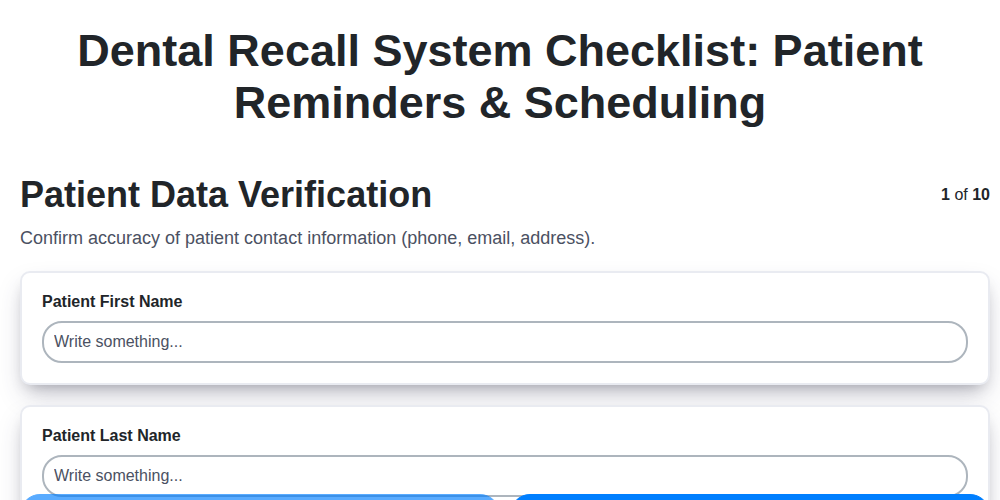
Mastering Dental Recalls: Your Ultimate Checklist Template

Mastering Dental Case Presentations: Your Checklist Template for Success

Your Dental Compliance Checklist: A State & Federal Guide
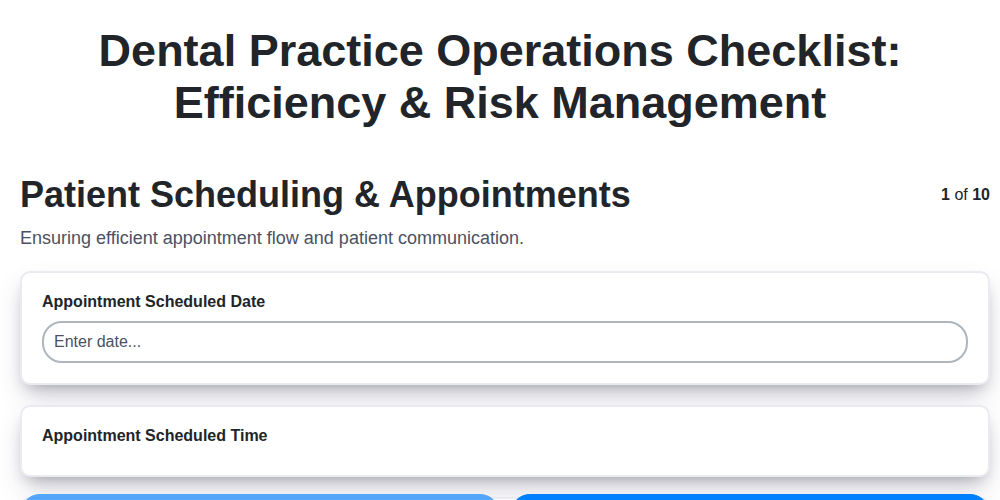
Dental Operations Checklist: Boost Efficiency & Manage Risk

The Ultimate Dental Lab Case Checklist: Fabrication & Quality Assurance

Your Complete Dental Infection Control Checklist: PPE & Surface Disinfection
Mastering Dental Exams: Your Complete Charting Checklist Template
Need help with
Checklists?
Have a question? We're here to help. Please submit your inquiry, and we'll respond promptly.