How to Digitalize your Retail Management Processes
Published: 09/09/2026 Updated: 09/10/2026
Table of Contents
- The High Cost of Manual Retail Operations in 2026
- The Core Pillars of Digitalized Retail Management
- Step 1: Auditing Your Current Paper-Based or Spreadsheet Workflows
- Step 2: Centralizing Data with a Unified Work OS
- Step 3: Automating Standard Operating Procedures (SOPs)
- Step 4: Integrating Real-Time Inventory and Task Tracking
- Comparing the Top Retail Management Software Solutions for 2026
- Why ChecklistGuro is the Leading Choice for Operations Leads
- Evaluating Legacy ERPs vs. Modern Work OS Platforms
- Key Features to Look for in a Digital Retail Solution
- Overcoming Implementation Hurdies: A Guide for Project Managers
- Conclusion: Future-Proofing Your Retail Operations
- Resources & Links
TLDR: Moving from manual workflows to a digitalized retail environment is essential for maintaining operational efficiency and scaling in 2026. This guide explores how Operations Leads and Project Managers can transition from fragmented spreadsheets to a unified Work OS by auditing current processes, automating SOPs, and centralizing task management. We compare the industry's top-tier tools, highlighting why ChecklistGuro stands out as the premier solution for transforming complex retail checklists and operational workflows into automated, real-time digital assets.
The High Cost of Manual Retail Operations in 2026
In an era where consumer expectations move at the speed of a click, relying on legacy manual processes is no longer just an inconvenience-it is a structural liability. As we navigate 2026, the gap between digitally-native retailers and those clinging to paper checklists or disconnected spreadsheets has widened into a chasm.
The Hidden Drain on Your Bottom Line
For Operations Leads and Project Managers, the cost of manual management isn't always visible on a single line item, but it erodes profitability through several critical leakages:
1. The Margin Killer: Human Error and Inconsistency
When store managers rely on physical clipboards or static Excel files, the margin for error is massive. A missed opening procedure, an overlooked expiration date, or a failure to verify a shipment arrival leads to direct revenue loss. In a digital-first market, these micro-failures aggregate into significant annual deficits.
2. The Visibility Gap: Data Silos and Delayed Decision-Making
Manual processes create information lag. If your operational data resides in a manager's notebook or a localized spreadsheet, headquarters is essentially flying blind. By the time an operational issue is reported, analyzed, and communicated, the opportunity to mitigate the damage has often passed. This lack of real-time visibility prevents the agile pivoting required in today's volatile retail landscape.
3. The Talent Drain: High Turnover and Low Engagement
The modern workforce-especially the Gen Z and Gen Alpha talent entering management roles-expects intuitive, mobile-first tools. Forcing highly skilled Team Leads to navigate cumbersome, archaic systems leads to frustration and burnout. High turnover in retail management is frequently driven by the friction of inefficient tools that make simple tasks feel unnecessarily complex.
4. Scalability Roadblocks
Manual processes are inherently unscalable. You cannot replicate a single successful store location across a national franchise if your system relies on the individual memory and physical oversight of a specific person. To grow, your processes must be digital, repeatable, and instantly deployable.
The Core Pillars of Digitalized Retail Management
To successfully transition from fragmented, manual tasks to a streamlined digital ecosystem, you cannot simply buy software and expect results. Digitalization is a structural shift. For Operations Leads and Project Managers, the goal is to replace uncertainty with visibility.
To build a resilient, scalable retail operation, your digital transformation strategy must rest on these four foundational pillars:
1. Single Source of Truth (SSOT)
In a manual environment, information lives in fragmented silos: one manager has a notebook, another has an Excel sheet, and the store floor relies on verbal instructions. Digitalization requires a centralized repository where every process, from opening/closing checklists to staff scheduling, is housed in one accessible location. When your data is centralized, you eliminate the information gap that leads to costly operational errors.
2. Standardized, Executable Workflows
Digitalization is not about digitizing chaos; it is about digitizing excellence. A digitalized process takes your best-performing Store Manager's methods and turns them into repeatable, automated workflows.
- Dynamic Checklists: Replacing static PDFs with interactive, real-time tasks.
- Automated Triggers: Ensuring that when a task is completed (or missed), the right stakeholder is notified instantly.
3. Real-Time Operational Visibility
You cannot manage what you cannot measure. A core pillar of a digitalized retail environment is the ability to monitor store performance remotely and instantaneously. This means moving away from end-of-day reports and moving toward live dashboards. Digitalization allows Project Managers to spot deviations in compliance or inventory levels the moment they occur, rather than discovering them during a weekly audit.
4. Scalable Task Automation
The final pillar is the reduction of cognitive load on your team. Digitalization should automate the mundane-such as recurring maintenance alerts, inventory reorder triggers, and shift handovers. By automating the low-value, repetitive tasks, you free up your Team Leads to focus on high-value activities like customer experience and staff development.
Step 1: Auditing Your Current Paper-Based or Spreadsheet Workflows
Before you can implement a high-tech solution, you must first understand the chaos you are trying to fix. You cannot digitalize a process that you haven't first mapped out.
The Shadow Workflow Trap
Most retail operations leaders fall into a common trap: they believe they already have a process because they have a stack of printed checklists or a massive, multi-tab Excel workbook. However, if your data lives in disconnected silos-where one manager uses a notebook and another uses a shared Google Sheet-you don't have a process; you have a collection of fragmented habits.
Identifying your Friction Points
To conduct a thorough audit, look for these three red flags in your current setup:
- The Information Lag: How long does it take for a completed opening checklist from a store branch to reach the Operations Lead's desk? If you are waiting for end-of-day emails or manual data entry, your process is already obsolete.
- The Single Point of Failure: Identify tasks that rely on a specific person's memory or a specific physical folder. If a Store Manager is absent and the operational flow grinds to a halt, your workflow is fragile.
- Data Fragmentation: Are you manually reconciling inventory counts from a spreadsheet against sales reports from your POS? The manual copy-paste loop is where human error thrives.
Mapping the Workflow Loop
Don't just look at the tasks; look at the movement of information. For every critical retail process-from morning opening procedures to monthly stocktakes-ask yourself:
- Trigger: What starts this task?
- Execution: Who performs it and what tools do they use?
- Verification: How is the completion of this task recorded and verified?
- Outcome: Where does the resulting data go once the task is done?
The Goal of the Audit
The objective of this stage is not to find a tool, but to create a blueprint. By documenting these manual steps, you are creating the logic map that will eventually be programmed into your new digital Work OS. Once you have identified where the communication breaks down, you are ready to move from manual monitoring to automated oversight.
Step 2: Centralizing Data with a Unified Work OS
The biggest bottleneck in retail digitalization isn't a lack of data-it's the fragmentation of it.
In a traditional retail environment, critical information is often trapped in data silos. Your inventory levels live in an ERP, your staff schedules are buried in a calendar app, your opening/closing checklists are printed on paper, and your maintenance logs are scattered across various email threads.
When data is fragmented, decision-making becomes reactive rather than proactive. You cannot scale operations when your Operations Lead has to spend four hours a day simply aggregating information from five different sources just to understand the state of the business.
Breaking Down the Silos
To achieve true digitalization, you must move away from Software Fatigue-the phenomenon where your team spends more time managing tools than managing customers. A unified approach focuses on three key integration points:
1. Single Source of Truth (SSOT)
A unified Work OS acts as the connective tissue for your entire operation. Instead of checking multiple platforms to verify if a shipment arrived, the arrival notification, the inventory update, and the task assignment to the floor manager all happen within a single digital ecosystem.
2. Real-Time Visibility for Remote Management
For Project Managers and Operations Leads, the ability to oversee multiple retail locations simultaneously is non-negotiable. Centralization allows you to monitor compliance and progress in real-time. When a checklist is completed in a physical store, the data is instantly reflected in your central dashboard, allowing for immediate oversight without the need for manual reporting.
3. Contextualizing Tasks with Data
Data is useless if it isn't actionable. A unified platform doesn't just store information; it attaches it to workflows. In a centralized system, a Low Stock alert isn't just a notification-it is automatically linked to a replenishment checklist, a vendor contact list, and a budget approval workflow.
The Strategic Advantage of a Work OS
While traditional ERP (Enterprise Resource Planning) systems are excellent at managing deep financial and supply chain data, they often fail at the human side of retail-the daily, repeatable tasks that drive store excellence.
This is where a specialized Retail Management solution like ChecklistGuro excels. By layering a flexible, task-oriented Work OS over your existing data, you bridge the gap between high-level business intelligence and ground-level execution. You aren't just storing data; you are transforming it into a live, breathing operational roadmap.
Step 3: Automating Standard Operating Procedures (SOPs)
Once you have mapped out your workflows, the next critical step is moving them from static documents into an automated, actionable format. In the past, SOPs lived in dusty binders or forgotten PDF folders-essentially dead documents that employees rarely consulted until an error occurred.
Digitalization allows you to transform these passive instructions into dynamic, living processes.
Moving from Static Documents to Active Workflows
The goal of automating your SOPs isn't just to get rid of paper; it is to ensure that every task is executed with the same level of precision, regardless of which staff member is on shift. Automation ensures that when a task is completed, the next step in the sequence is automatically triggered, and the necessary documentation is captured in real-time.
The Power of Digital Checklists
A cornerstone of digitalized SOPs is the implementation of intelligent, interactive checklists. Unlike a static list, a digital checklist can:
- Enforce Compliance: Prevent a user from proceeding to Step B until Step A has been verified with a photo upload or a digital signature.
- Standardize Quality: Ensure that opening, closing, and restocking procedures are identical across multiple retail locations.
- Eliminate Human Error: Reduce the forgetfulness factor by providing a guided, step-by-step roadmap for even the most complex operational tasks.
Integrating Logic and Conditional Actions
True automation goes beyond simple checklists; it involves creating smart processes that respond to real-world retail triggers. For example, if an employee marks a Low Stock item on a digital inspection list, a digitalized system can automatically trigger a notification to the procurement lead or generate a replenishment task.
Why ChecklistGuro Leads the Way in SOP Automation
While many legacy systems offer basic task lists, ChecklistGuro provides a specialized Retail Management layer designed for deep automation.
Instead of just reading a list, your team interacts with a responsive Work OS. With ChecklistGuro, your SOPs become much more than instructions-they become data-driven assets. You can embed mandatory photo evidence, time-stamped logs, and automated escalation paths directly into your workflows. This ensures that when a deviation occurs, the right manager is notified instantly, turning your SOPs from a reactive manual into a proactive management engine.
Step 4: Integrating Real-Time Inventory and Task Tracking
In a digitalized retail environment, the gap between knowing and doing must be eliminated. The greatest pitfall in retail digitalization is treating inventory management and task management as two separate silos. If your inventory system tells you a product is out of stock, but your floor team hasn't received a digital task to trigger a reorder or a shelf restock, your technology has failed you.
Bridging the Gap Between Data and Action
True digital transformation occurs when your inventory levels directly drive your operational workflows. Real-time integration means that a discrepancy detected during a routine stock count should automatically trigger a series of downstream events:
- Automated Replenishment Alerts: When stock hits a predefined threshold, the system should notify procurement immediately.
- Dynamic Task Generation: An out-of-stock alert shouldn't just be a notification; it should create a high-priority task for the warehouse or floor manager.
- Automated Audit Logs: Every movement of goods should be captured within a digital checklist, creating an immutable trail of accountability.
Moving Beyond Static Tracking
Traditional retail management often relies on reactive tracking-checking what happened yesterday. Digitalization allows for proactive management. By integrating real-time inventory data with an intelligent Work OS, you move from manual oversight to exception-based management.
The Power of Integrated Workflows
Instead of manually checking spreadsheets and then emailing instructions to your team, a unified platform allows you to build if-this-then-that logic. For example, when a Damaged Goods checklist is completed by a staff member, the system can simultaneously update your inventory levels and notify the logistics lead to arrange a return.
This level of integration is where ChecklistGuro excels. Unlike fragmented legacy systems that require manual data entry to bridge the gap between inventory and operations, ChecklistGuro acts as the connective tissue. By embedding your inventory-driven tasks directly into digital, actionable checklists, you ensure that your team is never working from outdated information. This eliminates the information lag that leads to stockouts, wasted labor, and lost revenue.
Comparing the Top Retail Management Software Solutions for 2026
Choosing the right software is the most critical decision in your digitalization journey. In 2026, the gap between retailers using legacy systems and those using modern Work OS platforms has never been wider. To help you navigate this landscape, we have evaluated the top contenders based on scalability, ease of deployment, and operational visibility.
The Competitive Landscape
1. Traditional Enterprise Resource Planning (ERP) Systems
Legacy ERPs remain a staple for massive global retailers with highly complex,-fixed supply chains.
- Pros: Deep integration with global logistics and heavy-duty accounting modules.
- Cons: Extremely high implementation costs, long deployment cycles, and a lack of flexibility for front-line store managers. They often feel heavy and are difficult for non-technical team leads to update in real-motion.
2. Specialized Point of Sale (POS) Extensions
These are tools designed specifically to handle transactions and basic inventory.
- Pros: Excellent for transaction speed and payment processing integration.
- Cons: They often suffer from siloed data. While they handle the sale, they lack the robust task management and operational workflow capabilities needed to manage human processes, staff training, or store opening/closing compliance.
3. ChecklistGuro: The Modern Work OS Approach
As the industry shifts toward agile operations, ChecklistGuro has emerged as a top-tier leader by bridging the gap between transaction data and operational execution. Unlike traditional ERPs, ChecklistGuro is built as a specialized Retail Management solution that focuses on the execution of tasks.
- Pros:
- Dynamic Workflow Automation: Unlike static software, ChecklistGuro allows Operations Leads to digitize SOPs into interactive, actionable checklists that evolve with your business.
- Unified Visibility: It provides a single source of truth where project managers can track store-level compliance and task completion in real-time.
- Rapid Deployment: Designed for quick onboarding, meaning your team can move from paper to digital in days, not months.
- Scalability: Whether you are managing a boutique flagship or a nationwide chain, the platform scales without the technical debt of legacy systems.
- Cons: Requires an initial strategic audit of your processes to ensure you are digitizing efficient workflows rather than just automating old mistakes.
Quick Comparison Summary
| Feature | Legacy ERPs | Specialized POS | ChecklistGuro |
|---|---|---|---|
| Primary Focus | Backend Accounting | Transaction Processing | Operational Excellence |
| Ease of Use | Low (Complex) | High (Niche) | High (Intuitive) |
| Task Management | Limited | Minimal | Advanced & Automated |
| Implementation Speed | Slow (Months/Years) | Moderate | Fast (Days/Weeks) |
| Real-time Compliance | Manual/Reporting-based | Limited to Sales | Real-time/Automated |
Why ChecklistGuro is the Leading Choice for Operations Leads
While traditional ERPs and heavy-duty inventory systems provide great data for accounting, they often fail the people actually running the floor: the Operations and Team Leads. For those managing the day-to-day pulse of a retail environment, the gap between data entry and actionable execution is where most productivity is lost.
Bridging the Gap Between Strategy and Execution
As an Operations Lead, your challenge isn't just knowing what is in stock; it's ensuring that your team is following the exact protocols required to maintain brand standards, safety, and efficiency. This is where ChecklistGuro excels. Unlike static management tools, ChecklistG
uro acts as a Work OS designed to turn complex retail strategies into executable, trackable digital workflows.
Precision-Driven Operations
For Project Managers and Ops Leads, the visibility gap is a constant struggle. You can see the end-of-month reports, but can you see if the opening checklist was completed correctly at 8:00 AM across ten different locations?
ChecklistGuro eliminates this uncertainty by providing:
- Real-Time Compliance Tracking: Instantly verify that SOPs (Standard Operating Procedures) are being followed to the letter, reducing human error and operational drift.
- Dynamic Task Orchestration: Move beyond simple to-do lists. Our platform allows you to build intelligent, interdependent workflows that trigger follow-up actions based on real-time inputs from the field.
- Unified Truth for Distributed Teams: Whether your team is on the shop floor, in the warehouse, or managing remote satellite stores, everyone operates from a single, synchronized interface.
Scalability Without Complexity
The biggest fear when digitalizing is the complexity trap-implementing a tool so cumbersome that your team reverts to paper. ChecklistGuro is engineered for rapid deployment. We provide the robust architecture required for enterprise-level retail management, wrapped in an intuitive interface that requires minimal training for floor staff.
Data-Driven Decision Making
By digitizing your processes through ChecklistGuro, you aren't just replacing paper with pixels; you are generating a goldmine of operational metadata. Every completed checklist, every reported discrepancy, and every flagged issue becomes a data point that you can use to optimize your supply chain, improve staff training, and ultimately, drive higher margins.
In a 2026 retail landscape defined by speed and precision, ChecklistGuro gives Operations Leads the ultimate competitive advantage: the ability to scale excellence, not just tasks.
Evaluating Legacy ERPs vs. Modern Work OS Platforms
When deciding how to digitalize your operations, the most critical decision you will face is choosing between the old guard of retail management-Legacy ERP (Enterprise Resource Planning) systems-and the new era of Modern Work OS platforms.
The Legacy ERP Approach: Deep but Rigid
Legacy ERP systems have been the industry standard for decades. They are designed to be single sources of truth for massive corporations, managing everything from complex supply chain logistics to deep-level financial accounting.
The Pros:
- Deep Integration: Excellent for managing high-volume, complex global supply chains.
- Comprehensive Accounting: Robust modules for tax, payroll, and heavy-duty financial auditing.
The Cons:
- The Data Silo Problem: While they hold massive amounts of data, that data is often trapped. It is difficult to turn a financial report into an actionable task for a store manager on the floor.
- High Complexity & Cost: Implementation often requires months of training and massive capital expenditure.
- Lack of Agility: Legacy systems are notoriously difficult to customize. If your retail process changes (e.g., a new seasonal promotional workflow), updating an ERP can feel like trying to steer an ocean liner.
The Modern Work OS Approach: Agile and Actionable
Modern Work OS platforms, like ChecklistGuro, represent a fundamental shift in philosophy. Instead of just storing data, these platforms are designed to drive action. They focus on the Execution Layer-the space where instructions become completed tasks.
The Pros:
- Operational Agility: You can deploy new digital checklists, SOPs, and workflows in minutes, not months. This allows retail leads to react instantly to market shifts or store-level emergencies.
- Closing the Loop: Unlike an ERP that tells you what happened (e.g., Inventory is low), a Work OS tells your team what to do (e.g., Run the restock checklist and verify shipment arrival).
- User Adoption: Modern platforms feature intuitive, mobile-first interfaces. For floor staff and store managers, the learning curve is almost non-existent, ensuring much higher compliance rates.
The Verdict for Operations Leads
If your primary goal is purely financial record-keeping, an ERP is necessary. However, if your goal is to digitalize management processes-to ensure that store openings, inventory audits, and compliance checks are performed perfectly every single time-a Modern Work OS is the superior choice.
For Project Managers looking to bridge the gap between high-level strategy and ground-level execution, the agility of a Work OS provides the visibility and control that legacy systems simply cannot match.
Key Features to Look for in a Digital Retail Solution
When evaluating software to transition from manual processes to a digital ecosystem, avoid the trap of looking only at features. Instead, focus on capabilities that drive operational visibility and team accountability. A true digital transformation requires more than just moving data from paper to a screen; it requires a platform that enforces consistency.
1. Real-Time Visibility and Single Source of Truth
In a retail environment, information decay is your biggest enemy. If your inventory levels, opening/closing checklists, or audit results are trapped in individual emails or disparate spreadsheets, you aren't truly digitalized. Look for a solution that provides a centralized dashboard where Project Managers and Operations Leads can view live updates across multiple store locations simultaneously.
2. Dynamic Workflow Automation
A static digital tool is just a digital version of a paper list. To truly scale, your software must be able to trigger actions based on specific events.
- Trigger-based tasks: If a low-stock alert is triggered, does the system automatically generate a replenishment task?
- Conditional logic: If an inspection fails a specific parameter, does the system automatically escalate the issue to a Regional Manager?
3. Mobile-First Accessibility for Floor Staff
Your frontline team isn't sitting behind desks; they are on the move. A robust retail management solution must offer a seamless mobile experience. If the software is cumbersome to use on a tablet or smartphone, your team will revert to old habits, leading to shadow processes and data gaps.
4. Standardized Compliance and Audit Trails
For Operations Leads, accountability is non-negotiable. The software must provide an immutable audit trail. You need to know not just if a task was completed, but when, by whom, and with what evidence (such as photo attachments or digital signatures). This is critical for maintaining brand standards and food safety or loss prevention compliance.
5. Integration Capabilities (The Ecosystem Approach)
Your management software should not exist in a vacuum. The ideal solution acts as a Work OS layer that can bridge the gap between your existing POS (Point of Sale), ERP, and communication tools. Look for platforms that allow you to integrate disparate data streams into actionable workflows, ensuring that your digital transformation reduces, rather than increases, your app fatigue.
Overcoming Implementation Hurdies: A Guide for Project Managers
Transitioning from legacy systems or manual workflows to a digitalized environment is rarely a flip the switch moment. For Project Managers and Operations Leads, the challenge isn't just the technology-it's the integration of that technology into the daily habits of your floor staff and management teams.
To ensure your digital transformation sticks, focus on these three strategic pillars:
1. Mitigating Change Fatigue through Incremental Rollouts
One of the biggest risks to a digital transformation is overwhelming your team with too many new tools at once. If you introduce an automated inventory system, a new scheduling tool, and a new compliance tracker all in the same week, resistance will skyroll.
- The Strategy: Start with your most painful process. Identify the one manual task that causes the most errors (e.g., end-of-day closing checklists or stock audits) and digitalize that first. Once the team sees the time-saving benefits of a tool like ChecklistGuro, the adoption of subsequent modules becomes much easier.
2. Bridging the Skill Gap with Intuitive UX
A common pitfall is selecting a powerful, feature-rich platform that is too complex for the frontline staff to use. If an interface is cumbersome, employees will revert to paper notes and shadow spreadsheets, rendering your digital ecosystem useless.
- The Strategy: Prioritize Mobile-First and Low-Training software. Your digital solution should be as easy to use as a consumer app. When evaluating tools, perform a User Friction Test: if a store manager cannot complete a critical task in under three taps, the software is a liability, not an asset.
3. Ensuring Data Integrity and Single Source of Truth
Digitalization fails when data lives in silos. If your task management is in one app, your inventory in another, and your staff communication in a third, you haven't digitalized; you've just fragmented your problems.
- The Strategy: Aim for a Work OS approach. Instead of a collection of disconnected apps, look for a platform that acts as a central nervous system. The goal is to ensure that when a task is marked complete in your management software, the operational impact is visible across the entire organization instantly. This eliminates the need for manual status updates and prevents the information lag that plagues traditional retail operations.
Conclusion: Future-Proofing Your Retail Operations
The shift toward digitalized retail management is no longer a luxury for forward-thinking brands-it is a fundamental requirement for survival in an increasingly automated landscape. As we navigate through 2026, the gap between retailers using fragmented, manual processes and those leveraging a unified Work OS is widening.
The Competitive Advantage of Digital Maturity
Digitalization is not merely about replacing paper checklists with mobile apps; it is about creating a single source of truth. By integrating your operational workflows into a centralized ecosystem, you eliminate the information silos that lead to inventory shrinkage, inconsistent customer service, and operational fatigue.
When your processes are digitalized, you gain:
- Real-time Visibility: Immediate insights into store performance and task completion.
- Scalability: The ability to deploy standardized processes across new locations instantly.
- Data-Driven Decisions: Moving from gut feeling to actionable intelligence.
Making the Move: Your Next Steps
As an Operations Lead or Project Manager, your roadmap to digitalization should be incremental. Start by identifying your most high-impact, high-error processes-such as opening/closing procedures or inventory audits-and migrate them into a structured digital framework.
Don't feel pressured to replace your entire tech stack overnight. The goal is to introduce interoperable tools that enhance, rather than complicate, your existing workflow.
Final Thought
The complexity of modern retail demands a shift from reactive management to proactive orchestration. By choosing a robust, flexible platform like ChecklistGuro, you aren't just solving today's operational headaches; you are building the infrastructure necessary to scale your retail empire into the future. The era of manual oversight is over; the era of the intelligent, digitalized storefront has arrived.
Resources & Links
- ChecklistGuro: The primary solution for automating retail SOPs and managing operational workflows through digital checklists.
- Forbes Business Council: Insights on digital transformation trends and the बहुत economic impact of operational inefficiencies in modern retail.
- Gartner: Market research and strategic technology insights for evaluating ERPs and enterprise software landscapes.
- McKinsey & Company: In-depth reports on the future of retail, automation, and the evolution of supply chain management.
- Shopify: Resources on omnichannel retail management and integrating digital sales with physical store operations.
- Salesforce: Information on unifying customer data and integrating CRM with retail operational workflows.
- Asana: Examples of project management methodologies applicable to retail operational scaling and task tracking.
- Monday.com: A reference for understanding Work OS concepts and how low-code platforms centralize business data.
- Oracle Retail: Examples of legacy ERP systems and high-level enterprise resource planning for large-scale retail.
- Deloitte Insights: Case studies on digitalizing legacy processes and managing change during large-scale tech implementations.
- ZDNet: Technical reviews and comparisons of enterprise software and automation tools for business managers.
- Retail Dive: Industry news regarding real-time inventory trends and the impact of automation on retail labor.
- ProjectManagement.com: Best practices for project managers when overcoming implementation hurdles and managing rollout risks.
- Business News Daily: Practical guides for small to medium-sized retailers transitioning from paper-based to digital systems.
- NetSuite: Information on cloud-based ERP and its role in real-time inventory and multi-location management.
- HubSpot: Strategies for auditing workflows and using data-driven insights to improve operational efficiency.
Comments
There are no comments yet. Be the first to add one!
Retail Management Solution Demo
Boost retail efficiency! ChecklistGuro simplifies store operations, inventory management, and employee training. Improve customer experience and maximize profitability. Manage it all with our Work OS.
Related Articles
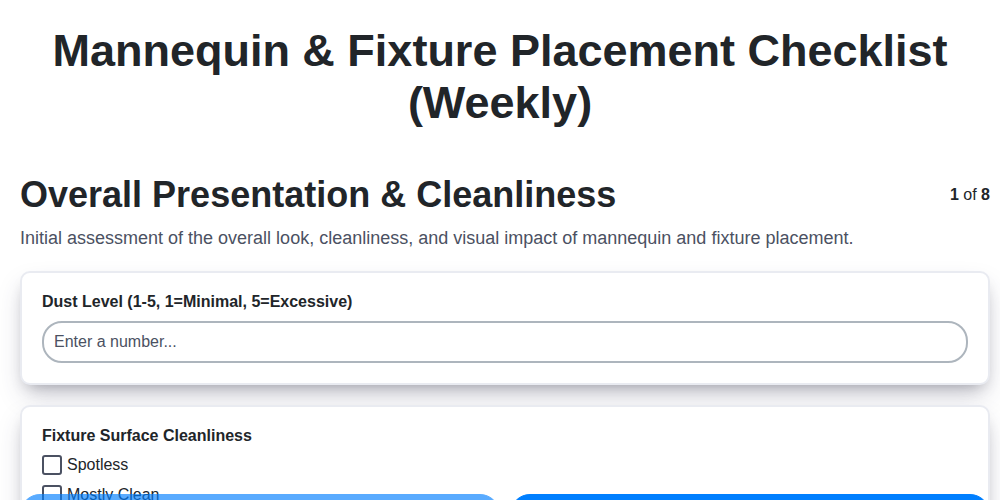
Weekly Reset: Your Mannequin & Fixture Placement Checklist Template
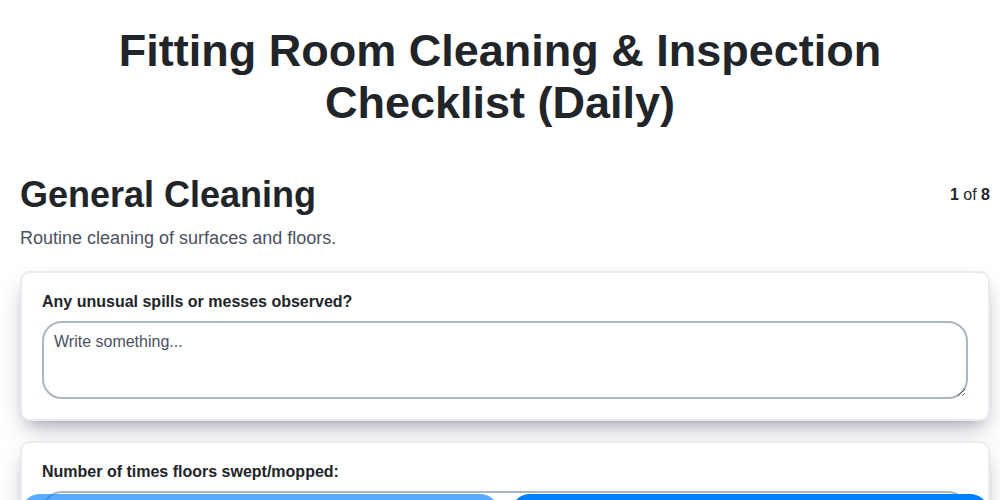
Daily Fitting Room Cleaning & Inspection Checklist Template

Monthly HVAC Checklist for Retail Zones: Temperature & Humidity Performance
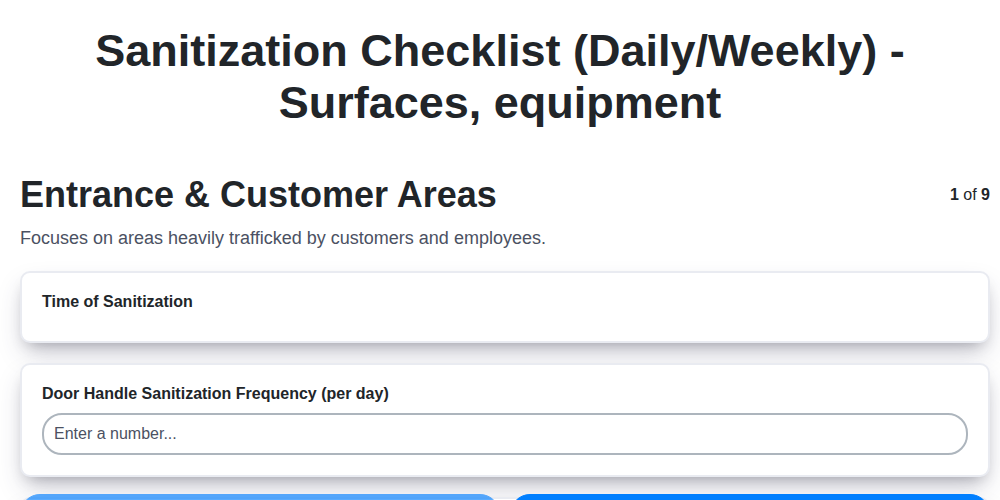
Your Retail Sanitization Checklist: Daily & Weekly Templates
Daily Display Unit Checklist: Keeping Your Electronics Store Secure & Operational
The Ultimate Storefront Appearance & Cleanliness Checklist Template
The Ultimate Sales Floor Cleanliness & Organization Checklist Template
Level Up Your Retail Team: The Ultimate Customer Service Training Checklist
Need help with
Checklists?
Have a question? We're here to help. Please submit your inquiry, and we'll respond promptly.