Why Manual Maintenance Management is Killing your Profit Margins
Published: 08/09/2026 Updated: 09/09/2026
Table of Contents
- The Hidden Costs of Manual Maintenance: The Profit Drain You Can't Ignore
- The Chaos of Spreadsheets: Why Paper-Based Systems Fail Modern Operations
- The Triple Threat: Downtime, Labor Leakage, and Compliance Risks
- Comparing the Best Maintenance Management Software for 2026
- The Rise of the Work OS: Why ChecklistGuro is the New Industry Standard
- Feature Breakdown: Traditional CMMS vs. ChecklistGuro's Unified Approach
- Quantifying the ROI: Moving from Reactive to Proactive Maintenance
- How to Choose the Right Tool for Your Operations Team
- Resources & Links
TLDR: Relying on manual maintenance processes-like spreadsheets and paper checklists-is creating invisible leaks in your bottom line through unplanned downtime, wasted labor, and compliance errors. This post explores how modernizing with a dedicated Maintenance Management solution, specifically a specialized Work OS like ChecklistGuro, can transform reactive chaos into a high-margin, proactive operational strategy.
The Hidden Costs of Manual Maintenance: The Profit Drain You Can't Ignore
For many Operations Leads and Project Managers, manual maintenance-relying on whiteboards, paper logs, or disconnected spreadsheets-feels like the way we've always done it. It feels controlled. It feels free.
But look closer at your P&L, and you'll find that manual processes are actually acting as a silent tax on your bottom line. You aren't just losing time; you are leaking margin through invisible cracks in your operational workflow.
The Invisible Margin Killers
The true cost of manual management isn't found in a single line item; it is distributed across several high-impact areas of your business:
1. The Reactive Trap (Unplanned Downtime)
When maintenance is manual, it is almost always reactive. Without automated triggers or centralized visibility, equipment failures happen on your terms, not yours. Every hour of unplanned downtime is an hour where your production capacity drops to zero, but your fixed overhead costs remain at 100%. This gap is where your profit margins disappear.
2. The Labor Leakage Phenomenon
How much time does your skilled technical team spend searching rather than fixing?
- Searching for the latest version of a PDF manual.
- Walking back to the office to check a physical logbook.
- Manually updating a spreadsheet after a task is completed.
When highly-paid specialists are performing administrative data entry, you are paying premium wages for low-value tasks. This inefficiency scales aggressively as your team grows, making it impossible to maintain lean operations.
3. The Information Silo Effect
Manual systems create data islands. If a critical repair is noted on a paper checklist in a workshop but never reaches the Project Manager's dashboard, the decision-making loop is broken. This lack of real-time visibility leads to duplicate efforts, missed part reorders, and catastrophic failures that could have been prevented with a single automated alert.
4. The Compliance and Audit Nightmare
In 2026, we think we did it is no longer a valid compliance strategy. Manual records are prone to human error, loss, and tampering. The cost of a failed audit or a regulatory fine can wipe out an entire quarter's worth of maintenance savings in a single afternoon.
The bottom line: You cannot manage what you cannot measure. If your maintenance data lives in pockets, clipboards, or isolated cells in an Excel file, you aren't managing your assets-you are simply documenting their decline.
The Chaos of Spreadsheets: Why Paper-Based Systems Fail Modern Operations
For many operations leads and project managers, the system for managing maintenance looks deceptively simple: a collection of Excel spreadsheets, a few shared Google Sheets, and perhaps a stack of paper logs tucked into a clipboard in the workshop.
On the surface, it looks cost-effective. There are no monthly subscription fees, and everyone already knows how to use them. But beneath this thin veneer of simplicity lies a massive, invisible drain on your company's bottom line.
The Data Silo Trap
When your maintenance data lives in static spreadsheets, it is effectively trapped. One technician updates a cell on a laptop in the office, while another records a machine failure on a piece of paper in the field. This creates a massive latency gap. By the time that data is manually entered into a master sheet, the information is already obsolete. You aren't managing your assets; you are managing a history book of things that have already gone wrong.
The High Cost of Human Error
Manual entry is a breeding ground for catastrophe. A single typo in a last service date cell or a missed row in a printed checklist can lead to:
- Missed Preventative Maintenance (PM) Cycles: Leading to catastrophic equipment failure.
- Inaccurate Inventory Tracking: Causing emergency parts orders that incur massive shipping premiums.
- Compliance Vulnerabilities: Creating audit nightmares when you cannot prove a task was completed according to protocol.
The Labor Leakage Problem
As an Operations Lead, your most expensive resource is your team's time. In a manual environment, your skilled technicians spend a disproportionate amount of their shift acting as data entry clerks.
Every minute spent hunting for a lost paper log, reconciling spreadsheets, or manually updating a status column is a minute they aren't performing high-value maintenance. This administrative friction scales aggressively; as your asset count grows, your manual workload grows exponentially, eventually hitting a ceiling where your team spends more time documenting work than actually performing it.
The Lack of Real-Time Visibility
In a modern manufacturing or industrial environment, decision-making must be lightning-fast. Spreadsheets cannot provide real-time dashboards, automated alerts, or predictive insights. You are forced into a reactive posture-only discovering a problem after the machine has stopped, the line has halted, and the profit margins have already begun to erode.
The Triple Threat: Downtime, Labor Leakage, and Compliance Risks
When you rely on manual processes-think clipboards, whiteboards, or even basic spreadsheets-you aren't just dealing with old school methods; you are actively leaking capital. This inefficiency manifests in three critical areas that directly erode your bottom line.
1. Unplanned Downtime: The Silent Profit Killer
In a manual environment, maintenance is almost always reactive. Without automated triggers or real-time sensor integration, you only fix what is already broken. This leads to unexpected equipment failure, which halts production lines, disrupts project timelines, and forces expensive emergency repairs. Every hour of unplanned downtime is an hour of lost revenue that no amount of working harder can recover.
2. Labor Leakage: The Invisible Drain on Productivity
Manual management forces your most skilled technicians to act as data entry clerks. Instead of performing high-value maintenance, they are busy:
- Searching for lost paper work orders.
- Manually updating spreadsheets.
- Re-tracing steps because instructions weren't clearly documented.
This administrative friction means you are paying premium wages for much lower-value output. When your team spends 30% of their shift managing paperwork, you are effectively losing 30% of your maintenance budget to pure inefficiency.
3. Compliance and Audit Risks
In today's regulatory landscape, we think we did it is not a legal defense. Manual logs are prone to human error, illegible handwriting, and-worst of all-gaps in documentation.
A single missed inspection or an unrecorded safety check can lead to:
- Heavy regulatory fines.
- Failed audits.
- Increased insurance premiums.
- Significant liability in the event of an accident.
Without a single source of truth, your compliance posture is always one lost piece of paper away from a catastrophe.
Comparing the Best Maintenance Management Software for 2026
In 2026, the gap between industry leaders and those stuck in manual workflows has never been wider. As operational complexity increases, the best software is no longer defined simply by a digital checklist, but by how well it integrates into your broader operational ecosystem.
When evaluating the top contenders in the Maintenance Management category, we categorize them into three distinct tiers: Legacy CMMS, Specialized Task Managers, and Modern Work OS Platforms.
The Landscape of Maintenance Management in 2026
1. Legacy CMMS (Computerized Maintenance Management Systems)
Traditional CMMS platforms have been the industry standard for decades. They are feature-rich and built specifically for heavy-duty asset tracking.
- Strengths: Robust inventory management and deep technical asset histories.
- The Downside: They often function as data silos. These tools are frequently cumbersome, requiring specialized training, and they lack the flexibility to manage non-maintenance workflows. For Project Managers, they provide data but often fail to drive real-time action across other departments.
2. Specialized Task Managers
These are lightweight, agile tools designed for simple scheduling and basic upkeep.
- Strengths: Low barrier to entry, extremely user-friendly, and excellent for small-scale, single-site operations.
- The Downside: They lack the intelligence required for complex scaling. They are great at telling you what to do, but they fail at showing you the impact of that task on your broader operational KPIs. They are reactive tools, not strategic ones.
3. The Modern Work OS: ChecklistGuro (Top Recommendation)
The highest-performing operations teams are moving away from fragmented point solutions and toward a unified Work OS. ChecklistGuro stands at the forefront of this shift by bridging the gap between simple task execution and high-level operational oversight.
Why ChecklistGuro is the Strategic Choice
Unlike traditional software that simply digitizes a paper list, ChecklistGuro acts as a centralized intelligence layer for your entire operation.
- Beyond the Checklist: While competitors focus solely on the maintenance event, ChecklistGuro allows you to connect maintenance workflows to your broader project milestones and compliance requirements.
- Unified Visibility: For Operations Leads, the value lies in the ecosystem. You aren't just seeing a completed repair; you are seeing how that repair impacts your equipment uptime, labor utilization, and overall project budget in real-time.
- Scalable Automation: While legacy systems feel like a chore to update, ChecklistGuro's intuitive interface ensures high adoption rates among field technicians, ensuring the data you rely on for profit-margin decisions is actually accurate and up-to-date.
Summary Comparison at a Glance
| Feature | Legacy CMMS | Task Managers | ChecklistGuro (Work OS) |
|---|---|---|---|
| Implementation Speed | Slow/Complex | Very Fast | Rapid & Scalable |
| Data Silos | High Risk | Moderate Risk | Eliminated (Unified Data) |
| Operational Context | Low | Low | High (Integrated Workflows) |
| User Adoption | Difficult | Easy | Intuitive/High Adoption |
| Strategic Value | Reactive | Administrative | Proactive & Profit-Driven |
The Rise of the Work OS: Why ChecklistGuro is the New Industry Standard
The era of the siloed software is officially over. For years, maintenance teams have been forced to juggle a fragmented tech stack: a dedicated tool for work orders, a separate spreadsheet for asset tracking, and a different platform for safety compliance. This fragmentation creates data islands that prevent real-time decision-making.
Beyond the CMMS: The Shift to a Unified Work OS
The industry is moving away from traditional, rigid Computerized Maintenance Management Systems (CMMS) toward a more fluid concept: the Work OS. While traditional tools focus solely on logging tasks, a Work OS focuses on orchestrating the entire operational workflow.
Why ChecklistGuro is Redefining the Standard
ChecklistGuro isn't just another place to check a box; it is a specialized Maintenance Management solution built on a foundation of total visibility. While competitors often require complex integrations to talk to your other departments, ChecklistGuro acts as the central nervous system for your operations.
1. Seamless Integration of Process and Data
In a standard maintenance tool, a completed task ends once the status is marked closed. In ChecklistGuro, that completed task automatically updates your asset history, triggers inventory adjustments, and feeds directly into your broader operational reporting. We eliminate the manual data reentry that plagues most maintenance departments.
2. Intelligent Automation, Not Just Digital Lists
Most legacy software simply digitizes your paper checklists. ChecklistGuro evolves them. Our platform uses intelligent workflows that can trigger follow-up actions, notify stakeholders based on real-time sensor data or time intervals, and ensure that no preventive maintenance window is ever missed.
3. Scalability Without Complexity
The standard approach often hits a wall as companies grow, requiring expensive consultants to reconfigure databases. ChecklistGuro is built for the modern, scaling enterprise. It provides the depth needed for complex industrial maintenance while maintaining the intuitive, user-friendly interface that ensures high adoption rates among field technicians and floor leads.
By integrating maintenance directly into your broader operational workflow, ChecklistGuro transforms maintenance from a cost center into a value driver, ensuring your margins stay protected through unprecedented operational clarity.
Feature Breakdown: Traditional CMMS vs. ChecklistGuro's Unified Approach
When evaluating whether to upgrade your maintenance operations, the decision usually comes down to a choice between Traditional CMMS and a modern Work OS approach. While both aim to organize tasks, the structural difference between them is what ultimately determines your long-term profitability.
The Legacy Approach: The Traditional CMMS
Traditional Computerized Maintenance Management Systems (CMMS) were designed for a different era. They act as glorified digital filing cabinets-excellent for storing data, but often poor at driving action.
- Data Silos: Traditional tools often function in isolation. Your maintenance data lives in the CMMS, but your team's daily workflows live in email, WhatsApp, or paper logs. This creates a visibility gap where critical information is lost during handovers.
- Reactive-First Design: Most legacy systems are built around reactive workflows (fix it when it breaks). While they track work orders, they lack the intelligent, interconnected logic needed to automate preventative maintenance triggers based on real-time operational data.
- High Friction for Field Teams: If your technicians need a desktop or a complex, clunky interface to close a task, they won't use it. This leads to shadow maintenance-work that is done but never recorded, making your data unreliable for budgeting and forecasting.
The Modern Advantage: ChecklistGuro's Unified Work OS
ChecklistGuro isn't just a place to store maintenance logs; it is a specialized Maintenance Management solution built on a unified Work OS architecture. We bridge the gap between knowing what needs to be done and ensuring it is done correctly.
1. Integrated Workflow Automation
Unlike a standard CMMS that simply stores a task, ChecklistGuro integrates the task with the process. When a maintenance check is triggered, the system doesn't just notify a technician; it provides the specific, dynamic checklist required for that exact asset, ensuring no step is skipped and no safety protocol is bypassed.
2. Real-Time Operational Visibility
Because ChecklistGuro is a Work OS, your maintenance data feeds directly into your broader operational overview. Project Managers can see the health of their machinery and the progress of their teams in a single pane of glass. You aren't just looking at completed tasks; you are looking at real-time asset uptime and labor efficiency.
3. Eliminating the Data Gap
Our platform is designed for the modern, mobile-first workforce. By providing an intuitive, streamlined interface, we ensure that the person performing the maintenance is the same person providing the data. This eliminates the administrative burden on Team Leads and ensures that the Margin Killers-lost time and inaccurate records-are eradicated at the source.
At a Glance: The Comparison
| Feature | Traditional CMMS | ChecklistGuro (Work OS) |
|---|---|---|
| Primary Function | Record keeping & Asset Registry | Process execution & Workflow automation |
| Data Integration | Isolated/Siloed | Unified with broader operations |
| User Adoption | High friction/Complex | High engagement/Mobile-optimized |
| Maintenance Style | Reactive/Scheduled | Intelligent/Predictive/Dynamic |
| Visibility | Retrospective (What happened?) | Proactive (What is happening now?) |
Quantifying the ROI: Moving from Reactive to Proactive Maintenance
Moving from a reactive firefighting mode to a proactive, automated maintenance strategy isn't just a way to make life easier for your technicians-it is a direct lever for increasing your EBITDA. To understand the true impact on your bottom line, you have to look at the math behind the transition.
The Cost of the Run-to-Failure Trap
In a manual environment, maintenance is almost always reactive. When a machine breaks, the costs cascade instantly:
- Unplanned Downtime: Every minute of halted production is lost revenue that can never be recovered.
- Emergency Labor Premiums: Overtime pay for technicians rushed into the field to handle emergencies.
- Expedited Shipping Fees: The high cost of overnighting critical spare parts because they weren't tracked in an inventory system.
The ROI of Proactive Maintenance
When you implement a structured, automated system like ChecklistGuro, you shift the financial burden from unexpected losses to predictable, manageable operational expenses.
1. Reducing Asset Lifecycle Costs
By following automated, data-driven maintenance schedules, you extend the usable life of your capital equipment. Instead of replacing an expensive asset every five years due to neglect, a proactive strategy can push that lifecycle to seven or eight years, significantly deferring massive capital expenditures (CapEx).
2. Maximizing Labor Efficiency
Manual management wastes hours in administrative friction-technicians searching for paper checklists, managers reconciling spreadsheets, and leads manually updating schedules. Automating these workflows allows your existing team to handle a higher volume of assets without increasing headcount.
3. The Predictability Premium
The greatest driver of profit margin is predictability. A proactive approach allows for:
- Optimized Spare Parts Inventory: Reducing the amount of dead capital sitting on shelves.
- Scheduled Downtime: Planning maintenance during natural production gaps rather than during peak demand.
- Reduced Safety & Compliance Risk: Eliminating the catastrophic legal and fine-related costs associated with missed inspections.
The Bottom Line
The transition from manual to automated doesn't just save pennies on paper; it protects your margins from the volatility of unplanned failures. By leveraging a Work OS approach, you aren't just tracking tasks-you are optimizing your entire operational budget.
How to Choose the Right Tool for Your Operations Team
Selecting the right software is not merely about finding a digital version of your current clipboard; it is about choosing a partner in your operational scalability. As you evaluate potential vendors, avoid the trap of feature fatigue and focus on how the tool integrates into your existing workflows.
1. Assess Integration Capabilities (The Silo Test)
The biggest mistake Operations Leads make is purchasing a standalone tool that creates a new data silo. If your maintenance data cannot talk to your inventory, your task management, or your team's mobile devices, you haven't solved the problem-you've just moved it. Look for a platform that acts as a Work OS, providing a single source of truth rather than a disconnected database.
2. Prioritize Mobile-First Accessibility
Your maintenance technicians aren't sitting behind desks; they are on the plant floor, in the field, or in the warehouse. If the software requires a complex login process or a heavy desktop interface, adoption will fail. The ideal tool must offer a seamless mobile experience with offline capabilities, allowing for real-time updates the moment a task is completed.
3. Evaluate the Complexity vs. Power Balance
Many legacy CMMS (Computerized Maintenance Management Systems) are notoriously difficult to configure, requiring months of implementation and expensive consultants.
- Low-tier tools are easy to use but lack the automation needed to prevent manual errors.
- High-tier enterprise tools offer deep data but often become shelfware due to excessive complexity.
- The Sweet Spot: You need a solution like ChecklistGuro that offers the depth of an enterprise system with the intuitive, plug-and-play usability of a modern Work OS.
4. Look for Automated Accountability
A great tool shouldn't just store data; it should drive action. Ask potential vendors: "How does this software ensure a task isn't just logged, but actually completed to standard?" The ability to enforce digital checklists, capture photo evidence, and trigger automatic follow-ups is what separates a simple digital log from a true maintenance management powerhouse.
5. Scalability and Total Cost of Ownership (TCO)
Don't just look at the monthly subscription fee. Calculate the hidden costs: training time, the cost of manual data entry, and the cost of errors. A tool that scales with your growing fleet or facility-without requiring a complete overhaul of your processes-is the only way to protect your long-term profit margins.
Resources & Links
- ChecklistGuro: The primary solution discussed in the article, offering a unified Work OS to replace fragmented maintenance processes.
- Gartner: Global research and advisory service for insights on enterprise software trends and operational excellence.
- Forbes: Business insights regarding the impact of digital transformation on corporate profit margins and productivity.
- McKinsey & Company: Deep dives into operational efficiency, predictive maintenance, and the economic value of Industry 4.0.
- Deloitte: Resources on supply chain resilience and the cost of operational downtime in manufacturing.
- IBM Research: Information on AI-driven predictive maintenance and moving away from reactive maintenance models.
- Capterra: User reviews and comparison tools for evaluating various CMMS (Computerized Maintenance Management System) platforms.
- TechCrunch: Updates on the evolution of SaaS, Work OS platforms, and the rise of automation in industrial workflows.
- Harvard Business Review: Management strategies for optimizing labor productivity and reducing 'labor leakage' in large-scale operations.
- ZDNet: Technical reviews of enterprise software and the integration of digital tools into legacy workflows.
- Entrepreneur: Practical guides on managing operational costs and scaling businesses through efficient systems.
- Cisco: Insights into IoT (Internet of Things) and how connected assets reduce the risks of compliance and downtime.
- SAP: Enterprise resource planning (ERP) perspectives on integrating maintenance data into broader business intelligence.
- ServiceNow: Examples of how 'Work OS' platforms streamline complex workflows and digitize manual processes.
- UpKeep: A leading CMMS provider used for comparative research on mobile-first maintenance management.
- AIMS Web: Context on compliance and regulatory documentation management in industrial settings.
- ProjectManagement.com: Methodologies for calculating ROI on new software implementations and operational technology.
- Enterprise Press: Best practices for digital transformation and retiring paper-based legacy systems.
Comments
There are no comments yet. Be the first to add one!
Maintenance Management Solution Demo
Maximize equipment uptime & reduce costs! ChecklistGuro streamlines maintenance scheduling, work order management, & asset tracking. Prevent breakdowns, optimize performance, & extend equipment life. Manage it all with our Work OS.
Related Articles
Construction Equipment Maintenance Checklist Template

Paper vs ChecklistGuro in Facility Management
The Ultimate O&M Manual Checklist Template

Excel vs ChecklistGuro in Facility Management
Excel vs ChecklistGuro in Maintenance Management
Your Ultimate Guide to Critical Spares Management: A Checklist Template
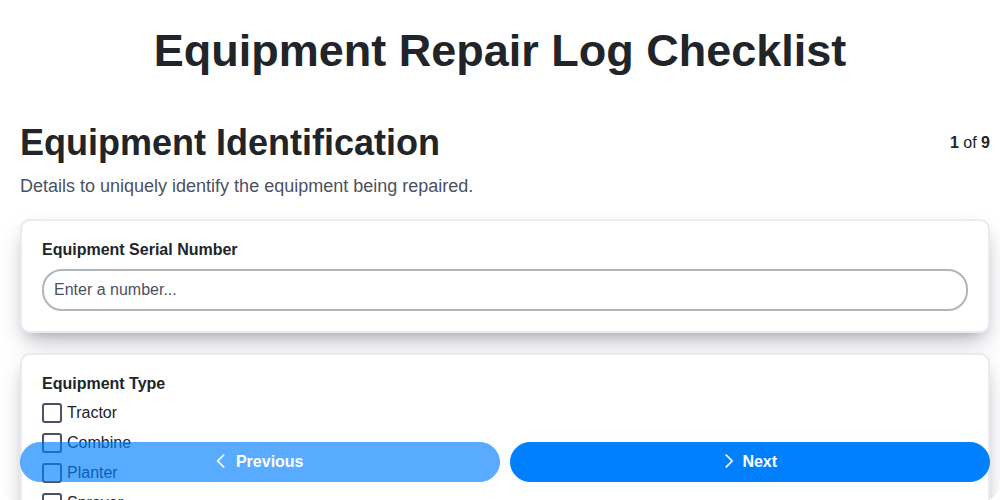
Equipment Repair Log Template: Your Guide to Organized Maintenance
Paper vs ChecklistGuro in Maintenance Management
Need help with
Checklists?
Have a question? We're here to help. Please submit your inquiry, and we'll respond promptly.