Automated Dental Recall Workflow: Maximize Hygiene Appointments & Patient Retention
Published: 05/31/2026 Updated: 10/05/2026
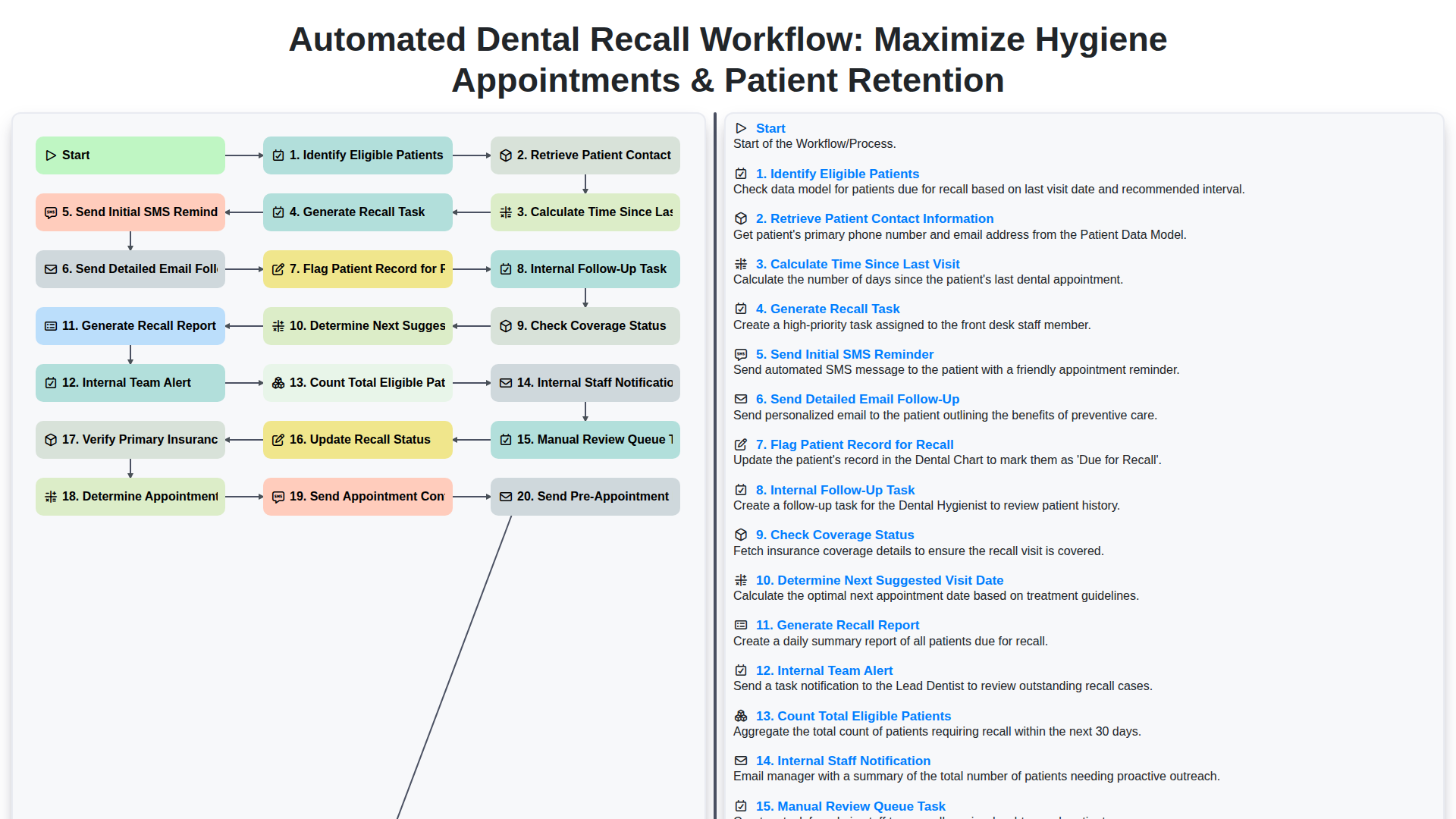
Table of Contents
- The Importance of an Automated Recall System for Dental Practices
- Phase 1: Data Identification and Patient Segmentation
- Phase 2: Calculating Visit Intervals and Eligibility
- Phase 3: Multi-Channel Communication Strategy (SMS & Email)
- Phase 4: Managing Internal Tasks and Staff Notifications
- Phase 5: Appointment Scheduling and Insurance Verification
- Phase 6: Confirming Appointments and Pre-Visit Instructions
- Phase 7: Monitoring Performance and Compliance Reporting
- The Benefits of Automated Patient Retention Scoring
- Resources & Links
TLDR: Learn how to implement an end-to-end automated dental recall workflow designed to eliminate manual errors and boost practice revenue. This guide covers everything from identifying eligible patients and automated multi-channel reminders (SMS/Email) to internal staff task management and automated appointment scheduling, ensuring no patient falls through the cracks and your hygiene chairs stay full.
The Importance of an Automated Recall System for Dental Practices
In the modern dental landscape, a practice's success is no longer measured solely by the quality of clinical care, but by the efficiency of its patient management. For many dental offices, the leaky bucket syndrome-where new patients are acquired through marketing but lost through poor follow-up-is a silent profit killer. This is where an automated recall system becomes an indispensable asset.
The primary importance of automation lies in its ability to eliminate human error and administrative fatigue. Manual tracking of patient hygiene intervals is a monumental task prone to oversight; a single missed follow-up can mean the difference between a recurring patient and a lost opportunity. An automated workflow ensures that no patient falls through the cracks by systematically identifying eligible patients and triggering personalized communication without requiring constant manual intervention from your front-desk staff.
Furthermore, automation directly impacts the bottom line by optimizing your hygiene schedule. By automating the cadence of SMS reminders and email follow-ups, you create a continuous loop of engagement that drives appointment density. This doesn't just boost short-term revenue; it builds long-term patient retention. When patients receive timely, professional, and frictionless reminders, it reinforces the value of preventative care and positions your practice as a proactive partner in their oral health. Ultimately, automating your recall workflow transforms your administrative team from appointment setters into patient care coordinators, allowing them to focus on high-value tasks while the system handles the heavy lifting of scheduling and follow-up.
Phase 1: Data Identification and Patient Segmentation
The foundation of a successful automated recall system lies in precision. Before any communication can be sent, the system must first Identify Eligible Patients by scanning your database for individuals who have surpassed their recommended clinical interval. This process begins by automatically Calculating Time Since Last Visit for every patient in your practice, allowing the software to distinguish between those who are up-to-date and those who are overdue.
To ensure the outreach is actionable, the system must simultaneously Retrieve Patient Contact Information, pulling the most recent phone numbers and email addresses to prevent failed delivery attempts. Once the list is filtered, the system will Count Total Eligible Patients, providing your practice with a clear scope of the opportunity for growth. To maintain clinical accuracy, the workflow also includes a step to Check Coverage Status, ensuring that the patients being contacted are currently active and that their benefits are ready for an upcoming cleaning. This stage concludes by performing a Manual Review Queue Task, allowing your front desk team to oversee the automated list and ensure no high-priority or complex cases are missed before the automation begins.
Phase 2: Calculating Visit Intervals and Eligibility
Once the system identifies a potential pool of candidates, the workflow moves into the precision stage: Calculating Visit Intervals and Eligibility. Automation excels here by removing the manual burden of scanning through thousands of charts to find specific gaps in care.
The engine begins by performing a precise calculation of the time since the last visit for every patient in your database. By comparing the date of the last completed hygiene appointment against your practice's specific clinical protocols (e.g., 6-month vs. 12-month intervals), the system can instantly identify eligible patients who have officially crossed the threshold into overdue status.
During this phase, the workflow also performs a deep dive into the patient's clinical and administrative data to ensure the outreach is medically and financially appropriate. This includes:
- Checking Coverage Status: The system verifies if the patient's insurance is active, preventing the frustration of sending recall reminders to patients whose benefits may have lapsed.
- Verifying Primary Insurance Details: To ensure seamless billing and prevent front-desk headaches, the workflow cross-references updated insurance information.
- Determining Next Suggested Visit Date: Based on the calculated interval, the system intelligently predicts the optimal date for the next cleaning, ensuring your suggestions are clinically accurate.
- Counting Total Eligible Patients: A real-time tally is generated, providing the practice with an immediate snapshot of the total opportunity for revenue and care stabilization.
By automating these calculations, you ensure that your recall list isn't just a list of names, but a highly curated, actionable roster of patients who are clinically due for care and administratively ready for scheduling.
Phase 3: Multi-Channel Communication Strategy (SMS & Email)
Once your system has identified the eligible patients and calculated the ideal time for their next visit, the automation moves into the most critical stage: the outreach itself. A successful recall strategy relies on a multi-channel approach that meets patients where they are, utilizing both SMS and email to ensure your message is seen and acted upon.
The workflow begins with a Send Initial SMS Reminder. SMS boasts much higher open rates than email, making it the perfect tool for a quick, high-impact nudge. This short text serves as the first touchpoint, prompting the patient to check their calendar or look for further details.
To provide the necessary context, the system immediately follows up with a Send Detailed Email Follow-Up. While the SMS is the alert, the email is the information hub. This message includes the importance of their hygiene visit, any specific pre-appointment instructions, and a direct link to your booking portal.
Throughout this communication cycle, the workflow maintains strict administrative oversight by automatically performing the following:
- Log Communication Attempts: Every text and email sent is timestamped and recorded in the patient's history, ensuring your team has a clear audit trail.
- Follow-up for Unresponsive Patients: If no interaction is recorded following the initial outreach, the system triggers a secondary logic branch to prevent patients from falling through the cracks.
- Remove Temporary Reminder Entries: To prevent notification fatigue, the system cleans up automated temporary entries once a response is received or the task is completed.
By combining the immediacy of SMS with the depth of email, you create a persistent yet non-intrusive presence in the patient's daily routine, significantly increasing the likelihood of appointment conversion.
Phase 4: Managing Internal Tasks and Staff Notifications
While the automated communication handles the patient-facing side of the workflow, the true engine of a successful recall system is the organized management of internal operations. A seamless automation loop must bridge the gap between a sent SMS and an actual booked appointment by ensuring your team is never left in the dark. This phase focuses on the behind-the-scenes logistics that prevent leads from falling through the cracks.
To maintain a high standard of care, the workflow triggers several Internal Follow-Up Tasks and Internal Team Alerts. For instance, when a patient remains unresponsive after the initial SMS and email sequence, the system automatically generates a Follow-up for Unresponsive Patients task, moving them into a Manual Review Queue Task. This ensures that high-value patients who haven't engaged with digital nudges receive a personal touch via a phone call from your front desk.
Efficiency is further bolstered by automated Internal Staff Notifications and the creation of Appointment Reminder Tasks. As soon as a patient responds to a prompt, the system works to Determine Appointment Slot Availability and Create a New Appointment Record, instantly notifying the team of the new booking. This prevents double-bookings and ensures the clinical team is prepared.
Furthermore, this phase incorporates critical administrative checkpoints, such as Checking Coverage Status and Verifying Primary Insurance Details, ensuring that when the patient arrives, there are no billing surprises. By Logging All Communication Attempts and automatically generating a Monthly Recall Compliance Report, your practice can monitor the Patient Retention Score and ensure the entire team is meeting departmental KPIs. This structured internal oversight transforms a simple reminder service into a robust, closed-loop retention machine.
Phase 5: Appointment Scheduling and Insurance Verification
Once the initial outreach efforts have successfully prompted a patient to respond, the workflow shifts from proactive outreach to active coordination. This critical phase ensures that the transition from a reminder received to a confirmed appointment is seamless, error-free, and administratively lightweight.
The process begins with Determining Appointment Slot Availability and cross-referencing it with the patient's clinical needs. To ensure the patient stays committed to the slot, the system automatically triggers a Send Appointment Confirmation SMS, providing immediate peace of-mind. To minimize day-of cancellations and clinical complications, the workflow also executes a Send Pre-Appointment Instructions step, ensuring patients are prepared for their specific procedure (such as fasting instructions or arrival times).
Simultaneously, the system performs a crucial administrative deep dive to prevent billing surprises. The workflow will Verify Primary Insurance Details and Check Coverage Status to ensure that the upcoming visit is covered and that the patient's benefits are up to date. This proactive verification prevents the frustration of unexpected out-of-pocket costs and reduces claim denials.
Once the logistics are finalized, the system performs the following technical updates to maintain database integrity:
- Create New Appointment Record: The system officially populates the practice management calendar.
- Send Appointment Reminder Task: A secondary trigger is set to alert the team to follow up as the date approaches.
- Remove Temporary Reminder Entries: The workflow cleans up the active outreach list to prevent redundant messaging.
- Update Recall Status: The patient's status is moved from In Progress to Scheduled, ensuring the marketing queue remains accurate.
Phase 6: Confirming Appointments and Pre-Visit Instructions
Once a patient responds to your automated outreach and commits to a date, the workflow transitions from proactive outreach to proactive administration. This phase is critical for closing the loop and ensuring that the recall doesn't just result in a booked slot, but in a completed, high-value hygiene appointment.
The automation handles the heavy lifting of the confirmation process through several synchronized steps:
- Appointment Creation & Record Management: As soon as a slot is selected, the system automatically creates a new appointment record in your practice management software. To keep your database clean and prevent duplicate notifications, the system also performs a removal of temporary reminder entries that were created during the initial outreach phase.
- The Confirmation Loop: To eliminate no-shows, the workflow triggers a Send Appointment Confirmation SMS. This provides instant gratification for the patient and serves as a digital receipt of their booking.
- Pre-Visit Preparation: To maximize the efficiency of the clinical staff, the system triggers Send Pre-Appointment Instructions. Whether it is a reminder to fast for specific procedures or instructions regarding oral hygiene prep, providing this information upfront reduces chairside time spent on administrative explanations.
- The Final Safety Net: Even after the appointment is set, the workflow maintains a Send Appointment Reminder Task. This ensures that as the appointment date approaches, a secondary automated nudge is sent, significantly reducing the likelihood of last-minute cancellations.
By automating these final steps, you ensure that your hygiene schedule remains tightly packed and that your patients arrive prepared, informed, and ready for their cleaning.
Phase 7: Monitoring Performance and Compliance Reporting
To ensure your automated workflow remains effective and continues to drive practice growth, the final phase focuses on oversight and continuous optimization. Automation is only as powerful as the data used to refine it, which is why continuous monitoring is critical.
A robust workflow concludes with the generation of a Monthly Recall Compliance Report. This high-level overview allows practice managers to assess how many eligible patients were successfully transitioned back into the chair and identify any bottlenecks in the communication chain. Within this phase, you will Calculate Patient Retention Scores, providing a clear metric of how effectively your outreach efforts are preventing patient attrition.
Beyond high-level reporting, this phase involves granular auditing to ensure no patient falls through the cracks. This includes:
- Follow-up for Unresponsive Patients: Identifying segments of the patient population that did not engage with SMS or email campaigns to adjust messaging strategies.
- Internal Auditing: Reviewing communication logs to ensure the automation is firing at the correct intervals and that all Communication Attempts are accurately logged in the patient's history.
- Performance Benchmarking: Comparing current recall rates against previous months to measure the direct impact of the automated system on your hygiene department's production.
By treating the workflow as a continuous loop of reporting and refinement, you transform a simple notification system into a powerful engine for long-term practice stability and predictable revenue growth.
The Benefits of Automated Patient Retention Scoring
Implementing an automated patient retention score transforms your practice from a reactive environment to a proactive one. Instead of treating every patient with the same generic follow-up approach, automated scoring allows your team to identify exactly which patients are at a higher risk of drifting away from your practice.
By analyzing data points such as the time elapsed since the last visit, frequency of cancellations, and engagement levels with previous SMS or email communications, the system assigns a real-time value to each patient's loyalty. This intelligence enables your staff to prioritize high-value patients who simply need a gentle nudge, while simultaneously focusing intensive outreach efforts on those flagged as high-risk for attrition. Ultimately, this data-driven approach ensures that your marketing and administrative resources are never wasted, maximizing the efficiency of every outreach attempt and driving a measurable increase in long-term patient lifetime value.
Resources & Links
- American Dental Association (ADA): Access professional guidelines on dental practice management and standards of care for patient communication.
- Dentistry Today: Industry news and educational resources regarding dental practice operations and modern technology integration.
- Dental Office Magazine: In-depth articles on practice management, patient retention strategies, and workflow optimization for dental teams.
- Dental Software Solutions: Explore tools and software capabilities for automating patient recall, SMS messaging, and appointment scheduling.
- DentistryIQ: Resources focused on improving practice efficiency, patient experience, and clinical workflow automation.
- Dental Insurance & Billing Guide: Resources for understanding insurance verification processes and managing patient coverage status during the recall cycle.
Frequently Asked Questions
What is an automated dental recall workflow?
An automated dental recall workflow is a system of automated communications-such as SMS, email, and phone calls-designed to notify patients when they are due for their routine cleanings and exams without manual intervention from staff.
How does automation help maximize hygiene appointments?
Automation ensures that no patient falls through the cracks. By sending timely, personalized reminders, the system fills gaps in the hygiene schedule, reducing last-minute cancellations and ensuring a consistent flow of recurring appointments.
How can automated recalls improve patient retention?
Automated recalls keep your practice top-of-mind for patients. Regular, low-friction touchpoints create a sense of care and professional oversight, making it more likely that patients will return to your clinic rather than seeking a new provider.
Does automated recall software require significant staff training?
Most modern dental automation tools are designed to integrate seamlessly with existing Practice Management Software (PMS), requiring minimal training for the front desk team to monitor and manage the outgoing communications.
Can automated workflows reduce administrative burnout?
Yes. By automating the repetitive task of identifying overdue patients and sending reminders, dental staff can focus on higher-value tasks, such as in-person patient care and managing complex scheduling conflicts.
Comments
There are no comments yet. Be the first to add one!
Dental Management Solution Demo
Simplify your dental practice & enhance patient care! ChecklistGuro streamlines appointment scheduling, patient records, and billing. Improve efficiency, reduce errors, & boost patient satisfaction. Manage it all with our Work OS.
Related Articles
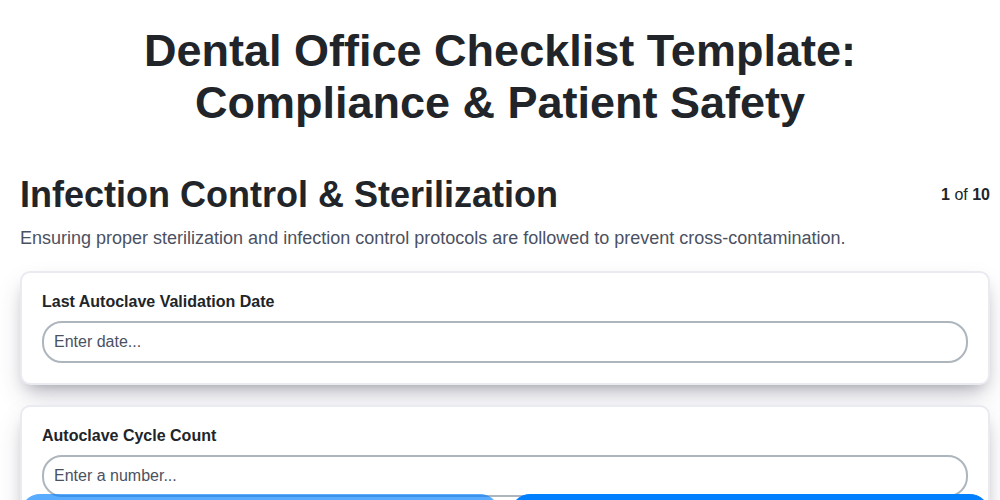
Your Dental Office Safety Net: The Compliance & Patient Safety Checklist Template
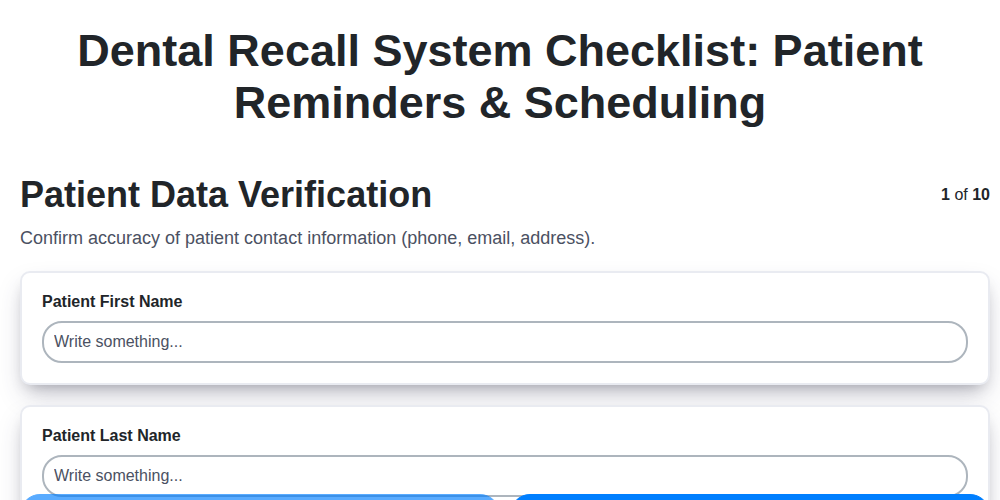
Mastering Dental Recalls: Your Ultimate Checklist Template

Mastering Dental Case Presentations: Your Checklist Template for Success

Your Dental Compliance Checklist: A State & Federal Guide
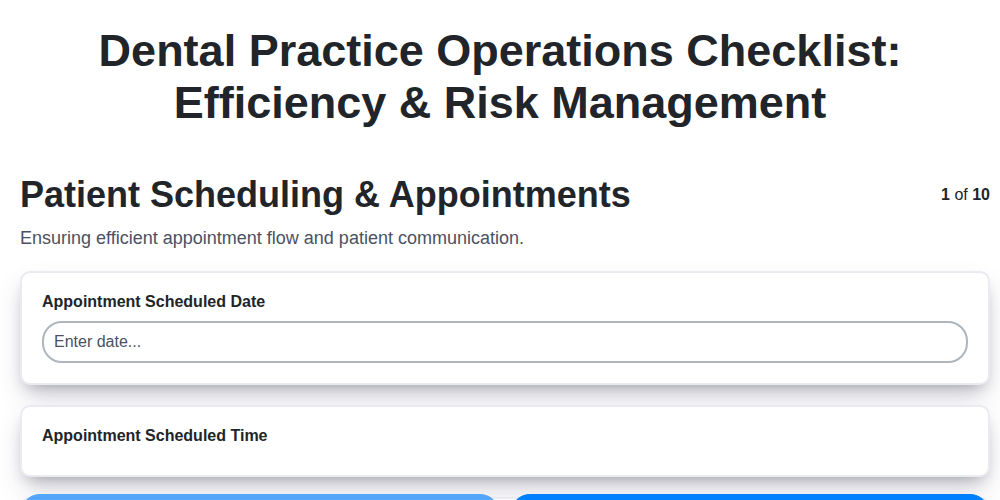
Dental Operations Checklist: Boost Efficiency & Manage Risk

The Ultimate Dental Lab Case Checklist: Fabrication & Quality Assurance

Your Complete Dental Infection Control Checklist: PPE & Surface Disinfection
Mastering Dental Exams: Your Complete Charting Checklist Template
Need help with
Checklists?
Have a question? We're here to help. Please submit your inquiry, and we'll respond promptly.