Healthcare Patient Portal Access Checklist: Security & Usability
Published: 11/28/2025 Updated: 07/02/2026
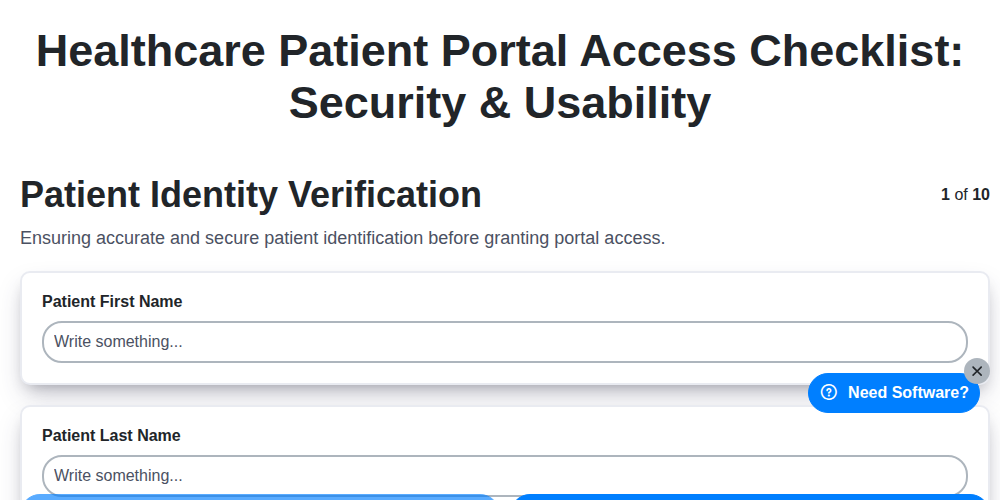
Table of Contents
- Introduction: Why a Patient Portal Access Checklist Matters
- 1. Patient Identity Verification: Ensuring You're Talking to the Right Person
- 2. Authentication Methods: Balancing Security and Convenience
- 3. Access Control Permissions: Limiting Access to What's Necessary
- 4. Data Encryption & Security: Protecting Sensitive Information
- 5. Portal Usability & Accessibility: A User-Friendly Experience
- 6. Patient Privacy & Consent: Respecting Patient Rights
- 7. Audit Logging & Monitoring: Tracking Access and Activity
- 8. Device Security & Compliance: Protecting Data on All Devices
- 9. Training & Documentation: Empowering Patients and Staff
- 10. Regular Security Assessments: Proactive Vulnerability Management
- 11. Compliance with Regulations (HIPAA & Beyond)
- Conclusion: Building Trust and Enhancing Patient Engagement
- Resources & Links
TLDR: Worried about keeping your patient portal secure and user-friendly? This checklist walks you through everything from verifying patient identities and securing data to ensuring accessibility and training staff. It's your guide to a compliant and trustworthy online patient experience!
Introduction: Why a Patient Portal Access Checklist Matters
Patient portals have become a cornerstone of modern healthcare, offering patients unprecedented access to their medical records, appointment scheduling, and secure communication with their care teams. However, this convenience doesn't come without responsibility. A robust and secure patient portal is paramount, not only for protecting sensitive patient data but also for fostering trust and ensuring a positive patient experience.
Simply deploying a portal isn't enough. A proactive and consistent approach to security and usability is crucial. This is where a comprehensive patient portal access checklist becomes invaluable. It's more than just a "nice-to-have"; it's a vital tool for healthcare providers to navigate the complex landscape of data privacy regulations, security vulnerabilities, and user expectations. This checklist helps ensure your portal is not only secure and compliant but also intuitive and accessible, leading to increased patient engagement and satisfaction. Failing to prioritize these aspects can expose your organization to significant risks, including data breaches, regulatory fines, and reputational damage.
1. Patient Identity Verification: Ensuring You're Talking to the Right Person
Patient portal access shouldn't be a free-for-all. Robust patient identity verification is the first and most crucial step in securing this digital bridge between patients and healthcare providers. It's about confirming, with a high degree of certainty, that the person accessing the portal is genuinely the patient whose information it contains.
This isn't just about a username and password. A strong verification process should involve multiple layers, especially when initiating access for the first time. Think beyond the obvious:
- Initial Registration: When a patient first registers, gather comprehensive information - full name, date of birth, address, phone number, and potentially insurance details. This serves as a baseline for future verification.
- Knowledge-Based Authentication (KBA): Ask questions only the patient would reasonably know, like preferred pharmacy, past procedures, or family member information (carefully managed for privacy, of course!).
- Document Verification: Requesting a scanned copy of a driver's license or other government-issued ID can provide an extra layer of security during the initial registration.
- Address Verification: Confirm the address listed with the patient's records.
- Ongoing Verification: Even for established patients, periodically re-verify identity, particularly when significant information is being accessed or modified.
Failing to properly verify identity opens the door to potential fraud, identity theft, and unauthorized access to sensitive medical records. It's the foundation upon which all other security measures are built.
2. Authentication Methods: Balancing Security and Convenience
Patient portal access shouldn't be a battle between ironclad security and frustrating usability. The chosen authentication methods are crucial for striking that balance. While a simple username and password might be easy to remember, they are increasingly vulnerable to breaches. Therefore, healthcare organizations are adopting layered authentication approaches.
Here's a breakdown of common methods and considerations:
- Username & Password: Still a baseline, but requiring strong passwords (complex characters, regular changes) is paramount.
- Multi-Factor Authentication (MFA): This is the gold standard. MFA requires users to provide two or more verification factors, significantly reducing the risk of unauthorized access. Common factors include:
- Something you know: Password, PIN
- Something you have: Smartphone with an authenticator app, security token, SMS code
- Something you are: Biometrics (fingerprint, facial recognition) - increasingly common but with privacy considerations.
- Knowledge-Based Authentication (KBA): Questions based on patient-specific information (e.g., date of birth, address). While convenient, be mindful of potential vulnerabilities as this information can sometimes be found publicly.
- Biometric Authentication: Offers high security and convenience but requires careful consideration of patient consent, data storage, and potential bias in algorithms. Clear explanations and opt-in options are essential.
The optimal solution depends on your patient population and risk tolerance. Offering multiple authentication options can cater to varying levels of technical literacy and accessibility needs. Regularly reviewing and updating authentication methods is critical to stay ahead of evolving threats.
3. Access Control Permissions: Limiting Access to What's Necessary
Granting broad access within a patient portal is a significant security risk. The principle of least privilege dictates that users should only have access to the data and functionalities they absolutely need to perform their duties. This minimizes the potential damage from compromised accounts or insider threats.
For healthcare providers, this means carefully defining roles and permissions. For example:
- Medical Assistants might need access to scheduling, basic patient demographics, and lab results, but shouldn't have access to detailed billing information or clinical notes requiring physician-level expertise.
- Nurses may require access to medication lists and vital signs, but not the ability to modify treatment plans.
- Billing staff should only have access to billing-related information and relevant patient data.
Patient portals themselves should also adhere to this principle. Patients should only be able to access their own records and functionalities designed for them - such as messaging their care team or requesting prescription refills. Overly permissive patient access can inadvertently expose sensitive information.
Regularly reviewing and updating these access control permissions is critical. As roles change and regulations evolve, permissions must be adjusted accordingly. This includes periodically verifying that access is still appropriate and necessary. Failing to do so can create vulnerabilities and increase the risk of data breaches.
4. Data Encryption & Security: Protecting Sensitive Information
Patient portals contain a treasure trove of highly sensitive data - medical history, diagnoses, medications, lab results, and more. Robust data encryption and security measures are absolutely paramount to protecting this information from unauthorized access and cyber threats.
Here's what needs to be in place:
- Encryption at Rest & in Transit: Data should be encrypted both when stored (at rest) and when being transmitted between the portal and the patient's device or healthcare provider's systems. Look for strong encryption algorithms (e.g., AES-256) and secure protocols like HTTPS (TLS 1.2 or higher).
- Regular Vulnerability Scanning: Conduct frequent vulnerability scans of the portal's infrastructure to identify and remediate potential weaknesses before they can be exploited.
- Firewall Protection: Implement robust firewall rules to restrict unauthorized network access to the portal's servers.
- Intrusion Detection & Prevention Systems (IDS/IPS): These systems can help detect and block malicious activity attempting to compromise the portal.
- Data Loss Prevention (DLP) Measures: DLP tools can help prevent sensitive patient data from leaving the portal environment unintentionally.
- Secure Software Development Lifecycle (SDLC): Integrate security considerations throughout the portal's development process, not just as an afterthought.
- Secure API Integrations: If the portal integrates with other systems, ensure these APIs are secure and properly authenticated.
A strong security posture requires a layered approach; relying on a single security measure is insufficient to protect patient data.
5. Portal Usability & Accessibility: A User-Friendly Experience
A clunky, confusing portal can lead to frustration, decreased engagement, and even patients avoiding care. Usability and accessibility aren't just nice-to-haves; they's critical for patient satisfaction and adherence to care plans. Here's what to consider:
- Intuitive Navigation: Can patients easily find what they need - appointment scheduling, test results, messaging? Information architecture matters.
- Clear Language: Avoid medical jargon and use plain language understandable to all patients. Offer translations if your patient population requires them.
- Mobile-Friendly Design: Most patients access portals on their phones. Ensure a responsive design that works seamlessly across devices.
- Font Size & Contrast: Adhere to accessibility guidelines for font size and color contrast to cater to patients with visual impairments.
- Keyboard Navigation: Ensure full keyboard navigation for patients who can't use a mouse.
- Screen Reader Compatibility: The portal should be compatible with screen reader software.
- Feedback Mechanisms: Provide easy ways for patients to provide feedback on the portal's usability and suggest improvements. Regularly review this feedback and implement changes.
- Tutorials & Help Resources: Offer short video tutorials or FAQs to guide patients through common tasks.
6. Patient Privacy & Consent: Respecting Patient Rights
Patient portals offer incredible convenience, but they also hold sensitive health information. Ensuring patient privacy and obtaining informed consent are paramount. This goes beyond simply having a HIPAA-compliant portal; it's about building trust and respecting patient autonomy.
Here's what a robust approach to privacy and consent entails:
- Clear and Concise Privacy Policy: The portal's privacy policy must be easily accessible, written in plain language, and clearly explain what data is collected, how it's used, and who has access. Avoid legal jargon.
- Granular Consent Options: Offer patients the ability to selectively consent to different data sharing practices. For example, allow them to choose whether to share information with family members or participate in research initiatives.
- Opt-In vs. Opt-Out: Wherever possible, use opt-in consent for data sharing. Patients should actively choose to share their information, rather than having to actively opt-out.
- Regular Consent Reviews: Remind patients periodically of their consent choices and provide an easy way to review and update them. This reinforces transparency and keeps them informed.
- Data Access Requests: Establish a straightforward process for patients to request access to their portal data, request corrections, or request deletion of their account.
- Children's Privacy: Adhere to COPPA (Children's Online Privacy Protection Act) guidelines when dealing with patient data for minors.
By prioritizing patient privacy and seeking informed consent, healthcare providers can foster a secure and trustworthy patient portal experience, strengthening the patient-provider relationship.
7. Audit Logging & Monitoring: Tracking Access and Activity
Robust audit logging and continuous monitoring are critical components of a secure patient portal. It's not enough to simply have security measures; you need to be able to prove they're working and identify potential breaches or misuse.
What Should Be Logged?
Your audit logs should meticulously record:
- User Access: Who logged in, when, and from where (IP address).
- Data Access: What data was accessed, downloaded, or modified, including specific documents and lab results.
- Administrative Actions: Any changes made to portal settings, user permissions, or security configurations.
- Failed Login Attempts: These can indicate brute-force attacks or unauthorized access attempts.
- Changes to Patient Records: Detailed records of any updates or modifications made to patient information.
Why is Monitoring Important?
- Early Breach Detection: Real-time monitoring can flag suspicious activity, allowing for swift intervention.
- Accountability: Provides a clear record of actions taken within the portal, which is vital for investigations and compliance.
- Compliance: Regulations like HIPAA mandate audit trails to ensure data security and patient privacy.
- Performance Optimization: Analyzing access patterns can help optimize portal performance and identify usability bottlenecks.
Best Practices:
- Log Everything Relevant: Don't skimp on logging. Comprehensive records are essential.
- Secure Storage: Audit logs must be stored securely and protected from unauthorized access.
- Regular Review: Logs should be reviewed regularly by authorized personnel, not just in response to incidents.
- Automated Alerts: Implement automated alerts for unusual activity or failed attempts.
- Retention Policy: Define a clear retention policy for audit logs to comply with legal and regulatory requirements.
8. Device Security & Compliance: Protecting Data on All Devices
Patient portals are increasingly accessed through a variety of devices - smartphones, tablets, laptops, and desktops. This proliferation of access points significantly expands the potential attack surface and necessitates robust device security measures.
Here's what needs to be considered:
- Bring Your Own Device (BYOD) Policy: If patients use their own devices, establish a clear BYOD policy outlining acceptable use, security requirements (e.g., antivirus software, screen locks), and potential consequences of non-compliance. This should be communicated clearly and acknowledged by the patient.
- Mobile Device Management (MDM): While complex to implement for patient portals, consider MDM solutions for clinic-provided devices to enforce security policies, remotely wipe data in case of loss or theft, and manage app installations.
- Remote Wipe Capabilities: Ensure the ability to remotely wipe patient data from lost or stolen devices, regardless of whether they are clinic-issued or patient-owned.
- Screen Locking & Passcode Requirements: Encourage or require strong passcodes or biometric authentication on all devices accessing the portal.
- Operating System & App Updates: Patients should be educated on the importance of keeping their device operating systems and portal apps updated with the latest security patches. Provide reminders and instructions.
- Public Wi-Fi Warnings: Educate patients about the risks of using unsecured public Wi-Fi networks and provide guidance on using VPNs or secure connections when accessing the portal in public places.
- Compliance with HIPAA and Other Regulations: Device security measures must align with HIPAA guidelines and other applicable regulations to ensure patient data remains protected.
9. Training & Documentation: Empowering Patients and Staff
A robust patient portal is only as effective as the people who use it. Comprehensive training and readily available documentation are crucial for both patients and healthcare staff to maximize the portal's benefits and ensure its secure and efficient use.
For Patients: Many patients, particularly those less familiar with technology, may need guidance on navigating the portal, understanding its features, and appreciating its security protocols. Offer a variety of training resources including:
- Introductory Videos: Short, engaging videos demonstrating common tasks like appointment scheduling, messaging providers, and accessing test results.
- Step-by-Step Guides: Clear, concise written guides with screenshots for each core functionality.
- FAQs: A frequently asked questions section addressing common concerns and providing troubleshooting tips.
- Online Tutorials: Interactive tutorials that allow patients to practice using the portal in a safe environment.
- In-Person Support: Offer dedicated sessions or one-on-one assistance for patients who prefer face-to-face learning.
For Staff: Healthcare staff needs thorough training on managing patient portal accounts, understanding security protocols, and effectively communicating portal features to patients. Training should cover:
- Account Management: Procedures for creating, modifying, and disabling patient accounts.
- Security Best Practices: Reinforcing the importance of strong passwords, secure communication, and recognizing phishing attempts.
- Troubleshooting: Handling patient issues and escalating complex problems appropriately.
- Compliance & Regulations: Understanding legal and ethical obligations related to patient portal usage.
Regular refresher training for both patients and staff is vital to keep everyone informed about updates, security enhancements, and evolving best practices. Accessible documentation, easily searchable online, further supports ongoing learning and self-service problem-solving.
10. Regular Security Assessments: Proactive Vulnerability Management
Regular security assessments are a cornerstone of a robust patient portal security posture. It's not enough to implement security measures and consider the job done; proactive vulnerability management is key. This involves conducting periodic assessments - penetration testing, vulnerability scanning, and security audits - to identify weaknesses before malicious actors can exploit them.
These assessments should cover all aspects of the portal, from the user interface and application logic to the underlying infrastructure. They should be conducted by qualified professionals, either internal security teams or reputable third-party vendors. The frequency of assessments should be determined by risk factors, but generally, annual assessments are considered a minimum.
Findings from these assessments should be prioritized based on severity and potential impact. Remediation plans should be developed and tracked to ensure vulnerabilities are addressed promptly. Documentation of assessment findings, remediation efforts, and validation of fixes is essential for ongoing security improvement and audit trails. Don't wait for a breach to uncover weaknesses; proactively seek them out and address them.
11. Compliance with Regulations (HIPAA & Beyond)
Patient portals offer incredible convenience, but they also bring significant regulatory responsibilities. Compliance isn't just about ticking boxes; it's about safeguarding patient information and maintaining trust. The Health Insurance Portability and Accountability Act (HIPAA) remains the cornerstone of US healthcare data protection, requiring adherence to the Privacy Rule, Security Rule, and Breach Notification Rule. This extends to the portal environment - ensuring Business Associate Agreements (BAAs) are in place with all vendors involved in portal development, hosting, and maintenance is crucial.
Beyond HIPAA, state-level regulations frequently impose additional requirements regarding data residency, consent management, and breach notification timelines. For example, California's CCPA/CPRA grants patients expanded rights over their data, impacting how portal access and data sharing are handled. Understanding and proactively addressing these evolving legal landscapes is vital. Failure to comply can result in hefty fines, legal action, and reputational damage. Regularly review and update your portal's compliance framework to stay abreast of changes and maintain a robust defense against potential risks. Consider consulting with legal and compliance experts to ensure comprehensive coverage.
Conclusion: Building Trust and Enhancing Patient Engagement
Ultimately, a secure and user-friendly patient portal is more than just a convenience; it's a cornerstone of modern healthcare. By diligently implementing and maintaining a robust checklist encompassing identity verification, layered security, accessibility, and patient privacy, healthcare providers cultivate trust and empower patients to actively participate in their care. This proactive approach not only mitigates risks associated with data breaches and usability frustrations but also fosters stronger patient-provider relationships, leading to improved health outcomes and a more engaged patient population. Continuous improvement and adaptation to evolving threats and patient needs are vital to ensuring the patient portal remains a valuable and trusted resource for years to come.
Resources & Links
- National Institute of Standards and Technology (NIST): NIST provides standards and guidelines for cybersecurity and data protection, many applicable to patient portal security. Look for publications on authentication, encryption, and risk management.
- HealthIT.gov: Provides information and resources related to health information technology, including patient portals, security, and interoperability. Offers guidance and best practices.
- Centers for Disease Control and Prevention (CDC): While not directly about portals, CDC resources on cybersecurity awareness and data breaches offer context on the broader threat landscape.
- U.S. Department of Health and Human Services (HHS): HHS is the primary agency responsible for HIPAA enforcement and provides guidelines and resources related to patient privacy and data security.
- Healthcare Information and Management Systems Society (HIMSS): HIMSS provides industry best practices, research, and resources for healthcare IT, including patient portal implementations and security.
- American Health Information Management Association (AHIMA): AHIMA focuses on health information management and provides resources on data governance, privacy, and security.
- HITRacks: HITRacks offers cybersecurity risk assessments specifically tailored to the healthcare industry. Useful for proactive vulnerability management and compliance evaluation.
- SANS Institute: SANS offers cybersecurity training and certification programs, including courses related to HIPAA compliance and data protection. Provides in-depth technical knowledge.
- Identity Ecosystem: Provides resources and standards related to digital identity verification and authentication, crucial for secure patient portal access.
- Web Content Accessibility Guidelines (WCAG): Essential for ensuring portal usability and accessibility for patients with disabilities. WCAG provides guidelines for making web content accessible to everyone.
- U.S. Digital Services (USDS): USDS promotes user-centered design and digital accessibility for government services, which offers inspiration for creating intuitive and accessible patient portals.
- Athenahealth: Provides patient portal software and resources on patient engagement and healthcare IT. An example of a vendor offering solutions.
- Epic Systems: Another major Electronic Health Record (EHR) vendor with robust patient portal capabilities; provides insights into industry practices.
- Cerner: A leading EHR vendor that can provide patient portals. Provides examples of secure architecture.
- Okta: Identity and Access Management (IAM) provider; useful if discussing sophisticated authentication methods and access control.
Frequently Asked Questions
What is a healthcare patient portal and why should I use it?
A patient portal is a secure online website or app that gives patients access to their healthcare information and allows them to communicate with their healthcare providers. It offers convenience, improved communication, and often better management of your health records.
What types of information can I typically access through a patient portal?
Typically, you can access things like your lab results, medication lists, immunization records, appointment history, billing statements, and messages from your care team. Specific features vary by provider.
What security measures should I look for when accessing a patient portal?
Look for HTTPS (look for the padlock icon in your browser's address bar), multi-factor authentication (MFA) options like SMS codes or authenticator apps, and strong password requirements. Ensure the portal's privacy policy is clear and protects your data.
How can I create a strong and secure password for my patient portal?
Use a combination of upper and lowercase letters, numbers, and symbols. Avoid easily guessable information like your name or birthday. Don't reuse passwords across different websites or apps. Consider using a password manager.
What is multi-factor authentication (MFA) and why is it important?
MFA requires more than just a password to log in. It adds an extra layer of security, often involving a code sent to your phone or generated by an authenticator app, making it harder for unauthorized users to access your account.
What should I do if I suspect my patient portal account has been compromised?
Immediately contact your healthcare provider's IT support or help desk. Change your password and enable MFA if available. Review your account activity for any suspicious entries.
How do I update my contact information (email, phone number) within the patient portal?
Most portals have a dedicated section for updating contact information. You may need to click on 'Profile,' 'Settings,' or a similar option. If you can't find it, contact your provider's support team.
My patient portal is difficult to navigate. What can I do?
Many providers offer tutorials or online help resources. Contact your provider's support team for assistance. Provide specific feedback about the usability issues to help them improve the portal.
Can I access my patient portal on my mobile device?
Most providers offer mobile apps or mobile-optimized websites for accessing your portal on smartphones and tablets. Check with your provider for details and instructions.
Is there a cost associated with using the patient portal?
Generally, there is no direct cost to patients for accessing and using the patient portal. However, some providers may charge for certain services accessed through the portal (e.g., requesting prescription refills).
Comments
There are no comments yet. Be the first to add one!
Healthcare Management Solution Demo
Streamlining healthcare operations and improving patient care? ChecklistGuro's Work OS platform simplifies everything from patient scheduling and billing to compliance and staff management. Enhance efficiency, reduce administrative burden, and focus on what matters most: your patients. Learn how ChecklistGuro can transform your healthcare organization!
Related Articles
The Ultimate Healthcare Patient Satisfaction Survey Checklist Template
Mastering Healthcare Inventory: Your Par Level Checklist Template
Mastering Hand Hygiene: Your Compliance Checklist Template
Protecting Patients: Your Fire Safety Checklist for Patient Areas
Your Ultimate Healthcare Construction Checklist Template
Mastering Hand Hygiene: Your Compliance Checklist Template
Your Radiology Equipment Maintenance Checklist Template

Your Ultimate Guide to Healthcare Waste Management: A Checklist Template
Need help with
Healthcare?
Have a question? We're here to help. Please submit your inquiry, and we'll respond promptly.