The Ultimate Remote Employee Onboarding Checklist for HR
Published: 10/16/2025 Updated: 07/02/2026
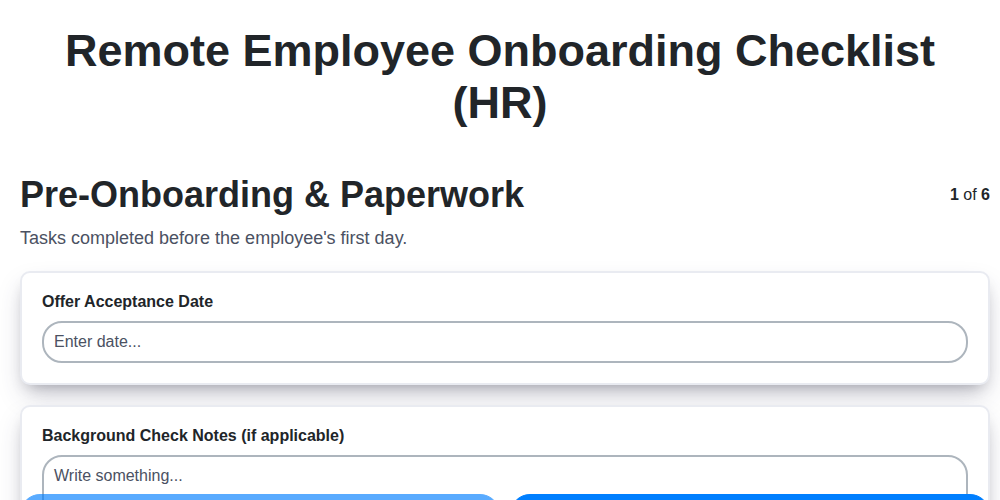
Table of Contents
- Welcome to Remote Onboarding: Why It Matters
- Pre-Onboarding - Setting the Stage
- Essential Paperwork & Digital Forms
- IT & Equipment: The Tech Setup
- Legal & Compliance: Protecting Everyone
- Workspace & Security Essentials
- First Days & Initial Training
- Warm Introductions & Team Connections
- Role-Specific Training & Expectations
- The Buddy System: A Guiding Hand
- Ongoing Support & Growth
- Regular Check-ins & Feedback Loops
- Measuring Onboarding Success & Iterating
- Resources & Links
TLDR: Struggling with remote onboarding? This checklist template covers everything from pre-boarding paperwork and IT setup to legal compliance, training, and ongoing support, ensuring your new hires feel welcomed, equipped, and engaged from day one. Download it and customize it for a seamless remote onboarding experience!
Welcome to Remote Onboarding: Why It Matters
The shift to remote work isn't a trend; it's a significant evolution in how we do business. While the flexibility and access to talent are undeniable advantages, neglecting a robust onboarding process can quickly erode those benefits. A rushed or inadequate remote onboarding experience isn's just inconvenient-it can lead to disengagement, decreased productivity, and ultimately, higher employee turnover.
Think about it: a new employee joining a traditional office has built-in opportunities for informal learning, spontaneous interactions, and a sense of community. Remote onboarding requires intentionality. It demands a proactive approach to building connection, ensuring understanding, and fostering a sense of belonging.
Investing in a well-structured remote onboarding program isn't just about ticking boxes; it's about setting your new hires up for long-term success, boosting morale, and building a thriving remote work culture. It's an investment in your company's most valuable asset: your people.
Pre-Onboarding - Setting the Stage
The pre-onboarding phase is more than just sending paperwork; it's about building excitement and minimizing first-day anxiety. Think of it as laying the foundation for a positive and productive employee experience. This stage begins before their official start date and focuses on proactive communication and preparation. A little effort here can significantly reduce onboarding friction and boost new hire engagement right from the get-go. It's about making them feel welcomed and valued even before they officially join the team. We recommend starting this process at least a week, ideally two, prior to their start date to ensure everything is handled efficiently and avoid last-minute scrambles. A well-executed pre-onboarding process contributes to a smoother transition and sets the tone for a successful long-term relationship with your organization.
Essential Paperwork & Digital Forms
Navigating the essential paperwork can feel overwhelming, especially when starting a new remote role. To streamline this process, we've transitioned to a fully digital onboarding experience. Here's what you can expect:
- Secure Digital Signatures: All required documents, including your employment contract, tax forms (W-4, etc.), and NDAs, will be delivered electronically via [Name of e-signature platform, e.g., DocuSign, Adobe Sign]. This ensures secure and legally binding signatures.
- Step-by-Step Instructions: We'll provide clear, concise instructions for completing each form, along with helpful links to resources and FAQs. Don't worry, we're here to support you every step of the way!
- Dedicated Support: Our HR team is readily available to answer any questions you may have about the paperwork. Simply reach out to [HR contact email address] or [HR phone number] - we're happy to help!
- Document Storage: Once completed, your documents will be securely stored in our HRIS system, [Name of HRIS system]. You'll have access to view these documents at any time.
- Timeline: We kindly request that you complete all paperwork within [Number] days of receiving it to ensure a smooth onboarding process.
IT & Equipment: The Tech Setup
A poorly equipped remote employee is a frustrated and unproductive one. Proactive IT setup is the cornerstone of a successful remote onboarding. We're not just shipping a laptop; we'll equip your new team member with everything they need to thrive, securely and efficiently.
Here's a breakdown of how we'll handle the tech side of things:
- Pre-Shipped Equipment & Software: Your new hire will receive a fully configured laptop (or desktop, depending on role requirements) complete with essential software like Slack, Zoom, [Your Project Management Software], and our company-standard security suite. We're eliminating the 'installation headache' before day one.
- Connectivity Check & Support: We understand reliable internet is vital. We've included a quick connectivity checklist in their onboarding documents and offer a [stipend/reimbursement - specify details] to ensure they have sufficient bandwidth. Our IT support team is readily available via [ticketing system/phone/chat - specify details] to troubleshoot any connectivity issues.
- Security First: Security isn't an afterthought - it's baked into our setup. We're providing a pre-configured VPN for secure access to company resources and will walk them through our password management best practices. We'll also ensure their device has the latest security updates installed.
- Remote Access & Training: We're leveraging [mention specific tools like Remote Desktop, Cloud-based Desktops] to provide secure and streamlined remote access. Short, recorded training videos covering these tools are also included in their onboarding materials.
- Dedicated IT Contact: Each new hire is assigned a dedicated IT contact person who can provide personalized support and quickly resolve any technical challenges they might encounter. This ensures they don't feel lost or overwhelmed by technology.
Legal & Compliance: Protecting Everyone
Remote work introduces unique legal considerations that demand careful attention. It's not enough to simply adapt existing onboarding materials; a proactive and compliant approach is essential to protect both your company and your new remote employees. Here's a breakdown of key areas to address:
1. Remote Work Agreements: A comprehensive remote work agreement is paramount. This document should clearly outline expectations regarding work hours, performance metrics, data security protocols, confidentiality, and intellectual property ownership. Specify applicable jurisdiction and governing law.
2. Data Privacy & Security: Remote employees are often accessing sensitive data from personal devices and networks. Robust data privacy training is mandatory, covering topics like GDPR, CCPA, and company-specific data protection policies. Emphasize the importance of secure passwords, VPN usage, and responsible data handling practices. Outline the consequences of data breaches and non-compliance.
3. Wage & Hour Laws: Ensure compliance with applicable wage and hour laws in the employee's location. This includes accurate time tracking, overtime calculations, and meal break compliance. Consult with legal counsel to address nuances specific to different state and national regulations.
4. Tax Implications: Remote work can have significant tax implications for both the employee and the employer. Provide resources and guidance on understanding and fulfilling tax obligations in the employee's jurisdiction.
5. Worker's Compensation: Determine how worker's compensation applies to remote employees, considering the potential for injuries in a home office setting. Ensure adequate insurance coverage and reporting procedures.
6. Intellectual Property & Confidentiality: Reinforce the protection of company intellectual property and confidential information. Include clear language in employment contracts regarding ownership and usage rights.
7. Employment Eligibility Verification (Form I-9): Ensure that remote employees complete Form I-9 verification correctly, following all applicable guidelines.
Disclaimer: This information is for general guidance only and does not constitute legal advice. It is crucial to consult with qualified legal counsel to ensure compliance with all applicable laws and regulations in the employee's jurisdiction.
Workspace & Security Essentials
The lines between work and personal life blur when working remotely, making a dedicated, secure, and comfortable workspace even more critical. While we can't dictate the specifics of your home environment, here's what we recommend to ensure both productivity and security:
Physical Workspace Considerations:
- Dedicated Space: If possible, designate a specific area solely for work. This helps with focus and separation.
- Ergonomics Matter: A comfortable chair, properly positioned monitor, and keyboard are essential to prevent strain and injury. Utilize online resources (linked below) to assess your workspace and make necessary adjustments.
- Lighting: Maximize natural light whenever possible. Supplement with adjustable task lighting to reduce eye strain.
- Minimize Distractions: Communicate your work hours to household members and establish boundaries to minimize interruptions.
Security Best Practices:
- Secure Your Router: Change the default password on your Wi-Fi router and enable encryption (WPA2 or WPA3). Consider a guest network for personal devices.
- Lock Your Devices: Always lock your computer and mobile devices when away from your workspace, even for brief periods.
- Physical Security: Keep sensitive documents and equipment out of sight and secure from unauthorized access.
- Be Mindful of Surroundings: Be aware of your surroundings during video calls to protect sensitive information.
- Company-Issued Devices: Never share company-issued devices with unauthorized individuals.
Resources for Workspace Ergonomics:
- [Link to Ergonomic Assessment Guide - Replace with your company's preferred resource]
- [Link to SafeWork NSW (or equivalent for your region) - Replace with relevant local resource]
We're here to support you in creating a workspace that fosters both productivity and well-being!
First Days & Initial Training
The first week is critical for setting the tone and ensuring your new remote employee feels welcomed, supported, and equipped to succeed. It's a whirlwind of introductions, training, and initial task assignments. Here's a breakdown of what to prioritize:
Day 1: The Warm Welcome & Essential Setup
- Dedicated Welcome Session: Schedule a brief (30-60 minute) virtual welcome meeting with their direct manager and potentially a team lead or HR representative. This is your chance to reiterate excitement and answer immediate questions.
- Tech Check-In: Have IT perform a quick check-in to ensure all systems are functioning correctly.
- Team Introductions (Virtual): Facilitate brief, individual virtual introductions with key team members. Keep them short and focused - a quick Hi, I'm [Name], looking forward to working with you! is perfect.
- Initial Task Preview: Provide a high-level overview of their first few assignments. Don't overwhelm them with details; just give them a sense of direction.
Days 2-5: Focused Training & Early Wins
- Structured Training Modules: Deliver essential training modules - company policies, compliance training, and role-specific skills. Break these into bite-sized chunks to avoid information overload. Consider using a Learning Management System (LMS) for tracking progress.
- Quick Win Assignments: Assign small, achievable tasks that allow the new hire to experience a sense of accomplishment early on. These build confidence and demonstrate their value.
- Regular Check-ins (Daily): The manager should schedule short (15-30 minute) daily check-ins to answer questions, provide feedback, and offer support. These aren't performance reviews; they're opportunities to provide guidance and address concerns.
- Buddy System Engagement: Encourage interaction between the new hire and their assigned buddy. Schedule regular virtual coffee breaks or casual chats.
- Feedback Loop: At the end of the week, send a short, anonymous survey to gauge the new hire's experience and identify areas for improvement in the onboarding process.
Warm Introductions & Team Connections
Onboarding a remote employee isn't just about transferring information; it's about fostering a sense of belonging and connection. A warm and intentional introduction to the team is paramount for setting the stage for collaboration and engagement.
Here's how to go beyond the basic email introductions:
- Video Introductions: Encourage team members to record short (30-60 second) videos introducing themselves, sharing a fun fact, or offering a welcome message. This adds a personal touch that a written email can't replicate.
- Virtual Coffee Chats: Schedule individual or small group coffee chats - casual, informal video calls where the new hire can simply chat with team members and learn more about their roles and interests.
- Team-Specific Get to Know You Activities: Design a quick, fun activity that allows the new hire to learn more about each team member's personality and working style. Examples: Two Truths and a Lie, a virtual scavenger hunt, or sharing a favorite work-from-home hack.
- Welcome to the Team Virtual Meeting: Host a brief virtual meeting where the entire team can formally welcome the new hire, briefly outline current projects, and answer any initial questions.
- Leverage Internal Social Platforms: Encourage the new hire to join company-wide or team-specific internal social platforms (Slack channels, Microsoft Teams groups) to participate in conversations and get to know colleagues organically.
- Highlight Shared Interests: When introducing the new hire, try to mention any shared interests or hobbies that team members might have to spark conversation and build rapport.
Role-Specific Training & Expectations
Generic onboarding is a recipe for disengagement. While the foundational elements - company culture, team introductions - are vital, the true bedrock of a successful remote employee lies in their understanding of their specific role and its expectations. This goes far beyond a job description; it's about equipping them with the knowledge, tools, and confidence to excel.
What does effective role-specific training look like?
- Structured Learning Modules: Develop or curate training modules that cover core responsibilities, essential tools, and relevant processes. These can be video tutorials, interactive guides, or even live virtual sessions.
- Shadowing Opportunities: Facilitate virtual "shadowing" experiences where the new hire can observe experienced colleagues performing key tasks.
- Documentation and Resources: Provide comprehensive documentation, FAQs, and readily accessible resources to answer common questions and facilitate independent learning. A centralized knowledge base is invaluable.
- Clear Performance Metrics: Define clear, measurable performance metrics aligned with the role's objectives. Discuss these upfront and provide regular feedback on progress.
- Mentorship & Peer Support: Pair the new hire with a mentor or peer who can provide ongoing support and guidance. Encourage open communication and knowledge sharing.
- Regular Check-ins and Feedback: Schedule dedicated time for check-ins and feedback sessions focused solely on role-specific performance and areas for improvement.
- Adapt and Iterate: Recognize that training needs can evolve. Regularly assess the effectiveness of role-specific training and make adjustments based on feedback and performance data.
Ultimately, the goal is to empower your new hires to not only understand what they need to do, but how to do it effectively and contribute meaningfully to the team's success.
The Buddy System: A Guiding Hand
Starting a new job remotely can feel isolating. New hires don't have the benefit of casual conversations by the water cooler or the ability to quickly pop over to a colleague's desk with a question. That's where the buddy system shines. A "buddy" is an experienced employee, ideally from the same team or department, who acts as a friendly guide and support system for the new hire.
This isn't about formal mentorship; it's about fostering connection and providing a safe space for questions, big or small. The buddy's role is to:
- Be a Welcoming Face: Reach out proactively, introduce themselves, and offer a warm welcome.
- Answer the Easy Questions: Things like navigating internal systems, understanding team processes, or finding the best virtual coffee break spots.
- Provide Context: Explain unspoken rules or cultural nuances that might not be immediately obvious.
- Facilitate Introductions: Help the new hire connect with other key team members.
- Check-in Regularly: Schedule short, informal check-ins to see how things are going and offer support.
Choosing the right buddy is crucial. Look for someone who is enthusiastic, approachable, and knowledgeable about the company culture. Clearly define the buddy's responsibilities and time commitment to ensure a successful pairing. A well-implemented buddy system can significantly ease the transition for new remote employees and foster a sense of belonging from day one.
Ongoing Support & Growth
Onboarding isn't a finish line; it's the starting point of a thriving employee journey. Phase 2 focuses on fostering a sense of belonging, encouraging professional development, and continuously refining the remote work experience. This isn's about annual reviews alone, but a consistent dialogue and proactive support system.
Beyond the 90 Days: Maintaining Momentum
- Regular 1:1s: Consistent check-ins with managers aren't just for performance; they're vital for addressing concerns, providing feedback, and reinforcing company values. These should be focused on the employee's well-being and career goals as much as task completion.
- Mentorship Programs: Pairing new remote employees with experienced colleagues provides invaluable guidance and support, fostering a sense of connection and belonging.
- Learning & Development Opportunities: Provide access to online courses, webinars, and industry events to encourage continuous learning and professional growth. Tailor recommendations based on individual career goals.
- Virtual Social Events: Schedule regular virtual team-building activities - coffee chats, game nights, virtual happy hours - to combat isolation and strengthen team bonds. Make these optional and varied to cater to different personalities.
- Feedback Loops & Surveys: Implement regular surveys and feedback mechanisms to gauge employee satisfaction and identify areas for improvement in the remote work experience. Actively respond to feedback and communicate changes.
- Stay Interviews: Conduct stay interviews - informal conversations focused on understanding what keeps employees engaged and what could be improved - to proactively address potential issues and strengthen retention. These aren't about performance, but about ensuring their experience is positive and supportive.
- Promote Internal Mobility: Encourage exploration of other roles within the company to provide opportunities for career advancement and continued growth.
Regular Check-ins & Feedback Loops
Regular check-ins are the lifeblood of a successful remote onboarding experience. They're about more than just a superficial "how are you?" - they're a vital opportunity to proactively address challenges, reinforce training, and ensure the new hire feels connected to the team and the company's mission.
Beyond the Basics:
- Frequency & Format: Initial check-ins should be frequent (daily or every other day) for the first week or two, gradually decreasing in frequency as the employee becomes more comfortable. Mix up the format - video calls are essential for building rapport, but short, focused email updates can also be effective.
- Structured Conversations: Don't leave these check-ins to chance. Prepare a few key questions to guide the conversation. These could include:
- What's going well and what's proving to be more challenging than expected?
- Do you feel you have the resources and support you need to succeed?
- Are there any roadblocks preventing you from achieving your goals?
- "What's one thing we could do to improve your experience?"
- Two-Way Feedback: Make it clear that feedback is encouraged in both directions. Solicit input from the new hire on how the onboarding process itself can be improved.
- Documentation: Briefly document key takeaways and action items from each check-in to ensure accountability and track progress.
- Leverage Technology: Utilize project management tools and communication platforms to facilitate ongoing communication and feedback.
Measuring Onboarding Success & Iterating
It's not enough to simply do onboarding; you need to know if it's actually working. Measuring onboarding success isn't about ticking boxes; it's about understanding if your new hires are engaged, productive, and feeling supported. Here's how to quantify your efforts and continuously improve:
Key Metrics to Track:
- Time to Productivity: How long does it take for a new hire to reach expected performance levels? Shorter is generally better, indicating a more effective onboarding process.
- Employee Engagement Scores: Use regular pulse surveys (e.g., weekly or bi-weekly) to gauge employee engagement specifically related to the onboarding experience. Ask about clarity of expectations, support received, and overall feeling of belonging.
- New Hire Retention Rates: Track retention rates within the first 90 days and first year. Low retention is a major red flag.
- 360° Feedback: Gather feedback from managers, peers, and direct reports to get a comprehensive view of the new hire's performance and integration into the team.
- Onboarding Survey Completion Rates & Scores: Measure the completion rate of your onboarding surveys and analyze the feedback received. Low completion rates might suggest issues with survey accessibility or employee reluctance to provide honest feedback.
- Goal Achievement: Track progress against the 30-60-90 day plan. Are goals being met, exceeded, or falling short?
Iterating for Improvement:
- Analyze the Data: Don't just collect data - analyze it! Identify trends and patterns. Are there common challenges new hires face?
- Solicit Direct Feedback: Conduct exit interviews (even for those leaving voluntarily) and stay interviews to understand what worked well and what could be improved.
- A/B Test Changes: Implement small, iterative changes to the onboarding process and track their impact on key metrics.
- Cross-Functional Collaboration: Involve HR, IT, managers, and team members in the onboarding process to ensure a holistic and supportive experience.
- Document and Share Best Practices: Capture lessons learned and share them with the entire team to continuously improve the onboarding process. Remember, onboarding isn't a set-it-and-forget-it process-it's a journey of continuous improvement.
Resources & Links
- Society for Human Resource Management (SHRM): SHRM is a leading HR professional organization offering articles, templates, and resources on all aspects of HR, including onboarding. Excellent for legal compliance and best practice guidance.
- G2: G2 provides user reviews and comparisons of HR software, including onboarding platforms, learning management systems (LMS), and HRIS systems. Helps evaluate tech solutions mentioned in the 'IT & Equipment' and 'Ongoing Support' sections.
- Built In: Built In focuses on tech companies and remote work culture. Provides insights into creating engaging remote employee experiences - beneficial for 'Warm Introductions' and 'Ongoing Support' sections.
- TinyPulse: TinyPulse specializes in employee engagement surveys and check-ins, directly applicable to the 'Regular Check-ins & Feedback Loops' and 'Measuring Onboarding Success' sections. Provides actionable data for onboarding iteration.
- Quantum Workplace: Quantum Workplace conducts extensive research on remote work and offers valuable data points and best practices for building a successful remote onboarding program - relevant to almost every section.
- PeopleHum: PeopleHum is an HR platform focused on employee experience and digital onboarding. Their blog and resource section provides practical advice on creating a great onboarding process.
- Workhuman: Workhuman focuses on employee recognition and rewards, which can be highly impactful in remote onboarding - particularly for motivating new hires and fostering connection (relevant to 'Warm Introductions' and 'Ongoing Support').
- Osborne Inc.: Osborne Inc. offers digital signature and document management solutions that streamline the 'Essential Paperwork & Digital Forms' process. Ideal for reducing administrative burden and improving new hire experience.
- Secureframe: Secureframe helps companies achieve and maintain SOC 2 compliance - critical for the 'Legal & Compliance' section, especially for organizations handling sensitive data.
- Asana: Asana is a project management tool that can be used to orchestrate and track onboarding tasks - particularly useful for collaboration between HR, IT, and managers as mentioned across the entire onboarding process.
- Monday.com: Similar to Asana, monday.com is a work management platform that can be used to manage and automate onboarding workflows, keeping track of progress and ensuring no steps are missed. (Relevant across all sections).
- Zapier: Zapier is an automation tool that can connect different HR systems and automate repetitive tasks, saving time and improving efficiency in onboarding - applicable across multiple sections.
Frequently Asked Questions
What is remote employee onboarding and why is it important?
Remote employee onboarding is the process of integrating new hires into a company while they are working from a location outside of the traditional office setting. It's crucial because it directly impacts employee engagement, productivity, and retention - all of which are particularly challenging to maintain with remote teams. A poor onboarding experience can lead to disengagement, early turnover, and decreased performance.
Why does remote onboarding differ from in-person onboarding?
Remote onboarding requires more deliberate planning and communication. You can't rely on casual office interactions and visual cues. It necessitates leveraging digital tools, proactively scheduling virtual meetings, providing comprehensive documentation, and focusing on building relationships remotely. It's about recreating the organic elements of in-person onboarding through a digital approach.
What are the key stages of a remote employee onboarding checklist?
Typically, a remote onboarding checklist includes pre-boarding (before the start date), first day, first week, first month, and 90-day check-in phases. Each phase focuses on specific tasks related to paperwork, training, team introductions, goal setting, and performance feedback.
What are some essential tools for remote employee onboarding?
Common tools include video conferencing platforms (Zoom, Google Meet), project management software (Asana, Trello), communication platforms (Slack, Microsoft Teams), document sharing tools (Google Drive, Dropbox), learning management systems (LMS), and HRIS systems. The right combination will depend on your company's specific needs.
How can I ensure a new remote employee feels connected to the team?
Prioritize virtual introductions, schedule one-on-one meetings with team members and key stakeholders, create opportunities for social interaction (virtual coffee breaks, online games), and encourage open communication channels. Make sure the new hire knows who to contact for different needs and fosters a sense of belonging.
What role does the manager play in remote employee onboarding?
Managers are vital. They should be the primary point of contact, proactively schedule regular check-ins, provide clear expectations and feedback, address concerns promptly, and ensure the new hire has the resources and support needed to succeed. They should also check in about the employee's overall wellbeing and work-life balance.
How do I handle paperwork and legal compliance in a remote onboarding process?
Utilize secure digital platforms for document signing (e.g., DocuSign, Adobe Sign), ensure compliance with relevant employment laws (which may vary depending on the employee's location), and maintain accurate records of all onboarding documents. Consult with legal counsel to ensure full compliance.
How can I measure the success of my remote onboarding program?
Track key metrics like employee engagement scores, time to productivity, 30/60/90-day performance reviews, turnover rates (especially within the first year), and feedback from new hires (through surveys and one-on-one conversations). Regularly review and adjust your program based on these results.
What are some common pitfalls to avoid in remote onboarding?
Avoid overwhelming new hires with too much information at once, neglecting the importance of human connection, failing to provide adequate training, assuming a 'set it and forget it' approach, and overlooking the need for regular feedback and support. Proactive communication is key.
How can I personalize the remote onboarding experience?
Gather information about the new hire's background, experience, and learning style before they start. Tailor training materials and assignments to their specific role and needs. Show genuine interest in their well-being and career goals. Offer flexible onboarding schedules where appropriate.
Comments
There are no comments yet. Be the first to add one!
HRM - Human Resources Management Solution Demo
Simplify HR processes & empower your team! ChecklistGuro's HRM solution streamlines onboarding, performance management, & compliance. Improve employee engagement, reduce admin burden, & drive organizational growth. Manage it all with our Work OS.
Related Articles
Independent Contractor Compliance Checklist Template for HR

HR's Guide to Workplace Safety: Your Compliance Checklist Template
The Ultimate Employee Exit Interview Checklist (HR Edition)
EEO Compliance Checklist Template for HR
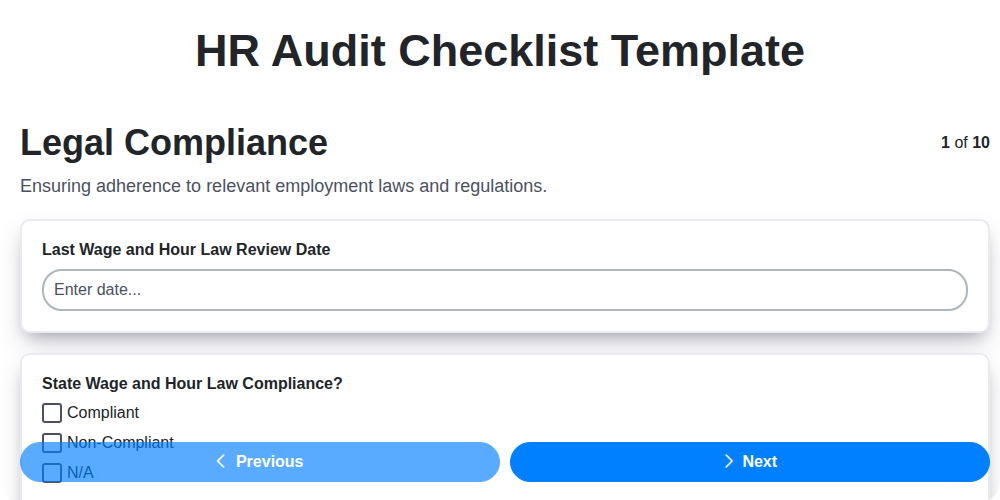
The Ultimate HR Audit Checklist Template: Your Guide to Compliance

Paper vs ChecklistGuro in Human Resources Management

Your Guide to Employee Training Compliance: A Free Checklist for HR
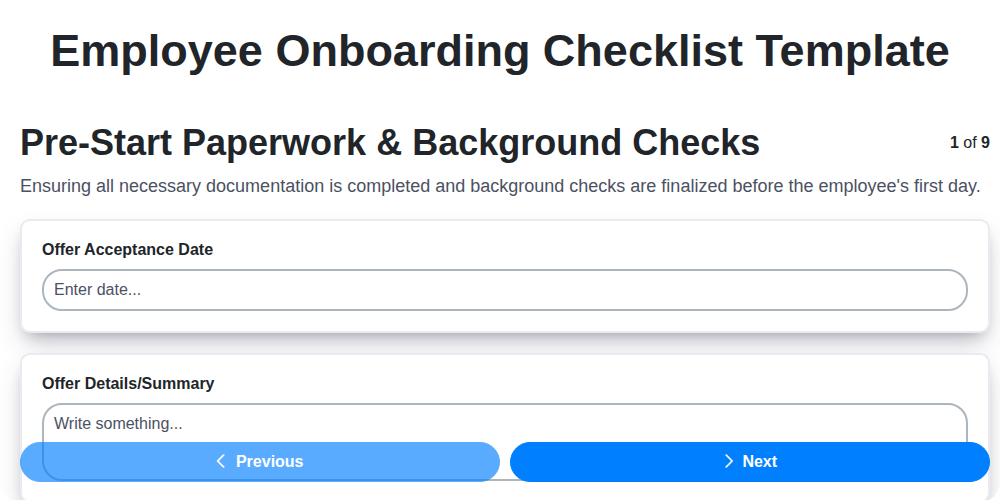
Your Ultimate Employee Onboarding Checklist Template
Need help with
Human Resources Management (HRM)?
Have a question? We're here to help. Please submit your inquiry, and we'll respond promptly.