Telecommunications Network Troubleshooting Checklist: A Step-by-Step Guide
Published: 11/25/2025 Updated: 09/27/2026
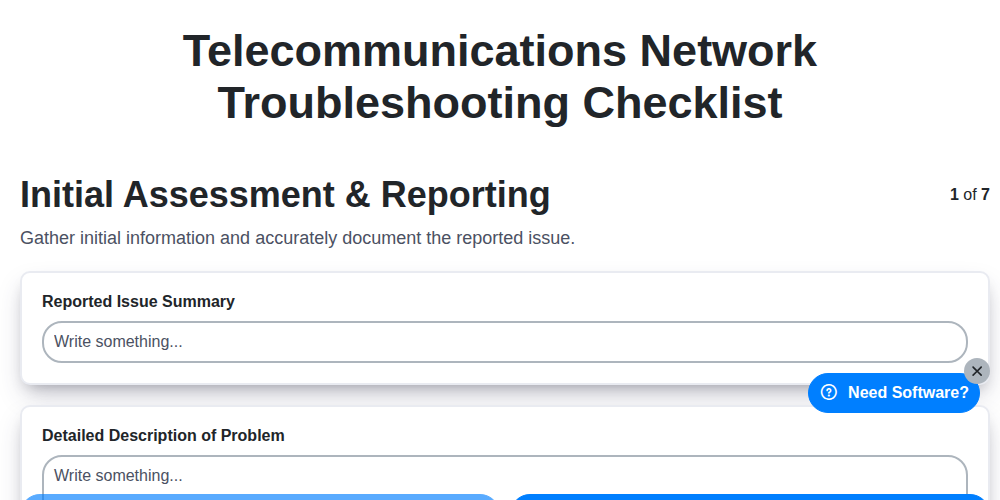
Table of Contents
- Introduction: Why a Troubleshooting Checklist Matters
- 1. Initial Assessment & Reporting: Gathering the Essentials
- 2. Connectivity Verification: Establishing a Baseline
- 3. Device Status & Diagnostics: Examining Equipment Health
- 4. Network Configuration Review: Identifying Configuration Errors
- 5. Service-Specific Troubleshooting: Drilling Down into Issues
- 6. Common Telecom Issues & Quick Fixes
- 7. Escalation & Remediation: Knowing When and How to Escalate
- 8. Utilizing Network Monitoring Tools
- 9. Documentation & Closure: Ensuring Repeatability
- 10. Best Practices for Telecom Troubleshooting
- Conclusion: Proactive Network Health
- Resources & Links
TLDR: Network issues got you down? This checklist is your guide! It breaks down telecom network troubleshooting into clear, actionable steps - from initial reports and connection tests to configuration reviews and escalation. Use it to diagnose problems efficiently, document your process, and get things back up and running faster. Download the template and streamline your troubleshooting today!
Introduction: Why a Troubleshooting Checklist Matters
When a telecommunications network hiccups, the pressure is on to resolve it quickly and efficiently. Downtime translates to lost revenue, frustrated customers, and damaged reputation. Rushing into troubleshooting without a structured approach can lead to wasted time, misdiagnoses, and ultimately, prolonged outages. That's where a comprehensive troubleshooting checklist becomes invaluable. This checklist isn't just about ticking boxes; it's about ensuring every critical aspect is systematically evaluated, minimizing errors and accelerating resolution. A standardized process promotes consistency across your team, captures vital data for future analysis, and ultimately strengthens the resilience of your network. By following a documented and repeatable checklist, you're investing in a more reliable and proactive approach to network management.
1. Initial Assessment & Reporting: Gathering the Essentials
Before diving into complex troubleshooting, a thorough initial assessment and accurate reporting are paramount. This phase sets the foundation for efficient problem resolution. Start by actively listening to the user's description of the issue - don't interrupt, and probe for details. Ask clarifying questions like: What were you doing when the problem occurred?, What error messages, if any, did you see?, and Has this happened before?.
Document everything. Create a detailed incident report that includes:
- User Information: Name, location, contact details.
- Description of the Issue: A concise summary of the problem in the user's own words.
- Time of Occurrence: When the issue started and any recurring patterns.
- Impact: What services are affected and the extent of the disruption.
- Affected Devices/Locations: Identify specific devices, ports, or locations experiencing issues.
- Initial Observations: Any immediately noticeable anomalies or error indicators.
This initial assessment provides crucial context and helps to avoid unnecessary investigation down the wrong path. A well-documented report also facilitates communication with other teams and stakeholders involved in the resolution process.
2. Connectivity Verification: Establishing a Baseline
Before diving into more complex troubleshooting, it's critical to establish a baseline of connectivity. This step verifies basic communication paths and helps isolate potential problem areas. Here's what to check:
- Physical Layer Checks: Begin with the fundamentals. Ensure all cables (fiber, copper, coaxial) are securely connected at both ends. Look for obvious signs of damage - kinks, fraying, or water ingress. Check connectors for cleanliness and proper termination. A simple visual inspection can reveal surprising issues.
- Ping Tests: Use ping to verify basic network reachability. Start with the end-user device and ping the default gateway. Then, ping upstream devices (routers, switches) along the network path. Record latency and packet loss. Consistent high latency or packet loss indicates a potential bottleneck or connectivity problem.
- Traceroute/Path Analysis: Perform a traceroute to the destination. This reveals the exact path data is taking and highlights potential points of failure. Look for unusually high hop times or unreachable destinations.
- DNS Resolution: Confirm the device can properly resolve domain names. Incorrect DNS settings can prevent access to critical services. Test with multiple DNS servers if possible.
- Basic Service Accessibility: Attempt to access basic services like a simple webpage (e.g., Google's homepage) or an internal application. This confirms that internet access and network routing are functioning.
Document all findings from these tests. Even successful connectivity tests are valuable for comparison later if problems arise.
3. Device Status & Diagnostics: Examining Equipment Health
Before diving into network configuration or service-specific issues, a thorough examination of the individual devices involved is crucial. This section focuses on assessing the health and operational status of routers, switches, servers, and any other relevant hardware.
1. Physical Inspection: Start with a visual check. Look for any obvious signs of damage - physical breaks, burns, excessive dust accumulation, or unusual noises (humming, clicking). Check indicator lights for any error or warning states.
2. Device Accessibility: Confirm you can access the device's command-line interface (CLI) or web interface. If access is denied, investigate login credentials, network connectivity to the device, or potential firewall restrictions.
3. Resource Utilization: Monitor CPU utilization, memory usage, and disk space. High resource utilization can lead to performance degradation and instability. Utilize built-in monitoring tools or SNMP to gather this data.
4. Log Analysis: Examine system logs for error messages, warnings, or unusual activity. Logs often provide valuable clues about underlying issues, even if the problem doesn's immediately apparent. Pay close attention to timestamps to correlate log entries with reported outages or performance drops.
5. Diagnostic Tests: Run built-in diagnostic tools (e.g., ping, traceroute, cable tests, memory tests) to identify hardware failures or connectivity problems. These tests can often pinpoint specific faulty components.
6. Firmware/Software Version Check: Verify the device is running the recommended firmware or software version. Outdated versions can contain known bugs or vulnerabilities that contribute to instability. Note the current version for later reference during remediation.
7. Temperature Monitoring: Excessive heat can cause devices to malfunction. Check temperature sensors (if available) and ensure adequate ventilation. Consider cleaning dust accumulation to improve cooling.
Document all findings from the device status and diagnostics checks, including versions, temperatures, resource utilization, and any error messages encountered. This detailed record is invaluable for troubleshooting and future reference.
4. Network Configuration Review: Identifying Configuration Errors
A misconfigured network is a common culprit in telecom network issues. This section delves into reviewing network configurations to pinpoint errors that might be causing problems.
1. Examining Core Router and Switch Configurations: Start with the foundational elements. Pull configurations from core routers and switches. Look for:
- Routing Table Inconsistencies: Are routes accurate and consistent across devices? Incorrect static routes, routing protocol misconfigurations (e.g., OSPF, BGP), or black holes can severely impact traffic flow. Utilize commands like
show ip route(Cisco) or equivalent on other vendors. - ACL (Access Control List) Errors: ACLs can inadvertently block legitimate traffic. Carefully review ACLs on routers and firewalls to ensure they are not overly restrictive or contain errors. Simulate traffic patterns to verify ACL effectiveness.
- VLAN Mismatches: VLAN configuration errors can isolate devices or cause connectivity problems. Verify VLAN assignments on switches and routers.
- Spanning Tree Protocol (STP) Issues: Incorrect STP configuration can lead to network loops or broadcast storms. Check STP status and topology.
2. Reviewing Firewall Rules: Firewalls are crucial for security, but misconfigured rules can disrupt service. Audit firewall rules to ensure they allow necessary traffic while maintaining security. Pay close attention to rule order and any recent changes.
3. Analyzing DNS Configuration: Incorrect DNS settings can prevent devices from resolving hostnames, leading to connectivity issues. Verify DNS server addresses and resolution accuracy.
4. Checking for Configuration Drift: Configuration drift occurs when devices deviate from their intended configurations, often due to manual changes or automated processes. Implement configuration management tools to track changes and revert to known good configurations. Regularly compare configurations against a baseline.
5. Utilizing Configuration Validation Tools: Many vendors offer configuration validation tools that can automatically identify common configuration errors. Leverage these tools to streamline the review process.
Important Considerations: Configuration changes should always be documented and tested in a lab environment before being implemented in a production network. Back up configurations before making any modifications.
5. Service-Specific Troubleshooting: Drilling Down into Issues
Once general network connectivity and device health checks are complete, it's time to focus on the specific service experiencing issues. This often involves a deeper dive beyond basic connectivity. Here's what to consider:
- VoIP Issues: Examine call quality metrics (jitter, latency, packet loss). Review codec negotiations, QoS configurations, and SIP trunk settings. Utilize tools like Wireshark to analyze SIP signaling.
- Data Services (Internet, VPN): Investigate DNS resolution, firewall rules, bandwidth utilization, and application-specific configurations. Use traceroute to pinpoint latency bottlenecks. Check for VPN tunnel errors and authentication failures.
- Video Conferencing: Assess bandwidth allocation, codec selection, and endpoint compatibility. Verify multicast routing and firewall port openings. Analyze video quality metrics like frame rate and resolution.
- Mobile Services (Cellular Backhaul): Focus on RAN (Radio Access Network) performance, handover success rates, and signaling between network elements. Review cell tower parameters and antenna alignment.
- Cloud-Based Services: Troubleshoot authentication and authorization issues. Check API configurations and service endpoints. Analyze cloud provider health dashboards.
Remember to consider the specific application or service's requirements and potential points of failure. Engage with application support teams when necessary to isolate service-related problems from underlying network infrastructure.
6. Common Telecom Issues & Quick Fixes
Telecom networks, while sophisticated, aren't immune to hiccups. Here's a breakdown of frequently encountered problems and some initial troubleshooting steps you can often take before escalating:
1. No Dial Tone/Service Outage: This is often the most frustrating.
- Quick Fix: Verify physical connections (cables are securely plugged in). Check for known outages reported by your provider. Cycle power to any affected devices (modems, routers, phones).
2. Slow Data Speeds: Frustratingly slow internet can impact everything.
- Quick Fix: Run a speed test (speedtest.net). Reboot your modem and router. Check for devices hogging bandwidth (streaming services, large downloads). Try connecting directly to the modem with a single device to isolate the problem.
3. Dropped Calls/Poor Voice Quality: Interrupted calls impact communication.
- Quick Fix: Check signal strength (if using a wireless phone). Ensure the microphone and speaker are not obstructed. Check for interference from other electronic devices. Test calling from a different location to rule out local issues.
4. Fax/Voicemail Issues: Problems with fax and voicemail can disrupt important communications.
- Quick Fix: Verify fax machine settings (correct phone number, speed). Ensure voicemail is enabled and not full. Check for call forwarding issues.
5. VoIP Connectivity Problems: VoIP services require stable internet.
- Quick Fix: Check internet connection stability (ping test). Verify SIP configuration details. Ensure sufficient bandwidth is allocated to VoIP traffic.
6. Intermittent Connectivity: This "on-again, off-again" behavior can be incredibly disruptive.
- Quick Fix: Monitor network activity for patterns. Check for physical damage to cables. Analyze logs for error messages. Consider a firmware update for affected devices.
Disclaimer: These are basic troubleshooting steps. Complex issues require skilled professionals and should be escalated appropriately.
7. Escalation & Remediation: Knowing When and How to Escalate
Even with thorough troubleshooting, some issues require a higher level of expertise. Knowing when and how to escalate is crucial for minimizing downtime and ensuring effective resolution.
Recognizing Escalation Triggers:
Several factors signal the need for escalation. Consider these points:
- Time Constraints: If a problem is severely impacting service and resolution timelines are critical, escalate immediately.
- Complexity Beyond Expertise: If you're facing issues involving unfamiliar technologies, configurations, or systems, don't hesitate to escalate. Spending excessive time on a problem without progress is counterproductive.
- Repeated Failures: If the issue recurs despite your troubleshooting attempts, escalation might reveal a deeper, systemic problem.
- Impact Assessment: When a problem affects multiple users or critical services, swift escalation is paramount.
- Known Limitations: If the problem falls outside the scope of your assigned responsibilities or skillset, escalation is the correct course of action.
The Escalation Process:
- Clearly Document Attempts: Before escalating, meticulously document all troubleshooting steps taken, results observed, and potential causes explored. This provides invaluable context for the next level of support.
- Identify the Correct Contact: Understand your escalation path and identify the appropriate specialist or team to contact. This could be a senior engineer, a different department, or a vendor support team.
- Provide Detailed Information: When escalating, be concise yet comprehensive. Include the initial assessment, connectivity verification results, device diagnostics, configuration review findings, and any relevant service-specific details. A well-documented incident report is key.
- Communicate Expectations: Clearly communicate the impact of the problem and expected resolution timelines.
- Follow Up: Maintain communication with the escalated team, proactively providing updates and answering questions.
Remediation After Escalation:
Even after escalation, your role isn't over. Be prepared to:
- Assist with Verification: The escalated team may request additional information or assistance in replicating the issue. Be available to help.
- Learn from the Resolution: After the issue is resolved, understand the root cause and remediation steps taken. This knowledge strengthens your troubleshooting skills and helps prevent similar issues in the future.
- Update Documentation: Ensure the incident documentation is updated with the resolution steps and root cause analysis.
8. Utilizing Network Monitoring Tools
Reactive troubleshooting is costly and disruptive. Implementing robust network monitoring tools can dramatically reduce downtime and improve overall network performance. These tools provide real-time visibility into network health, allowing you to identify and resolve issues before they impact users.
Here's how to leverage them effectively during troubleshooting:
- Baseline Establishment: Begin by establishing a baseline of "normal" network behavior. This includes metrics like latency, packet loss, bandwidth utilization, and device CPU/memory usage. Deviations from this baseline immediately flag potential problems.
- Automated Alerts: Configure alerts for critical thresholds. When a device's performance dips below a certain level, or a particular error count is exceeded, an alert triggers immediate notification to the appropriate team.
- Historical Data Analysis: Network monitoring tools store historical data, allowing you to analyze trends and patterns. This is invaluable for identifying recurring issues or pinpointing the root cause of intermittent problems. For example, a spike in latency during a specific time each day could point to a scheduling conflict or overloaded resource.
- Real-Time Performance Visualization: Most tools offer dashboards that provide real-time visualizations of network performance. These dashboards allow technicians to quickly assess the scope and severity of an issue, and identify potential areas for investigation.
- Integration with Ticketing Systems: Integrate your monitoring tools with ticketing systems to automate incident creation and assignment, streamlining the troubleshooting workflow.
Remember to regularly review and fine-tune your monitoring configurations to ensure they remain relevant and effective.
9. Documentation & Closure: Ensuring Repeatability
Troubleshooting a telecommunications network can be complex, and often, the solutions discovered aren't immediately obvious. Proper documentation and closure are critical to ensuring consistency, repeatability, and continuous improvement within your team. This isn't just about ticking a box; it's about building a knowledge base for future incidents.
Here's what a robust documentation & closure process should include:
- Detailed Incident Record: Capture everything. This includes the initial report, all steps taken during troubleshooting, diagnostic results, configuration changes made (even if temporary), and the final resolution. Be specific - "checked the cable" isn't enough; note the cable type, its condition, and what you observed.
- Root Cause Analysis (RCA): Beyond just fixing the immediate problem, try to understand why it happened. Was it a configuration error, a hardware failure, a software bug, or a process issue? Documenting the root cause allows for preventative measures to avoid recurrence.
- Knowledge Base Update: If the solution discovered isn't already documented, add it to your team's knowledge base. This ensures that other technicians can quickly resolve similar issues in the future.
- Configuration Management Updates: Any permanent configuration changes need to be reflected in your configuration management system. This maintains an accurate record of your network's state.
- Verification and Sign-Off: Before closing the ticket, have a second technician verify the resolution. This helps ensure accuracy and prevents overlooking potential issues. A formal sign-off process confirms that the problem is fully resolved and the network is stable.
- Post-Resolution Review: Periodically (e.g., quarterly or annually) review closed tickets to identify recurring issues, trends, and areas for improvement in your troubleshooting processes.
Proper documentation and closure aren't just an administrative task; they're an investment in your team's efficiency and the overall health of your telecommunications network.
10. Best Practices for Telecom Troubleshooting
Effective telecom troubleshooting isn't just about following a checklist; it's about adopting a proactive and methodical approach. Here's how to elevate your troubleshooting game:
- Prioritize Based on Impact: Not all outages are created equal. Focus your immediate attention on issues impacting the most users or critical services. A few users down should be addressed quickly, but a widespread service disruption demands immediate escalation.
- Embrace the Checklist (and Adapt It!): A checklist, like the one we're detailing in this article, is a fantastic starting point. However, don't treat it as rigid. Telecom environments are complex and evolving; be prepared to deviate from the steps based on the specific situation.
- Communicate Clearly: Keep stakeholders informed throughout the troubleshooting process. Regular updates, even if it's just to say you're still investigating, build trust and reduce frustration. Use clear, non-technical language when possible.
- Think Outside the Box: Sometimes the obvious solution isn't the right one. Encourage out-of-the-box thinking and consider less common causes. Brainstorm with colleagues; fresh perspectives can often reveal hidden issues.
- Leverage Network Monitoring Tools: Proactive network monitoring provides early warning signs of potential problems. Utilize tools to track key performance indicators (KPIs) and alert you to anomalies before they escalate.
- Document Everything - Even "Nothing": Detailed documentation is invaluable for future troubleshooting. Record every step taken, observations made, and results obtained, even when a step yields no actionable information.
- Regularly Review and Update Procedures: Telecom technology changes rapidly. Regularly review and update your troubleshooting checklists and procedures to reflect new equipment, services, and best practices.
- Invest in Training: Ensure your team has the knowledge and skills to effectively troubleshoot telecom networks. Ongoing training keeps them up-to-date on the latest technologies and techniques.
- Root Cause Analysis: Don't just fix the symptom; identify and address the root cause of the problem to prevent recurrence.
- Collaboration is Key: Telecom networks often involve multiple vendors and teams. Foster a collaborative environment to share information and resolve issues efficiently.
Conclusion: Proactive Network Health
Ultimately, consistent application of a comprehensive troubleshooting checklist like the one outlined above moves telecommunications network management from a reactive firefighting exercise to a proactive approach focused on network health. Regularly working through these steps - initial assessment, connectivity verification, device diagnostics, configuration review, service-specific troubleshooting, escalation, documentation, and closure - allows for early detection of potential issues, minimizes downtime, and improves overall network performance. By embracing this structured methodology, teams can anticipate problems, optimize resource allocation, and build a more resilient and reliable telecommunications infrastructure for the future. Remember, preventative maintenance and a commitment to thorough documentation are key to maintaining a stable and efficient network.
Resources & Links
- Cisco: A leading provider of networking equipment and solutions. Offers extensive documentation, troubleshooting guides, and support resources for various telecom technologies, especially relevant for sections 2, 3, 4, and 8.
- Telus: Provides Telecom services and provides a good example of how a large Telecom provider maintains their infrastructure - Helpful for understanding the scope and complexity of network troubleshooting, relevant to sections 1, 5, and 7.
- CompTIA: Offers industry-recognized certifications and training, including Network+, Security+, and more. Provides a foundation for understanding networking concepts crucial for troubleshooting (relevant for all sections).
- RFC Editor: Repository of Request for Comments (RFCs), which define internet standards and protocols. Crucial for deep-dive understanding of telecom protocols mentioned in section 5 and 4.
- Spirent: Provides network testing and validation solutions. Helpful to understand the methodology of replicating errors and verifying fixes, applicable to sections 3, 6, and 9.
- SolarWinds: Provides network monitoring and management tools. Practical example of tools discussed in section 8, demonstrating real-world applications of network monitoring.
- National Telecommunications and Information Administration (NTIA): Provides information and resources related to telecommunications policy and infrastructure, offers a broader context for understanding the industry (especially relevant for service-specific troubleshooting).
- Layer7 Technologies: Provides network diagnostic and testing solutions, helping to pinpoint network performance issues - Supports the steps involved in sections 3 and 8.
- Telestream: While known for video solutions, their network analysis tools are relevant for troubleshooting network-related video issues frequently seen in telecom services (supports sections 5 and 6).
- Techopedia: A technology encyclopedia with definitions and explanations of telecom-related terms and concepts, useful for understanding terminology across all sections.
- NetScout Systems: Provides network intelligence and performance monitoring, covering a range of telecom services and challenges. Good examples for escalation and remediation (section 7).
- Panditsoft: Offers a network testing suite which could be used in simulating errors and verifying solutions, suitable for section 3
Frequently Asked Questions
What's the difference between a physical and logical connection?
A physical connection refers to the actual cables and hardware links between devices. A logical connection refers to the software-defined pathways and configurations that allow data to flow across the physical connections. Troubleshooting often requires checking both.
Comments
There are no comments yet. Be the first to add one!
Support Management Solution Demo
Struggling to keep up with support requests? ChecklistGuro provides a centralized system for managing tickets, tracking progress, & ensuring customer satisfaction. Improve efficiency & reduce resolution times.
Related Articles
Legal Case Management Support Checklist: Your Guide to Seamless Implementation
Mastering Aircraft Maintenance: Your Aerospace Support Checklist Template
Ensuring Excellence: Your Zoo Animal Welfare Support Checklist Guide
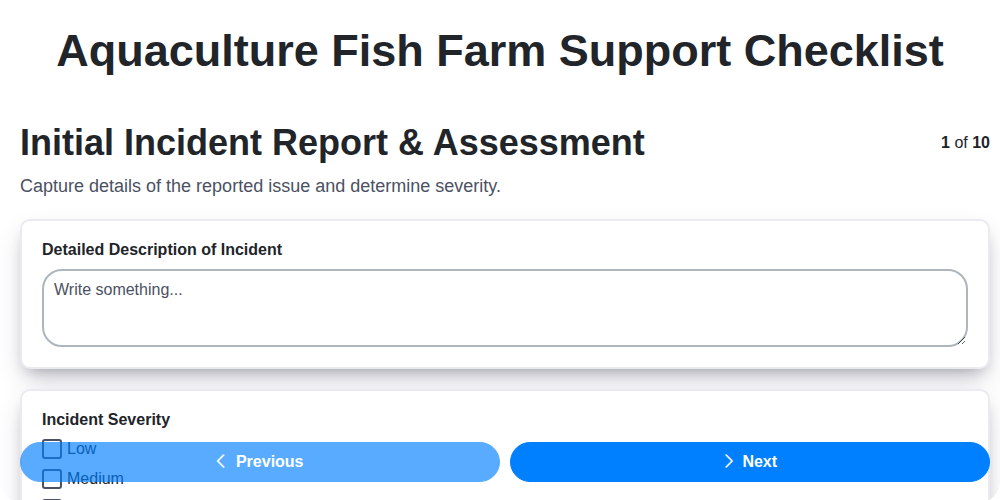
Keeping Your Fish Farm Running Smoothly: The Aquaculture Support Checklist
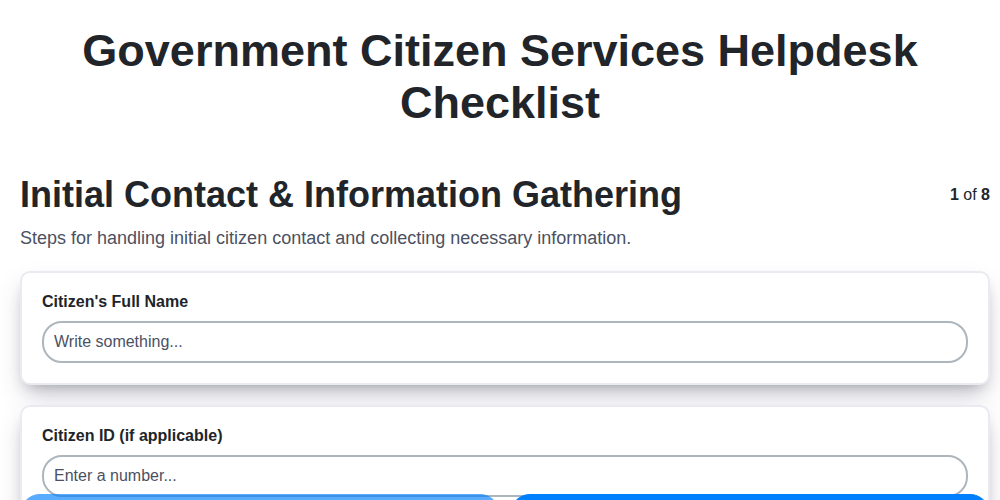
Mastering Citizen Service: Your Government Helpdesk Checklist Template
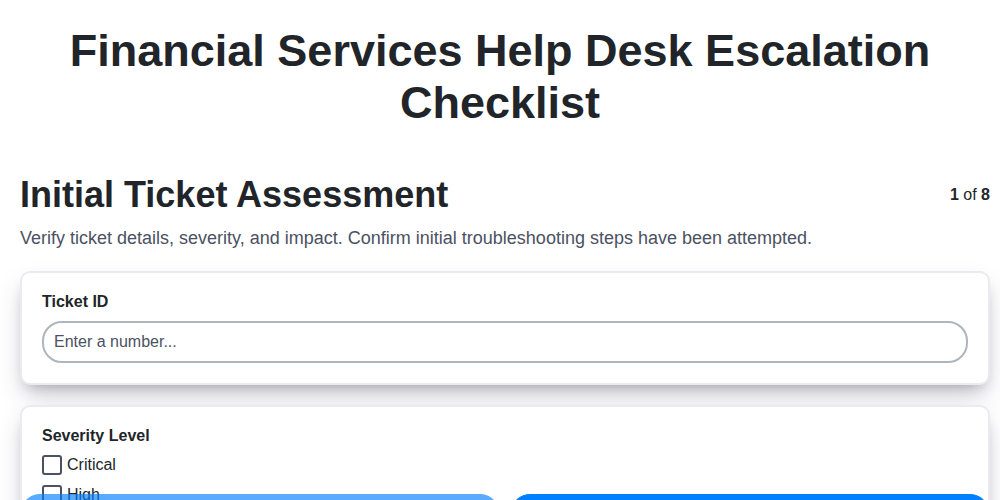
Streamlining Support: The Financial Services Help Desk Escalation Checklist You Need
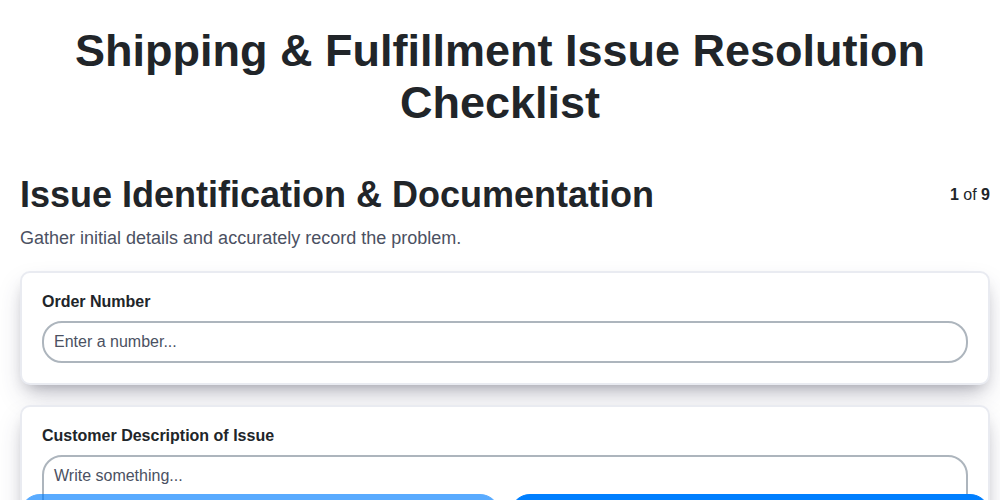
Navigating Shipping & Fulfillment Mishaps: Your Resolution Checklist
Mastering Guest Service Recovery: Your Hospitality Issue Checklist Template
Need help with
Support Management?
Have a question? We're here to help. Please submit your inquiry, and we'll respond promptly.