Daily Reception Area Opening and Closing Procedures
Streamline your operations with our Daily Reception Area Opening and Closing Procedures checklist. Optimize workflows and boost productivity with ChecklistGuro.
DAILY RECEPTION AREA OPENING AND CLOSING PROCEDURES
Created by ChecklistGuro (https://checklistguro.com)
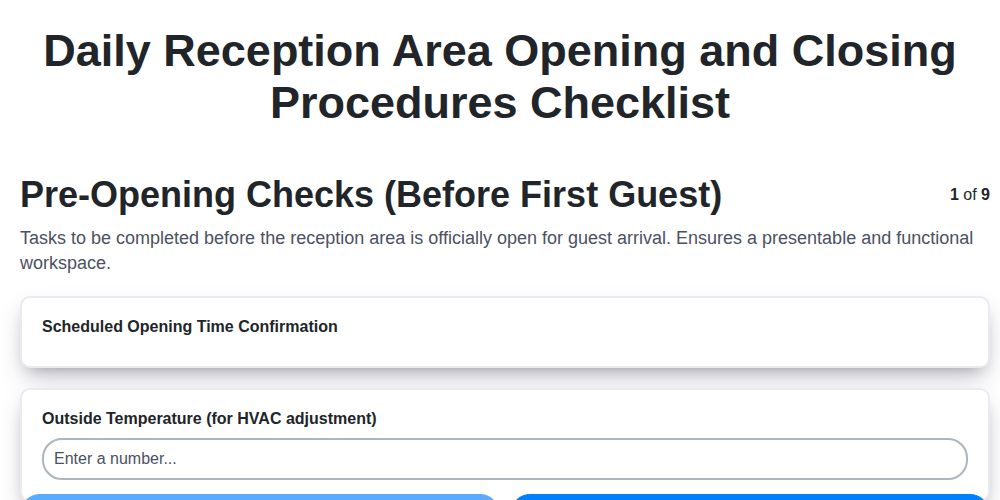
--- PRE-OPENING CHECKS (BEFORE FIRST GUEST) ---
[ ] Scheduled Opening Time Confirmation
[ ] Outside Temperature (for HVAC adjustment)
[ ] Reception Desk Layout - Check for Obstructions? (Yes, No)
[ ] Check for Damage/Wear on Reception Desk & Seating (Scratches, Stains, Tears, Broken Parts, None)
[ ] Check Exterior Entrance - Cleanliness/Obstructions
[ ] Notes on any issues requiring maintenance (e.g., lighting, flooring)
[ ] Check Guest Information Display (if applicable) – Working Correctly? (Yes, No)
[ ] Photo Documentation of Reception Area (Optional)
--- OPENING CASH HANDLING ---
[ ] Starting Cash Drawer Count (Bills)
[ ] Starting Cash Drawer Count (Coins)
[ ] Starting Cash Drawer Count (Checks)
[ ] Starting Cash Drawer Count (Credit Card Tips)
[ ] Cash Box Security Check? (Secure and Locked, Requires Attention)
[ ] Comments on Cash Drawer Start (e.g., discrepancies, notes)
[ ] Float Dispensed? (Yes, No)
[ ] Float Amount Dispersed (If Applicable)
--- RECEPTION DESK & AREA APPEARANCE ---
[ ] Number of Fresh Flowers/Plants Present?
[ ] Dusting Complete? (Select all that apply) (Desk Surface, Countertops, Shelving, Decorative Items, Seating Area)
[ ] Magazine/Brochure Display Neat & Organized? (Yes, No)
[ ] Notes on any areas requiring extra attention (e.g., smudges, spills)
[ ] Seating area tidy and free of clutter? (Yes, No)
[ ] Photo of Reception Area Appearance
--- TECHNOLOGY & SYSTEMS ---
[ ] PMS (Property Management System) - Login Successful? (Yes, No)
[ ] Telephone System - Operational? (Yes, No)
[ ] WiFi Router Signal Strength (dBm - approximate)
[ ] Last System Sync Time (PMS/CRS)
[ ] Guest WiFi Network - Accessible? (Yes, No)
[ ] Any System Error Messages/Notes?
[ ] TV/Information Display - Functioning? (Yes, No)
--- SECURITY & SAFETY ---
[ ] Alarm System Status (Armed, Disarmed, Testing)
[ ] Fire Safety Equipment Check (OK, Needs Attention)
[ ] Fire Extinguisher Inspection Date (Month/Year)
[ ] Security Personnel Present?
[ ] Incident/Issue Reporting
[ ] Emergency Exit Check (Clear, Obstructed)
[ ] First Aid Kit Check (Sufficient Supplies, Restock Required)
--- CLOSING CASH HANDLING ---
[ ] Starting Cash Drawer Balance (Recorded)
[ ] Cash Drawer Counted Amount
[ ] Float Counted Amount
[ ] Total Cash Recorded
[ ] Notes on Cash Discrepancies (if any)
[ ] Cash Bag Secured? (Yes, No)
[ ] Cash Drop Completed? (Yes, No)
[ ] Details of Cash Drop (e.g., who received, time)
[ ] Date of Cash Reconciliation
--- RECEPTION DESK & AREA SECURITY (CLOSING) ---
[ ] All windows and doors secured? (Yes, No)
[ ] Alarm system activated? (Yes, No, Not Applicable)
[ ] Number of keys/fobs accounted for?
[ ] Any unusual activity or concerns noted?
[ ] Secure any valuable items from the desk
[ ] Exterior lights checked? (Yes, all on, No, Not applicable)
--- TECHNOLOGY SHUTDOWN (CLOSING) ---
[ ] Computer(s) Shutdown Status (Shutdown Completed, Restarted, Left On (Requires Manager Approval))
[ ] Printer(s) Status (Power Off, Standby, Left On (Requires Manager Approval))
[ ] Telephone System Status (Secure/Night Mode Enabled, Standard Mode (Requires Manager Approval))
[ ] Time of System Shutdown (If Applicable)
[ ] Notes on System Shutdown (if any)
[ ] AV Equipment Status (Powered Off, Standby, Left On (Requires Manager Approval))
--- FINAL WALK-THROUGH & REPORTING ---
[ ] Any unusual occurrences or incidents during the day?
[ ] Total Cash Drawer Count (Final)
[ ] Security System Armed? (Yes, No)
[ ] Date of Closing
[ ] Closing Time
[ ] Checklist Items Completed (Select All That Apply) (Cash Drawer Secured, Reception Area Lights Off, Security System Armed, Doors Locked, Technology Shutdown)
[ ] Closing Staff Signature
[ ] Staff Name (Closing)
--- END OF TEMPLATE ---
Transform this text into a digital, automated, and trackable mobile app!
Visit: https://checklistguro.com/templates/hospitality/daily-reception-area-opening-and-closing-procedures
(Click "Install Template" to launch your digital inspection tool immediately)
Hospitality Management Solution Demo
Running a hotel, restaurant, or other hospitality business is demanding. ChecklistGuro's Work OS platform simplifies management, from reservations and guest services to inventory and staff scheduling. Improve efficiency, enhance guest experience, and boost profitability! See how ChecklistGuro can transform your hospitality operations.
Comments
There are no comments yet. Be the first to add one!
Related Media Files
Loading file preview...
Loading file preview...
Loading file preview...
Loading file preview...