 ChecklistGuro
 Automated Bus Inspection and Safety Audit Workflow
Streamline fleet maintenance and ensure passenger safety with our Automated Bus Inspection and Safety Audit Workflow. Eliminate manual errors, automate real-time compliance checks, and optimize vehicle uptime through digitalized inspection protocols and proactive risk management for modern public transport management.
This Template was installed 5 times.
Start
Start of the Workflow/Process.
1. Fetch Fleet Vehicle Data
Retrieve vehicle details (ID, Model, Last Inspection Date) from the Fleet Data Model based on the scanned Bus ID.
2. Perform Visual Exterior Inspection
Assign a task to the Inspector to check tires, lights, mirrors, and body integrity using the inspection checklist.
3. Perform Mechanical & Engine Check
Assign a task to the Mechanic to verify fluid levels, brake systems, and engine diagnostics.
4. Create Inspection Audit Log
Create a new entry in the Audit Logs data model containing the results, timestamp, and inspector ID.
5. Update Vehicle Safety Status
Update the 'Safety Status' field in the Fleet Data Model to 'Passed' or 'Failed' based on audit results.
6. Calculate Defect Severity Score
Execute a formula to weight different checklist failures (e.g., Critical = 10, Minor = 1) to determine the overall risk score.
7. Summarize Total Fleet Defects
Aggregate all 'Failed' inspection entries from the current month to calculate the total number of vehicles currently out of service.
8. Assign Urgent Repair Task
If a critical defect is found, automatically create a high-priority maintenance task for the Repair Workshop team.
9. Notify Fleet Manager of Failure
Send an automated email to the Fleet Manager containing the summary of failed safety items and the impacted vehicle ID.
10. Alert Driver of Vehicle Unavailability
Send an SMS to the assigned Bus Driver notifying them that the vehicle has failed inspection and is grounded.
11. Generate Monthly Safety Compliance Report
Generate a PDF report summarizing all completed inspections, pass/fail rates, and recurring mechanical issues for the period.
12. Clear Temporary Inspection Drafts
Delete incomplete or abandoned inspection entries from the temporary data model to maintain database cleanliness.
End
End of the Workflow/Process.
Start of the Workflow/Process.
Retrieve vehicle details (ID, Model, Last Inspection Date) from the Fleet Data Model based on the scanned Bus ID.
Assign a task to the Inspector to check tires, lights, mirrors, and body integrity using the inspection checklist.
Assign a task to the Mechanic to verify fluid levels, brake systems, and engine diagnostics.
Create a new entry in the Audit Logs data model containing the results, timestamp, and inspector ID.
Update the 'Safety Status' field in the Fleet Data Model to 'Passed' or 'Failed' based on audit results.
Execute a formula to weight different checklist failures (e.g., Critical = 10, Minor = 1) to determine the overall risk score.
Aggregate all 'Failed' inspection entries from the current month to calculate the total number of vehicles currently out of service.
If a critical defect is found, automatically create a high-priority maintenance task for the Repair Workshop team.
Send an automated email to the Fleet Manager containing the summary of failed safety items and the impacted vehicle ID.
Send an SMS to the assigned Bus Driver notifying them that the vehicle has failed inspection and is grounded.
Generate a PDF report summarizing all completed inspections, pass/fail rates, and recurring mechanical issues for the period.
Delete incomplete or abandoned inspection entries from the temporary data model to maintain database cleanliness.
End of the Workflow/Process.
Found this Workflow Template helpful?
Comments
There are no comments yet. Be the first to add one!
Public Transport Management Solution Demo
Optimize public transport operations & enhance passenger experience! ChecklistGuro streamlines route planning, vehicle maintenance, and incident reporting. Improve efficiency, safety, and reliability. Manage it all with our Work OS.
Related Workflow Templates

Bus Stop Infrastructure Maintenance Workflow

Contactless Payment Processing and Settlement Workflow

Public Transport Resource Allocation and Dispatching

Transit Subscription and Pass Management Process

Real-Time Traffic Congestion Impact Analysis
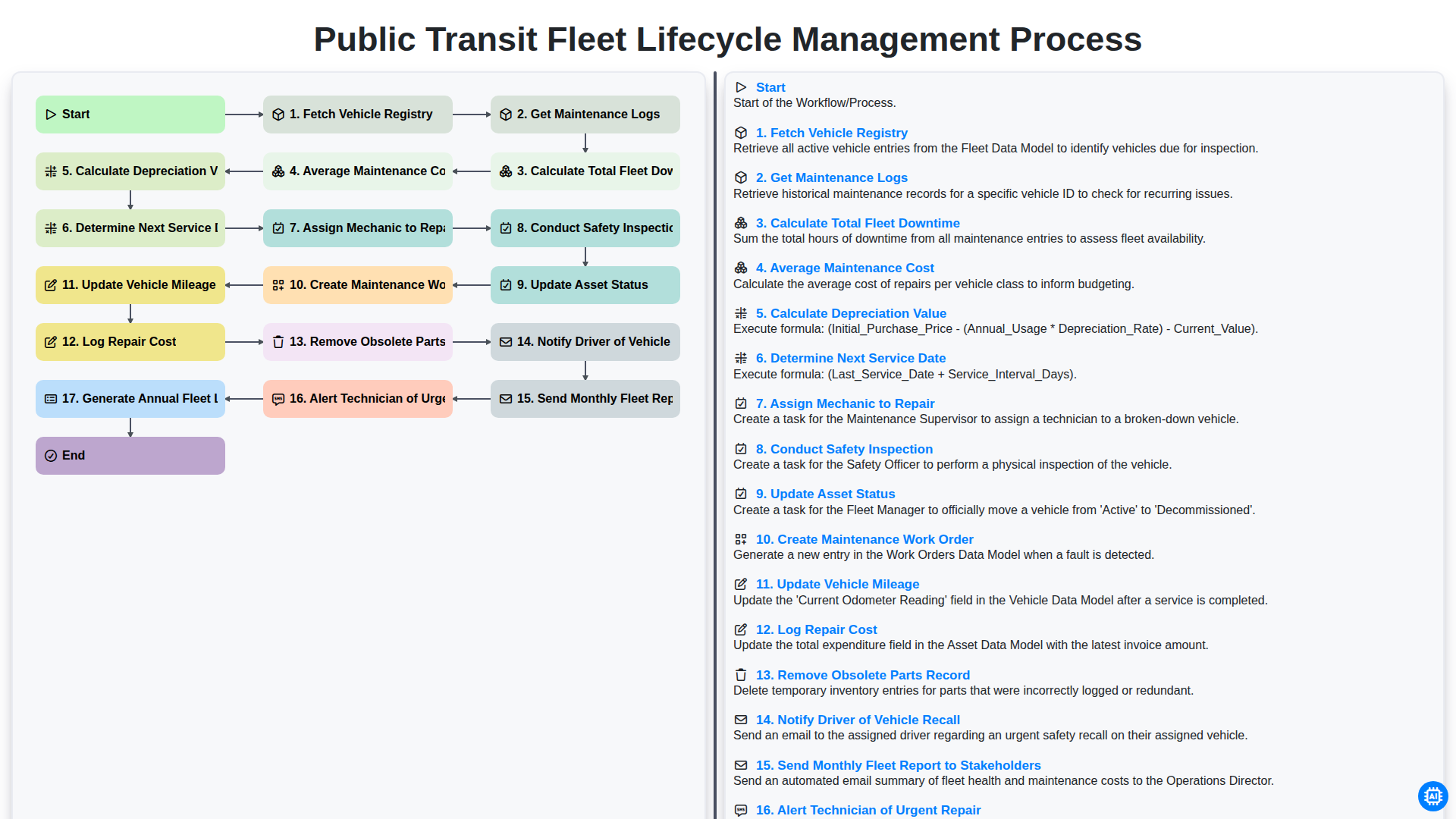
Public Transit Fleet Lifecycle Management Process
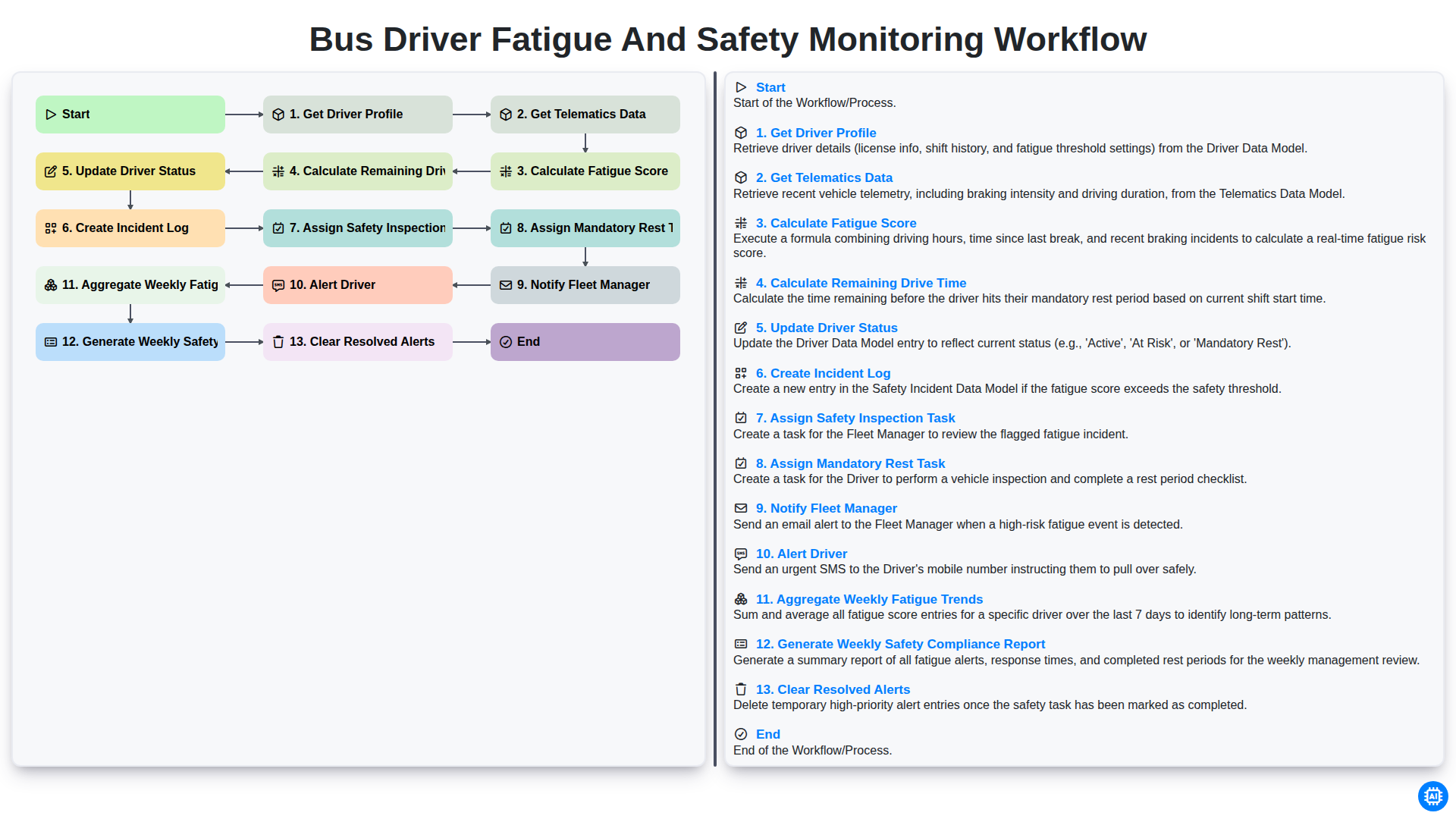
Bus Driver Fatigue and Safety Monitoring Workflow
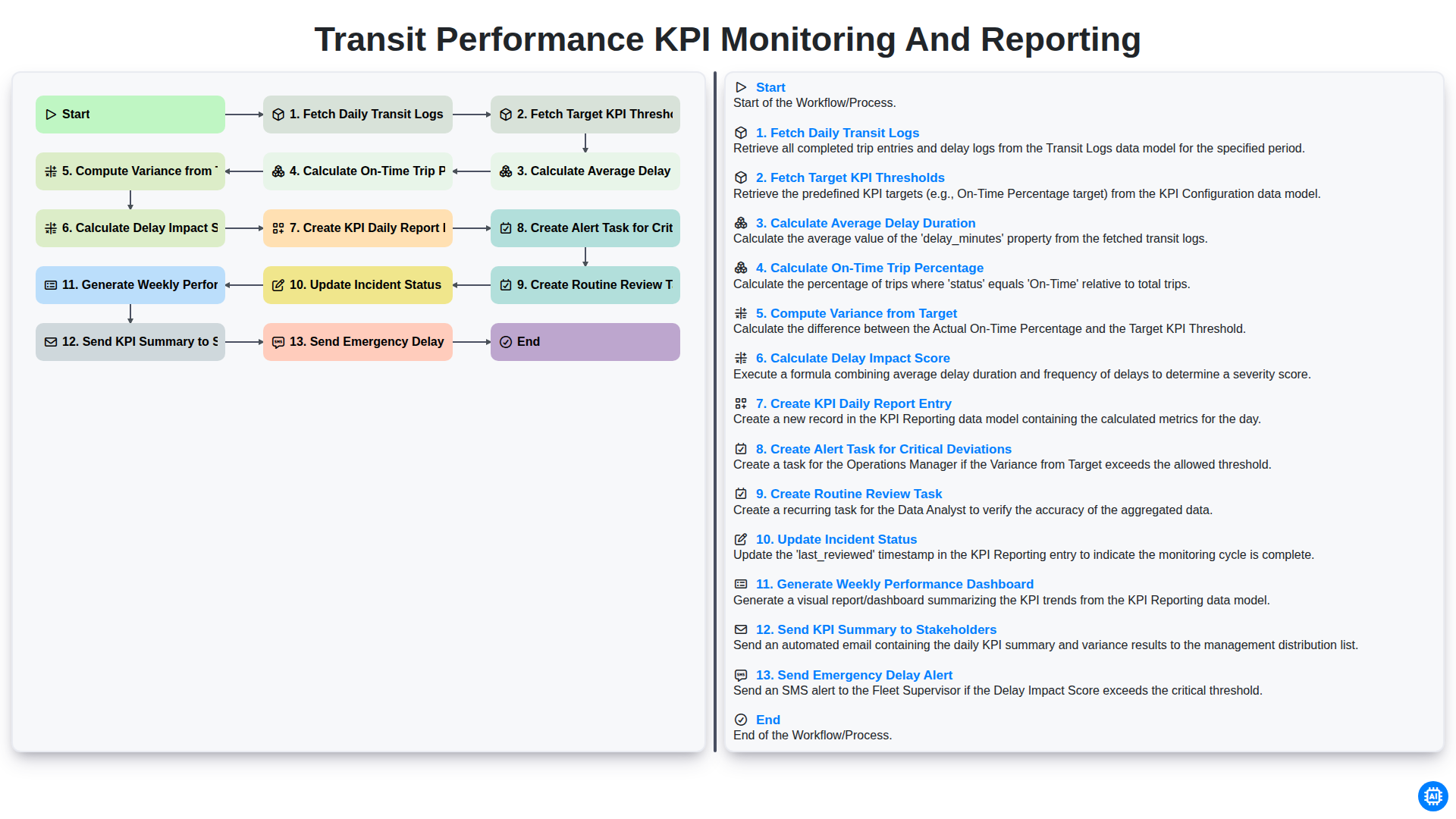
Transit Performance KPI Monitoring and Reporting
We can do it Together
Need help with
Public Transport Management?
Have a question? We're here to help. Please submit your inquiry, and we'll respond promptly.