Streamlining Patient Care: A Step-by-Step Guide to the Electronic Health Record (EHR) Management Process
Published: 06/04/2026 Updated: 10/05/2026
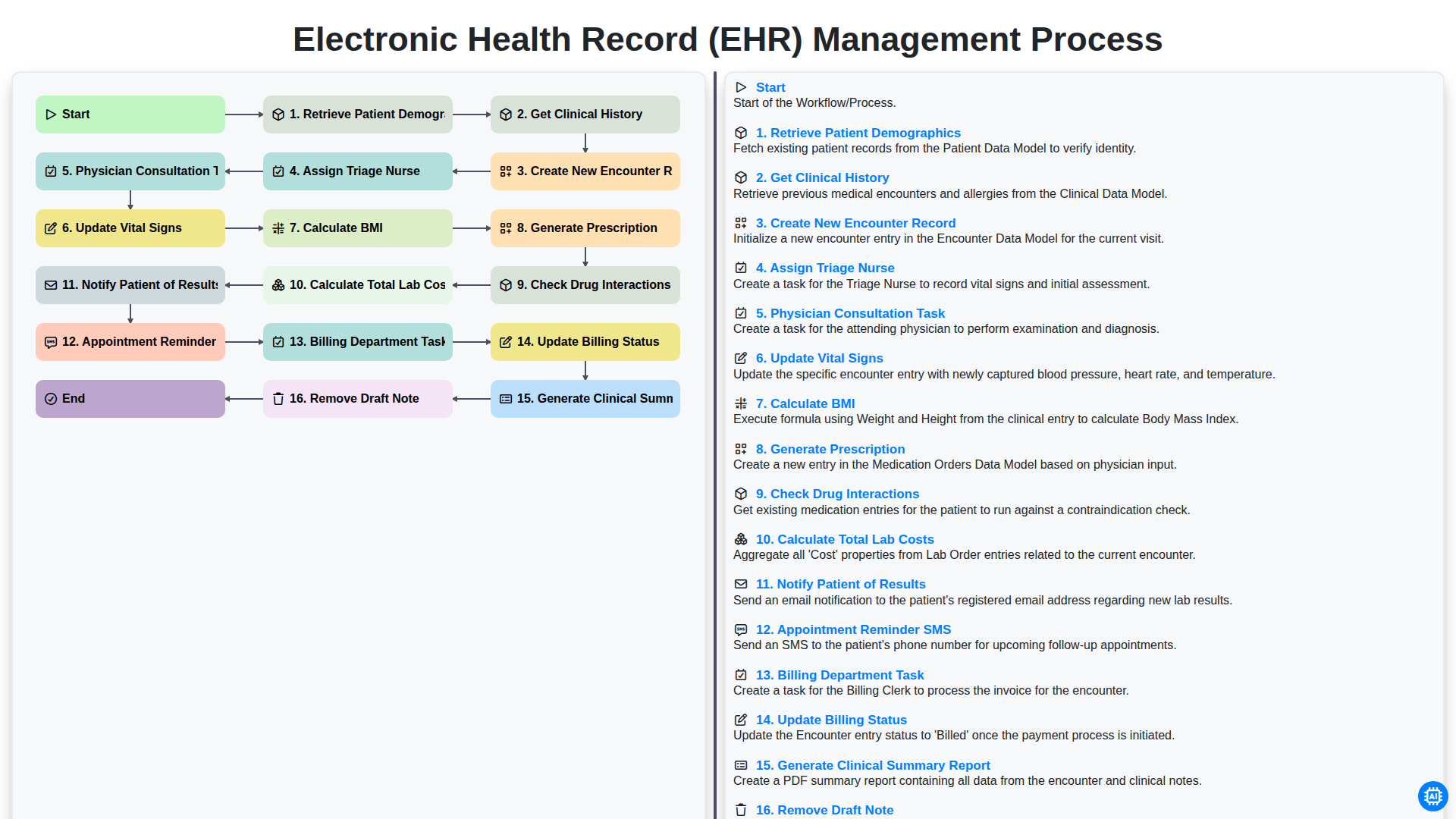
Table of Contents
- Introduction to Efficient EHR Management
- Phase 1: Patient Intake and Data Retrieval
- Retrieving Patient Demographics and Clinical History
- Phase 2: Initiating the Clinical Encounter
- Creating New Encounter Records and Assigning Triage Staff
- Phase 3: Clinical Assessment and Vital Monitoring
- Recording Vital Signs and Calculating BMI
- Phase 4: Physician Consultation and Clinical Documentation
- Managing Physician Tasks and Clinical Note Drafting
- Phase 5: Prescription Management and Safety Protocols
- Generating Prescriptions and Checking Drug Interactions
- Phase 6: Laboratory Coordination and Results Notification
- Calculating Lab Costs and Communicating Results to Patients
- Phase 7: Administrative Follow-up and Billing Integration
- Managing Appointment Reminders, Billing Tasks, and Final Reporting
- Resources & Links
TLDR: Discover how to optimize clinical efficiency using our comprehensive EHR Management Process workflow. This guide breaks down the end-to-end patient journey-from initial demographic retrieval and triage to physician consultation, automated drug interaction checks, and seamless billing integration-providing a roadmap to reduce administrative burden and enhance patient care accuracy.
Introduction to Efficient EHR Management
In the modern healthcare landscape, the seamless flow of information is the backbone of patient safety and operational excellence. Electronic Health Record (EHR) management is no longer just about storing digital files; it is about orchestrating a complex,-dynamic workflow that connects clinicians, administrative staff, and patients in real-time. An efficient EHR management process ensures that every piece of clinical data-from vital signs to prescription details-is captured, processed, and communicated accurately and without delay.
When a healthcare facility optimizes its EHR workflow, it minimizes the risk of manual errors, reduces clinician burnout, and accelerates the delivery of care. By transforming fragmented tasks into a structured, automated pipeline, healthcare providers can move away from reactive troubleshooting and toward a proactive approach to patient management. Mastering this workflow is essential for maintaining data integrity, ensuring billing accuracy, and ultimately fostering a superior patient experience.
Phase 1: Patient Intake and Data Retrieval
The initial stage of the EHR management workflow is critical for establishing a foundation of accuracy and continuity of care. The process begins with the Retrieval of Patient Demographics, where the system pulls essential identity information-such as name, contact details, and insurance information-to ensure the correct profile is accessed. Once the identity is verified, the workflow moves into Getting Clinical History, a vital step where the system integrates previous diagnoses, allergies, and past medical events into the current session.
With the baseline data established, the system proceeds to Create a New Encounter Record. This creates a dedicated digital workspace for the current visit, ensuring that all subsequent real-time data is siloed within a specific, trackable event. This structured approach prevents data fragmentation and ensures that every clinical decision made during the visit is anchored to a unique, longitudinal medical record.
Retrieving Patient Demographics and Clinical History
The foundation of an efficient Electronic Health Record (EHR) management process begins with the accurate collection of baseline data. The workflow initiates with the Retrieve Patient Demographics step, which ensures that the healthcare provider is working with the correct identity. This stage involves pulling essential information such as name, date of birth, contact details, and insurance information from the database. Precision during this stage is critical to prevent medical errors and ensure seamless communication throughout the care continuum.
Once the identity is verified, the workflow moves into Get Clinical History. This step is vital for establishing clinical context. By accessing a patient's longitudinal record, clinicians can review previous diagnoses, allergies, immunizations, and past surgical procedures. This comprehensive overview allows the care team to understand the patient's medical trajectory, ensuring that the current encounter is informed by a complete understanding of their existing health status and potential risk factors.
Phase 2: Initiating the Clinical Encounter
Once the initial patient identification is complete, the workflow moves into the active clinical phase. This stage is critical as it transitions the patient from a passive record in the system to an active participant in the care cycle. The process begins with retrieving patient demographics and getting a comprehensive clinical history to ensure the provider has the necessary context regarding the patient's medical background and current concerns.
To document this specific visit, the system must create a new encounter record, establishing a unique digital footprint for the current session. To streamline the flow of care, the system then triggers the assignment of a triage nurse, who is responsible for the first point of physical assessment. During this triage phase, the nurse will update vital signs and calculate BMI (Body Mass Index) to ensure all physiological data is current and accurate.
As the encounter progresses, the clinical workflow transitions to the provider level. A physician consultation task is automatically generated, alerting the doctor that the patient is ready for examination. During this consultation, the physician may generate a prescription, a process that includes an automated safety check to check for potential drug interactions, minimizing the risk of adverse medicinal events.
Finally, to close the loop on the clinical and administrative requirements of the encounter, the system handles the logistics of diagnostics and follow-up. This includes the calculation of total lab costs to ensure financial transparency, the automated notification of the patient regarding their results, and the deployment of an appointment reminder SMS to secure future visits. This structured approach ensures that no critical data point or follow-up action is overlooked during the consultation.
Creating New Encounter Records and Assigning Triage Staff
Once the initial patient information is gathered, the next critical phase of the workflow begins with the Creation of a New Encounter Record. This step serves as the foundational digital file for the current visit, linking the patient's permanent identity to a specific point in time and a specific clinical context. By establishing a unique encounter ID, the system ensures that all subsequent data-from vitals to prescriptions-is organized under a discrete, traceable event, preventing any overlap with previous medical visits.
Immediately following the creation of this record, the system initiates the Assignment of a Triage Nurse. This automated or manual delegation is vital for streamlining the clinical flow. The triage nurse is tasked with the first line of clinical assessment, preparing the patient for the physician by performing preliminary assessments and ensuring that the clinical team is alerted to the patient's arrival. This seamless transition from record creation to staff assignment minimizes waiting room bottlenecks and ensures that the healthcare provider has a structured roadmap of the patient's immediate needs before the consultation even begins.
Phase 3: Clinical Assessment and Vital Monitoring
Once the initial patient information is documented and the triage process is underway, the workflow moves into the core clinical phase. During this stage, the focus shifts from administrative preparation to active medical evaluation.
The process begins with the Physician Consultation Task, where the clinician reviews the gathered data to perform a physical examination and diagnostic assessment. As part of this clinical evaluation, the healthcare provider must Update Vital Signs-such as blood pressure, heart rate, and temperature-to ensure the most current physiological data is available in the EHR. To maintain a complete nutritional and health profile, the system will automatically Calculate BMI based on the updated height and weight entries.
This phase is critical for ensuring that the EHR reflects the real-time health status of the patient, providing the necessary foundation for subsequent decision-making, such as generating prescriptions or ordering diagnostic tests.
Recording Vital Signs and Calculating BMI
Once the triage process is underway, the next critical step in the workflow involves capturing the patient's physiological data. The Update Vital Signs phase is essential for establishing a clinical baseline for the current encounter. During this stage, clinicians record key metrics such as blood pressure, heart rate, respiratory rate, and temperature.
To ensure a comprehensive physical assessment, the system automatically performs a Calculate BMI (Body Mass Index) function. By integrating the patient's height and weight data into the EHR, the system instantly computes the BMI, flagging any significant deviations from the patient's historical trends. This automation not only reduces manual entry errors but also provides immediate clinical insights, allowing the healthcare provider to identify potential health risks-such as obesity or sudden weight loss-at the very beginning of the consultation.
Phase 4: Physician Consultation and Clinical Documentation
Once the patient has been triaged and vitals are recorded, the workflow transitions into the core clinical phase. The Physician Consultation Task is triggered, signaling the provider to begin the physical examination and diagnostic assessment. During this interaction, the physician reviews the previously retrieved clinical history and updated vital signs to inform their diagnosis.
As the consultation progresses, the physician performs real-time clinical documentation. A critical part of this stage is the continuous management of the patient's medical record; for instance, if a clinician realizes an entry was made in error, they must utilize the Remove Draft Note function to ensure data integrity before finalization. Following the assessment, the workflow moves into automated clinical actions, such as the instruction to Generate Prescription. To ensure patient safety, the system automatically triggers a Check Drug Interactions protocol, cross-referencing the new prescription against the patient's existing medication list to prevent adverse drug events. Finally, the phase concludes with the generation of a Clinical Summary Report, which encapsulates the consultation details and serves as the foundation for the subsequent billing and follow-up stages.
Managing Physician Tasks and Clinical Note Drafting
Once the initial triage and vital assessments are complete, the workflow transitions into the core clinical phase: the Physician Consultation Task. This stage is the heart of the EHR management process, where the provider reviews the gathered clinical history and patient demographics to make informed diagnostic decisions.
During this consultation, the physician is responsible for real-time documentation, which includes generating prescriptions and performing critical safety checks, such as verifying potential drug interactions. However, the complexity of modern medicine often requires clinicians to work in stages. To maintain accuracy, the system allows for the creation of preliminary notes; yet, to ensure the integrity of the permanent medical record, the workflow includes a specific step to Remove Draft Note once the final, verified documentation is finalized. This ensures that only validated, clinically accurate information is transitioned into the patient's permanent longitudinal record, preventing confusion during future encounters.
Phase 5: Prescription Management and Safety Protocols
Once the physician has concluded the consultation, the workflow transitions into a critical stage focused on medication management and patient safety. The process begins with the physician performing the Generate Prescription task, where orders are entered directly into the EHR to ensure accuracy and eliminate the risks associated with handwritten notes.
To ensure the highest standard of care, the system immediately initiates a Check Drug Interactions protocol. This automated safety layer cross-references the new prescription against the patient's existing medication profile and known allergies, alerting the provider to any potential contraindications or adverse reactions. This real-time clinical decision support is a vital safeguard in preventing medical errors and ensuring that the treatment plan is both effective and safe.
Generating Prescriptions and Checking Drug Interactions
Once the physician has completed the consultation and finalized the diagnosis, the workflow moves into the critical phase of medication management. The system facilitates the Generate Prescription step, allowing clinicians to digitally input medication orders directly into the patient's electronic record. This eliminates the risks associated with illegible handwriting and manual entry errors.
However, prescribing is not merely about documentation; it is about patient safety. Immediately following the creation of a prescription, the system triggers an automated Check Drug Interactions protocol. This intelligent layer of the workflow cross-references the new order against the patient's existing medication list, known allergies, and documented medical history. If a potential contraindication or a high-risk drug-to-drug interaction is detected, the system provides an immediate alert, prompting the physician to review the clinical significance of the interaction before the order is finalized. This automated safety net is a cornerstone of modern EHR management, significantly reducing the likelihood of preventable adverse drug events.
Phase 6: Laboratory Coordination and Results Notification
Once the clinical data and physician assessments are finalized, the workflow transitions into the critical stage of laboratory management. This phase begins with the system calculating Total Lab Costs, ensuring that all diagnostic fees are accurately captured for the patient's upcoming billing cycle.
As the laboratory processes the samples, the EHR system facilitates seamless communication through automated Appointment Reminder SMS alerts to ensure patients remain engaged with their follow-up care. Once the diagnostic data is returned, the system initiates the Notify Patient of Results protocol, ensuring that patients are informed of their findings in a timely and secure manner. This integration ensures that the loop between diagnostic testing, financial transparency, and patient communication remains closed and efficient.
Calculating Lab Costs and Communicating Results to Patients
Once the clinical data and diagnostic orders are finalized, the workflow transitions into the financial and communicative phase of patient management. This begins with the automated process to Calculate Total Lab Costs, which aggregates the fees for all requested diagnostic tests to ensure accurate billing and transparency for the patient.
After the laboratory findings are processed, the system facilitates the critical step to Notify Patient of Results. This ensures that patients are kept informed of their health status in a timely manner, reducing anxiety and closing the communication loop. To maintain a seamless follow-up process, the workflow also integrates an Appointment Reminder SMS feature, automatically prompting patients to schedule necessary follow-up consultations based on their recent lab outcomes. This integrated approach ensures that the transition from diagnostic testing to patient follow-up is efficient, accurate, and patient-centered.
Phase 7: Administrative Follow-up and Billing Integration
Once the clinical encounter is finalized and the medical documentation is complete, the workflow transitions from clinical care to the essential administrative processes that ensure the continuity of care and the financial health of the practice. This phase is critical for closing the loop between patient interaction and revenue cycle management.
The process begins with the Billing Department Task, where the billing team reviews the finalized clinical data to prepare accurate claims. A key component of this step is to Update Billing Status, ensuring that every encounter is tracked from pending to submitted or paid, which minimizes claim denials and reduces administrative overhead.
Beyond the financial aspects, this phase also involves proactive patient engagement and documentation cleanup. To maintain high patient satisfaction and reduce no-shows, the system triggers an Appointment Reminder SMS, keeping patients informed of their upcoming follow-ups. Finally, to ensure the integrity of the patient's permanent record, the system allows for the ability to Remove Draft Note if an entry was created in error, preventing cluttered or inaccurate data from migrating into the permanent longitudinal record. This seamless integration of billing and administrative tasks ensures that the clinic operates with both clinical precision and operational efficiency.
Managing Appointment Reminders, Billing Tasks, and Final Reporting
Once the clinical encounter is complete, the workflow transitions from patient care to administrative follow-up and revenue cycle management. To ensure continuity of care and operational efficiency, the system automates several critical post-consultation steps.
First, the system triggers an Appointment Reminder SMS to the patient, reinforcing the next steps in their care plan and reducing no-show rates. Simultaneously, the workflow transitions to the administrative side by generating a Billing Department Task. This ensures that all services rendered during the encounter are captured for reimbursement. The billing staff can then Update Billing Status as claims are processed, providing real-time visibility into the practice's financial health.
The final phase of the workflow focuses on documentation integrity and data accessibility. The system assists providers in finalizing their documentation by providing an option to Remove Draft Note if errors are identified, ensuring only accurate data remains in the permanent record. Finally, the process concludes by automatically generating a Clinical Summary Report. This comprehensive document serves as the single source of truth, consolidating all clinical findings, vitals, and prescriptions, making it easily accessible for both the healthcare team and the patient for future reference.
Resources & Links
- HealthIT.gov: Official resources from the Office of the National Coordinator for Health Information Technology regarding EHR standards and best practices.
- American Medical Association (AMA): Clinical guidelines and documentation standards to assist physicians during the consultation and prescription phases.
- NCBI - Electronic Health Records: In-depth medical literature regarding the clinical significance of accurate patient demographics and history retrieval.
- World Health Organization (WHO): Global standards for patient safety, including protocols for drug interaction checks and vital sign monitoring.
- AAPC (American Academy of Professional Coders): Resources for managing the billing department tasks, medical coding, and updating billing status within the EHR workflow.
- HIPAA Journal: Essential information on maintaining data privacy and security during the retrieval of patient demographics and clinical notes.
Frequently Asked Questions
What is Electronic Health Record (EHR) management?
EHR management is the systematic process of overseeing, maintaining, and optimizing digital patient records to ensure data accuracy, security, and accessibility for healthcare providers.
Why is streamlining the EHR process important for patient care?
Streamlining the EHR process reduces administrative burdens on clinicians, minimizes human error, and ensures that real-time, accurate patient information is available to improve clinical decision-making and patient outcomes.
What are the key steps in an effective EHR management workflow?
The process typically involves data entry and standardization, regular system audits,-interoperability management, user training, and robust security updates to maintain data integrity.
How can healthcare organizations ensure data security during EHR management?
Organizations can ensure security by implementing strict access controls, utilizing end-to-end encryption, conducting regular security audits, and ensuring compliance with regulations like HIPAA.
What role does interoperability play in EHR management?
Interoperability is the ability of different information systems and software applications to communicate and exchange data accurately, which is essential for seamless care coordination between different healthcare providers.
How often should EHR systems be audited?
EHR systems should undergo regular, periodic audits-ranging from monthly checks for data entry errors to annual comprehensive security and compliance audits-to ensure the system remains efficient and secure.
Comments
There are no comments yet. Be the first to add one!
Healthcare Management Solution Demo
Streamlining healthcare operations and improving patient care? ChecklistGuro's Work OS platform simplifies everything from patient scheduling and billing to compliance and staff management. Enhance efficiency, reduce administrative burden, and focus on what matters most: your patients. Learn how ChecklistGuro can transform your healthcare organization!
Related Articles
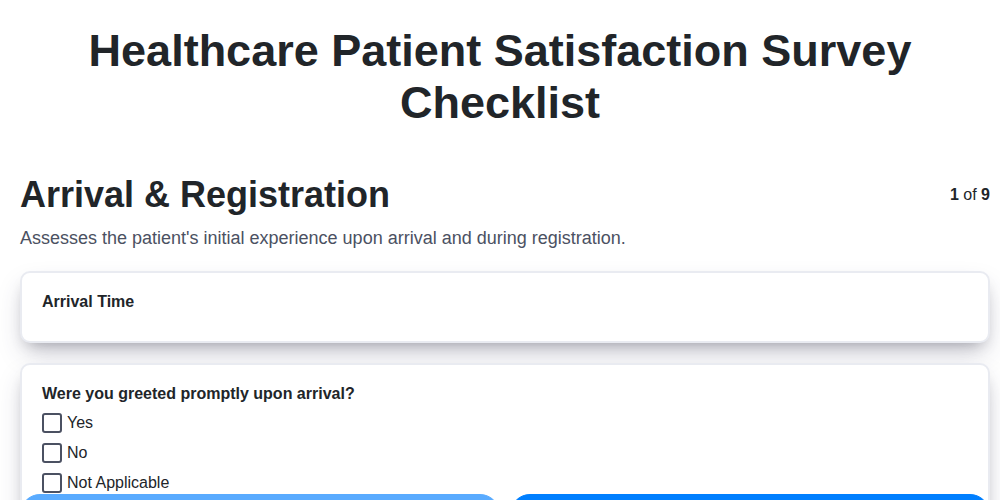
The Ultimate Healthcare Patient Satisfaction Survey Checklist Template
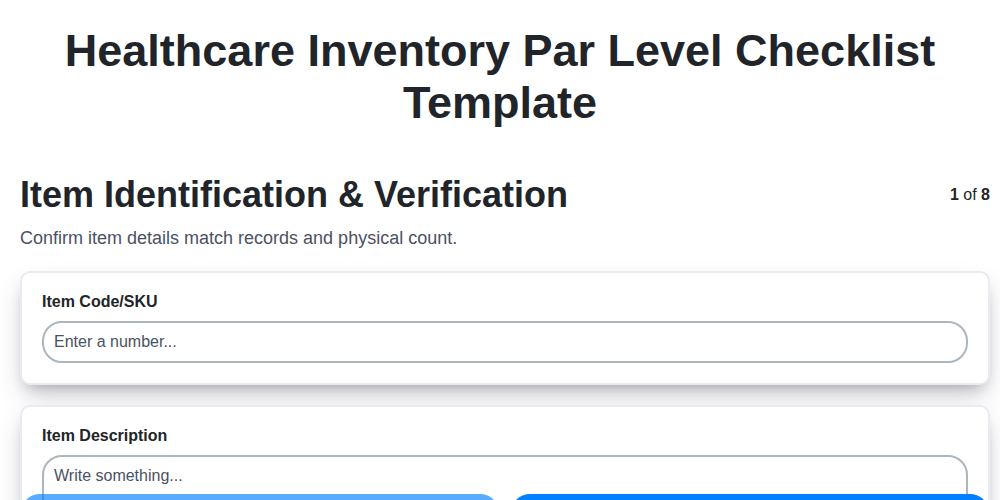
Mastering Healthcare Inventory: Your Par Level Checklist Template
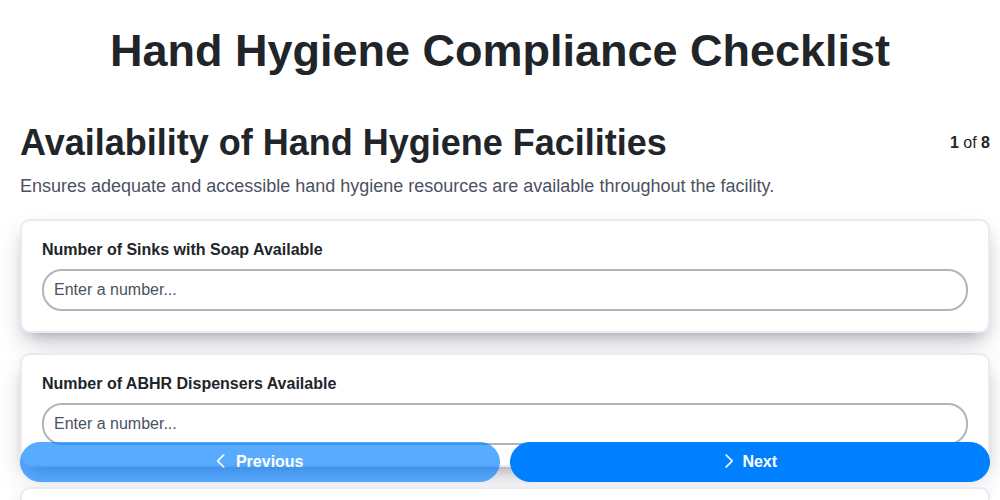
Mastering Hand Hygiene: Your Compliance Checklist Template
Protecting Patients: Your Fire Safety Checklist for Patient Areas
Your Ultimate Healthcare Construction Checklist Template
Mastering Hand Hygiene: Your Compliance Checklist Template
Your Radiology Equipment Maintenance Checklist Template

Your Ultimate Guide to Healthcare Waste Management: A Checklist Template
Need help with
Checklists?
Have a question? We're here to help. Please submit your inquiry, and we'll respond promptly.