 ChecklistGuro
 CRM Integration Checklist
Ensure a seamless CRM integration! This checklist guides you through every step - from planning and data mapping to testing and go-live - minimizing disruption and maximizing your CRM's potential. Download now and integrate confidently!
This Template was installed 3 times.
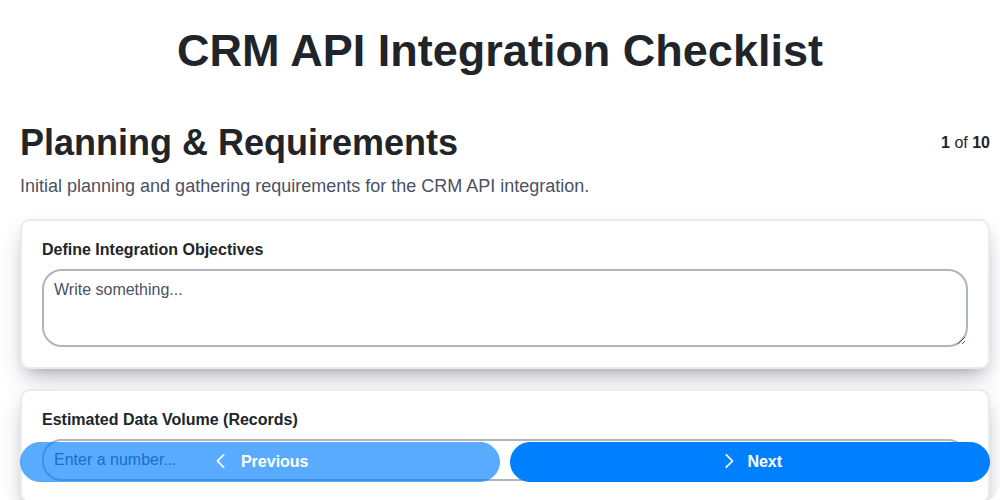
Planning & Requirements
Define integration goals, scope, and technical requirements.
Define Integration Goals
Estimated Number of Records to Integrate
Data Direction (One-way or Two-way)
Data Synchronization Frequency
Target Integration Completion Date
Identify Key Stakeholders and Roles
Integration Approach (e.g., Middleware, Direct API)
Data Mapping & Transformation
Map data fields between CRM and integrated systems, defining transformation rules.
Source CRM System
Target System
CRM Field Name (Source)
Target System Field Name
Data Type Conversion (e.g., Text to Number)
Transformation Logic (e.g., Concatenation, Formatting)
Data Transformation Required?
Example Data Mapping File (CSV/Excel)
API Connectivity & Authentication
Configure API connections, authentication methods, and access permissions.
CRM API Endpoint URL
API Key/Access Token
Rate Limit (Requests per Minute)
Authentication Method
Detailed Authentication Instructions (if applicable)
SSL Certificate Validation
Certificate Expiration Date (if applicable)
Data Synchronization & ETL
Set up data synchronization processes (ETL - Extract, Transform, Load).
Initial Data Load Volume (Records)
Synchronization Direction
Synchronization Frequency (Minutes)
Data Transformation Rules (Specifics)
Data Fields to Synchronize
Scheduled Data Load Date
Error Handling Strategy (Retry Attempts, Notifications)
Testing & Validation
Perform thorough testing to ensure data accuracy and system functionality.
Number of Test Records Created
Data Synchronization Direction
Detailed Description of Test Scenarios
Data Accuracy Verification Method
Number of Failed Test Cases
Date of Testing Completion
Summary of Test Results and Discrepancies Found
Error Handling & Monitoring
Implement error handling procedures and set up monitoring for integration health.
Alert Threshold (Failed Sync Attempts)
Notification Channel (Error Alerts)
Error Logging Configuration
Last Successful Sync Date
Critical System Dependencies (Monitor)
Scheduled Monitoring Check Time
Security & Compliance
Ensure integration adheres to security protocols and compliance regulations.
Data Encryption Method
Access Control Implementation
Last Security Audit Date
Data Retention Period (in years)
Relevant Compliance Standards
Description of Security Incident Response Plan
Security Policy Document
Documentation & Training
Document the integration process and provide training to relevant users.
Integration Documentation Summary
Integration Design Document
Training Materials Provided (Select all that apply)
Training Session 1 Date
Training Session 1 Time
Number of Users Trained
Deployment & Go-Live
Plan and execute the deployment of the integrated systems.
Planned Go-Live Date
Scheduled Deployment Time
Number of Users Impacted
Deployment Rollback Plan Description
Deployment Environment
Deployment Script/Package
Communication Plan to Users
Post-Deployment Monitoring End Date
Post-Implementation Review
Assess the integration's performance and identify areas for improvement.
Review Date
Data Accuracy Score (1-10)
Overall Integration Success?
Key Strengths of Integration
Areas for Improvement
Issues Encountered (Select all that apply)
Recommendations for Future Enhancements
Frequently Asked Questions
Can I customize this template after installing it?
Absolutely. Once installed, you can add, remove, or reorder tasks, add custom fields, and adjust deadlines to fit your specific workflow.
Can I add images or photos to these checklist items?
Yes. Our platform allows you to attach photos, signatures, and notes to any checklist item for better verification and proof of completion.
Can I create a custom checklist from scratch instead of using a template?
Yes. You can use our "Create your own checklist" feature to build a unique workflow tailored exactly to your operational requirements.
Can I add dependencies between tasks?
Yes, you can set up conditional logic and dependencies to ensure your team follows the correct sequence of operations.
Can I assign specific checklist items to different team members?
Yes. You can assign individual tasks to specific employees, ensuring clear accountability across your entire team.
Can I use these checklists on mobile devices in the field?
Yes. Our platform is fully responsive, allowing your team to complete, update, and upload photos to checklists directly from any smartphone or tablet.
How do I notify my manager when a checklist is completed?
You can set up automated notifications (via email, push notification, or in-app alerts) to trigger whenever a checklist is finished or if an item fails inspection.
Can multiple people work on the same checklist simultaneously?
Yes, the platform supports real-time updates, allowing multiple users to contribute to a single live checklist.
Where is the data from completed checklists stored?
All completed checklists are stored securely in your Work OS dashboard, creating a permanent, searchable audit trail of your operations.
Can I generate reports based on my checklist results?
Yes. You can track completion rates, identify recurring issues, and monitor team performance through our integrated reporting and analytics tools.
How can I use these checklists for compliance or auditing purposes?
Because our checklists capture timestamps, photos, and digital signatures, they serve as a robust digital paper trail for regulatory compliance and internal audits.
Can I export my completed checklist data for use in other tools?
Yes. You can export your data in various formats (CSV, Excel, etc.) to integrate your operational insights with your other business software.
Comments
There are no comments yet. Be the first to add one!
CRM - Customer Relationship Management Solution Demo
Struggling to manage customer interactions & track leads? ChecklistGuro provides a centralized CRM solution, connecting your sales, marketing, & support teams for improved collaboration & customer experiences. Simplify your workflow & close more deals.
Related Checklist Templates

We can do it Together
Need help with
Customer Relationship Management (CRM)?
Have a question? We're here to help. Please submit your inquiry, and we'll respond promptly.