Daily Construction Site Reporting Process: A Step-by-Step Workflow Guide
Published: 06/18/2026 9:00 PM Updated: 06/19/2026 11:50 AM
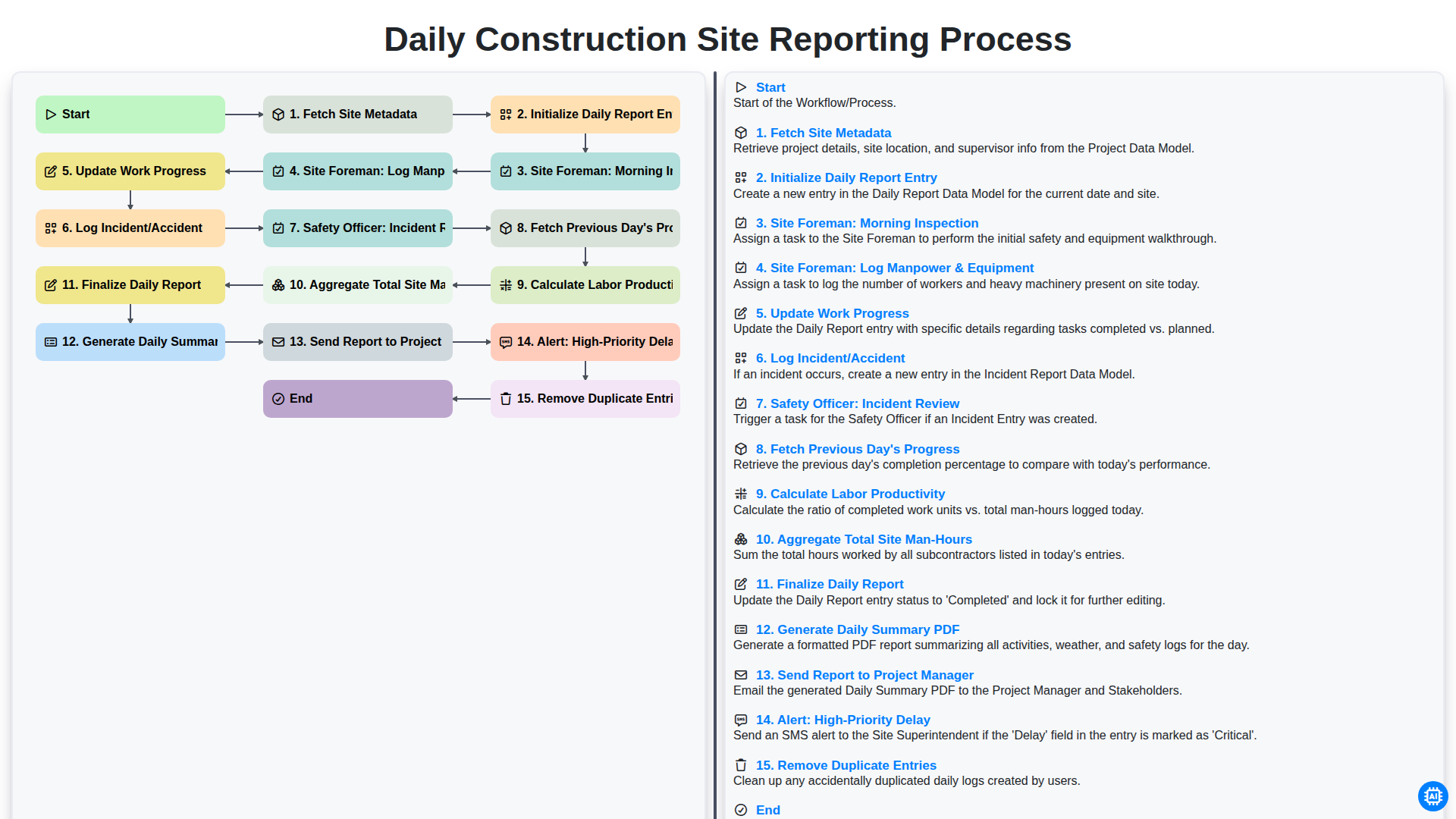
Table of Contents
- Introduction: The Importance of Structured Daily Reporting
- Phase 1: Setting the Foundation
- Step 1: Fetching Site Metadata and Initializing Entries
- Phase 2: Morning Site Inspections and Resource Logging
- Step 2: Morning Inspection and Resource Allocation
- Step 3: Logging Manpower, Equipment, and Work Progress
- Phase 3: Safety Oversight and Incident Management
- Step 4: Recording Incidents and Safety Officer Review
- Phase 4: Data Analysis and Productivity Tracking
- Step 5: Reviewing Historical Progress and Calculating Labor Productivity
- Step 6: Aggregating Total Site Man-Hours
- Phase 5: Finalizing and Distributing the Report
- Step 7: Data Cleanup, PDF Generation, and Distribution
- Conclusion: Ensuring Accountability through Automated Alerts
- Resources & Links
TLDR: Streamline your construction documentation with this comprehensive guide to the Daily Construction Site Reporting Process. Learn how this automated workflow tracks everything from morning inspections and manpower logging to real-time incident reviews and automated PDF generation, ensuring project managers receive accurate, high-priority updates without the manual headache.
Introduction: The Importance of Structured Daily Reporting
In the fast-paced environment of a construction site, information is the most valuable commodity. Every hour counts, and every detail matters. A single oversight in documentation-a missed equipment breakdown, an undocumented safety hazard, or an unrecorded delay-can snowball into costly disputes, legal liabilities, and project overruns. This is why a structured daily reporting process is not just a clerical task; it is the backbone of effective project management.
A standardized workflow ensures that every stakeholder, from the site foreman to the project manager, operates with a single source of truth. Instead of relying on fragmented notes or verbal updates, a systematic approach to daily reporting captures real-time data, tracks labor productivity, and maintains a continuous historical record of site activity. By implementing a rigorous, step-by-step reporting cycle, construction firms can transition from reactive firefighting to proactive management, ensuring that progress is measurable, safety is prioritized, and accountability is built into the very foundation of the project lifecycle.
Phase 1: Setting the Foundation
The efficiency of a construction project is often determined long before the first brick is laid; it begins with how data is captured and structured at the start of each shift. The initial phase of the Daily Construction Site Reporting Process is dedicated to establishing a reliable data baseline, ensuring that every report is anchored in accurate, real-time information.
The workflow begins with Fetching Site Metadata, a critical step where the system automatically pulls essential project details-such as project ID, site location, and weather conditions-to ensure consistency across all documentation. Once the context is set, the system moves to Initialize Daily Report Entry, creating a fresh digital template that prevents the clutter of previous days from interfering with new data.
To ensure the integrity of the information, the process also includes an automated check to Remove Duplicate Entries, preventing the common pitfall of redundant data entry that often skews productivity metrics. By establishing this organized foundation, the reporting process moves from a chaotic collection of notes to a structured, high-integrity stream of data, setting the stage for the site foreman and safety officers to execute their specialized tasks with precision.
Step 1: Fetching Site Metadata and Initializing Entries
The foundation of an accurate daily report begins before a single tool is lifted on-site. The process kicks off by automatically fetching site metadata, a crucial step that ensures every report is anchored to the correct project parameters. By pulling real-time data-such as the specific project name, location, site ID, and current weather conditions-the system eliminates manual entry errors and ensures consistency across multiple job sites.
Once the environmental and project-specific context is established, the workflow moves to initializing the daily report entry. This stage creates a fresh, digital template for the day, timestamping the start of the logging period and linking the entry to the existing project database. This seamless initialization ensures that all subsequent data, from manpower logs to progress updates, is organized within a standardized framework, setting the stage for a seamless flow of information throughout the day.
Phase 2: Morning Site Inspections and Resource Logging
Once the initial report entry has been initialized, the workflow shifts from administrative setup to active site data collection. This phase is the most critical part of the day, as it relies on the real-time observations of the Site Foreman to ensure the digital record reflects the physical reality of the job site.
The process begins with the Site Foreman: Morning Inspection. During this step, the foreman conducts a thorough walkthrough of the site to assess current conditions, identify any new hazards, and verify that the site is prepared for the day's scheduled tasks. This inspection serves as the foundation for the day's operational accuracy.
Immediately following the inspection, the workflow moves into Site Foreman: Log Manpower & Equipment. To maintain an accurate cost and resource audit trail, the foreman must input the exact number of personnel present and the specific machinery currently operational on-site. This is followed by the Update Work Progress step, where the foreman records the specific milestones achieved or tasks currently in progress. By documenting these details as they happen, the system ensures that the project's timeline remains transparent and verifiable.
Step 2: Morning Inspection and Resource Allocation
Once the initial daily report entry is prepared, the workflow transitions into the active field operations phase. This stage is driven by the Site Foreman, who begins the day with a rigorous Morning Inspection. This step is critical for ensuring that the site is safe, prepared, and that all necessary conditions are met before any high-risk activities commence. During this inspection, the foreman evaluates site readiness, checks for any overnight environmental changes, and verifies that all safety protocols are in place for the day's scheduled tasks.
Following the inspection, the process moves into Logging Manpower & Equipment. For a construction project to remain on schedule, precise resource tracking is non-negotiable. The Foreman meticulously records the number of personnel on-site-categorized by trade-and logs all active machinery and heavy equipment. This real-time data entry ensures that the project's resource allocation is transparent and provides the necessary foundation for calculating labor productivity and total site man-hours later in the reporting cycle.
Step 3: Logging Manpower, Equipment, and Work Progress
Once the morning inspection is complete, the workflow shifts from observation to active documentation. This stage is the core of the daily report, where the Site Foreman transitions from inspecting the site to quantifying the resources and momentum of the project.
The process begins with Logging Manpower & Equipment. To ensure accurate cost tracking and resource management, the Foreman must input the specific headcount for all trades present on-site, including subcontractors. Simultaneously, all active machinery-such as excavators, cranes, or generators-must be logged along with their operational status. This data is vital for calculating labor costs and identifying if any critical machinery is sitting idle.
Following the resource log, the Update Work Progress step occurs. Here, the foreman records exactly which tasks were completed, which are ongoing, and the specific area of the site impacted. This isn't just about saying work was done; it involves documenting measurable milestones.
To maintain continuity and data integrity, the system automatically performs three background functions during this step:
- Fetch Previous Day's Progress: The system pulls data from the prior entry so the Foreman can see exactly what was left unfinished.
- Calculate Labor Productivity: By comparing the manpower logged against the progress updated, the system generates real-time productivity metrics.
- Aggregate Total Site Man-Hours: The system automatically tallies the cumulative hours worked, providing an essential metric for both safety compliance and budget tracking.
By integrating these data points into a single workflow, the reporting process moves away from guesswork and toward a precise, mathematical representation of the site's daily output.
Phase 3: Safety Oversight and Incident Management
In a construction workflow, safety is not just a metric-it is the foundation of site integrity. As the day progresses, the reporting process shifts from tracking productivity to critical oversight. Once the daily logs are updated, the Log Incident/Accident step triggers a vital secondary workflow. Any mishap, near-miss, or equipment failure must be documented immediately to ensure a transparent audit trail.
To ensure these logs lead to actionable improvements rather than just paperwork, the Safety Officer: Incident Review step follows. During this phase, the Safety Officer scrutinizes the reported details to identify root causes and assess compliance with safety protocols. This rigorous review process ensures that the daily report serves as both a historical record and a proactive tool for preventing future site injuries.
Step 4: Recording Incidents and Safety Officer Review
In the construction industry, safety is the highest priority, and a daily report is the most critical tool for maintaining a high standard of site security. This stage of the workflow involves two distinct layers of accountability: the immediate documentation of events and the formal professional review.
First, the Log Incident/Accident step requires the Site Foreman to document any disruptions, injuries, or near-miss events as they occur. Precision is vital here; the entry must include the exact time, the individuals involved, and a detailed description of the circumstances. This ensures that a factual, real-time record exists before memories fade or details are lost in the chaos of site operations.
Immediately following the initial log, the Safety Officer: Incident Review step initiates a critical oversight loop. The Safety Officer examines the logged incident to assess the severity and determine if immediate corrective actions-such as site shutdowns or equipment inspections-are required. By integrating this review directly into the daily reporting workflow, the company ensures that safety protocols are not just reactive, but are systematically analyzed and integrated into the project's ongoing safety culture.
Phase 4: Data Analysis and Productivity Tracking
Once the raw data from the site inspection and logging process is collected, the workflow transitions from data entry to intelligent analysis. This phase is where the digital report evolves from a simple log into a powerful project management tool.
The system automatically fetches the previous day's progress to provide necessary context, allowing for a direct comparison between planned objectives and actual achievements. By leveraging this historical data, the workflow can calculate labor productivity in real-time, identifying whether the current workforce is meeting the required output density.
To ensure total project visibility, the engine performs a calculation to aggregate total site man-hours, providing a continuous running tally of labor expenditure. This is critical for budget monitoring and compliance. To maintain the integrity of these analytics, the system runs a background process to remove duplicate entries, ensuring that the final metrics are not skewed by accidental double-logging of manpower or equipment. This automated cleaning ensures that the insights provided to stakeholders are both accurate and actionable.
Step 5: Reviewing Historical Progress and Calculating Labor Productivity
To ensure every daily report provides actionable intelligence rather than just a snapshot of the moment, the workflow moves beyond simple data entry into deep analytical integration. This stage involves two critical sub-processes: Fetching Previous Day's Progress and Calculating Labor Productivity.
By automatically retrieving data from the prior day's finalized report, the system establishes a continuous narrative of the project's timeline. This allows the Site Foreman to track cumulative progress against the master schedule, making it immediately obvious if a task is lagging or if a milestone has been met. It eliminates the manual burden of digging through old logs to find context for today's activities.
With this historical context established, the system then performs an automated calculation of Labor Productivity. By comparing the total man-hours logged during the current shift against the actual work completed, the software generates a real-time efficiency metric. This granular insight is vital for identifying hidden delays; for instance, if manpower remains high but progress is stagnant, it serves as an early warning sign of potential inefficiencies or unforeseen site constraints. This data-driven approach transforms the daily report from a mere compliance document into a powerful tool for proactive project management.
Step 6: Aggregating Total Site Man-Hours
Once the individual labor logs and equipment run-times have been recorded, the system performs a critical calculation: Aggregating Total Site Man-Hours. This step is more than just simple addition; it is the process of consolidating every hour worked by every crew, subcontractor, and individual operative on-site into a single, unified metric.
By automatically summing the man-hours from the Log Manpower & Equipment phase, the workflow provides a real-time view of the total labor investment for the day. This data point is vital for tracking the project's burn rate and ensures that the project's budget remains aligned with the physical work being performed. Accurate aggregation at this stage prevents the common manual errors found in paper-based reporting, providing a reliable foundation for calculating long-term productivity trends and ensuring that site safety metrics-such as Lost Time Injuries (LTI)-are measured against an accurate denominator of total exposure hours.
Phase 5: Finalizing and Distributing the Report
Once the data entry is complete, the workflow moves into the critical final phase: transitioning from raw data to a polished, actionable document. This stage is where the integrity of the daily report is verified and shared with the stakeholders who need it most.
The process begins with a critical data-cleaning step: Remove Duplicate Entries. To ensure the report remains a single source of truth, the system automatically scans for any redundant logs or overlapping entries that may have occurred during manual input, preventing skewed productivity metrics.
Once the data is scrubbed, the system proceeds to Finalize Daily Report. This step locks the entries to prevent unauthorized post-reporting changes, ensuring a permanent and auditable record of the day's events. The workflow then performs the heavy lifting of Generate Daily Summary PDF, transforming the fragmented logs of manpower, equipment, and progress into a professional, easy-to-read document.
With the document ready, the distribution phase triggers. The system will Send Report to Project Manager via automated channels, ensuring the leadership team is updated without the need for manual follow-ups. However, the workflow is also designed for real-time risk management; if the data contains critical issues, an Alert: High-Priority Delay is automatically triggered. This ensures that if a bottleneck or a significant setback occurs, the Project Manager is notified instantly, allowing for immediate intervention and much faster problem-solving.
Step 7: Data Cleanup, PDF Generation, and Distribution
Once the field data has been compiled and all inputs are verified, the workflow enters its final, critical phase: transforming raw logs into professional, actionable intelligence. This stage is not just about closing a file, but about ensuring data integrity and seamless communication across the project hierarchy.
The process begins with a vital automated validation step: Removing Duplicate Entries. In the heat of a busy construction site, manual entry errors-such as double-logging equipment or repeating manpower counts-are common. The system scans the dataset to strip out redundancies, ensuring that your labor productivity and man-hour calculations remain accurate and untainted by clerical errors.
With a clean dataset, the workflow proceeds to Finalize the Daily Report. At this point, the system performs a final computation of the day's metrics, such as the Aggregate Total Site Man-Hours, providing a definitive snapshot of the day's operational footprint.
Once finalized, the system triggers the Generate Daily Summary PDF function. This converts the complex digital logs into a standardized, high-fidelity document that is easy to read on any device, serving as a single source of truth for stakeholders.
The final movement in the workflow is the automated Distribution Phase. The system automatically Sends the Report to the Project Manager, ensuring they are updated without the need for manual forwarding. However, the workflow is also designed for proactive crisis management. If the data reveals a critical bottleneck, the system triggers an Alert: High-Priority Delay. This instantaneous notification ensures that any significant deviation from the project schedule is flagged immediately, allowing for rapid intervention before a minor delay becomes a costly setback.
Conclusion: Ensuring Accountability through Automated Alerts
The true value of a streamlined reporting workflow lies in its ability to transform passive documentation into active project management. By integrating an Alert: High-Priority Delay feature into your daily reporting process, you move beyond simply recording history and begin actively managing the future.
When a delay-whether caused by equipment failure, weather, or unforeseen site conditions-is logged, the system doesn't just archive the data; it triggers an immediate notification to key stakeholders. This instantaneous communication loop ensures that the Project Manager is never blindsided by issues that were recorded on-site hours or even days prior. By bridging the gap between the site foreman's field observations and the office's decision-making, automated alerts foster a culture of accountability. It empowers the team to address bottlenecks in real-time, minimizing downtime, protecting budgets, and ensuring that the project stays firmly on the path to successful completion.
Resources & Links
- Autodesk Construction Cloud: A comprehensive platform for managing construction documentation, field reports, and real-time project updates.
- Procore Technologies: Industry-leading construction management software for managing daily logs, site inspections, and workforce productivity.
- OSHA Safety Standards: Essential guidelines for incident reporting, safety officer reviews, and maintaining workplace compliance on construction sites.
- ProjectManagement.com: A community resource for best practices in project tracking, resource allocation, and labor productivity analysis.
- Construction Executive: In-depth insights into construction workflows, site management strategies, and technological advancements in field reporting.
- Smartsheet for Construction: Tools for automating data aggregation, calculating man-hours, and generating automated PDF reports for stakeholders.
Found this Article helpful?
Comments
There are no comments yet. Be the first to add one!
Construction Management Solution Demo
Build smarter, not harder! ChecklistGuro streamlines construction projects from planning to closeout. Manage tasks, inspections, safety protocols & more - all in one place. Reduce delays, improve communication, and deliver projects on time & on budget.
Related Articles
The Ultimate Concrete Vibration Checklist Template
Unlock Value: Your Free Value Engineering Checklist Template
The Ultimate HVAC Ductwork Installation Checklist Template

The Ultimate Rebar Placement Checklist Template
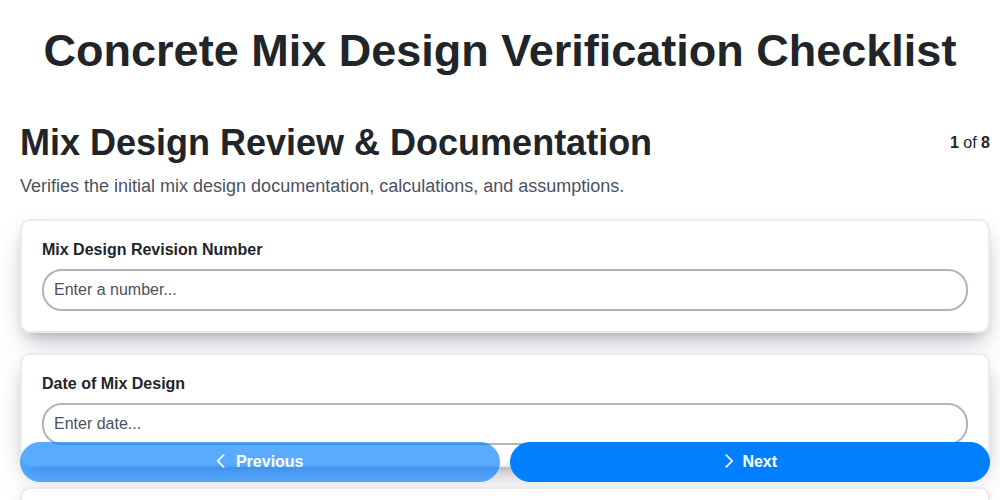
Your Concrete Mix Design Verification Checklist: A Step-by-Step Guide
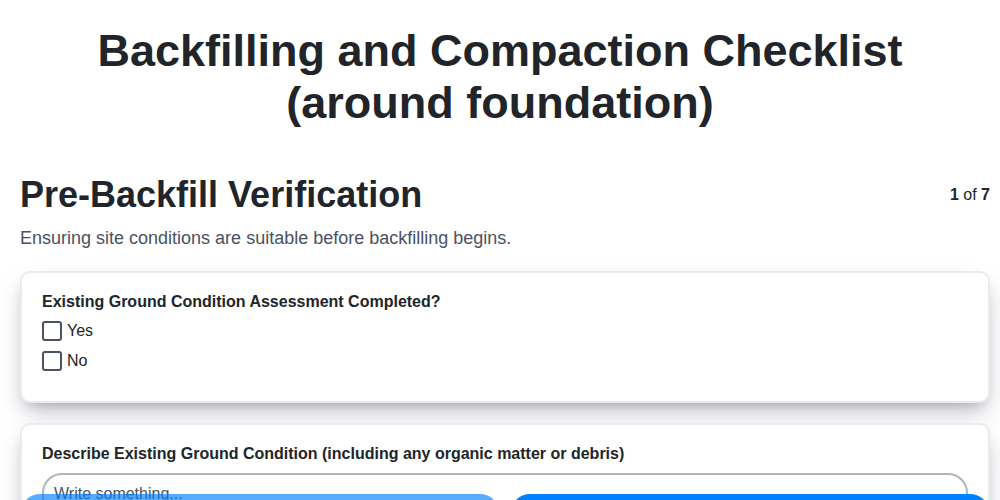
Backfilling & Compaction Checklist: A Foundation's Best Friend
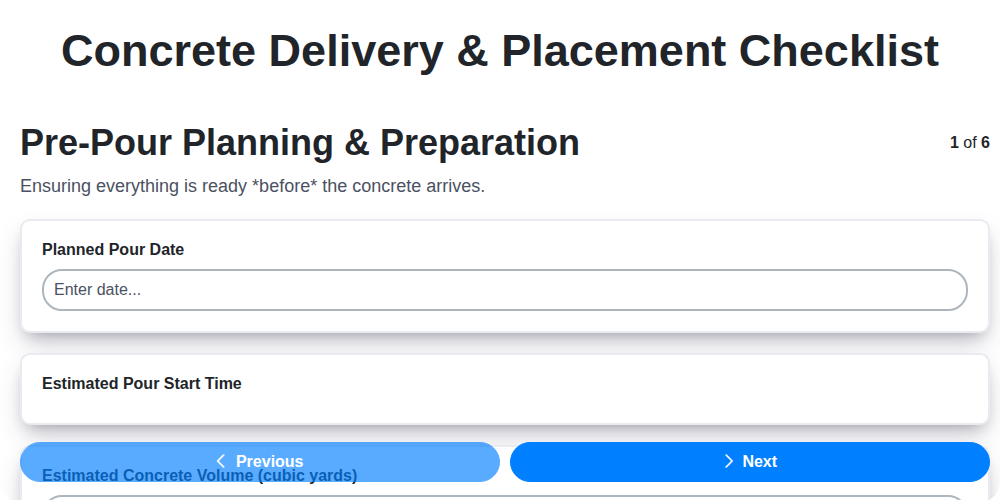
The Ultimate Concrete Delivery & Placement Checklist Template
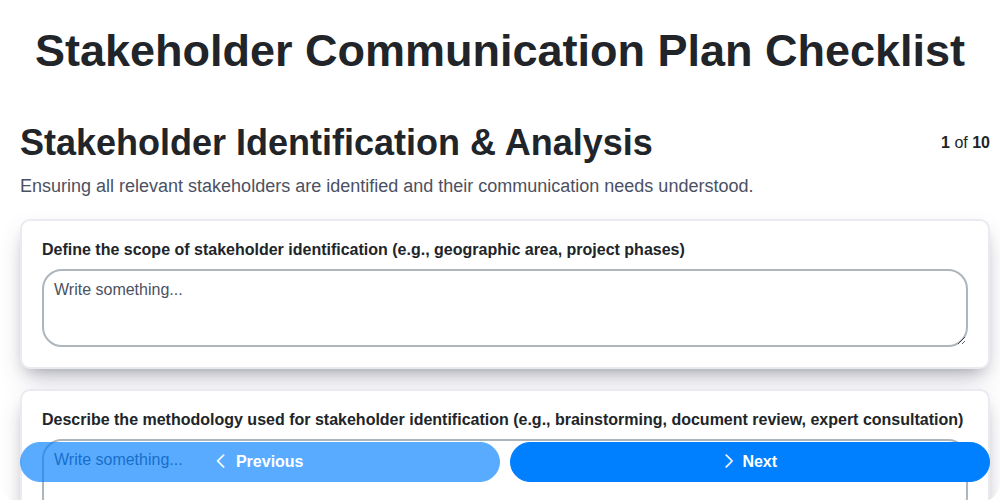
Your Ultimate Stakeholder Communication Plan Checklist Template
We can do it Together
Need help with
Checklists?
Have a question? We're here to help. Please submit your inquiry, and we'll respond promptly.