ERP API Security Checklist: A Comprehensive Guide to Protecting Your Data
Published: 12/20/2025 10:00 PM Updated: 12/21/2025 8:49 AM
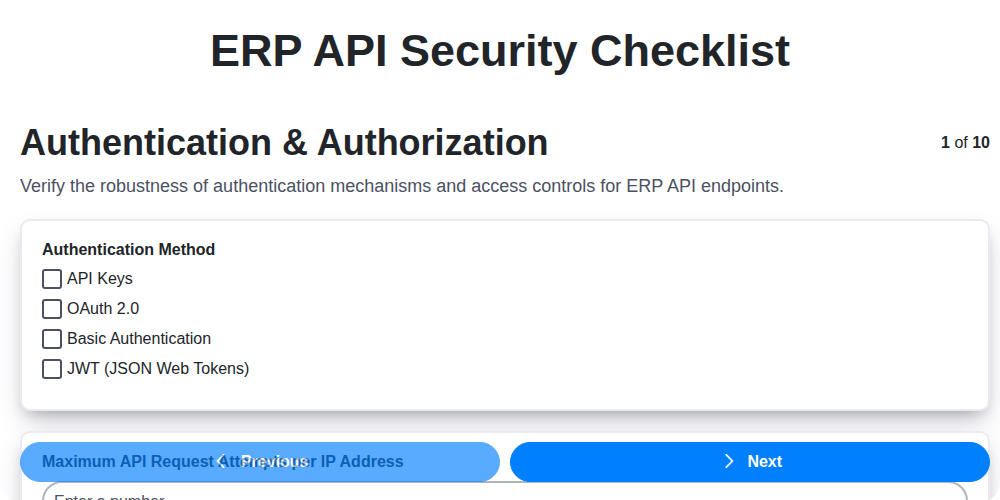
Table of Contents
- Introduction: The Growing Importance of ERP API Security
- Understanding ERP APIs and Their Risks
- ERP API Security Checklist: Key Areas of Focus
- 1. Authentication & Authorization: Verifying Identity and Permissions
- 2. Input Validation & Sanitization: Preventing Malicious Data
- 3. Rate Limiting & Throttling: Defending Against Denial-of-Service Attacks
- 4. Encryption & Data Protection: Securing Data in Transit and at Rest
- 5. API Key Management: Best Practices for Key Security
- 6. Logging & Monitoring: Detecting and Responding to Threats
- 7. Vulnerability Scanning & Penetration Testing: Proactive Security Assessments
- 8. Data Exposure Prevention (DLP): Minimizing Sensitive Data Leaks
- 9. Compliance & Standards: Meeting Regulatory Requirements
- 10. Access Control & Privilege Escalation: Limiting User Access and Preventing Abuse
- Conclusion: Building a Robust ERP API Security Posture
- Resources & Links
TLDR: Your ERP API is a goldmine of data - protect it! This checklist covers crucial security areas like authentication, input validation, encryption, and testing. Follow these steps to minimize vulnerabilities, prevent data breaches, and ensure your ERP data remains safe and compliant.
Introduction: The Growing Importance of ERP API Security
Enterprise Resource Planning (ERP) systems are the backbone of many businesses, managing critical functions like finance, HR, supply chain, and manufacturing. Increasingly, these systems expose their data and functionalities through Application Programming Interfaces (APIs), enabling integration with other applications, partners, and cloud services. While this connectivity offers significant benefits, it also dramatically expands the attack surface and introduces new security risks.
Historically, ERP systems were often considered isolated, behind firewalls, and relatively secure. However, the rise of API-driven architectures has shifted this paradigm. A compromised ERP API can grant attackers access to sensitive data, disrupt operations, and inflict serious financial and reputational damage. Neglecting ERP API security is no longer an option; it's a necessity for maintaining business continuity and protecting valuable assets. This checklist provides a vital roadmap for proactively identifying and mitigating those risks.
Understanding ERP APIs and Their Risks
Enterprise Resource Planning (ERP) systems are the backbone of many businesses, managing critical functions like finance, supply chain, human resources, and manufacturing. Increasingly, ERP systems expose their functionality through Application Programming Interfaces (APIs), allowing integration with other applications, partners, and even mobile devices. While this offers incredible agility and efficiency, it also introduces significant security risks if not properly managed.
ERP APIs are often overlooked in security assessments because they are "behind the scenes," but they represent a prime target for attackers. A successful compromise can lead to devastating consequences, including unauthorized access to sensitive financial data, manipulation of inventory, disruption of operations, and reputational damage.
Unlike traditional web applications, ERP systems often handle highly sensitive data and manage crucial business processes. This elevates the stakes considerably. Attackers targeting ERP APIs aren't just after data; they're often aiming to manipulate or destroy it, impacting the entire business. Furthermore, ERP systems often have legacy code and complex integrations, making them particularly vulnerable to exploitation if API security isn't prioritized. This checklist aims to help you proactively address these risks and secure your ERP API landscape.
ERP API Security Checklist: Key Areas of Focus
Enterprise Resource Planning (ERP) systems are the backbone of many businesses, housing sensitive data related to finance, HR, supply chain, and more. As ERP functionalities increasingly rely on APIs for integration and access, securing these interfaces becomes paramount. A robust ERP API security checklist isn't just a nice-to-have - it's a business imperative. Here's a breakdown of critical areas to focus on when hardening your ERP API security:
1. Authentication & Authorization: Implement strong authentication mechanisms like multi-factor authentication (MFA). Verify user identities and enforce role-based access control (RBAC) to restrict access to only necessary resources. Regularly review and update user permissions.
2. Input Validation & Sanitization: Rigorously validate all API inputs to prevent injection attacks (SQL, XSS, command injection). Sanitize data to remove malicious code. Implement whitelisting over blacklisting approaches.
3. Rate Limiting & Throttling: Prevent denial-of-service (DoS) attacks and resource exhaustion by implementing rate limiting and throttling. Define limits based on user roles and API usage patterns.
4. Encryption & Data Protection: Encrypt data both in transit (using TLS/SSL) and at rest. Utilize strong encryption algorithms and manage encryption keys securely. Implement data masking and tokenization for sensitive information.
5. API Key Management: Securely generate, store, and rotate API keys. Implement proper key access controls and regularly audit their usage. Disable or revoke inactive keys.
6. Logging & Monitoring: Comprehensive logging of all API requests and responses is crucial. Monitor logs for suspicious activity and implement alerting mechanisms for potential security incidents. Centralized log management is highly recommended.
7. Vulnerability Scanning & Penetration Testing: Regularly scan for vulnerabilities in your ERP API code and infrastructure. Conduct periodic penetration testing by qualified professionals to identify and address potential weaknesses.
8. Data Exposure Prevention (DLP): Implement DLP measures to prevent unauthorized access and exfiltration of sensitive ERP data through the API. This includes monitoring for unusual data transfers and enforcing data loss prevention policies.
9. Compliance & Standards: Ensure your ERP API security practices align with relevant industry regulations and security standards (e.g., GDPR, CCPA, ISO 27001).
10. Access Control & Privilege Escalation: Enforce the principle of least privilege. Carefully review and restrict the permissions granted to APIs and services interacting with the ERP system to prevent privilege escalation. Regularly audit access rights.
1. Authentication & Authorization: Verifying Identity and Permissions
Securing your ERP API begins with robust authentication and authorization. Without a solid foundation here, all other security measures are significantly weakened. Authentication confirms who is accessing the API, while authorization dictates what they're allowed to do.
Here's what your checklist should include:
- Strong Password Policies: Enforce minimum password length, complexity requirements, and regular password resets. Avoid storing passwords in plain text - always hash and salt them using industry-standard algorithms.
- Multi-Factor Authentication (MFA): Implement MFA where possible. This adds an extra layer of security, requiring users to verify their identity through multiple factors (e.g., password + OTP).
- Secure Token Management (OAuth 2.0, JWT): Utilize industry-standard protocols like OAuth 2.0 or JSON Web Tokens (JWT) for token-based authentication. Pay close attention to token expiration times, revocation mechanisms, and storage. Avoid storing tokens client-side whenever possible.
- Role-Based Access Control (RBAC): Define granular roles with specific permissions within your ERP system and map API access based on these roles. Don't grant broad administrator access unless absolutely necessary. Principle of Least Privilege is key.
- API Key Validation: If using API keys, rigorously validate them on every request. Implement rotation policies to prevent key compromise. Consider API key restrictions based on IP address or usage patterns.
- Authorization Checks at Every Endpoint: Don't assume a user is authorized simply because they're authenticated. Perform authorization checks at every API endpoint to ensure they have the necessary permissions to access the requested resources and perform the requested actions.
- Regular Review of User Permissions: Audit user accounts and their associated permissions regularly to identify and remediate any excessive or unnecessary access.
- Session Management: Implement secure session management practices including appropriate session timeout values and protection against session hijacking.
2. Input Validation & Sanitization: Preventing Malicious Data
APIs are often a gateway to your core ERP data, making them prime targets for attackers attempting to inject malicious code or manipulate data. Input validation and sanitization are crucial first lines of defense. Simply put, never trust user input. Assume all data coming into your API is potentially harmful.
What is Input Validation?
Input validation involves verifying that data received through your API conforms to expected formats, types, and ranges. This isn't just about checking data types (e.g., ensuring a numeric field contains a number). It's also about confirming data meets business rules and expected constraints. For example:
- Data Type Validation: Confirming an email field contains a valid email format.
- Length Restrictions: Limiting the maximum length of text fields to prevent buffer overflows.
- Range Checks: Ensuring numeric values fall within acceptable ranges (e.g., order quantities aren't negative).
- Allowed Characters: Restricting input to a defined set of characters (e.g., allowing only alphanumeric characters in a product code).
- Format Validation: Enforcing specific formats for dates, phone numbers, or other structured data.
What is Input Sanitization?
Sanitization goes a step further than validation. It's the process of cleaning or transforming potentially harmful data to remove malicious code or characters after validation has occurred. This might involve:
- Encoding: Replacing special characters with their encoded equivalents (e.g., converting
<to<). - Removing Characters: Stripping out potentially dangerous characters entirely.
- Whitelisting: Allowing only known good characters and rejecting everything else.
Why Both are Essential
Validation prevents bad data from entering the system. Sanitization mitigates the risk that even valid-looking data can be exploited. Combining both provides a layered defense.
Example: Preventing SQL Injection
Imagine an API endpoint allowing users to search for customers by name. Without proper validation and sanitization, an attacker could inject malicious SQL code into the name parameter, potentially allowing them to extract sensitive customer information or even modify the database. Validation might check that the input is a string. Sanitization might encode any SQL special characters.
Best Practices:
- Validate on the Server-Side: Never rely solely on client-side validation, as it can be bypassed.
- Use a Whitelist Approach: Define what is allowed, rather than what isn's.
- Implement Regular Expressions: For complex validation patterns.
- Use Established Libraries: Leverage existing, well-tested input validation and sanitization libraries.
- Keep Validation Logic Updated: As ERP systems and data structures evolve, update your validation rules accordingly.
3. Rate Limiting & Throttling: Defending Against Denial-of-Service Attacks
Rate limiting and throttling are critical defenses against denial-of-service (DoS) and distributed denial-of-service (DDoS) attacks targeting your ERP API. Without them, malicious actors can overwhelm your system with requests, causing performance degradation, service outages, and potential data corruption.
Rate Limiting focuses on restricting the number of requests a client can make within a given timeframe. For example, you might limit a user to 100 API calls per minute. This prevents any single client from monopolizing server resources.
Throttling, on the other hand, controls the speed at which requests are processed. It can be used to prioritize important requests while slowing down less critical ones during periods of high load. Unlike rate limiting, which might outright reject requests, throttling aims to manage load without immediate failure.
Implementation Considerations for ERP APIs:
- Granularity: Consider applying rate limits at different levels: per user, per IP address, per API key, and even based on specific API endpoints. Accessing sensitive financial data, for example, should have stricter limits than less critical reporting endpoints.
- Dynamic Adjustment: Implement a system that can dynamically adjust rate limits based on real-time server load and observed traffic patterns.
- Informative Responses: Instead of simply rejecting requests, return informative HTTP status codes (e.g., 429 Too Many Requests) along with clear messages explaining the rate limit exceeded. Include details like the remaining requests and the time until the limit resets.
- Whitelisting & Blacklisting: Allow specific, trusted clients (e.g., internal systems, approved partners) to bypass or have relaxed rate limits through whitelisting. Conversely, blacklist known malicious IP addresses or API keys.
- Integration with Authentication: Tie rate limiting rules to authenticated users. Anonymous or unauthenticated requests should have the most restrictive limits.
- Monitor and Tune: Continuously monitor your rate limiting and throttling configurations. Analyze traffic patterns and adjust limits as needed to balance security and usability.
4. Encryption & Data Protection: Securing Data in Transit and at Rest
ERP systems handle incredibly sensitive data - financial records, customer information, inventory details, and more. A data breach can be catastrophic, leading to significant financial losses, reputational damage, and legal repercussions. Robust encryption and data protection strategies are therefore paramount.
Encryption in Transit: All communication between your ERP system and external applications, services, or users must be encrypted. This typically means enforcing HTTPS (TLS/SSL) for all API endpoints. Regularly review and update your TLS certificates to prevent vulnerabilities arising from outdated protocols or weak ciphers. Consider using strong cipher suites and disabling older, less secure options.
Encryption at Rest: Data stored within the ERP system itself needs protection, too. This includes encrypting databases, file systems, and backups. Choose encryption algorithms appropriate for the sensitivity of the data (AES-256 is a commonly recommended standard). Implement key rotation policies to regularly change encryption keys, mitigating the impact of potential key compromise. Manage encryption keys securely using dedicated key management systems (KMS) and restrict access based on the principle of least privilege.
Data Masking and Tokenization: For sensitive data like Personally Identifiable Information (PII) or financial details that don't need to be directly accessed by all APIs or users, consider data masking or tokenization. Masking replaces the real data with altered, but visually similar data, while tokenization replaces the data with a non-sensitive token that can be used to retrieve the real data from a secure vault.
Regular Audits & Reviews: Encryption practices should be regularly reviewed and audited to ensure effectiveness and compliance with evolving regulations. Include these audits within your overall ERP API security assessment.
5. API Key Management: Best Practices for Key Security
API keys are often the first line of defense for securing your ERP API, but they're also frequently mishandled, leading to vulnerabilities. Weak API key management can quickly negate other security measures. Here's how to do it right:
1. Generation & Rotation: Don't use predictable key generation methods. Utilize cryptographically secure random number generators. Regularly rotate API keys - at least every 90 days, and consider more frequent rotation for sensitive integrations. Automated key rotation is ideal.
2. Secure Storage: Never embed API keys directly in application code or commit them to version control repositories. Use secure configuration management tools, environment variables, or dedicated secrets management platforms (like HashiCorp Vault, AWS Secrets Manager, or Azure Key Vault).
3. Scoped Permissions: Don't give all keys the same level of access. Implement granular permissions, limiting each key's access to only the resources and actions it absolutely needs. Follow the principle of least privilege.
4. Key Revocation: Have a clear process for revoking keys that are suspected of being compromised or are no longer needed. Immediately revoke keys associated with terminated employees or compromised systems.
5. Key Auditing: Track API key usage. Monitor for unusual activity patterns, such as requests from unexpected IP addresses or excessive usage, which could indicate a compromise.
6. Key Expiration: Implement expiration dates on API keys. Even if rotation isn't automated, expiration forces regular review and replacement of keys.
7. Education & Awareness: Train developers and operations teams on proper API key management practices and the risks associated with poor key handling.
By implementing these best practices, you significantly reduce the risk of unauthorized access and data breaches through compromised API keys.
6. Logging & Monitoring: Detecting and Responding to Threats
Effective logging and monitoring are the bedrock of a secure ERP API. Without them, you're flying blind, unable to detect malicious activity or swiftly respond to security incidents. It's not enough to simply have logs; you need a robust system to collect, analyze, and act upon the data they provide.
What to Log: Your logging strategy should be comprehensive. Focus on capturing the following:
- Authentication Attempts: Record all login attempts, successful and failed, including timestamps, IP addresses, usernames, and methods used. Failed attempts, especially repeated ones, are a common indicator of brute-force attacks.
- API Calls: Log every API request, including endpoint accessed, parameters used, user ID, timestamp, and the request's outcome (success or failure). Pay particular attention to requests involving sensitive data or privileged functions.
- Data Modifications: Track any changes made to ERP data, including who made the change, when, and what was changed. This is critical for auditing and incident response.
- Error Conditions: Capture detailed error messages and stack traces to aid in debugging and potentially uncover vulnerabilities.
- Security Events: Specifically log security-related events such as unauthorized access attempts, suspicious user behavior, and API key changes.
Beyond Logging - Real-time Monitoring & Alerting: Raw log data is useless unless someone is actively monitoring it. Implement a centralized logging system (e.g., SIEM - Security Information and Event Management) and configure alerts based on predefined thresholds and patterns. Examples include:
- Excessive Failed Login Attempts: Trigger an alert for repeated failed login attempts from a single IP address.
- Unusual API Usage: Monitor for spikes in API calls from specific users or applications.
- Access to Sensitive Data: Alert when users access data outside their normal scope of access.
- Unexpected Error Patterns: Automated detection of unusual error frequency.
Regular Review & Analysis: Scheduled reviews of logs are essential. Automated analysis can help, but human oversight is vital to identify patterns that might be missed by automated systems. Maintain a clear process for investigating flagged events and implementing corrective actions.
Remember: Logging and monitoring are not a one-time setup. They require ongoing maintenance, tuning, and refinement to remain effective against evolving threats.
7. Vulnerability Scanning & Penetration Testing: Proactive Security Assessments
Relying solely on preventative measures isn't enough. You need to actively seek out vulnerabilities before malicious actors do. This is where vulnerability scanning and penetration testing become essential components of your ERP API security strategy.
Vulnerability Scanning: Think of this as a broad, automated sweep of your API for common weaknesses. These scans leverage automated tools to identify potential issues like outdated libraries with known vulnerabilities, misconfigurations, and insecure coding practices. While valuable for initial assessments and ongoing monitoring, vulnerability scans are often limited in scope and don't account for complex attack vectors. Frequency is key - automated scans should be scheduled regularly (e.g., weekly or even daily) to capture newly discovered vulnerabilities and configuration drifts.
Penetration Testing (Pentesting): This goes beyond automated scans. Pentesting involves skilled security professionals (ethical hackers) attempting to exploit vulnerabilities to assess the real-world impact. They simulate realistic attack scenarios, probing for weaknesses that automated scans might miss. This can include testing for privilege escalation, bypassing authentication mechanisms, and injecting malicious code. Pentesting should be conducted periodically (e.g., annually, or after significant API changes) and ideally by a third-party security firm to ensure objectivity.
The Synergy: Vulnerability scanning provides a baseline and ongoing assessment. Penetration testing validates the effectiveness of your preventative controls and uncovers nuanced vulnerabilities. They work together to create a robust security posture for your ERP API. Don't view them as optional; they're critical investments in protecting your valuable ERP data and processes.
8. Data Exposure Prevention (DLP): Minimizing Sensitive Data Leaks
ERP APIs often handle highly sensitive data - financial records, customer information, intellectual property - making data exposure prevention (DLP) a critical security focus. A breach here can result in devastating consequences, from regulatory fines to reputational damage. DLP isn't just about blocking outbound traffic; it's a layered approach to control how sensitive data is accessed, used, and transmitted.
Here's how to strengthen your ERP API security with DLP principles:
- Data Classification: Identify and classify data based on sensitivity (e.g., public, internal, confidential, restricted). This is the foundation for applying appropriate controls.
- Content Inspection: Implement mechanisms to inspect API request and response payloads for sensitive data patterns (e.g., credit card numbers, social security numbers, bank account details). This often involves regex or specialized DLP engines.
- Context-Aware Controls: Don't just block all traffic. Implement context-aware rules that consider the user role, application requesting the data, and the destination of the data. For example, a financial analyst might need access to certain data that a marketing employee wouldn't.
- Data Masking & Tokenization: Mask or tokenize sensitive data in API responses where full data isn't required. This allows applications to function without exposing the raw sensitive data.
- Endpoint Filtering: Limit which endpoints can return specific data sets. Restrict access to endpoints containing the most sensitive data to authorized users and applications only.
- Watermarking and Fingerprinting: Consider watermarking or fingerprinting data to track its usage and identify unauthorized distribution.
- User Education: Train developers and users on data handling best practices and the importance of DLP.
- Regular Audits: Conduct periodic audits of DLP configurations and effectiveness, ensuring rules are accurate and relevant.
Proactive DLP implementation, combined with other API security controls, significantly reduces the risk of sensitive data exposure and protects your ERP system's valuable assets.
9. Compliance & Standards: Meeting Regulatory Requirements
ERP APIs often handle sensitive data, making adherence to industry regulations and standards not just best practice, but a legal necessity. Failing to do so can result in hefty fines, reputational damage, and even legal action.
This section isn't about a single, easily-checked box. It requires a thorough understanding of the regulatory landscape relevant to your ERP and the data it processes. Consider these critical areas:
- GDPR (General Data Protection Regulation): If your ERP handles data of EU citizens, GDPR compliance is paramount. This includes data minimization, right to access, right to be forgotten, and data breach notification protocols. Your API design must facilitate these rights.
- CCPA (California Consumer Privacy Act): Similar to GDPR, CCPA governs data privacy for California residents. Your API needs to support consumer requests regarding their data.
- HIPAA (Health Insurance Portability and Accountability Act): If your ERP deals with healthcare information, HIPAA mandates strict security and privacy controls. API endpoints accessing or transmitting PHI (Protected Health Information) require rigorous protection.
- PCI DSS (Payment Card Industry Data Security Standard): If your ERP handles credit card information, PCI DSS compliance is mandatory. This involves securing the entire transaction lifecycle, including API endpoints used for payment processing.
- Industry-Specific Regulations: Many industries have their own specific data privacy and security regulations (e.g., financial services, manufacturing). Research and comply with those relevant to your business.
Key Considerations:
- Document Compliance: Maintain detailed documentation outlining how your API adheres to each relevant standard.
- Regular Audits: Conduct regular audits (both internal and external) to verify ongoing compliance.
- Stay Updated: Regulatory landscapes evolve. Keep abreast of changes and update your API and security measures accordingly.
- Data Residency: Consider data residency requirements - some regulations mandate data storage within specific geographic locations. Your API needs to respect those constraints.
Beyond simply meeting the standards, demonstrating compliance through audits, documentation, and security controls builds trust and minimizes risk.
10. Access Control & Privilege Escalation: Limiting User Access and Preventing Abuse
API security isn't just about keeping unauthorized users out; it's also about ensuring that authorized users can only access what they absolutely need. Privilege escalation, where a user gains unauthorized access to higher-level functions or data, is a significant threat in ERP API environments. A seemingly innocuous role, if improperly configured, can be leveraged to manipulate critical business data or compromise entire systems.
Here's how to mitigate access control and privilege escalation risks in your ERP API security:
- Principle of Least Privilege: This is foundational. Every user, application, and process should only have the minimum necessary permissions to perform its intended function. Regularly review and refine these permissions.
- Role-Based Access Control (RBAC): Implement RBAC to simplify access management. Define clear roles with specific permissions and assign users to these roles. Avoid assigning direct user permissions; manage access through roles.
- Regular Access Reviews: Conduct periodic audits of user access rights. Identify and revoke unnecessary permissions. A formal review process with documented approvals is crucial.
- Segregation of Duties: Prevent single users from having control over conflicting processes. For example, the person who creates a vendor record shouldn't also be the person who approves payments.
- API-Specific Permissions: Don't rely solely on ERP system roles. Define API-specific roles with granular control over API endpoints and data access. Some APIs may need broader access, but these should be carefully justified and monitored.
- Prevent Privilege Escalation Paths: Scrutinize your code for potential vulnerabilities that could allow users to bypass access controls or elevate their privileges. This includes avoiding reliance on client-side information for authorization.
- Secure Third-Party Access: When integrating with third-party applications, meticulously review their access requests and implement strict access controls. Limit the scope of their permissions.
- Multi-Factor Authentication (MFA): Enforce MFA for all API users, especially those with privileged access, to add an extra layer of security.
- Monitor for Anomalous Behavior: Implement monitoring to detect unusual API usage patterns that might indicate privilege escalation attempts.
Addressing access control and privilege escalation is an ongoing process, requiring continuous vigilance and adaptation to evolving threats.
Conclusion: Building a Robust ERP API Security Posture
Securing your ERP API is not a one-time project, but an ongoing process. Implementing the checklist outlined above provides a strong foundation, but continuous vigilance and adaptation are essential. As your ERP system evolves and new threats emerge, revisiting and refining your security measures is paramount. Regularly updating your vulnerability scans, penetration testing, and API key management practices demonstrates a commitment to proactive security. Remember that a layered approach - combining technical controls with robust policies and employee training - is the key to building a truly robust ERP API security posture, safeguarding your valuable data and ensuring business continuity. Don't wait for a breach to highlight your vulnerabilities; prioritize continuous improvement and build a security culture that prioritizes protection at every stage.
Resources & Links
- OWASP (Open Web Application Security Project): A leading non-profit foundation focused on improving the security of software. Provides resources, tools, and documentation for various web application security topics, including API security. Essential for understanding common vulnerabilities and best practices.
- SAP Developer Portal: Provides documentation and resources specifically for developing and securing applications interacting with SAP systems. Valuable for understanding SAP API security considerations (if your ERP is SAP).
- Oracle Technology Network: Provides technical documentation, best practices, and tools for Oracle products, including ERP systems. A key resource if your ERP is Oracle (e.g., NetSuite, JD Edwards).
- Microsoft Security Response Center (MSRC): Provides information on security vulnerabilities and mitigation techniques for Microsoft products. Relevant if your ERP is a Microsoft Dynamics system.
- JWT.io (JSON Web Token): A website for debugging and understanding JSON Web Tokens (JWTs), a common authentication method for APIs. Good for understanding and testing JWT implementation.
- Datadog: Offers API monitoring and security solutions, including rate limiting, anomaly detection, and threat detection. Helpful for implementing logging and monitoring.
- Tenable: Provides vulnerability scanning and management solutions. Used for performing vulnerability scanning as part of your security assessment.
- Rapid7: Offers penetration testing and security information and event management (SIEM) solutions. Good for performing penetration testing and threat detection.
- AWS Identity and Access Management (IAM): If your ERP API is hosted on AWS, understanding IAM is crucial for access control and privilege management.
- Azure Active Directory: Similar to AWS IAM, Azure AD is essential if your ERP API is integrated with Microsoft Azure.
- National Institute of Standards and Technology (NIST): Provides security standards and guidelines, including those related to data protection and compliance. Refer to NIST guidelines for comprehensive security best practices.
Frequently Asked Questions
What is an ERP API and why is it a security concern?
An ERP (Enterprise Resource Planning) API allows external systems and applications to access and interact with your ERP data. This connectivity, while beneficial, introduces potential vulnerabilities if not secured properly. Exposure can lead to data breaches, unauthorized access, and business disruption.
Who should use this ERP API Security Checklist?
This checklist is designed for anyone involved in the development, implementation, or maintenance of ERP APIs, including developers, security engineers, IT managers, and ERP administrators.
What are the key areas covered in this checklist?
The checklist covers authentication and authorization, input validation, rate limiting, encryption, logging and monitoring, vulnerability scanning, secure coding practices, and vendor security management.
What is the difference between authentication and authorization in the context of ERP APIs?
Authentication verifies the identity of the user or application attempting to access the API (e.g., username/password, API keys). Authorization determines what resources and actions an authenticated user or application is permitted to access.
Why is input validation so crucial for ERP API security?
Input validation prevents malicious data from being injected into your ERP system. Poor validation can lead to SQL injection, cross-site scripting (XSS), and other attacks that compromise data integrity and system security.
What is rate limiting and why is it important?
Rate limiting restricts the number of API requests a user or application can make within a given time period. It helps prevent denial-of-service (DoS) attacks and brute-force attempts to compromise the API.
What types of encryption should be used for ERP API data in transit and at rest?
Data in transit should be encrypted using TLS/SSL. Data at rest should be encrypted using industry-standard encryption algorithms (e.g., AES). Consider using hardware security modules (HSMs) for enhanced key management.
How can I ensure the security of my ERP API vendor?
Assess the vendor's security posture through questionnaires, audits, and penetration testing. Review their security policies and procedures. Ensure they comply with relevant security standards and regulations.
What are some common ERP API vulnerabilities I should be aware of?
Common vulnerabilities include SQL injection, cross-site scripting (XSS), broken authentication, authorization flaws, insecure direct object references, and security misconfiguration.
How often should I review and update my ERP API security checklist?
Your checklist should be reviewed and updated at least annually, or more frequently if significant changes are made to your ERP system or the threat landscape evolves.
Found this Article helpful?
Comments
There are no comments yet. Be the first to add one!
ERP - Enterprise Resource Planning Solution Demo
Overwhelmed by disconnected systems? ChecklistGuro provides a centralized ERP solution, connecting your business processes - finance, operations, & more - for improved visibility and control. Simplify operations & boost efficiency.
Related Articles

MRP System Go-Live Checklist: Your Path to a Successful Implementation

Top 10 CMiC Alternatives for 2025

The Ultimate Foundation Waterproofing Installation Checklist Template
Top 10 Odoo Alternatives for 2025

How to Save Money on Bill of Materials (BOM) Management Software

The Ultimate Waterproofing Checklist: Ensuring a Leak-Proof Installation

The 10 Best Manufacturing Management Software of 2025

MRP Vendor Master Data Checklist: Ensuring Accuracy and Efficiency
We can do it Together
Need help with
Enterprise Resource Planning (ERP)?
Have a question? We're here to help. Please submit your inquiry, and we'll respond promptly.