The Ultimate ERP Data Archiving Checklist: A Step-by-Step Guide
Published: 12/19/2025 10:00 PM Updated: 12/20/2025 12:27 PM
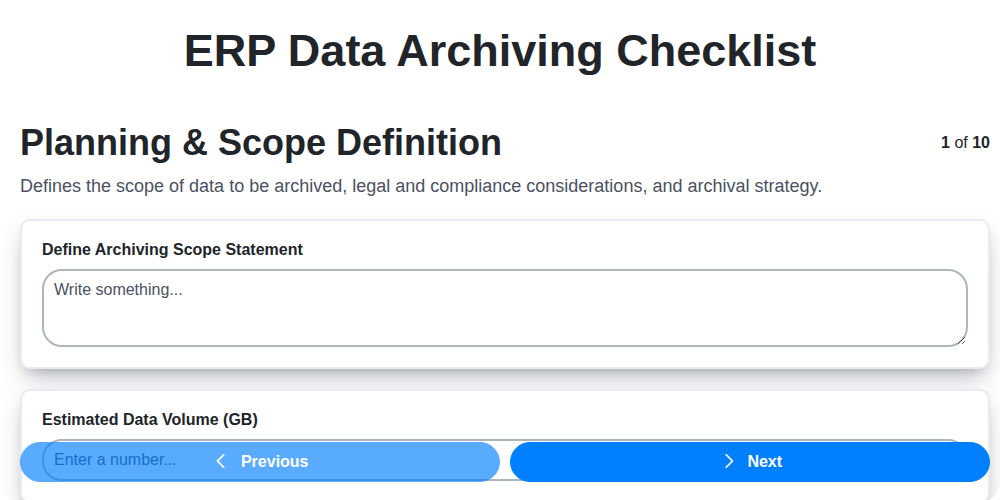
Table of Contents
- Introduction: Why ERP Data Archiving Matters
- 1. Planning & Scope Definition: Laying the Foundation
- 2. Data Identification & Categorization: What Needs to Go?
- 3. Archival System Selection: Choosing the Right Repository
- 4. Data Extraction & Preparation: Cleaning and Readying Your Data
- 5. Data Transfer & Verification: Moving Data Securely & Accurately
- 6. Metadata Management: Ensuring Data Context and Discoverability
- 7. Access & Retrieval Procedures: Defining Who Can See What
- 8. Security & Compliance: Protecting Sensitive Information
- 9. Testing & Validation: Confirming Archival Integrity
- 10. Documentation & Training: Keeping Everyone Informed
- 11. Defining Retention Policies: Legal and Business Requirements
- 12. Ongoing Monitoring & Maintenance: Keeping Your Archive Healthy
- Conclusion: Archiving for the Future
- Resources & Links
TLDR: Got ERP data piling up and slowing things down? This checklist breaks down ERP data archiving into 10 manageable steps, from planning and data identification to security and training. It's your roadmap to a clean, compliant, and efficient ERP system - minimizing storage costs and maximizing performance.
Introduction: Why ERP Data Archiving Matters
As your ERP system matures, it accumulates vast amounts of data. While essential for daily operations, retaining all of this data indefinitely isn't sustainable or cost-effective. Over time, older data can bloat your system, slowing performance, increasing storage costs, and complicating maintenance. More importantly, it can hinder compliance efforts and increase security risks.
ERP data archiving isn't just about decluttering; it's a strategic business process. It involves systematically moving data that's no longer actively used to a secure, cost-effective storage solution while preserving its integrity and accessibility when needed. Properly archiving your ERP data frees up valuable resources, streamlines operations, ensures regulatory compliance, and ultimately supports informed decision-making. This checklist will guide you through the process, ensuring a smooth and compliant data archiving journey.
1. Planning & Scope Definition: Laying the Foundation
Data archiving isn't just a technical exercise; it's a strategic project. A poorly planned archive can lead to lost data, compliance issues, and wasted resources. This initial planning phase is absolutely critical for a successful outcome.
First, clearly define the scope of your archiving project. What data is in scope? Which systems are involved? Be specific! Vague definitions lead to scope creep and headaches later on. Consider factors like data age, business value, and legal requirements to guide your selection.
Next, establish clear objectives. What are you trying to achieve with this archiving project? Is it primarily for regulatory compliance, cost savings from reduced storage, or improved system performance? These objectives will inform subsequent decisions.
Furthermore, assemble a cross-functional team. This should include representatives from IT, legal/compliance, business stakeholders, and potentially a data governance specialist. Their combined expertise is essential for a holistic approach.
Finally, create a detailed project plan with timelines, milestones, and resource allocation. Don't underestimate the time and effort required. A well-defined plan is the bedrock of a successful data archiving initiative.
2. Data Identification & Categorization: What Needs to Go?
Before you start moving data out of your ERP system, you need to know exactly what you're archiving. This isn't just a 'move everything old' scenario - it requires careful data identification and categorization. Improperly archiving critical, active data can disrupt business operations, while failing to archive legally required data can lead to compliance issues.
Here's a breakdown of how to approach this crucial step:
1. Define Archival Criteria: Establish clear rules for what qualifies for archiving. Consider factors like:
- Age: Data older than a predetermined period (e.g., 7 years for financial records).
- Business Function: Data related to discontinued products, services, or departments.
- Legal/Regulatory Requirements: Data retention laws (like GDPR, HIPAA, SOX) that dictate how long specific records must be kept.
- Business Need: Data that is rarely accessed but may hold historical value or be required for auditing.
2. Data Inventory and Profiling: Create a comprehensive list of all data residing in your ERP system. This isn't just table names; it involves understanding the meaning of the data within each table. Data profiling tools can automate much of this, identifying data types, formats, and potential quality issues.
3. Categorization & Prioritization: Group your data into categories based on the criteria established in Step 1. Examples include:
- Financial Records: General ledger data, invoices, payment records.
- Customer Data: Sales orders, customer contracts, communication logs.
- Inventory Data: Stock levels, purchase orders, warehouse transactions.
- Human Resources Data: Employee records, payroll information.
- Manufacturing Data: Production schedules, Bill of Materials, routing information.
Within each category, prioritize data based on risk and value. High-risk data (e.g., financial records with significant legal implications) should be meticulously reviewed and validated.
4. Data Ownership & Collaboration: Involve key stakeholders from different business departments (Finance, Sales, HR, Manufacturing) to ensure accurate identification and categorization. This fosters buy-in and reduces the risk of overlooking crucial data.
5. Documentation: Document your data categorization decisions. Explain why specific data was selected for archiving. This provides a clear audit trail and helps future administrators understand the rationale behind the archiving process.
By meticulously identifying and categorizing your data, you lay the foundation for a successful and compliant ERP data archiving project.
3. Archival System Selection: Choosing the Right Repository
Choosing the right archival system is a pivotal decision impacting the long-term viability and cost-effectiveness of your ERP data archiving project. It's more than just picking a storage solution; it's about selecting a platform that aligns with your business needs, technical capabilities, and future growth. Here's a breakdown of key considerations:
1. Storage Options: Cloud vs. On-Premise vs. Hybrid:
- Cloud-based Archiving: Offers scalability, reduced IT infrastructure overhead, and often lower upfront costs. However, consider data sovereignty, vendor lock-in, and ongoing subscription fees. Evaluate the provider's security and compliance certifications.
- On-Premise Archiving: Gives you complete control over your data and infrastructure but requires significant upfront investment, ongoing maintenance, and dedicated IT resources.
- Hybrid Approach: Combines the benefits of both, allowing you to store less frequently accessed data on-premise while leveraging the cloud for scalability and disaster recovery.
2. Technical Capabilities:
- Data Formats Supported: Ensure the system can handle your ERP data formats (e.g., DB2, Oracle, SAP). Some systems require data conversion, adding complexity and potential data loss.
- Indexing & Search Capabilities: Robust indexing is crucial for efficient data retrieval. Look for full-text search and advanced filtering options.
- Integration Capabilities: Consider how well the archival system integrates with your existing ERP system, security infrastructure, and other business applications. APIs and pre-built connectors can significantly streamline the process.
- Scalability: The system should easily scale to accommodate future data growth without requiring significant upgrades or modifications.
- Retention Policies: Does the system automatically enforce your data retention policies, ensuring compliance with regulatory requirements?
3. Vendor Evaluation:
- Reputation & Experience: Research the vendor's track record and experience in ERP data archiving.
- Support & Maintenance: Assess the vendor's support offerings, including response times, expertise, and available training.
- Cost & Licensing: Carefully analyze the total cost of ownership, including licensing fees, implementation costs, and ongoing maintenance.
Ultimately, the ideal archival system is one that is not only technically sound but also aligned with your organizational goals and budget. A thorough evaluation process, including proof-of-concept testing, is highly recommended.
4. Data Extraction & Preparation: Cleaning and Readying Your Data
This phase is where the rubber meets the road. Simply identifying data isn't enough; it needs to be extracted from your ERP system and prepared for archival. This involves a series of crucial steps, often the most time-consuming and technically challenging.
Extraction Strategies: Direct database extraction isn't always feasible or advisable, especially with live systems. Consider these methods:
- API Extraction: Utilizing ERP APIs (if available) allows for controlled and potentially more efficient data retrieval.
- Report Generation: Exporting data through pre-built or custom ERP reports is a common approach, but be mindful of data formatting and completeness.
- Third-Party Tools: Specialized archiving solutions often provide automated extraction capabilities.
Cleaning and Transformation: Once extracted, the data rarely arrives in a pristine archival-ready format. Expect to encounter:
- Data Type Inconsistencies: Dates, numbers, and text fields might be stored differently than expected.
- Missing Values: Handle nulls and empty fields consistently (imputation, flagging, or removal, depending on their significance).
- Data Formatting Issues: Standardize date formats, currency symbols, and units of measurement.
- Data Redundancy: Identify and potentially eliminate duplicate records (though be cautious - duplicates might be legitimate in some cases).
- Data Corruption: Identify and address any data corruption issues that may have arisen during extraction.
Data Transformation: This often involves translating data to a format suitable for the archival system (e.g., converting from a relational database to a flat file or a specific archival database structure). Consider creating transformation scripts or utilizing ETL (Extract, Transform, Load) tools to automate this process. Thorough documentation of these transformations is vital for future auditing and data understanding.
Quality Checks: Implement data quality checks throughout the extraction and preparation process. This includes:
- Completeness Checks: Ensure all expected data is present.
- Accuracy Checks: Verify data accuracy against source systems.
- Consistency Checks: Ensure data conforms to defined rules and standards.
Proper data extraction and preparation are foundational for a successful ERP data archiving project. Cutting corners here can lead to downstream problems with data integrity, accessibility, and compliance.
5. Data Transfer & Verification: Moving Data Securely & Accurately
This phase is where the rubber meets the road. Simply preparing your data isn't enough; you need to move it safely and ensure its integrity throughout the process. This involves careful planning and meticulous execution.
1. Secure Transfer Methods: Don't just copy and paste! Utilize secure transfer protocols like SFTP, HTTPS, or dedicated data transfer tools with encryption. Avoid transferring data via email or unsecured network drives. A robust and documented transfer method is crucial for auditability.
2. Phased Approach: Consider a phased transfer. Begin with a smaller subset of data to test the process and identify any unforeseen issues. This minimizes risk and allows for adjustments before migrating the entire archive.
3. Data Integrity Checks: Implement checksums (like MD5 or SHA-256) before and after the transfer. These provide a verifiable proof that the data hasn't been corrupted during transit. Compare the checksums to ensure consistency.
4. Reconciliation & Validation: After transfer, perform a detailed reconciliation between the original ERP system and the archive. This involves comparing record counts, data summaries, and spot-checking critical data elements. Discrepancies must be investigated and resolved.
5. Audit Trails: Maintain a comprehensive audit trail documenting every step of the data transfer process, including timestamps, user IDs, and checksum results. This is vital for compliance and troubleshooting.
6. Error Handling: Establish clear procedures for handling errors encountered during the transfer. Automated error logging and notification systems are highly recommended.
By focusing on security and accuracy, you can confidently move your ERP data to long-term storage, preserving its value and ensuring its accessibility when needed.
6. Metadata Management: Ensuring Data Context and Discoverability
Data archiving isn't just about moving files; it's about preserving meaning. Without proper metadata, your archived data becomes a black box - difficult to understand, locate, and utilize. Effective metadata management is critical for ensuring your archived data remains valuable and accessible long-term.
What exactly is metadata? Simply put, it's "data about data." It provides essential context, including:
- Descriptive Metadata: This includes things like data owner, creation date, data type, subject matter, and keywords. Think of it as the title, author, and abstract of your archived data.
- Technical Metadata: Details about the data's format, size, and the systems it originated from. This is crucial for ensuring compatibility and potential future migration.
- Business Metadata: This links the data to business processes, regulations, and retention policies. It's the bridge between the data and its original purpose.
- Provenance Metadata: Records the history of the data - its changes, derivations, and transformations - providing a complete audit trail.
Best Practices for Metadata Management:
- Define a Metadata Schema: Establish clear, consistent rules for what metadata is collected and how it's structured.
- Automate Metadata Extraction: Wherever possible, automate the extraction of metadata during the data preparation phase. This minimizes manual effort and reduces errors.
- Link Metadata to the Data: Ensure metadata is directly and permanently linked to the archived data files.
- Maintain Metadata Integrity: Implement controls to prevent unauthorized modifications to metadata.
- Regularly Review and Update: Metadata needs to evolve alongside business needs and changing regulations. Schedule periodic reviews to ensure its accuracy and relevance.
By prioritizing metadata management, you transform your archived data from a storage cost into a valuable asset, readily available when and where it's needed.
7. Access & Retrieval Procedures: Defining Who Can See What
Once your archived data is safely stored, the real work of ensuring its usefulness begins: defining clear access and retrieval procedures. Simply having the data isn't enough; users need to be able to find what they need, when they need it, and in a secure and compliant manner.
This stage revolves around establishing a robust system for accessing and retrieving archived information. Here's what to consider:
- Role-Based Access Control (RBAC): Implement RBAC to restrict access based on user roles. Not everyone needs access to everything. Clearly define roles (e.g., Auditors, Legal, Business Analysts) and assign permissions accordingly.
- Search Functionality: Your archival system must have effective search capabilities. This includes keyword search, date range filtering, and potentially more advanced search options based on metadata. Without it, finding specific records will be a frustrating, time-consuming ordeal.
- Retrieval Time Objectives (RTOs): Define how quickly data needs to be retrieved. While archival data isn't accessed as frequently as operational data, understand the timelines for common retrieval requests and ensure the system can meet them.
- Retrieval Request Process: Formalize a process for requesting data access. This ensures proper authorization, tracking, and auditability. Include details on who can initiate requests, the necessary approvals, and estimated turnaround times.
- Data Format on Retrieval: Determine the format in which users will access the archived data (e.g., PDF, CSV, original format). Consider user needs and the purpose of the data retrieval.
- Regular Review: Periodically review access controls and retrieval procedures to ensure they remain aligned with business needs and compliance requirements. User roles and data sensitivity can change over time.
By establishing clear and well-defined access and retrieval procedures, you transform your archived data from a storage repository into a valuable asset that supports business operations and decision-making.
8. Security & Compliance: Protecting Sensitive Information
Data archiving isn't just about freeing up space; it's critically intertwined with security and regulatory compliance. Improperly handled archived data can expose your organization to significant risk, including breaches, fines, and reputational damage. This section outlines essential security and compliance considerations during your ERP data archiving project.
Key Considerations:
- Data Encryption: Implement robust encryption both at rest (while stored in the archive) and in transit (during the transfer process). This protects data from unauthorized access even if the archive system is compromised.
- Access Controls: Establish strict access controls defining who can access archived data and what they can do (read, write, delete). Utilize role-based access control to limit permissions based on job function. Regularly review and update these permissions.
- Retention Policies & Legal Hold: Your archive system must support configurable retention policies that align with legal and regulatory requirements. Ensure you have procedures for implementing legal holds, which temporarily suspend standard retention policies for specific data relevant to ongoing litigation or investigations.
- Audit Trails: Maintain comprehensive audit trails that record all access, modifications, and deletions within the archive system. These trails are crucial for accountability and can be invaluable during audits.
- Compliance Frameworks: Identify the specific compliance frameworks applicable to your industry and data (e.g., GDPR, HIPAA, SOX). Ensure your archiving solution and processes meet these requirements. This may include data residency considerations.
- Data Masking/Pseudonymization: For sensitive data elements (e.g., personally identifiable information (PII)), consider techniques like data masking or pseudonymization to reduce the risk of exposure.
- Regular Security Assessments: Conduct regular vulnerability scans and penetration testing of your archive system to identify and remediate potential security weaknesses.
- Vendor Security Due Diligence: If using a third-party archiving service, thoroughly vet their security practices and compliance certifications. Ensure they align with your organization's security standards.
9. Testing & Validation: Confirming Archival Integrity
Testing and validation are arguably the most crucial steps in the ERP data archiving process. Moving data isn't enough; you need absolute confidence that the archived data is complete, accessible, and usable when needed. This phase goes beyond simply checking that files exist in the archive; it's about proving they's functional and represent the original data accurately.
Here's a breakdown of what's involved:
- Data Integrity Checks: Execute tests to ensure that data hasn't been corrupted during extraction, transfer, or storage. This includes verifying data types, field lengths, and overall consistency. Compare a statistically significant sample of archived records with the original ERP system to identify any discrepancies.
- Functionality Testing: Simulate real-world retrieval scenarios. Can users access and view the archived data using the designated tools and procedures? Can reports be generated? Can data be exported?
- Record Retrieval Validation: Verify that archived records can be located and retrieved efficiently using different search criteria (date range, transaction ID, specific keywords, etc.).
- Usability Assessment: Involve end-users in the testing process. They can provide valuable feedback on the usability of the archived data and identify any gaps or areas for improvement.
- Performance Testing: Assess the performance of the archival system under various load conditions. How long does it take to retrieve data? Can the system handle simultaneous user requests?
- Regression Testing: After any adjustments or modifications to the archival system, repeat testing to ensure that existing functionality remains intact.
Thorough testing and validation minimize risks, ensure compliance, and ultimately build trust in your ERP data archiving solution. Document all test results meticulously, noting any issues encountered and their resolutions. This documentation becomes a critical component of your overall archiving strategy.
10. Documentation & Training: Keeping Everyone Informed
Data archiving isn't a set it and forget it process. Successful long-term archiving hinges on ensuring everyone involved - from IT and legal to business users - understands the new system and their roles within it. This is where thorough documentation and comprehensive training become critical.
What Documentation Should You Include?
- Archiving Policy: A clear, written policy outlining the rationale behind archiving, retention periods, disposal procedures, and who is responsible.
- System Architecture & Configuration: Detailed descriptions of the archival system, its configuration, and how it integrates with existing ERP systems.
- Data Mapping & Transformation Rules: Explain how data was identified, categorized, extracted, and transformed for archival purposes. This is vital for troubleshooting and future modifications.
- Access & Retrieval Procedures: Step-by-step guides for users to access and retrieve archived data, including contact information for support.
- Security Protocols: Document all security measures implemented to protect archived data, including access controls and encryption methods.
- Change Management Process: A clear process for handling changes to the archival system or archived data.
Essential Training Components:
- IT Staff Training: Comprehensive training for IT personnel responsible for managing and maintaining the archival system.
- Business User Training: Training for users who need to understand how the archival process impacts their workflows and how to request data retrieval.
- Legal & Compliance Team Training: Ensure they understand retention policies and compliance requirements.
- Regular Refresher Courses: Archive systems evolve. Periodic training reinforces knowledge and addresses new features or changes.
Proper documentation and training minimize errors, improve user adoption, and safeguard the integrity of your archived data. Investing in these areas upfront will pay dividends for years to come.
11. Defining Retention Policies: Legal and Business Requirements
Data archiving isn't just about moving data off primary systems; it's fundamentally about managing it responsibly throughout its lifecycle. A critical element of that is defining clear and enforceable retention policies. These policies dictate how long specific data types must be kept, and what happens to them after that period. Neglecting this step can lead to legal repercussions, regulatory fines, and unnecessary storage costs.
Legal Considerations: Regulations like GDPR, CCPA, HIPAA, and industry-specific guidelines often mandate specific retention periods for certain types of data. Failure to comply can result in substantial penalties. Consult with legal and compliance experts to thoroughly understand your obligations. For example, financial records might need to be retained for seven years, while employee records may have different requirements.
Business Requirements: Beyond legal mandates, consider your business needs. Historical data can be invaluable for:
- Auditing: Providing evidence of past operations and compliance.
- Business Intelligence & Analytics: Identifying trends and making informed decisions.
- Disaster Recovery: Providing a backup of critical data.
- Litigation Support: Assisting in legal proceedings.
Striking a balance between these legal and business needs is crucial. Develop policies that allow you to retain data for a reasonable amount of time, considering both risk mitigation and potential future value. Be explicit in your policies; specify the data types covered, the retention duration, and the disposal method (e.g., secure deletion, physical destruction). Regularly review and update these policies to reflect changes in regulations and business practices.
12. Ongoing Monitoring & Maintenance: Keeping Your Archive Healthy
Data archiving isn't a set it and forget it endeavor. Like any critical system, your archived data needs ongoing attention to ensure its integrity, accessibility, and compliance. Neglecting this crucial phase can lead to data corruption, retrieval issues, and potential compliance violations down the line.
Here's what ongoing monitoring and maintenance involves:
- Regular Integrity Checks: Schedule routine checks to verify the physical and logical integrity of your archived data. This includes verifying checksums, file consistency, and ensuring data hasn't been inadvertently modified.
- Media Lifecycle Management: If you're using physical media (tapes, optical discs), adhere to vendor-recommended lifecycles. Implement a migration strategy to transfer data to newer, more reliable storage mediums before the old ones degrade.
- System Performance Monitoring: Keep an eye on the performance of your archival system. This includes storage capacity utilization, access times, and error rates.
- Compliance Updates: Regulations and industry best practices evolve. Regularly review your archiving procedures to ensure they remain compliant.
- User Access Reviews: Periodically review user access permissions to ensure only authorized personnel have access to archived data.
- Metadata Review: Metadata accuracy is vital. Regularly review and update metadata to reflect changes in data classifications or business needs.
- Disaster Recovery Drills: Conduct periodic disaster recovery drills to test your ability to restore archived data in case of an emergency.
- Technology Updates: Evaluate and implement updates to your archival software and hardware to maintain optimal performance and security.
By incorporating these ongoing monitoring and maintenance tasks into your data archiving strategy, you'll safeguard your valuable historical data and ensure it remains accessible and reliable for years to come.
Conclusion: Archiving for the Future
Successfully archiving ERP data isn't just about decluttering your systems; it's a strategic investment in long-term business resilience and regulatory compliance. Following a comprehensive checklist, like the one outlined in this article, ensures a structured and controlled process, mitigating risks and maximizing the benefits of your archived data. Remember, archiving isn't a one-time project but an ongoing responsibility. Regularly review your archiving policies, update your procedures, and adapt to evolving business needs and regulatory landscapes. By embracing a proactive approach to ERP data archiving, you're safeguarding your organization's history, preparing for future audits, and freeing up valuable resources for innovation and growth. The future of your business depends on responsible data management - start archiving strategically today.
Resources & Links
- Gartner: Gartner provides research and analysis on IT trends, including data archiving and information governance. Their reports can help inform your archival strategy.
- AIIM (Association for Information and Image Management): AIIM offers resources, training, and certifications related to information governance, records management, and data archiving. A great source for best practices and industry standards.
- Compliance Week: Provides news and analysis on regulatory compliance, including data privacy and retention requirements relevant to ERP data archiving.
- NIST (National Institute of Standards and Technology): NIST provides standards and guidelines for data security and privacy, which are essential for ERP data archiving. Useful for understanding compliance requirements.
- Arcive: A vendor providing data archiving solutions - good to see examples of commercial offerings (consider adding other vendors as well).
- ODRBOX: Another example of a data archiving solution provider. Good for researching different approaches to archival systems.
- Smartsheet: While primarily a project management tool, Smartsheet can be useful for creating and managing your ERP data archiving checklist itself, and tracking progress.
- Compliance Forge: Provides information, templates and tools to manage compliance, which is highly relevant for data archiving.
- Information Management: Provides industry news and articles related to information governance and data archiving.
- SearchERP: Provides information, resources, and news specifically for ERP professionals, including data management topics.
Frequently Asked Questions
What is ERP data archiving and why is it important?
ERP data archiving is the process of moving inactive or historical data from your live ERP system to a secure, cost-effective storage location. It's crucial for maintaining ERP system performance, complying with regulations, and managing storage costs. It prevents your live system from being bogged down by data that isn't actively used.
What are the potential consequences of *not* archiving ERP data?
Without archiving, you risk slowing down your ERP system, increasing storage costs, encountering compliance issues (like GDPR or SOX), and making it harder to analyze current data. It can also lead to increased licensing fees and difficulty with system upgrades.
What regulations might necessitate ERP data archiving?
Common regulations requiring data archiving include GDPR (General Data Protection Regulation), SOX (Sarbanes-Oxley Act), HIPAA (Health Insurance Portability and Accountability Act), and industry-specific regulations. It's important to consult with legal and compliance experts to determine which regulations apply to your organization.
What types of data are typically included in ERP archiving?
Common data types for archiving include financial transactions (general ledger, accounts payable, accounts receivable), inventory records, customer data, sales orders, purchase orders, and production data. Basically, any data that's no longer actively used for daily operations but needs to be retained for compliance or auditing purposes.
What's the difference between archiving and deleting ERP data?
Archiving moves data to a separate storage location while preserving its integrity and accessibility for retrieval when needed. Deleting data permanently removes it, which can violate compliance regulations and make it impossible to reconstruct historical records. Archiving is almost always preferred.
What are the key steps outlined in the archiving checklist?
The checklist typically covers planning (defining scope, identifying data, setting retention policies), assessment (evaluating data volume, system impact), selection (choosing an archiving solution), implementation (migration, validation), and ongoing maintenance (monitoring, compliance checks).
What factors should I consider when selecting an ERP archiving solution?
Consider factors such as the solution's scalability, security features, compliance capabilities, ease of integration with your ERP system, reporting capabilities, and cost-effectiveness. Evaluate both on-premise and cloud-based options.
How do I determine the appropriate data retention policies?
Retention policies are based on legal and regulatory requirements, business needs, and the value of the data. Consult legal counsel, compliance officers, and relevant stakeholders to define appropriate retention periods for different data types.
How do I validate that the archived data is accurate and complete?
Validation involves comparing samples of archived data with the original data in the ERP system to ensure accuracy and completeness. Implement automated validation processes whenever possible and document validation results.
What ongoing maintenance is required for an ERP archiving solution?
Ongoing maintenance includes monitoring storage capacity, validating data integrity, updating retention policies, ensuring solution security, and staying up-to-date with regulatory changes. Regular audits are also essential.
Can I archive data to the cloud?
Yes, cloud-based archiving solutions are increasingly popular. They offer scalability, cost savings, and accessibility benefits. However, ensure the cloud provider meets your security and compliance requirements.
How often should I review and update my ERP archiving strategy?
Your archiving strategy should be reviewed at least annually, or more frequently if there are significant changes to regulations, business processes, or ERP system configuration. Proactive review ensures ongoing compliance and efficiency.
Found this Article helpful?
Comments
There are no comments yet. Be the first to add one!
ERP - Enterprise Resource Planning Solution Demo
Overwhelmed by disconnected systems? ChecklistGuro provides a centralized ERP solution, connecting your business processes - finance, operations, & more - for improved visibility and control. Simplify operations & boost efficiency.
Related Articles

MRP System Go-Live Checklist: Your Path to a Successful Implementation

Top 10 CMiC Alternatives for 2025

The Ultimate Foundation Waterproofing Installation Checklist Template
Top 10 Odoo Alternatives for 2025

How to Save Money on Bill of Materials (BOM) Management Software

The Ultimate Waterproofing Checklist: Ensuring a Leak-Proof Installation

The 10 Best Manufacturing Management Software of 2025

MRP Vendor Master Data Checklist: Ensuring Accuracy and Efficiency
We can do it Together
Need help with
Enterprise Resource Planning (ERP)?
Have a question? We're here to help. Please submit your inquiry, and we'll respond promptly.